JetEngine Alternatives in 2026: 7 Best Tools Compared
WLWPLegible EditorsLast verified 22 Nov 2026How we rank9 min read
★ Short answer
Advanced Custom Fields (ACF) is the #1 JetEngine alternative, backed by 2M+ active installs, 30+ field types, and native post type registration. For modular custom database tables and lifetime licensing, pick Meta Box; for a completely free all-in-one content modeling stack, pick Pods.
How we make this list: we compare pricing pages, product documentation and public user reviews, then re-check every price before each update. No product paid for a place. Disclosure.
Advanced Custom Fields (ACF) runs on 2M+ WordPress sites and starts at $49/yr for ACF PRO.
Meta Box holds a 4.8/5 rating on WordPress.org, starting at $49/yr or $299 one-time for 3 sites.
Pods delivers custom post types, fields, relationships, and custom tables at $0 with 100,000+ active installs.
Secure Custom Fields provides repeater, gallery, and flexible content blocks free across 100,000+ active sites.
Toolset replaces JetEngine's no-code views, maps, and access control starting at €69/yr for 1 site.
What to look for in a JetEngine alternative
JetEngine bundles custom post types, meta fields, relationships, custom content types (CCTs), query builders, dynamic listings, and profile tools into one Crocoblock plugin. Most site owners switch because they only need the data modeling layer, want a free core plugin on WordPress.org, or prefer an architecture that does not tie templates to a single ecosystem.
Before choosing a replacement, audit which JetEngine modules your site actually relies on. If you only register custom post types, taxonomies, and meta fields for Elementor, Bricks, or the Block Editor, lightweight tools like ACF, Secure Custom Fields, or CPT UI keep your stack lean without paying for unused listing widgets.
When your project requires custom database tables for high-volume directories, front-end submission forms, or visual query loops, narrow your shortlist to modular frameworks like Meta Box, all-in-one free stacks like Pods, or full dynamic site builders like Toolset.
List prices in each vendor's currency, checked Nov 2026
PodsFree
SCFFree
CPT UIFree
CarbonFieldsFree
ACFFREE$49
Meta BoxFREE$49
Toolset€75
The 7 best jetengine alternatives
01
Advanced Custom Fields
4.5/5on WordPress.org (1,438 reviews, checked Nov 2026)
Paid from$49/yr
Best overall custom fields & CPT plugin
Free versionYes (30+ field types & CPTs)
Cheapest paid$49/yr (1 site)
Custom tablesNo (uses wp_postmeta)
Builder supportGutenberg, Elementor, Bricks
advancedcustomfields.com
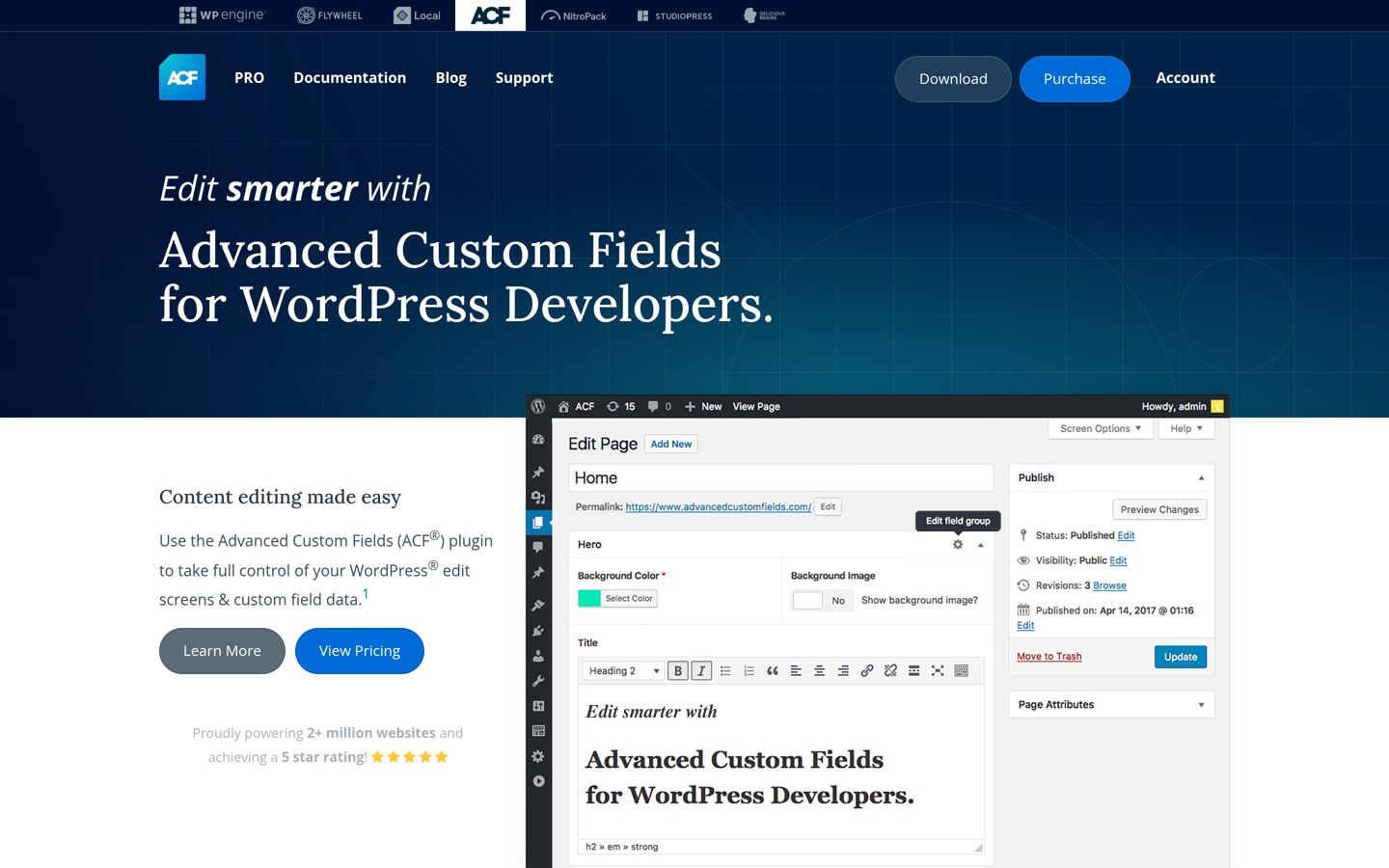
Advanced Custom Fields homepage, captured Nov 2026.
Advanced Custom Fields is a custom content modeling plugin that lets you register custom post types, taxonomies, and over 30 field types inside WordPress. The free plugin on WordPress.org includes location rules, REST API exposure, and ACF JSON syncing so field configurations move cleanly between staging and production.
The trade off is that repeatable groups, flexible content layouts, gallery fields, and custom ACF Blocks require ACF PRO at $49/yr regular price for 1 site. It suits agencies and site owners who want the widest third-party compatibility with page builders and SEO plugins.
What we like
Supported natively by Elementor Pro, Bricks, Breakdance, Yoast, and Rank Math
Includes custom post type and taxonomy registration in the free plugin
ACF JSON export keeps field schemas in version control
Watch out for
Repeater, Gallery, and Flexible Content fields require ACF PRO
Does not include a visual front-end query loop or listing grid builder
ACF PRO ($49/yr) unlocks Repeater, Flexible Content, Gallery, Clone, Options Pages, and ACF Blocks.Visit advancedcustomfields.com
02
Meta Box
4.8/5on WordPress.org (165 reviews, checked Nov 2026)
Paid from$49/yr
Best for custom tables & lifetime licensing
Free versionYes (Core + Meta Box Lite UI)
Cheapest paid$49/yr (Basic, 1 site)
Custom tablesYes (MB Custom Table extension)
Lifetime option$299 one-time (3 sites)
metabox.io
Meta Box homepage, captured Nov 2026.
Meta Box is a modular custom fields and dynamic content framework offering over 40 field types, custom post types, taxonomies, and bidirectional relationships. Pairing the core WordPress.org plugin with free Meta Box Lite gives you a visual admin UI without writing PHP registration code.
The trade off is that advanced extensions like custom database tables, front-end submission forms, and conditional logic live in paid bundles starting at $49/yr for 1 site, or $99/yr for all extensions on 3 sites. It suits developers building high-volume directories who need custom table storage.
What we like
Stores custom field data in dedicated database tables via MB Custom Table
Offers a $299 one-time Lifetime Bundle for 3 sites with all PRO extensions
Lightweight modular architecture loads only enabled extensions
Watch out for
Full visual builder and all extensions require the $99/yr Ultimate tier
Smaller third-party tutorial library than ACF
Basic Bundle ($49/yr) adds 12 PRO extensions; Ultimate ($99/yr) unlocks Meta Box AIO on 3 sites.Visit metabox.io
03
Pods
4.8/5on WordPress.org (417 reviews, checked Nov 2026)
PriceFree
Best completely free all-in-one framework
Free version100% free (all core features)
Cheapest paidNone (donation-funded)
Custom tablesYes (Advanced Content Types)
Display toolsPods Templates, blocks & shortcodes
pods.io
Pods homepage, captured Nov 2026.
Pods is an open-source content development framework that creates custom post types, custom taxonomies, settings pages, and custom fields from one screen. Unlike freemium competitors, it includes bidirectional relationships, repeatable fields, custom table storage, and Pod Templates for displaying front-end output at zero cost.
The trade off is a steeper learning curve when configuring complex template magic tags and fewer visual query controls than JetEngine. It suits budget-conscious builders and nonprofits who want JetEngine-style data modeling and basic templating without annual license fees.
What we like
Every core feature, including relationships and custom tables, is completely free
Built-in Pods Templates let you render dynamic layouts with shortcodes or blocks
Extends existing WordPress users, media, comments, and taxonomy terms
Watch out for
No dedicated commercial support SLA; relies on community forums and documentation
Template syntax feels dated compared to modern visual query builders
Core plugin is 100% free on WordPress.org; optional community Pro add-ons are sold separately.Visit pods.io
04
Secure Custom Fields
4.8/5on WordPress.org (65 reviews, checked Nov 2026)
PriceFree
Best free alternative with repeater fields
Free version100% free (no paid tier)
Cheapest paidNone
Field typesIncludes Repeater, Gallery & Flexible
CPT registrationBuilt-in post types & taxonomies
wordpress.org
Secure Custom Fields homepage, captured Nov 2026.
Secure Custom Fields is a WordPress.org-maintained fork of Advanced Custom Fields that unlocks repeater fields, flexible content layouts, gallery fields, options pages, and custom blocks for free. It uses familiar ACF function names and field group schemas while adding native Block Bindings and JSON-LD support.
The trade off is that it cannot run alongside ACF on the same site, and it omits JetEngine's visual listing grids, maps, and front-end user profile modules. It suits builders migrating off ACF PRO who want repeatable fields without subscription renewals.
What we like
Unlocks Repeater, Gallery, Clone, and Flexible Content fields at $0
Supports WordPress Block Bindings and custom post type registration out of the box
Maintained directly on WordPress.org with frequent security hardening releases
Watch out for
Cannot be active simultaneously with Advanced Custom Fields
No commercial vendor support team or visual query loop builder
Toolset is a commercial suite of dynamic WordPress plugins—Types, Blocks, Forms, Maps, and Access—designed to build directories, membership sites, and custom WooCommerce stores inside the WordPress Block Editor. Like JetEngine, it handles both backend data schemas and front-end filtered search grids without PHP.
The trade off is that Toolset has no free version on WordPress.org and charges €69/yr (about $75/yr) for a 1-site license, renewing at €51/yr. It suits Gutenberg-focused agencies that want JetEngine's all-in-one dynamic toolkit without relying on Elementor.
What we like
Includes custom search filters, Google/Azure maps, role access control, and front-end forms
Renewal price drops to €51/yr after the first year on the 1-site plan
Works directly inside native WordPress blocks with full WPML compatibility
Watch out for
No free trial plugin on WordPress.org
Less popular with Bricks and Elementor workflows than JetEngine or ACF
All plans (€69/yr for 1 site) include Types, Blocks, Forms, Maps, Access, and WooCommerce Views.Visit toolset.com
06
Custom Post Type UI
4.8/5on WordPress.org (1,490 reviews, checked Nov 2026)
Custom Post Type UI is a focused registration plugin used on over 1 million WordPress sites to create and manage custom post types and taxonomies through a clean admin screen. Maintained by WebDevStudios, it also exports clean PHP registration snippets if you ever want to uninstall the plugin later.
The trade off is that CPT UI does not create custom meta fields, dynamic queries, or front-end templates on its own, requiring a companion tool like ACF or your page builder's loop widget. It suits builders who want a dedicated, zero-bloat post type manager.
What we like
Zero vendor lock-in thanks to one-click PHP code export for registered CPTs
Over 1M+ active installs with a 4.8/5 rating across nearly 1,500 reviews
Extremely lightweight footprint with no front-end scripts added
Watch out for
Does not include custom meta fields or relationship fields
Front-end layout blocks and admin column builders require CPT UI Pro
Core registration plugin is 100% free; optional CPT UI Pro adds front-end display blocks.Visit wordpress.org
07
Carbon Fields
4.7/5on WordPress.org (31 reviews, checked Nov 2026)
PriceFree
Best code-first library for theme developers
Free version100% free & open source (GPL)
Cheapest paidNone
ConfigurationPHP code / Composer library
Complex fieldsNested repeatable groups & Gutenberg blocks
carbonfields.net
Carbon Fields homepage, captured Nov 2026.
Carbon Fields is a free developer-oriented custom fields library that can be installed as a WordPress plugin or bundled directly into a theme via Composer. It supports nested repeatable complex fields, theme options pages, user and term meta, nav menu fields, and custom Gutenberg blocks defined in PHP.
The trade off is that Carbon Fields has no drag-and-drop admin UI for creating fields and does not register custom post types or front-end query grids. It suits PHP developers building bespoke client themes who prefer version-controlled field definitions.
What we like
Supports nested repeatable complex fields and custom Gutenberg blocks for free
Can be embedded inside themes or plugins via Composer with no external plugin dependency
Clean, expressive PHP syntax stored directly in your Git repository
Watch out for
No graphical admin UI for building field groups
Requires writing PHP templates to output stored field values
WordPress stores standard custom post types, taxonomies, and meta fields in core wp_posts and wp_postmeta tables. If you register the exact same post type slugs and field keys in ACF, Meta Box, or Pods, your existing post data remains intact in the database without exporting CSVs.
Two JetEngine features require extra care during migration: Custom Content Types (CCTs) and Listing Grids. CCTs live in custom database tables (wp_jet_cct_*) rather than wp_postmeta, so you must export CCT rows via CSV or SQL before deactivating JetEngine, and rebuild any Listing Grids using Bricks query loops, Elementor Loop Grid, or Toolset Views.
How we chose
We selected seven actively maintained WordPress plugins and frameworks that replace JetEngine's core custom post type, custom field, relationship, or dynamic listing workflows. Each candidate was required to have recent updates within the past 12 months and an established user base on WordPress.org or verifiable commercial review platforms.
All active installation figures, star ratings, review counts, and regular single-site entry prices were verified on 22 Nov 2026 directly from WordPress.org plugin pages and official vendor pricing pages. Where a vendor prices in euros, we listed the exact euro price alongside an approximate annual USD figure for the price ladder.
We excluded discontinued custom field plugins, single-purpose form builders without content modeling, and plugins with fewer than 1,000 active installs. No vendor paid for a place, and we do not claim testing for this list.
How to pick the right JetEngine alternative
Follow four steps to match a dynamic content plugin to your site's architecture and budget.
List the JetEngine modules your site actually uses. Separate backend data modeling (CPTs, meta fields, relations) from front-end display tools (Listing Grids, maps, profile builders, and forms) so you do not overpay for features your page builder already handles.
Check whether your theme or page builder handles query loops. If you build with Bricks, Breakdance, Elementor Pro, or GenerateBlocks, your builder can query standard custom fields from ACF, Meta Box, or Pods natively without needing a separate listing engine.
Decide between wp_postmeta and custom database tables. Standard post meta works well for sites under 10,000 entries, whereas large directories or real estate portals benefit from custom database tables in Meta Box or Pods.
Compare multi-year renewal costs across your sites. Free plugins like Pods and Secure Custom Fields eliminate recurring fees, while Meta Box's $299 lifetime license pays for itself after three years compared to annual subscriptions.
FAQ
Can Advanced Custom Fields completely replace JetEngine?
ACF replaces JetEngine's custom post types, taxonomies, custom fields, and options pages, with 2M+ active installs. However, ACF does not include a visual listing grid builder, front-end user profile dashboards, or map listings, so you will need your page builder's loop widget for front-end display.
What is the best free alternative to JetEngine?
Pods is the most complete free alternative because it bundles custom post types, custom fields, bidirectional relationships, custom database tables, and basic templates in one plugin. Secure Custom Fields is another strong free option if you specifically need repeater and flexible content fields.
Which JetEngine alternative supports custom database tables like CCTs?
Meta Box and Pods both support storing custom fields in dedicated database tables rather than wp_postmeta. Pods includes custom table storage in its free core plugin, while Meta Box offers it through the MB Custom Table extension in its paid bundles.
Is JetEngine cheaper or more expensive than ACF PRO and Meta Box?
ACF PRO and Meta Box both start at $49/yr regular price for a single-site license, making them less expensive than JetEngine's standalone license. Meta Box also offers a $299 one-time lifetime plan for 3 sites, whereas Crocoblock focuses on annual and all-inclusive bundles.
Does Toolset work without Elementor?
Yes, Toolset is built specifically for the native WordPress Block Editor (Gutenberg) rather than Elementor. Its €69/yr 1-site package includes custom post types, fields, relationships, front-end search filters, maps, and user access control.
Will I lose my custom post data if I switch from JetEngine to ACF or Meta Box?
Standard custom post types and meta fields stay in your WordPress database when you deactivate JetEngine. If you recreate the exact same post type slugs and field names in ACF or Meta Box, your existing content will reappear automatically, though JetEngine Custom Content Types (CCTs) must be migrated separately.