WP Activity Log Alternatives in 2026: 7 Best Tools Compared
WLWPLegible EditorsLast verified 22 Nov 2026How we rank13 min read
★ Short answer
Simple History is the strongest WP Activity Log alternative, holding a 4.9/5 rating across 300,000+ active sites with zero-setup logging and a $79/yr Premium upgrade. Choose Activity Log by Elementor for a completely free audit trail with CSV export, or Logtivity for off-site agency log storage at $6/yr per site.
How we make this list: we compare pricing pages, product documentation and public user reviews, then re-check every price before each update. No product paid for a place. Disclosure.
Simple History costs $79/yr for 1 site ($499/yr for 50 sites) versus WP Activity Log's $139/yr starting tier.
Activity Log (by Elementor) and Stream (by XWP) are 100% free on WordPress.org with no paid tiers.
Logtivity stores logs off-site in its cloud dashboard for $0.50/mo ($6/yr) per site, keeping your WordPress database lean.
Shield Security ($149/yr) and MalCare ($99/yr) bundle audit logs with firewall, bot blocking, and malware scanning.
Jetpack ($14.50/mo first year, $29/mo regular) includes a 30-day off-site activity log alongside real-time backups.
What to look for in a WP Activity Log alternative
WP Activity Log is detailed, but its $139/yr entry price and dense configuration screens are overkill for many site owners. Good alternatives record the essentials—logins, content edits, plugin updates, and user role changes—without slowing down wp-admin or bloating your database.
Decide where logs should live and how long you need them. Local plugins write to your WordPress database and rely on retention limits (such as 30 or 60 days) to stay fast, whereas off-site services like Logtivity and Jetpack store events externally so attackers cannot wipe their tracks.
Check alerting and export options before you commit. Some free plugins include CSV exports and webhook or Slack notifications out of the box, while others gate real-time alerts, log forwarding to Splunk or Datadog, and WooCommerce tracking behind annual licenses.
For pairing off-site logs with 1-click backup restores
$29/mo
Free plan
3.9/5
Price ladder: cheapest paid plan per year
List prices, USD, checked Nov 2026
Activity LogFree
StreamFree
Logtivity$6
SimpleHistFREE$79
MalCareFREE$99
ShieldSecFREE$149
JetpackFREE$348
The 7 best wp activity log alternatives
01
Simple History
4.9/5on WordPress.org (491 reviews, checked Nov 2026)
Paid from$79/yr
Best overall WP Activity Log alternative
Free retention30–60 days (configurable in Pro)
AlertsEmail, Slack, Discord, Telegram (Pro)
Developer toolsWP-CLI, REST API, RSS feed
Agency tier$499/yr for 50 sites ($9.98/site)
simple-history.com
Simple History homepage, captured Nov 2026.
Simple History is a lightweight WordPress audit trail plugin that starts recording posts, logins, plugin changes, and Site Editor edits immediately upon activation. The free plugin runs on 300,000+ sites, masks IP addresses by default, sets no cookies, and includes WP-CLI commands plus a REST API.
The trade off is that free logs expire after 30 to 60 days and lack instant notifications or CSV exports. Upgrading to Simple History Premium costs $79/yr for 1 site ($199/yr for 5 sites) to unlock unlimited retention, Slack or email alerts, and syslog or Datadog forwarding. It suits solo admins and agencies wanting clean logs.
What we like
Highest user rating in the category at 4.9/5 across 491 reviews
Works immediately after activation with zero configuration screens
Privacy-first defaults with IP anonymization and no external fonts or cookies
Aggressive multi-site agency tiers down to $2.40/site/yr at 500 sites
Watch out for
Free version limits log history and omits CSV/JSON export
Real-time email, Slack, Discord, and Telegram alerts require Premium
4.3/5on WordPress.org (74 reviews, checked Nov 2026)
PriceFree
Best completely free audit trail with CSV export
DatabaseDedicated custom table
ExportsCSV and JSON Lines (JSONL)
Source trackingWP Admin, REST API, WP-CLI, Cron
MaintainerElementor team
wordpress.org
Activity Log homepage, captured Nov 2026.
Activity Log is a completely free WordPress audit plugin maintained by the Elementor team and active on 200,000+ websites. It writes events to a dedicated database table, tracks request sources such as WP Admin, REST API, WP-CLI, and Application Passwords, and exports logs to CSV or JSON Lines.
The trade off is a sparser feature set for compliance teams, with no paid upgrade path for external SIEM forwarding or Slack messaging. Because there is no commercial tier, you get email notifications, custom retention settings, and outgoing email logging at $0/yr. It suits budget-conscious site owners who need reliable local logs.
What we like
100% free with no locked pro features or annual license fees
Includes CSV export, JSONL export, and WP-CLI commands out of the box
Identifies whether changes came from WP Admin, REST API, CLI, or AI abilities
Logtivity is a hosted activity log service paired with a lightweight WordPress connector plugin used on 2,000+ sites. Every event is sent asynchronously to Logtivity's cloud dashboard, preventing database bloat while giving agencies centralized search, charts, CSV exports, and global email or Slack alerts.
The trade off is that there is no permanent free tier after the 10-day trial, and WordPress.org has only 4 reviews so far. At $0.50/mo per site ($6/yr), it is far cheaper than self-hosted Pro plugins for multi-site fleets. It suits agencies and busy WooCommerce stores wanting tamper-resistant off-site logs.
What we like
Off-site storage keeps WordPress databases small and protects logs from intruders
Costs just $0.50/mo ($6/yr) per site with 90-day retention included
Full white-label controls and centralized multi-site alerts
Watch out for
Requires an active paid subscription after the 10-day free trial
Small review sample on WordPress.org (4 reviews)
Paid plans ($6/yr per site) include 90-day off-site retention, alerts, and white-labeling.Visit logtivity.io
04
Stream
4.3/5on WordPress.org (77 reviews, checked Nov 2026)
PriceFree
Best free option for WordPress Multisite & developers
MultisiteNetwork-wide unified log view
IntegrationsSlack, IFTTT, Webhooks, ACF
ExportsCSV and JSON
Developer toolsWP-CLI & custom exclusion rules
wordpress.org
Stream homepage, captured Nov 2026.
Stream is an open-source WordPress activity log maintained by enterprise agency XWP and installed on 70,000+ sites. It stands out by offering network-wide Multisite logging, WP-CLI queries, role-based access rules, and built-in Slack, IFTTT, and webhook alerts completely free.
The trade off is that there is no commercial support desk or managed cloud archive, and uninstall data cleanup has been temporarily disabled in recent releases while being refined. Because Stream has no paid tier ($0/yr), all connectors for ACF, BuddyPress, and bbPress are included. It suits developers and Multisite administrators.
What we like
100% free and open source with active development by XWP
Unified network-wide activity stream for WordPress Multisite installations
Free Slack, IFTTT, and webhook notifications plus CSV/JSON exports
Watch out for
No paid priority support SLA
Interface is utilitarian compared to newer commercial dashboards
Completely free and open source; all alert and multisite features are included.Visit wordpress.org
05
MalCare
4.2/5on WordPress.org (324 reviews, checked Nov 2026)
Paid from$99/yr
Best for WooCommerce stores needing security + cloud logs
Log storageOff-site MalCare cloud dashboard
Scan frequencyDaily AI malware scans (Protect)
Security extrasFirewall, bot protection, 2FA
WooCommerceTracks order, product & user events
malcare.com
MalCare homepage, captured Nov 2026.
MalCare is a cloud-based WordPress security suite active on 300,000+ sites that includes off-site user activity logging alongside firewall protection and malware scanning. Storing logs on MalCare's servers keeps heavy WooCommerce and membership databases fast while recording logins, content edits, and plugin changes.
The trade off is that MalCare is a full security platform rather than a standalone audit utility, so log retention and advanced filters sit inside broader security bundles. Paid plans start at $99/yr regular price for Protect (often discounted on first-year promos). It suits store owners wanting security and cloud logs in one tool.
What we like
Cloud-hosted activity logs prevent local database bloat on busy stores
Combines audit logging with a firewall, bot blocker, and AI malware scanner
Centralized external dashboard remains accessible even if wp-admin goes down
Watch out for
Overkill if you already run another security plugin
Instant automated malware cleanup requires the $299/yr Repair tier
4.8/5on WordPress.org (1,039 reviews, checked Nov 2026)
Paid from$149/yr
Best security plugin with built-in audit trail
Core defenseBot blocking, 2FA, vulnerability scan
Log featuresSearchable user, post & WP event trail
PasskeysWebAuthn & hardware keys (Plus)
Agency toolsMainWP & site-to-site AutoSync (Plus)
getshieldsecurity.com
Shield Security homepage, captured Nov 2026.
Shield Security is a WordPress defense plugin rated 4.8/5 across 1,039 reviews on 30,000+ sites that pairs bot blocking and two-factor authentication with a built-in activity log. The free plugin records logins, user role changes, content updates, and plugin events without needing a separate logging add-on.
The trade off is its $149/yr regular price for ShieldPRO Plus ($29/mo if billed monthly), which is higher than standalone audit plugins if you do not need its security suite. Upgrading adds AI malware scanning, passkeys, traffic rate limiting, and MainWP sync. It suits admins consolidating security and auditing.
What we like
Strong 4.8/5 rating from over 1,000 WordPress.org reviewers
Eliminates plugin overlap by combining bot defense, 2FA, and audit logs
Free version includes core activity logging and vulnerability alerts
Watch out for
Pricier at $149/yr than dedicated activity log plugins
Steeper settings interface due to extensive security modules
3.9/5on WordPress.org (1,860 reviews, checked Nov 2026)
Paid from$29/mo
Best for pairing off-site logs with 1-click backup restores
Free logLast 20 events stored off-site
Pro retention30-day archive + 50 GB backups
Complete tier1-year archive ($49/mo regular)
Key integrationRewind site to any logged event
jetpack.com
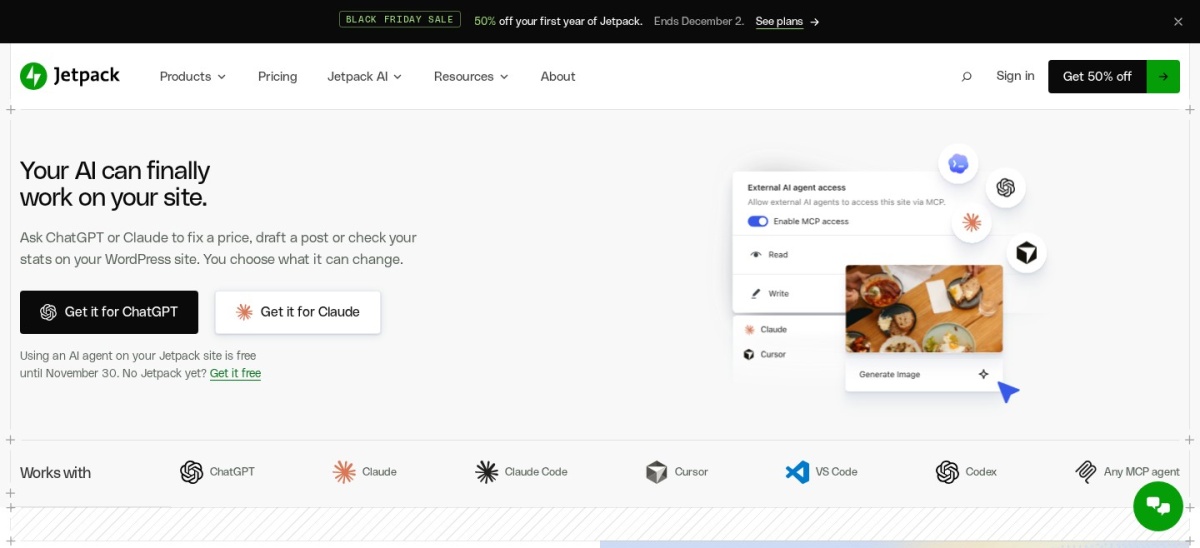
Jetpack homepage, captured Nov 2026.
Jetpack is Automattic's all-in-one plugin suite active on 4M+ sites, featuring an off-site Activity Log connected directly to VaultPress Backup. Even on the free tier, Jetpack records the last 20 site events on WordPress.com servers so you can see who updated a plugin or published a post.
The trade off is steep regular pricing once introductory discounts end: Jetpack Pro renews at $29/mo billed yearly ($348/yr, though often $14.50/mo for year one) for a 30-day log archive, while 1-year retention requires Complete at $49/mo regular. It suits sites that already pay for Jetpack backups.
What we like
Click any logged event on paid plans to restore your site to that exact moment
Includes 20 recent events for free alongside downtime monitoring and CDN
Watch out for
Free log is capped at just the 20 most recent events
Expensive renewal pricing ($348/yr regular for 30-day retention)
Pro ($29/mo regular, billed yearly) unlocks 30-day log retention and 1-click restores.Visit jetpack.com
Local database logs vs. off-site cloud logs
Most WordPress activity log plugins—including Simple History, Activity Log, and Stream—store events inside your local MySQL database. Local storage keeps costs low or free and gives instant dashboard filtering, but high-traffic WooCommerce stores need retention caps (30 to 90 days) so the log table does not slow down backups.
Off-site tools like Logtivity, MalCare, and Jetpack stream events to external servers. External storage prevents an attacker with admin access from deleting their audit trail and takes zero space in your WordPress database, though it requires an ongoing subscription.
How we chose
We evaluated dedicated WordPress activity log plugins and security suites with built-in audit trails, filtering for tools updated within the last 12 months with proven adoption on WordPress.org.
All active installation counts, user ratings, review totals, and regular annual or monthly plan prices were verified on 22 Nov 2026 directly from WordPress.org listings and official vendor pricing pages.
We excluded abandoned plugins with no updates in the past year, tools with fewer than 1,000 active installs, and products without publicly verifiable regular pricing. No vendor paid for a place, and we do not claim testing for this list.
How to choose a WP Activity Log alternative
Match your site's compliance needs, budget, and database size to the right logging architecture before installing a plugin.
Decide between local and off-site log storage. Choose a local plugin like Simple History or Activity Log for standard blogs and business sites, or pick an off-site service like Logtivity if you manage client sites or need tamper-proof external records.
Check retention periods and export formats. Verify how many days of history are kept by default and whether CSV, JSON, or syslog exports are included free or gated behind a paid plan.
Verify alert channels and third-party sensors. Confirm whether you need instant Slack, email, or webhook alerts and tracking for WooCommerce orders, ACF fields, or WP-CLI commands.
Avoid duplicating security suites you already run. If you already use a firewall and malware scanner, pick a focused logger like Simple History or Stream rather than paying twice for overlapping security bundles.
FAQ
What is the best free alternative to WP Activity Log?
Simple History is the highest-rated free option at 4.9/5 across 300,000+ sites, offering zero-setup logging and WP-CLI support. If you need free CSV exports or Multisite network logging, Activity Log (by Elementor) and Stream (by XWP) are 100% free with no paid tiers.
Do WordPress activity log plugins slow down your website?
Well-built activity loggers only run during admin actions, logins, or background events, so front-end visitors see almost no impact. On busy stores, set a 30-to-90-day retention limit or use an off-site logger like Logtivity to prevent database table bloat.
Which WP Activity Log alternative is best for agencies?
Logtivity is built for agencies at $0.50/mo ($6/yr) per site with off-site storage, white-labeling, and global Slack alerts. For self-hosted sites, Simple History Premium offers a 50-site license for $499/yr ($9.98 per site).
Can I get Slack or email alerts for free?
Yes. Stream includes free Slack, IFTTT, and webhook alerts, while Activity Log by Elementor includes free email notifications. Simple History and WP Activity Log reserve instant Slack and SMS alerts for their paid plans.
Why store WordPress activity logs off-site?
If an attacker gains administrator access to your WordPress dashboard, they can disable a local logging plugin or delete database rows. Off-site services like Logtivity and Jetpack send events to external servers immediately, preserving forensic evidence.