Canva is the best graphic design software for nonprofit organizations for most teams. Its free plan covers 250,000 templates, and registered nonprofits get the full Teams plan free through Canva for Nonprofits.
How we make this list: we compare pricing pages, product documentation and public user reviews, then re-check every price before each update. No product paid for a place. Disclosure.
Canva is the best pick: registered nonprofits get the full Teams plan free, and the free plan already covers 250,000 templates.
Affinity is the only fully free professional suite here, with vector, photo and layout tools in one desktop app.
Figma gives verified nonprofits 50% off Professional, and Piktochart has a Nonprofit plan at 60 dollars per member a year.
Adobe Creative Cloud is the most complete suite but also the most expensive, at $69.99 a month with no free plan.
Visme and Piktochart both gate downloads behind paid plans, so check the free tier limits before you build anything in them.
What should graphic design software for nonprofit organizations cover?
Nonprofits need design tools that work without a designer on staff. Templates, brand kits and one-click exports matter more than professional depth for most teams.
Nonprofit pricing changes the maths. Canva is free for registered nonprofits, Figma cuts Professional by half, and Piktochart sells a Nonprofit plan at 60 dollars per member a year, so the list price is rarely the real price.
Free plans are not all equal. Affinity is free with no catch beyond a Canva account, while Visme and Piktochart limit downloads so tightly that the free tier is a demo, not a working plan.
Print and digital need different tools. Affinity and Illustrator produce print-ready files, while Canva, Snappa and Adobe Express are built for social posts and screens. Our poster design comparison covers the same tools from the print angle.
Canva is the best graphic design software for nonprofit organizations because it is free where it matters most. Registered nonprofits get the full Teams plan free through Canva for Nonprofits, with brand kits, premium templates and 1 TB of storage, while the free plan already covers more than 250,000 templates.
The trade off is depth. Canva cannot match desktop tools for precise vector work or print colour control, and Pro costs $120 a year for teams that do not qualify for the nonprofit program. It fits nonprofits that need polished social posts, flyers and donor reports without hiring a designer.
4.7/5on Capterra (7,345 reviews, checked Nov 2026)
Starts at$69.99/mo
Best full creative suite
Apps included20+ creative apps
Free planNo, 7-day trial
Storage100GB cloud storage
Paid planAll Apps, $69.99/mo
adobe.com
Adobe Creative Cloud homepage, captured Nov 2026.
Adobe Creative Cloud is the full professional suite, with Photoshop, Illustrator, InDesign, Premiere Pro and Adobe Express in one subscription. It is the only tool here that covers photo editing, vector illustration, layout and video, so a nonprofit with a trained designer can produce anything in-house.
The trade off is price and skill. All Apps costs $69.99 a month with no free plan, and the apps take real training, so it only pays off for teams that design every week. It fits larger nonprofits with a designer on staff and a steady stream of print and digital work.
Figma is a browser-based design tool where a whole team edits the same file at once, with shared libraries, components and prototyping built in. The free Starter plan covers 3 design files, and verified nonprofits get 50% off Professional, which adds unlimited files and team libraries.
The trade off is focus and price. Figma is built for interface and product design, not print or photo editing, and Professional at $16 per editor a month adds up fast for a big team. It fits nonprofits building a website or app with a shared design system.
Adobe Illustrator is the industry-standard vector tool for logos, icons and illustrations that must scale from a business card to a billboard. Its pen tools, type controls and pattern options give precise control over every curve, and files open in any print shop without conversion.
The trade off is cost and learning curve. Illustrator costs $22.99 a month with no free plan, and new users face a steep climb before their work looks professional. It fits nonprofits with a designer who needs print-ready vector files.
Snappa is a deliberately small browser tool for fast static graphics, with preset canvas sizes, templates and stock photos and nothing extra in the way. The free plan gives access to every template and stock photo but caps downloads at 3 a month, and Pro at $10 a month adds unlimited downloads.
The trade off is scope. Snappa exports JPG and PNG only, with no PDF, vector or video, so print shops that need PDF files must look elsewhere. It fits nonprofits that post on social media daily and want a graphic finished in minutes.
Visme is an all-in-one visual platform for infographics, presentations, reports and documents, built for teams without a designer. The free Basic plan covers templates and charts, and Starter at $12.25 per user a month adds downloads, premium templates and brand control, with a 25% nonprofit discount on Business plans.
The trade off is the free plan. Basic lets you build but not download, so a nonprofit must pay before it can use anything it makes, and monthly billing roughly doubles the price. It fits nonprofits that publish data-rich annual reports and donor decks.
What we like
Strongest infographic and report templates here
25% nonprofit discount on Business plans
Charts and data widgets built in
Watch out for
Free plan cannot download anything
Monthly billing roughly doubles the price
Pro adds collaboration at $24.75 per user a monthVisit visme.co
07
Affinity
4.5/5on G2 (452 reviews, checked Nov 2026)
PriceFree
Best free professional suite
PriceFree forever
StudiosVector, pixel, layout
PlatformsWindows, macOS, iPad
AI featuresNeed a paid Canva plan
affinity.studio
Affinity homepage, captured Nov 2026.
Affinity is a free desktop app from Canva that merges the old Designer, Photo and Publisher apps into one program with vector, pixel and layout studios. It includes layered editing, masks, RAW processing and page layout, and runs on Windows and macOS with no subscription.
The trade off is the Canva account. You need a free Canva account to activate it, and the AI tools need a paid Canva plan, so the app is no longer fully standalone. It fits nonprofits that want professional desktop tools at zero cost.
Adobe Express is Adobe's lighter design tool, built around quick template-led pages for social posts, flyers and fundraising graphics. The free plan covers 100,000 templates and basic editing, and Premium at $9.99 a month adds 200M stock assets, 30,000 fonts and 250 Firefly credits a month.
The trade off is depth. Express cannot match Illustrator for vector work or Photoshop for photo editing, and the free plan watermarks some exports. It fits nonprofits already paying for Adobe apps, since Premium is included with many Creative Cloud plans.
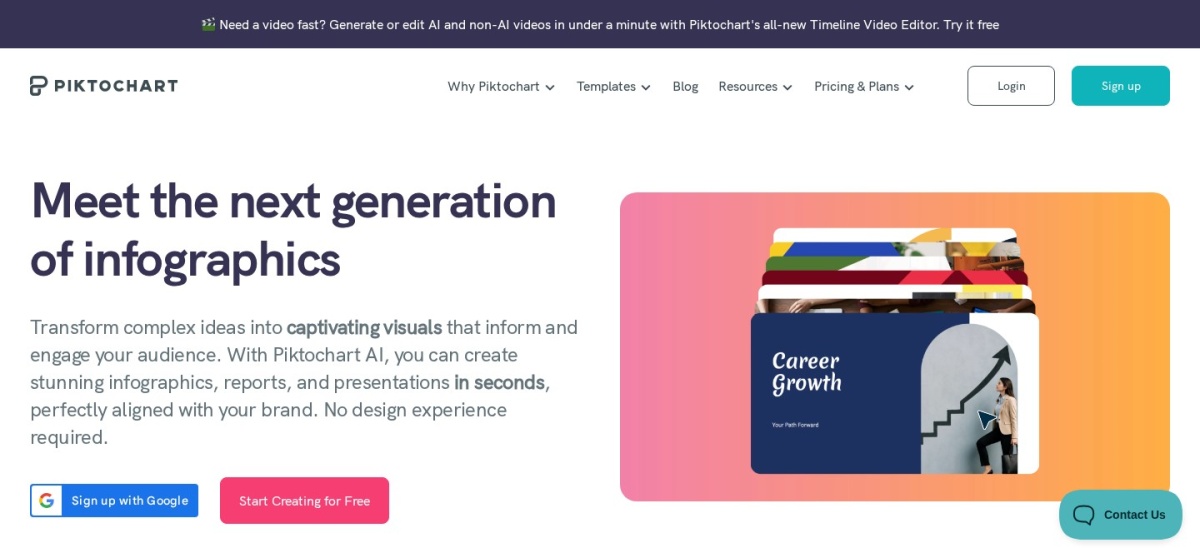
Piktochart is a visual communication platform for turning spreadsheets into infographics, reports and presentations. The free plan covers 5 projects with only 2 PNG downloads, and Pro at $15 per member a month adds unlimited downloads, while a Nonprofit plan costs $60 per member a year.
The trade off is the free plan. Two lifetime downloads make it a demo rather than a working tier, and PDF and PowerPoint exports need the Business plan at $20 a member a month. It fits nonprofits that publish data-rich annual reports and need charts without a designer.
Start with the free plan, then ask each vendor about nonprofit pricing before you pay. Canva, Figma, Visme and Piktochart all run nonprofit programs, and the discount is often larger than the public price suggests.
Canva for Nonprofits is the strongest deal in this list: approved nonprofits get the full Teams plan free, with brand kits and premium templates included.
Keep proof of status ready. Most vendors ask for a registration number or a letter, and approval can take a few days, so apply before a campaign starts.
If you do not qualify, Affinity costs nothing and GIMP is free and open source, so a zero budget still buys professional tools.
How we chose
We started from the graphic design tools nonprofits use for social posts, flyers, donor reports and annual reports, then kept the nine with a numeric rating on G2 or Capterra and a published price or free plan.
Prices come from each vendor's pricing page or a review site that read the vendor page in November 2026. Ratings come from G2, except Adobe Creative Cloud, which uses Capterra because it has more reviews there. Where a vendor shows a sale, the list shows the regular price.
We left out GIMP, rated 4.3 on G2, and tools with no aggregator rating at all. No vendor paid for a place, and we do not claim hands-on testing for this list.
How to choose graphic design software for a nonprofit
Start with the nonprofit discount, then check the free tier limits.
Check nonprofit eligibility first. Canva is free for registered nonprofits, Figma offers 50% off and Piktochart has a $60-a-year plan, so apply before you pay anything.
Test the free tier with a real job. Build one flyer or report end to end, including the download, because some free plans block exports.
Match the tool to the output. Use Canva or Snappa for social posts, Visme or Piktochart for reports, and Affinity or Illustrator for print.
Count the whole team. Per-user pricing adds up fast, so check whether viewers are free and whether the nonprofit plan covers every seat.
FAQ
What is the best graphic design software for nonprofit organizations?
Canva is the best pick for most nonprofits. Registered nonprofits get the full Teams plan free through Canva for Nonprofits, with brand kits, premium templates and 1 TB of storage.
Is Canva really free for nonprofits?
Yes. Canva for Nonprofits gives approved registered nonprofits the full Teams plan free, with brand kits, premium templates and 1 TB of storage. Apply with your registration documents; approval usually takes a few days.
What is the best free graphic design software for nonprofits?
Affinity is the best fully free option, with professional vector, photo and layout tools in one desktop app. Canva is free for registered nonprofits, and Figma's free Starter plan covers 3 design files.
Do nonprofits get discounts on Adobe software?
Creative Cloud costs 69 dollars and 99 cents a month with no free plan. Adobe Express Premium at 9 dollars and 99 cents a month is the cheapest Adobe route in this list, and it is included with many Creative Cloud plans.
Which tool is best for nonprofit annual reports?
Visme and Piktochart are the best picks for annual reports, with infographic templates, charts and brand control. Visme starts at 12 dollars and 25 cents per user a month, and Piktochart Pro costs 15 dollars per member a month, with a Nonprofit plan at 60 dollars a year.
Can a nonprofit design without paying anything?
Yes. Affinity is free with professional vector, photo and layout tools, Canva is free for registered nonprofits, and GIMP is a free open-source photo editor. Between them, a nonprofit can cover social posts, reports and print without a subscription.
SaaS SEO and WordPress specialist with about 8 years of experience. Rakib compares WordPress plugins, themes, hosting and software using public pricing, documentation and user reviews. See how we rank.