GanttPRO is the best Gantt chart alternative for most teams: a dedicated Gantt tool at $7 per user a month, rated 4.8 out of 5 on G2 from 594 reviews. TeamGantt suits teams with many collaborators at a flat $59 a month, while monday.com and ClickUp add Gantt views to wider work platforms.
How we make this list: we compare pricing pages, product documentation and public user reviews, then re-check every price before each update. No product paid for a place. Disclosure.
GanttPRO is the cheapest dedicated Gantt tool here at $7 a user a month, with the joint-highest rating at 4.8 out of 5.
TeamGantt charges a flat $59 a month per account, not per seat, so a large team with many collaborators pays the same.
monday.com's $9 Basic plan has no Gantt view; budget for Standard at $12 a seat a month instead.
ClickUp renamed its plans: Core is now the cheapest paid tier at $12 a user a month regular ($9 on sale), with Gantt charts included.
Only GanttPRO and Smartsheet have no free plan; the other seven start free, though Asana's free plan covers just 2 users.
Cheapest paid plans run from $7 to $59 a month, and every tool here carries a numeric G2 or Capterra rating.
How do you choose the best Gantt chart alternative?
Start with who edits the schedule. A dedicated Gantt tool such as GanttPRO or TeamGantt puts the timeline first, while a work platform such as monday.com or ClickUp puts boards and tasks first and adds Gantt views beside them.
Price per seat is not the whole bill. TeamGantt and Instagantt charge a flat monthly rate per account, so teams with many occasional collaborators pay less than on per-seat tools, while monday.com needs at least 3 paid seats and Smartsheet Pro caps at 10 members.
Check which tier holds the Gantt view before you pay. ClickUp, Wrike and Asana include Gantt charts on their first paid tier, but monday.com's $9 Basic plan has no timeline or Gantt view, so the real starting price for Gantt work there is Standard at $12 a seat a month.
A free plan or trial is the cheapest way to test fit. Build one real schedule with dependencies and a critical path, share it with the people who will update it, and see whether the chart stays readable once the project grows.
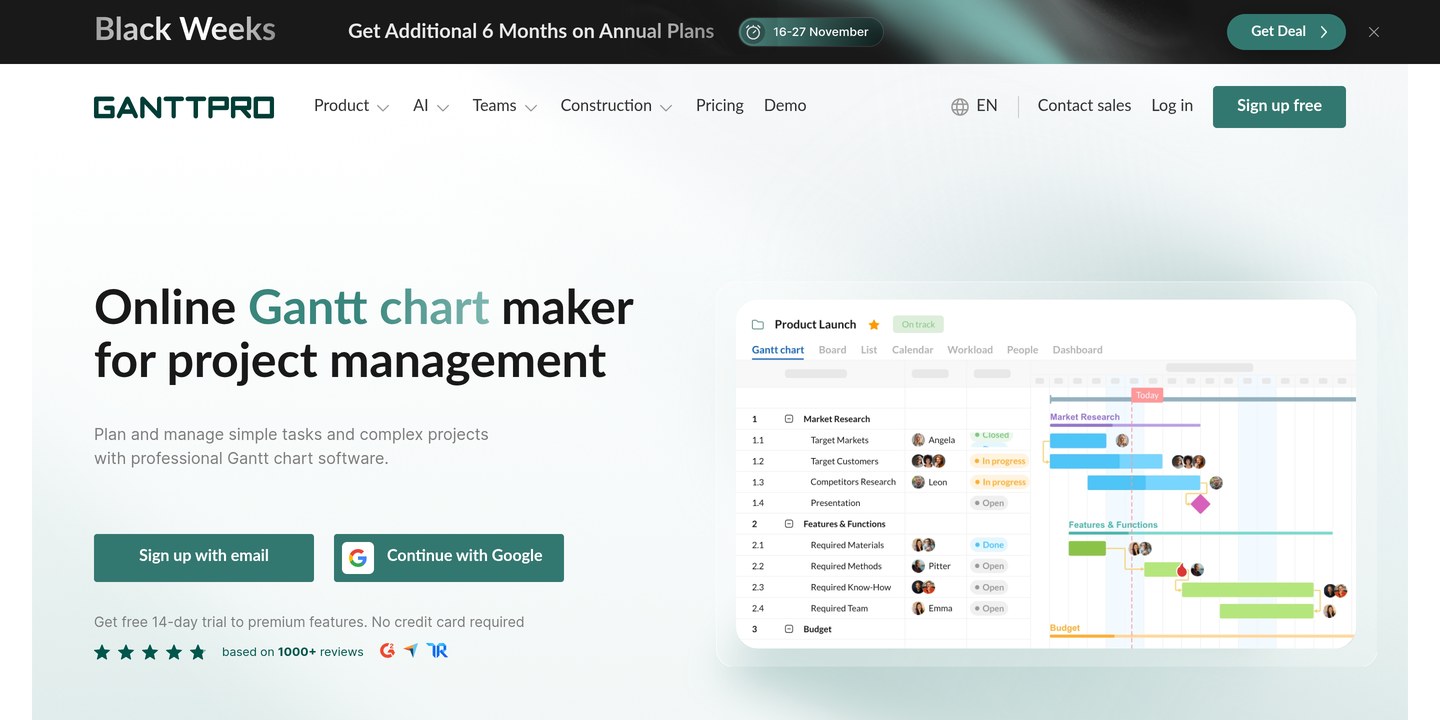
GanttPRO is a dedicated online Gantt chart maker for project planning, with task scheduling, dependencies, milestones, baselines and resource management built around the timeline. Core costs $7 per user a month billed annually, and a 14-day trial gives full access with no credit card. It is rated 4.8 out of 5 on G2 from 594 reviews.
The trade off is that there is no free plan, only the 14-day trial, and GanttPRO connects to just 3 apps: Slack, Google Workspace and TickTick. Business at $17 a user a month adds portfolio management and advanced resource views. It suits small teams and construction or engineering planners who want a focused Gantt tool without a full work platform.
What we like
Dedicated Gantt-first design, not a bolt-on view
Cheapest paid plan in this list at $7 a user a month
Rated 4.8 out of 5 from 594 G2 reviews
14-day trial with full features, no credit card
Watch out for
No permanent free plan
Only 3 integrations: Slack, Google Workspace and TickTick
Portfolio management needs Business at $17 a month
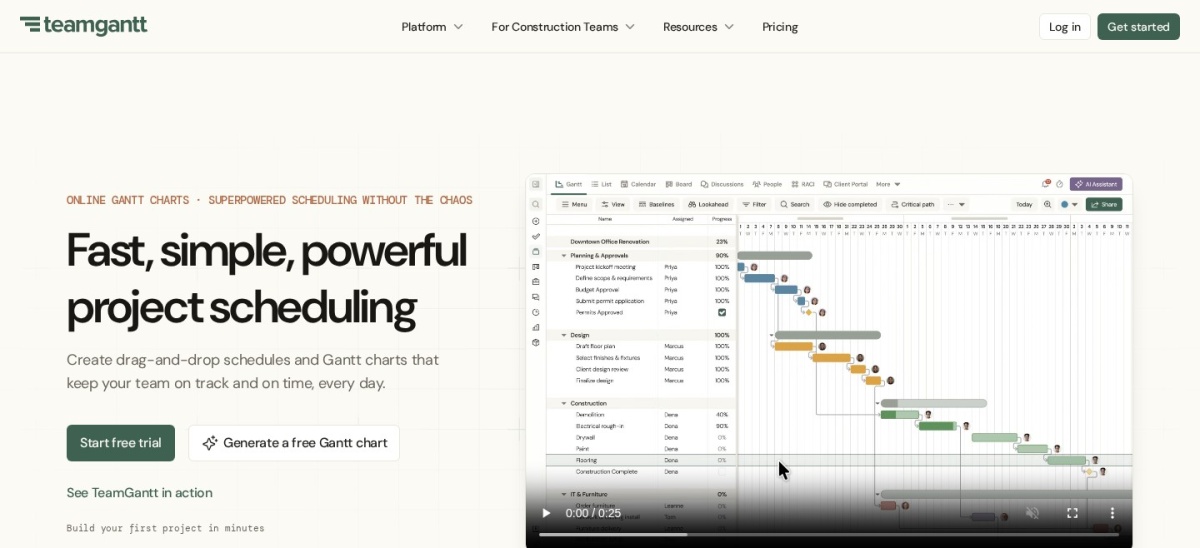
TeamGantt is an online Gantt chart tool priced per account, not per seat, so collaborators can update progress without adding to the bill. The free Personal plan covers 1 user, 1 project and 40 tasks, and Base costs a flat $59 a month for 1 manager, 10 collaborators and 5 projects. It is rated 4.8 out of 5 on G2 from 895 reviews.
The trade off is the flat price. Base at $59 a month is steep for two or three people, and baselines, workload views, kanban and time tracking need Business at $120 a month. Annual billing saves 20%, or $589 a year for Base. It suits teams with many occasional collaborators who only need to update progress and comment.
What we like
Flat pricing: collaborators do not add to the bill
Rated 4.8 out of 5 on G2, with 9.2 out of 10 for ease of use
Critical path on every paid plan
Imports and exports Microsoft Project files
Watch out for
Base caps at 5 projects and 1 manager
Baselines and workload need Business at $120 a month
monday.com is a board-based work platform where each project is a board with items, owners and dates, plus timeline, Gantt and dashboard views. The free plan covers up to 2 seats and 3 boards, and Basic costs $9 a seat a month billed annually for unlimited boards and items. It is rated 4.7 out of 5 on G2 from 17,940 reviews.
The trade off is that the cheapest paid plan is light. Basic has no timeline or Gantt view and no automations, so teams that need scheduling views must move to Standard at $12 a seat a month, and paid plans need at least 3 seats. It suits marketing and product teams that want visual boards first and Gantt views beside them.
What we like
Highest G2 rating among the all-rounders here, 4.7 out of 5
More than 200 templates for common projects
Free plan for up to 2 seats
Colour-coded boards make project state obvious
Watch out for
No Gantt view on the $9 Basic plan
No automations on Basic
Paid plans need at least 3 seats
Standard at $12 a seat adds Gantt views and automationsVisit monday.com
04
ClickUp
4.6/5on G2 (16,019 reviews, checked Nov 2026)
Paid from$12/mo
Best value all-in-one with Gantt charts
Free planUnlimited tasks, members
Cheapest paid planCore, $12/user/mo
Gantt viewOn Core
Sale price$9/user/mo, Core
clickup.com
ClickUp homepage, captured Nov 2026.
ClickUp is an all-in-one workspace for tasks, docs, goals and chat, with 15-plus views including Gantt charts. The free plan covers unlimited tasks and members with 100MB of storage, and Core adds unlimited Gantt charts, storage, custom fields and integrations. It is rated 4.6 out of 5 on G2 from 16,019 reviews.
The trade off is the renaming and the sale price. Unlimited became Core in 2026, and the $9 a user a month rate is a sale price; the regular price is $12, while Business is $17 on sale and $25 regular. G2 reviewers also cite a steep learning curve. It suits small teams that want one workspace for tasks, docs and Gantt charts.
What we like
Most generous free plan here: unlimited tasks and members
Gantt charts included on the cheapest paid tier
255 integrations, the most in this list
Rated 4.6 out of 5 from 16,019 G2 reviews
Watch out for
The $9 Core rate is a sale price; regular is $12
Steep learning curve, the top G2 complaint
Business at $25 regular for dashboards and workload
Business adds dashboards, workload views and timesheetsVisit clickup.com
05
Smartsheet
4.4/5on G2 (23,251 reviews, checked Nov 2026)
Starts at$9/mo
Best spreadsheet-style Gantt planning
Free planNo, 30-day trial
Cheapest paid planPro, $9/user/mo
Seat cap10 members on Pro
Gantt viewOn Pro
smartsheet.com
Smartsheet homepage, captured Nov 2026.
Smartsheet is a spreadsheet-style work platform where projects live in grids with Gantt, card, calendar and dashboard views. Pro costs $9 a user a month billed annually for up to 10 members, with 250 automations and 20GB of storage. It is rated 4.4 out of 5 on G2 from 23,251 reviews, the largest review base in this list.
The trade off is that there is no free plan, only a 30-day trial, and Pro caps at 10 members, so a growing team moves to Business at $19 a user a month. Pivot tables, Dynamic View and Control Center cost extra as add-ons. It suits mid-market teams that already think in spreadsheets and run cross-functional plans.
Asana is a work management platform for tasks, projects and portfolios, with Timeline and Gantt views for scheduling. The free Personal plan covers up to 2 users, and Starter costs $10.99 a user a month billed annually, adding Timeline views, dashboards, unlimited automations and forms. It is rated 4.4 out of 5 on G2 from 14,107 reviews.
The trade off is the small free plan and the missing time tracking. Personal now covers only 2 users, and native time tracking is the most common G2 complaint, while portfolios, goals and workload need Advanced at $24.99 a user a month. It suits teams running structured, repeatable work across departments.
What we like
Intuitive interface, praised across 14,000-plus G2 reviews
Timeline and Gantt views on the first paid tier
Unlimited free guests on Starter
AI Studio credits included on paid plans
Watch out for
Free plan covers only 2 users
No native time tracking
Portfolios and workload need Advanced at $24.99
Advanced at $24.99 adds portfolios, goals and workloadVisit asana.com
07
Teamwork
4.4/5on G2 (1,223 reviews, checked Nov 2026)
Paid from$9.99/mo
Best for client work and billable time
Free planUp to 5 users
Cheapest paid planBasics, $9.99/user/mo
Client usersFree on paid plans
Seat minimum3 on Basics
teamwork.com
Teamwork homepage, captured Nov 2026.
Teamwork is a project tool built for agencies and client-facing teams that bill hours and track budgets. The free plan covers up to 5 users, and Basics costs $9.99 a user a month billed annually for automations, intake forms, project health reports and time tracking. Client users are free on paid plans. It is rated 4.4 out of 5 on G2 from 1,223 reviews.
The trade off is the tier jump and the renamed plans. Workload, capacity and budgeting reports need Accelerate at $24.99 a user a month, and the old Deliver plan is now called Basics, so older pages still show the previous $10.99 price. It suits agencies that bill hours and share plans with clients.
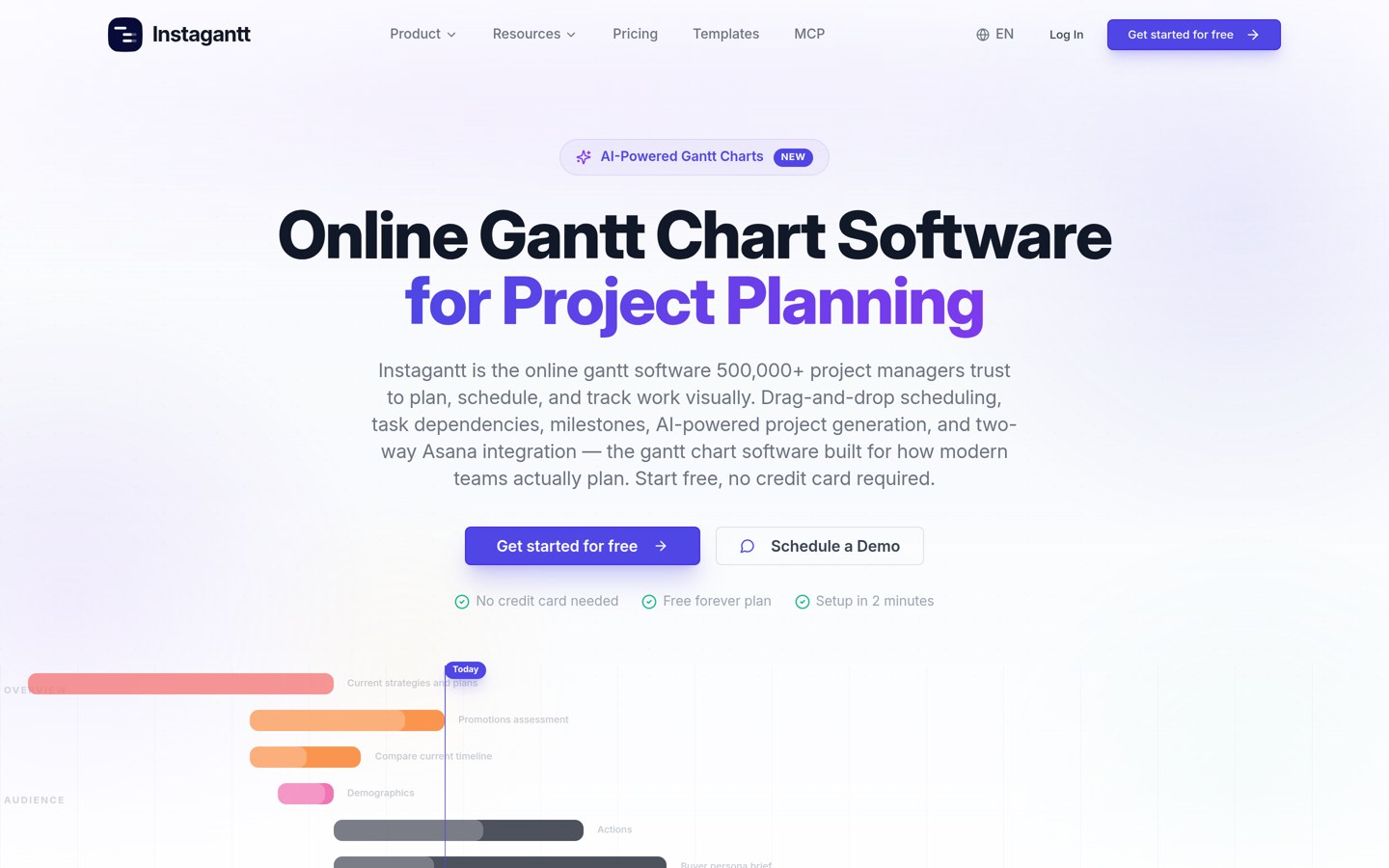
Instagantt is online Gantt chart software that works standalone or as a timeline layer on top of Asana. It is free for Asana users with up to 3 projects, and Individual costs $10 a month billed annually for unlimited projects, dependencies, milestones, baselines and critical path analysis. It is rated 4.3 out of 5 on Capterra from 467 reviews.
The trade off is that it is Gantt only. There are no boards, docs or chat, and the Teams plan at $20 a month covers 3 collaborators, with each extra collaborator costing $8 a month. The AI Assistant generates Gantt charts from a prompt. It suits Asana teams that want a proper Gantt view without migrating their work.
Wrike is a work management platform with Gantt charts, dashboards and workload views for teams that run many projects at once. The free plan covers unlimited users with 200 active tasks, and Team costs $10 a user a month billed annually for interactive Gantt charts, a shareable dashboard and basic AI tools. It is rated 4.2 out of 5 on G2 from 4,553 reviews.
The trade off is the seat cap and the tier jump. Team stops at 15 users, so a growing team moves to Business at $25 a user a month, and time tracking is not on Team at all. A steep learning curve is the most common G2 complaint. It suits larger teams that need workload planning across many projects.
What we like
Gantt charts on the first paid tier
Free plan covers unlimited users
Workload views and dashboards for big teams
Request forms and approvals for intake
Watch out for
Team caps at 15 users
Business at $25 for workload and time tracking
Steep learning curve, the top G2 complaint
Business at $25 adds workload, request forms and time trackingVisit wrike.com
Free vs paid: where the Gantt view sits
Free plans rarely include a full Gantt view. TeamGantt's free plan does include Gantt charts with dependencies, and Instagantt is free for up to 3 Asana projects.
ClickUp, Wrike and Asana put Gantt views on their first paid tier, from $10 to $12 a user a month, and all three keep a free plan for basic task work.
monday.com is the exception to watch: its $9 Basic plan has no timeline or Gantt view, so the real starting price for Gantt work is Standard at $12 a seat a month.
GanttPRO and Smartsheet have no free plan at all, so the cheapest way in is a 14-day or 30-day trial.
How we chose
We started from the Gantt tools teams search for most, plus the work platforms whose Gantt views buyers compare them with, and kept only tools with a public numeric rating.
Prices come from each vendor's pricing page, checked on 29 November 2026. Ratings and review counts come from G2 on the same day, except Instagantt, which uses Capterra. Where a vendor shows a sale, the list shows the regular price.
We left out tools with no public rating or no published price. No vendor paid for a place, and we do not claim hands-on testing for this list.
How to choose a Gantt chart alternative
Start with who will edit the schedule, then check which tier holds the Gantt view.
Decide who edits and who only watches. TeamGantt and Instagantt charge flat account prices, so many watchers cost nothing extra, while per-seat tools charge for every editor.
Check which tier holds the Gantt view. ClickUp, Wrike and Asana include it on the first paid tier, but monday.com needs Standard at $12 a seat a month.
Count the projects, not just the people. TeamGantt Base caps at 5 projects and Smartsheet Pro caps at 10 members, so a growing team can outgrow the cheapest tier fast.
Use the trial to test dependencies. Every tool here offers a free plan or a 7 to 30-day trial. Build one real schedule with dependencies and a critical path before paying.
FAQ
What is the best Gantt chart alternative in 2026?
GanttPRO is the best Gantt chart alternative for most teams. It is a dedicated Gantt tool at $7 per user a month, rated 4.8 out of 5 on G2 from 594 reviews. TeamGantt suits teams with many collaborators, and monday.com suits teams that want boards plus Gantt views.
How much does a Gantt chart alternative cost?
Cheapest paid plans run from $7 a user a month for GanttPRO to a flat $59 a month for TeamGantt. Most work platforms charge $9 to $12 a user a month, and annual billing is cheaper than monthly billing on every tool here.
Is there a free Gantt chart alternative?
Yes. TeamGantt's free plan covers 1 user and 1 project with Gantt charts and dependencies, and Instagantt is free for up to 3 Asana projects. monday.com, ClickUp, Asana, Teamwork and Wrike also have free plans, while GanttPRO and Smartsheet offer trials only.
Which Gantt chart alternative is best for small teams?
GanttPRO at $7 a user a month or ClickUp Core at $12 regular are the best value for small teams. TeamGantt's flat $59 a month is steep for two or three people, but it becomes cheap once many collaborators share the account.
GanttPRO vs TeamGantt: which is better?
GanttPRO is cheaper per user at $7 a month and adds portfolio management on its $17 Business plan. TeamGantt charges a flat $59 a month per account, which suits teams with many collaborators. Both are rated 4.8 out of 5 on G2.
Does monday.com include Gantt charts on the Basic plan?
No. Basic at $9 a seat a month has no timeline or Gantt view and no automations. Teams that need scheduling views must move to Standard at $12 a seat a month, with a 3-seat minimum on paid plans.
What happened to ClickUp's Unlimited plan?
ClickUp renamed Unlimited to Core in 2026. Core costs $9 a user a month on sale and $12 at the regular price billed yearly, and it includes unlimited Gantt charts. Business now costs $17 on sale and $25 at the regular price.
SaaS SEO and WordPress specialist with about 8 years of experience. Rakib compares WordPress plugins, themes, hosting and software using public pricing, documentation and user reviews. See how we rank.