DaVinci Resolve is the best of these CapCut alternatives for most creators: its free version is a full pro editor with 4K export and no watermark, rated 4.7 out of 5 on G2. For quick phone edits pick InShot at $19.99 a year, and for template-led social video try Filmora at $49.99 a year.
How we make this list: we compare pricing pages, product documentation and public user reviews, then re-check every price before each update. No product paid for a place. Disclosure.
DaVinci Resolve is the only free editor here with a full pro timeline, 4K export and no watermark, rated 4.7 out of 5 on G2.
InShot Pro is the cheapest paid plan in this list at $19.99 a year, with a $49.99 lifetime unlock.
Filmora at $49.99 a year is the closest CapCut-style editor for desktop and mobile, with AI tools included.
Clipchamp exports 1080p with no watermark for free, but 4K needs Microsoft 365 at $9.99 a month.
Premiere Pro is the most expensive pick at $22.99 a month and the only one with no free plan, only a 7-day trial.
Descript edits video by editing a transcript, a workflow none of the other eight tools offers.
How do you choose among CapCut alternatives?
Start with where you edit. CapCut alternatives split into phone-first editors such as InShot, desktop editors such as DaVinci Resolve, and browser editors such as Clipchamp and Canva.
The free plan is where most alternatives differ. DaVinci Resolve and Clipchamp export without a watermark for free, while InShot and Filmora stamp one on free exports until you pay.
Price spreads are wide. Paid plans in this list run from $19.99 a year for InShot Pro to $22.99 a month for Premiere Pro, so one year of Premiere Pro costs nearly fourteen years of InShot Pro.
Check the export limits before you commit. Our guide on how to resize a video in WordPress explains why the export size you pick matters once the video goes on a site.
DaVinci Resolve is a full post-production suite from Blackmagic Design that combines editing, color grading, visual effects and audio in one free download. The free version exports up to 4K with no watermark and includes multicam editing, Fusion effects and Fairlight audio.
The trade off is the learning curve and the hardware it wants. The interface packs pro tools across separate pages, and some AI features and 8K export need Studio at $295 once. It suits creators who want pro quality without a subscription.
Filmora is Wondershare's beginner-friendly editor for desktop and mobile, built around templates, drag-and-drop effects and AI tools such as auto captions. The free version covers the full editor, and the Basic plan costs $49.99 a year.
The trade off is the watermark and the paywalled extras. Free exports carry a watermark, and some premium effects, templates and AI credits cost extra even on paid plans. It suits social creators who want fast, polished edits without learning a pro timeline.
4.8/5on Apple App Store (2,500,000 reviews, checked Nov 2026)
Paid from$19.99/yr
Best CapCut alternative on a phone
Free planYes, watermarked, with ads
Pro plan$19.99 a year
Lifetime unlock$49.99 one-time
PlatformsiOS, Android
inshot.com
InShot homepage, captured Nov 2026.
InShot is a phone video editor built for quick social edits, with trimming, speed control, text, music, keyframes and auto captions in one app. The free version includes the full editing toolset, and Pro costs $19.99 a year or $49.99 once for a lifetime unlock.
The trade off is the watermark and the ads. Free exports carry the InShot logo and show ads, and the app has no desktop version or deep color tools. It suits creators who edit entirely on a phone and want the cheapest paid plan here.
What we like
Cheapest paid plan in this list
Lifetime unlock for $49.99
Rated 4.8 out of 5 from 2.5M App Store ratings
Auto captions and AI Cut included
Watch out for
Free exports carry a watermark and ads
Phone only, no desktop app
Pro removes the watermark and ads and unlocks all effectsVisit inshot.com
04
PowerDirector
4.4/5on G2 (57 reviews, checked Nov 2026)
Paid from$79.99/yr
Best value for desktop and mobile
Free planYes, Essential, watermarked
365 plan$79.99 a year
PlatformsWindows, Mac, Android, iOS
AI toolsYes, 100 credits a month
cyberlink.com
PowerDirector homepage, captured Nov 2026.
PowerDirector is CyberLink's editor for Windows, Mac and mobile, with multicam editing, motion tracking, AI captions and a large stock library. The free Essential version covers core editing, and the 365 subscription costs $79.99 a year.
The trade off is the busy interface and the metered AI. The layout can overwhelm a first-time editor, and the 365 plan includes only 100 AI credits a month. It suits creators who want pro features at a mid-range price.
What we like
Multicam and motion tracking included
Large stock library and effects packs
Free Essential version to try first
Rated 4.4 out of 5 on G2
Watch out for
Interface can overwhelm beginners
AI credits are metered each month
365 adds all features, stock assets and 50 GB of cloud storageVisit cyberlink.com
05
Clipchamp
4.1/5on G2 (52 reviews, checked Nov 2026)
Paid from$9.99/mo
Best free browser editor
Free planYes, 1080p, no watermark
PremiumVia Microsoft 365, $9.99 a month
PlatformsBrowser, Windows
AI toolsYes, captions and voiceover
clipchamp.com
Clipchamp homepage, captured Nov 2026.
Clipchamp is Microsoft's browser-based editor, built into Windows 11, with a timeline, screen recorder, AI captions and text-to-speech. The free plan exports up to 1080p with no watermark, and Premium comes with Microsoft 365 Personal at $9.99 a month.
The trade off is the online-only workflow and the 4K paywall. Clipchamp needs an internet connection, and 4K export, premium stock and the brand kit all need the Microsoft 365 subscription. It suits Windows users who want quick edits with nothing to install.
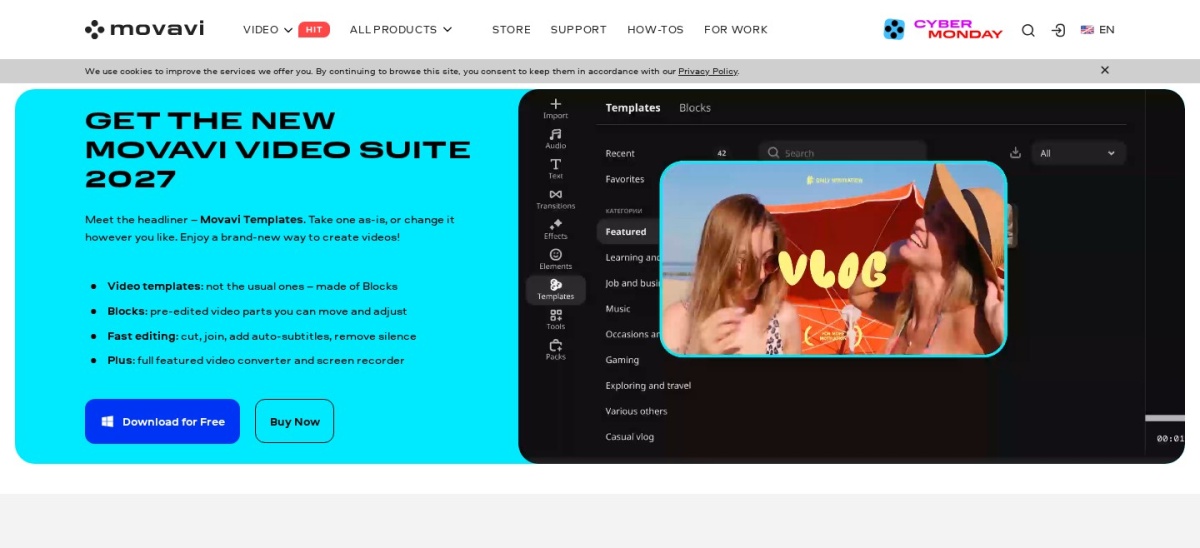
Movavi Video Editor is a template-led editor for Windows and Mac, with one-click AI tools, auto subtitles and hundreds of drag-and-drop effects. The free version lets you try every tool, and the full version costs $54.95 a year.
The trade off is the free export limit. Free exports stop at 60 seconds and carry a watermark, and extra effects and template packs are sold separately. It suits beginners who want a guided, template-first way into editing.
What we like
Templates make the first project fast
AI tools run without credits
Rated 4.7 out of 5 on G2 from 411 reviews
Simple interface for beginners
Watch out for
Free exports capped at 60 seconds with a watermark
Extra effects and templates cost more
The full version removes the watermark and export limitsVisit movavi.com
07
Canva
4.7/5on G2 (7,643 reviews, checked Nov 2026)
Paid from$120/yr
Best for design-led social video
Free planYes, video editing included
Pro plan$120 a year
PlatformsWeb, Windows, Mac, mobile
Brand kitYes, on Pro
canva.com
Canva homepage, captured Nov 2026.
Canva is a design platform that also edits video, starting from templates with preset sizes for every feed. The free plan includes video editing, and Pro at $120 a year adds the brand kit, background remover and premium stock.
The trade off is editing depth. Canva handles short template-led clips well but has no real timeline, multicam or pro color tools, so longer videos belong elsewhere. It suits businesses that publish graphics and short video from one place.
What we like
Templates for every social format
Brand kit keeps videos on brand
Rated 4.7 out of 5 on G2 from 7,643 reviews
Works in the browser and on mobile
Watch out for
No real timeline for longer edits
Needs an internet connection
Pro adds the brand kit, premium stock and Magic Studio AIVisit canva.com
08
Descript
4.6/5on G2 (941 reviews, checked Nov 2026)
Paid from$16/mo
Best for editing by transcript
Free planYes, 1 hour a month
Hobbyist plan$16 a month, billed yearly
PlatformsMac, Windows
ExportUp to 4K on Creator
descript.com
Descript homepage, captured Nov 2026.
Descript is a transcript-led editor: it transcribes your recording, and deleting a sentence from the text cuts the matching video. The free plan includes 1 hour of media a month, and Hobbyist costs $16 a month billed yearly.
The trade off is the metering. Media hours and AI credits run out fast on long projects, and the timeline controls are weaker than a normal editor. It suits podcasters and talking-head creators who would rather edit words than frames.
What we like
Edit video by editing a transcript
Filler-word removal and Studio Sound included
Rated 4.6 out of 5 on G2 from 941 reviews
Remote recording with Rooms
Watch out for
Media hours and AI credits are metered
Weak timeline controls for cinematic work
Hobbyist adds 10 media hours a month and watermark-free 1080p exportVisit descript.com
09
Adobe Premiere Pro
4.5/5on G2 (1,675 reviews, checked Nov 2026)
Starts at$22.99/mo
Best for professional client work
Free planNo, 7-day trial
Single-app plan$22.99 a month
PlatformsWindows, Mac
AI toolsYes, Firefly credits included
adobe.com
Adobe Premiere Pro homepage, captured Nov 2026.
Adobe Premiere Pro is the timeline editor most agencies and production houses expect, so project files move between editors and clients without conversion. The single-app plan costs $22.99 a month on an annual commitment and includes text-based editing and auto captions.
The trade off is price and the lack of a free plan. The subscription never stops, there is only a 7-day trial, and Adobe marks the $22.99 price as a first-year price for new subscribers. It suits professionals whose clients already work in Adobe tools.
What we like
Industry standard for client work
Text-based editing and auto captions
Works with After Effects and Audition
Rated 4.5 out of 5 on G2 from 1,675 reviews
Watch out for
Most expensive subscription in this list
No free plan, only a 7-day trial
The plan adds 100 GB of cloud storage and Frame.io reviewVisit adobe.com
Free vs paid: what the free plan really gives you
Free plans in this list fall into three groups. DaVinci Resolve and Clipchamp export clean video for free, Filmora, InShot, PowerDirector and Movavi stamp a watermark, and Premiere Pro has no free plan at all.
A watermark is the most common catch. If you publish daily, the cheapest way out is InShot Pro at $19.99 a year, while a desktop editor such as Filmora costs $49.99 a year to remove it.
Resolution is the second catch. Free exports cap at 1080p in Clipchamp and Canva, while DaVinci Resolve exports 4K free, so check the export size before you start a project.
How we chose
We started from the editors most often named as CapCut replacements in 2026 roundups, then kept nine with a public rating and a published price.
Prices come from each vendor's pricing page or store listing, checked on 29 November 2026. Ratings come from G2 on the same day, except InShot, which uses the Apple App Store. Where a vendor shows a sale, the list shows the regular price.
We left out KineMaster because it has no published rating on G2, Capterra or Trustpilot, and we did not reuse any CapCut rating figure, since the one cited in earlier work could not be traced. No vendor paid for a place, and we do not claim hands-on testing for this list.
How to choose a CapCut alternative
Match the editor to where you edit and how often you publish, then check the free export limits.
Decide phone, desktop or browser. InShot and Filmora cover phone-first editing, DaVinci Resolve and Premiere Pro cover desktop, and Clipchamp and Canva run in the browser.
Check the free export first. Export a short test clip before you commit. DaVinci Resolve and Clipchamp export clean for free, while InShot and Filmora watermark free exports.
Price the second year, not the first. Premiere Pro's $22.99 is a first-year price, and sale prices on Filmora and PowerDirector change often, so read the regular price.
Pick one editor and learn it. Switching editors mid-project wastes the templates and shortcuts you built. See how to embed a video in WordPress once the edit is done.
FAQ
What is the best CapCut alternative in 2026?
DaVinci Resolve is the best CapCut alternative for most creators. Its free version is a full pro editor with 4K export and no watermark, and it is rated 4.7 out of 5 from 221 G2 reviews.
What is the best free CapCut alternative?
DaVinci Resolve is the strongest free pick, with a full timeline, 4K export and no watermark. Clipchamp is the simplest free start, with unlimited 1080p exports and no watermark in the browser.
Which CapCut alternative is cheapest?
InShot Pro is the cheapest paid plan here at $19.99 a year, and a $49.99 lifetime unlock removes the subscription entirely. Filmora is next at $49.99 a year.
Is there a CapCut alternative for PC?
Yes. DaVinci Resolve, Filmora, PowerDirector, Movavi and Premiere Pro all run on Windows and Mac. DaVinci Resolve is free, while Filmora at $49.99 a year is the easiest switch for CapCut users.
DaVinci Resolve vs Filmora: which is better?
DaVinci Resolve is better for pro quality at no cost, with 4K export and no watermark. Filmora is better for fast social edits, with templates and AI captions in a much simpler interface.
Can I edit CapCut-style videos on my phone?
Yes. InShot is the closest phone replacement, with trimming, captions and effects for $19.99 a year. Filmora and PowerDirector also have mobile apps that share projects with their desktop versions.
Do CapCut alternatives have auto captions?
Most do. Descript, Filmora, PowerDirector, Clipchamp and InShot all offer auto captions, and Descript goes further by letting you cut video by editing the transcript itself.
SaaS SEO and WordPress specialist with about 8 years of experience. Rakib compares WordPress plugins, themes, hosting and software using public pricing, documentation and user reviews. See how we rank.