Asana is the best workflow software for most teams, offering unlimited automations, forms and custom templates from $10.99 per user per month on annual billing. Choose ClickUp for consolidated task management and documentation or Zapier for automating repetitive processes across separate business applications.
How we make this list: we compare pricing pages, product documentation and public user reviews, then re-check every price before each update. No product paid for a place. Disclosure.
Asana offers unlimited automations on Starter at $10.99 per user monthly, billed annually.
ClickUp Core lists at a regular $12 per user monthly, with a lower $9 annual-billing offer and 1,000 monthly automations.
Zapier Professional starts at $19.99 per month and connects more than 9,000 applications.
monday.com holds a 4.6/5 Capterra rating from 6,134 reviews.
Smartsheet earns 4.5/5 from 3,579 Capterra reviews and suits spreadsheet-based workflows.
Process Street supports unlimited workflows and tasks and earns 4.7/5 from 652 Capterra reviews.
What good workflow software should include
Workflow software helps organizations define repeatable processes, assign responsibilities and automate routine activities. Common applications include employee onboarding, purchase approvals, customer requests and project delivery.
Look for customizable workflow templates, task dependencies, conditional rules and automated notifications. These capabilities help teams establish consistent procedures without manually coordinating every activity.
Different workflow platforms address different needs. Work management applications organize tasks and responsibilities, while integration platforms automate data transfers and actions between separate business applications.
Evaluate subscription limits carefully. Automation allowances, paid seats, execution volumes and advanced permissions can affect the actual cost of managing business processes.
4.5/5on Capterra (13,778 reviews, checked Nov 2026)
Paid from$10.99/mo
Best for overall business workflow management
Entry planStarter
Automation allowanceUnlimited on Starter
Monthly billing$13.49/user
Custom formsIncluded on Starter
asana.com
Asana homepage, captured Nov 2026.
Asana is a work management platform that organizes tasks, projects and repeatable business workflows. Its Starter subscription costs $10.99 per user per month on annual billing and includes unlimited automations, custom templates, intake forms and reporting dashboards.
The trade off is that more advanced approval processes and portfolio management require higher subscriptions, while Starter costs $13.49 per user with monthly billing. It suits cross-functional teams that need clear task ownership, automated handoffs and centralized project visibility.
4.6/5on Capterra (4,645 reviews, checked Nov 2026)
Paid from$12/mo
Best for consolidated workflow and task management
Entry planCore
Core automation allowance1,000/month
Core storageUnlimited
Business automation allowance10,000/month
clickup.com
ClickUp homepage, captured Nov 2026.
ClickUp is a work management application that combines tasks, documents, forms, communication and workflow automation. Its Core subscription lists at a regular $12 per user per month, with a lower $9 annual-billing offer and 1,000 monthly automations.
The trade off is that advanced dashboards, automation integrations and resource management require Business, which lists at a regular $25 per user monthly. It suits teams seeking a shared workspace for project execution, documentation and recurring operational processes.
What we like
Permanent free subscription
Integrated documents and task management
Unlimited forms and storage on Core
Custom task types and fields
Flexible workflow automation
Watch out for
Extensive configuration options can complicate onboarding
4.7/5on Capterra (3,085 reviews, checked Nov 2026)
Paid from$19.99/mo
Best for automated workflows between applications
Entry paid planProfessional
Application integrations9,000+
Multi-step workflowsIncluded on Professional
WebhooksIncluded on Professional
zapier.com
Zapier homepage, captured Nov 2026.
Zapier is a no-code automation platform that connects more than 9,000 business applications through triggers and actions. Its Professional subscription starts at $19.99 per month and includes multi-step workflows, premium application connections, webhooks and conditional form logic.
The trade off is that the $19.99 starting subscription has usage restrictions, and costs increase as automated task volumes grow. It suits businesses that want to connect existing software and automate repetitive data transfers without replacing their project management systems.
What we like
Extensive application integration catalog
No-code workflow configuration
Multi-step automation capabilities
Integrated forms and data tables
Permanent free subscription
Watch out for
High execution volumes increase subscription costs
Complex workflows require careful error handling
Not a complete project management replacement
Professional adds multi-step workflows, premium integrations and webhooks.Visit zapier.com
04
monday.com
4.6/5on Capterra (6,134 reviews, checked Nov 2026)
Paid from$9/mo
Best for visual team workflow management
Entry planBasic
Free account seats2
Free account boards3
Workflow automationStandard and higher
monday.com
monday.com homepage, captured Nov 2026.
monday.com is a visual work management platform that uses customizable boards to represent tasks, requests and business processes. Its free subscription supports two seats and three boards, while Basic adds unlimited items and read-only viewers.
The trade off is that workflow automation requires Standard or higher rather than the $9-per-seat monthly Basic subscription. It suits operations, marketing and service teams that prefer visual workflow management and configurable project boards.
What we like
Visual workflow configuration
Customizable boards and fields
Reusable business process templates
Multiple work visualization options
Extensive collaboration capabilities
Watch out for
Basic excludes standard workflow automations
Free accounts have limited seats and boards
Subscription costs increase with seat requirements
Basic expands board capacity, while Standard introduces workflow automation and integrations.Visit monday.com
05
Smartsheet
4.5/5on Capterra (3,579 reviews, checked Nov 2026)
Starts at$9/mo
Best for spreadsheet-based business workflows
Entry planPro
Workflow interfaceSpreadsheet-style grids
AutomationSupported
ReportingReports and dashboards
smartsheet.com
Smartsheet homepage, captured Nov 2026.
Smartsheet is a work management platform that combines spreadsheet-style grids with project coordination, forms and workflow automation. Its Pro subscription starts at $9 per member per month on annual billing and supports structured business process management.
The trade off is that the $9 monthly Pro subscription has more limited automation and administrative capabilities than higher plans. It suits operations teams, project management offices and organizations accustomed to spreadsheet-based tracking that need more structured workflows.
What we like
Familiar spreadsheet-style interface
Customizable forms and reports
Automated notifications and workflow actions
Centralized project dashboards
Suitable for structured operational records
Watch out for
No permanent free subscription for new customers
Advanced administration requires higher plans
Complex sheets require ongoing maintenance
Pro adds structured work management, reporting and automated workflow actions.Visit smartsheet.com
06
Process Street
4.7/5on Capterra (652 reviews, checked Nov 2026)
PricingCustom pricing
Best for repeatable procedures and compliance workflows
Entry planStartup for eligible businesses
Workflow allowanceUnlimited
Task allowanceUnlimited
Pro free trial14 days
process.st
Process Street homepage, captured Nov 2026.
Process Street is a workflow and compliance operations platform designed around repeatable procedures, structured forms and task execution. Its subscriptions support unlimited workflows and tasks, with conditional logic, approvals and enforced task ordering available.
The trade off is that subscriptions use custom pricing, and the discounted Startup plan is restricted to eligible businesses. It suits organizations that must execute recurring procedures consistently, including employee onboarding, compliance reviews and operational quality checks.
What we like
Unlimited workflows and tasks
Conditional workflow logic
Formal approval functionality
Enforced task sequencing
Suitable for standardized operating procedures
Watch out for
Pricing requires contacting sales
No permanent free subscription
Less suited to informal brainstorming and project planning
Paid plans provide structured workflow execution, approvals and process documentation.Visit process.st
07
Pipefy
4.6/5on Capterra (320 reviews, checked Nov 2026)
PricingCustom pricing
Best for request intake and approval processes
Entry paid planBusiness
Starter accessUp to 90 days
Starter process limit5
Starter user limit10
pipefy.com
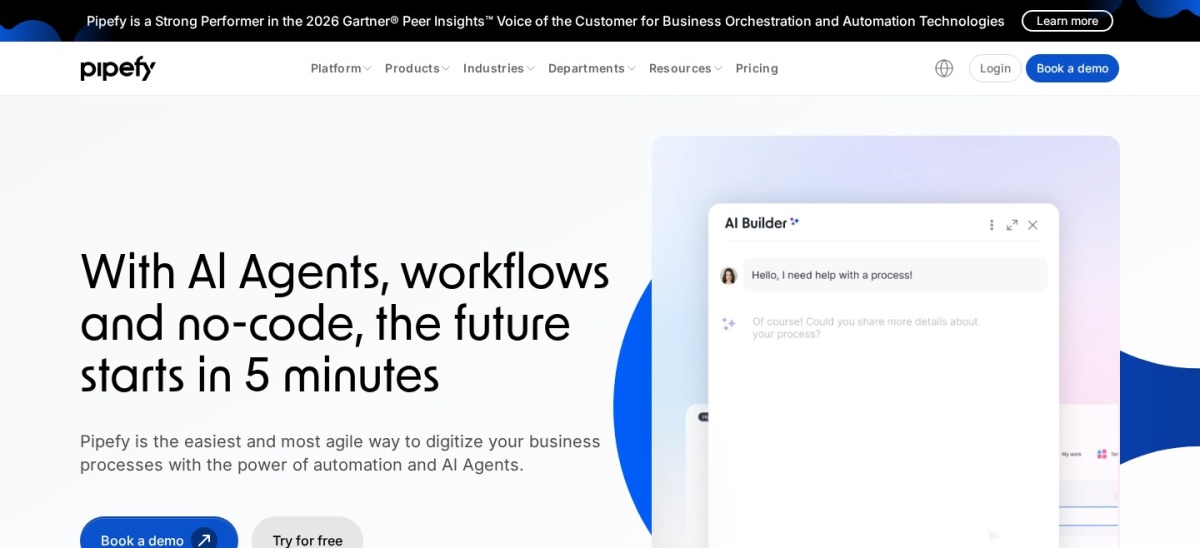
Pipefy homepage, captured Nov 2026.
Pipefy is a business process automation platform designed for request intake, approval routing and structured departmental workflows. Its introductory Starter access supports up to five processes and ten users for a maximum of 90 days.
The trade off is that Starter expires automatically, and ongoing paid subscriptions require custom pricing through the Business or Enterprise plans. It suits finance, procurement, human resources and service teams that need consistent request handling and configurable approval processes.
What we like
Dedicated request intake capabilities
Configurable business process templates
Conditional form logic
Structured approval routing
Process activity and performance reporting
Watch out for
Starter access expires after 90 days
Paid subscription pricing requires a quote
Complex process configurations require preparation
Business and Enterprise expand automation, process management and administrative controls.Visit pipefy.com
What is the difference between workflow management and workflow automation?
Workflow management organizes the tasks, responsibilities and information involved in completing a business process. It provides visibility into progress, deadlines, dependencies and outstanding decisions.
Workflow automation executes predefined actions when specific conditions are met. Examples include creating tasks after form submissions, sending approval reminders and synchronizing records between business applications.
Asana, ClickUp and Smartsheet combine work management with built-in automation. Zapier focuses on connecting separate applications, while Process Street and Pipefy concentrate on standardized procedures and structured business processes.
How we chose
We selected established workflow platforms covering task coordination, application automation, recurring procedures and request management. We evaluated their suitability for common business processes, subscription structures and independently published customer feedback.
We reviewed official pricing documentation and public software comparisons on 27 Nov 2026. Published entry rates are annualized, and quote-based plans are identified separately. Some product-specific figures, including Pipefy's review count and the dollar-denominated entry prices for monday.com and Smartsheet, require additional verification before publication.
We excluded applications without meaningful workflow management capabilities and prioritized established vendors with substantial customer adoption. No vendor paid for a place, and we do not claim testing for this list.
How to choose the best workflow software
Identify the processes your organization needs to standardize before comparing workflow management and automation platforms.
Map your existing business workflows. Document the activities, responsibilities, approvals and information transfers involved in recurring processes. Identify which activities cause delays or require repetitive manual work.
Choose the appropriate workflow platform. Select work management software for task coordination, integration software for application connectivity or dedicated process software for standardized procedures and approvals.
Calculate subscription and automation costs. Compare paid seat requirements, automation execution allowances, annual commitments, additional modules and the subscription tier required for essential features.
Evaluate integrations and access controls. Check compatibility with your existing applications, workflow reporting options, permission settings, data export capabilities and support for organizational security requirements.
FAQ
What is the best workflow software?
Asana is our top overall choice because it combines task management, custom forms and unlimited automations from $10.99 per user monthly on annual billing. ClickUp suits teams seeking integrated documentation, while Zapier is preferable for application automation.
Is there free workflow software?
Yes. Asana, ClickUp, monday.com and Zapier offer free subscriptions with different task management and automation capabilities. These plans can support basic workflows, although organizations may need paid subscriptions for advanced automation, reporting and administrative features.
What is the best workflow software for small businesses?
Asana and ClickUp are suitable choices for small businesses because they combine task management with workflow automation and free entry options. Zapier is another useful choice for businesses that need to connect existing applications without developing custom integrations.
Can workflow software automate approval processes?
Yes. Workflow platforms can collect requests, assign reviewers, send reminders and route approved items to subsequent process stages. Process Street and Pipefy specialize in structured business procedures, while general work management applications also offer configurable approval capabilities.
What is the difference between workflow software and project management software?
Project management software primarily coordinates work toward defined deliverables and deadlines. Workflow software emphasizes repeatable processes, standardized task sequences and automated actions. Many modern platforms combine both capabilities, allowing teams to manage projects alongside ongoing operational procedures.
Does workflow automation require coding?
Many workflow applications offer visual builders that allow users to configure triggers, conditions and actions without writing code. Zapier, Asana and ClickUp support no-code automation, although complex integrations and specialized business requirements may require technical assistance.
SaaS SEO and WordPress specialist with about 8 years of experience. Rakib compares WordPress plugins, themes, hosting and software using public pricing, documentation and user reviews. See how we rank.