Zapier is the best workflow automation software for teams that need to connect existing business applications, with support for over 9,000 apps and paid plans starting at $19.99 per month. Choose Asana for automated project workflows or Activepieces for small teams that prefer flat-rate automation pricing.
How we make this list: we compare pricing pages, product documentation and public user reviews, then re-check every price before each update. No product paid for a place. Disclosure.
Zapier connects 9,000+ applications and offers a dedicated Team plan starting at $69 per month.
Asana includes unlimited standard automations on its $10.99 per user monthly Starter plan with annual billing.
Activepieces supports up to 5 users on its free plan and charges $20 per month for Plus.
Microsoft Power Automate Premium costs $15 per user per month with annual billing and includes attended desktop automation.
Smartsheet Pro includes 250 automations per month and starts at $9 per member per month with annual billing.
Smartsheet has the largest G2 review sample in this comparison, with 23,344 reviews and a 4.4/5 rating.
How do you choose the best workflow automation software for teams?
The best automation platform removes manual work without creating another complicated system to manage. Start by identifying repetitive activities such as transferring customer information, assigning requests, updating project statuses and sending reminders.
Automation pricing depends on what vendors count. Some charge for completed actions or consumed credits, while others charge for individual users. A low subscription price does not necessarily translate into a low operating cost when automation volume increases.
Collaboration features matter when multiple employees maintain workflows. Shared credentials, clear ownership, access controls and centralized error reporting help prevent important processes from depending on an individual employee's account.
Internal workflow management and cross-application automation solve different problems. Project management platforms coordinate assignments and deadlines, while integration platforms move information between independent applications. Teams may benefit from combining both approaches.
Human oversight remains necessary for sensitive business decisions. Automate routine data entry and notifications, but retain manual approval for financial commitments, employee decisions and changes involving confidential customer information.
Best for connecting everyday business applications
App integrations9,000+
Free workflowsTwo-step Zaps
Billing modelTask-based
Team planFrom $69/mo
zapier.com
Zapier homepage, captured Nov 2026.
Zapier is a no-code workflow automation platform that connects more than 9,000 applications through triggers and actions. Its free plan supports simple two-step workflows, while Professional introduces multi-step automation, webhooks and premium application connections. Teams can automate lead distribution, customer notifications and information transfers without maintaining custom integration scripts.
The trade off is that the $19.99 monthly starting price applies to Professional rather than the dedicated collaboration plan. Team starts at $69 per month and includes shared workflows, shared application connections and access for 25 users. It suits departments that prioritize application compatibility and straightforward automation setup.
What we like
Extensive selection of application integrations
Accessible workflow editor for nontechnical employees
Supports conditional and multi-step workflows
Shared application connections on Team
Built-in forms and structured data storage
Watch out for
Task-based costs increase with automation activity
Shared workflow features require a higher subscription
Free workflows are limited in complexity
Professional adds multi-step workflows, webhooks and premium applications.Visit zapier.com
02
Asana
4.4/5on G2 (14,159 reviews, checked Nov 2026)
Paid from$10.99/user/mo
Best for automating cross-functional projects
Free usersUp to 2
Starter automationsUnlimited standard rules
Request collectionForms
Paid planStarter, $10.99/user/mo annually
asana.com
Asana homepage, captured Nov 2026.
Asana is a collaborative work management platform that combines project tracking with rule-based workflow automation. Its Personal plan supports up to 2 users, while Starter adds unlimited standard automations, request forms, custom fields and project templates. These features help teams automate assignments, status changes and recurring operational processes.
The trade off is that Starter costs $10.99 per user per month with annual billing, and formal approvals and additional portfolio features require Advanced at $24.99 per user per month. Asana's automation focuses primarily on work management rather than replacing a dedicated integration platform. It suits marketing, operations and client delivery teams.
What we like
Unlimited standard automations on Starter
Request forms can feed project workflows
Clear visibility into assignments and deadlines
Reusable project templates
Unlimited free guests on Starter
Watch out for
Subscription costs increase with paid users
Formal approval features require Advanced
Less specialized for complex external data integrations
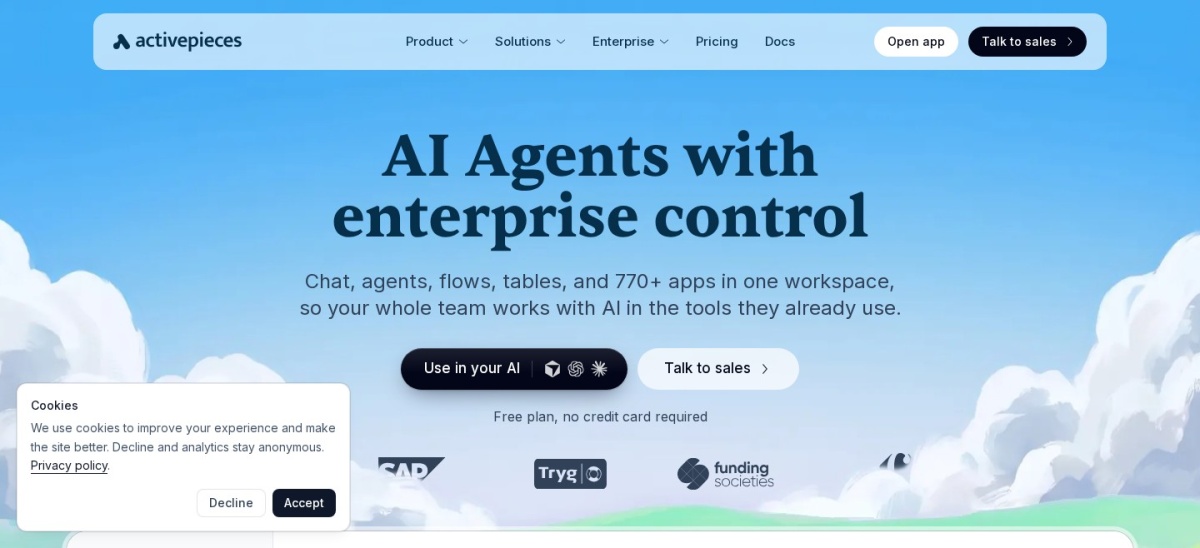
Activepieces is an automation platform that offers visual workflow building, application integrations and self-hosting options. Its free plan includes unlimited flows, 1,000 monthly credits and access for up to 5 users. The Plus subscription increases the included credit allowance and lets customers use their own AI provider credentials.
The trade off is that the $20 monthly Plus plan retains the 5-user limit, while advanced collaboration requires Team at $200 per month. Credit consumption and self-hosted infrastructure can introduce additional expenses. It suits small automation teams that want deployment flexibility and shared access without paying separately for every user.
What we like
Flat-rate entry subscription
Free access for small teams
Unlimited flows on the free plan
Self-hosted deployment available
Supports custom AI provider credentials on Plus
Watch out for
Significant price increase for larger teams
Smaller public review sample than established competitors
Self-hosting requires technical maintenance
Plus increases monthly credits and supports custom AI provider credentials.Visit activepieces.com
04
Power Automate
4.4/5on G2 (1,094 reviews, checked Nov 2026)
Starts at$15/user/mo
Best for Microsoft-based business environments
Free trial30 days
Cloud automationIncluded in Premium
Desktop automationAttended RPA
Paid planPremium, $15/user/mo annually
microsoft.com
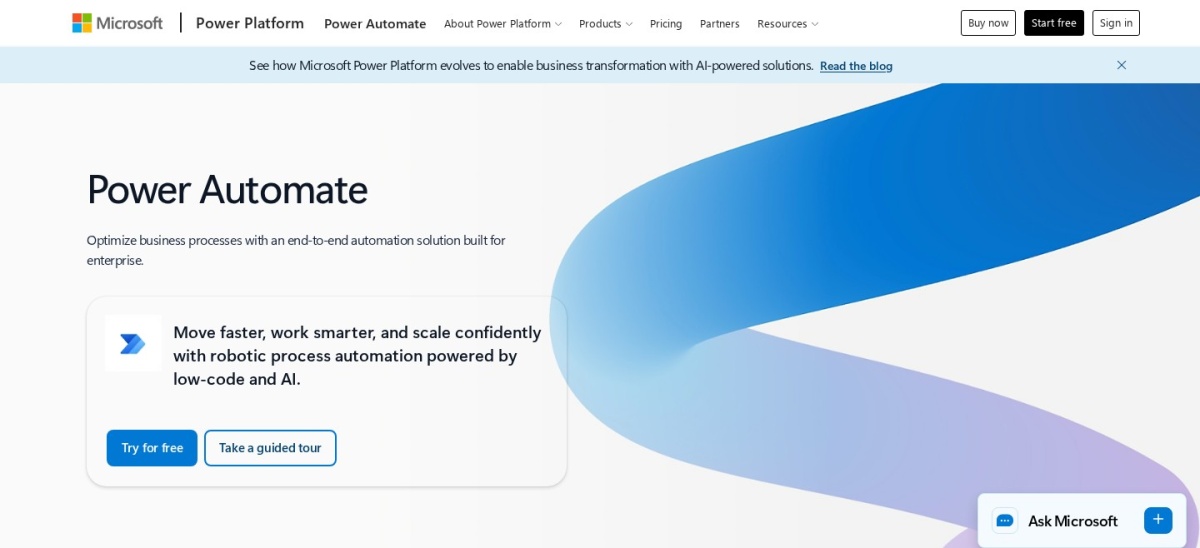
Power Automate homepage, captured Nov 2026.
Power Automate is Microsoft's low-code platform for connecting applications, automating business processes and performing repetitive desktop activities. Its 30-day trial provides access to standard connectors and cloud automation, while Premium combines cloud workflows, attended robotic process automation and process mining. It is particularly useful when existing business information lives in Microsoft applications.
The trade off is that Premium costs $15 per user per month with annual billing, and unattended desktop processes have separate licensing requirements. Organizations must understand connector entitlements and deployment permissions before expanding their automations. It suits finance, administration and IT teams already working within the Microsoft ecosystem.
What we like
Integration with Microsoft business applications
Combines cloud and desktop automation
Supports repetitive work involving desktop software
Process mining included in Premium
Suitable for centrally managed business environments
Watch out for
Licensing can be difficult to understand
Unattended automation requires separate licensing
Desktop workflows may need more technical maintenance
Premium adds advanced cloud flows, attended desktop automation and process mining.Visit microsoft.com
05
monday.com
4.7/5on G2 (17,989 reviews, checked Nov 2026)
Paid from$9/user/mo
Best for visual team workflow management
Free seatsUp to 2
Free boardsUp to 3
Workflow interfaceCustomizable boards
Paid planBasic, $9/seat/mo annually
monday.com
monday.com homepage, captured Nov 2026.
monday.com is a visual work management platform that organizes business processes into customizable boards. Its free plan supports up to 2 seats and 3 boards, providing a starting point for documenting assignments and process stages. Higher subscriptions add workflow automation capabilities that help teams coordinate status changes, notifications and departmental handoffs.
The trade off is that Basic starts at $9 per seat per month with annual billing but is not the appropriate tier for teams requiring standard workflow automation recipes. Buyers should compare higher subscriptions and their automation allowances before purchasing. It suits departments that prefer visual process management over separate integration dashboards.
What we like
Visual boards make process stages easy to understand
Customizable workflow structures
Useful for coordinating departmental handoffs
Large public review sample
Free workspace for exploring basic project organization
Watch out for
Entry paid subscription has automation limitations
Seat-based billing increases team costs
Automation allowances vary by subscription
Basic expands work management capacity; higher tiers add standard automation recipes.Visit monday.com
06
Smartsheet
4.4/5on G2 (23,344 reviews, checked Nov 2026)
Starts at$9/user/mo
Best for spreadsheet-driven operational workflows
Pro automation allowance250 per month
Pro paid members1–10
Workflow viewsGrid, Gantt, board and calendar
Paid planPro, $9/member/mo annually
smartsheet.com
Smartsheet homepage, captured Nov 2026.
Smartsheet is a collaborative work management platform built around spreadsheet-style information and structured business workflows. Its Pro subscription includes 250 monthly automations, unlimited sheets, forms and reports, alongside multiple project views. Teams can use these features to coordinate request tracking, operational reporting and recurring notifications without maintaining separate spreadsheet macros.
The trade off is that Pro costs $9 per member per month with annual billing and has a defined monthly automation allowance. Business starts at $19 per member per month with annual billing and has different membership requirements. It suits operations and project management teams that already organize work through structured tables.
What we like
Familiar interface for spreadsheet users
Automation included in the entry paid plan
Integrated forms and operational reports
Supports project timelines and structured data
Free contributor access on Pro
Watch out for
No permanent free plan for new customers in the published plan lineup
Pro automation allowance may restrict busy workflows
Advanced configurations can require training
Pro includes workflow automation, forms, reporting and multiple project views.Visit smartsheet.com
07
Wrike
4.2/5on G2 (4,655 reviews, checked Nov 2026)
Paid from$10/user/mo
Best for complex project delivery workflows
Free planEssential task management
Workflow automationCustom rules
ApplicationsWeb, desktop and mobile
Paid planTeam, $10/user/mo
wrike.com
Wrike homepage, captured Nov 2026.
Wrike is a work delivery platform that combines collaborative task management with configurable project workflows and automation. Its free subscription provides essential task organization, while the Team plan starts at $10 per user per month. Businesses can organize recurring delivery processes around assignments, project stages and status-based rules.
The trade off is that the $10 per user monthly entry price does not represent every advanced workflow capability available in Wrike. More sophisticated reporting, resource management and automation requirements may need higher subscriptions or additional services. It suits project managers overseeing interconnected tasks, recurring deliverables and multiple contributors.
What we like
Combines project planning and workflow automation
Suitable for structured delivery processes
Supports customizable work management configurations
Centralizes assignments and project communication
Free plan available for basic task organization
Watch out for
Advanced workflow configurations take time to learn
Subscription costs increase with team size
Some advanced capabilities require higher plans
Team expands collaborative project management beyond the basic free workspace.Visit wrike.com
Which workflow automation pricing model costs less as your team grows?
Per-user pricing works well when employees spend significant time managing projects inside the platform. It becomes less attractive when many employees need occasional access to workflows maintained by a small operations team.
Usage-based pricing works well when relatively few people maintain automations. Zapier charges according to task usage, while Activepieces combines credit allowances with flat subscription pricing. The better option depends on how frequently workflows run and how many actions they perform.
Automation allowances deserve particular attention. Smartsheet Pro includes 250 monthly automations, whereas Asana Starter advertises unlimited standard automations. These allowances are not directly equivalent because the platforms define and execute workflow activities differently.
The price ladder shows entry subscription costs annualized from the displayed regular rates. Per-user prices represent an individual paid seat, not the complete cost of a team subscription. Collaboration upgrades, minimum seat requirements and usage charges can change the actual annual expense.
How can teams prevent automated workflows from becoming unreliable?
Assign an owner to every important automation. Document its trigger, connected applications, expected output and escalation contact so another employee can maintain it when the original creator is unavailable.
Use organization-controlled application connections where possible. Avoid building critical business processes around personal credentials that may become unavailable when employees change roles or leave the organization.
Build exception handling into recurring workflows. Invalid form submissions, missing customer information and unavailable external services should generate a visible alert rather than silently interrupting an important process.
Review sensitive permissions before connecting business applications. Automation accounts should only access information necessary for their assigned processes, and confidential data should not be sent to unnecessary external services.
How we chose
We shortlisted established cross-application automation platforms and collaborative work management products with documented workflow capabilities. The ranking prioritizes application compatibility, team collaboration, automation flexibility, pricing transparency and suitability for recurring business processes.
We checked official vendor pricing pages and G2 ratings on 29 Nov 2026. Prices represent the cheapest publicly displayed regular paid subscription rather than temporary introductory offers. Annualized prices use the displayed monthly rate multiplied by the months in a year, with seat-based charges identified separately. Free trials are distinguished from permanent free plans.
We excluded Make, Integrately and Zoho Flow because their opened pricing pages did not expose sufficiently clear regular prices. We excluded n8n because the official pricing page displayed euros rather than directly confirmed dollar prices, and Pabbly Connect because the opened G2 page described a different product. No vendor paid for a place, and we do not claim testing for this list.
How to choose workflow automation software for your team
Map your existing business processes before comparing subscriptions, automation limits and collaboration features.
Identify the processes that waste the most employee time. Document recurring activities such as assigning customer requests, updating records, collecting approvals and sending reminders. Prioritize predictable processes with clear triggers, expected outcomes and manageable exceptions.
Decide whether you need integration or project automation. Choose Zapier or Activepieces when information needs to move between independent applications. Consider Asana, monday.com, Smartsheet or Wrike when the main objective is coordinating assignments and tracking process completion.
Calculate the complete cost of running your workflows. Estimate user requirements, monthly workflow activity and required application connections. Include collaboration upgrades, additional credits and minimum seat commitments rather than relying exclusively on the lowest advertised subscription.
Check workflow ownership, permissions and exception handling. Confirm that authorized employees can maintain shared automations, investigate failed executions and transfer workflow ownership. Establish manual approval requirements for sensitive decisions before expanding automation across departments.
FAQ
What is the best workflow automation software for teams in 2026?
Zapier is the best overall choice for teams connecting existing business applications, offering more than 9,000 integrations and paid plans starting at $19.99 per month. Asana is better for internal project workflows, while Activepieces offers attractive flat-rate pricing for smaller automation teams.
How much does workflow automation software cost?
Workflow automation software starts at $9 per user per month for the entry subscriptions from monday.com and Smartsheet. Dedicated integration platforms such as Zapier start at $19.99 per month. Actual team expenses depend on paid seats, workflow activity and collaboration requirements.
What is the best free workflow automation software for small teams?
Activepieces is a strong free workflow automation choice for small teams because it supports up to 5 users, unlimited flows and 1,000 monthly credits. Zapier is another option when application compatibility matters more than advanced shared workflow management.
Is Zapier or Asana better for workflow automation?
Zapier is better for moving information between independent business applications, while Asana is better for automating task assignments and internal project processes. Asana Starter includes unlimited standard automation rules, whereas Zapier offers broader application connectivity through its dedicated integration platform.
Which workflow automation software is easiest for beginners?
Zapier is a good starting point for beginners because its trigger-and-action approach makes simple application connections understandable without programming. For employees primarily managing project assignments, Asana offers a familiar alternative that keeps automated activities inside a collaborative project workspace.
What is the best automation software for teams using Microsoft 365?
Microsoft Power Automate is the natural choice for teams using Microsoft business applications. Its Premium subscription costs $15 per user per month with annual billing and supports cloud workflows, attended desktop automation and process mining for repetitive business activities.
Can workflow automation software replace manual approval processes?
Workflow automation software can coordinate approval requests, reminders and status updates, but it should not automatically replace human judgment. Businesses should retain appropriate manual authorization for financial transactions, sensitive employee decisions and processes involving confidential customer information.
Do small teams need a dedicated workflow automation platform?
Small teams need a dedicated automation platform when their existing applications cannot exchange information or execute recurring processes efficiently. If most activities happen inside a project management system, its built-in workflow rules may provide sufficient automation without another subscription.
SaaS SEO and WordPress specialist with about 8 years of experience. Rakib compares WordPress plugins, themes, hosting and software using public pricing, documentation and user reviews. See how we rank.