Clockify is the best time tracker app for most freelancers and small businesses, with unlimited time tracking for up to five free users and paid plans starting at $3.99 per seat per month. Choose Toggl Track for simple daily tracking or Harvest for managing billable hours and client invoices.
How we make this list: we compare pricing pages, product documentation and public user reviews, then re-check every price before each update. No product paid for a place. Disclosure.
Clockify earns 4.8/5 from 9,276 Capterra reviews and offers unlimited time tracking for up to five free users.
Toggl Track starts at $9 per user per month and combines time tracking with project planning.
Harvest costs $108 per seat annually and connects time tracking with client invoicing and accounting.
TimeCamp offers attendance management and invoicing through its $47.88 annual Starter subscription per user.
Everhour starts at $8.50 per seat per month but requires a minimum of five paid seats.
WebWork starts at $3.99 per user per month with annual billing, making it an affordable option for detailed workforce reporting.
What makes a time tracker app worth paying for?
A good time tracker should record working hours without interrupting the work itself. Freelancers need reliable timers and billable-hour reports, while businesses may also require attendance records, project budgets and timesheet approvals.
Manual timers give workers control over when tracking begins and ends. Automatic tracking reduces forgotten entries by recording activity in the background, although users may still need to categorize their work afterward.
Free plans often cover basic timers and reporting but restrict team size, administrative controls or integrations. Check whether your preferred accounting or project management connection requires a paid subscription.
Employee monitoring is different from ordinary time tracking. Features such as screenshots and activity measurements can introduce privacy concerns, so establish clear policies before enabling them.
Compare subscription costs using your actual team size. The cheapest annual price per user does not necessarily represent the cheapest total subscription when a vendor requires a minimum number of seats.
4.8/5on Capterra (9,276 reviews, checked Nov 2026)
Paid from$3.99/mo
Best for affordable everyday time tracking
Free planUp to 5 users
Tracking methodsTimer and manual timesheets
Client invoicingAvailable on higher paid plans
Paid planBasic, $3.99/seat/mo billed annually
clockify.me
Clockify homepage, captured Nov 2026.
Clockify is a time tracking app that combines timers, timesheets, project organization and reporting in a single workspace. Its free plan supports up to five users with unlimited time tracking, and its 4.8/5 Capterra rating reflects a substantial collection of public reviews.
The trade off is that administrative controls, invoicing and advanced management features depend on your subscription tier. Basic costs $3.99 per seat per month with annual billing or $4.99 with monthly billing. It suits freelancers and businesses looking for inexpensive tracking with room to expand.
What we like
Unlimited time tracking on the free plan
Manual timers and timesheet entry
Affordable entry-level subscription
Project and client reporting
Large collection of public user reviews
Watch out for
Free plan limited to five users
Invoicing requires a higher subscription tier
Advanced administrative features cost extra
Basic adds administrative controls and expanded workspace management.Visit clockify.me
02
Toggl Track
4.7/5on Capterra (2,592 reviews, checked Nov 2026)
Paid from$9/mo
Best for simple daily time tracking
Free planAvailable for limited users
Tracking methodsReal-time and manual timers
Calendar integrationsGoogle and Outlook
Paid planStarter, $9/user/mo billed annually
toggl.com
Toggl Track homepage, captured Nov 2026.
Toggl Track is a timer-focused application for recording work across projects and understanding how working hours are spent. Its free plan includes timers, calendar integrations and personal reporting, while Capterra lists a 4.7/5 rating from 2,592 reviews.
The trade off is that billable rates and team-level reporting require the Starter subscription at $9 per user per month with annual billing. Profitability reporting and timesheet approvals require further upgrades. It suits consultants, creative professionals and teams that prioritize straightforward time recording.
What we like
Simple timer-based tracking
Calendar connections for reviewing work schedules
Personal reports on the free plan
Paid plans combine tracking and project planning
Watch out for
Billable rates require a subscription
Higher entry price than Clockify
Timesheet approvals require a higher plan
Starter adds billable rates, team reporting and project timelines.Visit toggl.com
03
Harvest
4.5/5on Capterra (656 reviews, checked Nov 2026)
Paid from$9/mo
Best for freelancers and client invoicing
Free plan1 seat
Client invoicingIncluded
Integrations50+ core integrations
Paid planTeams, from $9/seat/mo billed annually
getharvest.com
Harvest homepage, captured Nov 2026.
Harvest is a time tracking and invoicing application built around client projects and service delivery. Its free plan supports one seat with time recording, expense tracking, basic reporting and invoicing, helping independent professionals manage the connection between working hours and payments.
The trade off is that growing businesses need the Teams subscription, which starts at $9 per seat per month with annual billing or $11 with monthly billing. Subscription costs increase as employees join. It suits agencies and professional service providers that regularly invoice clients for recorded work.
What we like
Built-in client invoice creation
Time and expense tracking
Supports hourly and fixed-fee projects
Accounting and payment integrations
Web, desktop and mobile applications
Watch out for
Free plan supports only one seat
Per-seat pricing increases costs for larger teams
Advanced reporting depends on subscription tier
Teams adds team reporting, additional seats and expanded collaboration.Visit getharvest.com
04
TimeCamp
4.7/5on Capterra (602 reviews, checked Nov 2026)
Paid from$3.99/mo
Best for automated tracking and attendance
Free planAvailable
Automatic trackingDesktop tracking options
Attendance managementStarter and higher plans
Paid planStarter, $3.99/user/mo billed annually
timecamp.com
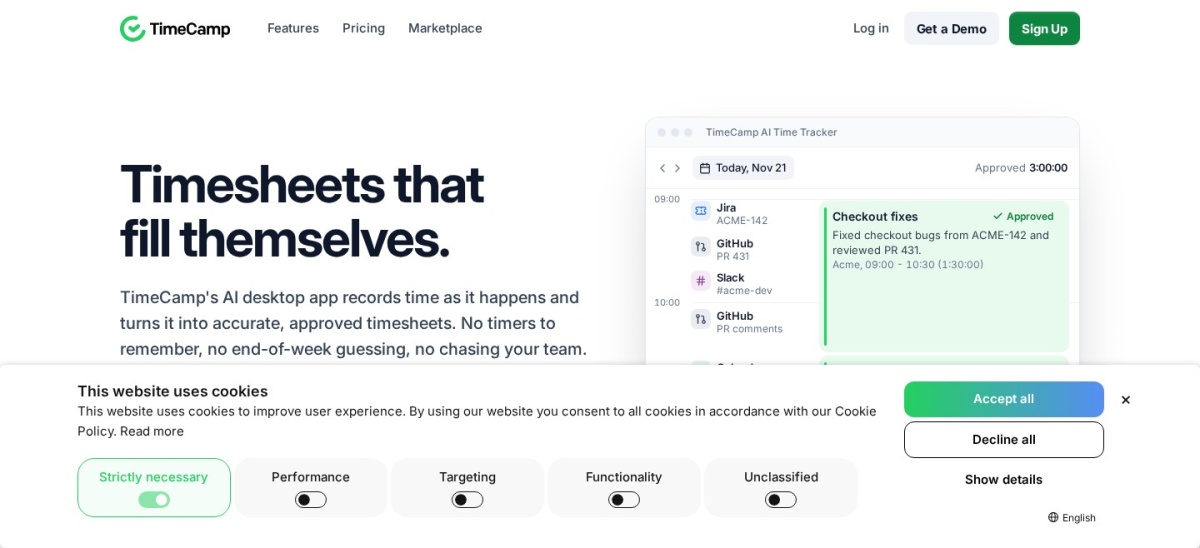
TimeCamp homepage, captured Nov 2026.
TimeCamp is a time tracking application that combines project hours, attendance records and automated tracking options. Its Starter subscription costs $3.99 per user per month with annual billing and includes invoicing, attendance calendars, spreadsheet report exports and time-off management.
The trade off is that project budgets and advanced billable-time controls require the Premium plan, which costs $6.99 per user per month with annual billing. Some AI functions also use separate usage-based billing. It suits businesses that want time recording and attendance administration in the same application.
What we like
Automatic desktop time tracking options
Affordable Starter subscription
Attendance and time-off management
Invoicing available on Starter
Exportable time reports
Watch out for
Advanced budgeting requires Premium
Some AI functionality has usage-based charges
Additional settings can increase setup complexity
Starter adds invoicing, attendance tools and spreadsheet exports.Visit timecamp.com
05
My Hours
4.8/5on Capterra (986 reviews, checked Nov 2026)
Paid from$4/mo
Best for project hours and billing reports
Free planUp to 5 active users
Project trackingUnlimited projects on Basic
Timesheet approvalsPro plan
Paid planBasic, $4/user/mo billed annually
myhours.com
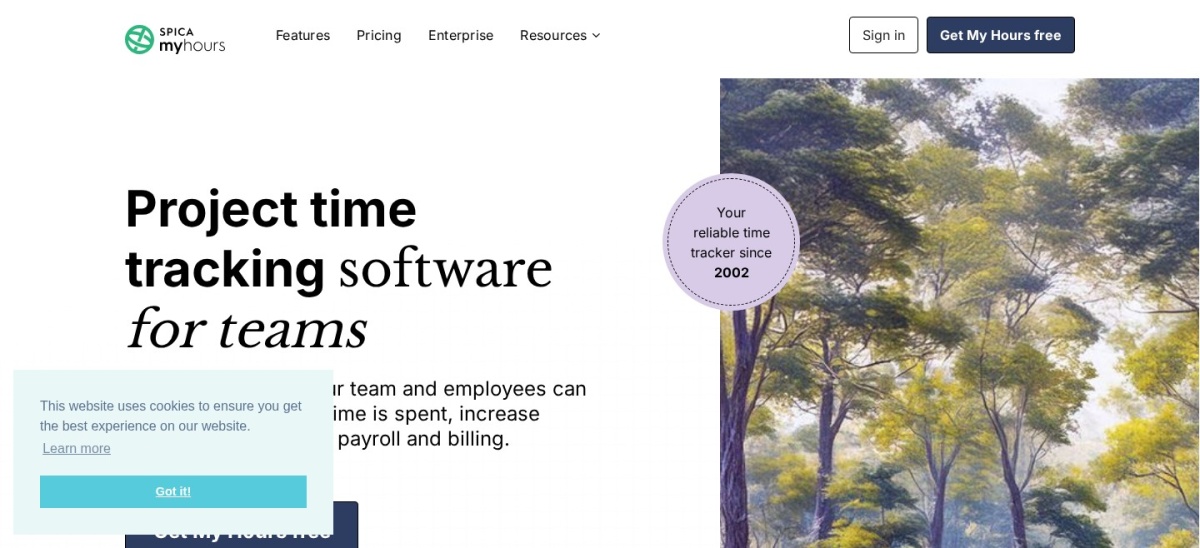
My Hours homepage, captured Nov 2026.
My Hours is a project-based time tracker for businesses that need to organize working hours around clients and tasks. Its free subscription supports up to five active users, while Basic includes unlimited projects and clients, detailed reporting and basic billable rates for $4 per user per month with annual billing.
The trade off is that advanced rate calculations, project budgets and timesheet approval workflows require Pro at $8 per user per month with annual billing. Basic also costs $5 per user when billed monthly. It suits consulting firms and small agencies that need organized project records without extensive workforce monitoring.
What we like
Affordable paid subscription
Free option for small teams
Unlimited projects and clients on Basic
Billable-rate calculations
Project-focused reporting
Watch out for
Approval workflows require Pro
Advanced budgeting costs extra
Less suited to detailed employee activity monitoring
Basic adds paid team capacity and core project billing tools.Visit myhours.com
06
Everhour
4.7/5on Capterra (432 reviews, checked Nov 2026)
Paid from$8.50/mo
Best for tracking time inside project management apps
Free planUp to 5 seats
Integrations40+ available
Minimum paid seats5
Paid planTeam, $8.50/seat/mo billed annually
everhour.com
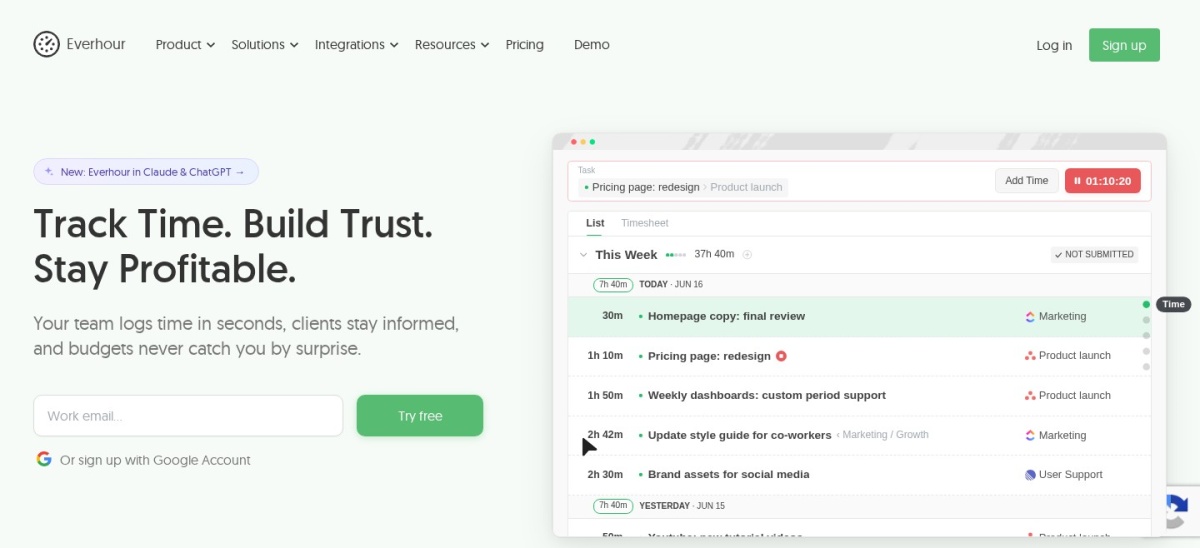
Everhour homepage, captured Nov 2026.
Everhour is a time tracking application that connects recorded hours with tasks in existing project management systems. Its free plan supports up to five seats and includes basic project tracking, reports and data exports, while the paid plan provides native integrations with tools such as Asana, ClickUp and Jira.
The trade off is that integrations require the Team plan at $8.50 per seat per month with annual billing and a minimum of five seats. That creates a minimum annual subscription cost of $510. It suits established project teams that want tracking within their current task management workflow.
What we like
Time tracking within supported project tools
Project budgets and spending alerts
Free basic tracking and reporting
Paid invoicing and billing functionality
Advanced permissions on the Team plan
Watch out for
Minimum purchase of five paid seats
Native integrations unavailable on the free plan
Expensive minimum subscription for solo users
Team adds native integrations, budgeting, invoicing and advanced permissions.Visit everhour.com
07
WebWork
4.7/5on Capterra (645 reviews, checked Nov 2026)
Starts at$3.99/mo
Best for distributed workforce reporting
Free planNo, 14-day trial
Tracking methodsDesktop and automated tracking
Workforce featuresActivity and attendance reporting
Paid planFrom $3.99/user/mo billed annually
webwork-tracker.com
WebWork homepage, captured Nov 2026.
WebWork is a workforce time tracker that combines recorded working hours with project reporting and employee activity information. Its paid subscriptions start at $3.99 per user per month with annual billing, and a 14-day trial provides temporary access to its feature set.
The trade off is that WebWork has no permanent free plan, and monthly billing starts at $4.99 per user. Features such as screenshots may also require careful privacy policies and employee communication. It suits distributed businesses that need more detailed workforce information than a basic project timer provides.
What we like
Low entry-level subscription price
Detailed time and activity reports
Attendance and workforce management options
Project budgeting and billing capabilities
Free trial without a credit card requirement
Watch out for
No permanent free subscription
Monitoring features introduce privacy considerations
More configuration than a basic timer
Paid subscriptions provide ongoing access to time tracking and workforce reporting.Visit webwork-tracker.com
Should you choose manual or automatic time tracking?
Manual tracking works well when your day consists of clearly defined client tasks. Start a timer when work begins, stop it when the task ends and assign the resulting entry to the relevant project.
Automatic tracking is useful when you frequently switch between applications or forget to start timers. Background activity records can help reconstruct your working day, although they may not identify the correct client or project without additional input.
For freelancers, accurate project categorization usually matters more than detailed activity monitoring. Clockify and Toggl Track are practical starting points because they support straightforward recording without making employee surveillance the central purpose of the workflow.
Businesses considering automatic tracking should communicate what information is collected, who can access it and how long it remains available. Keyboard activity and screen time alone do not reliably measure the quality of someone's work.
Why the advertised monthly price can be misleading
Most time tracking subscriptions charge per active or billable user. Clockify, TimeCamp and WebWork each advertise annual-billing entry prices of $3.99 per user per month, equivalent to $47.88 per user annually.
Everhour illustrates why minimum seat requirements matter. Its $8.50 monthly rate becomes $510 annually because the Team subscription requires at least five paid seats, even if fewer people need the premium functionality.
Our price ladder uses regular annual-billing rates and displays the annualized cost per seat. It does not represent the total minimum contract price, optional add-ons, usage-based AI charges or the cost of higher plans needed for particular features.
How we chose
We selected established time tracking applications for freelancers, agencies and small businesses. Our comparison considers recording methods, reporting, billing functionality, subscription limits, integrations and suitability for different working arrangements.
Official subscription prices and Capterra ratings were checked on 29 Nov 2026. The price ladder uses regular annual-billing rates per seat, rather than temporary promotional offers. Review totals reflect the figures displayed by the cited pages when accessed.
We excluded products without confirmable public entry pricing, including candidates whose pricing pages were inaccessible or did not display a verifiable amount. We also excluded general productivity tools without meaningful time tracking functionality. No vendor paid for a place, and we do not claim testing for this list.
How to choose the best time tracker app
Identify how you record working hours, what you do with those records and which features justify paying for a subscription.
Choose your tracking method. Decide whether manual timers, timesheet entries or automatic background tracking suit your daily routine. Prioritize a method that employees can maintain consistently without interrupting their work.
Identify your billing requirements. Choose an application with billable rates, client reports and invoice creation if tracked hours directly generate revenue. Harvest is particularly relevant for businesses that want these functions together.
Calculate the total subscription cost. Multiply the regular annual price by the number of required paid seats. Check minimum purchase requirements, subscription limits and whether essential integrations or approvals require a more expensive plan.
Review reporting and privacy settings. Confirm that the application generates reports your managers and clients can use. If it records screenshots or activity information, establish transparent policies and restrict data collection to legitimate business requirements.
FAQ
What is the best time tracker app overall?
Clockify is the best general-purpose option in this comparison because it offers affordable paid plans, unlimited free time tracking for up to five users and useful project reports. Toggl Track is an alternative for users who prioritize a straightforward timer.
What is the best free time tracker app?
Clockify is our preferred free time tracker for small teams because it supports unlimited time recording for up to five users. My Hours and Everhour also offer free plans, although available integrations and advanced management features differ between products.
Which time tracker app is best for freelancers?
Harvest is a particularly good choice for freelancers who invoice clients based on recorded working hours. Toggl Track suits independent professionals who mainly need timers and personal reports, while Clockify provides an inexpensive starting point for general project tracking.
How much does a time tracking app cost?
Paid plans in this comparison start at $3.99 per user per month with annual billing. Actual costs depend on the subscription tier, number of seats, minimum purchase requirements and whether you need features such as approvals, invoicing or advanced reporting.
Can time tracking apps automatically record working hours?
Yes. Applications such as TimeCamp and WebWork offer automatic tracking capabilities that can reduce the need to start and stop timers manually. However, workers may still need to review recorded activity and assign entries to the correct projects.
What is the best time tracker for Asana and ClickUp?
Everhour is a good option for teams using Asana or ClickUp because its paid integrations connect time recording with existing project tasks. Its Team subscription starts at $8.50 per seat per month with annual billing and requires five paid seats.
Can I track time without monitoring employee screens?
Yes. Ordinary timers and manual timesheets allow employees to record their working hours without providing screenshots. Businesses should distinguish timekeeping from employee surveillance and select the least intrusive tracking method that meets their reporting and billing requirements.
Are free time tracker apps suitable for businesses?
Free time trackers can work well for independent professionals and small teams that need basic timesheets and reports. Businesses with more complicated billing, approval workflows, administrative permissions or accounting integrations may find that a paid subscription is necessary.
SaaS SEO and WordPress specialist with about 8 years of experience. Rakib compares WordPress plugins, themes, hosting and software using public pricing, documentation and user reviews. See how we rank.