Best WordPress Video Plugins in 2026: 7 Tools Compared
WLWPLegible EditorsLast verified 22 Nov 2026How we rank5 min read
★ Short answer
Presto Player is the top WordPress video plugin overall, holding a 4.8 out of 5 rating across 346 reviews and 100,000+ active installs. For searchable video libraries and galleries, All-in-One Video Gallery stands out, while WP YouTube Lyte fits fast, free YouTube embeds.
How we make this list: we compare pricing pages, product documentation and public user reviews, then re-check every price before each update. No product paid for a place. Disclosure.
Presto Player leads with 100,000+ active installs and a 4.8/5 rating from 346 reviews, with regular annual pricing starting at $99/yr.
All-in-One Video Gallery holds 20,000+ active installs and a 4.8/5 rating across 136 reviews for video posts and galleries.
HTML5 Video Player pairs 20,000+ active installs and a 4.6/5 rating (195 reviews) with a regular single-site price of $47.88/yr.
WP YouTube Lyte is completely free with 20,000+ active installs and a 4.8/5 rating from 206 reviews.
FV Flowplayer Video Player offers a one-time license starting at $75 for 1 domain alongside 10,000+ active installs and a 4.4/5 rating.
What to look for in a WordPress video plugin
Self-hosting large MP4 files directly on standard WordPress hosting often strains disk space and bandwidth. Many plugins focus on wrapping YouTube, Vimeo, or external streams in a cleaner player, while others pair with dedicated video hosts or CDN storage.
Page speed matters whenever a post includes multiple videos. Facade or click-to-load embeds avoid loading heavy external player scripts until a visitor presses play, helping keep page weights down.
Check whether you need single-video playback, a filterable gallery of video posts, or interactive controls like chapters, captions, and course progression. Some plugins also rely on the block editor, while others still center on shortcodes or the classic editor.
Watch renewal terms and active promotional sales before buying. Several vendors run seasonal discounts around late November that renew or list at higher regular rates.
4.8/5on WordPress.org (346 reviews, checked Nov 2026)
Paid from$99/yr
Best for branded video playback and courses
Active installs100,000+
Rating4.8/5 (346)
Editor supportBlocks & builders
Regular entry price$99/yr
prestoplayer.com
Presto Player homepage, captured Nov 2026.
Presto Player is a block-focused video and audio player for courses, landing pages, and testimonials with 100,000+ active installs and a 4.8 rating from 346 reviews. Its free version supports self-hosted video, YouTube, and Vimeo embeds with custom poster images, player presets, and lazy loading.
The trade off is paying $99/yr at the regular single-site rate (with a lower first-year sale price listed on its pricing page) for features like private video and Bunny.net integration. It suits creators and site owners who want a unified player across lessons and landing pages.
What we like
Includes 8 blocks and modules for Elementor and Beaver Builder
Supports self-hosted media, YouTube, and Vimeo on the free tier
Strong adoption with 100,000+ active installations
Watch out for
Regular single-site Pro pricing renews at $99/yr after promotional discounts
Private video and Bunny.net features sit behind paid tiers
Paid plans add private video access, Bunny.net integration, and expanded player controls.Visit prestoplayer.com
02
All-in-One Video Gallery
4.8/5on WordPress.org (136 reviews, checked Nov 2026)
Paid from$59.88/yr
Best for video galleries and video posts
Active installs20,000+
Rating4.8/5 (136)
FormatsMP4, HLS, embeds
Starting rate$4.99/mo
plugins360.com
All-in-One Video Gallery homepage, captured Nov 2026.
All-in-One Video Gallery is a video posts and gallery plugin with 20,000+ active installs and a 4.8 rating across 136 reviews. The free plugin lets you organize videos with categories and tags, filter galleries with AJAX, and play MP4, WebM, HLS, MPEG-DASH, YouTube, or Vimeo sources.
The trade off is moving to paid plans starting at $4.99/mo ($59.88/yr) for extra gallery templates and premium add-ons. It suits blogs, directories, and media sites building searchable video libraries.
What we like
Organizes videos with custom post types, categories, tags, and AJAX filtering
Supports self-hosted files, HLS/DASH streams, and major video hosts
Includes Gutenberg blocks, widgets, and a shortcode builder
Watch out for
Additional gallery layouts require a paid upgrade
More structure than needed if you only embed an occasional video
4.6/5on WordPress.org (195 reviews, checked Nov 2026)
Paid from$47.88/yr
Best for straightforward MP4 and HTML5 embeds
Active installs20,000+
Rating4.6/5 (195)
Regular price$47.88/yr
One-time option$149.99
bplugins.com
HTML5 Video Player homepage, captured Nov 2026.
HTML5 Video Player is a responsive media player plugin with 20,000+ active installs and a 4.6 rating from 195 reviews. Its free version embeds MP4, WebM, OGG, YouTube, and Vimeo media using blocks or shortcodes.
The trade off is paying $47.88/yr at the regular single-site rate (before seasonal discounts) for features like a video quality switcher, popup player, and watermark support. It suits sites that want simple, customizable HTML5 video playback without heavy setup.
What we like
Low regular single-site annual price at $47.88/yr, plus a $149.99 one-time option
Works with both Gutenberg blocks and shortcodes
Handles local video files alongside YouTube and Vimeo links
Watch out for
Quality switching and popup playback sit in the paid tier
Seasonal promo pricing differs from the standard annual list rate
Pro adds a quality switcher, popup player, watermark support, and extra control toggles.Visit bplugins.com
04
WP YouTube Lyte
4.8/5on WordPress.org (206 reviews, checked Nov 2026)
PriceFree
Best for fast, free YouTube embeds
Active installs20,000+
Rating4.8/5 (206)
CostFree
Source focusYouTube & audio
wordpress.org
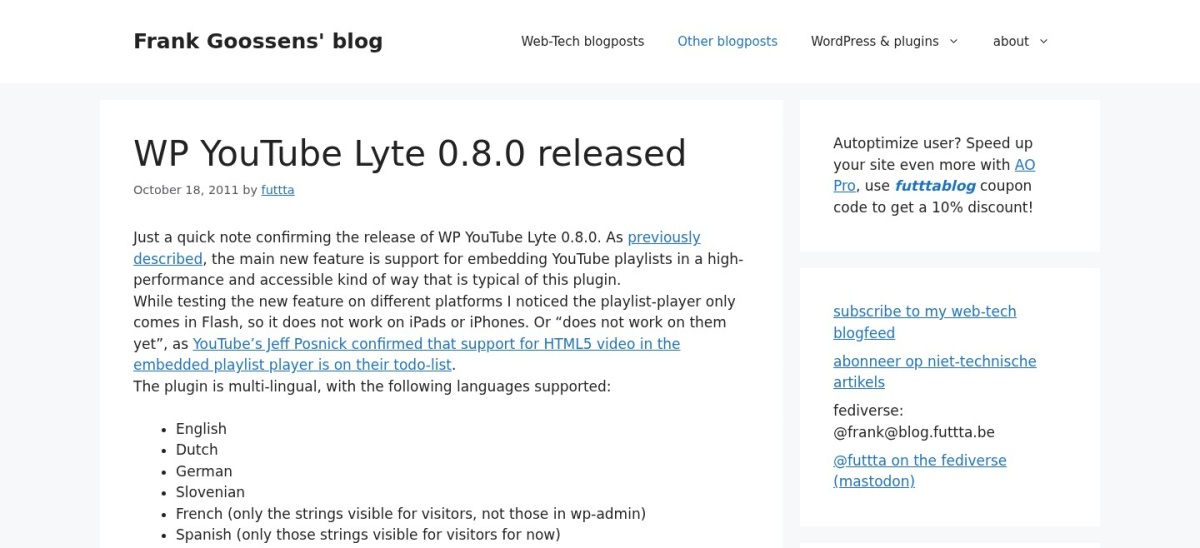
WP YouTube Lyte homepage, captured Nov 2026.
WP YouTube Lyte is a free plugin that replaces standard YouTube embeds with lightweight lyte previews that load the full player only when clicked. It holds 20,000+ active installs and a 4.8 rating from 206 reviews.
The trade off is a narrow focus on YouTube videos, playlists, and audio-only embeds rather than self-hosted video files or multi-platform galleries. It suits content sites and blogs embedding plenty of YouTube clips that want faster initial page loads.
What we like
Completely free with no paid tier required
Defers heavy YouTube player loading until a visitor clicks play
Supports local thumbnail caching and schema microdata
Watch out for
Limited to YouTube embeds and audio-only mode
Page builders may need a shortcode or widget workaround depending on content filters
No paid version is needed; all core **lyte** embed and caching options are free.Visit wordpress.org
05
FV Flowplayer Video Player
4.4/5on WordPress.org (90 reviews, checked Nov 2026)
Paid from$75 one-time
Best for one-time licensing and playback tracking
Active installs10,000+
Rating4.4/5 (90)
License$75 one-time
SourcesHTML5, YT, Vimeo
foliovision.com
FV Flowplayer Video Player homepage, captured Nov 2026.
FV Flowplayer Video Player is a video player plugin with 10,000+ active installs and a 4.4 rating across 90 reviews. Its free version supports MP4 and FLV playback, remembers viewer watch positions, and includes built-in play stats.
The trade off is a lower rating than several rivals and a $75 one-time single-domain license (listed on sale from $95) to remove vendor branding. It suits sites that prefer a one-time payment and playback position tracking.
What we like
Single-domain commercial license starts at $75 as a one-time payment
Tracks viewer watch position and basic play statistics out of the box
Supports HTML5 video, playlists, Vimeo, and YouTube
Watch out for
Free embeds display vendor branding until upgraded
Domain changes carry an extra fee per Foliovision's pricing terms
Paid licenses remove branding and unlock commercial and extended domain options.Visit foliovision.com
06
Videopack
4.8/5on WordPress.org (63 reviews, checked Nov 2026)
PriceFree
Best for self-hosted thumbnails and resolution switching
Active installs10,000+
Rating4.8/5 (63)
CostFree
FocusSelf-hosted media
wordpress.org
Videopack homepage, captured Nov 2026.
Videopack is a free WordPress plugin for self-hosted video thumbnails, resolution switching, and video galleries with 10,000+ active installs and a 4.8 rating from 63 reviews. It can generate thumbnails in the browser or encode video formats when FFMPEG is available on the server.
The trade off is relying on classic editor workflows and shortcode galleries rather than native block editor integration. It suits site owners who self-host MP4 files and want automatic poster thumbnails and resolution choices.
What we like
Free plugin with 4.8/5 rating across 63 reviews
Generates video thumbnails and supports multi-resolution playback
Works with server-side FFMPEG encoding when installed
Watch out for
Not built around the WordPress block editor
Heavy video encoding and hosting still depend on your server resources
Core thumbnail generation, resolution switching, and galleries are available free on WordPress.org.Visit wordpress.org
07
Easy Video Player
4.2/5on WordPress.org (57 reviews, checked Nov 2026)
PriceFree
Best for lightweight shortcode HTML5 video embeds
Active installs20,000+
Rating4.2/5 (57)
CostFree
SetupShortcode-based
wordpress.org
Easy Video Player homepage, captured Nov 2026.
Easy Video Player is a lightweight WordPress plugin for embedding responsive HTML5 videos and external video URLs via shortcodes. It carries 20,000+ active installs and a 4.2 rating across 57 reviews.
The trade off is a lower 4.2/5 review score and fewer built-in gallery or analytics tools than larger video suites. It suits site owners who just need a basic shortcode to display an MP4 with poster, autoplay, or loop options.
What we like
Free to install with 20,000+ active installations
Supports shortcode parameters for width, aspect ratio, autoplay, and looping
Works with both self-hosted files and direct external video URLs
Watch out for
Lower rating (4.2/5) than top-ranked video plugins
Relies on manual shortcode parameters rather than rich visual galleries
Listed as a free WordPress.org plugin with optional add-ons noted in its documentation.Visit wordpress.org
Self-hosting videos vs. using external embeds
Uploading large video files straight into the WordPress media library can eat up hosting storage and slow down backups. Many site owners keep heavy videos on YouTube, Vimeo, or dedicated media hosts and use a WordPress plugin to control how the player looks and loads.
If you do embed third-party players like YouTube, consider click-to-load or lyte previews so external scripts do not weigh down every page load. If you self-host short clips, check aspect ratios, poster images, and mobile playback behavior before publishing.
How we chose
We gathered candidate plugins from WordPress.org video and video-player directories and vendor documentation, focusing on active WordPress installations with established review histories.
We checked WordPress.org ratings, review counts, active install tiers, and official pricing pages on 22 Nov 2026, noting promotional sale prices separately from regular list rates where shown.
We skipped plugins that were closed, unmaintained over the past year, or lacked verifiable pricing details on their official pages. No vendor paid for a place, and we do not claim testing for this list.
How to pick the right WordPress video plugin
Follow four quick checks to narrow the list to your site's setup:
Start with where your video files actually live. Decide whether you are embedding YouTube and Vimeo links, playing self-hosted MP4 files, or connecting an external video host.
Match the plugin format to how visitors browse videos. Choose a single-video player for lessons and landing pages, or a gallery plugin if you need categories, tags, and search across many clips.
Check page-speed impact on video-heavy posts. Look for lazy loading or click-to-load previews when embedding third-party videos so pages stay responsive.
Compare regular renewal rates against promotional offers. Check the standard annual or one-time license price rather than relying solely on limited-time discounts.
FAQ
Do I need a plugin to add a video to WordPress?
No, WordPress can embed many video URLs and basic video files on its own. A plugin helps when you want custom player controls, video galleries, thumbnails, watch tracking, or faster lazy-loaded embeds.
Should I host videos directly on my WordPress server?
Usually only for short, lightweight clips if your hosting plan has plenty of storage and bandwidth. Larger libraries often perform better via external video platforms or dedicated streaming and CDN services.
How do video plugins help with WordPress page speed?
Plugins that use click-to-load previews or lazy loading delay loading external video scripts and iframes until a visitor interacts with the video. That keeps initial page load times lower on content pages.
What is the difference between a video player and a video gallery plugin?
A video player focuses on playback controls, branding, captions, and chapters for individual videos. A video gallery plugin focuses on organizing multiple videos into searchable or filterable grids, categories, and playlists.
Why do some WordPress plugins show a sale price on their pricing page?
Many plugin developers run seasonal or introductory discounts that lower the first payment or offer a temporary discount off the regular list price. Always check the standard renewal or regular price so your ongoing budget is clear.
Are free WordPress video plugins enough for most sites?
For many blogs and small business sites that only need clean embeds or basic MP4 playback, free versions cover the essentials. Paid upgrades become more useful when you need private access, extra gallery layouts, or specialized player features.