Best WordPress Accessibility Plugins in 2026: 7 Tools Compared
WLWPLegible EditorsLast verified 22 Nov 2026How we rank6 min read
★ Short answer
Equalize Digital Accessibility Checker leads this list with 10,000+ active installs and over 40 WCAG 2.2 checks that run directly inside the WordPress editor. For free theme-level markup fixes, WP Accessibility is a strong alternative, while Accessibility Widget by OneTap fits site owners who want a visitor toolbar.
How we make this list: we compare pricing pages, product documentation and public user reviews, then re-check every price before each update. No product paid for a place. Disclosure.
Equalize Digital Accessibility Checker includes 12 automated fixes on its free plan and starts at $190/yr regular pricing for Pro.
WP Accessibility holds 60,000+ active installs and offers its full feature set at no cost with no paid plan.
Accessibility Widget by OneTap carries 60,000+ active installs, a 4.9/5 rating across 80 reviews, and a $129 regular single-site Pro price.
Web Accessibility by Elementor reaches 500,000+ active installs with a free tier and a $120/yr regular Ally Pro plan.
UserWay and accessiBe charge $490/yr at their entry tiers, making code and content audits far cheaper for single sites.
What to look for in a WordPress accessibility plugin
WordPress accessibility tools generally fall into three groups: code and content scanners that flag issues against Web Content Accessibility Guidelines (WCAG), markup enhancers that patch common theme gaps, and front-end visitor widgets that adjust display settings. Relying on a visitor widget alone does not fix underlying HTML, form labels, keyboard traps, or contrast issues in your theme and page builder.
Automated scanners catch many detectable errors—such as missing alt attributes, skipped headings, and low color contrast—yet they cannot verify every human judgment call, such as whether alt text accurately describes an image or whether navigation flows logically. Look for plugins that explain issues clearly and highlight problems in context rather than promising automated legal compliance.
Check where scanning runs and how licenses scale across sites. Server-side checks keep site data local without per-scan credit limits, whereas cloud-hosted widgets and AI remediation tools typically bill by traffic or page views and carry recurring annual fees.
Finally, verify recent maintenance and compatibility with your current WordPress version and editor stack. Pair any plugin with manual keyboard and screen-reader checks on key templates, navigation menus, and forms.
4.9/5on WordPress.org (80 reviews, checked Nov 2026)
Paid from$190/yr
Best for in-editor WCAG 2.2 auditing and remediation
StandardWCAG 2.2
Free fixes12 automated
Free tierUnlimited scans
Regular Pro$190/yr (1 site)
equalizedigital.com
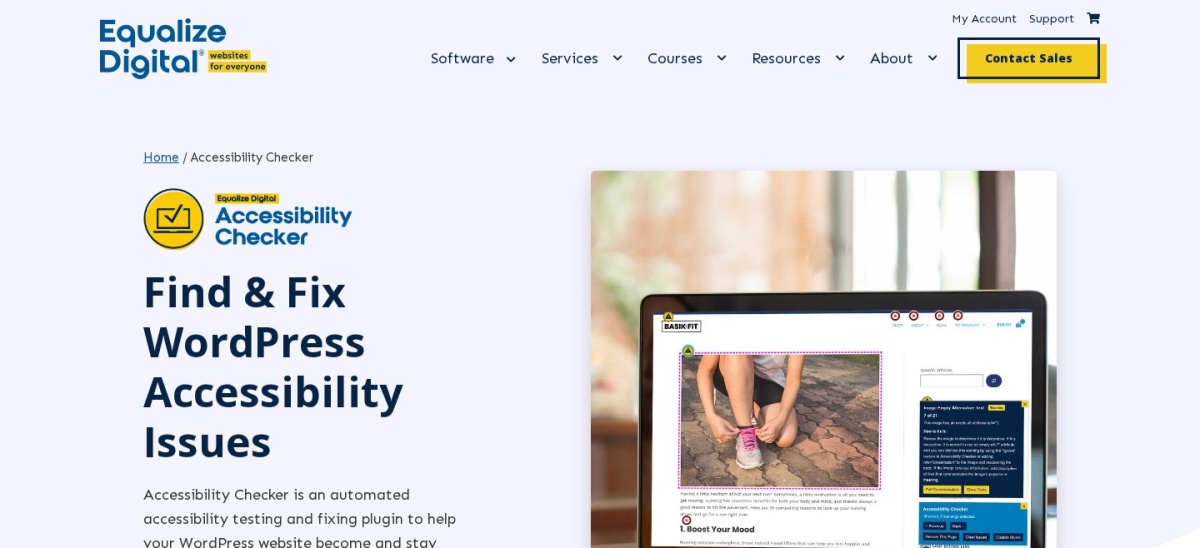
Equalize Digital Accessibility Checker homepage, captured Nov 2026.
Equalize Digital Accessibility Checker is a WordPress auditing plugin that runs over 40 WCAG 2.2 checks inside the editor and includes 12 automated fixes on its free plan. Its free tier allows unlimited post and page scans, front-end issue highlighting, and an accessibility statement draft.
The trade off is that full-site scanning, custom post types, and 4 extra automated fixes require the Professional plan at $190/yr regular pricing (discounted during sales). It suits site owners, agencies, and editors who want native WordPress audit reports without per-page scan limits.
What we like
Runs over 40 WCAG 2.2 checks with unlimited post and page scans on the free plan
Includes 12 automated fixes and plain-language remediation guidance
Keeps scan data on your own server without per-page API fees
Supports dismissing reviewed warnings with notes and timestamps
Watch out for
Custom post types and site-wide issue lists require a paid plan
Only audits WordPress sites rather than non-WordPress properties
Paid Pro plan adds full-site scans, custom post types, central issue logs, and 4 extra fixes.Visit equalizedigital.com
02
WP Accessibility
4.8/5on WordPress.org (68 reviews, checked Nov 2026)
PriceFree
Best for free theme-level markup fixes
FocusTheme & markup fixes
Rating4.8 / 5 (68)
Active installs60,000+
CostFree (no paid plan)
joedolson.com
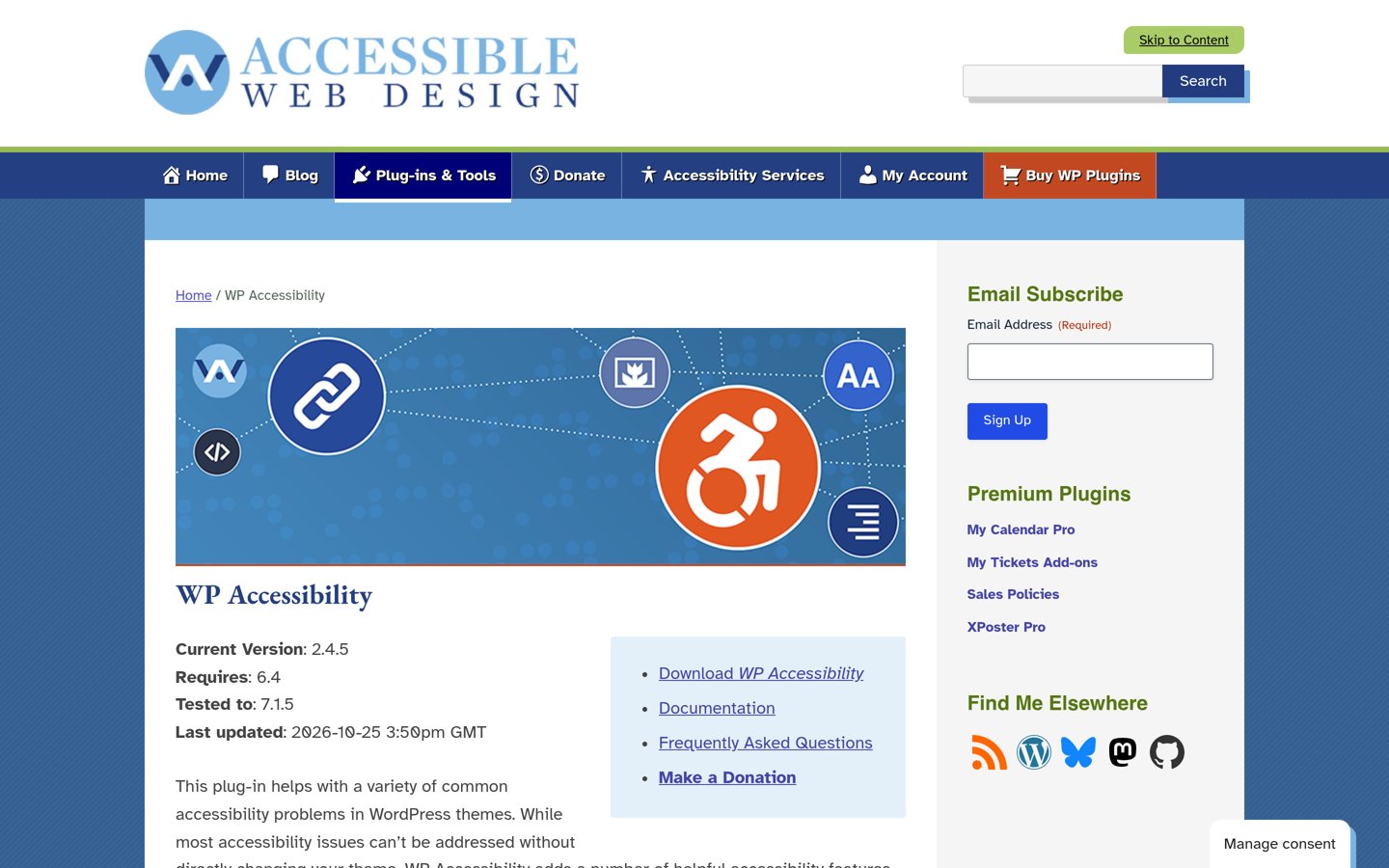
WP Accessibility homepage, captured Nov 2026.
WP Accessibility is a free WordPress plugin maintained by Joe Dolson with 60,000+ active installs and a 4.8 out of 5 rating from 68 reviews. It patches common theme and core gaps—such as skip links, keyboard focus outlines, form labels, and viewport scaling—with no paid tier.
The trade off is that it does not run full automated site audits and costs $0 with no paid upgrade path. It suits developers and site owners who want targeted code-level fixes for an existing theme at zero cost.
What we like
Completely free with no paid plan or upsells
Addresses practical theme issues like skip links, focus outlines, and form labels
Includes a color contrast tester, diagnostic CSS, and alt-text checks in the editor
Maintained by an experienced WordPress accessibility contributor
Watch out for
Does not provide a comprehensive WCAG compliance audit across all templates
Individual markup toggles should be tested against your active theme before leaving them on
No paid plan; all plugin features are available free on WordPress.org.Visit joedolson.com
03
Accessibility Widget by OneTap
4.9/5on WordPress.org (80 reviews, checked Nov 2026)
Paid from$129/yr
Best for a multilingual visitor accessibility toolbar
Languages40+ supported
Rating4.9 / 5 (80)
Active installs60,000+
Regular Pro$129/yr (1 site)
wponetap.com
Accessibility Widget by OneTap homepage, captured Nov 2026.
Accessibility Widget by OneTap is a visitor toolbar plugin with 60,000+ active installs and a 4.9 out of 5 rating across 80 reviews. Its free version adds a customizable front-end toolbar with text resizing, cursor options, grayscale view, and statement generation without requiring an account.
The trade off is that predefined profiles, extra modules, and logo removal require OneTap Pro at a $129 regular single-site annual price (discounted during sales). It suits site owners who want a quick visitor display bar in over 40 languages.
What we like
Holds a 4.9/5 rating across 80 WordPress.org reviews and 60,000+ active installs
Works out of the box on the free tier with no required account sign-up
Supports 40+ languages and includes a shortcode statement generator
Watch out for
Preset accessibility profiles and advanced toolbar modules sit behind Pro
A front-end display toolbar does not replace semantic theme and content fixes
Paid Pro plan unlocks 24 modules, 5 predefined profiles, and white-label toolbar controls.Visit wponetap.com
04
Web Accessibility by Elementor
2.9/5on WordPress.org (163 reviews, checked Nov 2026)
Paid from$120/yr
Best for Elementor users wanting guided scans and a widget
ScannerWCAG 2.1 AA assistant
Rating2.9 / 5 (163)
Active installs500,000+
Regular Pro$120/yr (1 site)
elementor.com
Web Accessibility by Elementor homepage, captured Nov 2026.
Web Accessibility by Elementor (formerly Ally) is a scanning and widget plugin with 500,000+ active installs and a 2.9 out of 5 rating from 163 reviews. Its free tier includes the Accessibility Assistant, a usability widget with 15+ display options, statement support, and 5 unique URL scan credits.
The trade off is that Ally Pro renews at a regular $120/yr for one site with 25 URL scan credits and up to 2,500 annual AI fix credits, while its WordPress.org rating is mixed. It suits Elementor sites looking for an integrated scanner and usability widget.
What we like
Largest install base in this roundup at 500,000+ active installs
Combines a WCAG 2.1 AA page scanner, statement tool, and front-end usability widget
Lets you rescan the same URL without spending an extra scan credit
Watch out for
Carries a low 2.9/5 rating across 163 WordPress.org reviews
Scan limits and AI fix credits apply on paid tiers
Paid Ally Pro adds 25 unique URL scans, site-wide fixes, and up to 2,500 AI fix credits per year.Visit elementor.com
05
WP Accessibility Helper
4.7/5on WordPress.org (57 reviews, checked Nov 2026)
Paid from$199/yr
Best for customizable front-end contrast and font controls
ToolbarFont, contrast & CSS
Rating4.7 / 5 (57)
Active installs10,000+
Pro pricing$199/yr (1 site)
wphive.com
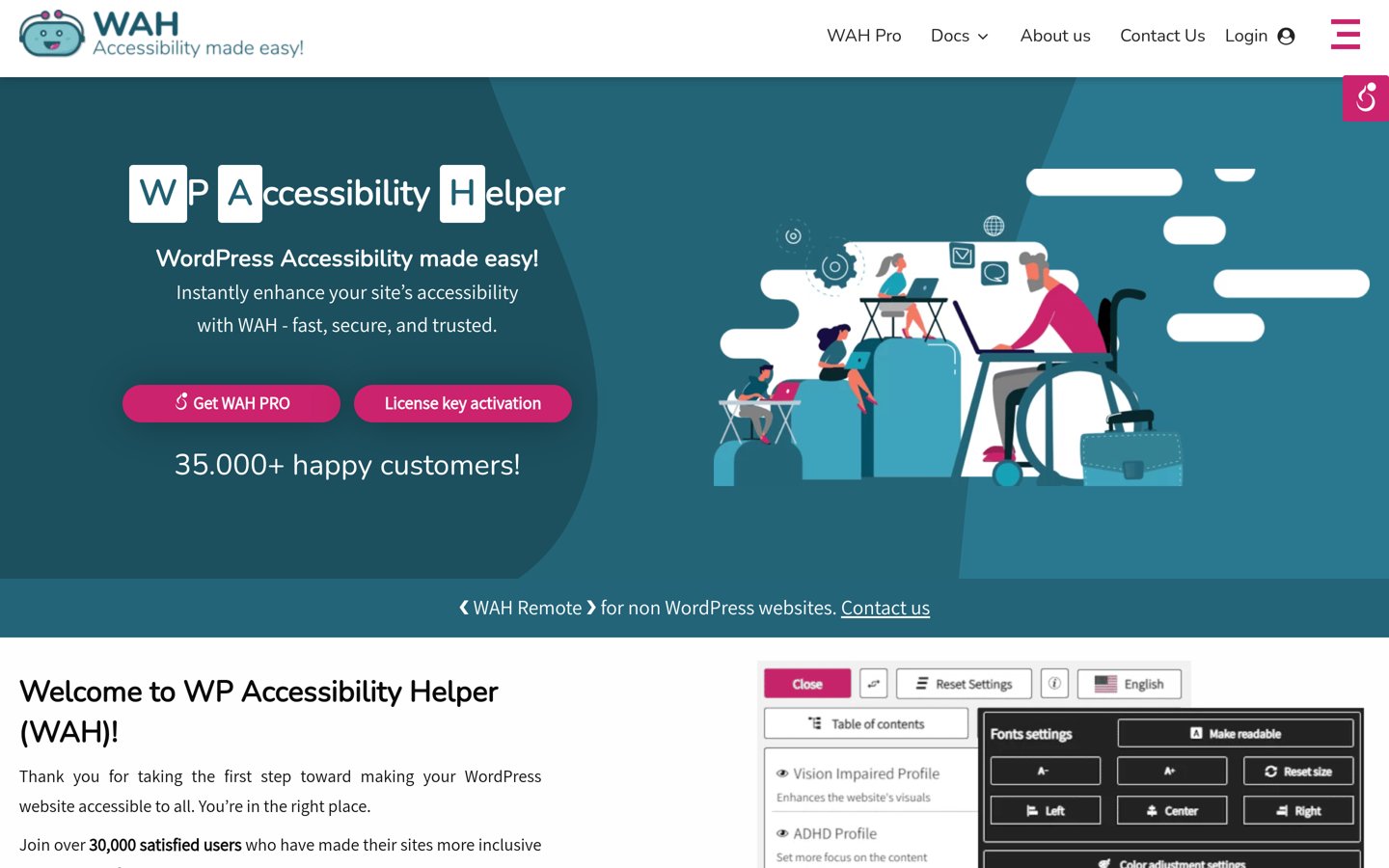
WP Accessibility Helper homepage, captured Nov 2026.
WP Accessibility Helper is a toolbar and visual adjustment plugin with 10,000+ active installs and a 4.7 out of 5 rating from 57 reviews. Its free version adds a front-end accessibility sidebar with font size controls, contrast modes, link underlining, and monochrome display options.
The trade off is that Pro plans with expanded features start at $199/yr for one site. It suits site owners who want a configurable visitor toolbar to adjust text size and color contrast.
What we like
Holds a 4.7/5 rating across 57 WordPress.org reviews and 10,000+ active installs
Lets admins toggle specific toolbar options on or off in the free version
Includes contrast and font sizing tools in the base plugin
Watch out for
Paid Pro pricing starts higher than several single-site WordPress plugins
Focuses on front-end toolbar adjustments rather than full content audits
Paid Pro tier expands toolbar customization and accessibility controls for single-site licenses.Visit wphive.com
06
Accessibility by UserWay
2.9/5on WordPress.org (57 reviews, checked Nov 2026)
Starts at$490/yr
Best for cloud-managed widgets on higher-traffic sites
DeliveryCloud widget + portal
Rating2.9 / 5 (57)
Active installs80,000+
Entry Pro$490/yr (100K views)
userway.org
Accessibility by UserWay homepage, captured Nov 2026.
Accessibility by UserWay is a WordPress connector for UserWay's cloud accessibility widget with 80,000+ active installs and a 2.9 out of 5 rating from 57 reviews. It pairs a visitor accessibility menu with portal monitoring and optional compliance add-ons.
The trade off is that paid Pro widget plans start at $490/yr for up to 100,000 monthly page views and scale up with traffic. It suits businesses that prefer a vendor-hosted widget and monitoring dashboard over managing local code fixes.
What we like
Widely deployed with 80,000+ active WordPress installations
Offers centralized portal monitoring and optional page monitoring add-ons
Supports multi-language widget experiences and customization options
Watch out for
Starts at $490/yr on the annual Pro plan for up to 100,000 monthly page views
Carries a 2.9/5 WordPress.org rating with complaints about admin prompts and setup
Annual Pro plan ($490/yr) covers up to 100,000 monthly page views with portal tools.Visit userway.org
07
Web Accessibility by accessiBe
2.9/5on WordPress.org (32 reviews, checked Nov 2026)
Starts at$490/yr
Best for traffic-tiered accessWidget automation
ServiceaccessWidget cloud
Rating2.9 / 5 (32)
Active installs10,000+
Entry Micro$490/yr (5K visits)
accessibe.com
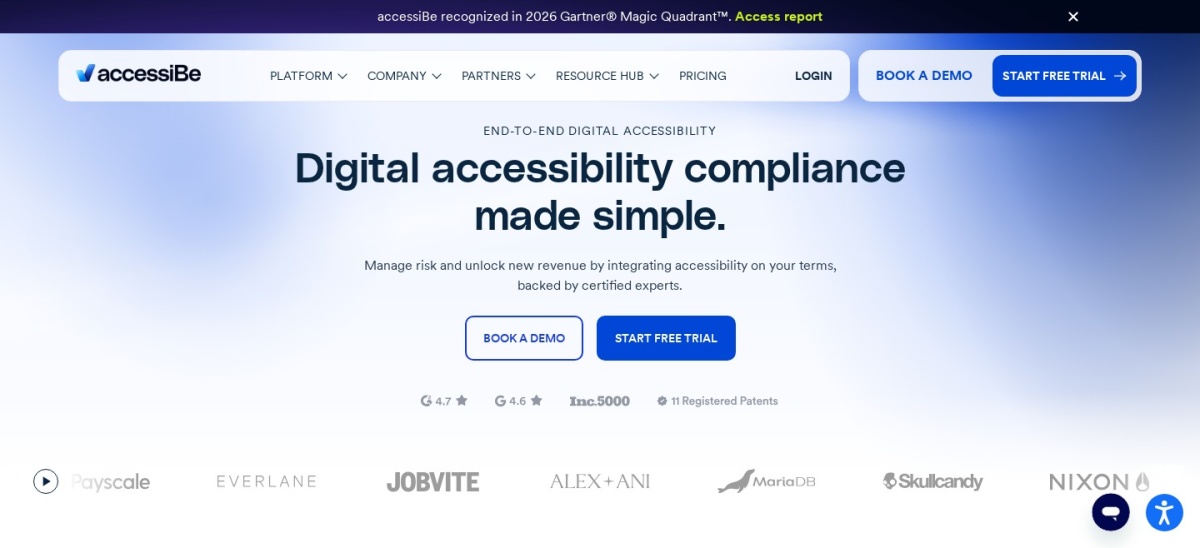
Web Accessibility by accessiBe homepage, captured Nov 2026.
Web Accessibility by accessiBe connects WordPress sites to the accessWidget service, holding 10,000+ active installs and a 2.9 out of 5 rating from 32 reviews. Its service combines a visitor display interface with scheduled scans and accessibility documentation.
The trade off is that annual Micro billing starts at $490/yr for up to 5,000 monthly visits (or $59/mo billed monthly) and rises with traffic. It suits organizations looking for a traffic-based accessWidget subscription alongside manual audit options.
What we like
Established 10,000+ active WordPress installations
Provides a visitor interface, recurring scans, and accessibility statement support
Offers optional manual testing and remediation services on higher tiers
Watch out for
Annual Micro pricing starts at $490/yr for up to 5,000 monthly visits
Holds a 2.9/5 rating across 32 WordPress.org reviews
Annual Micro plan ($490/yr) covers up to 5,000 monthly visits with accessWidget features.Visit accessibe.com
Scanners and enhancers vs. visitor widgets
Auditing plugins and markup enhancers inspect your HTML, headings, images, and forms so you can fix root issues in your theme and content. Tools like Equalize Digital Accessibility Checker and WP Accessibility focus on finding and fixing structural barriers where visitors and assistive technologies interact with your site.
Visitor widgets add a front-end toolbar so users can resize text, switch contrast modes, or adjust reading aids on screen. They can help individual visitors customize how a page looks, but they cannot replace accessible theme code, proper form labels, or clear link text.
How we chose
We shortlisted established WordPress accessibility plugins from the official WordPress.org directory and vendor pricing pages, focusing on active scanners, theme enhancers, and visitor toolbars.
All active install counts, review totals, ratings, and regular starting prices were verified from official plugin directory listings and pricing pages on 22 Nov 2026, using regular list prices rather than temporary sale prices.
We excluded plugins closed on WordPress.org, abandoned tools without recent maintenance, and products whose current pricing could not be confirmed from a pricing page. No vendor paid for a place, and we do not claim testing for this list.
How to choose an accessibility plugin in 4 steps
Follow these four steps before installing an accessibility plugin on a live site.
Start with a content and code audit. Scan key templates, menus, and forms to see where missing alt text, low contrast, or weak labels appear.
Fix theme and editor issues at the source. Use a scanner or markup enhancer to address structural gaps before adding front-end display widgets.
Check license limits and renewal terms. Compare single-site yearly prices against traffic-tiered subscriptions so costs match your site size.
Verify key user flows by hand. Tab through menus, modals, and checkout or contact forms with a keyboard to confirm focus order and error states work cleanly.
FAQ
Does a WordPress accessibility plugin make a site legally ADA compliant?
No plugin by itself guarantees legal compliance with the ADA or WCAG. Plugins help detect common issues, apply targeted fixes, or offer visitor display tools, while full accessibility requires accessible theme code, accurate media descriptions, and ongoing manual review.
What is the difference between an accessibility checker and an accessibility widget?
An accessibility checker scans pages and content for issues like missing alt text or poor contrast so you can fix them. An accessibility widget places a toolbar on the front end for visitors to adjust text size, contrast, or spacing.
Which free plugin is best for fixing theme code gaps?
WP Accessibility is a strong free option for fixing common theme and WordPress markup gaps, such as missing skip links, focus outlines, and form labels. Because it patches specific issues rather than auditing every page, pair it with content checks.
Why do some popular accessibility plugins have low ratings on WordPress.org?
High install counts often come from large ecosystems or bundled widgets, while lower ratings frequently reflect user frustration with subscription costs, admin notices, or expectations around automated compliance. Always read recent reviews alongside feature details.
Should I choose a flat annual plugin or a traffic-based service?
Flat annual WordPress plugins usually cost less for standard single-site setups and keep audit data local on your server. Traffic-based services scale pricing with monthly page views or visits, which can get expensive as traffic grows.
Can I run more than one accessibility plugin at the same time?
You can combine complementary tools—such as a content checker and a theme fix plugin—if they do not conflict, but avoid stacking multiple overlapping widgets or scripts that alter the same elements. Test changes on a staging site first.