Best WordPress PDF Flipbook Plugins in 2026: 7 Tools Compared
WLWPLegible EditorsLast verified 22 Nov 2026How we rank12 min read
★ Short answer
DearFlip is the best WordPress PDF flipbook plugin for most websites, with 200,000+ active installations, a 4.9/5 rating and free 3D and 2D page-flip viewers. Choose 3D FlipBook for its $39 yearly upgrade and Real3D Flipbook for additional reading modes, interactive content and self-hosted PDF catalogs.
How we make this list: we compare pricing pages, product documentation and public user reviews, then re-check every price before each update. No product paid for a place. Disclosure.
DearFlip leads with 200,000+ active installations, a 4.9/5 rating and a Starter upgrade costing $39/year.
3D FlipBook has 70,000+ active installations and offers a $39/year single-site Pro license.
Real3D Flipbook provides 6 reading modes in its free version, with paid plans starting at $49/year.
EmbedPress supports 250+ content sources and charges $69/year at its regular Individual plan price.
FlowPaper supports 10,000+ active WordPress installations and offers a $55 one-time Zine license.
FlippingBook's $234/year Lite subscription does not include website embedding; its Starter plan costs $567/year.
What to look for in a WordPress PDF flipbook plugin
A WordPress PDF flipbook plugin turns an ordinary PDF into an interactive publication with animated page turns. It can make product catalogs, magazines, brochures, portfolios and reports easier to browse without forcing visitors to download a document.
Start by comparing 3D page-flip effects, mobile reading modes and embedding options. A realistic animation looks attractive for visual publications, but a simple scrolling or single-page view can be easier to use for long reports and text-heavy documents.
Look beyond the page-turn effect. PDF text search, clickable links, bookmarks, thumbnails, printing, download controls and table-of-contents navigation can matter more than animation. Some plugins provide these features for free, while others reserve them for paid licenses.
Hosting and pricing also differ. Some plugins display PDFs stored on your own WordPress server, while others depend on a separate publishing platform. Check whether the quoted price covers a site license, annual subscription or one-time purchase, and whether embedding requires a higher tier.
4.9/5on WordPress.org (195 reviews, checked Nov 2026)
Paid from$39/yr
Best for most WordPress PDF flipbooks
Free viewers3D, 2D, scroll and slider
PDF formatsPDF and images
Active installs200,000+
Paid planStarter, 1 site
dearflip.com
DearFlip homepage, captured Nov 2026.
DearFlip is a WordPress PDF flipbook plugin with 200,000+ active installations and a 4.9/5 rating from 195 reviews. Its free version includes unlimited flipbooks, 3D and 2D viewers, vertical scrolling, slider mode, PDF outlines, thumbnails, sharing controls and lightbox displays. PDFs remain hosted on your website.
The trade off is that clickable PDF links, additional zoom controls, PDF search and printing require the Starter plan at $39/year for one site. The $59/year Pro tier adds bookshelves, basic analytics and more display options. It suits publishers, businesses and site owners who want attractive PDF presentations without a separate publishing platform.
What we like
Free 3D and 2D flipbook viewers
Unlimited flipbooks in the free version
200,000+ active installations
PDF outlines, thumbnails and lightbox support
Affordable $39/year Starter upgrade
Watch out for
Clickable PDF links require a paid plan
Bookcase and analytics features need Pro
Advanced 3D rendering may be unnecessary for text-heavy PDFs
Starter adds PDF links, search, printing and enhanced controls; Pro adds bookshelves and analytics.Visit dearflip.com
02
3D FlipBook
4.8/5on WordPress.org (182 reviews, checked Nov 2026)
Paid from$39/yr
Best for affordable 3D flipbook publishing
RenderingWebGL and PDF.js
ContentPDF, images and HTML
Active installs70,000+
Paid planPro, 1 site
3dflipbook.net
3D FlipBook homepage, captured Nov 2026.
3D FlipBook is a WordPress plugin for displaying PDFs, images and HTML content as animated books, with 70,000+ active installations and a 4.8/5 rating. Its free version supports realistic WebGL page turns, PDF search, bookmarks, thumbnails, lightbox displays and customizable controls. The developer states that books have no page-count or file-size limit.
The trade off is the free version's branding and more limited styling options, while Pro costs $39/year for one site. A $119 one-time license is also available for buyers who prefer a permanent purchase. It suits designers and publishers who prioritize realistic page-turn animations and flexible content sources.
What we like
Realistic WebGL page-turn animation
Supports PDF, HTML and image content
PDF search and navigation features
Competitive $39/year Pro license
One-time licensing option available
Watch out for
Free version displays plugin branding
Complex visual effects may add browser rendering work
Advanced presentation customization requires Pro
Pro adds branding removal, additional skins, global defaults and premium support.Visit 3dflipbook.net
03
Real3D Flipbook
4.5/5on WordPress.org (11 reviews, checked Nov 2026)
Paid from$49/yr
Best for interactive catalogs and magazines
Reading modes6 viewer modes
Free booksUnlimited
Active installs10,000+
Paid planPlugin, 1 site
real3dflipbook.com
Real3D Flipbook homepage, captured Nov 2026.
Real3D Flipbook is a PDF and image flipbook plugin with 10,000+ active installations and a 4.5/5 WordPress.org rating. Its free version includes six viewing modes, realistic 3D animation, lightbox and fullscreen displays, PDF links, thumbnails and mobile-friendly navigation. It supports unlimited books without watermarks, page limits or mandatory cloud conversion.
The trade off is that advanced editing, bookshelves, WooCommerce support and dedicated page-builder integrations are provided through additional extensions. The standard plugin costs $49/year, while the bundle containing all seven add-ons costs $69/year. It suits businesses publishing interactive catalogs, digital magazines and product brochures.
What we like
Six reading modes available
Self-hosted documents without watermarks
No free-version book or page limits
Flexible inline, lightbox and fullscreen displays
Optional WooCommerce and bookshelf integrations
Watch out for
Some catalog features require add-ons
Smaller WordPress.org review sample than leading alternatives
Full extension bundle costs more than the base plugin
The paid plugin adds licensed updates and support; the bundle includes seven specialized add-ons.Visit real3dflipbook.com
04
EmbedPress
4.8/5on WordPress.org (308 reviews, checked Nov 2026)
Paid from$69/yr
Best for embedding PDFs and other media
Content sources250+
Page buildersGutenberg and Elementor
Active installs100,000+
Paid planIndividual, 1 site
embedpress.com
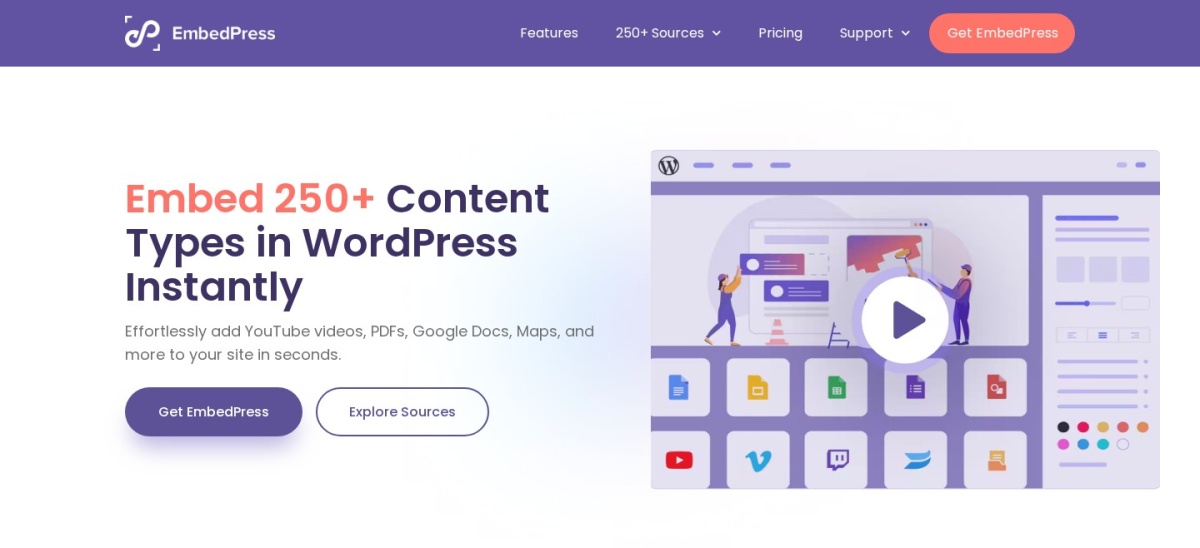
EmbedPress homepage, captured Nov 2026.
EmbedPress is a WordPress media-embedding plugin with 100,000+ active installations and a 4.8/5 rating from 308 reviews. It supports PDF documents, 3D PDF flipbooks, videos, social feeds, maps and content from more than 250 sources. Its free plugin provides general embedding features and integrates with Gutenberg and Elementor.
The trade off is that advanced PDF embedding, branding controls, content visibility settings and additional media controls require Pro. The Individual plan has a regular price of $69/year, although the vendor currently advertises promotional rates. It suits websites that need PDF flipbooks alongside videos, presentations, documents and other embedded content.
What we like
Supports more than 250 content sources
PDF flipbook and standard document embedding
Works with Gutenberg and Elementor
Broad multimedia features beyond PDFs
100,000+ active installations
Watch out for
Not exclusively designed for PDF flipbooks
Advanced document controls require Pro
More features and settings than a simple PDF viewer needs
Pro adds advanced PDF embedding, custom branding, content visibility controls and expanded media settings.Visit embedpress.com
05
FlowPaper
3.4/5on WordPress.org (38 reviews, checked Nov 2026)
Paid from$55 one-time
Best for PDF publications and analytics
Free PDF limit15 MB for local PDFs
PublisherBrowser and desktop
Active installs10,000+
Paid planZine, one-time
flowpaper.com
FlowPaper homepage, captured Nov 2026.
FlowPaper is a PDF publishing platform with a WordPress flipbook plugin installed on 10,000+ sites. Its free WordPress viewer embeds PDFs through shortcodes and supports lightbox displays. Locally hosted PDFs are limited to 15 MB, while the separate free publishing service offers one publishing seat and temporary cloud hosting.
The trade off is that removing branding and using the broader publishing features requires a paid license. Zine costs $55 one-time and includes unlimited publications, self-hosting, engagement analytics and one year of FlowPaper services. It suits organizations producing brochures, reports and digital publications that need publishing tools beyond a WordPress plugin.
What we like
One-time $55 Zine license
Supports cloud and self-hosted publishing
Engagement analytics in the paid product
Browser and desktop publishing tools
Simple WordPress shortcode integration
Watch out for
Free local PDF files limited to 15 MB
Free cloud publications have a 90-day hosting period
WordPress.org rating is lower than most alternatives
Publishing workflow involves a separate platform
Zine removes branding and adds self-hosting, unlimited publications and analytics; ongoing services can require renewal.Visit flowpaper.com
06
FlippingBook
4/5on WordPress.org (4 reviews, checked Nov 2026)
Starts at$234/yr
Best for cloud-hosted business publications
HostingCloud platform
WordPressEmbedding integration
Active installs2,000+
Entry planLite, $234/yr
flippingbook.com
FlippingBook homepage, captured Nov 2026.
FlippingBook is a cloud-based publishing platform with a WordPress embedding plugin used on 2,000+ active installations. It converts PDFs into hosted HTML5 publications and provides sharing controls and analytics. The WordPress plugin can convert supported FlippingBook publication links into embeds, but an active publishing subscription is required.
The trade off is cost and plan restrictions. Lite costs $234/year but does not include website embedding; the Starter plan that unlocks WordPress integration costs $567/year when billed annually. It suits organizations that need cloud publication management, document analytics and a managed publishing workflow.
What we like
Hosted PDF-to-flipbook publishing
Sharing controls and analytics
Convenient WordPress link embedding
Managed publication hosting
Higher tiers include richer publication features
Watch out for
Cheapest paid plan does not support website embedding
WordPress integration requires $567/year Starter
No permanent free publishing plan
Documents depend on an external subscription service
Lite adds ad-free hosted publications and analytics; Starter adds website embedding and WordPress integration.Visit flippingbook.com
07
Flipa
5/5on WordPress.org (4 reviews, checked Nov 2026)
Paid from$39/yr
Best for lightweight PDF flipbooks and RTL
Reader languages20
Free booksUnlimited
Active installs800+
Paid planPersonal, 1 site
flipa.pro
Flipa homepage, captured Nov 2026.
Flipa is a browser-rendered PDF flipbook plugin with 800+ active installations and a 5/5 rating from four WordPress.org reviews. The free version includes unlimited books, single-page and double-page views, thumbnails, zoom, lightbox embedding and interfaces in 20 languages. It also supports right-to-left reading without sending PDF files to an external service.
The trade off is its relatively small installation base and limited free advanced controls. Personal costs $39/year and adds PDF text search, clickable links, bookmarks, printing, downloads, calendar mode and page-builder integrations. It suits lightweight publications and websites that need right-to-left PDF navigation.
What we like
No external PDF conversion service
Supports 20 interface languages
Right-to-left reading support
Unlimited free books and pages
Affordable $39/year Personal license
Watch out for
Only four WordPress.org reviews
Smaller installation base than established competitors
Advanced navigation and builder integrations require Pro
Pro adds text search, clickable links, printing, calendar mode, bookshelves and builder integrations.Visit flipa.pro
PDF flipbook vs PDF viewer: which should you use?
A PDF flipbook creates a book-like reading experience with animated page turns, covers and often double-page spreads. It works especially well for magazines, product catalogs, portfolios, lookbooks and visually designed brochures.
A standard PDF viewer prioritizes straightforward document navigation. Vertical scrolling, text search, copying and printing usually matter more for technical manuals, policies, reports and documents visitors need to reference quickly.
Several plugins in this comparison support both approaches. DearFlip includes multiple viewer modes, while Real3D Flipbook offers six display modes. Consider giving mobile visitors a single-page or scrolling layout even when desktop readers see an animated flipbook.
What PDF flipbook plugins really cost
The price ladder compares the cheapest paid option offered by each vendor. Annual subscriptions are shown by their regular yearly cost. FlowPaper's $55 one-time Zine license is listed as its first-year purchase cost rather than a recurring annual fee.
A cheaper entry plan is not always sufficient for WordPress embedding. FlippingBook Lite costs $234/year, but WordPress integration requires Starter at $567/year. EmbedPress lists a regular Individual price of $69/year alongside promotional prices.
Before purchasing, check site activation limits, support renewal terms and the features included in the base license. PDF links, bookshelves, text search and custom controls are common reasons to move from a free edition to a paid plan.
How we chose
We identified PDF flipbook plugins through the WordPress.org plugin directory, vendor documentation and official publishing product pages. We compared active installations, public reviews, supported document formats, reading modes, WordPress embedding, mobile navigation and the differences between free and paid features.
Prices, ratings, review totals and active installation counts were checked against public WordPress.org listings and official vendor pricing pages on 22 Nov 2026. We used regular paid-plan prices rather than temporary promotional discounts, and distinguished subscriptions from one-time licenses. The pricing comparison uses the cheapest available paid option, even where additional features require an upgrade.
We excluded plugins closed on WordPress.org, plugins without recent maintenance and products whose paid pricing could not be confirmed. Flipa was retained as a newer option despite its smaller installation base, while products with limited public reviews are identified as such. No vendor paid for a place, and we do not claim testing for this list.
How to choose the right WordPress PDF flipbook plugin
Start with the documents you publish and the way visitors need to read them. Then match the viewer, hosting requirements and paid features to your website.
**Choose the right reading experience.** Use realistic 3D page turns for visual catalogs, magazines and portfolios. For reports and instructions, prioritize text search, readable zoom and scrolling. DearFlip and Real3D Flipbook offer multiple display modes, making them suitable for websites with different document types.
**Check PDF navigation features.** Decide whether visitors need clickable links, search, bookmarks, printing, downloads and a table of contents. Confirm which features work in the free edition. A $39/year upgrade can be worthwhile when readers regularly navigate long documents.
**Decide where publications should be hosted.** Choose a self-hosted plugin when you want PDF files to stay on your WordPress server. Consider FlowPaper or FlippingBook when you need separate publishing tools and managed hosting. Review cloud limits, subscription requirements and what happens when a paid license expires.
**Compare the full cost of required features.** Look beyond the cheapest advertised plan. Check whether a license covers the number of sites you manage and whether bookshelves, integrations or custom styling cost extra. Confirm recurring charges, update access and support terms before purchasing.
FAQ
What is the best WordPress PDF flipbook plugin?
DearFlip is the strongest overall choice for most WordPress websites. It has 200,000+ active installations, a 4.9/5 WordPress.org rating and free 3D and 2D flipbook viewers. Its $39/year Starter plan is reasonably priced for users who need additional PDF navigation features.
Can I create a PDF flipbook in WordPress for free?
Yes. DearFlip, 3D FlipBook, Real3D Flipbook and Flipa provide free WordPress plugins for displaying PDF flipbooks. Free editions differ in PDF links, branding, search, customization and other controls, so compare the specific features you need before choosing.
Which PDF flipbook plugin has the most WordPress installations?
DearFlip leads this comparison with more than 200,000 active installations on WordPress.org. EmbedPress, which supports PDF flipbooks alongside other embedded content, has more than 100,000. The dedicated 3D FlipBook plugin from iberezansky has more than 70,000 active installations.
Do PDF flipbook plugins slow down WordPress?
They can affect performance because animated page turns, PDF rendering and large documents require browser resources. The impact depends on the plugin, PDF size and device. Choose plugins with partial loading or simpler reading modes, optimize large PDFs and avoid displaying unnecessary viewers on the same page.
Can visitors download a PDF from a flipbook?
Many flipbook plugins include download controls, although availability varies by plan. DearFlip provides download settings, while Flipa offers download and print controls in Pro. Hiding a download button is not equivalent to secure document protection, particularly when the original PDF remains publicly accessible.
Can I embed a PDF flipbook using Elementor?
Yes. Several plugins support Elementor through shortcodes or dedicated widgets. DearFlip and 3D FlipBook support shortcode-based placement, while Real3D Flipbook and Flipa offer additional Elementor integrations. Check whether the integration you want is included in the free plugin or requires a paid extension.
What is the cheapest paid PDF flipbook plugin?
DearFlip Starter, 3D FlipBook Pro and Flipa Personal each list a $39 yearly entry plan. FlowPaper offers a $55 one-time Zine license. These plans serve different purposes, so compare PDF navigation, hosting, branding and site limits rather than choosing by price alone.
Is a self-hosted flipbook better than a cloud-hosted one?
Self-hosted flipbooks give you more direct control over document storage and can avoid dependence on an external publishing subscription. Cloud services can offer centralized publishing, hosting and analytics. Choose based on your hosting resources, update workflow, privacy needs and expected publication volume.