Best WordPress Search and Filter Plugins in 2026: 7 Tools Compared
WLWPLegible EditorsLast verified 22 Nov 2026How we rank12 min read
★ Short answer
Search & Filter is our top WordPress search and filter plugin, with 40,000+ active installations and category, taxonomy, and post-type filtering in its free version. Filter Everything is better for AJAX filtering across content and products, while Ivory Search offers customizable search forms from a $19.99/year premium upgrade.
How we make this list: we compare pricing pages, product documentation and public user reviews, then re-check every price before each update. No product paid for a place. Disclosure.
Search & Filter has 40K+ active installations, a 4.5/5 rating, and a Starter upgrade costing $49/year.
Filter Everything has 50K+ active installations and supports AJAX filtering; Personal costs $69 for one year of updates.
Ivory Search has 90K+ active installations and a 4.9/5 rating from 1,564 reviews; Pro starts at $19.99/year.
FiboSearch has 100K+ active installations and a 4.9/5 rating; its Personal plan renews at $50.15/year.
Advanced Woo Search has 60K+ active installations and supports live WooCommerce product search; Pro costs $79/year.
Better Search has 5K+ active installations and provides relevance-ranked results; Pro costs $99/year.
What to look for in a WordPress search and filter plugin
WordPress includes a basic search feature, but websites with large content libraries, directories, or product catalogs often need more precise discovery. Search and filter plugins help visitors narrow results by keywords, categories, tags, dates, attributes, or custom fields.
Start by separating search from filtering. Search tools match keywords against indexed content, while filtering tools narrow an existing collection using structured criteria. Some plugins combine both functions, but their capabilities and integrations differ.
For blogs and directories, prioritize category filters, custom taxonomies, post types, and Advanced Custom Fields compatibility. WooCommerce stores may need product attributes, SKU search, stock availability, prices, and variation-aware results.
AJAX filtering can update results without a full page reload. Live search can display suggestions as visitors type. Both improve navigation, but large databases and complex queries still require appropriate hosting resources and caching strategies.
Finally, compare the free features and regular premium prices. Advanced page-builder integrations, indexed document search, fuzzy matching, and search analytics may require paid upgrades.
For developers adding live search to existing forms
$199/yr
Free plan
4.7/5
Price ladder: cheapest paid plan per year
List prices, USD, checked Nov 2026
Ivory SearchFREE$20
SearchFilterFREE$49
FiboSearchFREE$50
Filter EveryFREE$69
Adv WooFREE$79
Better SearchFREE$99
SearchWP LiveFREE$199
The 7 best WordPress search and filter plugins
01
Search & Filter
4.5/5on WordPress.org (175 reviews, checked Nov 2026)
Paid from$49/yr
Best overall for WordPress content filtering
Free filtersCategories, tags, dates and post types
Field typesDropdowns, checkboxes and radio buttons
Premium license1 website
Paid planStarter
searchandfilter.com
Search & Filter homepage, captured Nov 2026.
Search & Filter is a WordPress search and filtering plugin with 40,000+ active installations and a 4.5/5 rating. Its free version lets visitors search by categories, tags, custom taxonomies, post types, and dates. Filters can appear as dropdowns, checkboxes, radio buttons, or multiselect fields.
The trade off is that advanced query building, styling controls, and integrations with page builders require Pro. Starter costs $49/year for one website and includes Search & Filter blocks, shortcodes, and supported integrations. It suits blogs, directories, and content-heavy websites needing flexible filtering.
4.6/5on WordPress.org (154 reviews, checked Nov 2026)
Paid from$69/yr
Best for AJAX filtering across different content types
Content typesPosts, products and custom post types
Free filteringAJAX, taxonomies and custom fields
Premium license1 website plus development site
Paid planPersonal
filtereverything.pro
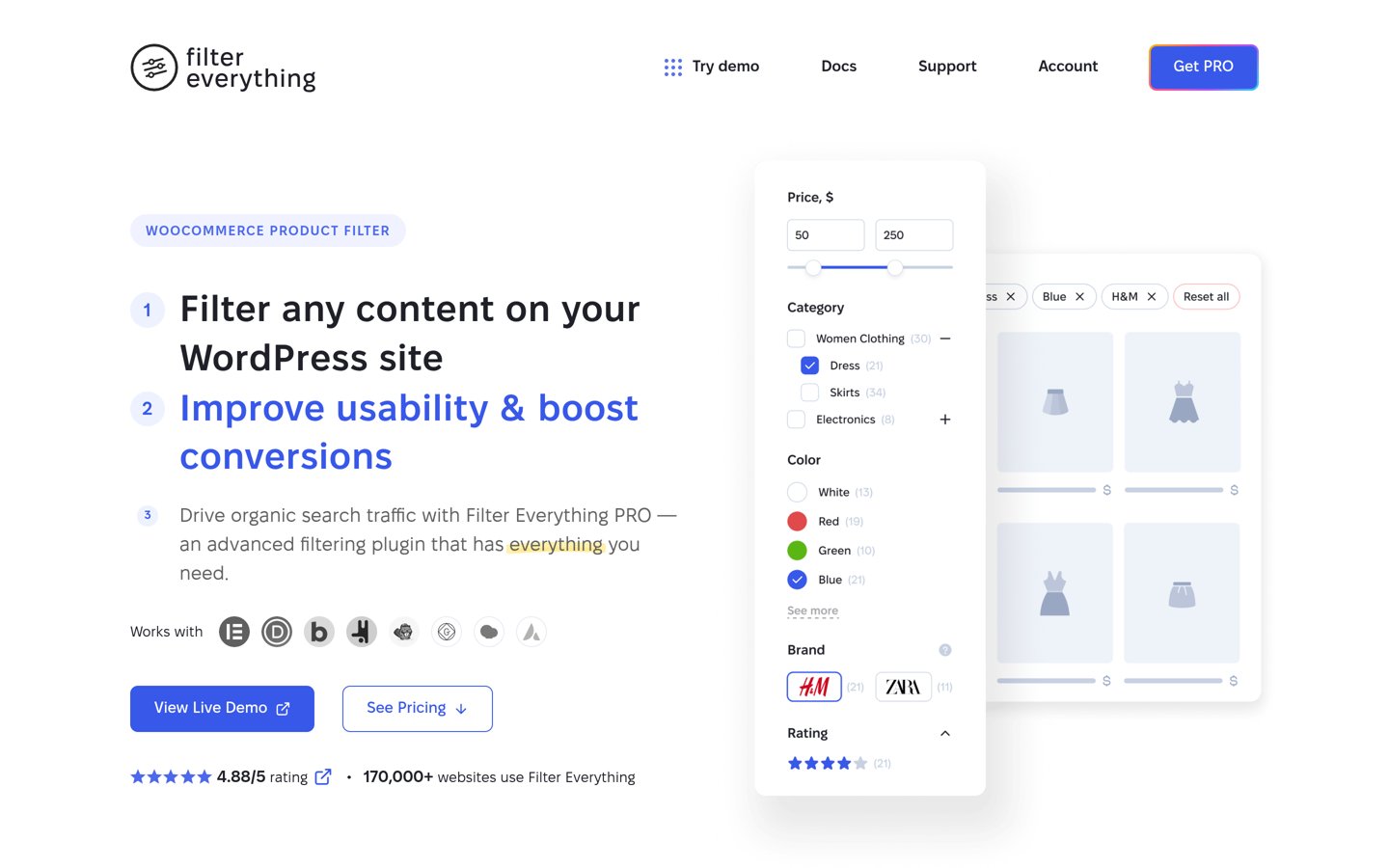
Filter Everything homepage, captured Nov 2026.
Filter Everything is a WordPress filtering plugin with 50,000+ active installations and a 4.6/5 rating. Its free version supports AJAX filtering for posts, WooCommerce products, taxonomies, attributes, and custom fields. It also provides horizontal and vertical layouts, hierarchical filters, and automatically generated filtering controls.
The trade off is that unlimited filter sets, advanced SEO rules, variation-aware filtering, and additional display options require Personal at $69 for one year of updates and support. It suits directories, content libraries, and online stores needing structured filtering across different content types.
What we like
Filters WordPress content and WooCommerce products
AJAX filtering included free
Supports taxonomies and custom fields
Premium includes SEO controls for filtered pages
Multiple filter display layouts
Watch out for
Free version limits filter sets
Advanced page-builder filtering requires Pro
Complex filter configurations require planning
Personal adds unlimited filter sets, advanced SEO rules, variation filtering, and mobile controls.Visit filtereverything.pro
03
Ivory Search
4.9/5on WordPress.org (1,564 reviews, checked Nov 2026)
Paid from$19.99/yr
Best for affordable custom WordPress search forms
Free search formsUnlimited
Search scopePosts, media and WooCommerce products
Premium license1 website
Paid planPro
ivorysearch.com
Ivory Search homepage, captured Nov 2026.
Ivory Search is a WordPress search plugin with 90,000+ active installations and a 4.9/5 rating from 1,564 reviews. Its free version creates unlimited custom search forms with separate search settings. Forms can search selected content and appear in headers, menus, sidebars, pages, and other supported locations.
The trade off is that advanced result ordering, author restrictions, and additional exclusions require Pro at $19.99/year. WooCommerce SKU search and keyword stemming require the higher Pro Plus plan at $49.99/year. It suits blogs and small websites needing inexpensive customized search forms.
What we like
Unlimited free search forms
High rating from a substantial review base
Customizable search scopes
Free WooCommerce product search
Lowest paid entry price in this comparison
Watch out for
Advanced SKU search requires Pro Plus
Search form styling depends partly on the theme
Not a complete faceted filtering solution
Pro adds result ordering, author restrictions, advanced exclusions, and priority support.Visit ivorysearch.com
04
FiboSearch
4.9/5on WordPress.org (1,815 reviews, checked Nov 2026)
Paid from$50.15/yr
Best for WooCommerce live product search
Search typeLive WooCommerce product search
Free featuresProduct suggestions and SKU search
Premium license1 site, up to 10,000 products
Paid planPersonal
fibosearch.com
FiboSearch homepage, captured Nov 2026.
FiboSearch is a WooCommerce live search plugin with 100,000+ active installations and a 4.9/5 rating from 1,815 reviews. Its free version displays instant product suggestions, images, prices, and SKU information as shoppers type. It also provides product category and tag suggestions.
The trade off is that advanced indexing, fuzzy matching, synonyms, and custom-field searches require Pro. The Personal plan lists a $59 first-year price and a $50.15 annual renewal rate. It suits WooCommerce stores focused on faster product discovery rather than standalone category filtering.
What we like
Free live product suggestions
Searches WooCommerce product information
Displays product images and prices
High rating and established user base
Premium supports fuzzy matching and synonyms
Watch out for
Designed specifically for WooCommerce
Advanced product indexing requires Pro
Personal license has a product-count limit
Pro adds advanced indexing, fuzzy matching, synonyms, custom fields, and variation SKU search.Visit fibosearch.com
05
Advanced Woo Search
4.8/5on WordPress.org (248 reviews, checked Nov 2026)
Paid from$79/yr
Best for detailed WooCommerce product search
Search fieldsTitle, description, SKU, tags and categories
Free searchAJAX product suggestions
Premium license1 website
Paid planPersonal
kramakit.com
Advanced Woo Search homepage, captured Nov 2026.
Advanced Woo Search is a WooCommerce product search plugin with 60,000+ active installations and a 4.8/5 rating. Its free version provides AJAX suggestions and searches product titles, descriptions, SKUs, categories, tags, and IDs. Search results can include product images, prices, and other product information.
The trade off is that attribute searches, custom fields, product variations, advanced layouts, and search form filters require Pro. Personal costs $79/year for one website. It suits WooCommerce stores that need deeper product search controls and customizable search results.
What we like
Free AJAX product search
Searches SKUs, categories and tags
Supports synonyms and relevance controls
Premium adds advanced product data searching
Works with multilingual WooCommerce setups
Watch out for
Requires WooCommerce
Advanced attributes and custom fields require Pro
Less suitable for general blog content filtering
Personal adds attribute searches, custom fields, variation results, and additional search layouts.Visit kramakit.com
06
Better Search
4.4/5on WordPress.org (61 reviews, checked Nov 2026)
Paid from$99/yr
Best for relevance-ranked editorial search
Search engineRelevance-ranked WordPress search
Free featuresLive search and popular queries
Premium license1 website
Paid planPro
webberzone.com
Better Search homepage, captured Nov 2026.
Better Search is a WordPress search enhancement plugin with 5,000+ active installations and a 4.4/5 rating. Its free version provides relevance-ranked results, AJAX live search, popular search tracking, and search field controls. It supports posts, pages, custom post types, metadata, and taxonomies.
The trade off is that fuzzy matching, spelling suggestions, advanced relevance controls, and indexed storage require Pro at $99/year. The vendor also advertises a temporary promotional discount. It suits publishers and knowledge-based websites that want more relevant keyword results without a separate hosted search service.
What we like
Free relevance-ranked results
AJAX live search included
Popular search tracking
Supports custom post types and metadata
Premium provides fuzzy matching and analytics
Watch out for
Advanced relevance controls require Pro
Smaller installation base than leading alternatives
Not primarily a visual faceted filtering tool
Pro adds fuzzy matching, spelling suggestions, indexed storage, and advanced relevance controls.Visit webberzone.com
07
SearchWP Live Ajax Search
4.7/5on WordPress.org (36 reviews, checked Nov 2026)
Paid from$199/yr
Best for developers adding live search to existing forms
Free searchAJAX live results
SearchWP dependencyOptional
Premium integrationSearchWP Standard, 1 site
Paid planSearchWP Standard
searchwp.com
SearchWP Live Ajax Search homepage, captured Nov 2026.
SearchWP Live Ajax Search is a free WordPress live search plugin with 40,000+ active installations and a 4.7/5 rating. It adds AJAX results to existing search forms and supports developer-customized result templates. The plugin works without purchasing or installing the separate SearchWP search engine.
The trade off is that advanced indexing and relevance controls require the separate SearchWP product, whose Standard plan renews at $199/year after an advertised $99 introductory price. The live-search addon itself remains free. It suits developers who want flexible live search and may later upgrade the underlying search engine.
What we like
Free AJAX live search
Does not require paid SearchWP
Works with existing WordPress search forms
Developer-friendly result templates
Optional integration with SearchWP engines
Watch out for
Advanced indexing requires separate software
Custom layouts may require development skills
SearchWP Standard has a higher renewal price
Optional SearchWP Standard adds indexed content, custom search engines, relevance controls, and document search.Visit searchwp.com
WordPress search plugins vs filtering plugins
Search plugins help visitors find content using words or phrases. They can improve relevance, provide autocomplete suggestions, and search fields that WordPress normally ignores. Ivory Search and Better Search focus on these capabilities.
Filtering plugins narrow a collection using structured values such as categories, tags, prices, or custom fields. Search & Filter and Filter Everything are better suited to directories, archives, and catalogs where visitors need to combine multiple criteria.
WooCommerce search tools such as FiboSearch and Advanced Woo Search focus on product discovery. They display product suggestions while shoppers type but should not automatically be treated as replacements for detailed category filters.
Some websites need both approaches. A directory might use keyword search alongside taxonomy filters, while an online store could combine live product suggestions with attribute-based filtering. Confirm plugin compatibility before combining search engines.
How search and filtering affect WordPress SEO
Filtering can create URLs representing different combinations of categories, attributes, and sorting options. If search engines crawl every combination, a website may accumulate many similar pages with little unique value.
Filter Everything Pro provides SEO controls for filtered pages, including URL management and indexing rules. These features can be useful for large directories and WooCommerce catalogs.
Decide which filtered combinations deserve indexable pages. Valuable categories may need optimized content and internal links, while temporary sorting combinations generally should not become separate search landing pages.
Check how AJAX filtering affects accessibility and navigation. Visitors should be able to understand applied filters, clear selections, and use search controls with a keyboard. Important content should remain discoverable through ordinary website navigation.
How we chose
We selected established WordPress plugins covering content filtering, search relevance, live AJAX suggestions, and WooCommerce product discovery. The shortlist emphasizes publicly documented features, active installations, user reviews, integration options, and practical differences between search and filtering.
WordPress.org listings and official vendor pricing pages were checked on 22 Nov 2026. Ratings, review counts, installations, and maintenance information come from WordPress.org. Prices use regular annual rates, including FiboSearch's published renewal rate and SearchWP Standard's full renewal price.
We excluded plugins without verifiable prices, closed listings, and products lacking adequate adoption or maintenance evidence. Relevanssi was excluded because its official pricing is displayed in euros rather than USD. No vendor paid for a place, and this comparison relies on published documentation and public reviews.
How to choose the best WordPress search and filter plugin
Identify what visitors need to find, then compare content coverage, filtering controls, search relevance, and upgrade costs.
**Choose between keyword search and structured filtering.** Use Search & Filter or Filter Everything when visitors need categories, taxonomies, and custom fields. Choose Ivory Search or Better Search when improving keyword matches and search form behavior matters more.
**Check your content types and integrations.** Confirm support for posts, pages, custom post types, Advanced Custom Fields, and WooCommerce products where needed. Review page-builder compatibility before relying on filtering controls within custom archive layouts.
**Evaluate the visitor search experience.** Look for understandable filters, useful suggestions, mobile-friendly layouts, and accessible controls. AJAX updates can reduce navigation interruptions, but ensure users can identify selected filters and reset their searches.
**Compare regular prices and indexing requirements.** Review renewal fees, website limits, search indexing, and advanced features. Sites with large content databases should also consider resource usage and whether the plugin supports suitable performance optimization.
FAQ
What is the best WordPress search and filter plugin?
Search & Filter is our top overall recommendation for websites that need category, taxonomy, date, and post-type filtering. Its free version supports several filter field types. Filter Everything is another strong choice when AJAX filtering and WooCommerce product attributes are important.
Can I add search filters to WordPress for free?
Yes. Search & Filter and Filter Everything offer free filtering capabilities. Search & Filter supports categories, tags, custom taxonomies, and dates, while Filter Everything provides AJAX filtering for different content types. Advanced integrations and additional filter configurations may require premium upgrades.
What is the difference between a search plugin and a filter plugin?
A search plugin finds content matching entered keywords, while a filter plugin narrows content using predefined criteria such as categories, dates, or attributes. Some tools combine both functions. The better choice depends on whether visitors know what to search for or prefer browsing available options.
Which WordPress plugin is best for AJAX filtering?
Filter Everything is a strong option because its free version provides AJAX filtering for posts, taxonomies, custom fields, and WooCommerce products. Search & Filter Pro also supports advanced filtering workflows. Check compatibility with your theme and page builder before configuring complex archive layouts.
What is the best WordPress search plugin for WooCommerce?
FiboSearch and Advanced Woo Search are both suitable for WooCommerce product discovery. FiboSearch emphasizes instant product suggestions with images and prices, while Advanced Woo Search offers detailed product search controls. Filter Everything is more appropriate when customers need attribute-based catalog filtering.
Can WordPress search plugins search custom fields?
Yes. Several plugins support custom field searches or filtering, including Filter Everything, Better Search, and the premium versions of other search products. The exact capabilities differ, so verify support for your custom field plugin, data format, and desired search behavior.
Which WordPress search plugin has the cheapest premium plan?
Ivory Search has the lowest annual entry price in this comparison at $19.99 for Pro. Its free version already supports unlimited search forms. However, advanced WooCommerce SKU search and keyword stemming require Pro Plus, which costs $49.99/year.
Do WordPress search and filter plugins affect website speed?
They can increase database queries, especially when searching large catalogs or filtering complex custom fields. Indexed search systems and caching may help manage resource usage. Review the plugin's requirements and check how search performs with your actual content volume.
Can search filters create duplicate content for SEO?
Yes. Different filter combinations can generate URLs displaying similar content, especially in product catalogs and directories. Use appropriate indexing, canonical, and URL management strategies. Filter Everything Pro provides dedicated SEO controls for filtered pages.