Best WordPress Themes for WooCommerce Store in 2026: 7 Tools Compared
WLWPLegible EditorsLast verified 22 Nov 2026How we rank11 min read
★ Short answer
Botiga is the best WordPress theme for most WooCommerce stores, with 10,000+ active installs, a 4.9/5 rating and dedicated product layouts in its free version. Woostify is a good alternative for budget-conscious stores, while Blocksy suits owners who want flexible block-editor design alongside WooCommerce.
How we make this list: we compare pricing pages, product documentation and public user reviews, then re-check every price before each update. No product paid for a place. Disclosure.
Botiga leads for dedicated WooCommerce design, with a 4.9/5 WordPress.org rating and Pro priced at $99 a year.
Woostify has 30,000+ active installs and the lowest regular annual upgrade among the free themes here at $49.
Blocksy has 300,000+ active installs and a 5.0/5 WordPress.org rating, with Personal Pro at $69 a year.
WoodMart costs $69 per regular license and has more than 120,000 ThemeForest sales.
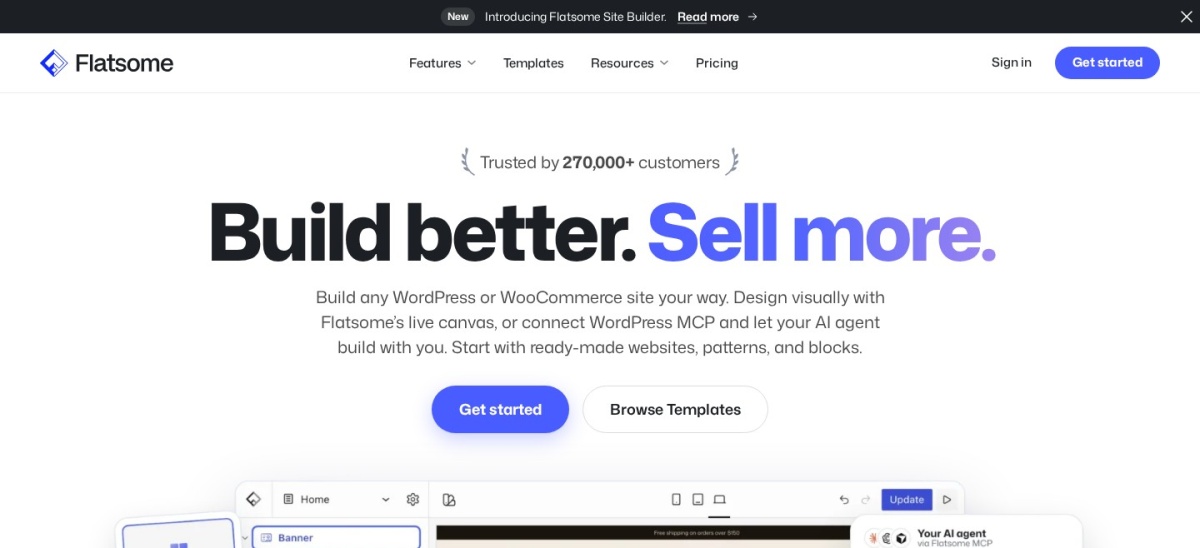
Flatsome has more than 271,000 sales and costs $59 per regular license, including future theme updates.
Shoptimizer focuses on checkout and conversion features, while Porto offers extensive store-building options for $59.
What matters in a WooCommerce WordPress theme
A WooCommerce theme controls how customers browse categories, inspect products and move toward checkout. The right choice should make shopping straightforward without forcing you to install several design plugins.
Look beyond homepage demos. Check the product gallery, variation selectors, category filters, cart layout and mobile navigation. These affect how customers interact with your catalog.
Theme pricing also varies. Free themes can sell annual Pro upgrades, while ThemeForest themes usually use a single-purchase license with future updates and a limited support period.
Speed matters, but theme marketing scores cannot predict your live store. Hosting, product images, scripts and third-party extensions all affect performance. Choose a theme with features you will actually use.
The 7 best WordPress themes for WooCommerce stores
01
Botiga
4.9/5on WordPress.org (165 reviews, checked Nov 2026)
Paid from$99/yr
Best WooCommerce theme overall
Free themeYes, WooCommerce-ready
Page buildersBlock editor, Elementor
Pro store featuresSwatches, filters, wishlist
Paid planPersonal, 1 site
athemes.com
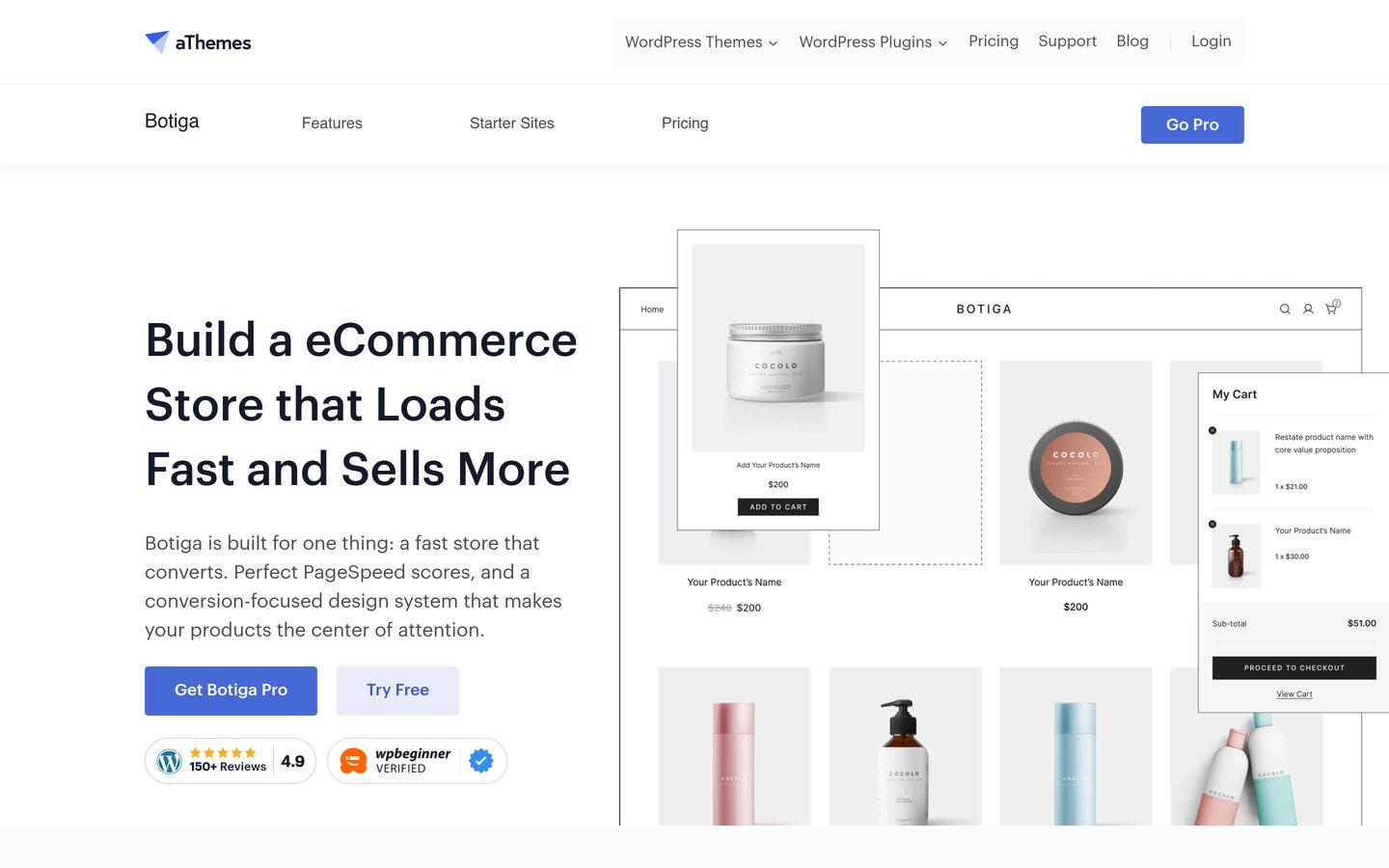
Botiga homepage, captured Nov 2026.
Botiga is a WooCommerce-focused WordPress theme from aThemes, with more than 10,000 active installations and a 4.9/5 rating. Its free edition offers ready-made store styling, product layouts, quick view and a side mini cart. It supports Elementor and the block editor, making it suitable for shop owners who want visual control without building every template from scratch.
The trade off is that advanced store features such as product swatches, shop filters, wishlists and customized checkout templates require Botiga Pro. Personal costs $99 a year at the regular renewal rate, although a lower introductory price is advertised. It suits small and growing WooCommerce stores that prioritize product presentation.
What we like
Designed specifically around WooCommerce shopping pages
Useful product layouts and cart features in the free edition
Works with Elementor and the WordPress block editor
Pro includes variation galleries, filters and custom store templates
Watch out for
Advanced shopping features require Pro
Annual subscription for premium updates and support
Smaller free-theme install base than Blocksy
Pro adds swatches, wishlists, filters and custom checkout templatesVisit athemes.com
02
Woostify
4.9/5on WordPress.org (126 reviews, checked Nov 2026)
Paid from$49/yr
Best affordable WooCommerce-first theme
Free themeYes
WooCommerceNative store integration
Pro license1 site
Paid planPersonal, $49/yr
woostify.com
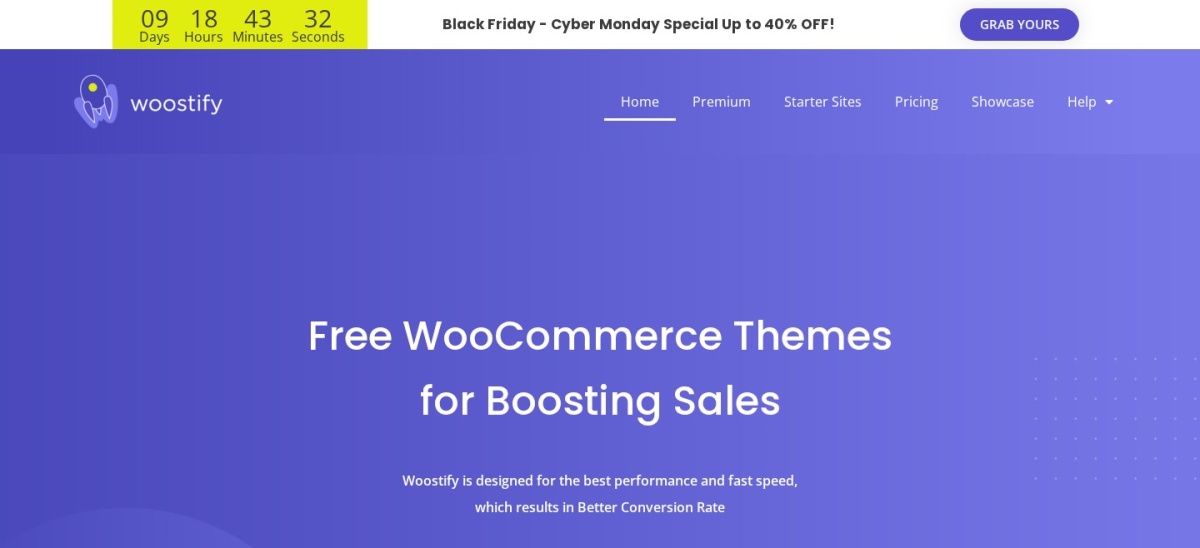
Woostify homepage, captured Nov 2026.
Woostify is a lightweight WordPress theme built specifically for WooCommerce, with 30,000+ active installations and a 4.9/5 rating. The free version provides responsive store layouts and WooCommerce integration. Its design works with popular WordPress page builders, making it a practical starting point for stores that need straightforward customization.
The trade off is that advanced shopping tools and premium starter sites require Woostify Pro. The Personal plan normally costs $49 a year for one site, although the pricing page currently advertises $39. It suits smaller stores that want affordable access to WooCommerce-specific add-ons.
5/5on WordPress.org (874 reviews, checked Nov 2026)
Paid from$69/yr
Best for flexible WooCommerce design
Free themeYes
Active installs300,000+
WooCommerceAdvanced integration
Paid planPersonal, 1 site
creativethemes.com
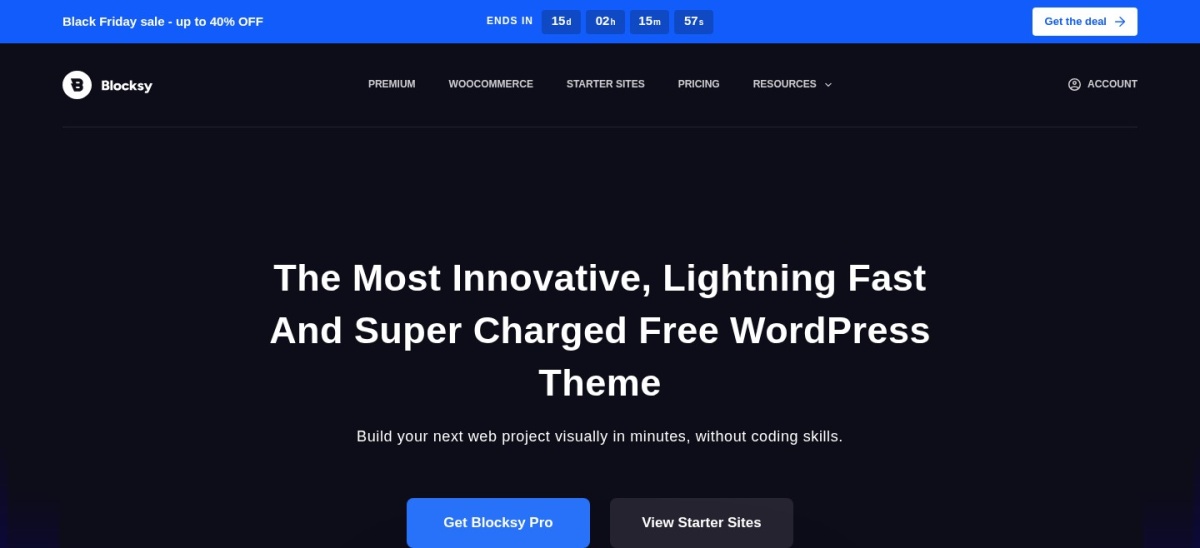
Blocksy homepage, captured Nov 2026.
Blocksy is a modern WordPress theme with advanced WooCommerce support and more than 300,000 active installations. Its free version supports the block editor, responsive layouts and visual customization of site elements. Store owners can use it to build a shop alongside landing pages, articles and other business content.
The trade off is that premium extensions and additional customization options require Blocksy Pro, regularly priced at $69 a year for Personal. The vendor currently advertises a Black Friday discount, but renewals use the normal rate. It suits businesses that want a flexible website rather than a store-only theme.
What we like
Highly rated free theme with a large install base
Works closely with the WordPress block editor
WooCommerce support available without paying
Pro includes premium starter sites and additional extensions
4.91/5on ThemeForest (3.7K reviews, checked Nov 2026)
Starts at$69 one-time
Best for feature-rich product catalogs
LicenseRegular, single end product
Page buildersElementor, WPBakery
Store featuresProduct filters, shop layouts
Included support6 months
woodmarttheme.com
WoodMart homepage, captured Nov 2026.
WoodMart is a premium WooCommerce theme with 120,980 ThemeForest sales and a 4.91/5 rating. It combines ready-made store designs, product catalog features and visual customization tools. Elementor and WPBakery compatibility makes it useful for merchants who need detailed product pages and flexible store layouts.
The trade off is complexity. WoodMart includes many settings, so a simple store may need more configuration than with a lightweight theme. The regular license costs $69 once, with future updates and six months of author support included. It suits larger catalogs and store owners who prefer built-in ecommerce features.
What we like
Extensive WooCommerce-specific design options
Large collection of ready-made shop layouts
Supports Elementor and WPBakery
One-time regular license with future updates
Watch out for
No free version
Large feature set creates a learning curve
Author support beyond the included period costs extra
4.83/5on ThemeForest (8.2K reviews, checked Nov 2026)
Starts at$59 one-time
Best for visual store building
Visual builderUX Builder
WooCommerceNative integration
Theme updatesFuture updates included
Included support6 months
uxthemes.com
Flatsome homepage, captured Nov 2026.
Flatsome is an established WooCommerce theme with 271,230 ThemeForest sales and a 4.83/5 rating. Its built-in UX Builder lets merchants create responsive pages and product-focused layouts visually. The package includes demo content, catalog mode and a child theme, supporting different types of online stores.
The trade off is reliance on Flatsome's own visual-building system, which can make a future theme migration more involved. A regular license costs $59 once and includes future updates plus six months of support. It suits merchants who want to build distinctive storefront pages without purchasing a separate visual builder.
What we like
Established theme with a large customer base
Built-in UX Builder for visual page design
WooCommerce-focused layouts and catalog mode
One-time purchase includes future theme updates
Watch out for
No free edition
Proprietary builder can complicate theme migration
Extended author support requires another payment
Purchase includes UX Builder and future updates; support extensions cost extraVisit uxthemes.com
06
Shoptimizer
3.7/5on Trustpilot (12 reviews, checked Nov 2026)
Starts at$99/yr
Best for checkout-focused stores
Theme focusWooCommerce conversions
Included pluginCommerceKit
CheckoutDistraction-free layout
Regular price$99
commercegurus.com
Shoptimizer homepage, captured Nov 2026.
Shoptimizer is a WooCommerce theme developed by CommerceGurus with an emphasis on shopping speed and conversion-focused layouts. It includes CommerceKit, which supplies features such as product search, wishlists and merchandising tools. The theme also supports sticky add-to-cart elements and a distraction-free checkout layout.
The trade off is that Shoptimizer has no free edition, and its annual updates and support arrangement requires checking the license terms. The regular price is $99, although the vendor currently advertises a $49 flash sale. It suits established stores that want checkout-related features without assembling many separate extensions.
What we like
Focused on WooCommerce shopping and checkout
CommerceKit included with the theme
Sticky add-to-cart and product discovery features
Dedicated theme documentation and support
Watch out for
No free version
Regular price is higher than several one-time themes
Trustpilot score covers CommerceGurus overall, not only Shoptimizer
Some customer reviews mention support concerns
Paid license includes CommerceKit and access to theme updates and supportVisit commercegurus.com
07
Porto
4.92/5on ThemeForest (4.2K reviews, checked Nov 2026)
Starts at$59 one-time
Best for extensive store customization
Page buildersElementor, WPBakery, Gutenberg
Store buildersShop and product templates
Theme updatesFuture updates included
Included support6 months
portotheme.com
Porto homepage, captured Nov 2026.
Porto is a premium WordPress and WooCommerce theme with 103,150 ThemeForest sales and a 4.92/5 rating. It provides shop, product, header and footer building tools alongside Elementor, WPBakery and Gutenberg support. Store owners can customize product archives, filters, cart elements and other shopping interfaces.
The trade off is the breadth of configuration. Porto includes numerous design controls and integrations that can be unnecessary for a basic shop. Its regular license costs $59 once, including future updates and six months of author support. It suits experienced site builders managing stores with detailed layout requirements.
What we like
Multiple supported page-building systems
Dedicated shop and product template builders
Extensive WooCommerce layout customization
One-time license with future theme updates
Watch out for
No free version
Large settings collection takes time to learn
Extended support costs extra
License includes shop-building features and future updates; extra support is paidVisit portotheme.com
Free vs premium WooCommerce themes: what changes?
A free WooCommerce theme can support a complete store. Products, payments, taxes, shipping and orders are handled primarily by WooCommerce rather than the theme.
Premium themes usually add design and merchandising options. These may include variation swatches, sticky add-to-cart buttons, advanced filters, wishlists and custom product templates.
Before upgrading, check whether a feature belongs to the theme, an included plugin or a separate paid extension. This distinction matters when planning future updates and migrations.
Also compare licenses carefully. A one-time ThemeForest purchase typically includes future updates but limited author support, while annual Pro licenses bundle updates and support during the subscription period.
How theme choice affects WooCommerce performance
WooCommerce performance depends on more than the theme. Product imagery, hosting capacity, page caching and third-party scripts can outweigh differences between theme files.
Choose a theme with a focused feature set and avoid activating every available extension. Unused features can add configuration work and, depending on implementation, extra frontend assets.
Check the mobile product page, filtering behavior and cart interactions before committing to a design. A visually attractive homepage is less useful if customers struggle to find products or complete checkout.
How we chose
We shortlisted established WooCommerce-oriented themes using WordPress.org listings, ThemeForest sales and ratings, vendor documentation and public customer feedback. We favored store-focused products with maintained releases and useful shopping features rather than filling the list with generic multipurpose themes.
Prices, ratings, review counts and available installation or sales figures were checked against publicly accessible pages on 22 Nov 2026. Annual plans use regular prices instead of introductory discounts. ThemeForest listings use regular single-purchase license prices, and the Shoptimizer Trustpilot rating represents its developer rather than a theme-specific score.
We excluded products without a verifiable USD price, themes lacking recent maintenance and options with insufficient public evidence for their store features. No vendor paid for a place, and we do not claim testing for this list.
How to choose the best WordPress theme for your WooCommerce store
Start with your product catalog, shopping requirements and preferred editing workflow before comparing theme designs.
Match the theme to your catalog. A small product collection may need only a clean gallery and simple navigation. Larger stores benefit more from category filtering, variation displays, product search and flexible archive layouts.
Check the free edition before upgrading. Botiga, Woostify and Blocksy provide free starting points. Identify which shopping features you actually need, then compare the regular paid price against the cost of adding separate extensions.
Choose a page-building workflow you can maintain. Blocksy emphasizes the block editor, Flatsome has UX Builder, and WoodMart supports Elementor and WPBakery. Pick a system you understand and consider how difficult switching themes would be later.
Compare long-term licensing and support. Annual licenses generally provide premium updates and support while active. One-time ThemeForest licenses include future updates but limited initial support. Review license coverage, compatibility notes and documentation before committing.
FAQ
What is the best WordPress theme for a WooCommerce store?
Botiga is our top choice for most WooCommerce stores because it focuses on product presentation and offers a useful free edition. Its Pro version adds shopping features such as variation swatches, wishlists, advanced filters and custom store templates.
Which free WordPress theme is best for WooCommerce?
Botiga, Woostify and Blocksy are strong free options. Botiga prioritizes store presentation, Woostify offers a lightweight WooCommerce foundation, and Blocksy works well when an online store is part of a broader content or business website.
Is a premium WooCommerce theme worth buying?
A premium theme can be worthwhile when it includes shopping and design features you would otherwise obtain through separate extensions. Compare the actual features against your requirements, because WooCommerce itself already handles the core product, checkout and order-management functions.
Which WooCommerce theme is best for a large product catalog?
WoodMart and Porto are worth considering for larger catalogs. Both offer extensive product and category layout customization. Their settings may require more preparation, but they provide options for stores that need detailed filtering, navigation and product presentation.
Is Flatsome better than WoodMart for WooCommerce?
Flatsome suits merchants who prefer its dedicated UX Builder and established design workflow. WoodMart offers broader store configuration and support for Elementor and WPBakery. The better choice depends on your preferred editor and which product features you need.
Do WooCommerce themes affect website speed?
Yes. Theme templates, scripts and styles can influence loading performance and user interaction. However, hosting, images, WooCommerce extensions and external scripts also matter. Review the complete store configuration rather than choosing solely from a theme vendor's advertised speed score.
Can I change my WooCommerce theme without losing products?
WooCommerce products, customers and orders are generally stored independently of the active theme. Changing themes should preserve those records, but custom layouts, theme-specific widgets and builder content may need adjustment. Create a backup and review the replacement on a staging site before switching.
Which WooCommerce theme works best with Elementor?
Botiga and WoodMart are useful choices for Elementor-based WooCommerce stores. Botiga provides a focused storefront foundation with free and premium editions, while WoodMart offers extensive ecommerce templates. Porto also supports Elementor alongside other editing systems.
Are one-time WooCommerce theme licenses cheaper than subscriptions?
They can be over several years. Flatsome, WoodMart and Porto sell regular ThemeForest licenses with future updates included. However, author support is limited to the included period. Annual products may offer ongoing support and premium services, so compare the complete ownership cost.