Best WooCommerce Shipping Tracking Plugins in 2026: 7 Tools Compared
WLWPLegible EditorsLast verified 22 Nov 2026How we rank12 min read
★ Short answer
Advanced Shipment Tracking is the best WooCommerce shipping tracking plugin for most stores, with 70,000+ active installations, over 1,010 supported carriers and free customer tracking links. Choose TrackShip for automated delivery updates or Shipment Tracking Pro for bulk tracking imports and carrier integrations.
How we make this list: we compare pricing pages, product documentation and public user reviews, then re-check every price before each update. No product paid for a place. Disclosure.
Advanced Shipment Tracking leads for general WooCommerce use, with 70,000+ active installs, 1,010+ carriers and a free tracking workflow.
TrackShip starts at $90 per year for 600 annual shipments, adding automated delivery monitoring, branded tracking pages and notifications.
Shipment Tracking Pro costs $89 per year and supports 80+ carriers, scheduled tracking imports and customer delivery updates.
CWILL, formerly ParcelPanel, has a 4.9/5 WordPress.org rating from 539 reviews and offers 20 tracked orders monthly on its free plan.
AfterShip supports 2,000+ carriers, with Tracking Essentials starting at $11 monthly for 100 shipments.
WooCommerce Shipment Tracking costs $59 per year, while Order Tracking Premium lists a regular single-site price of $59.
What matters in a WooCommerce shipping tracking plugin
Shipping confirmation is only part of the delivery experience. Customers also want to know which carrier has their package, where it is and whether the delivery is delayed.
A useful WooCommerce shipping tracking plugin should display tracking numbers, carrier information and tracking links inside order emails and the customer account area. This reduces the need for customers to contact support for basic shipment updates.
The biggest distinction is between tracking links and live shipment tracking. Basic plugins add a link to the carrier website. More advanced services retrieve shipment events, detect delivery exceptions and send notifications when a package changes status.
Check how tracking numbers enter WooCommerce. Manual entry works for smaller stores, while CSV imports, shipping-service integrations and automated synchronization become more useful as order volume increases.
Finally, compare the full cost. Some plugins charge a fixed license fee, while tracking platforms bill according to shipment volume. Live tracking, SMS messages and advanced notifications can involve extra charges.
4.5/5on WordPress.org (355 reviews, checked Nov 2026)
Paid from$129/yr
Best WooCommerce shipment tracking overall
Supported carriers1,010+
Free trackingNumbers, links and emails
Split shipmentsSupported
Paid upgradeAST Pro, $129/yr
zorem.com
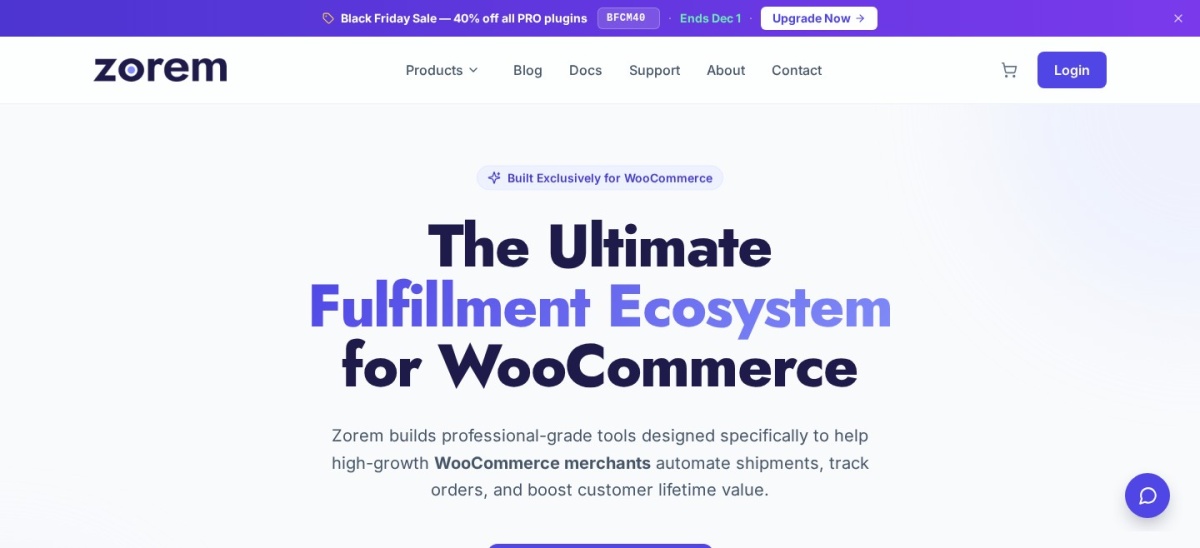
Advanced Shipment Tracking homepage, captured Nov 2026.
Advanced Shipment Tracking is a WooCommerce fulfillment plugin with more than 70,000 active installations and support for 1,010+ shipping carriers. Its free version lets merchants add multiple tracking numbers, display shipment details in customer emails and My Account pages, and manage Shipped and Partially Shipped order statuses.
The trade off is that advanced fulfillment automation, broader tracking imports and payment-platform tracking synchronization require AST Pro at $129 per year. Live carrier event monitoring may also require a separate tracking service. It suits WooCommerce merchants wanting reliable basic tracking without an ongoing shipment-based subscription.
What we like
Free tracking numbers and carrier links
More than 1,010 preconfigured carriers
Supports multiple tracking numbers per order
Integrates with WooCommerce customer emails
Large WordPress.org installation base
Watch out for
Advanced automation requires the Pro edition
Live shipment events may require an additional service
Some fulfillment integrations need configuration
AST Pro adds bulk imports, fulfillment automation and payment-platform tracking synchronizationVisit zorem.com
02
TrackShip
4.7/5on WordPress.org (52 reviews, checked Nov 2026)
Starts at$90/yr
Best for automated delivery monitoring
Carrier coverage1,000+ carriers
Entry allowance600 shipments/year
Free trial15 days, 100 shipments
Paid planPro, $90/yr
trackship.com
TrackShip homepage, captured Nov 2026.
TrackShip is a WooCommerce shipment monitoring platform supporting more than 1,000 carriers and providing a 15-day trial covering up to 100 shipments. It retrieves delivery events, provides branded tracking pages, and offers email and SMS notifications, delivery confirmation, shipping analytics and shipment status information inside WordPress.
The trade off is ongoing usage-based billing rather than a permanent free tracking allowance. Pro starts at $90 per year for 600 shipments, with higher allowances for growing stores. It suits merchants wanting automatic delivery monitoring and customer notifications without managing shipment events manually.
What we like
Automatically monitors shipment progress
Branded tracking pages on the store
Email, SMS and administrative alerts
Delivery confirmation and tracking analytics
Unlimited stores included in Pro
Watch out for
Requires a connected tracking service
Shipment allowances limit the entry plan
SMS delivery may involve additional messaging costs
Pro includes automatic tracking, delivery notifications, analytics and branding removalVisit trackship.com
03
Shipment Tracking Pro
5/5on PluginHive (41 reviews, checked Nov 2026)
Starts at$89/yr
Best for bulk imports and shipping workflows
Shipping carriers80+
Bulk importsCSV, FTP and SFTP
Customer trackingEmails and lookup pages
Single-site plan$89/yr
pluginhive.com
Shipment Tracking Pro homepage, captured Nov 2026.
Shipment Tracking Pro is a paid WooCommerce tracking plugin from PluginHive with support for more than 80 shipping carriers and 41 customer reviews on its official product page. It provides tracking emails, customer lookup pages, bulk CSV imports, scheduled FTP and SFTP imports, and automatic order completion when tracking information is added.
The trade off is that live carrier status updates and automatic notifications depend on the carriers supported for those specific integrations, rather than every carrier in the directory. The single-site license costs $89 per year. It suits stores importing tracking data from shipping software or fulfillment partners.
What we like
Supports scheduled CSV, FTP and SFTP imports
Automatic order completion after tracking imports
Customer tracking pages and email notifications
Integrates with existing shipping workflows
Regularly maintained commercial plugin
Watch out for
No permanent free version
Live tracking coverage varies by carrier
Some advanced integrations need carrier credentials
The paid license includes tracking automation, bulk imports, carrier integrations and supportVisit pluginhive.com
04
CWILL
4.9/5on WordPress.org (539 reviews, checked Nov 2026)
Paid from$35/mo
Best for branded post-purchase tracking
Supported carriers1,500+
Free allowance20 orders/month
Free tracking pageBranded
Listed paid tracking$35/mo, Starter bundle
cwill.com
CWILL homepage, captured Nov 2026.
CWILL is the shipment tracking platform formerly known as ParcelPanel, with more than 7,000 WordPress installations and a 4.9/5 rating. Its WooCommerce plugin offers a free allowance of 20 tracked orders per month, unlimited order lookups, access to 1,500+ carriers, real-time shipment synchronization and a branded tracking page.
The trade off is the limited free shipment allowance and a less straightforward commercial pricing structure. CWILL lists Tracking at $35 per month within its Starter bundle, but the bundle requires contacting sales to establish the payable total. It suits merchants prioritizing a branded post-purchase tracking experience.
What we like
Highly rated by WordPress.org reviewers
Free branded tracking page
Supports more than 1,500 carriers
Includes real-time tracking synchronization
Unlimited order lookups on the free plan
Watch out for
Free tracking allowance is limited
Published bundle pricing requires sales confirmation
Advanced commercial features increase subscription costs
Paid tracking expands order allowances and adds advanced post-purchase features; confirm bundle pricing before purchaseVisit cwill.com
05
AfterShip
4.8/5on WordPress.org (633 reviews, checked Nov 2026)
Starts at$11/mo
Best for multi-carrier delivery visibility
Carrier network2,000+
Entry allowance100 shipments/month
Branded trackingEssentials
Monthly paid plan$11/mo
aftership.com
AfterShip homepage, captured Nov 2026.
AfterShip is a shipment tracking platform covering more than 2,000 carriers, with a WooCommerce plugin installed on more than 7,000 sites. Its Tracking Essentials plan includes branded tracking pages, email and SMS updates, delay alerts, automatic carrier detection, shipment dashboards and delivery reports.
The trade off is shipment-volume pricing and dependence on an external platform. Tracking Essentials starts at $11 per month for 100 shipments on monthly billing, or $9 monthly when billed annually. It suits established stores that need centralized shipment visibility and detailed delivery notifications.
What we like
Broad carrier coverage
Automatic carrier identification
Branded customer tracking experience
Delivery exception and delay alerts
Shipment dashboards and reporting
Watch out for
Pricing scales with tracked shipment volume
Requires an external AfterShip account
More advanced analytics and customization require higher plans
Paid Essentials includes branded tracking, customer updates, carrier detection and shipment reportingVisit aftership.com
06
WooCommerce Shipment Tracking
3.1/5on WooCommerce Marketplace (31 reviews, checked Nov 2026)
Starts at$59/yr
Best for basic official WooCommerce tracking
DeveloperWoo
Carrier linksPreset and custom
Customer displayEmails and My Account
Annual license$59/yr
woocommerce.com
WooCommerce Shipment Tracking homepage, captured Nov 2026.
WooCommerce Shipment Tracking is the official WooCommerce extension for adding tracking information to orders, with more than 50,000 active installations reported by its marketplace listing. It supports predefined shipping providers and custom tracking links, displaying the information in order emails, order tracking pages and customer account screens.
The trade off is its narrower feature set and a 3.1/5 marketplace rating from 31 reviews. The extension costs $59 per year and focuses on sharing shipment details rather than retrieving live delivery events. It suits smaller stores that want a straightforward extension from the WooCommerce ecosystem.
What we like
Official WooCommerce marketplace extension
Simple tracking information entry
Supports predefined and custom carrier links
Displays tracking details in customer emails
No separate tracking platform required for basic links
Watch out for
Does not provide comprehensive live delivery monitoring
Limited workflow automation
Lower marketplace rating than several alternatives
The paid license provides carrier tracking links, customer-facing shipment details, updates and supportVisit woocommerce.com
07
Order Tracking
4.6/5on WordPress.org (73 reviews, checked Nov 2026)
Paid from$59/site
Best for customizable order status workflows
Custom statusesIncluded
Customer lookupTracking forms and blocks
WooCommerce syncPremium
Premium license$59, single site
etoilewebdesign.com
Order Tracking homepage, captured Nov 2026.
Order Tracking is a WordPress status management plugin with more than 2,000 active installations and 73 WordPress.org reviews. Its free edition supports custom tracking statuses, searchable tracking numbers, customer-facing forms, workflow templates and email notifications, while Premium adds WooCommerce synchronization and customer management features.
The trade off is that it manages custom order stages rather than automatically retrieving live carrier shipment events. Its Premium single-site license lists a regular price of $59, with a $47 promotional price displayed. It suits merchants who need custom fulfillment, production or delivery workflows alongside WooCommerce.
Not every shipping tracking plugin provides the same information. Some simply store the tracking number and create a link to the carrier website. Others contact carrier systems to retrieve delivery progress automatically.
Tracking-link plugins are often sufficient for smaller stores. Advanced Shipment Tracking and the official WooCommerce Shipment Tracking extension allow customers to find carrier links from their order information without requiring a full shipment monitoring subscription.
Live tracking platforms provide more detailed visibility. TrackShip, AfterShip and CWILL can retrieve carrier updates and offer branded tracking experiences. Depending on the plan, they also provide delay notifications, delivery confirmations and reporting.
Choose tracking links if your main goal is showing customers where to check their parcel. Choose live monitoring if your team needs to respond to delays or keep customers informed throughout the delivery process.
Fixed licenses vs shipment-based subscriptions
Tracking software follows different pricing models. Traditional WooCommerce extensions commonly charge for a site license, while hosted tracking services charge according to shipment volume.
The official WooCommerce Shipment Tracking extension lists $59 per year, and PluginHive Shipment Tracking Pro lists $89 annually. These are easier to budget when order volume changes, although carrier-based service charges may still apply to connected integrations.
TrackShip lists $90 annually for 600 shipments. AfterShip offers a $11 monthly entry tier covering 100 shipments, while CWILL publishes a $35 monthly Tracking component within its Starter bundle and requires sales confirmation of the overall package.
Calculate your expected shipments, not just orders. Split shipments and separate tracking numbers may consume additional tracking allowances, depending on how the platform counts usage.
How we chose
We built this shortlist from established WooCommerce extensions, WordPress.org plugin listings and commercial shipment tracking products. We prioritized plugins with substantial installations or customer reviews, clear carrier functionality, active maintenance and useful customer-facing tracking features.
Prices, ratings, review counts, installation figures and available plans were checked against WordPress.org, official product pages and vendor pricing pages on 22 Nov 2026. We used regular published prices rather than introductory promotions and distinguished annual site licenses from recurring shipment-based subscriptions. CWILL's advertised tracking component is separate from its sales-quoted bundle total.
We excluded closed WordPress.org plugins, older unmaintained tools, products without sufficiently verifiable pricing and extensions focused mainly on shipping-rate calculations rather than order tracking. We also excluded YITH WooCommerce Order & Shipment Tracking because its current paid price could not be confirmed from the accessible vendor page. No vendor paid for a place, and we do not claim testing for this list.
How to choose the right WooCommerce shipping tracking plugin
Start by mapping your shipping workflow, carrier mix and customer notification requirements before comparing licenses.
Decide whether you need tracking links or live updates. If customers only need a carrier tracking link, a basic WooCommerce extension may be sufficient. Choose a live tracking platform when you need delivery event updates, exception alerts and automatic notifications.
Check your carriers and fulfillment tools. Confirm that the plugin supports your shipping carriers and accepts tracking numbers from your existing workflow. Look for integrations, CSV uploads or automated synchronization when staff process many orders.
Compare annual costs at your shipment volume. Include the plugin license, tracked shipment allowances, paid messaging features and any external service fees. A low starting subscription can become more expensive when order volume increases.
Review the customer experience and maintenance history. Look for tracking details in customer accounts and order emails, accessible mobile tracking pages, current WooCommerce compatibility and recent plugin updates. Consider review volume alongside the average rating.
FAQ
What is the best WooCommerce shipping tracking plugin?
Advanced Shipment Tracking is the strongest general choice for merchants who want tracking numbers, carrier links and shipment statuses inside WooCommerce. It supports more than 1,010 carriers and has over 70,000 active installations. TrackShip is a better fit when automated live delivery updates are the main requirement.
Can I add shipment tracking to WooCommerce for free?
Yes. Advanced Shipment Tracking includes free tracking numbers and carrier links, while CWILL provides a limited free tracking allowance. Free features vary, so check whether you need live carrier events, automated email updates or just a link customers can open to check their delivery.
Does WooCommerce include shipment tracking by default?
WooCommerce includes order statuses and customer order information, but detailed carrier tracking typically requires an extension or an integration with your shipping software. The official WooCommerce Shipment Tracking extension adds carrier links and tracking details to order emails and customer account pages.
What is the difference between order tracking and shipment tracking?
Order tracking generally describes the stages of an order, such as processing, packed or completed. Shipment tracking follows a package after dispatch through carrier events such as in transit, out for delivery and delivered. Some plugins combine both, while others specialize in just one type of tracking.
Can a WooCommerce plugin send tracking emails automatically?
Yes. Several plugins insert tracking numbers and carrier links into WooCommerce order emails. TrackShip, AfterShip and other connected tracking services can also send updates when carrier events change. Review the paid plan carefully because automated event notifications and SMS messaging may have separate requirements.
Which WooCommerce tracking plugin supports the most carriers?
AfterShip advertises a network of more than 2,000 carriers, while CWILL lists more than 1,500. Advanced Shipment Tracking supports more than 1,010 carrier configurations. Carrier counts do not guarantee identical live event coverage, so check support for the specific services your store uses.
Can WooCommerce track multiple shipments for the same order?
Yes, with a plugin that supports multiple tracking numbers or split shipments. Advanced Shipment Tracking includes options for multiple tracking references and partially shipped orders. Make sure the chosen plugin can associate the correct packages with an order and display the information clearly to customers.
Do shipment tracking plugins charge per order?
Pricing varies. Fixed-license extensions typically charge for software access and updates, while hosted platforms may bill according to tracked shipments. TrackShip offers an annual shipment allowance, and AfterShip uses monthly shipment tiers. Confirm how split packages, duplicate numbers and notifications affect your subscription.
Can I import tracking numbers in bulk?
Yes. PluginHive Shipment Tracking Pro supports CSV imports and scheduled FTP or SFTP synchronization. Advanced Shipment Tracking Pro offers additional bulk import workflows. Bulk imports are useful for merchants using external fulfillment services because they reduce repetitive manual entry and help keep order records updated.