Best WooCommerce Size Chart Plugins in 2026: 7 Tools Compared
WLWPLegible EditorsLast verified 22 Nov 2026How we rank10 min read
★ Short answer
Dotstore's Product Size Charts Plugin for WooCommerce is our top pick, backed by 9,000+ active installs and a 4.3-star rating from 39 reviews. Choose WPC Product Size Chart for a $29 one-time lifetime license, or ShopEngine if you build custom Elementor product pages and need an integrated size chart widget.
How we make this list: we compare pricing pages, product documentation and public user reviews, then re-check every price before each update. No product paid for a place. Disclosure.
Dotstore's Product Size Charts Plugin leads dedicated sizing tools with 9,000+ active installs and a 4.3-star rating on WordPress.org, though Pro starts at $179/yr.
WPC Product Size Chart offers the lowest paid entry at $29 one-time for a single site with lifetime updates and 9 single-product placement positions.
Sizor Product Size Chart by VillaTheme supports 6,000+ active installs, CSV table imports in its free plugin, and a $39 one-time CodeCanyon upgrade.
YITH Product Size Charts holds a 4.49-star rating across 79 customer reviews and renews at $69.99/yr ($59.99 first year) with bulk editing tools.
Elementor and Gutenberg store builders ShopEngine (90,000+ installs) and ShopLentor (80,000+ installs) both bundle size chart modules starting at $59/yr.
What to look for in a WooCommerce size chart plugin
WooCommerce does not include a built-in size guide feature, which forces apparel, footwear, and accessory stores to either paste static images into product descriptions or install a dedicated plugin. Static images break on mobile screens and force manual edits across dozens of products whenever measurements change.
A capable size chart plugin separates the measurement table from individual product descriptions. You build one reusable chart, assign it globally by product category, tag, or attribute, and display it inside a modal popup or custom product tab.
When comparing plugins, decide first whether you want a lightweight dedicated size chart plugin or a full WooCommerce page builder suite that includes a size chart module. Dedicated tools like WPClever ($29 one-time) and Sizor ($39 one-time) avoid annual renewals, while builders like ShopEngine and ShopLentor ($59/yr) bundle size guides with custom single-product templates.
4.3/5on WordPress.org (39 reviews, checked Nov 2026)
Paid from$179/yr
Best for large catalogs with conditional rules
Display modesModal popup, product tab, shortcode
Assignment rulesProduct, category, tag, attribute
Starter templatesMen's, women's, and kids' presets
Entry paid plan$179/yr (1 site) or $249/yr bundle
thedotstore.com
Product Size Charts Plugin for WooCommerce homepage, captured Nov 2026.
Product Size Charts Plugin for WooCommerce by Dotstore is the most widely installed dedicated sizing extension on WordPress.org with 9,000+ active installs. Its free version includes ready-to-use apparel and footwear templates, unlimited rows and columns, chart cloning, and assignment by product or category.
The trade off is the steep jump to Pro at $179/yr for a single site, which unlocks custom table colors, hover effects, custom CSS, and button placement before or after the add-to-cart button. It suits established stores that want polished templates and conditional rules.
What we like
Highest active install count (9,000+) among dedicated WordPress.org size chart plugins
Includes pre-built templates for shirts, dresses, and shoes plus one-click chart cloning
Supports conditional assignment by product, category, tag, and product attribute
Watch out for
Single-site Pro plan is expensive at $179/yr compared to rival plugins
Custom table styling, button positioning, and custom CSS require the paid tier
Pro ($179/yr) adds custom table colors, popup positioning, CSS, and extra button placements.Visit thedotstore.com
02
WPC Product Size Chart for WooCommerce
5/5on WordPress.org (3 reviews, checked Nov 2026)
Paid from$29 one-time
Best value with a $29 one-time license
Display modesPopup, 9 page positions, shortcode
Assignment rules9 sources including tags and brands
Multi-chart supportCombines multiple charts in 1 popup
WPC Product Size Chart for WooCommerce homepage, captured Nov 2026.
WPC Product Size Chart for WooCommerce is a lightweight WPClever plugin with 2,000+ active installs and a 5.0 rating from 3 reviews on WordPress.org. The free version lets you build unlimited global and individual charts, combine multiple charts into one popup, and place triggers in 9 single-product positions.
The trade off is a minimal starter template library and a small WordPress.org review sample, though the paid upgrade is just $29 one-time for lifetime updates. It suits budget-conscious store owners who want flexible placement without recurring annual fees.
What we like
One-time $29 single-site license includes lifetime plugin updates
Combines global and product-specific charts inside a single modal popup
9 built-in single-product placement positions plus shortcode support
Watch out for
Only 3 user reviews on WordPress.org despite 2,000+ active installs
Multi-condition Combined assignment rules require the paid license
Premium ($29 one-time) unlocks Combined conditional rules and 1 year of priority support.Visit wpclever.net
03
Sizor Product Size Chart for WooCommerce
4.3/5on WordPress.org (32 reviews, checked Nov 2026)
Paid from$39 one-time
Best for CSV imports and live customizer previews
Display modesPopup, tab, before add-to-cart, shortcode
Data importCSV file import in the free plugin
Design editorLive preview customizer + custom CSS
Entry paid plan$39 one-time on CodeCanyon (6 mo support)
codecanyon.net
Sizor Product Size Chart for WooCommerce homepage, captured Nov 2026.
Sizor Product Size Chart for WooCommerce by VillaTheme holds 6,000+ active installs and a 4.3-star rating from 32 reviews on WordPress.org. Even in the free version, you get CSV table imports, a live visual preview editor, custom CSS, and four display modes including a Before add to cart placement.
The trade off is a denser admin workflow that requires extra clicks when switching between editing and customizing charts, while the Pro add-on costs $39 one-time on CodeCanyon. It suits stores migrating existing spreadsheet size tables via CSV.
What we like
Supports CSV table imports and custom CSS in the free WordPress.org version
Offers four front-end placements including popup, tab, before add-to-cart, and shortcode
One-time $39 CodeCanyon license with no mandatory annual renewal
Watch out for
Several WordPress.org reviewers note the backend UI takes extra clicks to navigate
CodeCanyon license includes 6 months of support unless extended for an extra fee
Pro ($39 one-time on CodeCanyon) adds extra styling controls, templates, and vendor support.Visit codecanyon.net
Multi-chart supportAssign multiple charts to one product
Entry paid plan$69.99/yr regular ($59.99 first year)
yithemes.com
YITH Product Size Charts for WooCommerce homepage, captured Nov 2026.
YITH Product Size Charts for WooCommerce is a commercial extension backed by 5,496 customers and a 4.49-star rating across 79 reviews on YITH's marketplace. It stands out for its tabbed popup mode, which lets shoppers switch between multiple charts inside a single modal, plus WordPress bulk-editing support.
The trade off is that there is no free version and the subscription renews at $69.99/yr after a $59.99 first-year introductory discount. It suits stores already running YITH plugins or needing multi-tab popups across large catalogs.
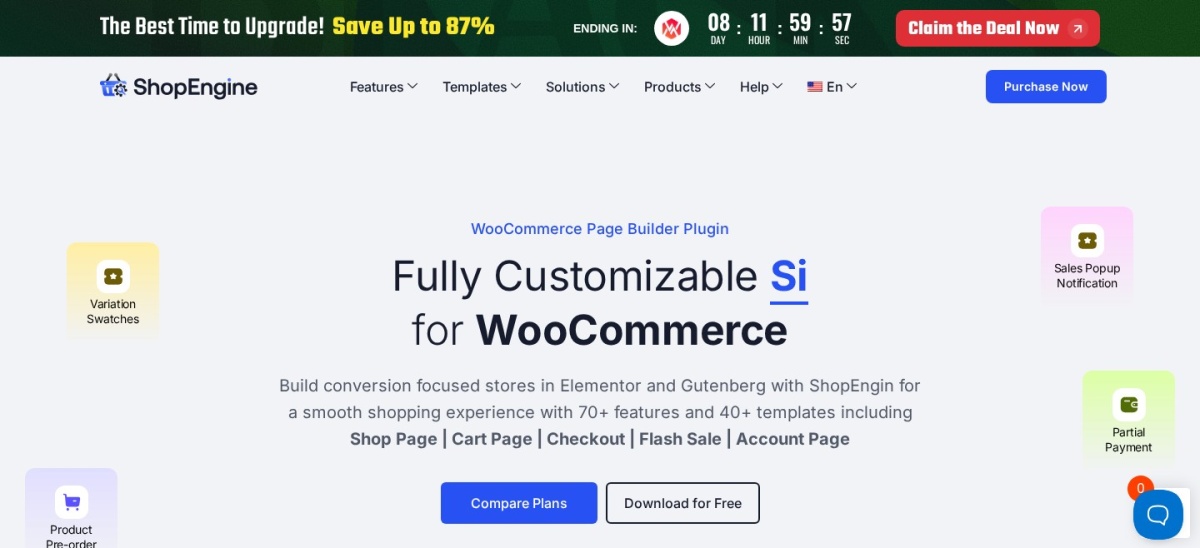
ShopEngine is an all-in-one Elementor WooCommerce builder with 90,000+ active installs and a 4.6-star rating from 212 reviews on WordPress.org. Alongside 70+ store builder widgets, it includes a dedicated Product Size Charts add-on and widget so you can place measurement tables directly inside custom single-product templates.
The trade off is heavier plugin overhead and a $59/yr starting price if you only need a standalone size chart rather than a full page builder. It suits Elementor stores already redesigning product, cart, and checkout templates.
What we like
Massive adoption (90,000+ active installs) with frequent compatibility updates
Assignment rulesSpecific products or product categories
Entry paid plan$59/yr (1 site) or $149 lifetime
shoplentor.com
ShopLentor homepage, captured Nov 2026.
ShopLentor (formerly WooLentor) is a WooCommerce builder for Elementor and Gutenberg with 80,000+ active installs and a 4.5-star rating across 279 reviews on WordPress.org. In ShopLentor Pro, you enable the Size Chart module, assign guides to products or categories, and display them with a dedicated widget or block.
The trade off is that the Size Chart module is locked behind ShopLentor Pro starting at $59/yr rather than included in the free core plugin. It suits stores using Gutenberg or Elementor that want one plugin for swatches, quick view, and size guides.
What we like
Works natively with both Gutenberg blocks and Elementor single-product builders
Backed by 80,000+ active installs and 279 reviews on WordPress.org
Combines size charts with variation swatches, wishlist, and checkout tools
Watch out for
The Size Chart module is only available in ShopLentor Pro ($59/yr)
Unnecessary overhead if your theme already handles single-product page layouts
Pro ($59/yr for 1 site) enables the Size Chart module alongside all Pro widgets and blocks.Visit shoplentor.com
07
Product Tabs for WooCommerce
3.5/5on WordPress.org (70 reviews, checked Nov 2026)
Paid from$49/yr
Best free plugin for tabbed size guides
Display modeCustom WooCommerce product page tab
Assignment rulesGlobal, category, or per-product override
Content editorWYSIWYG editor with HTML & shortcodes
Pro upgradeAvailable via Barn2 Plugins ($49/yr)
wordpress.org
Product Tabs for WooCommerce homepage, captured Nov 2026.
Product Tabs for WooCommerce by Barn2 Plugins has 10,000+ active installs and 70 reviews on WordPress.org. Rather than adding modal popups, its free version lets you create unlimited reusable product tabs—such as a dedicated Size Guide tab—and assign them globally, by product category, or per individual product.
The trade off is that it displays guides only inside standard product tabs rather than popups near the add-to-cart button, and its WordPress.org rating sits lower due to older legacy reviews. It suits stores that prefer clean tabbed size charts alongside specifications and care instructions.
What we like
Free version supports global tabs, category-specific tabs, and per-product overrides
10,000+ active installs and actively maintained by Barn2 Plugins
WYSIWYG editor accepts HTML tables, measurement diagrams, and shortcodes
Watch out for
No modal popup option—size guides appear only in the product tab area
Tag-based tab assignment and drag-and-drop tab reordering require the Pro version
Pro adds tag-based tab rules, tab icons, drag-and-drop ordering, and searchable tab content.Visit wordpress.org
Dedicated size chart plugins vs WooCommerce page builders
Dedicated size chart extensions—Dotstore, WPClever, Sizor, and YITH—focus strictly on measurement tables, popup triggers, and product or category rules. They work with any standard WooCommerce theme and keep admin settings focused on sizing.
All-in-one WooCommerce builders like ShopEngine and ShopLentor include size chart widgets inside much larger Elementor and Gutenberg toolkits. Choose a dedicated plugin if you already like your theme's product page layout, or pick a builder suite if you are redesigning the entire product page from scratch.
How we chose
We compiled this list by reviewing established WooCommerce size chart and size guide plugins across WordPress.org, YITH, and CodeCanyon. Every included tool meets our minimum adoption threshold of 1,000+ active installations or 20+ verified customer reviews, alongside active maintenance within the past 12 months.
Every price, active install count, rating, and review total was verified directly from official plugin listings and vendor pricing pages on 22 Nov 2026. Where a plugin offers an introductory first-year discount, we listed the regular annual renewal price in our comparison table.
We excluded plugins that were closed on WordPress.org, had not been updated within the last 12 months, or fell below 1,000 active installs and 20 reviews. No vendor paid for a place, and we do not claim testing for this list.
How to pick the right WooCommerce size chart plugin
Follow four quick checks to match a size chart plugin to your store catalog and budget.
Match assignment rules to your catalog structure. If all t-shirts share identical measurements, category-level assignment in Dotstore or Barn2 Product Tabs works well. If individual brands run small or large, pick WPClever or YITH so you can assign charts by brand, tag, or single product.
Choose where shoppers should open the chart. Modal popups keep product pages clean on mobile devices, while custom product tabs in Barn2 Product Tabs work well for detailed measurement diagrams. Stores with theme conflicts should pick a plugin with shortcodes or multiple button hooks.
Decide between a standalone tool and a builder widget. If your store already builds single-product templates in Elementor or Gutenberg, ShopEngine and ShopLentor let you place size chart widgets visually without adding another standalone plugin.
Compare 3-year total cost before buying. A $29 one-time license from WPClever costs $29 over three years, whereas a $179/yr subscription totals $537 over the same period. Start with a free WordPress.org version first to confirm theme compatibility.
FAQ
Does WooCommerce have a built-in size chart feature?
No. WooCommerce core does not include a size chart builder or popup trigger. Without a plugin, store owners have to paste HTML tables or static images directly into each product description.
Which WooCommerce size chart plugin has the best free version?
Dotstore's Product Size Charts Plugin, WPC Product Size Chart, and Sizor all offer capable free versions on WordPress.org. Dotstore includes ready-made templates, WPClever offers 9 placement positions, and Sizor includes CSV imports in its free tier.
Should I display size charts in a popup or a product tab?
Popups placed near the size dropdown or add-to-cart button get more visibility because shoppers see them before selecting a variation. Product tabs sit further down the page and are easier to miss on mobile screens.
Can I assign one size chart to an entire WooCommerce category?
Yes. Every plugin on this list lets you map a single size guide to one or more product categories, updating every product in that category automatically when measurements change.
Are there WooCommerce size chart plugins without annual renewals?
Yes. WPC Product Size Chart ($29 one-time) and Sizor Product Size Chart ($39 one-time on CodeCanyon) both sell single-payment licenses rather than recurring annual subscriptions.