Best WooCommerce Shipment Tracking Plugins in 2026: 7 Tools Compared
WLWPLegible EditorsLast verified 22 Nov 2026How we rank11 min read
★ Short answer
Advanced Shipment Tracking is the best WooCommerce shipment tracking plugin for most stores, with 70,000+ active installs and support for 1,010+ carriers. TrackShip is better for automatic carrier updates and delivery notifications, while CWILL suits stores that want a branded customer tracking page.
How we make this list: we compare pricing pages, product documentation and public user reviews, then re-check every price before each update. No product paid for a place. Disclosure.
Advanced Shipment Tracking leads for WooCommerce fulfillment, with 70,000+ installs, a 4.5/5 rating and 1,010+ supported carriers.
TrackShip starts at $90 per year for up to 600 shipments, adding automatic tracking, delivery notifications and analytics.
CWILL supports 1,700+ carriers and offers 20 free tracking credits monthly, with paid plans starting at $11 per month.
AfterShip starts at $11 per month for 100 shipments and supports branded tracking, carrier detection and delivery alerts.
Trakoo has 10,000+ active installs and starts at $39, with tracking imports and PayPal synchronization options.
WooCommerce Shipment Tracking costs $59 per year and provides a straightforward extension maintained by Woo.
What to look for in a WooCommerce shipment tracking plugin
Shipment tracking begins when a store dispatches an order. Customers need the carrier name, tracking number and a reliable way to follow the parcel without repeatedly contacting support.
The first distinction is between tracking links and live shipment tracking. A basic plugin adds carrier information to WooCommerce emails and customer accounts. A live tracking service retrieves carrier events and can identify delays, exceptions and delivery confirmations.
Carrier coverage matters, but the number of supported carriers is not the whole story. Check whether the plugin recognizes your actual couriers, supports custom tracking links and handles multiple packages associated with an order.
Customer notifications are another major difference. Some plugins send tracking information when an order ships, while others notify buyers when a parcel enters transit, goes out for delivery or encounters an exception.
Finally, compare the pricing model. Traditional WooCommerce extensions generally charge per license, whereas shipment monitoring services may bill according to tracked parcels or monthly credits.
4.5/5on WordPress.org (355 reviews, checked Nov 2026)
Paid from$129/yr
Best overall for WooCommerce fulfillment
Carriers1,010+
Shipment statusesShipped and Partially Shipped
Bulk trackingCSV import and REST API
Paid planAST Pro, 1 site
zorem.com
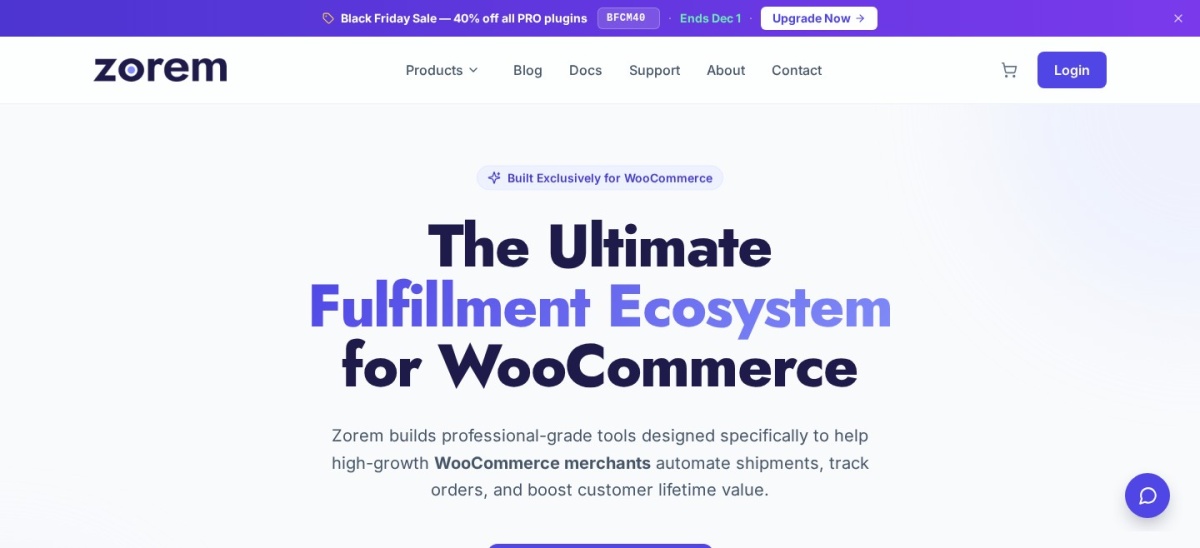
Advanced Shipment Tracking homepage, captured Nov 2026.
Advanced Shipment Tracking is a WooCommerce fulfillment plugin with 70,000+ active installs and 1,010+ preconfigured shipping carriers. Its free features include tracking information in customer emails, shipment status management, carrier links, bulk CSV import and a REST API for importing tracking information from connected fulfillment systems.
The trade off is that advanced automation, additional integrations and payment-provider tracking synchronization require AST Pro at $129 per year. It suits stores that want to manage dispatch and shipment information directly in WooCommerce without depending on a separate tracking dashboard.
What we like
Large carrier directory with custom carrier support
Free shipment status and tracking workflows
Bulk CSV import and REST API integration
Tracking information in customer emails
Established WordPress.org installation base
Watch out for
Advanced automation requires Pro
Live carrier event monitoring requires additional services
More fulfillment settings than basic tracking extensions
Pro adds advanced automation, integrations and payment tracking synchronization.Visit zorem.com
02
TrackShip
4.7/5on WordPress.org (52 reviews, checked Nov 2026)
Starts at$7.50/mo
Best for automated delivery notifications
Starting allowance600 shipments/year
Free trial15 days
NotificationsEmail, SMS and admin alerts
Paid planPro, $90 billed yearly
trackship.com
TrackShip homepage, captured Nov 2026.
TrackShip is a shipment monitoring platform with 5,000+ active WordPress installations and a 4.7/5 rating from 52 reviews. Its 15-day trial includes up to 100 shipments, while the entry Pro plan covers 600 shipments annually with automatic carrier tracking, delivery confirmation, branded tracking pages and notification tools.
The trade off is ongoing usage-based billing, starting at $7.50 per month when billed annually, rather than a fixed plugin license. It suits stores that need automated delivery updates and exception monitoring beyond simply displaying carrier tracking links.
What we like
Automatically follows carrier shipment events
Email, SMS and administrator notifications
Branded tracking page
Shipping and delivery analytics
Supports multiple stores on the paid plan
Watch out for
Requires an external tracking service
Costs increase with shipment volume
SMS delivery may involve additional messaging costs
Pro provides continuous tracking, notifications, branded pages and delivery analytics.Visit trackship.com
03
CWILL
4.9/5on WordPress.org (539 reviews, checked Nov 2026)
Paid from$11/mo
Best for branded shipment tracking pages
Carrier coverage1,700+
Free allowance20 credits/month
Entry paid allowance200 credits/month
Paid planEssential
cwill.com
CWILL homepage, captured Nov 2026.
CWILL is a shipment tracking platform formerly known as ParcelPanel, with 7,000+ WordPress installs and a 4.9/5 rating from 539 reviews. Its free plan includes 20 monthly tracking credits, access to 1,700+ carriers, a branded tracking page, shipment dashboard, real-time tracking and basic analytics.
The trade off is the tracking-credit limit, with Essential starting at $11 per month for 200 monthly credits. It suits stores that want customers to follow shipments through a branded page while gaining access to shipping notifications and post-purchase features.
4.8/5on WordPress.org (633 reviews, checked Nov 2026)
Starts at$11/mo
Best for shipment exception monitoring
Carrier network2,000+
Entry allowance100 shipments/month
NotificationsEmail and SMS
Paid planTracking Essentials
aftership.com
AfterShip homepage, captured Nov 2026.
AfterShip is a shipment tracking platform whose WooCommerce plugin has 7,000+ active installs and a 4.8/5 WordPress.org rating. Its tracking service covers 2,000+ carriers, while paid Essentials includes carrier detection, a branded tracking page, delivery notifications, shipment dashboards and exception alerts.
The trade off is usage-based subscription pricing, starting at $11 per month for 100 shipments on monthly billing. It suits stores that need centralized carrier monitoring and proactive alerts when deliveries are delayed or encounter problems.
What we like
Broad carrier integration network
Automatic carrier detection and correction
Shipment exception and delay notifications
Branded tracking pages
Centralized tracking reports
Watch out for
Monthly costs rise with shipment volume
Advanced analytics and customization require higher plans
Trakoo is a WooCommerce order tracking plugin with 10,000+ active installs and a 4.5/5 rating from 58 reviews. Its free version provides shipment tracking information and carrier links, while its broader feature set includes order imports, tracking emails and integration options for payment platforms.
The trade off is that advanced tracking synchronization, SMS features and broader payment integrations require Premium, with the vendor listing options from $39. It suits stores that want to connect fulfillment records with customer communication and PayPal-related tracking workflows.
What we like
Established free WooCommerce plugin
Tracking information in customer emails
Import and export workflows
PayPal integration options
Premium options for SMS notifications
Watch out for
Advanced notification features require Premium
Some carrier automation depends on external services
License options need checking before purchase
Premium expands tracking automation, SMS support and PayPal integrations.Visit villatheme.com
06
WooCommerce Shipment Tracking
3.1/5on WooCommerce Marketplace (31 reviews, checked Nov 2026)
Starts at$59/yr
Best official WooCommerce extension
Carrier linksBuilt-in and custom
Customer accessEmails and My Account
AutomationREST API support
Paid plan1-year license
woocommerce.com
WooCommerce Shipment Tracking homepage, captured Nov 2026.
WooCommerce Shipment Tracking is an official extension by Woo with 50,000+ active installs and a 3.1/5 marketplace rating from 31 reviews. It adds carriers, tracking numbers, shipment dates and tracking links to orders, then displays that information in customer emails, order tracking pages and My Account.
The trade off is limited shipment automation compared with dedicated tracking platforms, despite its $59 annual license. It suits stores that already obtain tracking numbers from their shipping process and primarily need a supported way to share those details with customers.
What we like
Developed and maintained by Woo
Straightforward installation and configuration
Tracking details appear in customer emails
Custom tracking link support
REST API integration for external systems
Watch out for
No built-in carrier event monitoring comparable to tracking platforms
Lower marketplace rating than several alternatives
Annual subscription for relatively basic tracking features
The paid license provides tracking functionality, product updates and Woo support.Visit woocommerce.com
07
Order Tracking
4.6/5on WordPress.org (73 reviews, checked Nov 2026)
Paid from$59/site
Best for custom order status workflows
Free trackingCustom order statuses
NotificationsOrder status emails
WooCommerce syncPremium
Paid planPremium single-site license
etoilewebdesign.com
Order Tracking homepage, captured Nov 2026.
Order Tracking is a WordPress status tracking plugin with 2,000+ active installs and a 4.6/5 rating from 73 reviews. Its free version supports custom statuses, customer tracking forms, order records and email notifications, while Premium connects WooCommerce orders to these tracking workflows.
The trade off is that WooCommerce synchronization requires its regular $59 Premium license, and carrier event tracking is not the plugin's main focus. It suits businesses that need customizable order progress stages alongside shipment information rather than a dedicated parcel monitoring platform.
A tracking link directs customers to a carrier's website using the shipment reference. This is sufficient when a store only needs to communicate that an order has shipped and where the customer can follow it.
Live tracking works differently. A service retrieves shipment events from supported carriers and uses those events to update tracking pages, dashboards and notifications.
Advanced Shipment Tracking is particularly useful for recording fulfillment details within WooCommerce. TrackShip, CWILL and AfterShip go further by monitoring carrier events and providing post-dispatch updates.
If your customers regularly ask about delayed deliveries, live shipment monitoring may justify the subscription cost. If customers mainly need a tracking number and carrier link, a simpler extension may be enough.
Which shipment notifications matter most?
A shipment confirmation should explain that the parcel has been dispatched and provide a usable tracking link. This is the most basic notification to consider when selecting a WooCommerce tracking extension.
An out-for-delivery message is useful because it tells customers that a delivery attempt may be approaching. A delivery confirmation closes the communication loop and can support post-purchase follow-up.
Exception and delay alerts are particularly useful for customer service. Instead of waiting for shoppers to complain, stores can identify shipments that have encountered delivery problems and provide timely updates.
Check whether each notification uses actual carrier events or only WooCommerce order status changes. These are different triggers, and choosing the wrong system can result in updates that do not reflect the parcel's real progress.
How we chose
We selected established WooCommerce shipment tracking extensions and services that cover carrier tracking links, shipment records, customer notifications, fulfillment synchronization or live carrier monitoring. The comparison includes WordPress.org plugins and official WooCommerce Marketplace extensions.
We checked WordPress.org ratings, review totals, active installations, vendor documentation and official pricing pages on 22 Nov 2026. Pricing reflects the cheapest verified regular paid option rather than promotional discounts, with usage-based subscriptions converted to annual equivalents for comparison.
We excluded small plugins without sufficient adoption, outdated WordPress.org listings and products whose paid pricing could not be confirmed directly from the vendor. We also distinguished shipment monitoring services from plugins that track internal order statuses. No vendor paid for a place, and we do not claim testing for this list.
How to choose a WooCommerce shipment tracking plugin
Start by identifying how your store currently creates shipments and how much tracking information customers need after dispatch.
Decide whether you need links or live tracking. If customers only need a carrier tracking URL, choose a plugin that adds shipment information to WooCommerce orders and emails. If you need in-transit events, delivery confirmations and exception alerts, prioritize a service with carrier event monitoring.
Verify support for your shipping carriers. Check the actual carrier directory before purchasing. Confirm custom courier support if your fulfillment provider is absent, and make sure the plugin can handle multiple packages or partially shipped orders when your store requires them.
Choose the customer notification workflow. Determine whether you need a shipping confirmation, delivery updates, delay alerts or all of these. Review which notifications are included in the entry plan and whether SMS messaging introduces additional costs.
Calculate costs using your shipment volume. Compare fixed license prices against monthly shipment allowances. Consider the cost of additional tracking credits, whether multiple stores can share a subscription, and whether paid integrations are necessary for your fulfillment process.
FAQ
What is the best WooCommerce shipment tracking plugin?
Advanced Shipment Tracking is the strongest overall choice for stores that want WooCommerce-based shipment management. It supports 1,010+ carriers, provides customer tracking details and includes fulfillment workflows. For automatic carrier monitoring, TrackShip is a better fit because it follows shipment events and sends delivery notifications.
Can I add shipment tracking to WooCommerce for free?
Yes. Advanced Shipment Tracking, CWILL and Trakoo provide free plugin functionality or free service allowances. The available features vary: some focus on adding tracking numbers and links, while others include limited carrier monitoring. Check whether your required notifications and integrations are available before committing to a free option.
Does WooCommerce automatically track shipped packages?
WooCommerce can store shipment information through compatible shipping services or extensions, but detailed carrier event monitoring is not part of every tracking workflow. A tracking link and an automatically updated delivery timeline are different features. Services such as TrackShip and AfterShip retrieve carrier events to support live shipment updates.
Can shipment tracking information appear in WooCommerce emails?
Yes. Plugins including Advanced Shipment Tracking and WooCommerce Shipment Tracking can add tracking details to customer order emails. Depending on the tool, these details may include a carrier name, tracking number and clickable tracking button. Additional shipment-stage notifications may require a paid plan or external tracking service.
Which WooCommerce shipment tracking plugin supports multiple carriers?
Advanced Shipment Tracking lists more than 1,010 carriers, CWILL lists over 1,700 and AfterShip advertises more than 2,000. Carrier counts alone do not guarantee support for your shipping provider. Check the exact carrier and whether the integration offers live tracking events or only generates a tracking link.
What is the difference between order tracking and shipment tracking?
Order tracking usually reports internal store stages such as processing, packed or completed. Shipment tracking follows the parcel after dispatch, using carrier references and potentially live movement events. Some plugins combine both workflows, but a store order marked completed does not necessarily mean the carrier has delivered the package.
Can I notify customers when their shipment is delayed?
Yes, provided your tracking solution receives carrier events or supports delay detection. TrackShip and AfterShip offer delivery and exception notification features, while CWILL includes shipping notifications in its paid plans. A basic tracking link plugin may not know when a package is delayed unless another system supplies that information.
Is TrackShip or Advanced Shipment Tracking better?
Advanced Shipment Tracking is better for recording tracking numbers, managing fulfillment statuses and integrating shipment information into WooCommerce. TrackShip focuses on monitoring packages after dispatch, including delivery notifications and analytics. They address different parts of fulfillment, and TrackShip can work alongside compatible shipment tracking plugins.
How much do WooCommerce shipment tracking plugins cost?
Pricing depends on the type of tool. WooCommerce Shipment Tracking costs $59 annually, while Advanced Shipment Tracking Pro costs $129 annually. TrackShip starts at $90 per year for its entry shipment allowance, and services such as CWILL and AfterShip have usage-based plans starting at $11 per month.