Best WooCommerce Order Delivery Plugins in 2026: 7 Tools Compared
WLWPLegible EditorsLast verified 22 Nov 2026How we rank11 min read
★ Short answer
Order Delivery Date by Tyche is our top WooCommerce order delivery plugin, with 10,000+ active installations and free delivery date scheduling. Orderable is better for restaurant ordering, while Order Delivery by Kestrel suits stores needing delivery estimates and pickup scheduling. ThemeHigh is a useful free alternative for checkout date and time selection.
How we make this list: we compare pricing pages, product documentation and public user reviews, then re-check every price before each update. No product paid for a place. Disclosure.
Order Delivery Date by Tyche has 10,000+ active installations. Its paid WooCommerce extension costs $119 per year.
Orderable has 5,000+ active installations and offers free delivery and pickup date selection. Pro costs $149 per year.
Order Delivery by Kestrel costs $149 per year, with 2,000+ active installations and a 3.5/5 WooCommerce Marketplace rating.
Delivery and Pickup Scheduler by Flintop costs $99 per year and supports both order-level and product-level scheduling.
Order Delivery Date & Time Scheduler by KoalaApps costs $79 per year, making it the least expensive paid extension in this comparison.
ThemeHigh Order Delivery Date And Time has 1,000+ active installations and a 4.6/5 rating, while Estimated Delivery for WooCommerce has 1,000+ installations and a 5/5 rating.
What to look for in a WooCommerce order delivery plugin
WooCommerce manages shipping methods and order processing, but stores offering scheduled deliveries need additional controls. Customers may want to choose when an order arrives, while store owners need to prevent bookings on unavailable dates.
Start with the delivery date picker. A useful plugin should let you define working days, preparation time, holidays and maximum advance booking periods. Without these restrictions, customers may select delivery dates your business cannot fulfill.
Time slots provide more control than a date-only calendar. Look for maximum orders per slot, cutoff times and different availability rules for delivery and pickup. These settings are especially useful for businesses preparing perishable products or managing local delivery drivers.
Also consider how schedules appear inside WooCommerce. Delivery dates should be visible in order details and confirmation emails. Stores with complex fulfillment workflows may need product-specific scheduling, delivery charges, pickup locations or calendar views.
Finally, compare checkout compatibility and recurring prices. A plugin supporting your existing checkout layout and shipping extensions will generally require less configuration than one needing additional customization. Confirm whether advanced features require a paid extension.
4.3/5on WordPress.org (61 reviews, checked Nov 2026)
Paid from$119/yr
Best overall for WooCommerce delivery scheduling
Free schedulingDelivery date selection
Daily order limitsIncluded
Advanced rulesProducts and shipping methods
Paid planPro, $119/yr
tychesoftwares.com
Order Delivery Date homepage, captured Nov 2026.
Order Delivery Date is a WooCommerce scheduling plugin from Tyche Softwares with 10,000+ active installations. Its free version includes checkout delivery dates, preparation time, holidays, blocked dates and daily delivery limits. Store managers can also view scheduled deliveries from WooCommerce orders, while additional scheduling options are available in the paid extension.
The trade off is that advanced time-slot scheduling, delivery charges, Google Calendar synchronization and more detailed fulfillment rules require Pro, available through WooCommerce for $119 per year. It suits general WooCommerce stores that want a free delivery scheduling foundation with room to expand.
What we like
Free delivery date selection at checkout
Daily order limits and holiday restrictions
Established plugin with 10,000+ installations
Advanced product and shipping-method scheduling in Pro
Google Calendar integration available in Pro
Watch out for
Advanced scheduling combinations require Pro
Time-slot functionality differs between free and paid versions
Some integrations require additional extensions
Pro adds advanced time slots, delivery charges, recurring scheduling and calendar synchronizationVisit tychesoftwares.com
02
Orderable
4.6/5on WordPress.org (40 reviews, checked Nov 2026)
Paid from$149/yr
Best for restaurants and food delivery
Free schedulingDelivery and pickup dates
Online orderingMenu and live order view
Pro schedulingTime slots and order caps
Paid planPro, $149/yr
orderable.com
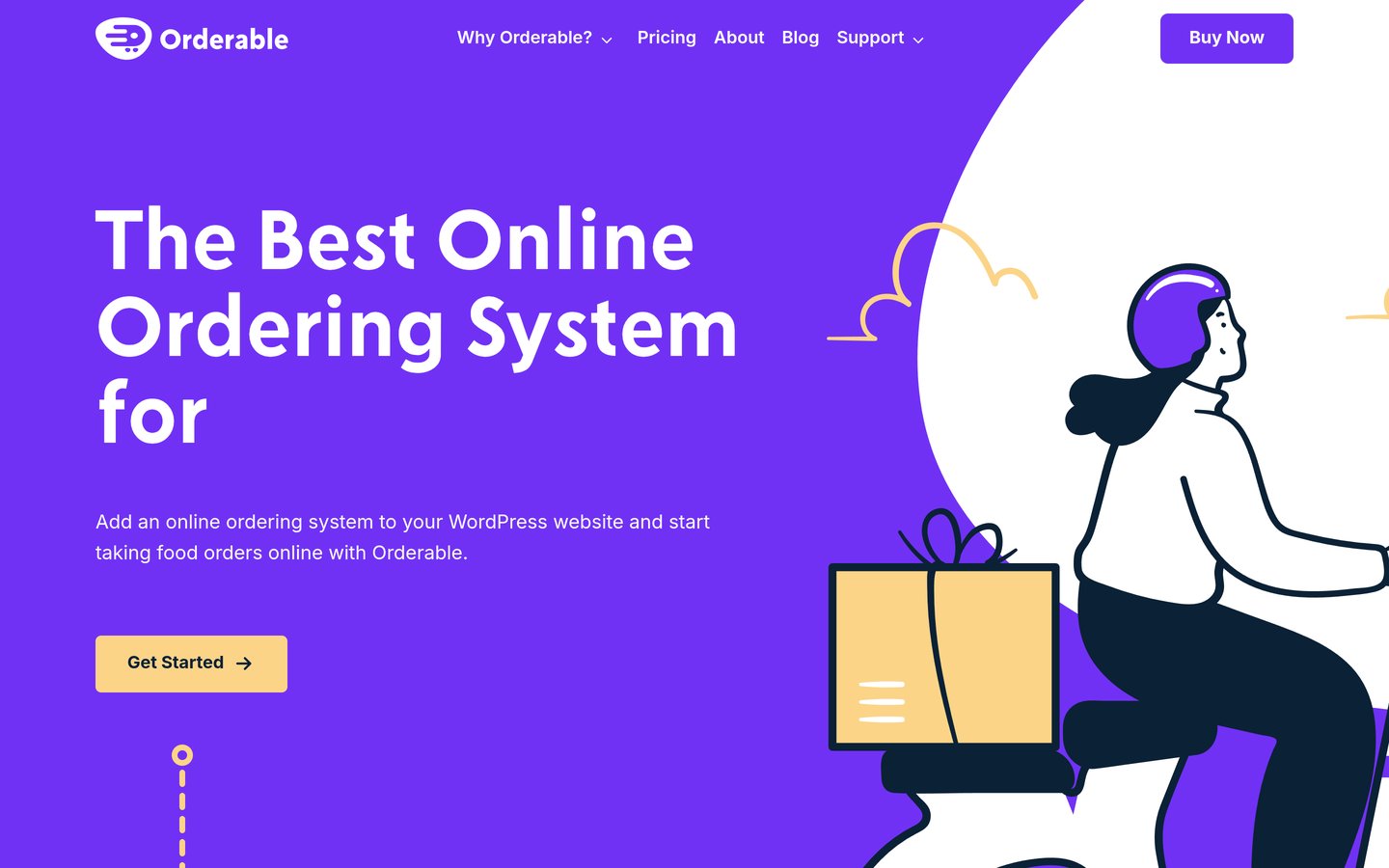
Orderable homepage, captured Nov 2026.
Orderable is a WooCommerce restaurant ordering plugin with 5,000+ active installations and a 4.6/5 WordPress.org rating. Its free version includes food menus, delivery and pickup dates, holiday restrictions, preparation lead times, a live order screen and receipt printing. The plugin does not charge commissions on orders.
The trade off is that customer-selectable delivery time slots, maximum orders per slot, multiple locations and checkout tipping require Orderable Pro at $149 per year. It suits restaurants, bakeries and food businesses needing an ordering interface alongside delivery scheduling rather than a standalone checkout calendar.
What we like
Free online menus and delivery date scheduling
Live order view for restaurant staff
Delivery and pickup support
No transaction commission from Orderable
Pro adds time slots and multiple locations
Watch out for
Time-slot selection requires Pro
More restaurant features than general retail stores need
Advanced capacity limits require an upgrade
Pro adds time slots, location management, order limits, tipping and custom checkoutVisit orderable.com
03
Order Delivery
3.5/5on WooCommerce Marketplace (10 reviews, checked Nov 2026)
Starts at$149/yr
Best for delivery estimates and pickup scheduling
Delivery estimatesAvailable at checkout
Customer date choiceSupported
Pickup schedulingDates and time frames
Paid plan$149/yr
woocommerce.com
Order Delivery homepage, captured Nov 2026.
Order Delivery is a WooCommerce extension by Kestrel with 2,000+ active installations and a 3.5/5 Marketplace rating. It calculates available delivery dates from fulfillment rules and lets stores display estimates or allow customers to choose dates and time frames. It also supports separate scheduling for local pickup.
The trade off is the $149 yearly price without a free version, and it does not handle driver assignments, route planning or shipment tracking. It suits established WooCommerce retailers that want structured delivery promises and pickup scheduling integrated with their order and shipping workflows.
What we like
Shows delivery estimates before an order is placed
Supports customer-selected delivery dates
Separate delivery and local pickup schedules
Compatible with WooCommerce Subscriptions
Works with established shipping extensions
Watch out for
No free version
Does not manage delivery drivers or routes
Lower Marketplace rating than several alternatives
The paid extension provides delivery estimates, date selection and pickup schedulingVisit woocommerce.com
04
Delivery and Pickup Scheduler
4.8/5on WooCommerce Marketplace (12 reviews, checked Nov 2026)
Starts at$99/yr
Best for product-level delivery and pickup
Order schedulingDate, time and slots
Product schedulingIndividual product options
Pickup locationsSupported
Paid plan$99/yr
woocommerce.com
Delivery and Pickup Scheduler homepage, captured Nov 2026.
Delivery and Pickup Scheduler is a WooCommerce extension from Flintop with a 4.8/5 Marketplace rating across 12 reviews. It lets customers choose delivery or pickup dates and time slots for an entire order or individual products. Its scheduling options also cover pickup locations, delivery estimates and product-specific fulfillment preferences.
The trade off is a $99 yearly subscription without a free version and a smaller installation base than the leading alternatives. It suits stores selling products with different preparation times, fulfillment requirements or collection locations, where a single date for the entire shopping cart would be too restrictive.
What we like
Separate scheduling for orders and products
Delivery and pickup in the same extension
Product-specific pickup location selection
Supports dates, exact times and time slots
Lower annual cost than several competitors
Watch out for
No free version
Smaller user base than leading plugins
More settings to manage for product-level schedules
The paid extension includes product-level scheduling, delivery estimates and pickup locationsVisit woocommerce.com
05
Order Delivery Scheduler
5/5on WooCommerce Marketplace (3 reviews, checked Nov 2026)
Starts at$79/yr
Best lower-cost paid scheduling option
Delivery calendarDate and time selection
Product rulesProducts and categories
Order limitsPer delivery slot
Paid plan$79/yr
woocommerce.com
Order Delivery Scheduler homepage, captured Nov 2026.
Order Delivery Scheduler is a WooCommerce extension from KoalaApps with a 5/5 Marketplace rating from 3 reviews. It supports delivery date and time selection, product-level and global scheduling rules, holidays, preparation buffers and maximum orders per slot. Stores can also display estimated delivery dates instead of requiring customers to select a calendar date.
The trade off is its limited public review history, although the annual subscription costs $79. The extension focuses on delivery scheduling rather than a complete delivery and pickup management system. It suits smaller stores that want configurable delivery slots, extra fees and product-specific rules at a lower subscription cost.
What we like
Lowest annual price among paid extensions
Product and category scheduling rules
Delivery fees based on days and time slots
Supports classic and block checkout
Maximum order limits for delivery slots
Watch out for
Only 3 public Marketplace reviews
No free version
Less focused on local pickup management
Smaller public review history than established alternatives
The paid extension includes delivery slots, scheduling rules, buffer times and delivery feesVisit woocommerce.com
06
Order Delivery Date And Time
4.6/5on WordPress.org (19 reviews, checked Nov 2026)
PriceFree
Best free checkout delivery and pickup time picker
Delivery datesFree checkout picker
Time slotsIndividual and bulk
Pickup schedulingDates and times
WordPress installs1,000+
themehigh.com
Order Delivery Date And Time homepage, captured Nov 2026.
Order Delivery Date And Time is a free WooCommerce scheduling plugin from ThemeHigh with 1,000+ active installations and a 4.6/5 WordPress.org rating from 19 reviews. It provides delivery and pickup date selection, individual and bulk time slots, processing-time settings, unavailable weekdays, holidays and separate schedules for special occasions. The plugin also supports WooCommerce Checkout Blocks.
The trade off is that the free plugin focuses on customer date and time selection rather than advanced delivery management, and detailed order-capacity controls are not documented among its core settings. No paid upgrade is listed for this specific WordPress.org plugin. It suits small WooCommerce stores wanting straightforward delivery and pickup scheduling without subscription costs.
What we like
Free delivery and pickup date selection
Individual and bulk time-slot configuration
Separate scheduling options for pickup and delivery
Holiday restrictions and preparation-time settings
Supports WooCommerce Checkout Blocks
Watch out for
No documented advanced per-slot order capacity controls
Smaller installation base than Tyche
Less suited to complicated multi-location delivery operations
The standalone plugin is free; ThemeHigh separately sells other delivery-related extensionsVisit themehigh.com
07
Estimated Delivery
5/5on WordPress.org (13 reviews, checked Nov 2026)
PriceFree
Best free estimated delivery date display
Delivery estimatesProduct-level dates
Holiday exclusionsSupported
Multivendor supportDokan, WCFM and WC Marketplace
WordPress installs1,000+
wordpress.org
Estimated Delivery homepage, captured Nov 2026.
Estimated Delivery is a free WooCommerce plugin with 1,000+ active installations and a 5/5 WordPress.org rating from 13 reviews. It displays estimated or guaranteed delivery dates on product pages, supports excluded delivery weekdays and holidays, and offers a shortcode for displaying delivery information elsewhere. It also documents compatibility with several WooCommerce multivendor extensions.
The trade off is that it displays estimated delivery dates rather than letting shoppers reserve a delivery date or time slot at checkout. There is no paid plan listed for this standalone plugin, and its development and support are available through public project resources. It suits stores needing simple delivery expectations rather than customer-controlled delivery scheduling.
What we like
Free estimated delivery date display
Supports excluded delivery days and holidays
Works with several multivendor extensions
Shortcode for displaying delivery information
Recently maintained WordPress.org listing
Watch out for
Does not provide customer-selected delivery slots
No complete pickup scheduling system
Limited public review count
Not a substitute for delivery capacity management
No paid plan is listed; the free plugin provides estimated delivery dates and calendar exclusionsVisit wordpress.org
Delivery date selection vs estimated delivery dates
A delivery date picker asks customers to select their preferred fulfillment date. This works well for scheduled local delivery, catering, flowers, furniture and other products where the customer needs to be available.
An estimated delivery date communicates when an order is expected to arrive without requiring the customer to make a selection. This is often more appropriate for standard shipping, where fulfillment depends on preparation time and carrier transit.
Some extensions support both approaches. Order Delivery by Kestrel and Order Delivery Scheduler by KoalaApps can display delivery estimates, while other tools emphasize bookable delivery dates and slots. Estimated Delivery is specifically designed to communicate expected arrival dates.
Choose customer selection when your business controls the delivery schedule. Choose estimates when the shipping process determines arrival time. If you support both local delivery and carrier shipping, look for rules that separate these fulfillment methods.
How to prevent overbooking delivery time slots
Delivery calendars should reflect what your business can actually fulfill. If customers can select any available-looking date without capacity restrictions, too many orders may arrive in the same delivery window.
Start by setting working days and preparation lead times. Then configure maximum orders per day or time slot where the plugin supports those controls. Block holidays and unavailable dates before opening the schedule to customers.
Order Delivery Date by Tyche includes daily delivery limits in its free plugin. Orderable Pro adds capacity controls, while Delivery and Pickup Scheduler by Flintop and Order Delivery Scheduler by KoalaApps offer scheduling options for more specific fulfillment requirements.
Review how the plugin handles canceled orders, rescheduling and fully booked slots. These details help keep checkout availability aligned with actual fulfillment workloads. Stores with simpler schedules can use ThemeHigh for basic date and time selection without needing advanced capacity management.
How we chose
We started with WooCommerce delivery scheduling solutions from WordPress.org and the WooCommerce Marketplace. We prioritized customer-selectable delivery dates, time slots, pickup support, scheduling restrictions, order-management features and documented compatibility. We also included a free estimated-delivery plugin as a clearly distinguished alternative for stores that do not need customer-selected delivery dates.
We reviewed official plugin listings, WordPress.org installation counts, ratings, review totals and plugin activity on 22 Nov 2026. We also checked published vendor and WooCommerce Marketplace prices, distinguishing free plugins from paid extensions. The paid prices in this comparison are annual single-year subscription rates, not temporary multi-year discounts.
We excluded closed WordPress.org plugins, outdated extensions and products whose regular paid prices could not be confirmed. Two WooCommerce Marketplace products have smaller adoption or review histories, which are disclosed in their individual comparisons. No vendor paid for a place, and we do not claim testing for this list.
How to choose the right WooCommerce order delivery plugin
Match your delivery scheduling requirements to the way your store prepares, ships and fulfills orders before choosing an extension.
Decide whether customers need dates or time slots. Use a delivery date picker when customers only need to select a delivery day. Choose time-slot scheduling when staff or drivers need more precise fulfillment windows. If customers do not need to select a date, an estimated delivery display may be sufficient.
Define your preparation and availability rules. List your operating days, minimum preparation time, cutoff times and unavailable dates. Choose a plugin that prevents bookings outside those rules. If your business has fixed daily capacity, confirm whether the plugin can limit orders by day or individual time slot.
Check product and pickup requirements. Stores with identical delivery rules for every product can use a checkout-level scheduler. Businesses offering custom products, different preparation times or collection points may need product-specific rules and separate pickup scheduling. Confirm whether pickup locations and delivery settings can be configured independently.
Compare recurring costs and checkout compatibility. Review the regular annual subscription price rather than an introductory discount. Confirm support for your checkout layout, WooCommerce version, shipping extensions and order storage configuration before purchasing. Free plugins can meet simpler needs, but advanced workflows may require paid features.
FAQ
What is the best WooCommerce order delivery plugin?
Order Delivery Date by Tyche is our strongest general recommendation because it has 10,000+ active installations and supports delivery scheduling through its free version. Its paid extension adds more advanced delivery rules, time-slot functionality and integrations. The best choice depends on whether your store needs basic scheduling or complex fulfillment management.
Can customers choose a delivery date in WooCommerce?
Yes. A delivery scheduling plugin can add a calendar to WooCommerce checkout so customers choose from available delivery dates. You can typically configure working days, preparation time and holidays. Order Delivery Date by Tyche and ThemeHigh Order Delivery Date And Time offer free date-selection functionality.
Is there a free WooCommerce delivery date plugin?
Yes. Order Delivery Date by Tyche includes free delivery date selection, while ThemeHigh Order Delivery Date And Time supports delivery and pickup dates with time-slot settings. Orderable also has a free version for selecting delivery and pickup dates, although its advanced time-slot capabilities require Pro.
Which free plugin supports WooCommerce delivery time slots?
ThemeHigh Order Delivery Date And Time supports individual and bulk time slots for delivery and pickup without a paid subscription. Stores can configure working days, time ranges and holidays. Businesses requiring advanced capacity limits should compare the paid scheduling extensions before choosing a plugin.
Which WooCommerce delivery plugin is best for restaurants?
Orderable is particularly suitable for restaurants because it combines online menus, ordering, delivery dates, pickup dates and a live order screen. Its free version covers basic scheduling. Orderable Pro costs $149 per year and adds delivery time slots, capacity limits and other restaurant management features.
Can I schedule local pickup and home delivery separately?
Yes. Several plugins support separate delivery and pickup schedules. ThemeHigh offers free date and time settings for both fulfillment methods. Orderable supports delivery and pickup scheduling, while Order Delivery by Kestrel includes pickup dates and time frames. Check location-specific availability before choosing.
Can different WooCommerce products have different delivery dates?
Yes, with a plugin supporting product-level scheduling. Delivery and Pickup Scheduler by Flintop allows delivery dates and time slots to be selected for individual products. Order Delivery Scheduler by KoalaApps also offers product and category scheduling rules. Basic checkout-level date pickers may not provide the same flexibility.
What is the difference between a delivery date picker and an estimated delivery plugin?
A delivery date picker lets customers select their preferred date from available options. An estimated delivery plugin calculates or displays when an order is likely to arrive without requiring customers to choose. Estimated Delivery is suitable for product-level arrival information, while Tyche and ThemeHigh serve customer-selected scheduling needs.
How much does a WooCommerce order delivery plugin cost?
Free options include Order Delivery Date by Tyche, ThemeHigh Order Delivery Date And Time and Estimated Delivery. Among the paid extensions compared, annual prices range from $79 for Order Delivery Scheduler by KoalaApps to $149 for Orderable Pro and Order Delivery by Kestrel. Compare included features before choosing the lowest price.