Papermark is the best virtual data room software for most startups and deal teams, pairing a free starter plan and $1,428/yr flat-rate Data Rooms tier with unlimited external viewers and page-level analytics. Peony fits AI-assisted fundraising at $360/yr per admin, while SecureDocs suits simple M&A deals needing unlimited internal seats at $3,000/yr.
How we make this list: we compare pricing pages, product documentation and public user reviews, then re-check every price before each update. No product paid for a place. Disclosure.
Published virtual data room entry plans span from $360/yr (Peony Business) to $4,788/yr (CapLinked Team).
Papermark and Peony are the only picks here with permanent free tiers, though Papermark reserves multi-file data rooms for its $119/mo annual Data Rooms plan.
Per-seat minimums raise entry costs fast: ShareFile's Virtual Data Room tier starts at $69.30/user/mo billed annually with a 5-user minimum ($4,158/yr).
Storage-metered rooms penalize large files: Ansarada starts at $828/yr for 50 MB and jumps to $8,388/yr for 1 GB on a 12-month term.
Traditional enterprise VDRs like Datasite, Intralinks, iDeals, and Firmex hide pricing behind sales quotes and were excluded from this list.
How do you choose the best virtual data room software?
Most legacy virtual data room vendors hide pricing behind sales calls and bill by the page or gigabyte. Those meters can push a routine diligence project into five figures when PDFs, CAD drawings, or video walk-throughs pile up.
Modern deal rooms publish flat monthly or per-admin rates and let unlimited external investors, buyers, or counsel view files at no extra seat cost. Checking how a vendor defines a paid user versus an external viewer prevents surprise renewal bills.
Security controls also vary widely across entry tiers. Dynamic watermarks, NDA gating, screenshot protection, and audit logs often sit on higher tiers than basic link-tracking plans, so verify which tier unlocks full data room permissions before uploading sensitive records.
ComplianceSOC 2 Type II, ISO 27001, self-host option
papermark.com
Papermark homepage, captured Nov 2026.
Papermark is an open-source document sharing and virtual data room platform with a permanent free plan covering 1 user, 50 documents, 50 links, and page-by-page analytics. Paid document tiers start at $29/mo billed yearly, while full multi-file Data Rooms start at $119/mo billed annually ($1,428/yr) for 3 internal members, unlimited data rooms, unlimited storage, NDA gating, and dynamic watermarking.
The trade off is that multi-file data rooms require jumping past the Free, Pro, and Business tiers to the $119/mo Data Rooms plan, and adding extra internal seats costs $39/mo each on annual billing. Reviewers on G2 also note occasional slow loading on very large files. It suits founders, finance teams, and advisors who want transparent pricing, self-hosting flexibility, and granular page-level engagement tracking.
What we like
Permanent free tier for single-document sharing and analytics
Unlimited data rooms, storage, and external visitors on the Data Rooms plan
Open-source core with optional self-hosted deployment
Includes NDA gating, dynamic watermarks, and custom domains
Watch out for
Multi-file data rooms are gated behind the $119/mo annual tier
Extra internal team members add $39/mo per seat
Large file uploads and previews can feel slow
Data Rooms ($119/mo annual) unlocks unlimited rooms, storage, NDA gating, and watermarks.Visit papermark.com
Data Room tier$52/admin/mo billed yearly ($75 monthly)
Included viewersUnlimited free external viewers
Free tierPersonal document shares and trial access
peony.ink
Peony homepage, captured Nov 2026.
Peony is an AI-assisted virtual data room used by over 8,000 teams, offering a free personal tier and a Business plan at $30/admin/mo billed annually ($360/yr) that includes up to 3 data rooms, 1,000 documents, email verification, and a simple NDA gate. Upgrading to the Data Room plan at $52/admin/mo billed annually ($624/yr) unlocks unlimited rooms, AI room indexing, AI document Q&A, dynamic watermarks, and custom domains.
The trade off is per-admin pricing, so a 4-person deal team pays $2,496/yr on the Data Room plan, and SAML SSO or self-hosting require custom Enterprise quotes. Folder ordering also defaults to alphabetical until manually arranged. It suits lean startups, boutique advisors, and fund managers running frequent raises with one or two room administrators.
What we like
Lowest published paid entry price at $30/admin/mo billed yearly
Unlimited free external viewers with no per-page or storage overages
Built-in AI auto-indexing and document Q&A on the $52/admin/mo tier
High 4.9/5 G2 rating across 68 verified reviews
Watch out for
Per-admin billing multiplies cost for larger internal deal teams
Dynamic watermarks and per-folder permissions require the $52/admin/mo tier
SAML SSO and custom data residency are restricted to custom Enterprise plans
Data Room ($52/admin/mo annual) adds unlimited rooms, dynamic watermarks, and AI Q&A.Visit peony.ink
Included usersUnlimited internal and external users
Storage limitUnlimited documents on published plans
Free trial14 days, no credit card required
securedocs.com
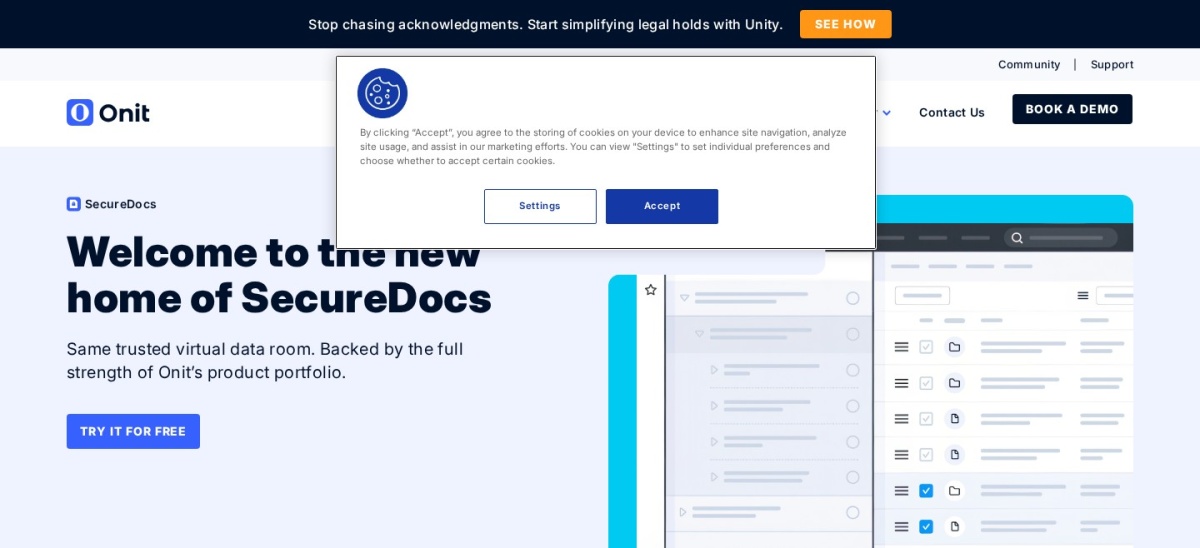
SecureDocs homepage, captured Nov 2026.
SecureDocs is a flat-fee virtual data room from Onit built for fast setup without sales negotiations. Its published entry plan costs $250/mo on a 12-month term ($3,000/yr) or $400/mo billed quarterly, and includes unlimited internal users, unlimited external guests, unlimited documents, built-in NDA gating, dynamic watermarking, audit logs, and a one-click Privacy Blind toggle.
The trade off is a dated browser-only interface with no mobile app, no public API, and no OCR search across scanned PDFs, which slows down large document reviews. Committing to the $250/mo rate also requires an annual contract. It suits small and mid-market companies running straightforward M&A or fundraising processes with large internal teams.
What we like
Truly unlimited internal administrators and external guests on every plan
No storage caps or per-page fees
Built-in NDA gating and one-click Privacy Blind access freeze
14-day free trial with self-serve credit card checkout
Watch out for
No OCR text search for scanned files
Web-only interface with no native mobile app or public API
Lowest $250/mo rate requires a 12-month commitment
Quarterly billing ($400/mo) avoids a 12-month lock-in for short-term deals.Visit securedocs.com
Advanced Data Rooms$180/mo billed yearly ($300 monthly)
Included seats3 users included + unlimited visitors
Free trial14-day free trial
docsend.com
DocSend homepage, captured Nov 2026.
DocSend is Dropbox's secure document sharing and virtual data room platform, widely used for investor pitch decks and fundraising rooms. While basic single-user link tracking starts at $10/user/mo billed yearly, multi-file Spaces with NDA gating, dynamic watermarking, and screenshot protection start on the Advanced plan at $150/mo billed yearly ($1,800/yr) for 3 users, with Advanced Data Rooms at $180/mo billed yearly ($2,160/yr).
The trade off is that DocSend lacks native redaction and Bates numbering for heavy legal M&A, and adding team seats beyond the included 3 users raises recurring costs. Single file uploads are also capped at 2 GB. It suits founders and venture teams that already use DocSend for fundraising decks and want clean visitor analytics.
What we like
Largest G2 review base in this category (592 reviews at 4.6/5)
Unlimited data rooms (Spaces) and unlimited visitors on team tiers
Strong page-by-page deck engagement analytics and version replacement
Includes built-in eSignatures and screenshot protection
Watch out for
No built-in redaction or Bates numbering for complex legal diligence
Group visitor permissions and audit logs require the $180/mo annual tier
Costs rise quickly if more than 3 internal seats need access
Advanced Data Rooms ($180/mo annual) adds group permissions, audit logs, and auto-indexing.Visit docsend.com
Entry quotas1 user, 3 data rooms, 50 guests, 100 GB
ComplianceISO 27001, SOC 2 Type II, GDPR
digify.com
Digify homepage, captured Nov 2026.
Digify is a document security and virtual data room platform built to keep control over files even after recipients download them. Its Pro plan starts at $140/mo billed annually ($1,680/yr; $200/mo monthly) and includes 1 internal user, 3 data rooms, 50 data room guests, 100 GB of storage, one-click NDA access gates, and folder-level permissions.
The trade off is strict quota caps on the Pro tier—1 internal seat and 50 guests—plus dynamic watermarking, Screen Shield, Q&A, and full Persistent Protection after Download require upgrading to the Team plan at $350/mo billed annually ($4,200/yr). It suits IP-sensitive teams that need to revoke access or block printing on downloaded files.
What we like
Can revoke access and expire files even after a recipient downloads them
ISO 27001 and SOC 2 Type II certified with 100 GB entry storage
Supports in-room Microsoft Office editing on Team plans
Free trial available without a sales call
Watch out for
Pro tier caps usage at 1 internal user, 3 rooms, and 50 guests
Dynamic watermarks and Q&A require the $350/mo annual Team tier
No permanent free plan
Team ($350/mo annual) expands limits to 3 users, 10 rooms, 200 guests, and adds Q&A.Visit digify.com
Storage modelUses existing Google Drive or Dropbox quota
Archive perk18-month free read-only archive after cancel
orangedox.com
Orangedox homepage, captured Nov 2026.
Orangedox turns existing Google Drive or Dropbox folders into tracked virtual data rooms without re-uploading files. Its Starter plan costs $55/mo billed yearly ($660/yr) for 1 admin, 5 data rooms, and 15 participants per room, while Business costs $65/mo billed yearly ($780/yr) for 2 admins, unlimited rooms, and 500 participants per room with NDA gating.
The trade off is complete reliance on Google Drive or Dropbox—you cannot upload standalone local files without cloud storage—and customization options are simpler than dedicated M&A platforms. It also has a smaller public review footprint (16 Capterra reviews at 4.8/5). It suits startups and small firms already organized in Google Workspace.
What we like
Syncs folder changes automatically from Google Drive or Dropbox
No platform storage fees; uses your existing cloud drive space
Includes an 18-month free archive of rooms and audit logs after cancellation
Low $65/mo annual Business tier supports unlimited rooms and 500 guests
Watch out for
Requires a Google Drive or Dropbox account to host source files
Visual branding and layout customization are basic
Starter plan limits rooms to 15 external participants
Business ($65/mo annual) unlocks unlimited rooms, 500 participants, and 2-year log retention.Visit orangedox.com
07
Ansarada
4.5/5on G2 (252 reviews, checked Nov 2026)
Starts at$69/mo
Best for free pre-deal room preparation
Entry paid price$69/mo on 12-mo term ($99 month-to-month)
1 GB deal tier$699/mo on 12-mo term ($1,479 monthly)
Prep policyFree until first guest invite or 90 days
ComplianceISO 27001:2022, SOC 2, 13 storage regions
ansarada.com
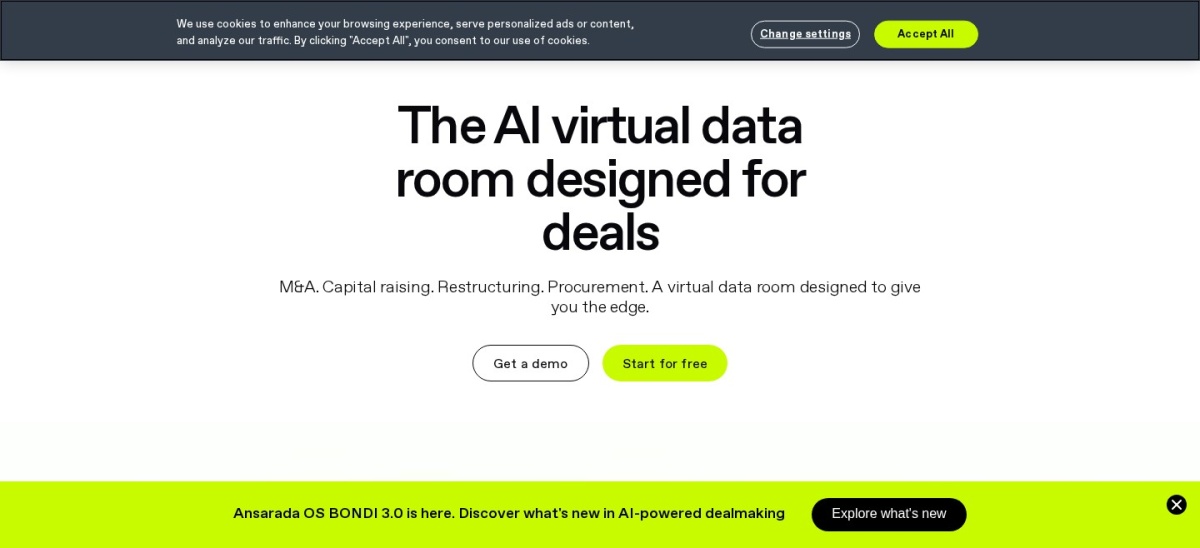
Ansarada homepage, captured Nov 2026.
Ansarada is an enterprise M&A virtual data room (owned by Datasite) that publishes storage-based pricing online and lets teams prepare rooms free until inviting an external guest or hitting 90 days. Its 50 MB Essentials tier starts at $69/mo on a 12-month term ($828/yr; $99/mo monthly) for up to 5 internal users and unlimited external guests.
The trade off is steep storage scaling: 50 MB fits only tiny document sets, and jumping to 1 GB costs $699/mo on a 12-month term ($8,388/yr), with overages billed at peak usage for the rest of the contract. It suits deal teams that want months of free room prep before launching a tightly scoped transaction.
What we like
Free room setup and preparation until your first guest enters (up to 90 days)
Published pricing tiers unlike parent company Datasite
ISO 27001:2022 certified with 13 global data-residency regions
AI deal-readiness scoring and bulk redaction on 1 GB+ plans
Watch out for
50 MB entry tier is too small for heavy diligence data
1 GB jumps to $699/mo on an annual term ($1,479/mo monthly)
Storage overages lock in at peak usage for the remainder of the term
250 MB ($244/mo annual) and 1 GB ($699/mo annual) unlock unlimited internal users and AI tools.Visit ansarada.com
CapLinked is a security-focused virtual data room built for corporate finance, legal, and M&A transactions without requiring an annual lock-in on its entry tier. The Team plan costs $399/mo ($4,788/yr) month-to-month and includes 5 GB of storage, unlimited external guests, FileProtect digital rights management, dynamic watermarks, IP whitelisting, and built-in Q&A workflows.
The trade off is a higher entry price than newer startup-focused rooms, a 5 GB storage cap on the Team plan, and no native mobile app. Moving to unlimited storage, SSO, and concierge setup requires the Enterprise tier starting at $550/mo or $5,500/yr. It suits legal and finance teams running short-term deals that need DRM and structured Q&A.
What we like
No long-term contract required on the $399/mo Team plan
Includes FileProtect DRM, dynamic watermarks, and Q&A at entry level
Unlimited external guest users with SOC 2 compliance
14-day free trial lets you test full Team features before paying
Watch out for
Higher $399/mo starting price than Papermark, Peony, or SecureDocs
Team tier caps storage at 5 GB and 1 workspace
No dedicated mobile app
Enterprise (from $550/mo or $5,500/yr) removes storage limits and adds SSO and migration help.Visit caplinked.com
Why virtual data room prices vary by 10x
Virtual data room vendors generally use one of four billing models: flat monthly room subscriptions, per-admin licenses, storage tiers, or custom per-page quotes. Flat-rate tools like SecureDocs ($250/mo) and CapLinked ($399/mo) keep costs predictable regardless of how many buyers or lawyers log in.
Storage-metered platforms like Ansarada look inexpensive at $69/mo for 50 MB, yet jump to $699/mo for 1 GB once you upload financial models, audits, and contract scans. Always estimate your total folder size in gigabytes and count internal editors before choosing a tier.
How we chose
We started with 20 virtual data room providers used across M&A, fundraising, legal diligence, and board reporting, then filtered strictly for tools with publicly listed pricing pages and active user reviews.
All prices, plan limits, G2 ratings, and Capterra ratings were verified directly against official vendor pricing pages and review profiles on 29 Nov 2026. Where a vendor offers both monthly and annual billing, we list the regular annual per-month rate alongside the monthly rate in each review.
We excluded legacy quote-only vendors—including Datasite, Intralinks, iDeals, Firmex, and DealRoom—because buyers cannot verify regular entry prices without a sales call, and we excluded general cloud drives like Google Drive that lack native NDA gating and dynamic watermarks. No vendor paid for a place, and we do not claim testing for this list.
How to pick the right virtual data room in 4 steps
Follow these four steps to match a virtual data room's pricing model and security controls to your transaction.
Measure your total document size before comparing tiers. Light pitch decks and cap tables fit inside 50 MB to 500 MB, whereas full M&A diligence rooms with scanned contracts and CAD files easily exceed 2 GB and trigger steep overage fees on storage-metered plans.
Separate internal administrators from external viewers. Most modern VDRs let unlimited external investors or bidders view files for free, charging only for internal team members who upload documents and manage permissions.
Check which tier unlocks NDA gating and dynamic watermarks. Several vendors advertise low entry prices on basic link-sharing plans while locking mandatory data room controls like clickwrap NDAs, dynamic watermarks, and audit logs behind higher tiers.
Match contract length to your deal timeline. If you are running a single 90-day fundraise or sale, paying $399/mo month-to-month can cost less than signing a $250/mo 12-month contract you will not use after closing.
FAQ
What is the best virtual data room software in 2026?
Papermark is the best overall virtual data room software for most teams in 2026. It offers a permanent free plan for single-document sharing and a $119/mo annual Data Rooms tier with unlimited rooms, unlimited storage, NDA gating, and page-level analytics.
Is there a free virtual data room software?
Yes, Papermark and Peony both offer permanent free plans for basic document sharing and engagement tracking. However, full multi-file virtual data rooms with NDA gating and dynamic watermarks require paid plans starting at $30/admin/mo on Peony or $119/mo on Papermark.
How much does virtual data room software cost?
Virtual data rooms with published pricing range from $360/yr ($30/admin/mo billed annually on Peony Business) to $4,788/yr ($399/mo on CapLinked Team). Quote-only enterprise platforms like Datasite and Intralinks typically cost $10,000 to $60,000+ per year.
Which virtual data room is best for startups raising capital?
Papermark, Peony, and DocSend are the strongest fits for startup fundraising. All three include unlimited external investor views, page-by-page pitch deck analytics, and NDA gating without forcing founders into multi-thousand-dollar enterprise contracts.
Papermark vs SecureDocs: which should I choose?
Choose Papermark ($1,428/yr for 3 internal users) if you want page-by-page visitor analytics, a modern interface, or open-source self-hosting. Choose SecureDocs ($3,000/yr) if you have a large internal team that needs unlimited administrator seats and a one-click Privacy Blind toggle.
SaaS SEO and WordPress specialist with about 8 years of experience. Rakib compares WordPress plugins, themes, hosting and software using public pricing, documentation and user reviews. See how we rank.