Loom is the best video recording software for fast screen-and-camera sharing, holding a 4.7 rating across 2,619 G2 reviews with a free plan capped at 25 videos and 5 minutes each. For transcript-first editing pick Descript, for remote podcasts pick Riverside, and for zero-cost local capture pick OBS Studio.
How we make this list: we compare pricing pages, product documentation and public user reviews, then re-check every price before each update. No product paid for a place. Disclosure.
Loom holds a 4.7 G2 rating across 2,619 reviews and starts at $18/mo per user for Business.
Descript scores 4.6 on G2 across 940 reviews with a free tier offering 1 media hour per month.
Riverside earns 4.8 on G2 across 1,761 reviews for browser-based local track recording.
Camtasia scores 4.6 on G2 across 1,791 reviews, while its $39/yr Starter plan keeps export watermarks.
ScreenPal starts at $4/mo on G2's 4.5-rated platform with 139 reviews for budget video creation.
How do you choose the best video recording software?
Recording speed and post-production depth pull buyers in opposite directions. Browser-first recorders prioritize instant links and viewer tracking, while desktop suites prioritize timeline control and high-bitrate local files.
Free plans almost always restrict either recording length or export cleanliness. A 5-minute cap works for quick bug reports, whereas multi-part tutorials or client demos quickly push teams onto paid tiers.
Per-seat pricing scales fast once whole departments record regularly. A tool that feels cheap for two teammates can become a noticeable annual bill when product, sales, and support all need recording access.
AI features such as filler-word removal and transcript editing now sit across many plans. Checking whether those tools belong to the base paid tier or a higher add-on saves surprises at checkout.
Loom is a screen and camera recorder built around instant link sharing and viewer engagement. Its free plan includes up to 25 videos per person with a 5-minute recording cap and 720p quality.
The trade off is per-seat cost and basic editing, with Business priced at $18 per user per month on monthly billing. It suits distributed teams sending frequent status updates, bug walkthroughs, and short client notes.
What we like
Records screen, camera, and audio with immediate share links
Free plan includes transcriptions in 50+ languages
Business tier removes the 5-minute cap and adds 4K quality
Viewer insights help track watch activity on paid plans
Watch out for
Free tier caps each recording at 5 minutes and 25 videos
AI summaries and filler-word removal sit on Business + AI
Per-seat pricing adds up as more teammates record
Business unlocks unlimited videos and recording time, 4K export, downloads, and custom branding.Visit loom.com
02
Riverside
4.8/5on G2 (1,761 reviews, checked Nov 2026)
Starts at$29/mo
Best for remote interviews and podcasts
Free tierTrial available
Entry paid$29/mo
Track captureSeparate local tracks
Review score4.8/5 on G2
riverside.com
Riverside homepage, captured Nov 2026.
Riverside is a browser-based recording studio that captures separate local audio and video tracks for remote guests. Reviewers on Capterra list Pro starting at $29 per month with 15 hours of separate-track downloads.
The trade off is monthly cost and fewer fine-grained timeline controls than a dedicated desktop editor. It suits podcasters, interviewers, and marketing teams recording multi-guest video sessions.
What we like
High 4.8 G2 rating across 1,761 reviews
Supports up to 4K video and 48 kHz audio on Pro
Includes screen sharing, live streaming, and automatic transcription
Helps generate short clips and show notes from recordings
Watch out for
No free-forever plan listed on Capterra
Timeline editing is less granular than full non-linear editors
Heavy browser workflows can hit occasional connection or lag hiccups
Pro adds watermark-free exports up to 4K, 48 kHz audio, screen sharing, and live streaming.Visit riverside.com
03
Descript
4.6/5on G2 (940 reviews, checked Nov 2026)
Paid from$35/mo
Best for text-based video editing
Free tier60 media min/mo
Entry paid$35/mo (Creator)
Annual option$24/mo (Creator)
Review score4.6/5 on G2
descript.com
Descript homepage, captured Nov 2026.
Descript is a screen recorder and video editor that lets you cut clips by editing text on a transcript. Its free plan includes 60 media minutes per month, 100 one-time AI credits, and 2 hours of remote recording session time.
The trade off is monthly price and credit consumption, with Creator listed at $35 per month or $24 per month billed annually. It suits creators and educators who want fast spoken-word edits without learning a traditional timeline.
What we like
Text-based editing speeds up cutting mistakes and filler words
Free plan lets you test transcription and recording before paying
Creator includes 30 media hours and 800 AI credits per editor each month
Includes Studio Sound and multi-track editing tools
Watch out for
AI features consume monthly credits
Cloud-heavy projects can feel sluggish on slower connections
Monthly plan costs $35 before annual billing savings
Creator expands monthly capacity to 30 media hours and 800 AI credits per editor with 4K watermark-free export.Visit descript.com
04
Camtasia
4.6/5on G2 (1,791 reviews, checked Nov 2026)
Starts at$39/yr
Best for detailed training and tutorials
Free tierWatermarked exports
Entry paid$39/yr (Starter)
Clean exports$179.88/yr (Essentials)
Review score4.6/5 on G2
techsmith.com
Camtasia homepage, captured Nov 2026.
Camtasia is a desktop screen recorder and multitrack video editor built for structured training and instructional videos. Its Starter plan lists at $39 per year, while exports remain watermarked until Essentials at $179.88 per year.
The trade off is annual commitment and a steeper editing learning curve than quick browser recorders. It suits training teams, course creators, and educators producing multi-step walkthroughs.
What we like
4.6 G2 rating across 1,791 reviews
Captures screen, camera, and audio tracks for detailed timeline editing
Supports interactive quizzes and e-learning workflows
Includes cursor callouts, annotations, and captioning tools
Watch out for
Starter plan at $39/yr still exports with a watermark
Annual billing only with no monthly option
Takes more time to learn than lightweight screen recorders
Essentials at $179.88/yr removes export watermarks and pairs editor, audio cleanup, and screen capture tools.Visit techsmith.com
05
ScreenPal
4.5/5on G2 (139 reviews, checked Nov 2026)
Paid from$4/mo
Best budget recorder for classrooms and teams
Free tier15 min recording limit
Entry paid$4/mo (Deluxe)
Next tier$10/mo (Max)
Review score4.5/5 on G2
screenpal.com
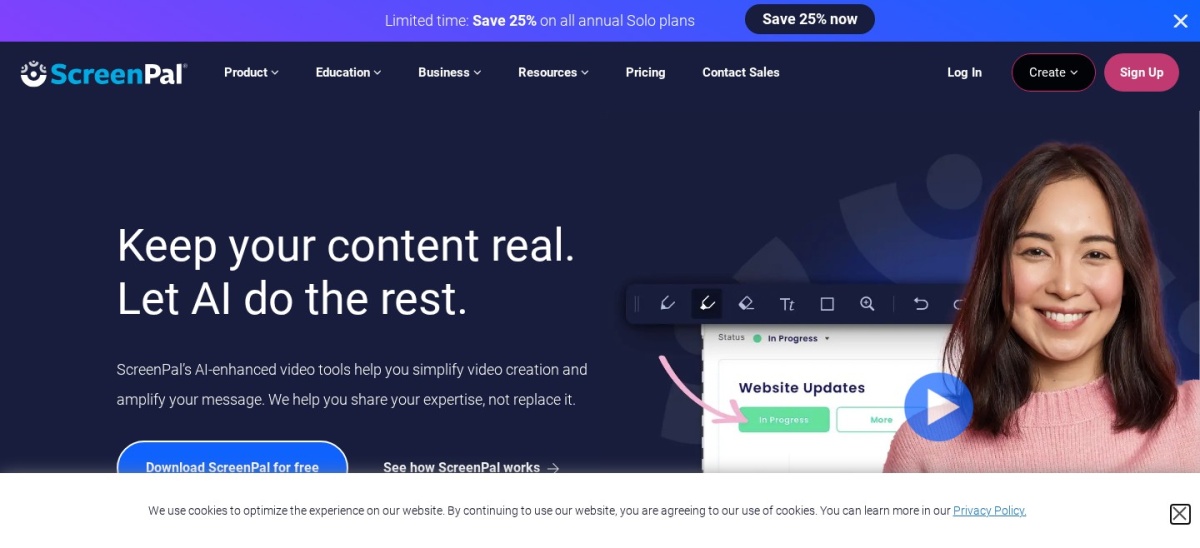
ScreenPal homepage, captured Nov 2026.
ScreenPal is a screen recorder and video editor with built-in hosting and classroom-friendly sharing tools. Its free plan includes basic capture with a 15-minute limit, while Deluxe starts at $4 per month.
The trade off is a simpler feature set than enterprise video platforms. It suits teachers, trainers, and small teams that want affordable recording and light editing in one place.
What we like
Low $4/mo Deluxe starting price on G2
Free plan available for basic screen recording
Supports text, image, zoom, and caption edits
Includes video hosting and embedding options
Watch out for
Free plan caps recording length at 15 minutes
Lacks deep CRM and outbound sales automation
Smaller G2 review count than Loom or Camtasia
Deluxe unlocks unlimited screen recordings and expands editing and sharing tools.Visit screenpal.com
06
Vidyard
4.5/5on G2 (842 reviews, checked Nov 2026)
Paid from$24/mo
Best for sales video and viewer tracking
Free tierAvailable with limits
Entry paid$24/seat/mo yearly
Higher tier$59/seat/mo yearly
Review score4.5/5 on G2
vidyard.com
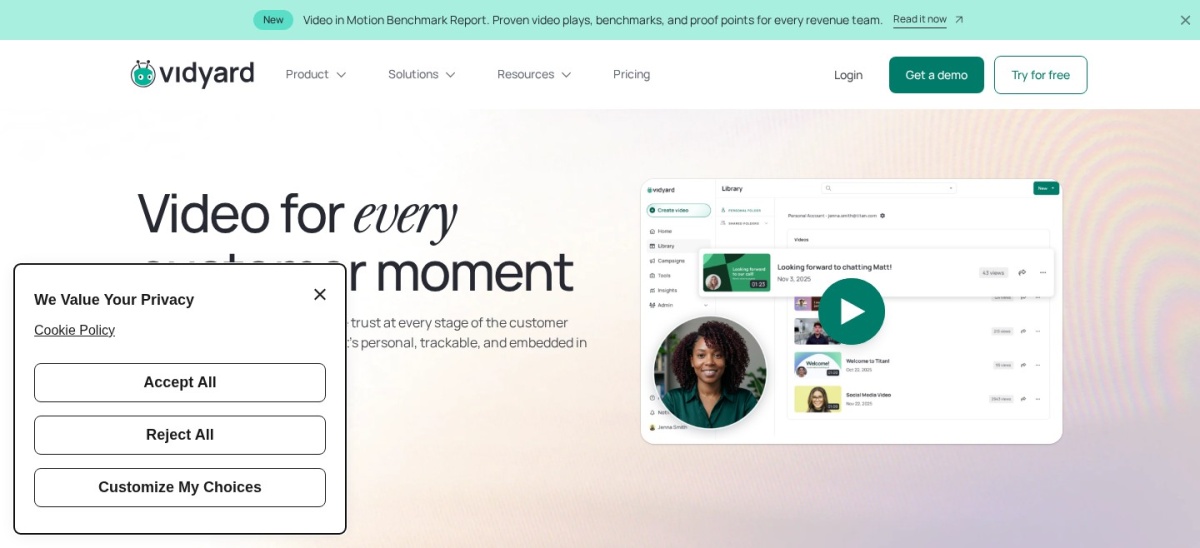
Vidyard homepage, captured Nov 2026.
Vidyard is a video recording and sharing platform built around sales outreach, calls to action, and viewer analytics. It offers a free plan to start, with paid tiers starting from $24 per seat per month billed annually.
The trade off is per-seat pricing aimed at revenue teams rather than heavy post-production editing. It suits sales reps, account executives, and customer-facing teams tracking prospect engagement.
What we like
4.5 G2 rating across 842 reviews
Tracks viewer engagement and adds clickable calls to action
Works smoothly inside browser and email workflows
Free plan lets individuals try recording and sharing first
Watch out for
Per-seat costs rise as larger teams adopt video outreach
Less suited to complex timeline video editing
Higher tiers cost significantly more per seat
Paid plans add unlimited video recording, full video analytics, branded sharing pages, and call-to-action templates.Visit vidyard.com
07
OBS Studio
4.7/5on G2 (221 reviews, checked Nov 2026)
PriceFree
Best free software for local capture and streaming
CostFree, open source
PlatformsWindows, macOS, Linux
Recording limitNo length cap
Review score4.7/5 on G2
obsproject.com
OBS Studio homepage, captured Nov 2026.
OBS Studio is free, open-source software for local video recording and live streaming across Windows, macOS, and Linux. It has no paid plans, no watermarks, and no recording length limits.
The trade off is manual setup and no built-in cloud sharing or timeline editor. It suits streamers, technical creators, and budget-conscious users who want local files with full source control.
What we like
Completely free with no watermarks or recording time caps
Supports multi-source scenes, audio filters, and hardware encoding
Runs on Windows, macOS, and Linux
Back-end community funding keeps the core app free
Watch out for
Requires upfront configuration of scenes, sources, and encoders
No built-in video trimming or shareable cloud links
Overkill for quick one-off screen messages
All recording, scene mixing, audio, and streaming features are free with no paid upgrades.Visit obsproject.com
How we chose
This list brings together established video recording tools across quick team sharing, remote podcasts, transcript editing, sales outreach, structured tutorials, and free local capture.
Prices, plan limits, and review figures were checked on 29 Nov 2026 using G2 review listings and public pricing information.
Tools that lacked verifiable pricing or current maintenance signals were left out so every entry reflects active software. No vendor paid for a place, and we do not claim testing for this list.
How to pick the right video recorder
Follow four practical checks before paying for a plan:
Match the workflow to your main output. Choose instant link sharing for short team updates, local multi-track capture for interviews, or timeline editing for courses.
Check free plan caps against real habits. Count how often you record past 5 or 15 minutes or need watermark-free exports.
Calculate total team cost across seats. Multiply per-user monthly or annual rates by everyone who will record, not just viewers.
Verify where AI and editing tools sit. Confirm whether transcription, filler removal, or 4K exports require a higher tier.
FAQ
What is the best video recording software in 2026?
Loom is a top pick for fast screen-and-camera sharing with a 4.7 G2 rating across 2,619 reviews. The best choice depends on whether you prioritize quick links, transcript editing, remote guest recording, or free local capture.
What is the best free video recording software?
OBS Studio is the strongest free option with no watermarks or time limits, while Loom and ScreenPal offer free tiers with recording caps. Free plans work best for occasional clips or testing workflows before upgrading.
How much does video recording software usually cost?
Entry paid plans range from free open-source tools up to tens of dollars per month depending on seats and features. Budget tools like ScreenPal start at $4/mo, while team and editing platforms cost more.
Which tool is better for editing spoken videos: Loom or Descript?
Descript is built for editing video by editing its transcript and includes Studio Sound and filler-word tools. Loom is faster for quick async clips and viewer insights rather than detailed post-production.
What should small teams or beginners look for first?
Beginners and small teams usually benefit from simple screen-and-camera capture, clear sharing links, and a free tier to test habits. Avoid paying for advanced seat or AI tiers until your team records weekly.
SaaS SEO and WordPress specialist with about 8 years of experience. Rakib compares WordPress plugins, themes, hosting and software using public pricing, documentation and user reviews. See how we rank.