For most creators, Descript is the best video recording and editing software in 2026, combining screen and room capture with text-based timeline edits and a 4.6 rating on G2 across 940 reviews. For fast team link sharing, Loom fits async updates, while Tella suits polished product demos.
How we make this list: we compare pricing pages, product documentation and public user reviews, then re-check every price before each update. No product paid for a place. Disclosure.
Descript starts at $16/mo billed yearly ($192/yr) for Hobbyist with 10 media hours and 1080p watermark-free exports.
Loom has a free Starter plan for 25 videos up to 5 minutes each, with Business starting at $18/mo per user.
Tella starts at $13/mo per user billed annually ($156/yr) for Pro, with no free-forever tier.
Camtasia lists Starter at $39/yr with watermarked exports and Essentials at $179.88/yr for clean exports.
OBS Studio and DaVinci Resolve offer free core tiers, with DaVinci Resolve Studio priced at $295 one-time.
How do you choose the best video recording and editing software?
Picking the right tool depends on whether you record raw captures or edit finished stories. Recording-first apps prioritize quick links and multi-source capture, while timeline editors focus on cuts, captions, and pacing.
Pricing models split sharply between monthly seats, annual bundles, and one-time licenses. A low entry price can still cost more over a year if a plan caps recording length, watermarks exports, or charges extra for AI credits.
Free tiers often carry strict limits that shape daily output. Some tools cap recording length or resolution on free accounts, while open-source desktop apps keep exports free at the cost of extra setup time.
Descript is a video and audio editor with built-in screen and remote room recording that lets you cut clips by editing text. The free plan includes 60 media minutes per month, 100 one-time AI credits, and 720p exports with a watermark.
The trade off is paying $16/mo billed yearly ($24/mo monthly) on Hobbyist for 1080p watermark-free exports and tracking both media hours and AI credits. It suits creators who record talking-head videos, tutorials, or podcasts and want fast text cuts.
What we like
Text-based transcript editing speeds up cutting spoken mistakes
Combines screen recording, remote rooms, and timeline editing
Hobbyist removes watermarks and unlocks 1080p exports
Watch out for
Free plan exports at 720p with a watermark
Usage splits across media hours and monthly AI credits
Hobbyist ($192/yr billed annually) adds 10 media hours/mo, 400 monthly AI credits, and 1080p watermark-free export.Visit descript.com
02
Loom
4.6/5on Capterra (649 reviews, checked Nov 2026)
Paid from$18/mo
Best for quick async screen messages and link sharing
Entry paid price$18/user/mo on Business
Free plan25 videos up to 5 mins each, up to 720p
Recording capUnlimited length on Business
AI editing tierBusiness + AI at $24/user/mo
loom.com
Loom homepage, captured Nov 2026.
Loom is a screen and camera recording tool built around instant shareable links and basic browser trimming. Its free Starter plan gives each person up to 25 videos capped at 5 minutes each, with recording quality up to 720p.
The trade off is paying $18/user/mo on Business ($216/yr per user) to remove video and length limits, while AI edits sit on Business + AI at $24/user/mo. It suits distributed teams sending frequent walkthroughs and status updates.
What we like
Fast recording and shareable links for async team updates
Starter plan includes transcriptions in 50+ languages
Business removes video count and 5-minute recording caps
Watch out for
Free Starter caps videos at 25 per person and 5 minutes each
AI editing tools require upgrading to Business + AI
Business ($18/user/mo) removes recording count and length limits and adds basic editing and branding removal.Visit loom.com
03
Tella
4.8/5on G2 (2 reviews, checked Nov 2026)
Starts at$156/yr
Best for styled product demos and auto-zoom walkthroughs
Export resolutionUp to 4K on Pro; 60 FPS on Premium
Monthly credits9,000 credits/user/mo on Pro
tella.com
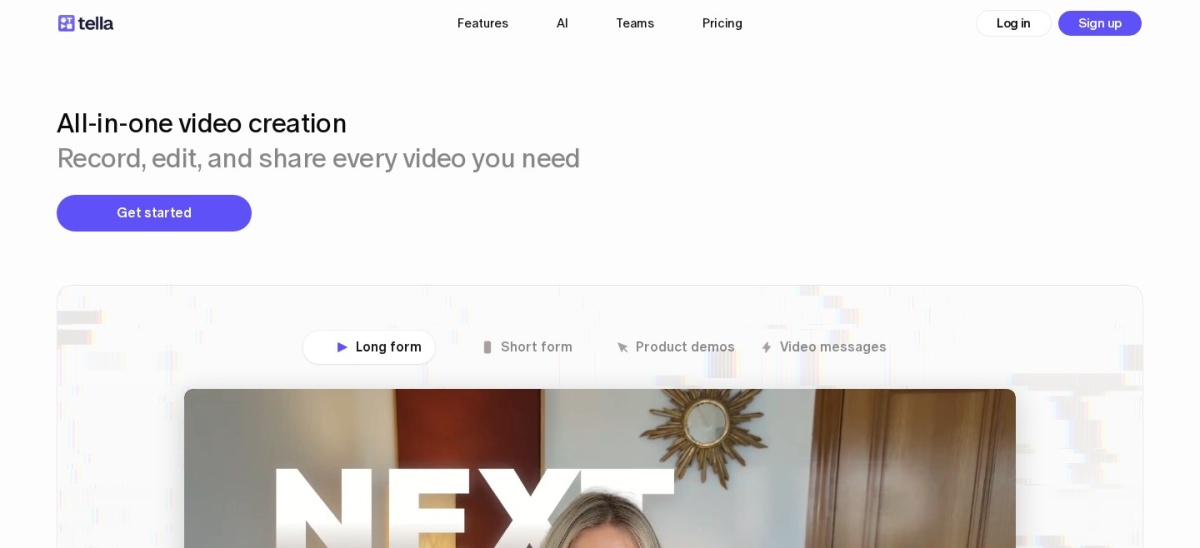
Tella homepage, captured Nov 2026.
Tella is a screen recorder and video editor designed to turn raw captures into polished demos with camera layouts and zoom effects. It does not offer a free-forever plan, starting with a 7-day trial instead.
The trade off is paying $13/user/mo billed annually ($156/yr) or $16/mo monthly on Pro before getting ongoing access. It suits founders, marketers, and educators producing product demos and tutorials.
What we like
Built for clean camera layouts, zooms, and demo polish
Pro includes 4K exports and 9,000 monthly credits per user
Available across macOS, Windows, and web
Watch out for
No free-forever plan beyond a 7-day trial
Monthly credits expire at the end of each billing cycle
Pro ($13/user/mo billed annually) adds unlimited videos, 4K exports, and 9,000 monthly credits per user.Visit tella.com
04
Camtasia
4.6/5on G2 (1,791 reviews, checked Nov 2026)
Starts at$39/yr
Best for structured training videos and courses
Entry paid price$39/yr on Starter (watermarked)
Clean export tier$179.88/yr on Essentials
Billing modelAnnual subscriptions only
Higher tiersCreate at $249/yr; Pro at $599/yr
techsmith.com
Camtasia homepage, captured Nov 2026.
Camtasia is a desktop screen recorder and video editor built for training modules, software demos, and instructional content. It has no free-forever plan and prices its entry Starter tier at $39/yr with watermarked exports.
The trade off is paying $179.88/yr on Essentials for watermark-free exports and annual billing only with no monthly option. It suits trainers and educators building structured how-to videos.
What we like
Purpose-built for software walkthroughs and instructional video
Essentials ($179.88/yr) removes export watermarks and adds text-based audio editing and captions.Visit techsmith.com
05
CapCut
4.6/5on G2 (1,753 reviews, checked Nov 2026)
Paid from$179.99/yr
Best for short-form social clips and fast templates
Entry paid price$179.99/yr on Pro ($19.99/mo monthly)
Free planFree basic timeline and templates
Pro storage1 TB cloud storage
Pro AI credits1,200 AI credits/mo
capcut.com
CapCut homepage, captured Nov 2026.
CapCut is a multi-platform video editor popular for short-form social clips, captions, and quick templates. Its free tier provides basic editing tools and free templates without an upfront subscription.
The trade off is paying $179.99/yr on Pro ($19.99/mo monthly) for 1,200 monthly AI credits, 1 TB storage, and full Pro tools while many templates and effects sit behind paid tiers. It suits short-form social creators.
What we like
Fast template and caption workflow for short-form video
Free tier lets you start editing at no cost
Pro includes 1 TB cloud storage and 1,200 monthly AI credits
Watch out for
Many templates, effects, and AI tools require a paid plan
Less suited to complex multi-track film grading
CapCut Pro ($179.99/yr or $19.99/mo) adds 1,200 monthly AI credits, 1 TB storage, and Pro assets.Visit capcut.com
06
OBS Studio
4.6/5on G2 (141 reviews, checked Nov 2026)
PriceFree
Best free multi-source recorder and live broadcaster
Entry paid priceFree (no paid plan)
LicenseFree and open-source
Core workflowMulti-source recording and live streaming
Built-in editingCapture and scene switching, not a full NLE
obsproject.com
OBS Studio homepage, captured Nov 2026.
OBS Studio is a free, open-source application for capturing screens, webcams, game feeds, and audio tracks while recording or live streaming. It has no paid plan or subscription fees.
The trade off is setting up scenes and audio sources manually without a full timeline editor or official customer support line. It suits creators who want zero-cost multi-source capture and pair it with a separate editor.
What we like
Completely free with no watermarks, time caps, or paid tiers
Flexible scene layouts and multi-source audio routing
Supports both local recording and live streaming
Watch out for
Steeper initial setup than one-click screen recorders
Requires a separate video editor for post-production cuts
OBS Studio is free with no paid plans, so advanced post-production happens in a separate editor.Visit obsproject.com
07
DaVinci Resolve
4.8/5on Capterra (273 reviews, checked Nov 2026)
Paid from$295 one-time
Best free professional editor with a one-time Studio option
Entry paid price$295 one-time for DaVinci Resolve Studio
Free planFree standard edition with core editing and color
SubscriptionNo recurring subscription for Studio
ScopeEditing, color grading, Fusion VFX, and Fairlight audio
blackmagicdesign.com
DaVinci Resolve homepage, captured Nov 2026.
DaVinci Resolve is a desktop editing, color grading, visual effects, and audio post-production suite rather than a quick browser screen recorder. Its free standard version already includes extensive editing and color tools.
The trade off is a steeper learning curve than simple screen recorders and paying $295 one-time (note: a $236 promotional sale has appeared in 2026) for Studio neural and advanced features. It suits editors doing heavy post-production.
What we like
Generous free edition with no recurring subscription required
One-time $295 Studio license avoids ongoing monthly fees
Deep editing, color, fusion, and audio tools in one app
Watch out for
Steeper learning curve for beginners and casual recorders
Not built for instant browser link sharing like Loom
DaVinci Resolve Studio ($295 one-time regular price) adds the DaVinci Neural Engine and extra Studio tools.Visit blackmagicdesign.com
Should you pick a recorder-first app or a timeline editor?
Tools built around recording focus on speed from capture to share link. Loom and Tella get screen and camera footage onto a link or into a simple polish view with minimal setup.
Timeline editors focus on multi-track cuts, captions, color, and pacing after you hit stop. Descript bridges both by tying transcript edits directly to video cuts, while DaVinci Resolve handles heavy post-production.
How we chose
This list focuses on established software for recording and editing video, verified against official vendor pages and public review directories.
Every price, free-tier limit, and review rating was checked on 29 Nov 2026 using regular list prices rather than temporary discounts.
Tools without verifiable current pricing or public review data were left out so every entry reflects documented terms. No vendor paid for a place, and we do not claim testing for this list.
How to pick the right setup in four steps
Match the software to your recording format, export limits, and annual budget before committing.
Start with how you plan to share. Choose an async recorder like Loom if you share quick links with teammates, or a desktop editor if you export finished video files.
Check free-tier caps against real projects. Look closely at recording time limits, watermarks, and resolution caps on free plans before assuming they cover regular publishing.
Compare yearly and one-time costs. Multiply monthly rates across a full year or compare one-time Studio pricing so introductory discounts do not surprise you later.
Confirm AI and storage meters. Check whether AI features rely on monthly credits or separate add-ons that can reset or run out during busy weeks.
FAQ
What is the best video recording and editing software in 2026?
Descript is our top pick overall because it pairs screen and room recording with transcript-based editing and holds a 4.6 rating on G2 across 940 reviews. Loom and Tella are strong alternatives for quick link sharing and product demos.
What is the best free video recording and editing option?
OBS Studio is free with no paid plan for multi-source screen capture and streaming, while DaVinci Resolve offers a free edition for heavy timeline and color editing. Loom and Descript also offer free tiers with recording or export limits.
How much does paid video recording and editing software cost?
Entry paid plans vary widely: Camtasia Starter lists at $39/yr with watermarks, Tella Pro is $13/user/mo billed annually ($156/yr), Descript Hobbyist is $16/mo billed yearly ($192/yr), and DaVinci Resolve Studio is $295 one-time.
Which tool is better for beginners and small teams?
Loom and Descript are easier for small teams to adopt quickly than multi-mode post-production suites. Loom fits fast async updates, while Descript works well when you want to edit spoken videos by deleting words in a transcript.
Descript vs. Loom: which should you pick?
Pick Descript if you spend time trimming recordings, cleaning audio, and editing around a transcript. Pick Loom if your main goal is recording short screen updates and sharing a link with teammates in seconds.
Do free plans put a watermark on exported videos?
Yes on several tools: Descript's free plan exports 720p with a watermark, and Camtasia's $39/yr Starter plan also watermarks exports. OBS Studio and DaVinci Resolve do not add watermarks.
SaaS SEO and WordPress specialist with about 8 years of experience. Rakib compares WordPress plugins, themes, hosting and software using public pricing, documentation and user reviews. See how we rank.