What is the best video noise reduction software? Neat Video is the top choice for dedicated grain and noise removal, with single-host licenses starting at $79.90 before sales. DaVinci Resolve Studio fits editors wanting built-in spatial and temporal noise reduction for a $295 one-time fee, while Topaz Video targets heavy AI restoration.
How we make this list: we compare pricing pages, product documentation and public user reviews, then re-check every price before each update. No product paid for a place. Disclosure.
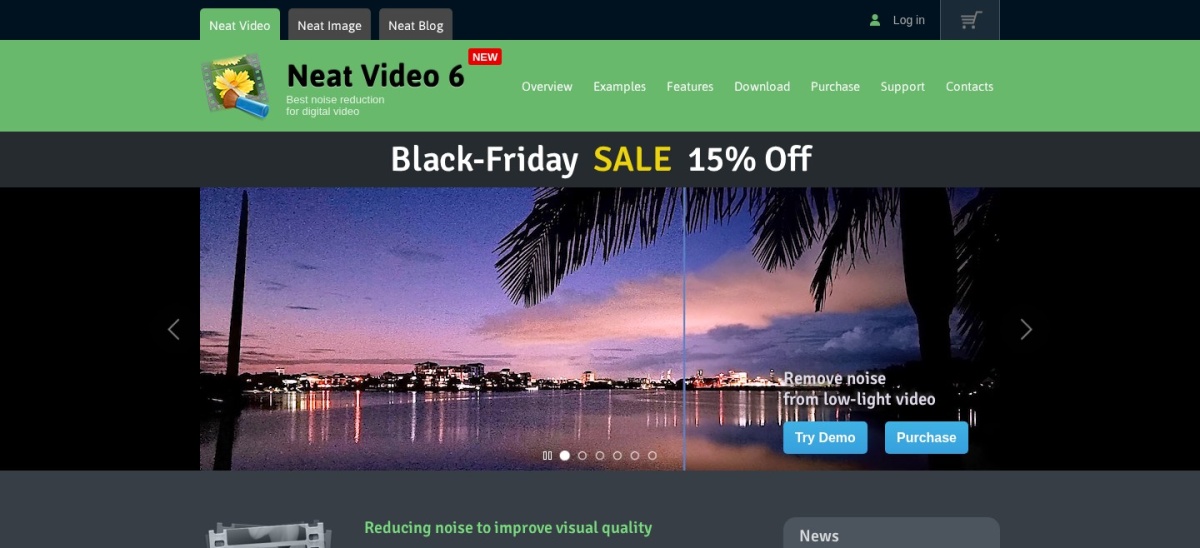
Neat Video starts at $79.90 one-time per host (with a 15% sale noted at $67.90) and supports temporal, spatial, flicker, and dust cleanup.
DaVinci Resolve offers a free edition and a $295 one-time Studio license rated 4.8/5 across 273 Capterra reviews.
Topaz Video lists a $299/yr regular annual plan (with a $254/yr sale noted) and includes cloud video credits.
Wondershare Filmora starts at $49.99/yr or $79.99 one-time and is rated 4.5/5 across 736 Capterra reviews.
Adobe Premiere Pro starts at $22.99/mo (~$276/yr) on an annual plan and is rated 4.5/5 across 1,736 G2 reviews.
VEGAS Pro starts at $11.99/mo on Capterra's listing and holds a 4.6/5 rating across 156 Capterra reviews.
How do you choose the best video noise reduction software?
Choosing the right denoiser starts with deciding whether you need a specialized plugin or a full editor. Dedicated plugins analyze camera noise profiles closely, whereas built-in timeline tools keep color grading and cutting in one window.
Licensing costs vary widely between one-time purchases and recurring plans. A single upfront license can cost less over multi-year use than an annual subscription, especially when no cloud rendering credits are needed.
Hardware and clip conditions shape which engine works best. High-ISO low-light grain responds well to temporal frame analysis, while heavily degraded or low-resolution footage often benefits from neural models.
Check resolution caps and commercial terms before buying entry tiers. Some budget licenses limit frame dimensions or require higher tiers for commercial client work.
Neat Video is a specialized noise reduction plugin for video editors that profiles camera grain and offers a free Demo edition. Entry single-host licenses start at $79.90 at regular pricing (with a 15% sale listed at $67.90), while Home caps output at 1920x1080 and one GPU.
The trade off is paying per host application and stepping up to Pro at $149.90 or higher for commercial use and multi-GPU support. It suits editors who want targeted grain, flicker, and dust removal inside their existing NLE.
What we like
Dedicated temporal and spatial noise filters with noise profiling
Handles flicker, dust, scratches, and compression artifacts
Free Demo edition available before purchasing a license
Supports major host editors including Premiere Pro, DaVinci Resolve, and Final Cut
Watch out for
Requires a separate license per host application
Home edition restricts resolution to 1920x1080 and non-commercial use
Heavy filtering can soften fine detail if over-applied
Paid licenses add full noise filtering controls, GPU acceleration, and higher-tier commercial or multi-GPU options.Visit neatvideo.com
02
DaVinci Resolve
4.8/5on Capterra (273 reviews, checked Nov 2026)
Paid from$295 one-time
Best for all-in-one editing and color workflows
Studio price$295 one-time
Free versionAvailable
Capterra rating4.8/5 (273 reviews)
WorkflowEditing, color, VFX, audio
blackmagicdesign.com
DaVinci Resolve homepage, captured Nov 2026.
DaVinci Resolve is a full post-production suite combining editing, color grading, Fusion VFX, and Fairlight audio with a free base edition. Stepping up to DaVinci Resolve Studio costs $295 one-time and adds temporal and spatial noise reduction plus neural engine features.
The trade off is the $295 upfront cost for Studio noise reduction and a steep learning curve across its workspaces. It suits editors and colorists who want integrated denoising without recurring subscription fees.
What we like
One-time $295 Studio license with no monthly subscription
Includes temporal and spatial noise reduction alongside color grading
High 4.8/5 rating across 273 Capterra reviews
Free version available to test the core editing workspace
Watch out for
Steep learning curve for newcomers to node-based and multi-page tools
Demanding on GPU and system hardware during heavy effects work
DaVinci Resolve Studio adds temporal and spatial noise reduction, Neural Engine tools, and higher-resolution finishing capabilities.Visit blackmagicdesign.com
03
Wondershare Filmora
4.5/5on Capterra (736 reviews, checked Nov 2026)
Paid from$49.99/yr
Best for approachable timeline editing and value
Annual plan$49.99/yr
One-time option$79.99
Capterra rating4.5/5 (736 reviews)
Free optionFree version available
filmora.wondershare.com
Wondershare Filmora homepage, captured Nov 2026.
Wondershare Filmora is a desktop and mobile video editor offering timeline noise reduction sliders, AI tools, and a free version. Paid annual plans start at $49.99/yr, with a one-time license available at $79.99.
The trade off is meter-based AI credits, separate business licensing for commercial teams, and less granular control than pro suites. It suits creators who want fast timeline editing at a low entry price.
What we like
Low entry cost at $49.99/yr or $79.99 one-time
Accessible timeline interface suited to newer editors
Rated 4.5/5 across 736 Capterra reviews
Available across Windows, Mac, and mobile
Watch out for
Free tier exports include a watermark
Certain AI features rely on credit allowances and add-ons
Paid Filmora plans remove free-tier watermarks and unlock broader editing features and AI allowances.Visit filmora.wondershare.com
04
Topaz Video
4.7/5on G2 (6 reviews, checked Nov 2026)
Starts at$299/yr
Best for AI denoising and footage restoration
Regular annual price$299/yr
Sale price noted$254/yr
G2 rating4.7/5 (6 reviews)
RenderingLocal and cloud credits
topazlabs.com
Topaz Video homepage, captured Nov 2026.
Topaz Video is an AI video enhancement and denoising application with specialized models such as Nyx for grain reduction alongside upscaling and stabilization. Its regular Video annual plan is $299/yr (with a $254/yr sale noted) and includes 200 monthly cloud video credits.
The trade off is the higher annual price, monthly cloud credit expiration without rollover, and slower processing on modest hardware. It suits creators restoring grainy, low-light, or archival clips who want AI enhancement models.
What we like
Dedicated AI video models for denoising, sharpening, and upscaling
Supports both local rendering and monthly cloud video credits
Integrates with workflows alongside major editing tools
Watch out for
Higher annual cost than many general video editors
Monthly cloud credits expire without rolling over
Processing can be slow on older or lower-VRAM machines
Paid Topaz Video plans unlock full video enhancement models, local rendering, and monthly cloud video credits.Visit topazlabs.com
05
Adobe Premiere Pro
4.5/5on G2 (1,736 reviews, checked Nov 2026)
Starts at$22.99/mo
Best for Creative Cloud and multi-app editors
Annual plan price$22.99/mo
G2 rating4.5/5 (1,736 reviews)
EcosystemAdobe Creative Cloud
WorkflowTimeline editing & audio cleanup
adobe.com
Adobe Premiere Pro homepage, captured Nov 2026.
Adobe Premiere Pro is a professional non-linear video editor with timeline effects, audio cleanup tools, and tight integration with After Effects and Audition. Individual annual pricing starts at $22.99/mo (~$275.88/yr).
The trade off is ongoing subscription billing rather than a one-time license, plus heavy hardware demands on complex timelines. It suits editors already working inside Creative Cloud who want one unified post-production workflow.
What we like
Strong integration with After Effects, Audition, and Creative Cloud
Broad native codec support across camera formats
Established review base with 4.5/5 across 1,736 G2 reviews
Watch out for
Subscription-only pricing adds up over multiple years
Can lag or demand strong hardware on dense multi-layer timelines
A Premiere Pro subscription provides ongoing updates, cloud project features, and access to built-in timeline and audio cleanup tools.Visit adobe.com
06
VEGAS Pro
4.6/5on Capterra (156 reviews, checked Nov 2026)
Starts at$11.99/mo
Best for fast timeline editing on Windows
Capterra starting price$11.99/mo
Capterra rating4.6/5 (156 reviews)
PlatformWindows
Core strengthsTimeline editing & audio tools
vegascreativesoftware.com
VEGAS Pro homepage, captured Nov 2026.
VEGAS Pro is a timeline-based video and audio editor for Windows offering event-level effects, color grading, and multitrack audio tools. Capterra lists starting pricing at $11.99/mo, with a 4.6/5 rating across 156 reviews.
The trade off is Windows-only availability and extra cost for higher tiers that bundle third-party VFX suites. It suits Windows editors who favor fast timeline cutting and built-in audio tools.
What we like
Responsive timeline editing paired with multitrack audio tools
Rated 4.6/5 across 156 Capterra reviews
Supports third-party plugins and higher-tier VFX bundles
Watch out for
Limited to Windows rather than cross-platform desktop use
Advanced VFX and plugin bundles require higher tiers
Paid VEGAS Pro plans unlock full editing, audio mixing, and export capabilities beyond trial evaluation.Visit vegascreativesoftware.com
07
Boris FX Continuum
4.6/5on Capterra (156 reviews, checked Nov 2026)
Starts at$325/yr
Best for broadcast and VFX plugin restoration
Starting annual price$325/yr
Plugin catalog300+ effects & ML tools
TrackingIntegrated Mocha masking
Host supportMajor NLEs & compositors
borisfx.com
Boris FX Continuum homepage, captured Nov 2026.
Boris FX Continuum is a visual effects and restoration plugin collection with over 300 effects, machine-learning restoration tools, and Mocha masking. Annual subscriptions start at $325/yr, with higher multi-host and perpetual options also available.
The trade off is a higher price point and broader feature set than simple one-click grain removers. It suits post-production and VFX editors who need cleanup alongside tracking, titles, and compositing.
What we like
Includes ML image restoration tools alongside 300+ VFX filters
Built-in Mocha planar tracking and AI masking controls
Runs across major NLEs and compositing hosts
Watch out for
Higher cost than standalone basic grain-removal tools
Complex plugin interface can feel heavy for simple clips
Continuum subscriptions include access to the plugin suite, ML restoration filters, and Mocha masking tools.Visit borisfx.com
Should you buy a dedicated plugin or rely on your video editor?
A dedicated plugin like Neat Video or Boris FX Continuum gives you specialized noise profiling and restoration controls without forcing you to switch video editors.
Built-in editor tools like DaVinci Resolve Studio or Adobe Premiere Pro keep noise cleanup inside your existing timeline, which saves round-tripping when noise is mild.
How we chose
We gathered established video editors, AI video enhancement tools, and plugin suites commonly used for reducing camera grain and video noise.
We checked pricing pages and review listings on 29 Nov 2026 to record regular list prices, note active sales where shown, and verify review scores and counts.
We excluded tools lacking verified public pricing or sufficient review backing on the date checked. No vendor paid for a place, and we do not claim testing for this list.
How to choose the right denoiser for your footage
Follow four practical steps to match noise reduction software to your camera footage and budget.
Identify your primary noise problem first. Check whether your clips suffer from low-light sensor grain, compression artifacts, flicker, or low resolution before picking a filter or AI model.
Decide between a plugin, standalone AI app, or full editor. Pick a plugin if you already edit in a supported NLE, a standalone app for heavy AI restoration, or a full editor if you want everything in one timeline.
Compare true multi-year cost rather than first-year promos. Check regular renewal rates, perpetual license prices, and any credit limits or commercial licensing tiers.
Test on your noisiest clip before paying. Use free editions or trials to check how much fine texture remains after denoising and ensure your GPU handles render speeds.
FAQ
What is the best video noise reduction software in 2026?
Neat Video is the best dedicated choice for grain and noise reduction, starting at $79.90 one-time per host, while DaVinci Resolve Studio ($295 one-time) leads for integrated editing and color workflows.
What is the best free video noise reduction software?
DaVinci Resolve offers a free edition for editing and grading, while Neat Video and several paid tools provide free demos or trials to test noise cleanup before buying.
How much does video noise reduction software cost?
Prices range from $49.99/yr for Wondershare Filmora and $79.90 one-time for Neat Video up to $295 one-time for DaVinci Resolve Studio or $299/yr regular pricing for Topaz Video.
Which option is better for beginners or small creators?
Wondershare Filmora starts at $49.99/yr (or $79.99 one-time) with an approachable interface, making it easier to pick up than complex post-production suites.
Neat Video vs DaVinci Resolve: which should you pick?
Pick Neat Video for specialized grain profiling and filter controls inside your existing editor, or pick DaVinci Resolve if you want a full editor and color suite in one app.
SaaS SEO and WordPress specialist with about 8 years of experience. Rakib compares WordPress plugins, themes, hosting and software using public pricing, documentation and user reviews. See how we rank.