HeyGen is the best video generator tool for most teams, combining realistic AI avatars, script-to-video workflows, and translation in 175+ languages starting at $24/mo billed yearly ($29/mo monthly), rated 4.8 out of 5 on G2. Pick Runway ($12/mo billed yearly) for cinematic text-to-video B-roll, or Descript ($16/mo billed yearly) if you edit recorded video by changing its transcript.
How we make this list: we compare pricing pages, product documentation and public user reviews, then re-check every price before each update. No product paid for a place. Disclosure.
Entry paid plans run from $10/mo to $58/mo billed yearly ($120/yr to $699/yr) across the eight tools.
Seven of the eight tools offer a free tier, though every free plan caps monthly minutes, credits, or export resolution and adds a watermark.
HeyGen holds the highest G2 rating at 4.8 out of 5 across 1,978 reviews, followed by Vyond at 4.7 out of 5 across 557 reviews.
Presenter tools like HeyGen and Synthesia deliver 10–15 minutes of finished video per month on entry plans, while generative models like Runway burn credits by the second.
Annual billing cuts regular monthly sticker prices by 20% to 50% across every tool on this list.
How do you choose the best video generator tool?
Video generator tools split into three distinct jobs: AI presenter studios, generative B-roll models, and script-based editors. Presenter platforms turn typed text into talking-head videos without cameras, while generative tools create short cinematic clips from prompts.
Credit meters decide what a plan actually produces once you start iterating. A $12/mo generative plan can look cheap on paper until re-rolls burn through a month of credits in ten minutes, whereas presenter plans meter output predictably by finished video minutes.
Free tiers work for testing lip-sync, voice quality, and prompt adherence before you subscribe. None of the free plans remove watermarks, and most cap exports at 720p or restrict commercial usage, so budget for at least an entry paid tier before publishing client or marketing work.
Free plan3 videos/mo up to 1 min each, watermarked
Entry paid planCreator at $24/mo yearly ($29/mo monthly)
Monthly allowance600 credits, 1080p export, 30-min max video
Languages175+ languages and dialects on paid plans
heygen.com
HeyGen homepage, captured Nov 2026.
HeyGen is an AI video studio built around digital presenters, voice cloning, and multi-language lip-sync. The free plan includes 3 watermarked videos per month up to 1 minute each, access to 500+ stock avatars, and 1 custom video avatar.
The trade off is credit burn across different avatar engines and generative B-roll models. Creator costs $24/mo billed yearly ($288/yr) or $29/mo monthly for 600 credits and 1080p watermark-free exports, while 4K export requires the $49/mo Pro tier. It suits marketers, founders, and educators publishing regular talking-head or localized product videos.
What we like
Highest G2 score on the list at 4.8 out of 5 across 1,978 reviews
Supports 175+ languages and dialects with lip-sync on paid plans
Combines avatar presenters, screen captures, and B-roll in one editor
Unused Creator credits roll over for one month
Watch out for
Creator plan cannot buy one-time credit top-up packs
4K export is locked behind the $49/mo Pro plan
Generative B-roll models consume credits faster than standard avatars
Creator removes watermarks, extends max video length to 30 minutes, and unlocks 175+ languages.Visit heygen.com
Video modelsGen-4.5, Aleph, Veo 3.1, and Seedance 2.5
runwayml.com
Runway homepage, captured Nov 2026.
Runway is a generative video platform built for text-to-video, image-to-video, and shot-level camera control using models such as Gen-4.5 and Aleph. Its free plan grants 125 one-time credits that do not refresh, with watermarked outputs and limited model access.
The trade off is a strict per-second credit meter where failed prompts still deduct from your monthly balance. Standard regularly costs $12/mo billed yearly ($144/yr) or $15/mo monthly for 625 credits—roughly 50 seconds of Gen-4.5 footage—though Runway frequently runs first-year annual promos. It suits filmmakers, designers, and editors generating custom B-roll.
What we like
Access to Gen-4.5 alongside partner models like Veo 3.1 in one workspace
Watermark-free exports and 4K upscaling start on the $12/mo Standard tier
Strong camera movement and reference controls for shot consistency
Watch out for
Free 125 credits are one-time only and never renew
625 monthly credits on Standard cover under one minute of Gen-4.5 video
Standard and Pro credits expire monthly without rollover
Standard removes watermarks, unlocks all video models, and includes 625 monthly credits plus 4K upscaling.Visit runwayml.com
03
Synthesia
4.6/5on G2 (2,868 reviews, checked Nov 2026)
Paid from$14/mo
Best for corporate training and L&D teams
Free plan10 min/mo Studio video + 500 credits, no downloads
Entry paid planStarter at $14/mo yearly ($19/mo monthly)
Export optionsMP4 downloads on Starter; SCORM on Enterprise
synthesia.io
Synthesia homepage, captured Nov 2026.
Synthesia is a browser-based AI presenter platform designed to convert scripts, PDFs, and slide decks into narrated training videos. Its Basic free tier includes 10 minutes of Studio video per month and 500 credits, but outputs carry a watermark and allow link sharing only without MP4 downloads.
The trade off is single-editor gating and enterprise-only LMS packaging. Starter costs $14/mo billed yearly ($168/yr) or $19/mo monthly for 1 editor and 1,250 monthly credits, while multi-editor seats and SCORM exports require custom Enterprise contracts. It suits solo instructional designers and small L&D teams.
What we like
Lowest annual entry price among dedicated AI avatar studios at $14/mo
Largest G2 review base in this category at 2,868 reviews (4.6 out of 5)
Annual billing delivers the full year of credits upfront for burst production
Watch out for
Free plan blocks MP4 video downloads
Starter and Pro include only 1 editor seat
SCORM export for learning management systems requires Enterprise
Starter unlocks watermark-free MP4 downloads, 1,250 monthly credits, and up to 3 personal avatars.Visit synthesia.io
04
Descript
4.6/5on G2 (942 reviews, checked Nov 2026)
Paid from$16/mo
Best for transcript-based video editing and podcasts
Free plan60 media min/mo, 100 one-time AI credits, 720p
Entry paid planHobbyist at $16/mo yearly ($24/mo monthly)
Monthly allowance10 media hours/mo, 400 AI credits/mo, 1080p
AI toolsUnderlord co-editor, Studio Sound, voice clone
descript.com
Descript homepage, captured Nov 2026.
Descript is an AI video and audio editor that transcribes footage so you cut scenes by deleting text, paired with AI clip generation and voice cloning. Its Free tier includes 60 media minutes per month and 100 one-time AI credits, exporting at 720p with a watermark.
The trade off is dual metering across both uploaded media hours and monthly AI credits, with no rollover. Hobbyist costs $16/mo billed yearly ($192/yr) or $24/mo monthly for 10 media hours, 400 AI credits, and watermark-free 1080p export. It suits podcasters, educators, and founders turning talking-head recordings into polished episodes.
What we like
Text-based timeline cuts editing time on interviews and screen recordings
Includes Studio Sound noise removal and filler-word cleanup on Hobbyist
Generous 10 media hours per month on the $16/mo annual entry tier
Watch out for
Unused media minutes and AI credits expire at the end of each month
4K exports and credit top-ups require the $24/mo Creator tier
Paid plans are billed per individual editor seat
Hobbyist removes watermarks, bumps exports to 1080p, and includes 10 media hours and 400 AI credits monthly.Visit descript.com
05
VEED
4.6/5on G2 (2,199 reviews, checked Nov 2026)
Paid from$12/mo
Best for fast social captions and browser editing
Free plan720p exports up to 10 min, watermarked
Entry paid planCreator at $12/mo yearly ($18/mo monthly)
Higher tiersStudio Pro at $22/mo yearly adds 4K and translations
veed.io
VEED homepage, captured Nov 2026.
VEED is a browser-based video editor and AI creation suite focused on social media clips, auto-subtitles, and quick text-to-video drafts. Its Free plan supports basic timeline editing and 720p exports up to 10 minutes with a visible watermark.
The trade off is per-user seat pricing and feature gating for translations and brand kits. Creator costs $12/mo billed yearly ($144/yr) or $18/mo monthly per user, removing watermarks and unlocking 1080p exports and unlimited auto-subtitles. It suits solo creators and social media managers producing captioned short-form videos.
What we like
Affordable $12/mo annual entry tier with unlimited auto-subtitles
Includes full stock audio and video library access on Creator
Strong G2 rating of 4.6 out of 5 across 2,199 reviews
Watch out for
Per-user pricing adds up quickly for multi-person marketing teams
Brand kits, 4K exports, and voice translation require Studio Pro ($22/mo yearly)
Browser timeline can slow down on longer multi-scene projects
Creator removes the VEED watermark, unlocks 1080p Full HD exports, and adds unlimited auto-subtitles.Visit veed.io
06
invideo AI
4.2/5on G2 (184 reviews, checked Nov 2026)
Paid from$20/mo
Best for prompt-to-script social video drafts
Free planLimited weekly credits with watermarked exports
Entry paid planStarter at $20/mo per seat (400 credits/mo)
Higher tiersPlus at $60/mo monthly (2,000 credits, all models)
Storage & export200GB storage and 4K export on Starter
invideo.io
invideo AI homepage, captured Nov 2026.
invideo AI turns a short text prompt into a complete video draft with script, voiceover, subtitles, and generated or stock visuals inside a browser timeline. A free tier lets you test prompt-to-video generation with watermarks and low weekly caps.
The trade off is steep credit consumption and restricted model access on the entry tier. Starter regularly costs $20/mo per seat ($240/yr) for 400 monthly credits—roughly 15 Seedance 2.0 Fast clips—and locks frontier models like Seedance 2.5 behind the $60/mo Plus plan (often discounted on annual promos). It suits marketers building quick social ads from prompts.
What we like
Generates script, voiceover, scenes, and captions from a single prompt
Includes 4K export, 200GB storage, and 100 stock clips even on Starter
Supports multiplayer editing up to 5 seats on the entry plan
Watch out for
Starter restricts you to Agent Two Lite and excludes Seedance 2.5 models
400 monthly credits deplete quickly if you iterate on prompts
Unused credits expire every month without rollover
Starter removes watermarks and provides 400 monthly credits, 200GB storage, and 4K export.Visit invideo.io
07
Pictory
4.6/5on G2 (82 reviews, checked Nov 2026)
Starts at$25/mo
Best for turning blog posts and URLs into videos
Free tier14-day free trial (3 videos up to 5 min, 300 credits)
Entry paid planStarter at $25/mo yearly ($29/mo monthly)
Annual allowance24,000 credits (up to 360 video min/yr), 1 user
Pictory converts blog URLs, scripts, and slide decks into narrated social and marketing videos matched with licensed stock footage. Instead of an ongoing free plan, it offers a 14-day free trial covering 3 videos up to 5 minutes each.
The trade off is the lack of a permanent free tier and tight storage on the entry subscription. Starter regularly costs $25/mo billed yearly ($300/yr) or $29/mo monthly for 1 user, 24,000 annual credits (up to 360 video minutes), and 5GB of storage, with seasonal sales often cutting first-year rates. It suits bloggers and content marketers repurposing written articles.
What we like
Direct URL-to-video and script-to-video workflows save manual storyboarding
Includes 5M+ royalty-free Getty Images and Storyblocks clips on Starter
Integrates ElevenLabs multilingual AI voices and stock avatars
Watch out for
No permanent free plan—only a 14-day trial capped at 3 videos
Starter storage is limited to 5GB
Voice cloning and custom avatars require the $35/mo annual Professional tier
Starter unlocks unlimited video exports up to 30 minutes each, 24,000 credits/yr, and 5M+ stock clips.Visit pictory.ai
08
Vyond
4.7/5on G2 (557 reviews, checked Nov 2026)
Starts at$58/mo
Best for animated character explainer videos
Free tier14-day free trial with watermarked output
Entry paid planStarter at $58/mo yearly ($699/yr) or $99/mo monthly
Higher tiersProfessional at $100/mo yearly adds 95-language translation
vyond.com
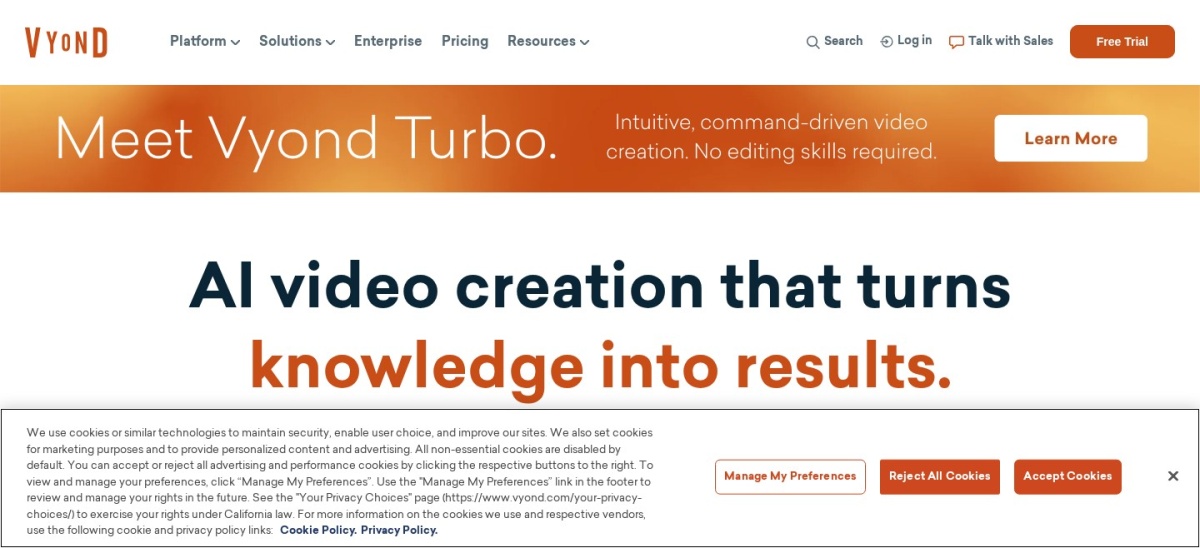
Vyond homepage, captured Nov 2026.
Vyond is an enterprise animation and AI video suite that combines customizable 2D character templates with prompt-driven video generation via Vyond Go. It provides a 14-day free trial with watermarked exports rather than an ongoing free plan.
The trade off is a steep entry price compared to presenter or B-roll generators. Starter costs $58/mo billed annually ($699/yr) or $99/mo billed monthly for a single user with 10,000 monthly credits, while team collaboration and instant translation into 95 languages require Professional ($1,199/yr). It suits corporate trainers and HR teams building character-driven explainers.
What we like
Strong 4.7 out of 5 rating on G2 across 557 reviews
Combines customizable character animation with AI script-to-video and avatars
Includes 650+ text-to-speech voices and built-in screen/webcam recording
Watch out for
Highest entry price on this list at $699/yr ($99/mo if billed monthly)
No ongoing free plan after the 14-day trial ends
Team collaboration and multi-language translation require the $1,199/yr tier
Starter removes trial watermarks and includes 10,000 monthly credits, AI avatars, and 650+ TTS voices.Visit vyond.com
Why credit meters make sticker prices misleading
A $12/mo plan and a $24/mo plan rarely produce the same amount of finished video because platforms meter usage in two incompatible ways. Presenter studios like HeyGen and Synthesia deduct credits per finished minute of speech, whereas generative B-roll tools like Runway and invideo AI charge per second of rendered video—including discarded takes.
Budget for a 30% re-roll buffer whenever you use prompt-to-video B-roll generators. If a 5-second clip costs 60 credits on Runway Standard (625 credits/mo), ten generations consume almost your entire monthly allowance before you assemble a 30-second ad.
How we chose
We built this shortlist by comparing public pricing pages, plan allowance tables, product documentation, and verified G2 user reviews across the main AI video categories: presenter studios, generative B-roll models, script-to-video builders, and transcript editors.
Every price, credit allowance, G2 rating, and review count in this guide was verified on 29 Nov 2026 directly from official vendor pricing pages and G2 product profiles, using regular non-promotional annual rates.
We excluded beta-only models without public self-serve pricing, tools with fewer than 20 verified reviews, and platforms that hide entry plan limits behind sales calls. No vendor paid for a place, and we do not claim testing for this list.
How to pick the right video generator in 4 steps
Match your primary video format to the right billing model before subscribing to an annual plan.
Decide between talking presenters, B-roll clips, or edited recordings. Pick HeyGen or Synthesia for on-screen AI presenters, Runway for generative B-roll scenes, Pictory for blog-to-video repurposing, and Descript or VEED for cutting real footage.
Convert monthly credits into finished video minutes. Check how many credits one minute of 1080p video consumes on your target model—600 credits on HeyGen Creator covers roughly 15–30 minutes of presenter video, while 625 credits on Runway Standard covers under one minute of Gen-4.5 footage.
Check export resolution, watermarks, and LMS requirements. Verify whether your workflow requires 4K exports (locked behind higher tiers on HeyGen, Descript, and VEED) or SCORM packages for corporate LMS uploads (restricted to Enterprise on Synthesia and Business on HeyGen).
Test your exact script or prompt on a free tier first. Run a real script with industry acronyms or a product prompt on the free plan to check pronunciation, lip-sync accuracy, and caption formatting before paying for an annual subscription.
FAQ
What is the best video generator tool in 2026?
HeyGen is the best video generator tool overall, holding a 4.8 out of 5 rating on G2 across 1,978 reviews. Its Creator plan ($24/mo billed yearly) combines realistic AI avatars, custom voice cloning, and lip-synced translation across 175+ languages.
Which AI video generator has the best free plan?
HeyGen and Synthesia offer the most practical free tiers for presenter videos, giving 3 watermarked 1-minute videos per month and 10 watermarked Studio minutes per month respectively. For editing existing footage, Descript provides 60 free media minutes monthly.
How much does an AI video generator cost per year?
Regular annual entry plans range from $144/yr ($12/mo) for Runway Standard and VEED Creator up to $699/yr ($58/mo) for Vyond Starter. Most creator and presenter plans sit between $168/yr and $300/yr.
Which video generator is best for YouTube and social media shorts?
VEED ($12/mo billed yearly) and Descript ($16/mo billed yearly) work best for turning recordings into captioned vertical shorts. If you want faceless videos generated from a prompt or article URL, use invideo AI ($20/mo) or Pictory ($25/mo billed yearly).
HeyGen vs Synthesia: which one should you pick?
Pick HeyGen ($24/mo billed yearly) if you want higher avatar realism, 175+ languages, and credit rollover on the entry tier. Pick Synthesia ($14/mo billed yearly) if you want a lower annual entry price and upfront yearly credits for internal training decks.
SaaS SEO and WordPress specialist with about 8 years of experience. Rakib compares WordPress plugins, themes, hosting and software using public pricing, documentation and user reviews. See how we rank.