DaVinci Resolve is the best video editing software in 2026 because its free tier exports watermark-free Ultra HD video at 60 fps and its Studio upgrade costs $295 once. For subscription-free Mac editing, Final Cut Pro costs $299.99 once, while Shotcut and Kdenlive offer fully open-source timelines at $0.
How we make this list: we compare pricing pages, product documentation and public user reviews, then re-check every price before each update. No product paid for a place. Disclosure.
DaVinci Resolve includes full multi-track editing, color grading, VFX, and audio tools for $0, with Studio priced at $295 one-time.
Open-source desktop editors Shotcut and Kdenlive cost $0 forever with no watermarks, accounts, or paid feature tiers.
One-time licenses for DaVinci Resolve Studio ($295) and Final Cut Pro ($299.99) beat Adobe Premiere ($275.88/yr) after 14 months.
Browser-first editors like VEED ($144/yr) and Descript ($192/yr) trade local hardware requirements for monthly media and AI credit limits.
Wondershare Filmora bridges beginner workflows and budget pricing at $49.99/yr or $79.99 one-time, though its free exports carry a watermark.
How do you choose the best video editing software free and paid?
The real split in video editing software is no longer between amateur and professional tools, but between local desktop apps and cloud-metered web editors. Desktop suites like DaVinci Resolve, Kdenlive, and Shotcut run on your own CPU and GPU with zero monthly fees, while browser platforms charge recurring per-seat rates tied to export resolution and AI credits.
Free tiers vary dramatically in what they withhold at export. DaVinci Resolve, Kdenlive, and Shotcut export clean 4K video without watermarks, whereas Wondershare Filmora, Descript, and VEED place watermarks or 720p resolution caps on unpaid exports.
Subscription math favors one-time licenses for anyone editing past year one. Paying $22.99/mo on an annual commitment for Adobe Premiere totals $275.88 every year, surpassing the one-time $295 price of DaVinci Resolve Studio or $299.99 for Final Cut Pro early in your second year.
Matching the editor to your footage format and hardware prevents mid-project bottlenecks. Transcript-first tools speed up talking-head podcasts, while dedicated non-linear editors handle multi-cam 4K timelines without browser upload delays.
DaVinci Resolve is a cross-platform post-production suite combining timeline editing, node-based color grading, Fusion visual effects, and Fairlight audio mixing in one application. Its free version has no trial expiration or watermark and exports up to Ultra HD at 60 fps.
The trade off is a steep learning curve and high GPU and RAM demands, plus AI tools, 10-bit encoding, and noise reduction require the $295 one-time Studio license. It suits creators and editors who want long-term room to grow without recurring subscriptions.
What we like
Watermark-free Ultra HD 60 fps exports on the free tier
One-time $295 Studio upgrade with no recurring subscription
Industry-standard color grading and Fairlight audio tools built in
Runs natively on Windows, macOS, and Linux
Watch out for
Demanding on laptop memory and graphics hardware
Temporal and spatial noise reduction locked behind Studio
Steeper interface learning curve than template-driven editors
Studio ($295 once) unlocks AI Neural Engine tools, 10-bit video, noise reduction, and up to 32K export.Visit blackmagicdesign.com
02
Adobe Premiere
4.5/5on G2 (1,738 reviews, checked Nov 2026)
Starts at$22.99/mo
Best for Creative Cloud agency workflows
PlatformsWindows, macOS, iOS, Android
Free tier7-day trial only (desktop)
Starting price$22.99/mo (annual, billed monthly)
Included extras100 GB cloud storage, Frame.io, Express
adobe.com
Adobe Premiere homepage, captured Nov 2026.
Adobe Premiere is an industry-standard non-linear video editor for Windows and macOS that integrates directly with After Effects, Audition, and Photoshop. The single-app plan includes desktop and mobile access, Frame.io review tools, 100 GB of cloud storage, and 25 monthly generative credits.
The trade off is the lack of a free desktop tier and a recurring $22.99/mo annual commitment ($275.88/yr) with early-termination fees. It suits production teams and freelancers exchanging project files with Adobe-based agencies.
What we like
Direct Dynamic Link workflow with After Effects and Audition
Mature multi-track timeline, text-based editing, and audio cleanup
Includes Frame.io collaboration and 100 GB cloud storage
Watch out for
No permanent free desktop version beyond a 7-day trial
Ongoing subscription costs exceed perpetual rivals after 14 months
Early cancellation fees apply to annual billed-monthly contracts
Single-app subscription ($22.99/mo annual) unlocks full desktop editing, Frame.io, and 25 monthly AI credits.Visit adobe.com
03
Final Cut Pro
4.4/5on G2 (375 reviews, checked Nov 2026)
Starts at$299.99 one-time
Best for fast Mac-native editing
PlatformsmacOS, iPadOS
Free tier90-day trial on Mac
Pricing model$299.99 once (or $129/yr Creator Studio)
Timeline styleTrackless Magnetic Timeline with ProRes
apple.com
Final Cut Pro homepage, captured Nov 2026.
Final Cut Pro is Apple's professional video editor engineered specifically for macOS and Apple Silicon hardware. Its trackless Magnetic Timeline prevents sync collisions during ripple edits while delivering fast ProRes playback, multicam syncing, and 360-degree video support.
The trade off is strict Apple hardware lock-in and no permanent free plan beyond a 90-day Mac trial, costing $299.99 one-time or $129/yr inside Apple Creator Studio. It suits solo Mac editors and studios wanting high render speed without a lifelong subscription.
What we like
Fast rendering and playback optimized for Apple Silicon chips
One-time $299.99 Mac license includes ongoing feature updates
Magnetic Timeline speeds up assembly and prevents audio sync drift
One-time $299.99 Mac purchase unlocks the full NLE; Apple Creator Studio ($129/yr) adds iPad, Logic Pro, and Motion.Visit apple.com
04
Wondershare Filmora
4.4/5on G2 (614 reviews, checked Nov 2026)
Paid from$49.99/yr
Best for preset-driven YouTube edits
PlatformsWindows, macOS, iOS, Android
Free export limitFull timeline access with export watermark
Starting price$49.99/yr Basic or $79.99 one-time
Included library2.9M+ creative assets, 4K export on paid
filmora.wondershare.com
Wondershare Filmora homepage, captured Nov 2026.
Wondershare Filmora is a consumer and creator video editor built around drag-and-drop timeline tools, built-in transitions, and guided AI features like smart cutout and silence detection. The free version lets you test the full interface and timeline before committing.
The trade off is that free exports carry a large watermark, removing which requires the $49.99/yr Basic plan or $79.99 one-time perpetual license, while heavy AI tools consume separate credits. It suits YouTubers and hobbyists who want fast results without pro-suite complexity.
What we like
Low entry cost at $49.99/yr or $79.99 one-time perpetual license
Shallow learning curve with built-in titles, effects, and transitions
Lightweight system requirements run smoothly on mid-range laptops
Watch out for
Free exports include a prominent watermark
Generative AI features require recurring credit allowances
Perpetual license covers only major version 16 updates
Basic ($49.99/yr) or Perpetual ($79.99 once) removes export watermarks and unlocks 4K rendering.Visit filmora.wondershare.com
05
Descript
4.6/5on G2 (940 reviews, checked Nov 2026)
Paid from$16/mo
Best for transcript-based talking-head video
PlatformsWindows, macOS, Web, iOS
Free tier60 media min/mo, watermarked 720p export
Starting price$16/mo Hobbyist (billed annually)
Standout toolsStudio Sound, filler word removal, Underlord AI
descript.com
Descript homepage, captured Nov 2026.
Descript transcribes imported audio and video automatically so you can cut, rearrange, and polish footage by deleting words in a text document. Its free plan provides 60 media minutes per month, 100 one-time AI credits, and basic access to Studio Sound and filler-word removal.
The trade off is a strict monthly cap on imported media hours and watermarked 720p exports until you upgrade to the $16/mo Hobbyist plan ($192/yr billed annually). It suits podcasters, educators, and marketers editing spoken-word videos.
What we like
Text-based timeline cuts spoken-word footage much faster than scrubbing
One-click Studio Sound removes room echo and background noise
Automatic filler-word removal and AI voice regeneration built in
Watch out for
Free tier restricts exports to watermarked 720p and 1 media hour/mo
Monthly media-minute quotas cap how much raw footage you can import
Less suited for visual-heavy action edits or color grading
Hobbyist ($16/mo billed annually) unlocks watermark-free 1080p exports, 10 media hours/mo, and 400 AI credits.Visit descript.com
06
Camtasia
4.6/5on G2 (1,791 reviews, checked Nov 2026)
Paid from$39/yr
Best for software tutorials and training
PlatformsWindows, macOS
Free tierCamtasia Starter with watermarked exports
Training featuresCursor smoothing, callouts, SCORM/LMS export
techsmith.com
Camtasia homepage, captured Nov 2026.
Camtasia combines high-frame-rate screen, webcam, and system-audio capture with a multi-track timeline built for tutorials, product demos, and training courses. Its free tier lets users record and edit timelines with annotations, cursor effects, and transitions.
The trade off is that free exports carry a watermark, and full desktop editing without watermarks requires the $179.88/yr Essentials plan after the $39/yr Starter workplace tier. It suits instructional designers and educators producing software walkthroughs.
What we like
Captures screen, cursor data, webcam, and system audio on separate tracks
Built-in callouts, cursor smoothing, and interactive quiz/SCORM exports
Low learning curve for non-editors building training videos
Watch out for
No perpetual license option; annual subscription required
Free tier places watermarks on exported videos
Lacks advanced color grading and heavy VFX capabilities
Starter ($39/yr) covers basic workplace clips; Essentials ($179.88/yr) unlocks full desktop editing and transcription.Visit techsmith.com
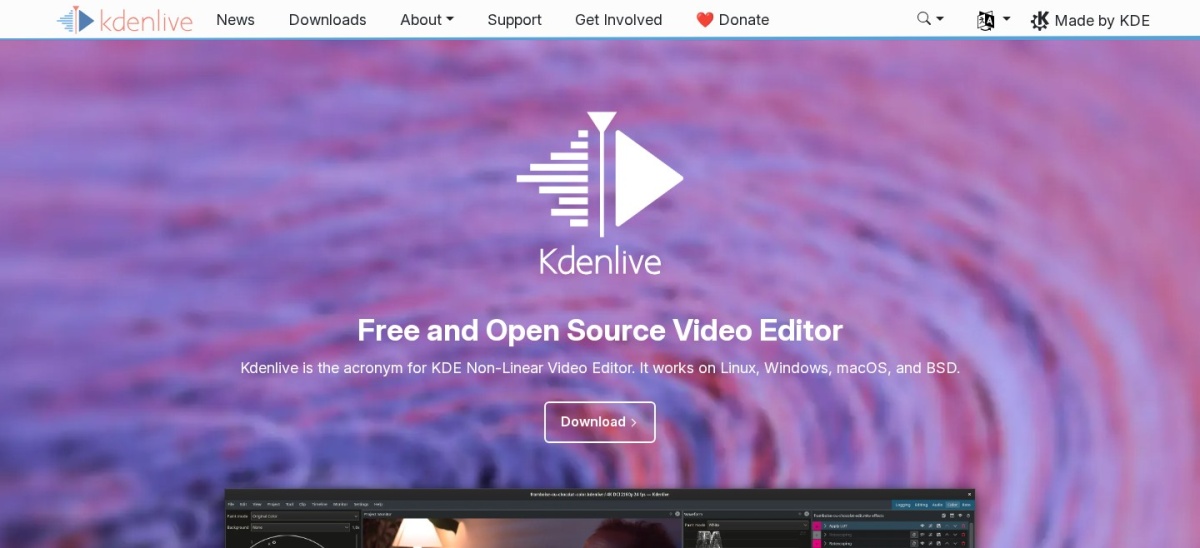
Kdenlive is KDE's free, open-source non-linear video editor built on the MLT framework, offering multi-track audio/video editing, keyframeable effects, color scopes, and automatic proxy clip generation. Every feature and export resolution is unlocked at $0 with no account or watermark.
The trade off is community-only support and an interface that can feel less polished than commercial suites on complex timelines. It suits Linux users and budget-conscious creators who want full open-source control without vendor lock-in.
What we like
100% free and open source with zero paywalls, watermarks, or accounts
Automatic proxy editing keeps 4K timelines responsive on older PCs
Includes built-in Whisper speech-to-text subtitle generation
Watch out for
No commercial customer support or cloud collaboration
Occasional stability quirks reported on major macOS updates
Smaller third-party plugin ecosystem than Premiere or Resolve
Key featuresAuto-subtitles, eye-contact AI, stock media
veed.io
VEED homepage, captured Nov 2026.
VEED is a browser-based video editor designed for fast social media clips, auto-generated captions, and team review links without local software installation. Its free plan lets anyone trim footage, test subtitle styling, and export short 720p clips.
The trade off is that free exports include a VEED watermark and 4K rendering is gated behind higher tiers above the $12/mo Creator plan ($144/yr billed annually). It suits social media managers and marketers who prioritize browser speed and styled captions.
What we like
Runs entirely in the browser with zero local installation
Fast, customizable auto-subtitles and social aspect-ratio presets
Easy shareable review links for quick marketing approvals
Watch out for
Free plan adds a watermark and caps exports at 720p
Creator plan ($144/yr) limits exports to 1080p; 4K requires Pro
Large source files depend on upload speed and browser memory
Creator ($12/mo billed annually) removes watermarks, unlocks 1080p exports, and adds 6,000 monthly AI credits.Visit veed.io
What free video editors actually restrict
Not all free tiers work the same way. Open-source editors like Kdenlive and commercial freemium suites like DaVinci Resolve give you full 4K export resolution with zero watermarks, holding back only specialized AI models, 10-bit cinema codecs, or noise reduction.
Browser and consumer editors take the opposite approach. Wondershare Filmora, Descript, Camtasia, and VEED let you use their timeline interfaces freely but stamp a watermark or cap output at 720p until you buy a paid plan. Always run a test export before investing hours into a free-tier project.
How we chose
We selected eight widely adopted video editors spanning professional desktop suites, open-source non-linear editors, screen-recording tools, and browser-based social platforms to cover both $0 and paid budgets.
All user ratings, review counts, and regular non-promotional prices were verified on 29 Nov 2026 directly from official vendor pricing pages and public G2 review profiles.
We excluded discontinued editors, mobile-only apps without desktop or web workflows, and tools without transparent public pricing. No vendor paid for a place, and we do not claim testing for this list.
How to pick the right video editor in 4 steps
Narrow down your shortlist by matching your budget, hardware, and output format before downloading a single installer.
Check free export rules first. Verify whether the free tier exports at 1080p or 4K without a watermark so you are not forced into an unplanned upgrade at render time.
Compare 2-year total cost. Multiply monthly subscriptions by 24 months and compare against one-time licenses like DaVinci Resolve Studio ($295) or Final Cut Pro ($299.99).
Match the workflow to your footage. Pick a transcript editor like Descript for talking-head interviews, Camtasia for screen tutorials, or a full NLE for multi-camera B-roll.
Test hardware compatibility. Confirm your laptop RAM and GPU meet minimum requirements, or choose an editor with proxy clip support or browser rendering.
FAQ
What is the best video editing software free and paid in 2026?
DaVinci Resolve is the best overall option in 2026 because its free version includes multi-track editing, color grading, VFX, and audio tools with watermark-free Ultra HD exports, while its Studio upgrade is a one-time $295 purchase.
Which free video editor has no watermark?
DaVinci Resolve and Kdenlive both export up to 4K resolution with no watermark and no time limit. In contrast, Wondershare Filmora, Descript, VEED, and Camtasia add watermarks on their free tiers.
Is DaVinci Resolve better than Adobe Premiere?
DaVinci Resolve offers better value for solo creators thanks to its $0 free version, $295 one-time Studio license, and superior color grading. Adobe Premiere ($22.99/mo annual) is better when collaborating with teams using After Effects and Creative Cloud.
What is the best video editing software for beginners?
Wondershare Filmora ($49.99/yr) and VEED ($12/mo billed annually) are easiest for beginners because they rely on drag-and-drop presets, templates, and automated captions rather than dense multi-panel workspaces.
Can you still buy video editing software without a subscription?
Yes. DaVinci Resolve Studio ($295), Final Cut Pro for Mac ($299.99), and Wondershare Filmora Perpetual ($79.99) still sell one-time licenses, while Kdenlive is completely free and open source.
SaaS SEO and WordPress specialist with about 8 years of experience. Rakib compares WordPress plugins, themes, hosting and software using public pricing, documentation and user reviews. See how we rank.