DaVinci Resolve leads for video editing and animation compositing with a free tier that includes Fusion visual effects and timeline editing without watermarks. CreateStudio suits template-driven animated explainers starting at $27/mo, while Vyond fits business character animation from $58/user/mo.
How we make this list: we compare pricing pages, product documentation and public user reviews, then re-check every price before each update. No product paid for a place. Disclosure.
DaVinci Resolve offers a free edition plus a $295 one-time Studio license with a 4.8 rating across 273 Capterra reviews.
CreateStudio starts at $27/mo with a 4.8 rating across 580 Capterra reviews.
Blender provides open-source 3D and 2D animation with a 4.7 rating across 957 Capterra reviews.
Vyond starts at $58/user/mo on annual billing with a 4.7 rating across 270 Capterra reviews.
Animaker starts at $20/user/mo with a free tier and a 4.7 rating across 1,081 G2 reviews.
What to look for in video editing software for animation
Animated videos need more than basic clip trimming. Look for keyframe controls, motion curves, character or object rigging, and frame-accurate timeline syncing so movement matches voiceovers and sound effects.
Decide whether you want node-based compositing and 3D pipelines or pre-built character scenes and drag-and-drop templates. Desktop suites give deeper control over rendering and motion graphics, while browser tools speed up short marketing and training clips.
Check export limits, watermark rules, and commercial rights before committing. Some free tiers cap resolution or add watermarks on exports, and AI or asset credits often sit on higher tiers.
Match hardware requirements to your project scope. Heavy compositing and 3D rendering demand strong GPUs and memory, whereas browser-based animation shifts rendering to the cloud.
Best for free timeline editing and VFX compositing
Free tierYes, no watermark
Entry paid price$295 one-time
Capterra rating4.8 / 5 (273)
Core workflowEdit, Fusion VFX, color
blackmagicdesign.com
DaVinci Resolve homepage, captured Nov 2026.
DaVinci Resolve is a video editing, color grading, and visual effects suite whose free plan includes timeline editing, audio post-production, and Fusion motion graphics without watermarks. Reviewers on Capterra rate it 4.8 out of 5 across 273 reviews.
The trade off is a steeper learning curve and heavy hardware demands on complex scenes compared with template editors, while DaVinci Resolve Studio costs $295 as a one-time purchase. It suits creators and editors who want deep post-production tools without recurring subscriptions.
What we like
Generous free version with timeline editing and motion graphics tools
One-time $295 pricing for DaVinci Resolve Studio with no subscription
Strong color correction and audio post-production in one app
Watch out for
Steeper learning curve for beginners than template tools
Resource-heavy on lower-spec computers
DaVinci Resolve Studio at $295 one-time adds Studio-exclusive tools such as temporal and spatial noise reduction.Visit blackmagicdesign.com
02
CreateStudio
4.8/5on Capterra (580 reviews, checked Nov 2026)
Starts at$27/mo
Best for animated explainers and templates
Free tierNo (30-day trial)
Entry paid price$27/mo ($324/yr)
Capterra rating4.8 / 5 (580)
Best fitExplainers and promos
createstudio.com
CreateStudio homepage, captured Nov 2026.
CreateStudio is a video creation and animation editor built for explainers, doodles, and marketing videos with drag-and-drop scenes and characters. It holds a 4.8 out of 5 rating across 580 Capterra reviews.
The trade off is no free tier and higher-tier upgrades for larger template and character libraries, starting at $27/mo on the Standard plan. It suits marketers, educators, and solo creators making quick animated videos.
What we like
Accessible drag-and-drop timeline and ready-made animation templates
Standard plan includes unlimited video exports and commercial use rights
High customer support rating on Capterra
Watch out for
No free plan, and some reviewers report lag on larger projects
Full character and template libraries require higher-priced tiers
Higher plans at $37/mo and $47/mo expand characters, templates, and AI features.Visit createstudio.com
03
Blender
4.7/5on Capterra (957 reviews, checked Nov 2026)
PriceFree
Best for free 3D and 2D animation pipelines
Free tierYes, open-source
Entry paid price$0 (no paid plan)
Capterra rating4.7 / 5 (957)
Core workflow3D modeling, rigging, animation
blender.org
Blender homepage, captured Nov 2026.
Blender is a free, open-source 3D modeling, rigging, animation, and rendering suite used for films, visual effects, and animated projects. Reviewers on Capterra rate it 4.7 out of 5 across 957 reviews.
The trade off is a complex interface and steep learning curve for newcomers, with no paid edition required. It suits 3D artists, animators, and independent studios building custom animated scenes.
What we like
Completely free and open-source with full animation and rendering tools
Deep rigging, modeling, and animation capabilities
Active community and broad format support
Watch out for
Steep learning curve and dense interface for beginners
Rendering heavy scenes can take significant time and hardware
No paid software tier is required; all core animation and rendering tools are free.Visit blender.org
04
Vyond
4.7/5on Capterra (270 reviews, checked Nov 2026)
Starts at$58/mo
Best for workplace and training character videos
Free tierNo (free trial)
Entry paid price$58/user/mo ($696/yr)
Capterra rating4.7 / 5 (270)
Best fitTraining and business video
vyond.com
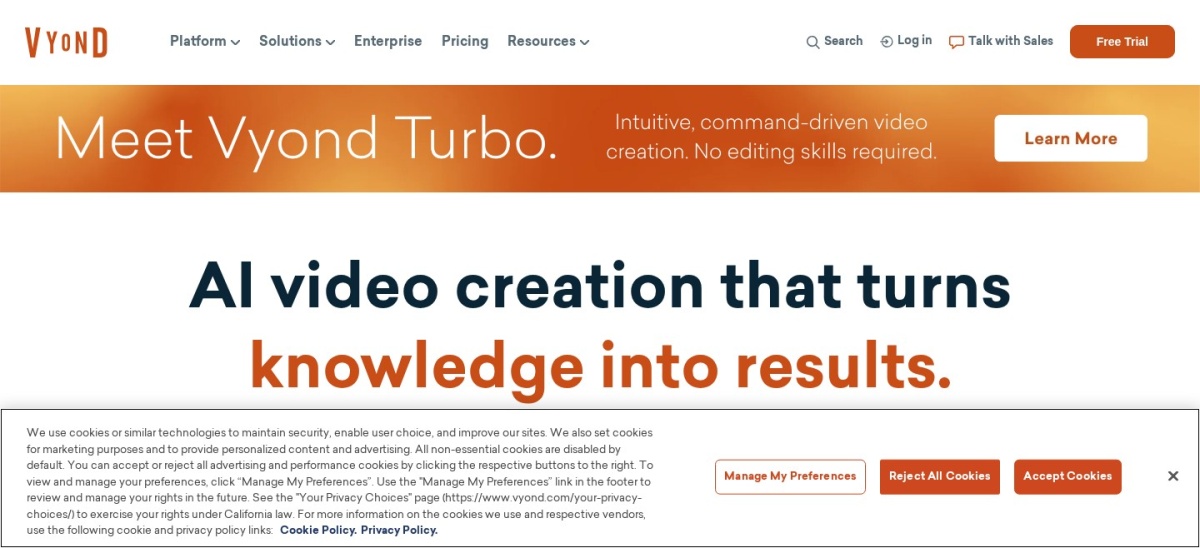
Vyond homepage, captured Nov 2026.
Vyond is a browser-based animation platform for training, marketing, and business videos with character tools, text-to-speech voices, and script-to-video features. It holds a 4.7 out of 5 rating across 270 Capterra reviews.
The trade off is per-user subscription pricing starting at $58/user/mo on annual billing and monthly credit limits. It suits corporate trainers, HR teams, and businesses producing regular animated explainers.
What we like
Purpose-built characters, templates, and AI text-to-speech for business video
Fast script-to-video and screen recording workflows
Team collaboration and brand controls on upper plans
Watch out for
Higher per-user cost than entry-level editors
Usage relies on monthly credit allowances
Professional at $100/user/mo and higher tiers add expanded stock libraries, translations, and higher credit limits.Visit vyond.com
05
Animaker
4.7/5on G2 (1,081 reviews, checked Nov 2026)
Paid from$20/mo
Best for browser-based 2D and character animations
Free tierYes, with limits
Entry paid price$20/user/mo ($240/yr)
G2 rating4.7 / 5 (1,081)
Best fitSocial and explainer clips
animaker.com
Animaker homepage, captured Nov 2026.
Animaker is an online animation and video editing tool offering character builders, templates, and drag-and-drop scene editing in the browser. It has a 4.7 out of 5 rating across 1,081 G2 reviews.
The trade off is a restricted free tier and paid plans starting at $20/user/mo with download and asset limits. It suits small teams, educators, and creators making short animated social or explainer videos.
What we like
Runs in the browser with a free tier to test character and scene tools
Intuitive drag-and-drop interface for non-animators
Supports custom characters and templates
Watch out for
Free plan includes watermarks and monthly download limits
Some reviewers report browser lag on complex projects
Higher plans such as Starter and Pro increase monthly downloads, asset credits, and export resolution.Visit animaker.com
06
Adobe After Effects
4.7/5on Capterra (450 reviews, checked Nov 2026)
Starts at$22.99/mo
Best for motion graphics and VFX compositing
Free tierNo (free trial)
Entry paid price$22.99/mo ($275.88/yr)
Capterra rating4.7 / 5 (450)
Best fitMotion graphics and VFX
adobe.com
Adobe After Effects homepage, captured Nov 2026.
Adobe After Effects is a motion graphics and visual effects application for animating titles, shapes, and composite layers alongside video. Reviewers on Capterra rate it 4.7 out of 5 across 450 reviews.
The trade off is subscription-only pricing starting at $22.99/mo with no free version and high hardware demands. It suits motion designers and editors working inside Adobe workflows.
What we like
Deep keyframe, expression, and motion graphics controls
Large third-party plugin and template ecosystem
Tight integration with Premiere Pro and other Adobe apps
Watch out for
No free tier and requires an ongoing subscription
Can feel slow or demanding on hardware during heavy renders
Higher individual and business plans add broader Adobe app access and team management options.Visit adobe.com
07
Movavi Video Editor
4.8/5on Capterra (1,135 reviews, checked Nov 2026)
Starts at$54.95/yr
Best for straightforward keyframe and overlay edits
Free tierNo (watermarked trial)
Entry paid price$54.95/yr
Capterra rating4.8 / 5 (1,135)
Best fitSimple animated overlays
movavi.com
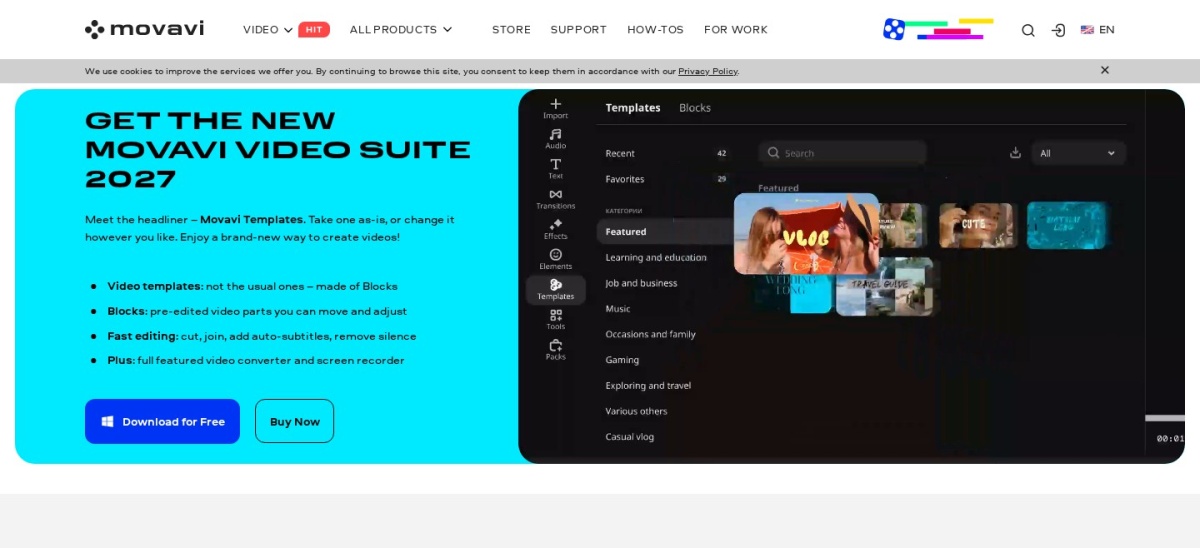
Movavi Video Editor homepage, captured Nov 2026.
Movavi Video Editor is a desktop video editor with timeline cutting, transitions, motion tracking, and keyframe animation for straightforward projects. It holds a 4.8 out of 5 rating across 1,135 Capterra reviews.
The trade off is a watermarked trial with no free export tier and fewer advanced compositing tools than pro suites, starting at $54.95/yr. It suits beginners and small creators adding basic motion and effects to videos.
What we like
Easy-to-learn desktop timeline with fast setup
Includes keyframe animation, motion tracking, and built-in effects
Lower annual entry price than many subscription editors
Watch out for
Trial exports carry a watermark until upgraded
Less depth for complex multi-layer animation than dedicated suites
Higher packages such as Video Suite add screen recording, file conversion, and extra media tools.Visit movavi.com
How we chose
We selected established animation and video editing tools that support animated scenes, motion graphics, keyframes, or character workflows across desktop and cloud platforms.
All pricing tiers, review scores, and review counts were checked on 22 Nov 2026 from vendor pricing details and public software review directories including Capterra and G2.
We excluded discontinued apps, tools lacking public pricing or current review data, and single-purpose utilities that do not support general animated video editing. No vendor paid for a place, and we do not claim testing for this list.
How to choose the right animation video editor
Follow four steps to narrow down the right editor for your animation workflow.
Match animation depth to your project type. Choose character and template tools for fast explainers, or compositing and 3D software for custom motion and visual effects.
Check free-tier and export restrictions first. Verify whether free or trial versions place watermarks on exports or cap video resolution before starting a project.
Compare recurring subscriptions against one-time licenses. Calculate total cost over a full year or multi-year span, including per-seat fees and AI or asset credit limits.
Confirm hardware or browser compatibility. Check whether your computer handles heavy timeline and rendering workloads locally or if a browser editor fits better.
FAQ
Which animation video editor is best for beginners?
CreateStudio and Movavi Video Editor offer approachable interfaces and guided workflows for newcomers making animated videos. Animaker also provides a browser-based drag-and-drop editor with a free tier to start.
Can I make animated videos for free without watermarks?
DaVinci Resolve offers a free edition that includes timeline editing and Fusion motion graphics without watermarks. Blender is also free and open-source for 3D and 2D animation.
What is the difference between a video editor and motion graphics software?
Video editors focus on sequencing clips, audio, and cuts along a timeline, while motion graphics and animation tools focus on keyframed movement, rigging, and compositing. Some suites combine editing and motion tools in one workspace.
Are browser-based animation tools good for team workflows?
Browser tools such as Vyond and Animaker make it easy to access projects from different machines and share templates or assets. Check seat pricing and credit allowances before scaling across a team.
Why do some animation tools charge per user or use credits?
Cloud platforms often meter AI generation, voice synthesis, or stock asset downloads through monthly credits or per-seat licenses. Heavy users should check how those limits affect monthly costs.
Do I need expensive hardware to edit animated videos?
Simple template and browser animations run on modest laptops, while 3D rendering and multi-layer compositing benefit from stronger GPUs and memory. Always check system requirements before buying desktop software.
SaaS SEO and WordPress specialist with about 8 years of experience. Rakib compares WordPress plugins, themes, hosting and software using public pricing, documentation and user reviews. See how we rank.