Kittl is a top choice for best tshirt design software thanks to built-in typography tools, vector exports, and a Pro plan starting at $12/mo billed annually. Canva suits fast template-based layouts on a $0 free tier, while Inkscape provides a free desktop vector editor for scalable print graphics.
How we make this list: we compare pricing pages, product documentation and public user reviews, then re-check every price before each update. No product paid for a place. Disclosure.
Kittl Pro starts at $12.00/mo billed annually ($144/yr) and adds exports up to 10,800px at 300dpi plus PDF and SVG vectors.
Canva holds a 4.7/5 rating across 7,970 reviews on G2, with Canva Pro listed at $144/yr ($12/mo billed yearly).
Adobe Express starts at $0 on the free tier and lists Adobe Express Premium at $9.99/mo ($119.88/yr) for 430M+ Adobe Stock photos.
Inkscape and GIMP cost $0 to download as desktop tools, while Photopea runs in the browser with a $50/yr ad-free Premium tier.
Printful includes a $0 Design Maker and Mockup Generator tied to its catalog of 613 custom products, with Printful Growth at $24.99/mo.
How do you choose the best tshirt design software for print or merch?
Print method dictates file setup before you pick a tool. Screen printing and vinyl cutting need clean vector paths or separated colors, while direct-to-garment printing relies on high-resolution transparent PNG files.
Free tiers often limit export resolution or commercial rights. Several browser editors restrict free downloads to lower pixel sizes or watermarked previews until you move to a paid subscription.
Mockup tools solve presentation, not print preparation. Previewing artwork on a shirt helps spot placement flaws, but print shops still require proper sizing and color modes.
Workflow speed separates template apps from desktop suites. Browser editors get quick apparel layouts out fast, while desktop vector and raster apps give deeper control over paths and textures.
Pro export capUp to 10,800px at 300dpi, PDF, and SVG
PlatformWeb browser
kittl.com
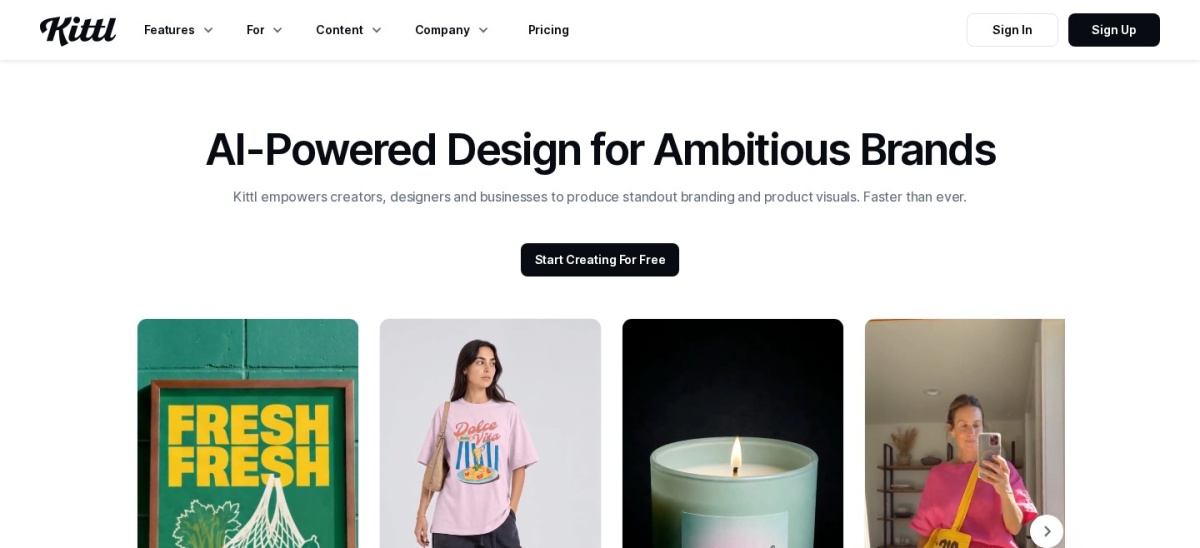
Kittl homepage, captured Nov 2026.
Kittl is a browser design editor built around badges, curved text, illustrations, and apparel mockups, with a free tier that includes 5 projects, 500MB of storage, 100 AI tokens, and PNG/JPG exports up to 800px at 72dpi. Paid plans start on Pro at $12.00/mo billed annually ($144/yr), adding 10GB upload storage, 2,000 monthly AI tokens, and high-res PNG/JPG plus PDF and SVG exports.
The trade off is that the free tier caps output size and the Pro plan sets commercial copy limits up to 500,000 copies, which pushes heavy volume sellers toward higher tiers. It suits merch creators who want stylized lettering and vector exports without desktop software.
What we like
Strong text styling and badge templates tailored to apparel graphics
Pro plan unlocks vector PDF and SVG exports alongside 300dpi PNG and JPG files
Free plan lets users test the editor with 5 active projects and 100 AI tokens
Watch out for
Free exports are capped at 800px and 72dpi
Pro commercial licensing caps use at 500,000 copies
Kittl Pro ($12.00/mo billed annually) adds 300dpi exports up to 10,800px, PDF/SVG output, and 10GB storage.Visit kittl.com
02
Canva
4.7/5on G2 (7,970 reviews, checked Nov 2026)
Paid from$144/yr
Best for fast template-based shirt layouts
Entry paid price$12/mo billed yearly ($144/yr) or $18/mo
Free tier storage5 GB storage and 1 Brand Kit
Pro storage100 GB storage and 5 Brand Kits
PlatformWeb, desktop, and mobile
canva.com
Canva homepage, captured Nov 2026.
Canva is a template-driven visual editor with a free tier that includes 5 GB of storage, 1 Brand Kit with up to 3 colors, and basic design tools for quick shirt concepts. Upgrading to Canva Pro costs $144/yr ($12/mo billed yearly) or $18/mo for one person, expanding storage to 100 GB and unlocking 5 Brand Kits and extra AI allowance.
The trade off is that Canva Pro covers a single user seat—requiring Canva Business at $250/yr per person for multiple editors—and offers less fine vector path control than dedicated drawing tools. It suits beginners, event organizers, and small teams making fast text and graphic layouts.
What we like
Large library of editable templates and fast drag-and-drop layout tools
Free plan works with no time limit for basic graphic drafts
Canva Pro at $144/yr adds 100 GB storage and 5 Brand Kits
Watch out for
Pro plan is limited to one person; multi-user team features sit on Canva Business
Less granular vector path and print-separation control than vector suites
Canva Pro ($144/yr billed yearly) adds 100 GB storage, 5 Brand Kits, and expanded AI allowance for one user.Visit canva.com
03
Adobe Express
4.4/5on G2 (1,109 reviews, checked Nov 2026)
Paid from$9.99/mo
Best for quick Adobe-backed apparel graphics
Entry paid price$9.99/mo for Adobe Express Premium
Free templates345,000+ static, motion, and video templates
Premium templates730,000+ templates and 430M+ Stock photos
AI credits250/mo on Free and Premium; 4,000/mo on Firefly Pro
adobe.com
Adobe Express homepage, captured Nov 2026.
Adobe Express is a web and mobile template editor whose free plan includes over 345,000 templates, 510,000+ Adobe Stock photos, and 250 monthly generative credits. Adobe Express Premium is listed at $9.99/mo, expanding access to 730,000+ templates and over 430 million Adobe Stock photos.
The trade off is that both the free and $9.99/mo Premium tiers include 250 monthly generative credits—requiring Firefly Pro at $19.99/mo for 4,000 credits—and lack deep multi-layer editing. It suits solo creators and small teams making fast promotional and apparel mockups.
What we like
Generous free tier with over 345,000 templates and 250 monthly generative credits
Direct access to hundreds of millions of Adobe Stock photos on the $9.99/mo Premium plan
Runs across web browser, desktop, and mobile devices
Watch out for
Generative credit allowance stays at 250/mo until upgrading to Firefly Pro at $19.99/mo
Not built for complex vector paths or heavy multi-layer photo compositing
Supported formatsPSD, PNG, JPG, SVG, PDF, AI, and more
photopea.com
Photopea homepage, captured Nov 2026.
Photopea is a browser-based raster and vector editor that opens and saves PSD, SVG, PDF, AI, and PNG files with layers, masks, and smart objects on a $0 ad-supported tier with 0.5 GB Peadrive storage. Its Premium plan costs $50/yr or $5/mo, removing ads and increasing storage to 5 GB.
The trade off is that the free tier displays banner ads and limits cloud storage to 0.5 GB, while browser performance depends on your local device memory for large print canvases. It suits designers who need PSD and layered shirt-mockup editing in a browser without installing software.
What we like
Low entry cost at $50/yr or $5/mo, with full core editing tools available free in the browser
Supports PSD layers, smart objects, masks, and vector SVG/PDF files
Processes files locally on your device without mandatory account lock-in
Watch out for
Free version shows ads and includes 0.5 GB of Peadrive storage
Large high-DPI print files can strain browser memory on lower-spec machines
Photopea Premium ($50/yr or $5/mo) removes ads and raises Peadrive cloud storage to 5 GB.Visit photopea.com
05
Inkscape
4.4/5on G2 (416 reviews, checked Nov 2026)
PriceFree
Best free desktop vector editor for scalable art
Entry paid price$0 (open-source desktop software)
Native formatScalable Vector Graphics (SVG)
Core toolsNode editing, paths, text on path, bitmap trace
PlatformWindows, macOS, and Linux
inkscape.org
Inkscape homepage, captured Nov 2026.
Inkscape is a free, open-source vector graphics editor for Windows, macOS, and Linux centered on SVG paths, node editing, text on paths, and bitmap tracing with no subscription fee. Users can scale logos, lettering, and line art to any t-shirt print size without pixelation.
The trade off is that Inkscape has a steeper learning curve than template apps and lacks built-in print-shop color workflows like CMYK and Pantone palettes out of the box. It suits budget-minded creators making scalable vector logos and lettering for apparel.
What we like
Completely free desktop software with no subscription or export paywalls
Precise vector node, path, and bitmap-tracing controls for crisp lettering
Runs natively across Windows, macOS, and Linux
Watch out for
No native CMYK or Pantone print color separation workflow
Steeper learning curve and slower performance on dense multi-image files
Inkscape is free open-source desktop software with no paid subscription plan.Visit inkscape.org
Filter engineNon-destructive GEGL filters and layer modes
Best outputRaster photos, textures, and transparent PNGs
PlatformWindows, macOS, and Linux
gimp.org
GIMP homepage, captured Nov 2026.
GIMP is a free, open-source raster image editor distributed under GPLv3 with layers, masks, selections, and non-destructive GEGL filters for photo cleanup and texture work. Creators use it to prep transparent backgrounds and distressed textures for direct-to-garment t-shirt prints at zero cost.
The trade off is that raster artwork does not scale infinitely like vector graphics, and GIMP's interface feels dated compared to modern cloud design tools. It suits creators editing photos and raster textures on a zero-dollar budget.
What we like
Free open-source desktop editor with zero ongoing subscription cost
Supports layers, alpha transparency, selections, and non-destructive GEGL filters
Available on Windows, macOS, and Linux
Watch out for
Raster-based workflow is less suited to crisp scalable vector logos than Inkscape
Interface and tool workflows take time to learn for casual users
GIMP is free open-source software under GPLv3 with no paid tier.Visit gimp.org
Prepaid annual optionUS$263.88/yr prepaid annual plan
Cloud storage100GB storage included
Included bundleIllustrator plus Adobe Express Premium
adobe.com
Adobe Illustrator homepage, captured Nov 2026.
Adobe Illustrator is a vector graphics application for logos, typography, and scalable illustrations, starting at $22.99/mo on an annual plan billed monthly (or $263.88/yr prepaid) with 100GB of cloud storage and Adobe Express Premium included. Designers rely on its vector paths, precision typography, and print export controls for apparel graphics.
The trade off is that there is no permanent free tier and the monthly subscription costs more than casual browser tools, with a steeper learning curve. It suits professional apparel designers and print shops needing exact vector control.
What we like
Exact vector path, anchor-point, and typography controls for print-ready artwork
Includes 100GB cloud storage and Adobe Express Premium on the individual plan
Wide file compatibility across print shops and design teams
Watch out for
No free plan, and ongoing subscription cost is higher than browser template tools
Steep learning curve for users new to vector drawing tools
Illustrator ($22.99/mo annual billed monthly) includes 100GB storage and Adobe Express Premium.Visit adobe.com
CorelDRAW Graphics Suite is a vector illustration, layout, and image-editing suite for Windows, Mac, and Web, listed at US$263.00/yr (regularly US$439.00/yr) or US$55.00/mo on its subscription plan. It provides curve and node editing, bitmap-to-vector tracing, and print setup controls useful for apparel and merchandise graphics.
The trade off is that it requires a paid subscription rather than a free tier, and large complex files can feel heavy depending on your hardware. It suits print shops, sign and apparel makers, and designers wanting dedicated vector and print layout tools.
What we like
Strong vector editing, tracing, and print output tools for merchandise work
Available across Windows, Mac, and Web
Detailed typography and layout controls in one suite
Watch out for
No free tier, with regular annual pricing listed at US$439.00/yr
Complex multi-layer files can slow down on older systems
CorelDRAW Graphics Suite (US$263.00/yr listed, regularly US$439.00/yr) provides vector and print layout tools.Visit coreldraw.com
Do you need a mockup or print-on-demand tool alongside design software?
Design software makes the artwork, while mockup and print-on-demand platforms show how that artwork sits on a shirt and handle fulfillment. Printful includes a $0 Design Maker and Mockup Generator tied to 613 custom products, while Printful Growth costs $24.99/mo for product discounts and sample perks.
Mockup previews help check chest placement and fabric color contrast before you sell, but you should still export high-resolution transparent PNGs or clean vectors to meet your printer's specifications.
How we chose
We built this list around established graphics and apparel design tools that actively serve t-shirt creators, focusing on vector editors, raster editors, and browser layout apps.
Every price, free-tier detail, and review score was checked on 29 Nov 2026 from official product pages and G2 or Capterra review listings.
We excluded unmaintained tools, software without verifiable pricing or review counts, and standalone print-only storefronts that do not center on general design editing. No vendor paid for a place, and we do not claim testing for this list.
How to pick the right tshirt design software
Follow four practical checks before committing to a plan or workflow:
Match the file format to your print method. Choose a vector editor like Kittl, Inkscape, Illustrator, or CorelDRAW for scalable lettering and screen prints, or a raster editor like GIMP or Photopea for photo-based designs.
Check export size and transparency limits on the free tier. Verify whether free exports give you high-resolution transparent PNGs or vector files before spending hours building designs you cannot print cleanly.
Confirm commercial licensing terms for templates and stock. Review each tool's rules on selling merchandise made with built-in graphics, fonts, or generated assets so your store stays compliant.
Compare yearly billing against short-term needs. Annual plans lower monthly costs on tools like Kittl and Canva, while free desktop tools like Inkscape and GIMP avoid recurring fees altogether.
FAQ
What is the best tshirt design software in 2026?
Kittl is a strong pick for tshirt design software because it combines apparel typography, mockups, and vector exports, with Pro starting at $12.00/mo billed annually. Canva fits fast template layouts on a free plan, and Inkscape gives you a free desktop vector editor.
What is the best free tshirt design software?
Inkscape and GIMP are strong free desktop choices with no subscription cost, while Canva, Adobe Express, and Kittl offer free plans with template, storage, or export limits. Free tiers work well for testing ideas and simple layouts.
Should I use vector or raster software for t-shirt designs?
Vector software like Kittl, Inkscape, Adobe Illustrator, or CorelDRAW is best for logos, badges, and text because lines stay sharp at any print size. Raster tools like GIMP or Photopea fit photo edits, shading, and textured artwork.
How much does paid tshirt design software cost?
Paid plans range from $50/yr for Photopea Premium and $9.99/mo for Adobe Express Premium up to $144/yr for Kittl Pro and Canva Pro, and higher for full Adobe or Corel suites. Free options remain available if you do not need paid exports or extras.
Kittl vs Canva: which is better for t-shirt designs?
Kittl is better suited to apparel typography, badges, and vector PDF/SVG exports on Pro, while Canva is better for broad everyday templates and quick social or print layouts. Both start with a free tier and list entry annual plans at $144/yr.
Do I need expensive software to start a t-shirt brand?
No, you can start with free tools like Inkscape, GIMP, or the free tiers of Canva, Adobe Express, and Kittl while learning layouts and print specs. Upgrade to a paid plan only when you hit export, storage, or licensing limits.
SaaS SEO and WordPress specialist with about 8 years of experience. Rakib compares WordPress plugins, themes, hosting and software using public pricing, documentation and user reviews. See how we rank.