Best Tax Preparer Software for Beginners in 2026: 7 Tools Compared
WLWPLegible EditorsLast verified 22 Nov 2026How we rank12 min read
★ Short answer
Drake Tax is our top pick for beginning professional tax preparers, with a browser-based license starting at $299.99 and individual returns costing $49.99 each. MyTAXPrepOffice suits beginners who prefer unlimited filing, while ProSeries Tax offers a forms-based workflow with pay-per-return licensing.
How we make this list: we compare pricing pages, product documentation and public user reviews, then re-check every price before each update. No product paid for a place. Disclosure.
Drake Tax Online starts at $299.99 for the first user, plus $49.99 per individual return or $74.99 per business return.
MyTAXPrepOffice Individual PRO costs $895 for the tax-year license and includes unlimited individual returns and e-filing.
ProSeries Tax pay-per-return licensing costs $539 annually, plus $69 per individual return and applicable additional filing charges.
ATX offers a $939 pay-per-return package including 6 individual returns, although its Capterra rating is 3.1/5 from 12 reviews.
ProConnect Tax earns 4.4/5 from 277 G2 reviews and supports browser-based preparation with per-return purchasing.
UltraTax CS and CCH ProSystem fx Tax require custom quotes and are better suited to beginners planning more complex professional workflows.
What beginners should look for in professional tax preparation software
Professional tax software is different from applications intended for preparing your own return. It helps paid preparers organize multiple clients, complete tax forms, check calculations, transmit returns and maintain records across filing seasons.
For beginners, prioritize guided data entry, calculation diagnostics and clear error messages. A familiar forms-based interface can be useful, while interview-style workflows may help new preparers understand where information belongs.
Pricing is particularly important when starting a practice. Pay-per-return software keeps the initial license cost lower but charges for completed returns. Unlimited packages require more upfront spending and can become economical as filing volume grows.
Client management also matters. Look for secure document collection, digital signatures, prior-year imports, return status tracking and access to historical filings. Confirm which capabilities are included rather than assuming every package offers the same workflow.
Tax software does not replace professional knowledge or required registration. Beginners should also evaluate vendor training, support availability, data security and the eligibility requirements for transmitting client returns.
The 7 best tax preparer software tools for beginners
01
Drake Tax
3.8/5on Capterra (114 reviews, checked Nov 2026)
Starts at$299.99/yr
Best professional tax software for beginners overall
Starting productDrake Tax Online
First-user license$299.99
Individual return$49.99
Business return$74.99
drakesoftware.com
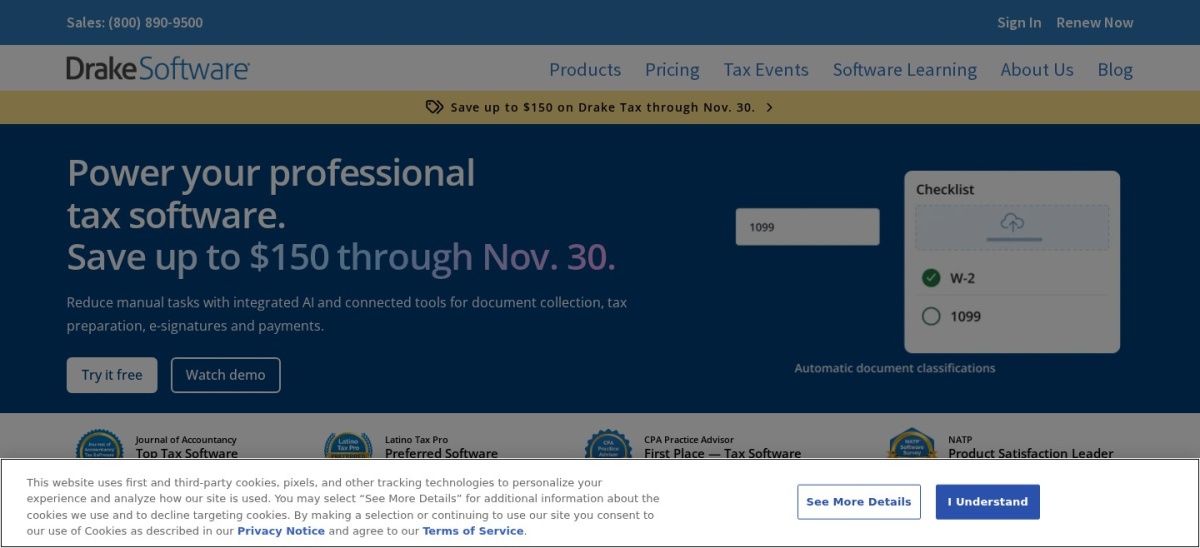
Drake Tax homepage, captured Nov 2026.
Drake Tax is professional tax preparation software offering desktop and cloud-based products for individual and business returns. Drake Tax Online starts at $299.99 for the first user and supports return preparation, diagnostics, electronic filing and browser access, with individual returns purchased separately for $49.99 each.
The trade off is that the $299.99 license does not include prepaid returns, so filing expenses rise with client volume; business returns cost $74.99 each and additional users cost $99. It suits new preparers who want flexible starting costs and access to professional support and training.
What we like
Low entry license price for professional software
Browser-based option without local installation
Supports individual and business returns
Published per-return pricing
Volume discounts for prepaid return packages
Watch out for
Returns cost extra beyond the license
Desktop and online products have different workflows
Public reviews report support and software reliability problems
Additional users increase upfront costs
Higher-volume desktop packages replace individual return purchases with included or unlimited filing allowances.Visit drakesoftware.com
02
MyTAXPrepOffice
4.6/5on Capterra (242 reviews, checked Nov 2026)
Starts at$895/yr
Best for unlimited beginner tax preparation
Starting packageIndividual PRO
Included returnsUnlimited individual
Included users1
Included storage5 GB
mytaxprepoffice.com
MyTAXPrepOffice homepage, captured Nov 2026.
MyTAXPrepOffice is cloud-based professional tax software combining tax preparation, client document collection, electronic filing and practice administration. Individual PRO costs $895 for the tax-year license and includes unlimited individual returns, unlimited e-filing, a client portal, remote signatures and 5 GB of storage.
The trade off is that Individual PRO excludes business returns and includes only 1 user and 1 location. Essential costs $1,195 and adds business return types and another user. It suits beginners expecting enough individual clients to benefit from unlimited filing rather than paying separately for each return.
What we like
Unlimited individual returns and electronic filing
Browser-based preparation and client portal
Remote signature capabilities
Published annual package pricing
Business return upgrades available
Watch out for
Higher initial commitment than pay-per-return products
Individual PRO excludes business returns
Additional users and storage can cost extra
Some reviewers report portal and support limitations
Essential adds business returns, payroll reporting and another user; Unlimited expands team capacity.Visit mytaxprepoffice.com
03
ProSeries Tax
3.9/5on Capterra (166 reviews, checked Nov 2026)
Starts at$539/yr
Best for familiar forms-based tax preparation
Starting licensePay-per-return
Annual license$539
Individual return$69
Business federal return$99
intuit.com
ProSeries Tax homepage, captured Nov 2026.
ProSeries Tax is professional tax preparation software with forms-based entry, calculation details, diagnostics and electronic filing workflows. Its Pay-per-return license costs $539 annually and includes access to the Professional software, while individual returns cost $69 each and federal business returns cost $99 each.
The trade off is that the license requires additional per-return purchases, including separate charges for applicable state filings, and optional cloud hosting costs more. ProSeries Basic starts at $729 for a package containing 20 individual returns. It suits beginners who prefer traditional forms and a downloadable desktop workflow.
What we like
Forms-based preparation interface
Individual and business return coverage
Electronic signatures included
Published license and filing fees
Desktop workflows with optional hosting
Watch out for
Separate charges for individual and business returns
Additional filing components can increase total costs
Cloud hosting costs extra
Some reviewers report navigation and update problems
Basic bundles include individual returns; Professional packages expand return allowances and business coverage.Visit intuit.com
04
ProConnect Tax
4.4/5on G2 (277 reviews, checked Nov 2026)
PricingCustom pricing
Best for cloud-based tax preparation workflows
DeliveryCloud-based
Purchase modelReturn bundles
Accounting integrationQuickBooks
PricingSelected package or quote
intuit.com
ProConnect Tax homepage, captured Nov 2026.
ProConnect Tax is browser-based professional tax preparation software connecting client documents, tax returns and accounting data. It supports individual and business preparation, QuickBooks integration, electronic signatures and return workflows, while G2 reports a 4.4/5 rating from 277 reviews.
The trade off is that purchase costs depend on the return package and current pricing offers, so a fixed regular entry price was not independently established for this comparison. Preparers should request the applicable standard rate before purchasing. It suits new cloud-first firms already using connected accounting tools.
What we like
No desktop installation required
QuickBooks accounting integration
Client document collection and electronic signatures
Individual and business return support
Large G2 review base for professional tax software
Watch out for
Regular package cost requires confirmation
Return purchases can become expensive at higher volume
Some reviewers report support and pricing concerns
Cloud access depends on service availability
Larger return bundles can reduce per-return costs; additional workflow features depend on the package.Visit intuit.com
05
ATX
3.1/5on Capterra (12 reviews, checked Nov 2026)
Starts at$939/yr
Best for detailed forms-based professional returns
Entry packagePay-Per-Return
Starting package price$939
Included individual returns6
Tax form library6,000+ forms
wolterskluwer.com
ATX homepage, captured Nov 2026.
ATX is professional tax preparation software built around direct forms entry, automated calculations and filing diagnostics. Its Pay-Per-Return package costs $939 and includes 6 individual returns, with access to a tax compliance library covering more than 6,000 forms across supported return types.
The trade off is that additional returns and certain return categories carry usage charges, while its Capterra rating is 3.1/5 from 12 reviews. It suits beginners comfortable with tax forms who need more detailed return coverage than a basic guided workflow provides.
What we like
Extensive forms-based tax preparation tools
Pay-per-return option for lower filing volume
Automatic calculation and diagnostic features
Individual and business return support
Professional training and learning resources
Watch out for
Higher upfront cost than some alternatives
Some return types incur additional charges
Small public review sample with mixed feedback
Requires tax-form familiarity
Larger ATX packages expand included returns and access to additional professional tools.Visit wolterskluwer.com
06
UltraTax CS
3.6/5on Capterra (25 reviews, checked Nov 2026)
PricingCustom pricing
Best for firms planning complex return work
Primary workflowProfessional tax preparation
Business return typesSupported
IntegrationCS Professional Suite
PricingCustom quote
thomsonreuters.com
UltraTax CS homepage, captured Nov 2026.
UltraTax CS is professional tax preparation software supporting individual, business and specialty returns with diagnostics, electronic filing and integration into accounting workflows. It includes return calculation tools, data imports and access to training resources, while Capterra reports a 3.6/5 rating from 25 reviews.
The trade off is custom pricing based on users, return volumes and required software coverage, along with a steeper learning curve than simpler products. The vendor requires an individual quote. It suits beginning firms that anticipate more complex tax work and want room to expand their professional systems.
What we like
Broad individual and business return coverage
Automated diagnostic checks
Integration with accounting and practice tools
Professional training resources
Supports complex return workflows
Watch out for
No fixed public starting subscription price
Learning curve for inexperienced preparers
Public reviews report support and performance concerns
Additional integrated modules may increase costs
Additional CS Professional Suite products extend accounting, document management and practice workflows.Visit thomsonreuters.com
07
CCH ProSystem fx
4.1/5on Capterra (63 reviews, checked Nov 2026)
PricingCustom pricing
Best for growing firms needing integrated compliance
Tax productProSystem fx Tax
DeploymentOn-premise
IntegrationsCCH ProSystem fx Suite
PricingRequest a quote
wolterskluwer.com
CCH ProSystem fx homepage, captured Nov 2026.
CCH ProSystem fx is a professional tax and accounting software suite featuring tax preparation, electronic filing, compliance and integrated workflow applications. Its Tax product provides automatically calculating forms and schedules, while related products support document storage, scanning and tax planning.
The trade off is that pricing requires a vendor quote and the broader suite introduces greater configuration and training requirements than beginner-oriented packages. Capterra rates it 4.1/5 from 63 reviews. It suits firms starting with professional tax preparation but planning for broader accounting and compliance operations.
What we like
Comprehensive professional tax preparation
Integrated document and workflow applications
Support for complicated return scenarios
Training and customer support options
Scalable firm-management ecosystem
Watch out for
No fixed public entry price
More complex setup than simpler applications
Additional suite components may carry separate costs
Some reviewers report usability and support problems
Related ProSystem fx products add scanning, document management, planning and practice operations.Visit wolterskluwer.com
Professional tax software vs personal tax filing software
Personal tax filing software generally guides an individual through preparing their own return. Professional tax software is designed for paid preparers who manage multiple clients, return types and electronic filing workflows.
Professional products may include client organizers, return diagnostics, preparer information, document management and electronic signature tools. These features are particularly important when handling confidential financial records for other people.
Most professional systems require appropriate registration or authorization before transmitting returns for clients. Purchasing software alone does not grant professional credentials or permission to prepare and file returns.
Beginners planning to offer paid tax preparation services should evaluate professional software rather than assuming a personal filing subscription can legally and operationally support a client practice.
Pay-per-return vs unlimited tax preparation software
Pay-per-return plans combine an initial software license with charges for each completed filing. They can lower the initial investment for seasonal practices or beginners who do not yet know their expected client volume.
For example, Drake Tax Online starts at $299.99, with individual returns purchased separately for $49.99 each. MyTAXPrepOffice Individual PRO costs $895 and includes unlimited individual returns.
Unlimited plans become more attractive when the number of filings grows, but return coverage matters. A package offering unlimited individual returns may still exclude business and specialty returns.
Before buying, estimate the number and types of returns you expect to complete. Include additional filing charges, extra users, electronic signatures, client portals and renewal costs rather than comparing license prices alone.
How we chose
We selected established professional tax preparation applications with documented client-return workflows, filing capabilities and public user reviews. The shortlist prioritizes products suitable for new or small practices while including more advanced systems for preparers expecting their services to expand.
The editorial comparison date is 22 Nov 2026. Official vendor pricing and product pages, Capterra listings and G2 reviews were opened for verification on 24 Nov 2026. Published amounts represent standard license prices or identifiable package charges, with separate filing fees disclosed. Custom-priced systems are identified without invented yearly totals.
We excluded personal-only filing products, software without sufficient product information and offerings whose pricing or ratings could not be established. ATX was retained as an established professional product despite fewer than 20 Capterra reviews, and advanced enterprise-oriented tools were ranked lower for beginner suitability. No vendor paid for a place, and we do not claim testing for this list.
How to choose tax preparer software for beginners
Estimate your client workload and preferred preparation method before comparing professional tax software packages.
Estimate your expected filing volume. Calculate how many individual and business returns you expect to prepare. Compare pay-per-return licensing with unlimited packages, including separate charges for return types, electronic filing and additional users.
Choose your preferred preparation workflow. Decide whether you want a browser-based system or desktop software. Review how the software handles data entry, error diagnostics, form navigation and prior-year imports so that routine preparation tasks remain manageable.
Check client management and support. Compare secure document uploads, client portals, electronic signatures, return status tracking and historical records. Review training resources and support availability, particularly during busy filing periods.
Calculate the full seasonal cost. Include the license, expected return charges, additional users, hosting, optional modules and renewals. Confirm the applicable software version and filing-year coverage before purchasing, and check the authorization required to transmit client returns.
FAQ
What is the best tax preparer software for beginners?
Drake Tax is our overall choice for beginning professional preparers because Drake Tax Online provides a relatively low starting license price and supports individual and business filings. MyTAXPrepOffice is appealing for unlimited individual returns, while ProSeries Tax offers a traditional forms-based preparation workflow.
How much does professional tax preparation software cost?
Prices vary by filing volume and package. Drake Tax Online starts at $299.99 plus return charges, ProSeries pay-per-return licensing costs $539 annually, and MyTAXPrepOffice Individual PRO costs $895. More advanced systems may require custom quotes and additional implementation or user fees.
Is there free professional tax preparation software?
Some professional tax vendors offer demos or trial versions, but these are not necessarily free for filing actual client returns. A trial may restrict electronic filing, printing or permanent data access. Check the vendor's current conditions before assuming the software can operate a practice without payment.
What is the easiest tax software for a new preparer?
The easiest choice depends on whether you prefer entering information directly into tax forms or using a guided interface. ProSeries and ATX emphasize forms-based workflows, while Drake offers different preparation products. Compare demos and training materials before committing to a full filing season.
Can beginners use tax software to prepare business returns?
Yes, provided their chosen professional software supports the required business forms and they have the knowledge and authorization to prepare those returns. Drake Tax Online and ProSeries offer business return options. MyTAXPrepOffice requires Essential or Unlimited for business return preparation.
What is pay-per-return tax preparation software?
Pay-per-return software charges for individual filings rather than including unlimited returns in the base license. This can suit preparers with smaller or unpredictable client volumes. Calculate the license and expected filing fees together, because a low upfront price may not produce the lowest annual cost.
Is cloud tax software better than desktop software?
Cloud software is useful for accessing client work through a browser and reducing local installation requirements. Desktop software may appeal to firms with established local workflows or specific integration needs. Security, support, reliability and available features matter more than deployment type alone.
Do I need a license to prepare taxes professionally?
Professional preparation and electronic filing can involve registration, preparer identification and authorization requirements. These obligations depend on the services performed and applicable rules. Buying software does not replace required registration, technical knowledge or responsibility for accurate client returns.
Which tax preparation software is best for a small practice?
Drake Tax Online can suit practices with lower return volume, while MyTAXPrepOffice provides unlimited individual filing under its Individual PRO package. ProSeries is another option for firms preferring desktop preparation. Compare total filing costs and supported return types before deciding.