Best Payroll Check Printing Software in 2026: 7 Tools Compared
WLWPLegible EditorsLast verified 22 Nov 2026How we rank12 min read
★ Short answer
Patriot Payroll is the best payroll check printing software for small businesses, with printable paychecks, unlimited payroll runs and Basic Payroll starting at $17 monthly plus $4 per worker. ezPaycheck is better for desktop check printing without a recurring subscription, while OnPay suits employers who want printed checks and automated payroll tax filing together.
How we make this list: we compare pricing pages, product documentation and public user reviews, then re-check every price before each update. No product paid for a place. Disclosure.
Patriot Payroll starts at $17 monthly plus $4 per worker paid, with unlimited payroll runs and printable paychecks.
ezPaycheck provides desktop paycheck printing, tax calculations and forms. Its regular single-user software price is $189 per annual version.
OnPay costs $49 monthly plus $6 per worker and includes check payments, payroll processing and automated tax filing.
Gusto Simple starts at $49 monthly plus $6 per person, with unlimited payroll runs and options to print employee paychecks.
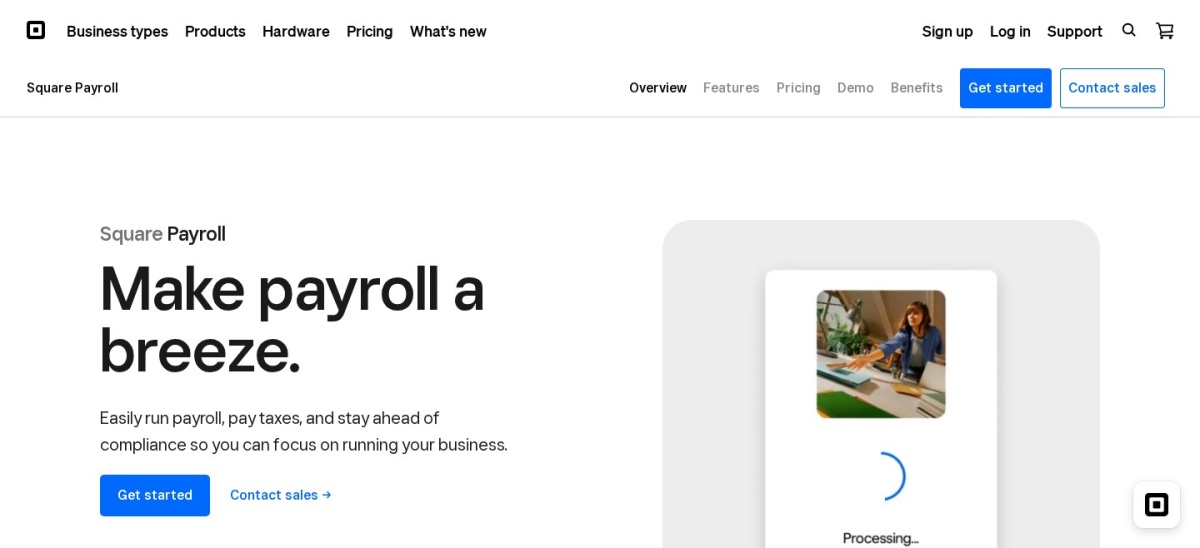
Square Payroll costs $35 monthly plus $6 per person paid for full-service payroll, supporting manual checks and unlimited payroll runs.
SurePayroll offers a No Tax Filing plan at $20 monthly plus $4 per employee, separating payroll calculations from managed tax filing.
What should payroll check printing software include?
Payroll check printing software creates physical paychecks and accompanying pay stubs from approved payroll records. Some products calculate wages, deductions and payroll taxes, while dedicated check printing applications focus on producing printable payment documents.
Start by deciding whether you need complete payroll processing or only paycheck printing. Full payroll services calculate gross and net pay, maintain employee records and may file taxes. Standalone printing software usually requires more responsibility for payroll calculations and compliance.
Check stock compatibility is essential. Some applications print the complete check, including bank details and MICR information, on suitable blank stock. Others require preprinted checks with bank information already applied.
Consider how corrections are handled. Reprinting a damaged check, voiding an incorrect payment and keeping accurate check numbers should fit your accounting process. Pay stubs must also display the earnings and deductions required for the relevant payroll.
Finally, compare ongoing expenses. Desktop software may use annual licenses, while online payroll services charge a monthly base fee plus an amount for each worker. Check stock, printing supplies, tax services and optional check mailing may add costs.
For small businesses wanting flexible tax responsibility
$20/mo
No free plan
4.3/5
Price ladder: cheapest paid plan per year
List prices, USD, checked Nov 2026
ezPaycheck$189
Patriot$204
SurePayroll$240
Square$420
OnPay$588
Gusto$588
QuickBooks$600
The 7 best payroll check printing tools
01
Patriot Payroll
4.8/5on G2 (630 reviews, checked Nov 2026)
Starts at$17/mo
Best overall for affordable payroll check printing
Entry planBasic Payroll
Base subscription$17/month
Worker charge$4/worker/month
Payroll runsUnlimited
patriotsoftware.com
Patriot Payroll homepage, captured Nov 2026.
Patriot Payroll is an online payroll system for calculating wages, maintaining employee records and printing physical paychecks. Basic Payroll costs $17 monthly plus $4 per worker and includes unlimited payroll runs, direct deposit, an employee portal and payroll reports. Employers can download and print approved paychecks using supported check layouts.
The trade off is that Basic Payroll leaves payroll tax filing and deposits to the employer. Full Service Payroll costs $37 monthly plus $5 per worker and adds managed tax filing. It suits small businesses that want affordable payroll calculations and the flexibility to issue printed checks.
What we like
Low published payroll base price
Print paychecks after approving payroll
Unlimited payroll runs
Employee portal and payroll reporting
Optional full-service tax filing upgrade
Watch out for
Per-worker fees increase total cost
Basic requires employers to manage tax filing
Check stock must match supported layouts
Additional HR features require separate subscriptions
Full Service Payroll adds managed tax filings and deposits at $37 monthly plus $5 per worker.Visit patriotsoftware.com
02
ezPaycheck
4.5/5on Capterra (26 reviews, checked Nov 2026)
Starts at$189/yr
Best for desktop payroll check printing
Entry licenseSingle User Standard
Regular price$189 per annual version
Trial30 days
Account capacityUnlimited, up to 500 workers each
halfpricesoft.com
ezPaycheck homepage, captured Nov 2026.
ezPaycheck is desktop payroll software for calculating wages, deductions and taxes while printing paychecks and pay stubs. Its single-user version supports unlimited company accounts with up to 500 employees each, and produces W-2, W-3, 940, 941 and 943 forms. The trial provides 30 days of access, with a watermark on printed checks.
The trade off is that licenses are tied to software versions rather than a continuously updated cloud subscription. The regular single-user price is $189 per annual version, although the vendor advertises temporary discounts. It suits bookkeepers and small employers who prefer locally managed payroll and physical check printing.
What we like
Prints checks on supported blank and preprinted stock
Includes wage and tax calculations
Works locally without continuous internet access
Supports multiple business accounts
No recurring monthly subscription
Watch out for
Requires installing desktop software
New payroll-year versions may require another purchase
Trial checks include a watermark
Some electronic filing functions require additional services
The paid license removes the trial watermark and enables additional filing and support options.Visit halfpricesoft.com
03
OnPay
4.8/5on G2 (424 reviews, checked Nov 2026)
Starts at$49/mo
Best for payroll checks with managed tax filing
Entry planPayroll
Base subscription$49/month
Worker charge$6/worker/month
Payment methodsChecks, deposit and pay cards
onpay.com
OnPay homepage, captured Nov 2026.
OnPay is a full-service payroll platform supporting employee check payments, direct deposit and prepaid debit cards. Its payroll subscription costs $49 monthly plus $6 per worker and includes automated payroll tax calculations, filing, year-end forms and payroll reporting. Employers can print checks for selected employees while processing other payment methods in the same payroll.
The trade off is that the subscription includes broader payroll and HR functions even if physical checks are your main requirement. The regular base price is $49 monthly before worker charges, with time tracking and expanded HR functions available separately. It suits employers who want to print checks without managing payroll tax filings independently.
What we like
Supports printed payroll checks
Automated payroll tax filing included
Multiple payment methods in the same payroll
Payroll reports and employee records
Accounting integrations and onboarding support
Watch out for
Per-worker charges apply
More expensive than standalone check printing
Advanced time tracking costs extra
Requires an online payroll workflow
Optional HR and time tracking add-ons extend the included payroll and check payment functions.Visit onpay.com
04
Gusto
4.6/5on G2 (14,237 reviews, checked Nov 2026)
Starts at$49/mo
Best for payroll checks with employee management
Entry planSimple
Base subscription$49/month
Worker charge$6/person/month
Payroll runsUnlimited
gusto.com
Gusto homepage, captured Nov 2026.
Gusto is a payroll and HR platform that supports printed paychecks alongside direct deposit and employee records. Simple costs $49 monthly plus $6 per person and includes unlimited payroll runs, tax filings, payroll reports and basic leave management. Administrators can prepare checks after completing payroll and use compatible check stock or supported mailing services.
The trade off is that printing checks requires attention to compatible stock, bank verification and the chosen delivery method. Simple costs $588 annually before per-person charges, while Plus starts at $80 monthly plus $12 per person. It suits growing employers that want payroll, onboarding and employee management connected.
What we like
Print employee paychecks from approved payroll
Unlimited payroll processing on Simple
Managed payroll tax filing
Employee self-service and HR tools
Check mailing option available
Watch out for
Monthly fees increase with employee count
Check stock compatibility has restrictions
Optional check mailing incurs additional charges
Advanced scheduling and HR require higher plans
Plus adds time tracking, scheduling, expanded payroll functionality and additional workforce management.Visit gusto.com
05
QuickBooks Workforce
4.4/5on G2 (529 reviews, checked Nov 2026)
Starts at$50/mo
Best for payroll checks connected to bookkeeping
Entry payroll planWorkforce Payroll
Regular base price$50/month
Worker charge$7/employee/month
Check printingCompatible check stock
quickbooks.intuit.com
QuickBooks Workforce homepage, captured Nov 2026.
QuickBooks Workforce is Intuit's payroll and workforce platform for calculating employee pay, managing payroll taxes and distributing pay information. Workforce Payroll regularly costs $50 monthly plus $7 per employee. Employers can print or reprint paychecks and pay stubs using supported check stock, with payroll reporting available alongside bookkeeping workflows.
The trade off is that the payroll subscription is separate from some bookkeeping products and compatible preprinted check stock may be required. The regular base subscription totals $600 annually before employee charges, excluding the temporary Black Friday discount. It suits businesses that want paycheck printing connected to their existing accounting records.
What we like
Print or reprint payroll checks
Payroll and accounting integration
Automatic payroll tax calculations and filings
Employee portal for pay information
Payroll and financial reporting
Watch out for
Per-employee charges apply
Compatible check stock is required
Some bookkeeping products cost extra
Promotional pricing differs from regular renewal costs
Higher workforce and accounting bundles add expanded HR, time tracking and financial management features.Visit quickbooks.intuit.com
06
Square Payroll
4.2/5on G2 (31 reviews, checked Nov 2026)
Starts at$35/mo
Best for hourly teams using Square
Entry employee planFull-service payroll
Base subscription$35/month
Worker charge$6/person/month
Payroll runsUnlimited
squareup.com
Square Payroll homepage, captured Nov 2026.
Square Payroll is a payroll service for businesses managing hourly and salaried workers. Full-service payroll costs $35 monthly plus $6 per person paid and includes unlimited payroll runs, automatic payroll tax calculations, reporting and manual check payments. Employers can print checks from payroll history after selecting the manual check payment method.
The trade off is that Square Payroll is designed around broader employee payment workflows rather than specialized MICR check design. The base subscription costs $420 annually before worker charges, with no long-term contract required. It suits businesses already using Square for payments, staff scheduling or time tracking.
What we like
Manual check printing supported
Unlimited payroll runs
Automated payroll tax filing
Integrates with Square workforce tools
No long-term commitment required
Watch out for
Additional fees apply per person paid
Limited check design customization
Does not replace dedicated blank-stock check design software
Advanced workforce capabilities may require separate products
Full-service payroll includes managed taxes and employee check payments; additional Square tools extend workforce management.Visit squareup.com
07
SurePayroll
4.3/5on G2 (538 reviews, checked Nov 2026)
Starts at$20/mo
Best for small businesses wanting flexible tax responsibility
Entry planNo Tax Filing
Base subscription$20/month
Worker charge$4/employee/month
Full Service$29/month plus $7/employee
surepayroll.com
SurePayroll homepage, captured Nov 2026.
SurePayroll is an online payroll service for calculating employee pay, maintaining payroll records and processing recurring payroll. Its No Tax Filing plan costs $20 monthly plus $4 per employee and includes unlimited payroll runs and payroll tax calculations. Employers remain responsible for filing and depositing taxes, while Full Service adds managed tax processing.
The trade off is that the lowest-priced plan does not handle tax filing and check printing workflows should be confirmed during setup. No Tax Filing costs $240 annually before employee fees, while Full Service starts at $29 monthly plus $7 per employee. It suits small employers choosing between self-managed tax responsibilities and full-service payroll.
What we like
Low published entry subscription
Unlimited payroll runs
Tax calculations included
Full-service filing upgrade available
Employee access to payroll records
Watch out for
No Tax Filing requires employer-managed tax deposits
Employee fees increase the total
Check printing setup needs confirmation
Year-end services may involve additional charges
Full Service adds managed payroll tax filing and deposits at $29 monthly plus $7 per employee.Visit surepayroll.com
Blank check stock vs. preprinted payroll checks
Payroll check printing depends on the paper and banking information your software supports. Selecting the wrong stock can create alignment problems or produce checks that cannot be processed correctly.
Blank check stock allows suitable software to print payment amounts, payee information and required bank details together. Applications such as ezPaycheck provide formats designed for different check positions and payroll stubs.
Preprinted check stock already contains banking information and other security elements. Payroll software places employee payment details into the appropriate positions, making printer alignment particularly important.
Some payroll systems support both approaches under specific conditions. Gusto documents restrictions on blank stock depending on how the bank account was verified, while QuickBooks provides guidance for printing and aligning payroll checks.
Before buying supplies, confirm the supported check layout, required MICR information, printer compatibility and whether the software generates complete checks or only fills preprinted forms.
How to calculate the real cost of printing payroll checks
The software subscription is only part of the total cost. Include worker fees, check stock, printing materials, possible mailing charges and additional payroll services.
Patriot Basic Payroll has a $17 monthly base fee plus $4 per worker, while Square Full-Service Payroll charges $35 monthly plus $6 per person paid. The number of employees therefore changes the final comparison.
Desktop software follows a different model. ezPaycheck offers an annually licensed version with a regular price of $189, but employers must consider license updates and their own payroll administration responsibilities.
Check whether the vendor includes tax filing. Basic or self-service subscriptions can be cheaper because they leave tax deposits and reporting to the employer.
Also account for errors. Reprinting checks, maintaining check stock inventories and correcting payroll records can create administrative work even when the software itself has no per-check charge.
How we chose
We shortlisted established payroll and paycheck printing products with documented physical check support, payroll calculations or compatible check printing workflows. The selection includes desktop paycheck printing software and full payroll services because these serve different purchasing needs. We prioritized check creation, payroll integration, worker allowances and the transparency of ongoing costs.
Official vendor pricing and independent G2 or Capterra review pages were checked for this November 2026 comparison using the editorial verification date of 22 Nov 2026. We used regular published subscription or license prices rather than temporary discounts. Per-employee charges are disclosed separately from monthly base fees, and yearly figures annualize the base subscription or license only.
We excluded products with inadequate independent review coverage, missing regular pricing or insufficient evidence of payroll check functionality. Dedicated check printers such as Checkeeper and ezCheckPrinting were evaluated, but their accessible independent review samples did not meet the established-product threshold. No vendor paid for a place, and we do not claim testing for this list.
How to choose payroll check printing software
Determine whether your business needs paycheck printing alone or complete payroll processing before comparing licenses, subscriptions and check compatibility.
Choose between desktop printing and full payroll. Select a desktop application when you want local payroll records and control over physical checks. Choose a full-service platform when you also need automated payroll calculations, employee management and tax filing.
Verify check stock and printer compatibility. Check whether the software supports blank stock, preprinted checks or both. Review available check positions, pay stub layouts and the process for reprinting damaged or incorrectly aligned checks.
Compare payroll calculation and tax features. Confirm that the platform handles wages, deductions, payroll reports and required employee records. If tax filing is not included, determine who will manage deposits, deadlines and year-end forms.
Calculate the total recurring expense. Add the software base fee, employee charges, check supplies, license updates and optional services. Compare the cost for your actual workforce instead of assuming the lowest advertised subscription is the cheapest overall.
FAQ
What is the best payroll check printing software in 2026?
Patriot Payroll is our overall pick for small businesses because it combines payroll calculations, printable checks and unlimited payroll runs. Basic costs $17 monthly plus $4 per worker. ezPaycheck is better for desktop printing, while OnPay includes automated payroll tax filing.
Can payroll software print checks on blank paper?
Some applications can print bank details and payment information on suitable blank check stock, but ordinary printer paper may not meet banking requirements. ezPaycheck supports printing complete checks on compatible stock. Check each product's MICR, security paper and bank formatting requirements before printing.
What is the cheapest payroll check printing software?
Patriot Basic Payroll has a low published base subscription at $17 monthly plus $4 per worker. SurePayroll No Tax Filing starts at $20 monthly plus $4 per employee. For desktop use, ezPaycheck has a regular annual software price of $189 without a monthly subscription.
Does Gusto let employers print paper paychecks?
Yes. Gusto administrators can pay employees by check and print paychecks using supported check stock. Its Simple subscription costs $49 monthly plus $6 per person. The vendor also offers check mailing, with additional charges depending on the delivery option.
Can QuickBooks print payroll checks?
Yes. QuickBooks payroll supports printing or reprinting employee paychecks and pay stubs using compatible check and voucher stock. Its Workforce Payroll subscription has a regular base price of $50 monthly plus $7 per employee. Printing alignment and check formats should be configured before processing payments.
Do I need special ink to print payroll checks?
The answer depends on your bank, printer and check printing configuration. Some systems produce MICR information on appropriate blank check stock, while others assume bank details are already preprinted. Verify the bank's processing requirements and the software vendor's recommended supplies before selecting ink or toner.
Does payroll check printing software calculate taxes?
Full payroll products such as Patriot, OnPay, Gusto and Square Payroll include payroll tax calculations. ezPaycheck also calculates payroll taxes within its desktop application. However, calculating withholding is different from filing and depositing taxes, and not every entry subscription includes managed filing.
Can I reprint a payroll check?
Many payroll platforms let authorized administrators print or reprint paychecks from completed payroll records. QuickBooks and Square Payroll document these workflows. Before reprinting, confirm whether the original check is damaged, lost or already issued, and maintain accurate check numbers and payment records.
Is desktop payroll software better than cloud payroll?
Desktop software can appeal to businesses that want local data storage, offline access and more direct control over check printing. Cloud services offer connected payroll records, employee access and managed tax services. The better choice depends on internal payroll expertise, printing requirements and ongoing maintenance preferences.