Kittl is the best t-shirt design software for apparel sellers, combining merch-ready typography, vector editing, and garment mockups starting at $12/mo billed yearly ($144/yr). Canva is the top pick for quick beginner layouts at $144/yr, while Inkscape delivers full open-source vector path control for free.
How we make this list: we compare pricing pages, product documentation and public user reviews, then re-check every price before each update. No product paid for a place. Disclosure.
Kittl Pro starts at $12/mo billed yearly ($144/yr) and unlocks commercial rights up to 500,000 copies plus high-resolution transparent PNG and SVG exports.
Canva Pro costs $144/yr ($18/mo monthly) for 3.6M+ templates, background removal, and 100GB storage, though stock library elements carry non-exclusive licenses.
Adobe Illustrator runs $22.99/mo ($275.88/yr) on an annual plan and remains the standard for exact vector paths, screen-print separations, and scalable typography.
Inkscape 1.4.4 and GIMP 3.2.8 offer full desktop vector and raster editing at $0 with no paid tiers, though Inkscape lacks native CMYK color mode.
Placeit Unlimited costs $89.69/yr ($7.47/mo equivalent) for unlimited downloads across 29,000+ apparel mockups and shirt templates with commercial licensing.
What to look for in t-shirt design software
Apparel printing demands cleaner file preparation than social graphics. Whether you sell via direct-to-garment (DTG) print-on-demand or send artwork to a local screen printer, your software needs to export crisp 300 DPI transparent PNG files or scalable SVG and EPS vectors without jagged edges.
Vector editors like Kittl, Adobe Illustrator, CorelDRAW, and Inkscape build artwork from mathematical paths rather than fixed pixel grids. That means a chest logo can scale up to a full back print or down to a neck label without losing sharpness, and printers can separate spot colors cleanly.
Commercial licensing also separates hobby tools from business-ready software. Several browser editors restrict free accounts to personal use or watermark previews, while stock graphics inside template libraries carry non-exclusive terms that you must check before uploading to print-on-demand marketplaces.
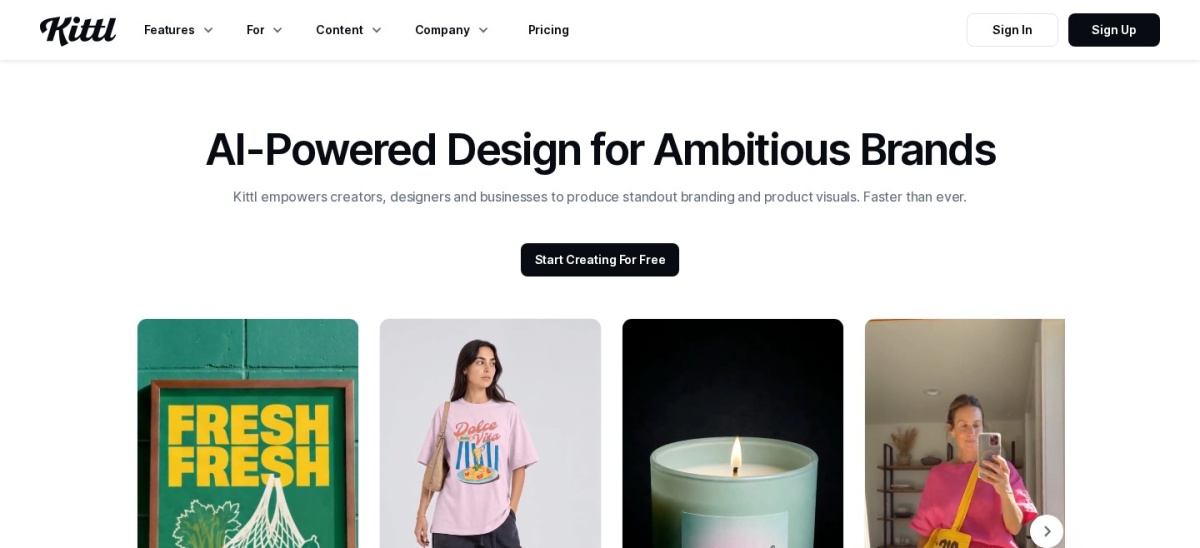
Kittl is a browser-based design studio built around merch typography, vintage badges, vector path editing, and apparel mockups. Its free tier includes 5 projects, core design tools, and 200 one-time AI tokens, while Pro starts at $12/mo billed yearly ($144/yr) or $15/mo monthly with 2,000 monthly AI tokens and high-resolution SVG and transparent PNG exports.
The trade off is that the free plan is strictly non-commercial and caps exports at 800 pixels, so sellers must upgrade to Pro at $144/yr before listing shirts. It suits print-on-demand creators and apparel brands that want warped text effects, vectorization, and garment mockups in one browser tab.
What we like
Built-in text warping, distress textures, and merch templates
Exports print-ready transparent PNG, SVG, and PDF files on Pro
Includes apparel mockup generator and Printful workflow tools
Commercial license covers up to 500,000 reproductions on Pro
Watch out for
Free plan prohibits commercial sales and caps exports at 800px
AI image and vector generations draw from monthly token allowances
Pro ($144/yr) unlocks commercial rights, high-res transparent PNG/SVG exports, and 2,000 monthly AI tokens.Visit kittl.com
02
Canva
4.7/5on G2 (7,946 reviews, checked Nov 2026)
Paid from$144/yr
Best for fast beginner shirt layouts
Editor typeBrowser and mobile layout tool
ExportsPNG, JPG, PDF, SVG (Pro)
Free tier1.6M+ templates, 5GB storage
Paid storage100GB on Pro
canva.com
Canva homepage, captured Nov 2026.
Canva is a drag-and-drop visual design platform with dedicated t-shirt templates, font pairings, and AI image tools. The free tier includes 1.6M+ templates, 4.7M+ free graphics, 1 Brand Kit, and 5GB storage, while Canva Pro costs $144/yr ($18/mo billed monthly) and adds transparent background PNG exports, SVG export, one-click background removal, and 3.6M+ templates.
The trade off is that transparent PNG and SVG exports require Canva Pro, and stock elements from Canva's library are licensed non-exclusively rather than owned outright. It suits beginners, event organizers, and sellers making fast text-and-graphic shirt layouts.
What we like
Fast learning curve with dedicated t-shirt dimensions and templates
One-click background remover and transparent PNG export on Pro
Syncs across desktop browsers, iOS, and Android apps
Includes 5 Brand Kits and 100GB storage on Pro
Watch out for
Transparent PNG and SVG exports are locked behind Pro
Stock library graphics cannot be claimed as exclusive copyright
Canva Pro ($144/yr) adds transparent PNG/SVG exports, background removal, and 141M+ premium assets.Visit canva.com
03
Adobe Illustrator
4.6/5on G2 (6,209 reviews, checked Nov 2026)
Starts at$22.99/mo
Best for professional vector artwork and screen printing
Editor typeDesktop and iPad vector editor
Color modesCMYK, RGB, Pantone spot colors
Free tier7-day trial only
Cloud storage100GB included
adobe.com
Adobe Illustrator homepage, captured Nov 2026.
Adobe Illustrator is the standard vector graphics editor for professional apparel illustrators and screen-print shops. Individual subscriptions cost $22.99/mo on an annual plan billed monthly ($275.88/yr) after a 7-day free trial, including desktop and iPad apps, 100GB cloud storage, 20,000+ fonts, and the Adobe Express Premium plan.
The trade off is the steeper learning curve and ongoing $22.99/mo subscription cost with no free tier after the 7-day trial. It suits professional apparel designers and print shops that need exact Bezier paths, CMYK and spot-color separations, and native AI and EPS files.
What we like
Exact anchor-point, pen, and custom typography control at any print scale
Full CMYK and spot-color workflows for screen printing
Includes Image Trace vectorization and text-to-vector AI tools
Bundles Adobe Fonts and Adobe Express Premium
Watch out for
No permanent free tier beyond the 7-day trial
Takes longer to learn than template-based browser tools
Annual individual plan ($22.99/mo) unlocks full desktop and iPad vector tools plus 100GB cloud storage.Visit adobe.com
04
Inkscape
4.4/5on G2 (416 reviews, checked Nov 2026)
PriceFree
Best free open-source vector editor
Editor typeDesktop open-source vector editor
PlatformsWindows, macOS, GNU/Linux
ExportsSVG, PNG, PDF, EPS
LicenseGPL free software ($0)
inkscape.org
Inkscape homepage, captured Nov 2026.
Inkscape is a free, open-source vector graphics editor for Windows, macOS, and Linux, maintained in version 1.4.4. It provides node editing, boolean path operations, bitmap tracing, text-on-path tools, and high-DPI PNG and SVG exports at $0 with no subscription or commercial restrictions.
The trade off is that Inkscape works natively in RGB rather than CMYK and can feel slower on complex multi-layer files than commercial desktop suites. It suits budget-conscious sellers and vinyl or DTG creators who want full vector path control without recurring fees.
What we like
Completely free under the GPL with full commercial usage rights
Accurate node editing, path operations, and bitmap-to-vector tracing
Exports clean SVG, EPS, PDF, and high-resolution transparent PNG files
Runs natively on Windows, macOS (Intel and Apple Silicon), and Linux
Watch out for
Lacks native CMYK print mode and built-in Pantone libraries
Interface and complex file performance feel less polished than paid tools
Free and open-source software with all vector tools unlocked and no paid tiers.Visit inkscape.org
05
Placeit
4.2/5on Capterra (16 reviews, checked Nov 2026)
Paid from$89.69/yr
Best for apparel mockups and quick shirt templates
Editor typeBrowser mockup and template maker
Asset library29,000+ mockups, designs, videos
ExportsPNG and MP4 with commercial license
Monthly option$14.95/mo (1-month minimum)
placeit.net
Placeit homepage, captured Nov 2026.
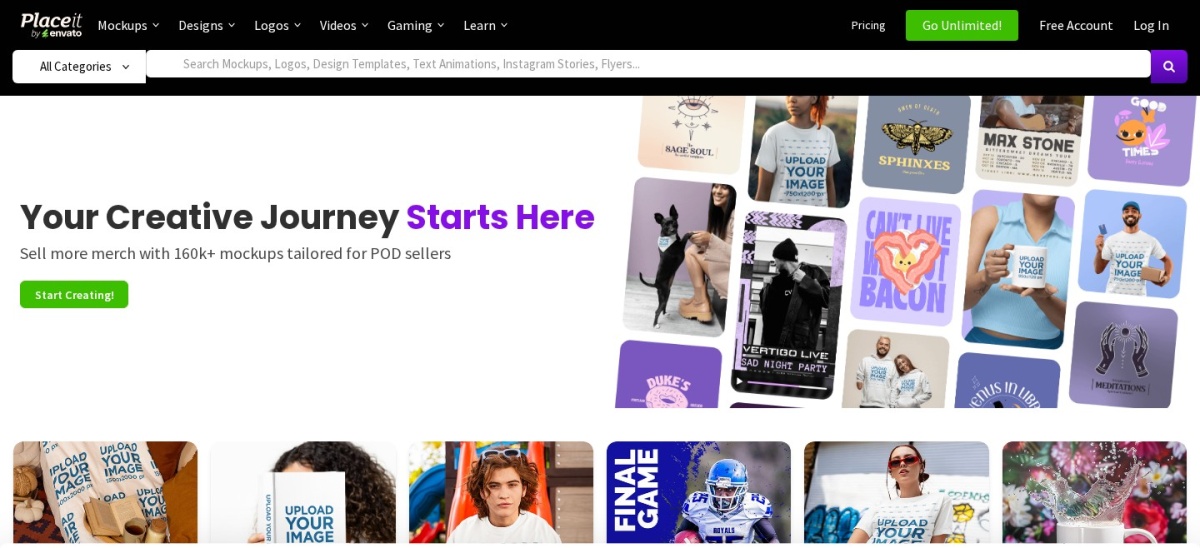
Placeit is Envato's browser-based mockup generator and apparel template editor with more than 29,000 mockups, t-shirt graphics, logos, and promo videos. A free account lets you browse and customize a small set of free templates, while the Unlimited subscription costs $89.69/yr ($7.47/mo equivalent) or $14.95/mo for unlimited watermark-free PNG and MP4 downloads with commercial rights.
The trade off is that editing stays confined to preset text and graphic slots rather than custom path drawing, and free previews carry watermarks. It suits print-on-demand merchants who want fast shirt graphics and realistic model mockups for store listings.
What we like
Low annual cost at $89.69/yr for unlimited downloads
Large library of photorealistic t-shirt mockups with models and flat lays
Commercial license included on every paid download
No design software installation required
Watch out for
Limited custom illustration or path-editing controls
Free tier is restricted to a small selection of free templates
Unlimited plan ($89.69/yr) unlocks watermark-free downloads across 29,000+ mockups and apparel templates.Visit placeit.net
06
Adobe Photoshop
4.6/5on G2 (13,424 reviews, checked Nov 2026)
Starts at$19.99/mo
Best for detailed raster art, textures, and PSD mockups
Editor typeDesktop, web, and iPad raster editor
Key toolsLayers, masks, Smart Objects, AI Fill
Free tier7-day trial only
Entry bundle$19.99/mo Photography plan
adobe.com
Adobe Photoshop homepage, captured Nov 2026.
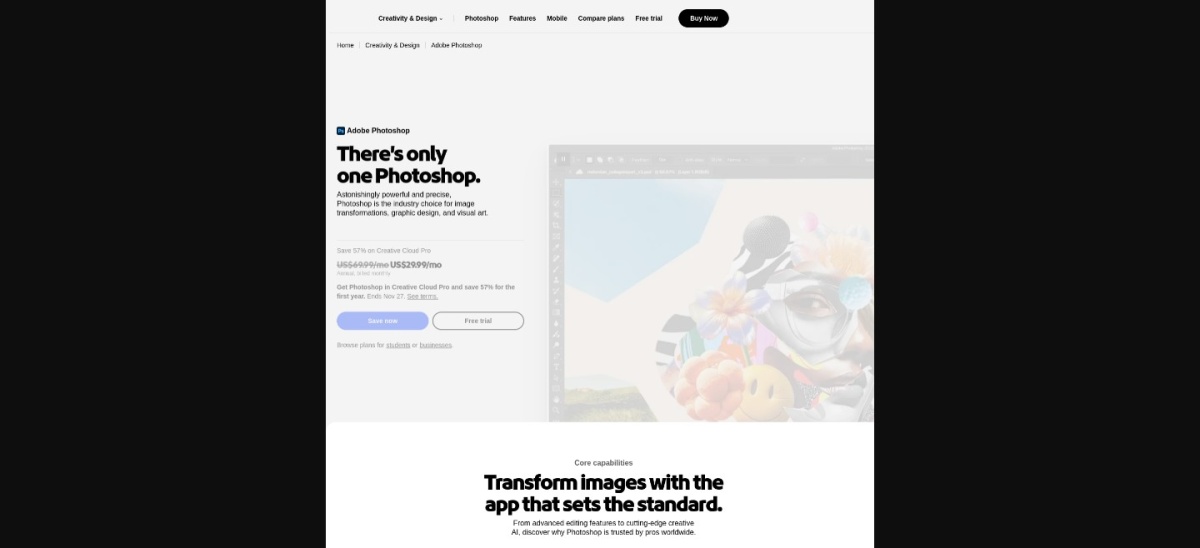
Adobe Photoshop is the standard pixel-based editor for photo-driven t-shirt graphics, vintage distressed textures, halftone separations, and layered PSD apparel mockups. The cheapest regular subscription including desktop Photoshop is the Creative Cloud Photography plan at $19.99/mo ($239.88/yr) with Lightroom and 1TB cloud storage, while standalone Photoshop costs $22.99/mo ($263.88/yr prepaid).
The trade off is that raster artwork must be built at full 300 DPI print dimensions from the start because pixels lose sharpness when enlarged. It suits streetwear brands and illustrators working with complex textures, photo compositing, and Smart Object mockups.
What we like
Unmatched layer masking, brush textures, and halftone print preparation
Photography plan bundles desktop Photoshop and 1TB storage at $19.99/mo
Watch out for
Raster files cannot scale infinitely like vector artwork
No permanent free tier beyond the 7-day trial
Photography plan ($19.99/mo) unlocks desktop and mobile Photoshop plus 1TB of cloud storage.Visit adobe.com
07
CorelDRAW
4.3/5on G2 (557 reviews, checked Nov 2026)
Starts at$269/yr
Best for print shops wanting a one-time license option
Editor typeDesktop and web vector suite
PlatformsWindows, macOS, Web
Free tier15-day free trial
License optionsAnnual subscription or $549 one-time
coreldraw.com
CorelDRAW homepage, captured Nov 2026.
CorelDRAW Graphics Suite 2026 combines vector illustration, typography, PowerTRACE bitmap-to-vector conversion, and print color management for Windows and macOS. Regular pricing is $269/yr ($22.42/mo equivalent) for the annual subscription—currently discounted during a seasonal sale—or $549 regular price for a one-time perpetual license after a 15-day trial.
The trade off is the higher upfront cost compared with browser tools and occasional slowdowns reported by reviewers on very large files. It suits established screen-printing and embroidery shops that want strong color separations or prefer owning a perpetual desktop license.
What we like
Offers both an annual subscription and a one-time perpetual purchase
Includes PowerTRACE for converting raster sketches into clean vectors
Strong print-output, Pantone, and color separation controls
Includes Corel PHOTO-PAINT and Font Manager in one suite
Watch out for
Higher regular entry price than Canva, Kittl, or Placeit
AI tools are narrower than newer browser-first design platforms
Annual subscription ($269/yr regular) unlocks full desktop and web vector tools plus 2,000 monthly AI credits.Visit coreldraw.com
08
Photopea
4.6/5on G2 (21 reviews, checked Nov 2026)
Paid from$50/yr
Best free browser editor for PSD files and mockups
Editor typeBrowser raster and vector editor
File supportPSD, AI, SVG, EPS, PDF, PNG
Free tierFull editor with ads, 0.5GB storage
Premium tier$5/mo or $50/yr (ad-free)
photopea.com
Photopea homepage, captured Nov 2026.
Photopea is a browser-based raster and vector editor that opens, edits, and saves layered PSD, AI, SVG, and PDF files without installation. The free tier includes the full layer, mask, Smart Object, and background-removal toolset with on-screen ads and 0.5GB PeaDrive storage, while Premium costs $5/mo or $50/yr to remove ads and add 5GB storage and 3,000 monthly AI credits.
The trade off is that heavy multi-layer print files rely on your browser's local RAM and GPU, and the interface mirrors Photoshop's steep learning curve. It suits budget-conscious sellers who need to edit downloaded PSD shirt mockups or prep transparent PNG files in any browser.
What we like
Full layer, mask, and Smart Object editing available free without signup
Opens and exports PSD, AI, SVG, PDF, and high-res transparent PNG files
Premium costs just $50/yr to remove ads and add AI credits
Runs locally in the browser on Windows, macOS, Linux, and Chromebooks
Watch out for
Free version displays sidebar ads during editing
Large high-DPI print canvases can strain browser memory
Premium ($50/yr) removes all ads, expands cloud storage to 5GB, and adds 3,000 monthly AI credits.Visit photopea.com
Vector vs raster software for t-shirt printing
Vector editors such as Kittl, Adobe Illustrator, CorelDRAW, and Inkscape store shapes and lettering as mathematical curves. You can resize a vector design to fit a youth tee or an oversized hoodie back without blurring, and screen printers rely on vector paths to generate crisp spot-color films.
Raster editors such as Adobe Photoshop and Photopea work on fixed pixel grids. They excel at distressed grunge overlays, photo collages, and painterly shading, provided you start your canvas at 300 DPI at the exact physical print dimensions—typically 4500 x 5400 pixels for standard DTG chest prints.
How we chose
We built this shortlist by comparing established vector editors, raster design suites, and apparel mockup platforms widely used by print-on-demand sellers, independent clothing brands, and print shops.
Every rating, review count, feature limit, and regular subscription price was verified directly against official vendor pricing pages and G2 or Capterra review profiles on 22 Nov 2026.
We excluded discontinued apps, tools without transparent public pricing, and single-purpose AI generators that lack layered export or print-resolution controls. No vendor paid for a place, and we do not claim testing for this list.
How to choose t-shirt design software
Match your software choice to your printing method, artwork style, and commercial licensing needs before paying for an annual plan.
Pick vector or raster based on your artwork style. Choose Kittl, Illustrator, CorelDRAW, or Inkscape for typography, badges, and clean logos that need infinite scaling, or choose Photoshop and Photopea for photo composites and heavy distressed textures.
Confirm 300 DPI transparent PNG or SVG export. Verify that your plan exports transparent backgrounds at full print dimensions without watermarks, since free tiers on tools like Canva and Kittl restrict high-resolution or transparent downloads.
Check commercial and print-on-demand license terms. Read the license rules before uploading to Merch by Amazon, Etsy, or Printful; Kittl's free plan bans commercial use, and Canva's stock elements carry non-exclusive terms.
Test your workflow on a free tier or trial first. Start with Inkscape, Photopea, or the free tiers of Kittl and Canva to build one real shirt file and check how cleanly it renders on a dark garment mockup before subscribing.
FAQ
What is the best t-shirt design software overall?
Kittl is our top overall pick for t-shirt design because it combines merch-specific typography tools, vector editing, transparent PNG and SVG exports, and garment mockups in one browser editor starting at $12/mo billed yearly ($144/yr).
What is the best free t-shirt design software?
Inkscape is the best free vector software for t-shirt printing, offering full path editing and SVG or high-DPI PNG exports at $0 with commercial rights. For free browser-based PSD and raster editing, Photopea includes full layer tools with ads.
Can I sell t-shirts made on Canva's free plan?
You can sell shirts made with your own uploads and free Canva elements, but Canva Free cannot export transparent backgrounds and stock elements remain non-exclusive. Upgrading to Canva Pro ($144/yr) unlocks transparent PNG and SVG exports.
What file format and resolution do t-shirt printers need?
Most direct-to-garment and print-on-demand providers ask for a 300 DPI PNG file with a transparent background, often sized around 4500 x 5400 pixels. Screen printers usually request vector files such as SVG, EPS, AI, or print-ready PDF.
Do I need Adobe Illustrator to design t-shirts?
No. While Adobe Illustrator ($22.99/mo annual plan) is the industry standard for complex vector work and color separations, Kittl ($144/yr) covers most merch typography and vector tasks, and Inkscape provides core vector tools for free.
SaaS SEO and WordPress specialist with about 8 years of experience. Rakib compares WordPress plugins, themes, hosting and software using public pricing, documentation and user reviews. See how we rank.