Canva is the best sticker design software for most creators, offering customizable templates and earning 4.7/5 from 7,947 G2 reviews. Adobe Illustrator is better for professional vector stickers and custom cutting outlines, while Procreate suits artists creating original hand-drawn sticker illustrations.
How we make this list: we compare pricing pages, product documentation and public user reviews, then re-check every price before each update. No product paid for a place. Disclosure.
Canva earns 4.7/5 from 7,947 G2 reviews and offers Pro for $120 annually.
Adobe Illustrator costs $275.88 annually and includes professional vector editing and 100 GB of cloud storage.
Procreate costs $12.99 as a one-time purchase, making it an affordable option for original sticker illustrations.
Cricut Design Space earns 4.7/5 from approximately 746,000 App Store ratings and connects designs with compatible cutting machines.
ibis Paint X offers Premium Membership for $27.99 annually, alongside a free drawing edition.
Inkscape is completely free and earns 4.4/5 from 416 G2 reviews.
What to look for in sticker design software
Sticker design software ranges from template-based editors to professional vector illustration applications. The right choice depends on whether you are creating product labels, decorative stickers, cutting-machine projects or digital messaging stickers.
For printed stickers, prioritize transparent backgrounds, accurate dimensions and high-resolution exports. Vector editing is particularly useful because illustrations and cutting outlines can be resized without losing sharpness.
If you sell stickers commercially, check the software's asset licensing terms. Access to templates, fonts and stock illustrations does not automatically grant unrestricted rights to resell those assets as standalone merchandise.
Home sticker production may require integration with a compatible cutting machine. Professional printing services instead typically specify acceptable file formats, bleed requirements, color profiles and cutting paths.
Canva is a graphic design platform offering customizable sticker templates, typography, illustrations and photo editing. Its free plan supports basic sticker creation, while Pro costs $120 annually and provides premium design assets, background removal and transparent image exports.
The trade off is that detailed vector editing and professional cutting-path preparation are less flexible than in dedicated illustration software. Pro costs $120 annually and suits beginners, small businesses and creators producing decorative stickers or branded packaging.
What we like
Beginner-friendly visual editor
Customizable sticker and label templates
Supports browser and mobile design
Integrated printing options
Watch out for
Transparent background exports require Pro
Limited precision for complex cutting paths
Commercial asset licensing requires attention
Pro adds premium assets, transparent exports and background removal.Visit canva.com
02
Adobe Illustrator
4.6/5on G2 (6,210 reviews, checked Nov 2026)
Starts at$22.99/mo
Best for professional vector sticker designs
Design formatVector
Cloud storage100 GB
Free trial7 days
Paid plan$22.99/month, annual commitment
adobe.com
Adobe Illustrator homepage, captured Nov 2026.
Adobe Illustrator is professional vector illustration software for creating scalable sticker artwork, product labels and custom cutting outlines. Its individual subscription costs $22.99 monthly on an annual commitment and includes 100 GB of cloud storage and Adobe Express Premium.
The trade off is the $275.88 annual subscription and the learning curve associated with vector paths and print preparation. It suits professional designers, sticker businesses and illustrators who need precise control over shapes, typography and production-ready files.
What we like
Precise vector path and shape editing
Scalable artwork without resolution loss
Professional print preparation capabilities
Supports custom sticker cutting outlines
Watch out for
No permanent free plan
Annual subscription commitment
Requires time to learn advanced tools
The subscription includes Illustrator, cloud storage and Adobe Express Premium.Visit adobe.com
03
Procreate
4.4/5on App Store (51,000 reviews, checked Nov 2026)
Starts at$12.99 one-time
Best for hand-drawn sticker illustrations
PlatformiPad
Drawing engineRaster
Transparent PNG exportYes
Purchase price$12.99 one-time
procreate.com
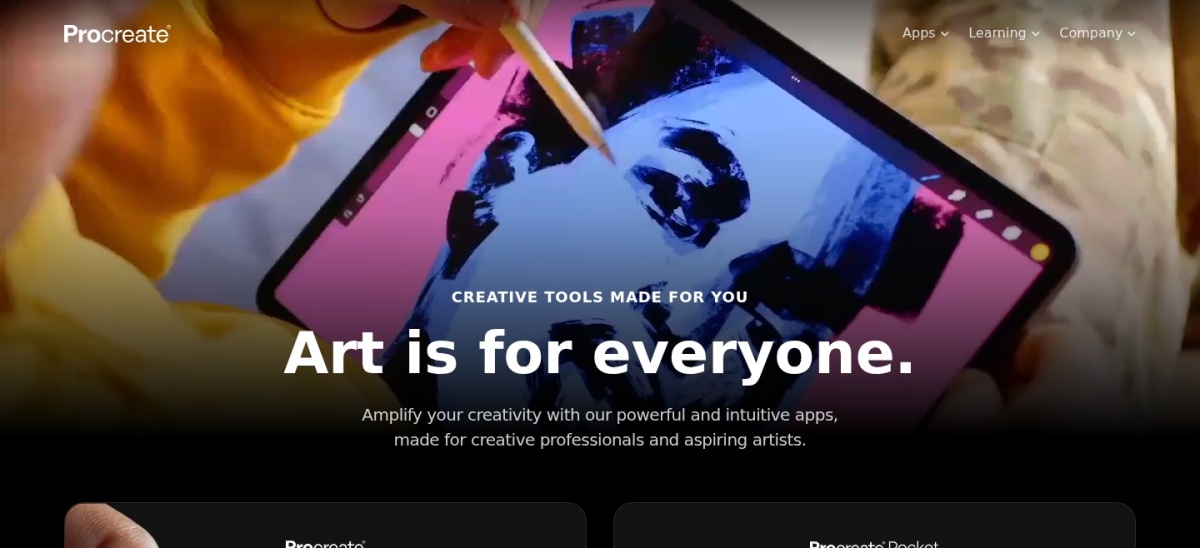
Procreate homepage, captured Nov 2026.
Procreate is an iPad illustration application for drawing original sticker characters, decorative artwork and lettering. Its $12.99 one-time purchase includes customizable brushes, layer masks, drawing guides, color management and transparent PNG exports.
The trade off is that Procreate primarily creates raster artwork and does not provide a complete vector cutting-path workflow. It suits artists who want to create original sticker illustrations for a modest one-time payment before preparing production files in another application.
What we like
Affordable one-time purchase
Extensive drawing and brush controls
Apple Pencil pressure sensitivity
Supports transparent PNG exports
Watch out for
Requires an iPad
Not a full vector illustration editor
Separate software may be needed for cutting paths
The one-time purchase unlocks the complete drawing application.Visit procreate.com
04
Cricut Design Space
4.7/5on App Store (746,000 reviews, checked Nov 2026)
Paid from$129.99/yr
Best for cutting-machine sticker projects
Machine compatibilityCricut
Free design assets50,000+
Image importsPNG, SVG, JPG and others
Paid planCricut Access
cricut.com
Cricut Design Space homepage, captured Nov 2026.
Cricut Design Space is a crafting design application that prepares artwork for compatible Cricut cutting machines. Its free edition provides access to more than 50,000 free images, fonts and projects, alongside tools for importing personal artwork and arranging sticker layouts.
The trade off is its dependence on the Cricut hardware ecosystem for physical cutting and the subscription cost of additional design assets. Cricut Access lists an annual purchase at $129.99 and suits home sticker businesses and hobbyists using compatible cutting machines.
What we like
Connects design and physical cutting workflows
Supports imported SVG and PNG files
Includes free crafting assets
Useful for arranging printable sticker sheets
Watch out for
Physical cutting requires compatible hardware
Premium design assets require additional spending
Less flexible than dedicated vector editors
Cricut Access adds premium images, fonts and projects.Visit cricut.com
05
ibis Paint X
4.7/5on App Store (305,000 reviews, checked Nov 2026)
Paid from$4.49/mo
Best for drawing stickers on smartphones
PlatformsSmartphones and tablets
Monthly membership$4.49
Annual membership$27.99
Ad Removal Upgrade$15.99 one-time
ibispaint.com
ibis Paint X homepage, captured Nov 2026.
ibis Paint X is a mobile illustration application for drawing sticker characters, lettering and decorative artwork. Its free edition includes drawing and layer-based editing features, while Premium Membership costs $4.49 monthly or $27.99 annually.
The trade off is advertising in the free edition and a mobile interface that can feel crowded during complex design projects. The $15.99 Ad Removal Upgrade provides a separate one-time purchasing option. It suits creators who prefer drawing sticker artwork on smartphones or tablets.
What we like
Accessible free drawing edition
Supports smartphones and tablets
Flexible illustration and layer controls
Affordable annual membership
Watch out for
Free edition contains advertising
Complex designs can be difficult on small screens
Not intended for complete commercial print production
Premium Membership adds exclusive drawing features and materials.Visit ibispaint.com
06
Inkscape
4.4/5on G2 (416 reviews, checked Nov 2026)
PriceFree
Best for free vector sticker design
LicenseOpen source
Design formatVector
Native file formatSVG
Paid planNone
inkscape.org
Inkscape homepage, captured Nov 2026.
Inkscape is a free open-source vector graphics editor suitable for creating scalable stickers, labels and custom cutting outlines. Its node editing, shape construction and path operations support detailed artwork without software licensing fees.
The trade off is a steeper learning curve than template-based editors and additional preparation for certain professional printing requirements. Inkscape is completely free and suits independent designers, small sticker businesses and hobbyists who need vector editing without a subscription.
What we like
Completely free and open source
Detailed vector path editing
Native SVG file support
Suitable for custom sticker cutting outlines
Watch out for
Interface takes time to learn
Less comprehensive template library
Some professional print workflows require additional preparation
All core vector editing features are available without payment.Visit inkscape.org
07
Sticker Maker Studio
4.7/5on App Store (80,000 reviews, checked Nov 2026)
PriceFree
Best for digital messaging stickers
PlatformsiPhone and iPad
Photo stickersSupported
Animated stickersSupported
Download priceFree
apps.apple.com
Sticker Maker Studio homepage, captured Nov 2026.
Sticker Maker Studio is a mobile application for turning photographs, illustrations and animated content into personal messaging stickers. Its free application supports creating sticker collections, importing media and sharing designs through compatible messaging services.
The trade off is that its free editor focuses on digital sticker packs rather than professional illustration or print production. It suits casual creators who want to turn existing photographs and artwork into personalized stickers without purchasing graphic design software.
Should you design stickers using vector or raster graphics?
Vector graphics use mathematical paths that maintain sharp edges at different sizes. Adobe Illustrator and Inkscape are suitable for product labels, typography, logos and stickers requiring precise cutting outlines.
Raster graphics use pixels and are particularly suitable for textured artwork, digital painting and detailed illustrations. Procreate and ibis Paint X are useful for original decorative sticker artwork.
You can combine both approaches by creating illustrations in a raster application and importing the finished artwork into a vector editor for layout and cutting-path preparation.
How to prepare sticker designs for printing
Start by choosing your finished sticker dimensions and confirming the printer's file requirements. Set up the canvas at the intended output size and maintain sufficient resolution for raster artwork.
Add bleed where necessary and keep important design elements away from cutting edges. Create a separate cutting outline when the printing service or cutting machine requires one.
Export artwork using the printer's preferred format and color profile. Review transparent areas, text legibility, cutting boundaries and alignment before ordering a production run.
How we chose
We compared established graphic design applications, vector editors, digital drawing tools and sticker-specific software. Selection criteria included sticker creation capabilities, export flexibility, printing compatibility, affordability and public customer ratings.
Official pricing information, G2 reviews and App Store ratings were checked on 27 Nov 2026. App Store review totals are displayed as rounded figures. Canva's annual price comes from its published vendor pricing information, and one-time purchases are shown as initial acquisition costs.
We excluded applications without established customer feedback or suitable sticker creation functionality. Physical printing, materials and cutting-machine purchases are not included in the software prices. No vendor paid for a place, and we do not claim testing for this list.
How to choose the best sticker design software
Identify your intended sticker format, preferred design workflow and production requirements before selecting a design application.
Choose your sticker format. Decide whether you want printed stickers, product labels, digital messaging stickers or cutting-machine projects. Each format has different design, export and production requirements.
Match the editor to your design experience. Choose Canva for template-based designs, Adobe Illustrator or Inkscape for precise vector artwork, and Procreate or ibis Paint X for original digital illustrations.
Check export and cutting compatibility. Confirm that your software supports the required file formats, transparent backgrounds and cutting outlines. If you use a physical cutting machine, check compatibility with its design application.
Calculate your production costs. Compare software subscriptions and one-time purchases alongside printing fees, sticker paper, cutting equipment and asset licensing. The cheapest design application may not produce the lowest overall manufacturing cost.
FAQ
What is the best software for designing stickers?
Canva is the best overall choice for beginners and small businesses because it provides customizable templates and accessible editing tools. Adobe Illustrator is better for professional vector designs, while Procreate is suitable for original illustrated stickers.
What is the best free sticker design software?
Inkscape is the best completely free option for vector sticker design, including scalable artwork and cutting outlines. Canva also offers a free template-based editor, while ibis Paint X provides free mobile illustration tools supported by advertising.
Can I use Canva to design stickers for sale?
Yes, Canva supports creating sticker designs for commercial projects, subject to its content licensing terms. Review the permitted uses of templates, fonts and illustrations before selling physical or digital products containing Canva assets.
Is Procreate or Illustrator better for sticker design?
Procreate is better for original drawings, textured artwork and hand-lettered sticker illustrations. Adobe Illustrator is better for scalable vector graphics, detailed cutting outlines and professional print preparation. Many creators combine both applications in their production workflow.
What software do I need to make stickers with Cricut?
Cricut Design Space prepares artwork for compatible Cricut cutting machines. You can create designs directly within the application or import artwork from tools such as Canva, Adobe Illustrator, Inkscape and Procreate using compatible file formats.
SaaS SEO and WordPress specialist with about 8 years of experience. Rakib compares WordPress plugins, themes, hosting and software using public pricing, documentation and user reviews. See how we rank.