Descript is the best software to edit podcasts for most creators, offering transcript-based editing and 10 monthly media hours on its $192 annual Hobbyist plan. Choose Riverside for remote video interviews or Adobe Audition for detailed audio restoration, mixing and professional multitrack production.
How we make this list: we compare pricing pages, product documentation and public user reviews, then re-check every price before each update. No product paid for a place. Disclosure.
Descript combines transcript-based editing and AI-assisted audio cleanup, with Hobbyist costing $192 per year.
Riverside earns 4.8/5 from 1,761 G2 reviews and includes remote recording, editing and publishing tools.
Adobe Audition costs $22.99 per month with an annual commitment and offers detailed audio restoration controls.
REAPER offers a $60 one-time license for eligible independent creators and small businesses.
Audacity and GarageBand are completely free podcast editing options without mandatory subscription fees.
Logic Pro offers a $199.99 standalone Mac purchase for creators who prefer owning their editing software.
How do you choose the best software to edit podcasts?
Podcast editing software falls into two main categories: transcript editors and traditional audio workstations. Transcript editors let you remove recorded speech by deleting words, while traditional editors give you direct control over waveforms, tracks, effects and timing.
Audio quality depends on more than automatic noise removal. A good podcast editor should help balance speaker volumes, reduce distracting sounds, remove mistakes and export audio without introducing noticeable distortion.
Remote interviews benefit from separate recording tracks. When each participant has an independent audio track, editors can adjust individual voices without affecting the other speakers. Recording locally also helps reduce problems caused by unstable internet connections.
Subscription limits can matter more than advertised prices. Some online editors restrict recording hours, media processing or AI usage. Desktop workstations generally let creators work on longer episodes without paying for additional processing allowances.
Video podcasts need a different editing workflow from audio-only shows. Creators publishing full episodes and short promotional clips should prioritize video layouts, captions and transcript editing alongside traditional sound cleanup.
Descript is an audio and video editor that connects recorded media to an editable transcript. Its free plan includes 1 media hour per month, while Hobbyist increases that allowance to 10 hours and provides 400 monthly AI credits for tasks such as audio cleanup and promotional clip creation.
The trade off is that recording imports and AI processing have usage allowances, even on paid subscriptions. Hobbyist costs $192 annually or $24 with monthly billing. It suits interview podcasters, independent creators and marketing teams that prefer editing conversations through text rather than manually cutting waveforms.
What we like
Transcript-based audio and video editing
Automatic filler word removal
AI-assisted voice enhancement
Multitrack podcast production
Creates promotional clips from episodes
Watch out for
Monthly media processing limits
AI features consume plan credits
Less granular audio control than dedicated workstations
Hobbyist adds more media hours, AI credits and watermark-free video exports.Visit descript.com
02
Riverside
4.8/5on G2 (1,761 reviews, checked Nov 2026)
Paid from$288/yr
Best for remote interviews and video podcasts
Recording methodLocal participant recordings
Free multitrack allowance2 hours
Maximum Pro video resolution4K
Paid planPro
riverside.com
Riverside homepage, captured Nov 2026.
Riverside is a browser-based podcast production platform that combines remote interviews, recording, editing and publishing. Its free tier lets creators explore separate-track recording for 2 hours and export video at up to 720p, while Pro supports higher-resolution video and 48 kHz audio.
The trade off is that the free tier includes branded exports, and Pro limits separate-track downloads to 15 hours. Pro costs $288 per year with annual billing. It suits interview-based podcasts that need to record remote guests and produce edited audio or video episodes within the same platform.
What we like
Independent recordings for remote participants
Transcript-based editing on Pro
High-resolution video recording
Automatic promotional clip generation
Integrated hosting and publishing
Watch out for
Free exports include branding
Separate-track download allowances
Fewer advanced mixing controls than desktop workstations
Pro adds higher-quality exports, transcript editing and podcast publishing features.Visit riverside.com
03
Adobe Audition
4.4/5on G2 (426 reviews, checked Nov 2026)
Starts at$22.99/mo
Best for professional audio restoration
Editing methodWaveform and multitrack
Audio restorationSpectral editing and noise reduction
PlatformsWindows and macOS
Paid planAudition Single App
adobe.com
Adobe Audition homepage, captured Nov 2026.
Adobe Audition is a digital audio workstation designed for recording, sound repair, mixing and mastering. Its $22.99 monthly single-app subscription with an annual commitment includes waveform editing, spectral analysis, multitrack sessions and tools for correcting unwanted recording noise.
The trade off is that Audition requires a recurring subscription and more audio engineering knowledge than transcript-based editors. The regular annual-plan cost totals $275.88, excluding temporary promotions. It suits podcast producers who handle difficult recordings, multiple speakers, detailed sound design and demanding post-production projects.
What we like
Detailed spectral audio repair
Advanced noise reduction tools
Flexible multitrack mixing
Integration with Adobe video workflows
Suitable for professional audio production
Watch out for
No permanent free plan
Steeper learning curve for beginners
Annual commitment on the listed monthly rate
The paid subscription includes the complete audio editing and restoration workstation.Visit adobe.com
04
Audacity
4.5/5on G2 (461 reviews, checked Nov 2026)
PriceFree
Best for completely free podcast editing
Editing methodWaveform and multitrack
PlatformsWindows, macOS and Linux
Audio effectsBuilt-in effects and plugins
LicenseFree and open source
audacityteam.org
Audacity homepage, captured Nov 2026.
Audacity is a free audio recording and editing application with more than 100 million downloads since its launch in 2000, according to its official website. It supports multitrack editing, noise reduction, audio effects, frequency analysis and common export formats including WAV and MP3.
The trade off is that Audacity relies more heavily on manual audio editing than subscription-based transcript editors. The core application is free, although optional third-party plugins may cost extra. It suits beginners, independent audio podcasters and creators who want to avoid recurring software expenses.
What we like
Completely free core editing software
Available across major desktop operating systems
Built-in noise reduction and audio effects
Supports third-party audio plugins
No monthly media processing allowance
Watch out for
Transcript-first editing is not the primary workflow
Remote interview recording requires separate tools
Advanced production tasks involve manual work
No paid core plan; optional third-party plugins can extend its capabilities.Visit audacityteam.org
05
REAPER
4.5/5on G2 (28 reviews, checked Nov 2026)
Starts at$60 one-time
Best for affordable professional multitrack editing
Editing methodMultitrack timeline
Evaluation period60 days
PlatformsWindows, macOS and Linux
LicenseDiscounted or commercial
reaper.fm
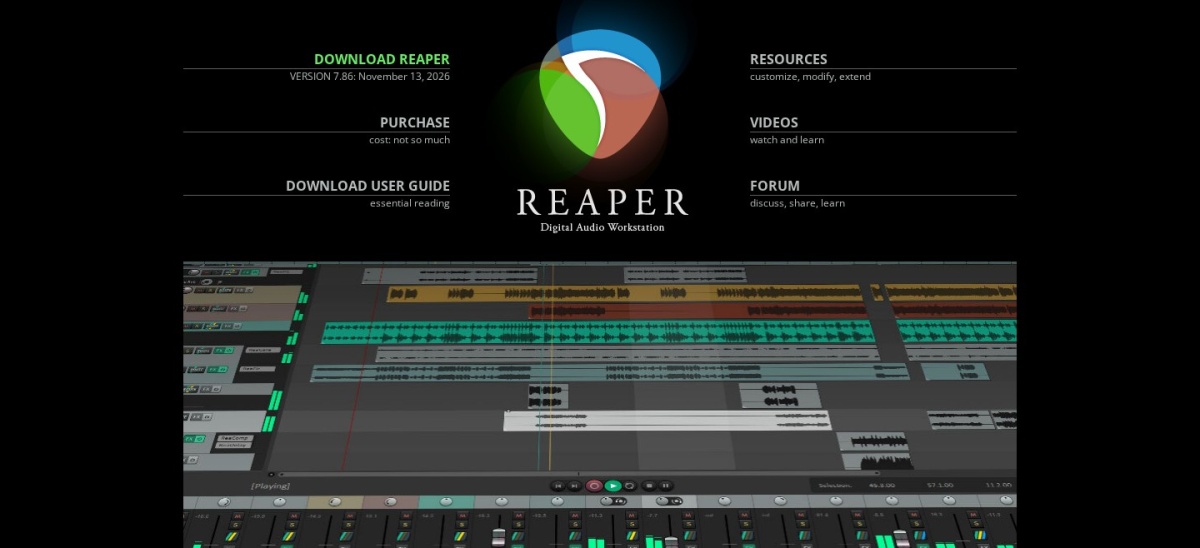
REAPER homepage, captured Nov 2026.
REAPER is a customizable digital audio workstation for recording, editing, processing and mixing audio. Its complete feature set is available during a 60-day evaluation, and eligible users can purchase a $60 discounted license that includes updates through version 8.99.
The trade off is that REAPER requires more initial configuration than dedicated podcast editors. The $60 license applies to eligible personal users, educational organizations, nonprofits and commercial users within the stated $20,000 annual gross revenue threshold; other commercial users pay $225. It suits experienced editors seeking detailed control without recurring subscription costs.
What we like
Affordable one-time license for eligible users
Flexible track routing and automation
Customizable editing shortcuts
Supports third-party audio effects
Suitable for complex podcast productions
Watch out for
Learning curve for first-time audio editors
No integrated transcript-first podcast workflow
Discounted licensing has eligibility requirements
A purchased license unlocks continued use after the evaluation period.Visit reaper.fm
06
GarageBand
4.3/5on G2 (277 reviews, checked Nov 2026)
PriceFree
Best for beginner podcasters using Mac
Editing methodMultitrack timeline
Desktop platformmacOS
Audio effectsBuilt-in voice presets
LicenseFree application
apple.com
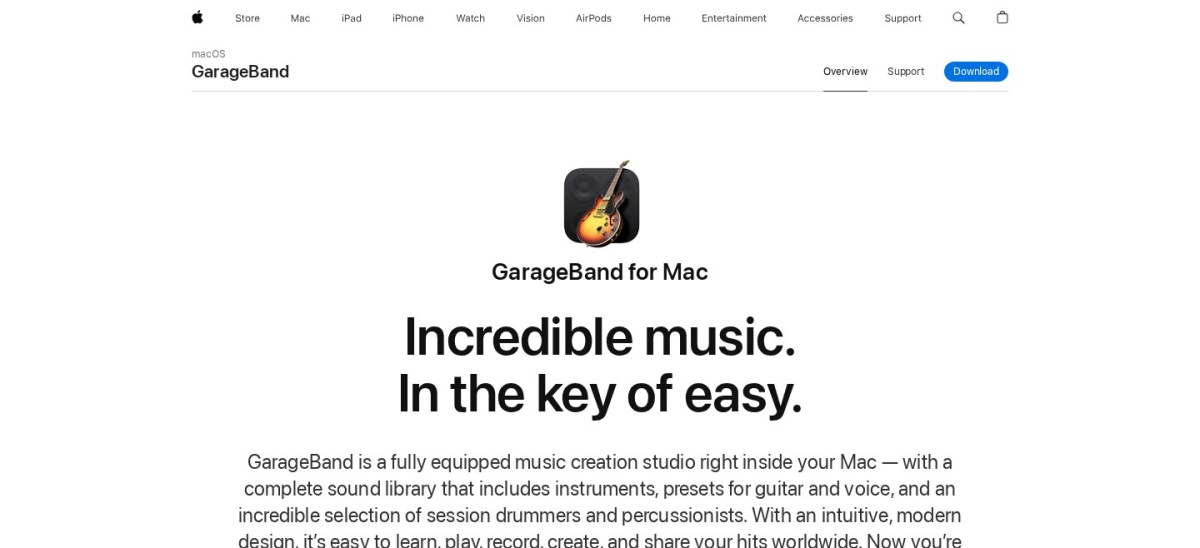
GarageBand homepage, captured Nov 2026.
GarageBand is a free audio creation application from Apple with a multitrack workspace, microphone recording, audio effects and voice presets. Its timeline lets podcasters arrange dialogue, introductory music, transitions and sound effects without purchasing additional editing software.
The trade off is that GarageBand is primarily a music production application rather than a dedicated podcast editor. It costs nothing to download on compatible devices, but transcript-based editing and specialized audio restoration require other software. It suits beginner podcasters producing straightforward audio episodes within the Apple ecosystem.
What we like
No subscription or purchase required
Approachable timeline for new audio editors
Built-in voice effects
Suitable for recording music and spoken audio
Easy arrangement of intro and outro tracks
Watch out for
Unavailable on Windows and Linux
No native transcript-based podcast editing
Limited specialized audio restoration features
No paid GarageBand plan; Logic Pro is a separate professional upgrade.Visit apple.com
07
Logic Pro
4.6/5on G2 (179 reviews, checked Nov 2026)
Starts at$129/yr
Best for podcasts with complex sound design
Editing methodMultitrack timeline
PlatformsMac and iPad
Standalone Mac purchase$199.99
Subscription planApple Creator Studio
apple.com
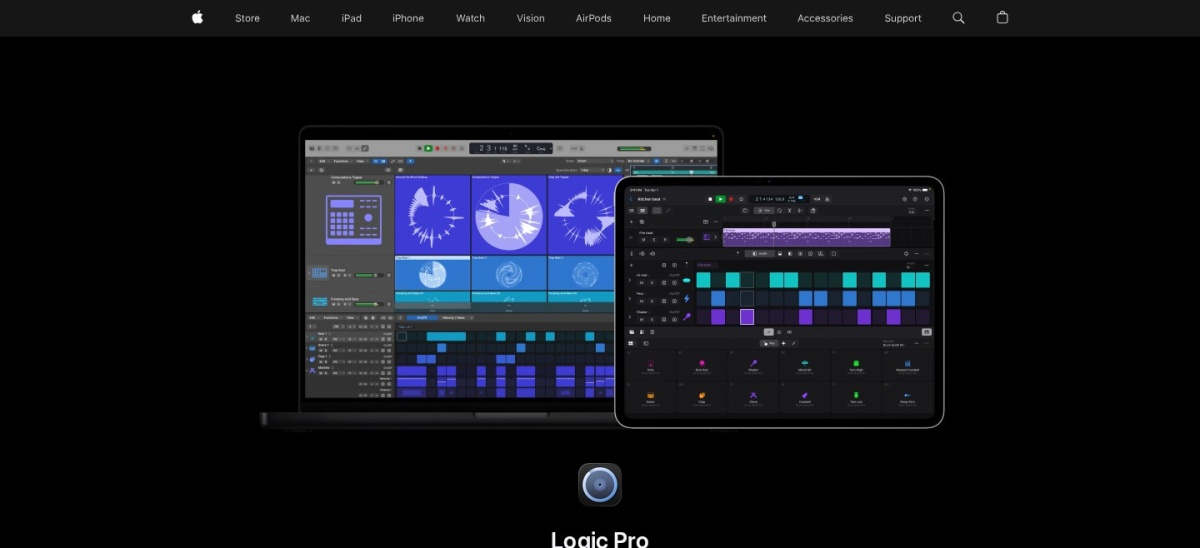
Logic Pro homepage, captured Nov 2026.
Logic Pro is a professional audio production workstation with detailed track editing, automation, audio effects and sound design capabilities. It is available through Apple Creator Studio at $129 annually or as a standalone Mac application for $199.99.
The trade off is that many of its music production features exceed what a basic interview podcast needs. Apple Creator Studio also offers monthly billing at $12.99, while the standalone purchase avoids a recurring subscription. It suits narrative podcasters and audio producers working with layered music, effects and complex episode arrangements.
What we like
Advanced audio mixing and automation
Extensive built-in effects and instruments
Suitable for narrative podcast sound design
Standalone Mac purchase remains available
Natural upgrade path from GarageBand
Watch out for
Restricted to compatible Apple devices
More complex than dedicated podcast editors
No primary transcript-first editing workflow
Apple Creator Studio includes Logic Pro alongside other creative applications.Visit apple.com
Is transcript editing better than traditional podcast editing?
Transcript editing is generally more convenient for conversation-heavy podcasts. Descript and Riverside let editors locate spoken passages through text, making it easier to remove repeated phrases, restructure discussions and prepare shorter promotional clips.
Timeline editing offers more precise control over sound. Adobe Audition, REAPER and Logic Pro let producers adjust individual audio regions, effects, transitions and automation. This approach works particularly well for scripted documentaries, narrative shows and episodes containing extensive sound design.
The two approaches can complement each other. A producer can use transcript editing for the initial conversation cut, then move the resulting audio into a dedicated workstation for detailed cleanup, mixing and final mastering.
How much should you spend on podcast editing software?
A podcast editing budget can start at zero. Audacity and GarageBand provide the essential recording, arrangement and export tools needed to publish audio-only episodes without a software subscription.
Paid subscriptions make more sense when they replace repetitive work. Descript costs $192 annually, while Riverside Pro costs $288 annually and combines remote recording with production and publishing features. The additional expense is easier to justify when it reduces editing time or replaces separate applications.
One-time licenses can reduce recurring production expenses. REAPER starts at $60 for eligible users, while Logic Pro remains available as a $199.99 standalone Mac purchase. The price ladder counts a one-time license as a first-year expense rather than a recurring annual charge.
How we chose
We selected established podcast editing tools covering transcript-based editing, remote interviews, traditional audio workstations and free desktop applications. We ranked them according to podcast-specific usefulness, editing flexibility, audio cleanup, learning requirements and regular entry-level costs.
We opened official vendor pricing pages and G2 product review pages on 29 Nov 2026. Prices reflect regular annual billing where available, with monthly rates converted to yearly totals when necessary. Some review pages display snapshots updated before the verification date. Riverside's pricing page returned a staging notice even after following its official pricing link, so its displayed $288 annual total should be reconfirmed at checkout.
We excluded recording-only applications, hosting services without meaningful editing features and products without verifiable pricing or sufficient public reviews. Free trials were not counted as permanent free plans. No vendor paid for a place, and we do not claim testing for this list.
How to choose podcast editing software for your workflow
Identify your recording format, editing experience and publishing requirements before comparing subscriptions or purchasing a desktop workstation.
Decide whether you prefer text or timeline editing. Choose Descript or Riverside if editing spoken conversations through transcripts sounds more practical. Choose Audition, REAPER or Audacity if you prefer direct waveform and track controls.
Match the editor to your recording format. Audio-only shows can use traditional workstations. Remote interview podcasts and video-first productions benefit from platforms that combine participant recording, transcript editing and video exports.
Calculate the complete production cost. Compare annual subscriptions, one-time licensing, processing allowances, recording limits and optional plugins. Include any separate recording or publishing tools you need to maintain your workflow.
Check audio cleanup and export requirements. Confirm that your chosen software supports the noise reduction, volume adjustment, file formats and multitrack editing features required by your podcast. Video creators should also check export resolution and branding restrictions.
FAQ
What is the best software to edit podcasts in 2026?
Descript is the best podcast editing software for most creators because it combines transcript-based editing, audio enhancement and video production. Its Hobbyist plan costs $192 annually. Riverside is better for remote interviews, while Adobe Audition offers more detailed audio repair controls.
What is the best free software for editing podcasts?
Audacity is the best free podcast editor for creators who want traditional audio editing without subscription costs. It supports major desktop operating systems, multitrack sessions and audio effects. GarageBand is another suitable free option for Mac users.
What podcast editing software is easiest for beginners?
Descript is a good beginner-friendly option because it lets users edit recorded speech through a transcript instead of learning detailed waveform controls. GarageBand is also approachable for Mac users who want to learn conventional timeline editing.
Is Descript better than Riverside for podcast editing?
Descript is better for transcript-focused editing of existing recordings, while Riverside is better for recording remote guests and producing video interviews. Both offer text-based editing, but Riverside places greater emphasis on the complete recording and publishing process.
How much does podcast editing software cost?
Podcast editing software ranges from completely free applications to paid subscriptions and one-time licenses. Audacity and GarageBand are free, REAPER starts at $60 for eligible users, and Descript costs $192 annually on its Hobbyist plan.
Can AI automatically edit a podcast?
Yes, AI-assisted podcast editors can help remove filler words, reduce unwanted noise, generate transcripts and create promotional clips. Descript and Riverside provide these features, although creators should still review automated edits for context, accuracy and natural conversation flow.
What is the best podcast editing software for professional audio?
Adobe Audition is a strong choice for professional podcast audio because it includes spectral editing, multitrack mixing and noise restoration tools. REAPER is a lower-cost alternative for editors who need advanced track routing and prefer one-time licensing.
Is REAPER better than Audacity for editing podcasts?
REAPER is better for complex productions that require advanced routing, automation and customizable workflows. Audacity is better for straightforward editing without software costs. Both support traditional multitrack production, but REAPER requires a purchased license after its evaluation period.
Do I need separate software to record and edit a podcast?
No, many podcast editors include recording features. Riverside combines remote recording with editing, while Descript supports recording and imported media. Desktop applications such as Audacity and REAPER can also record microphone input, although remote interviews may require additional tools.
SaaS SEO and WordPress specialist with about 8 years of experience. Rakib compares WordPress plugins, themes, hosting and software using public pricing, documentation and user reviews. See how we rank.