Best Productivity Software for Small Business in 2026: 9 Tools Compared
WLWPLegible EditorsLast verified 23 Nov 2026How we rank10 min read
★ Short answer
ClickUp is the best productivity software for small business, with tasks, docs, whiteboards and time tracking in one workspace and a 4.6/5 G2 rating from 14,878 reviews. Pick Asana for clean team coordination, or Notion if docs and wikis matter as much as tasks.
How we make this list: we compare pricing pages, product documentation and public user reviews, then re-check every price before each update. No product paid for a place. Disclosure.
ClickUp packs the most features per dollar: tasks, docs, whiteboards, goals and time tracking from $12 a user a month on the regular Core price.
Asana Starter at $10.99 a user a month is the easiest team tool to adopt, with Timeline, forms and unlimited automations.
Monday.com Basic starts at $9 a seat a month, but paid plans need at least 3 seats and seats sell in buckets.
Todoist Pro costs $5 a month billed yearly after a December 2025 price rise, and its free Beginner plan covers 5 projects.
Google Workspace Business Starter is $7 a user a month and is the only pick here with no free plan, only a 14-day trial.
What small business productivity software should cover
A small business rarely needs one more app. It needs one place where tasks, dates and files live, so nothing falls between tools.
The best picks here start free. Eight of the nine tools have a free plan, and the cheapest paid plans run $5 to $12 a user a month.
Watch the seat rules before you buy. Our guide on project management software compares the same tools at team scale, where Monday.com's 3-seat minimum and seat buckets change the real price.
Price per user is only half the cost. A tool that needs a second app for docs or chat costs more than its seat price suggests.
The 9 best productivity software for small business
01
ClickUp
4.6/5on G2 (14,878 reviews, checked Nov 2026)
Paid from$12/mo
Best all-in-one productivity hub
Free planYes, unlimited members
Paid fromCore, $12/user/mo
Docs and whiteboardsIncluded
Automations1,000/mo on Core
clickup.com
ClickUp homepage, captured Nov 2026.
ClickUp is the all-in-one workspace in this list, with tasks, docs, whiteboards, goals, chat and time tracking in one subscription. The Free Forever plan covers unlimited tasks and members with 60 MB of storage, so a small team can run on it for months before paying.
The trade off is complexity. ClickUp's settings run deep, and a team without someone owning the setup ends up with half-used features and messy workflows. Core costs $12 a user a month billed yearly on the regular price, while the page currently shows a $9 promotional price.
What we like
The most features per dollar of any tool here
Free forever plan with unlimited members
Cheaper than Asana at every comparable tier
Watch out for
Feature density overwhelms new users
Setup takes real effort without an owner
AI features cost extra rather than being bundled
Core adds unlimited storage, Gantt charts and 1,000 automations a monthVisit clickup.com
02
Asana
4.4/5on G2 (13,930 reviews, checked Nov 2026)
Paid from$10.99/mo
Best for clean team coordination
Free planYes, up to 2 users
Paid fromStarter, $10.99/user/mo
Timeline and GanttFrom Starter
Portfolios and goalsAdvanced only
asana.com
Asana homepage, captured Nov 2026.
Asana is the tool you hand to a team that has never used project software before. The interface is clear enough that people figure it out on their own, and List, Board, Calendar and Timeline are four views of the same work, so a campaign can be managed as tasks while leadership watches a timeline.
The trade off is the tier gap. Starter at $10.99 a user a month billed annually covers Timeline, forms and unlimited automations, but portfolios, goals, workload and native time tracking only appear on Advanced at $24.99 a user a month. Price the tier you will actually need, not the one you sign up for.
What we like
Polished interface that non-technical teams adopt without training
Timeline, workflow builder and dashboards included from Starter
Exact per-user billing with no seat buckets
Watch out for
Portfolios, goals and native time tracking need the $24.99 Advanced tier
The free plan's two-user cap makes it useless for real teams
Advanced adds portfolios, goals, workload and time trackingVisit asana.com
03
Notion
4.6/5on G2 (13,834 reviews, checked Nov 2026)
Paid from$10/mo
Best for docs and tasks in one place
Free planYes, for individuals
Paid fromPlus, $10/seat/mo
DatabasesRelational, unlimited
AI featuresBusiness, $20/seat/mo
notion.com
Notion homepage, captured Nov 2026.
Notion is the docs-first workspace in this list, with pages, databases, calendars and forms in one place. Relational databases let you build a client CRM, an editorial calendar or a simple inventory tracker without leaving the app, which suits knowledge-centered teams.
The trade off is the blank canvas. Notion ships with no structure, so someone on your team has to build it, and undocumented workspaces turn into digital junk drawers. Plus costs $10 a seat a month billed annually, or $12 month to month, and full AI features wait for Business at $20 a seat.
What we like
One workspace for meeting notes, wikis, docs and task boards
Generous free plan for individuals
Deep template gallery that shortens setup
Watch out for
You have to design your own system, and teams without a clear template drift
Advanced AI and admin controls need the $20/seat Business tier
Monday.com is the most visual tool in this list, with colour-coded boards that show who is doing what and where each job stands. The template gallery covers marketing campaigns, client onboarding and hiring pipelines, and teams use it well beyond project management, as a light CRM or editorial calendar.
The trade off is seat math. Every paid plan needs at least 3 seats, so a solo user pays $27 a month on Basic, and seats sell in buckets of 3, 5, 10 and 15, so a team of 11 pays for 15. Basic at $9 a seat a month also has no automations or integrations; those start on Standard at $12.
What we like
Highly visual boards that managers love
Strong automation marketplace and integration library
Works for non-project workflows like CRM and hiring
Watch out for
Seats sell in buckets with a 3-seat minimum, so awkward team sizes overpay
The Basic tier is weak, pushing most teams to $12/seat Standard
Standard adds automations, integrations, Timeline and GanttVisit monday.com
05
Trello
4.4/5on G2 (14,064 reviews, checked Nov 2026)
Paid from$5/mo
Best for simple visual boards
Free planYes, 10 boards
Paid fromStandard, $5/user/mo
Butler automation1,000 runs/mo on Standard
Timeline viewPremium, $10/user/mo
trello.com
Trello homepage, captured Nov 2026.
Trello is the simplest board in this list, with columns of cards that map to how work actually moves: to do, doing, done. Content calendars, hiring pipelines and client onboarding all fit naturally on a board, and nobody needs a training session to use it.
The trade off is planning depth. Trello has no dependency management and thin reporting, so once projects need dependencies or cross-project reporting, you are paying for Premium at $10 a user a month or migrating to Asana or ClickUp. Standard at $5 a user a month billed annually is the cheapest team plan here.
What we like
The lowest learning curve of any team tool here
A genuinely useful free tier with unlimited cards and Power-Ups
Butler automation included from free
Watch out for
No dependency management and thin reporting, so it hits a ceiling as projects get complex
Premium-only views push real planning to $10/user/month
Premium adds Timeline, Calendar, Table and Dashboard viewsVisit trello.com
06
Todoist
4.5/5on G2 (832 reviews, checked Nov 2026)
Paid from$5/mo
Best for personal and shared task lists
Free planYes, 5 projects
Paid fromPro, $5/mo
Projects on Pro300
Team planBusiness, $8/user/mo
todoist.com
Todoist homepage, captured Nov 2026.
Todoist is the fastest task list in this list, with natural-language entry that turns 'Call Maria every first Monday' into a scheduled task. The free Beginner plan covers 5 active projects with 5 collaborators each, which is enough for an individual or a couple sharing a side business.
The trade off is team depth. Todoist has no Gantt charts, workloads or dependencies, so a team of six that needs timeline views or approvals will outgrow it. Pro costs $5 a month billed annually after a December 2025 price rise, and Business is $8 a user a month for shared team projects.
What we like
Fastest natural-language task entry of any tool here
Light app that stays quick on every device
Honest free tier that never expires
Watch out for
No Gantt charts, workloads or dependencies, so teams outgrow it on planning depth
Team features are basic compared with Asana or ClickUp
Business adds up to 500 team projects and shared templatesVisit todoist.com
07
Slack
4.5/5on G2 (39,274 reviews, checked Nov 2026)
Paid from$7.25/mo
Best for team communication
Free planYes, 90-day history
Paid fromPro, $7.25/user/mo
Apps2,600+
HuddlesGroup huddles on Pro
slack.com
Slack homepage, captured Nov 2026.
Slack is the communication layer of this list, with channels that replace long email threads and huddles that replace short meetings. The whole team can find any conversation by topic, and 2,600+ apps connect it to the rest of the stack, from Asana and Trello to Google Drive.
The trade off is history and cost. The free plan keeps only 90 days of message history, and Pro at $7.25 a user a month billed annually is needed for unlimited history, unlimited apps and group huddles. Costs rise sharply at Business+ and Enterprise+, so price your real headcount first.
What we like
The dominant team chat tool, with the widest app library
Channels replace long email threads
Shared client channels on paid plans
Watch out for
Free plan keeps only 90 days of history
Costs rise sharply at Business+ and Enterprise+
Business+ adds Slack AI, data residency and 24/7 supportVisit slack.com
08
Google Workspace
4.6/5on G2 (48,170 reviews, checked Nov 2026)
Starts at$7/mo
Best full office suite
Free planNo, 14-day trial
Paid fromStarter, $7/user/mo
Storage30 GB pooled per user
MeetingsUp to 100 participants
workspace.google.com
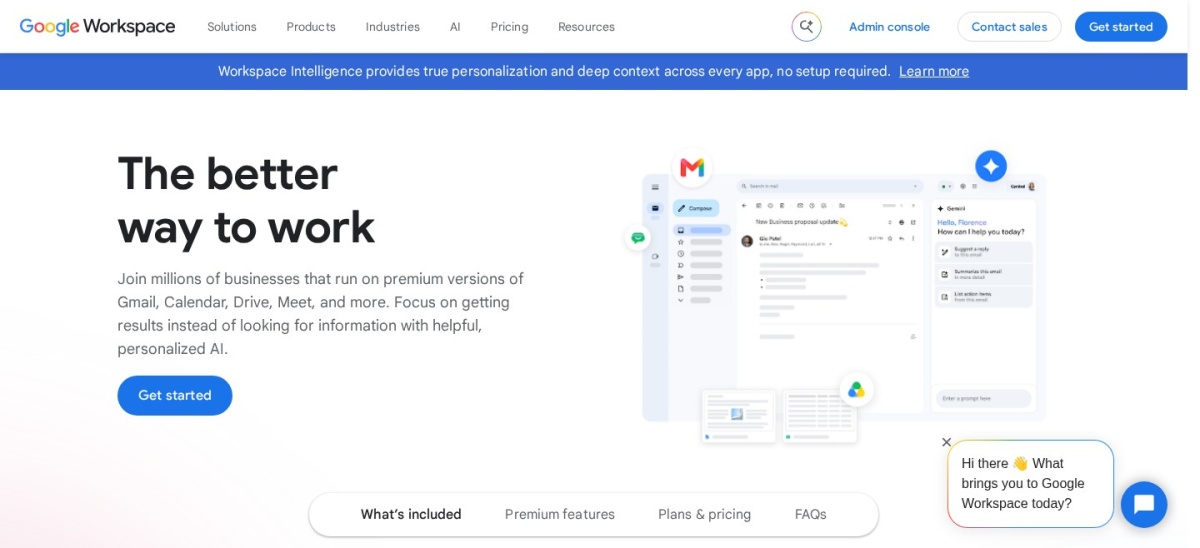
Google Workspace homepage, captured Nov 2026.
Google Workspace is the full office suite in this list, with Gmail on a custom domain, Drive storage, Docs, Sheets, Slides, Meet and Calendar under one login. Business Starter costs $7 a user a month on an annual commitment and includes 30 GB of pooled storage per user and video meetings for up to 100 participants.
The trade off is that there is no free plan, only a 14-day trial, and the annual plan locks you in for a year. Gemini AI features are included in Gmail, but the suite is weaker than dedicated tools for project tracking, so most teams pair it with a task tool from this list.
What we like
One login for email, files, docs and meetings
Real-time collaboration across Gmail, Drive and Docs
Professional email on a custom domain from $7 a user
Basecamp is the calmest tool in this list, with to-dos, message boards, schedules, docs, files and group chat, and nothing else. There are no custom fields, no dependencies and no configuration rabbit hole, so a team that spends more time configuring project software than doing work often finds its fixed structure calming.
The trade off is deliberate missing features. Basecamp has no Gantt charts, time tracking, custom fields or AI, so structured teams will bounce. Plus costs $15 per user per month billed monthly, with clients always free, and the flat $299 a month Pro Unlimited plan caps costs for growing teams.
What we like
All features on every plan, so no tier-guessing
Clients and contractors are free on paid plans
The flat $299/month Pro Unlimited plan caps costs for growing teams
Watch out for
Deliberately missing Gantt charts, time tracking, custom fields and AI
$15 per user is steep for what is essentially to-dos plus chat
On annual billing, a five-person team pays $300 a year on Trello Standard or Todoist Pro, $420 on Google Workspace, $435 on Slack Pro, $540 on Monday.com Basic, $600 on Notion Plus and $659.40 on Asana Starter.
ClickUp Core costs $720 a year for five users at the $12 regular price, and Basecamp Plus costs $900 a year at $15 per user per month. Basecamp's flat $299 a month Pro Unlimited plan only wins past about 20 users.
These totals assume every seat is paid. Free guests on Asana and Basecamp, and free members on ClickUp, can cut the real bill, so count only the people who need a paid seat.
How we chose
We started from the project, task and docs tools small businesses actually adopt, then kept the nine with the strongest G2 ratings and a plan a team of two to ten people can afford.
Prices come from each vendor's pricing page, checked on 23 November 2026. ClickUp's page currently shows a $9 promotional price for Core, so this list shows the $12 regular price. Ratings and review counts come from G2, checked in October and November 2026.
We left out tools aimed only at large enterprises, and tools with no small-business tier. No vendor paid for a place, and this list is based on pricing, docs and reviews, not on using the tools ourselves.
How to choose productivity software for your small business
Match the tool to how your team already works, then check the seat rules before you pay.
Count the people who will actually use it. A free plan that caps at 2 users is a trial for a team of five, and Monday.com's 3-seat minimum changes the real price.
Pick one home for tasks and docs. A task tool plus a separate docs app costs more than one workspace that covers both, and work gets lost between them.
Check the paid tier you will actually need. Timeline views, automations and reporting often sit one tier above the entry plan, so price that tier, not the cheapest one.
Try the free plan with real work. Run one real project through it for two weeks before paying, and see whether the team opens it without being asked.
FAQ
What is the best productivity software for a small business?
ClickUp is the best all-in-one pick for most small businesses, with tasks, docs, whiteboards and time tracking from $12 a user a month. Asana is the easiest to adopt, and Notion is the best pick when docs and wikis matter as much as tasks.
What is the cheapest productivity software for small business?
Trello Standard and Todoist Pro both cost $5 a month on annual billing. Trello fits visual teams that live on boards, while Todoist fits individuals and tiny teams that live in to-do lists. Both have a free plan to start with.
Is there free productivity software for small business?
Yes. ClickUp, Asana, Notion, Trello, Todoist, Slack, Monday.com and Basecamp all have a free plan. Google Workspace is the only tool here with no free plan, offering a 14-day trial instead.
Is ClickUp or Asana better for a small business?
ClickUp packs more features per dollar, with docs, whiteboards and time tracking from $12 a user a month. Asana is cleaner and easier to adopt, with Starter at $10.99 a user a month, but portfolios and goals need the $24.99 Advanced tier.
Do I need to pay for productivity software?
Not at first. Most tools here have a free plan that covers a small team for months. Pay when you hit a limit that matters, such as unlimited history in Slack, Timeline views in Asana, or more than 5 projects in Todoist.
What is the best free productivity tool for a team of five?
ClickUp's free plan is the strongest for a team of five, with unlimited members and unlimited tasks. Trello's free plan covers up to 10 collaborators per workspace, while Asana's free plan caps at 2 users.