BoxBrownie is the best photo editing software for real estate if you want a person to edit each photo, at 2 dollars an image with no subscription. Adobe Lightroom is the best pick for photographers who edit themselves, while Luminar Neo suits agents who want one-click AI fixes for 99 dollars once.
How we make this list: we compare pricing pages, product documentation and public user reviews, then re-check every price before each update. No product paid for a place. Disclosure.
BoxBrownie is the best human-edited service at $2 per photo, with no subscription.
Adobe Lightroom is the pro default at $11.99 a month, with the best catalogue and batch workflow.
Adobe Photoshop is the deepest retoucher at $22.99 a month, or $19.99 with Lightroom in the Photography plan.
Luminar Neo and Photomatix Pro both cost $99 once, for AI fixes and HDR brackets respectively.
DxO PhotoLab has the best RAW quality from $159.99 once, but only 14 Capterra reviews.
What real estate photo editing software should cover
Real estate photo editing splits into three jobs: enhancing the photo you shot, staging the room, and managing a whole listing's worth of images. The tools below cover all three, from human-edited services to AI editors to full desktop software.
The first choice is who edits. BoxBrownie sends your photos to human editors at 2 dollars an image, while Luminar Neo, Lightroom and Photoshop put the edit in your hands. Human services cost more per photo but need no learning; software costs less per photo once you know it.
The second choice is how you pay. BoxBrownie charges per photo, Lightroom and Photoshop charge monthly, and Luminar Neo, Photomatix Pro and DxO PhotoLab sell one-time licences. Our guide to the best accounting software covers tools for tracking what each listing actually costs to produce.
Most photographers end up with two tools: Lightroom for the catalogue and batch work, plus one specialist such as Photomatix Pro for brackets or BoxBrownie for overflow. Pick the catalogue first, then add the specialist that fixes your weakest step.
4.4/5on Trustpilot (347 reviews, checked Nov 2026)
Pricing$2 (per photo)
Best human-edited service
Enhancement$2 per image, pay as you go
Day to dusk$5 per image
Virtual staging$30 per image
TurnaroundAbout 24 hours, staging under 48
boxbrownie.com
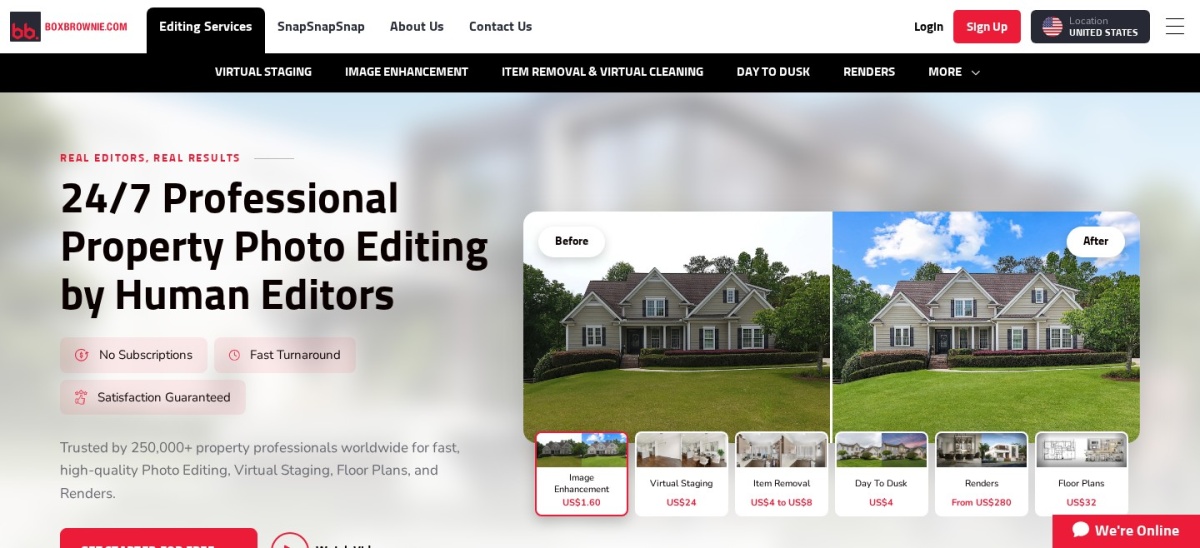
BoxBrownie homepage, captured Nov 2026.
BoxBrownie is a human-edited photo service where professional editors enhance each listing photo by hand, and it is the quality leader for outsourced editing. Enhancement costs 2 dollars an image with no subscription, day-to-dusk conversion costs 5 dollars, and virtual staging costs 30 dollars. You only pay for the jobs you send.
The trade off is time and trust. Photos come back in about 24 hours rather than seconds, and most of its 347 Trustpilot reviews are at least two years old, so recent quality is harder to judge. It suits agents and photographers who want a person to do the edit and will wait a day for it.
Adobe Lightroom is the professional default for high-volume real estate work, with the best catalogue, the widest camera and lens support, and AI masking that works. Presets and batch edits let you process a whole listing the same way, and Denoise and Select Sky clean up brackets fast. The Lightroom plan costs 11.99 dollars a month.
The trade off is the subscription and the learning curve. There is no one-time purchase, and the interface takes time to learn. It suits photographers who shoot every week and want one catalogue for every listing.
Adobe Photoshop is the deepest pixel editor in this list, with Generative Fill, the best selection tools, and layer-based retouching for anything Lightroom cannot fix. It removes unwanted objects, rebuilds skies and composites twilight shots from day photos. The single-app plan costs 22.99 dollars a month.
The trade off is price and complexity. Bought alone it costs more than Lightroom, and it is overkill for basic exposure and colour work. The Photography plan at 19.99 dollars a month includes Lightroom and Photoshop together, which is the better buy. It suits retouchers who need full control.
Luminar Neo is an AI-assisted editor built for photographers who want fast results without learning layers. Sky AI replaces grey skies in one click, Relight AI fixes interiors, and it works as a Lightroom or Photoshop plugin. A perpetual licence costs 99 dollars once.
The trade off is ownership fine print. Generative tools expire after a year unless renewed, and some listings quote a 9.95 dollar monthly price instead of the one-time licence, so check the plan before you buy. It suits agents who edit their own photos and want quick AI fixes.
Capture One Pro is the studio photographer's tool, with the fastest tethered capture, live view and the best colour editing and skin tones in this list. It handles Fujifilm film simulations and X-Trans files better than any rival. Pro costs about 18 dollars a month on the annual plan.
The trade off is price. At 18 dollars a month it costs more than Lightroom, and one roundup lists 24 dollars a month instead, so confirm the current rate. The perpetual licence costs 349 dollars. It suits studio and product photographers who shoot tethered.
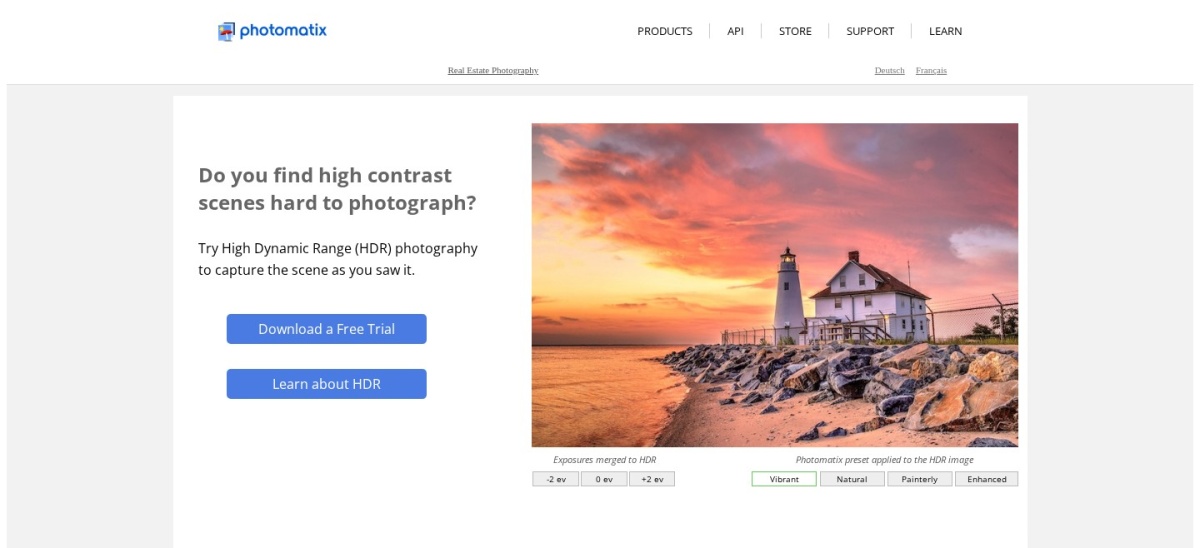
Photomatix Pro is dedicated HDR software for real estate photographers, built to blend bracketed exposures into one balanced image. It has done this one job for more than 20 years, with exposure fusion, tone mapping and batch processing across Windows, Mac and Linux. It costs 99 dollars once.
The trade off is narrow scope. It merges brackets and nothing else, so you still need another editor for colour, retouching and cataloguing. Its G2 base is only 40 reviews. It suits photographers who shoot brackets on every listing and want the HDR specialist.
DxO PhotoLab is the RAW quality pick, with DeepPRIME noise reduction and lab-measured lens corrections for every body and lens combination. It turns high-ISO interior shots into clean files with more detail kept than any rival here. Essential costs 159.99 dollars once, Elite 249.99 dollars.
The trade off is proof and price. Its 4.4 Capterra rating rests on only 14 reviews, and Elite costs 250 dollars for the full DeepPRIME XD engine. It suits photographers who put image quality above everything and shoot in dim interiors.
BoxBrownie charges 2 dollars per enhanced photo, so a 25-photo listing costs 50 dollars with no commitment. That beats a subscription when you shoot rarely, and loses when you shoot every week.
Subscriptions suit volume. Lightroom at 11.99 dollars a month costs less than six BoxBrownie listings, and it covers unlimited photos once you know the workflow.
One-time licences suit photographers who hate subscriptions. Luminar Neo at 99 dollars and Photomatix Pro at 99 dollars pay for themselves in two months of Lightroom, but check what expires: Luminar's generative tools need renewal after a year.
How we chose
We started from the photo editors most often recommended for real estate work in 2026 roundups, then kept those with a verifiable G2, Capterra or Trustpilot rating and a live site or app.
Prices come from each vendor's pricing page, checked on 25 November 2026. Ratings and rating counts come from G2, Capterra or Trustpilot on the same day. Where a vendor shows a sale, the list shows the regular price.
We left out tools that publish no price and tools with no public rating. No vendor paid for a place, and we do not claim hands-on testing for this list.
How to choose photo editing software for real estate
Start with who edits, then match the price model to your shoot volume.
Decide who edits the photos. Human services such as BoxBrownie suit agents who want no learning curve, while Lightroom and Photoshop suit photographers who edit every week.
Count your photos per month. BoxBrownie at 2 dollars a photo beats a subscription below about six listings a month, while Lightroom pays off once you shoot weekly.
Check what the licence covers. Luminar Neo's generative tools expire after a year, Capture One's price listings conflict, and Photoshop is cheaper inside the Photography plan.
Trial the bracket workflow. Merge a bracketed set, test sky replacement on a grey day, and export a full listing before you commit to one editor.
FAQ
What is the best photo editing software for real estate?
BoxBrownie is the best pick if you want a person to edit each photo, at 2 dollars an image with no subscription. Adobe Lightroom is the best pick if you edit yourself, at 11.99 dollars a month with the best catalogue and batch workflow.
How much does real estate photo editing cost?
Human editing costs about 2 dollars a photo on BoxBrownie, with day-to-dusk at 5 dollars and virtual staging at 30 dollars. Software costs 11.99 dollars a month for Lightroom, or 99 dollars once for Luminar Neo or Photomatix Pro.
Is there free photo editing software for real estate?
Affinity Photo is now free with a free Canva account, and GIMP is free and open source, but neither appears in this list because neither has a verifiable G2, Capterra or Trustpilot rating. Lightroom and Photoshop offer 7-day trials.
What is the difference between Lightroom and Photoshop?
Lightroom organises and batch-edits whole listings, with presets, catalogues and AI masking. Photoshop retouches single images in depth, with layers, Generative Fill and the best selection tools. Most photographers use Lightroom daily and Photoshop only for hard fixes.
Do I need HDR software for real estate photos?
HDR software matters when you shoot brackets to balance bright windows against dim interiors. Photomatix Pro blends brackets for 99 dollars once, and Lightroom merges HDR too, but Photomatix has done this one job for more than 20 years.
What is virtual staging and how much does it cost?
Virtual staging adds furniture to an empty room photo digitally. BoxBrownie charges 30 dollars per staged image with human editors and delivery under 48 hours, while AI staging tools such as Styldod start lower but vary in quality.
Can AI replace a human photo editor?
AI editors such as Luminar Neo handle skies, lighting and exposure in seconds, which covers most listing photos. Human editors still win on judgement calls such as window pulls, colour casts and realistic staging, which is why many photographers use both.
SaaS SEO and WordPress specialist with about 8 years of experience. Rakib compares WordPress plugins, themes, hosting and software using public pricing, documentation and user reviews. See how we rank.