Todoist is the best personal project management tool for most people, with fast task capture, deadlines and recurring tasks for 5 dollars a month billed yearly. Notion suits people who want notes and tasks in one workspace, Trello suits visual planners, and TickTick is the best value at 36 dollars a year.
How we make this list: we compare pricing pages, product documentation and public user reviews, then re-check every price before each update. No product paid for a place. Disclosure.
Todoist leads for fast personal task capture, with Pro at 5 dollars a month billed yearly and 300 personal projects.
Notion is the best workspace option, combining tasks, notes and databases, with Plus at 10 dollars a month billed yearly.
Trello is the easiest visual planner, with Kanban boards and a Standard plan at 5 dollars a month billed yearly.
TickTick is the best value, adding calendar, habits and a focus timer for 36 dollars a year.
ClickUp and Asana suit people whose personal projects grow into team work, with free plans that scale up.
What makes a good personal project tool
Personal project management is about keeping your own work visible. The tool has to be fast enough to open ten times a day and clear enough to show what is due next.
Most people need only three things: a quick way to capture a task, a list or board to organize it, and a reminder when it is due. Anything more is optional until your projects grow.
The free plans here are generous. Todoist, Trello, Notion, ClickUp and Asana all offer a usable free tier, so try the free plan for a week before paying. Our guide to checklist software covers the simplest end of this category.
If your personal projects turn into team work, pick a tool that scales. Trello, Asana, ClickUp and monday.com all grow from one person to a team without forcing you to move your data.
Todoist is a task app built around quick entry: type a task in plain language, add a date and a project, and move on. The free Beginner plan allows 5 personal projects, and Pro at 5 dollars a month billed yearly adds 300 projects, calendar and table layouts, deadlines and custom reminders.
The trade off is depth. There are no dependencies, timelines or Gantt charts, so bigger projects need a second tool. It suits anyone who wants a fast daily list without learning a workspace.
Notion is a workspace where tasks, notes, databases and docs live on the same pages, so a personal project can hold its plan, its tasks and its reference material together. The free plan covers personal use, and Plus at 10 dollars a month billed yearly adds unlimited file uploads and 30-day page history.
The trade off is setup time. You build the system first, and the blank page can stall people who just want a list. It suits system builders who enjoy shaping their own workflow.
What we like
Tasks, notes and docs in one place
Largest review base here with Trello, 4.6 on G2
Free plan is generous for personal use
Watch out for
Blank-page setup takes real time
No built-in habit tracking or focus timer
AI features sit on higher tiers
Business adds advanced automations and Notion AI creditsVisit notion.com
03
Trello
4.4/5on G2 (14,078 reviews, checked Nov 2026)
Paid from$5/mo
Best for visual planners
BoardsUnlimited on Standard
AutomationBuilt in, no code
Integrations200+ Power-Ups
Cheapest paid planStandard, $5/user/mo yearly
trello.com
Trello homepage, captured Nov 2026.
Trello is a Kanban board tool that turns work into cards across lists, so a personal project reads like sticky notes on a wall. The free plan covers 10 collaborators per workspace, and Standard at 5 dollars per user a month billed yearly unlocks unlimited boards, custom fields and advanced checklists.
The trade off is that list-heavy, deadline-driven work feels awkward on boards, and timelines need the Premium plan. It suits visual planners who think in stages and columns.
TickTick is a to-do app that pairs task lists with a calendar view, habit tracking and a built-in Pomodoro timer, so one subscription covers several daily routines. The free tier covers basic lists and calendar view, and Premium starts at 35.99 dollars a year billed annually.
The trade off is density. The extra features can feel cluttered if you only want a simple list, and the review base is small at 114 G2 reviews. It suits value seekers who want habits and focus tools beside their tasks.
What we like
Cheapest paid plan in this list
Calendar, habits and focus timer in one app
Rated 4.5 out of 5 on G2
Watch out for
Small review base at 114 G2 reviews
Feature density feels cluttered for simple lists
Free tier limits list counts
Premium adds unlimited lists, habits and calendar featuresVisit ticktick.com
05
ClickUp
4.6/5on G2 (15,312 reviews, checked Nov 2026)
Paid from$9/mo
Best for projects that grow into team work
ViewsList, board, calendar, more
DocsYes, built in
AI featuresYes, on Core
Cheapest paid planCore, $9/user/mo yearly
clickup.com
ClickUp homepage, captured Nov 2026.
ClickUp is a workspace that shows the same tasks as a list, board or calendar, with docs, goals and AI in the same place. The Free Forever plan covers personal use, and Core at 9 dollars per user a month billed yearly adds unlimited storage, more integrations and AI features.
The trade off is surface area. There is more to learn than a pure to-do app, and new users can feel lost in the options. It suits people whose personal projects may grow into team work.
What we like
Same tasks in list, board or calendar views
Docs, goals and AI in one workspace
Rated 4.6 out of 5 on G2 from 15,312 reviews
Watch out for
More to learn than a pure to-do app
Interface can feel busy for simple lists
Some features sit behind higher tiers
Business adds dashboards, time tracking and resource managementVisit clickup.com
06
Asana
4.4/5on G2 (14,107 reviews, checked Nov 2026)
Paid from$10.99/mo
Best for structured personal projects
ViewsList, board, timeline
GoalsYes, with progress
AutomationYes, more on Starter
Cheapest paid planStarter, $10.99/user/mo yearly
asana.com
Asana homepage, captured Nov 2026.
Asana is a work management platform that organizes personal projects with lists, boards, timelines and goals, with clear owners and due dates on every task. The free plan covers up to 2 users, and Starter at 10.99 dollars per user a month billed annually adds timeline view, dashboards and more automation.
The trade off is that Asana is built for teams first, so a single user pays a team price, and native time tracking is missing. It suits people who run structured projects and may add collaborators later.
monday.com is a visual work platform with customizable boards, automations and dashboards that scale from one person to a whole team. The free plan covers 2 seats, and Basic at 9 dollars per seat a month billed yearly adds unlimited boards and 5GB of storage.
The trade off is the 3-seat minimum on paid plans, so one person pays for 3 seats, and the learning curve is real. It suits people whose personal projects are likely to become team projects.
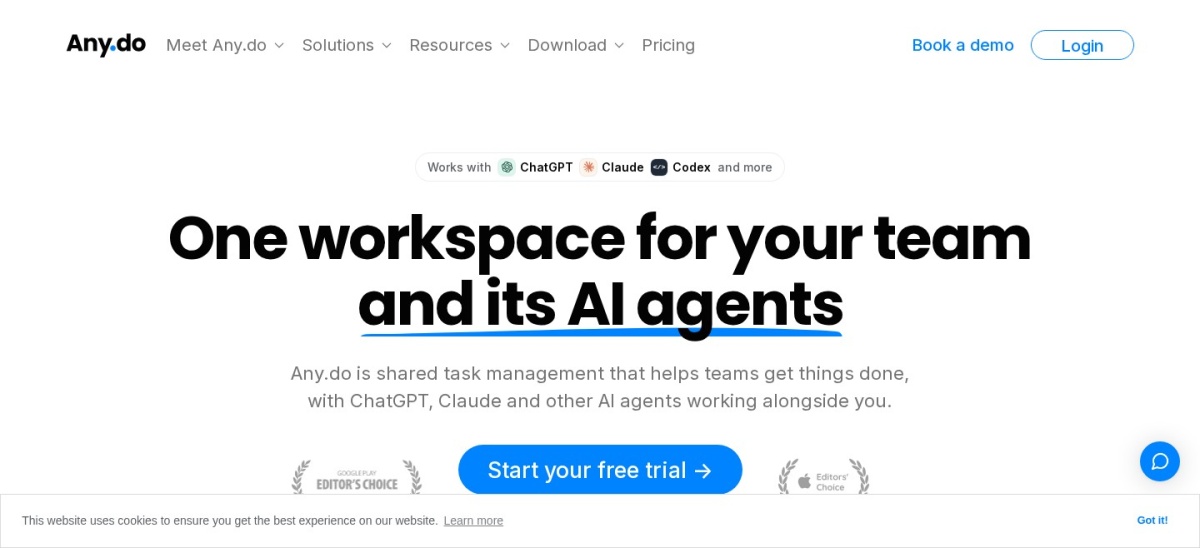
Any.do is a to-do app built around daily planning, with a morning planner, location and WhatsApp reminders, and a clean mobile app. The free plan covers basic lists, and Premium at 4.99 dollars a month billed annually adds unlimited lists, color tags and recurring reminders.
The trade off is the lower rating, 4.2 out of 5 on G2 from 207 reviews, and fewer views than Trello or Asana. It suits people who plan each day in the morning and want reminders that follow them.
What we like
Daily planner with morning review
Location and WhatsApp reminders
Clean mobile app, fast capture
Watch out for
Lowest G2 rating in this list at 4.2
Fewer views than board tools
No built-in docs or notes
Premium adds unlimited lists and advanced remindersVisit any.do
Free vs paid: what you give up
Free plans cover the core job well. Todoist free allows 5 personal projects, Trello free allows 10 collaborators per workspace, and Notion free covers personal notes and tasks.
Paid plans mostly add limits and views: more projects, calendar and timeline views, custom filters, larger uploads and automation runs.
For one person, the cheapest paid plan is usually enough. TickTick Premium at 36 dollars a year is the lowest price in this list, and Todoist Pro at 60 dollars a year is the best value for pure task work.
How we chose
We started from the personal task and project tools with the largest G2 review bases, then kept the eight with a verifiable rating and a published starting price.
Prices come from each vendor pricing page, checked on 26 November 2026, except where the page did not render and a recent check of the same page is noted. Ratings and review counts come from G2 on the same day. Where a vendor shows a sale, the list shows the regular price.
We left out tools with no verifiable rating, including Apple-only apps with no G2 listing. No vendor paid for a place, and we do not claim hands-on testing for this list.
How to choose a personal project management tool
Start with how you think about your work, then pick the tool that matches that shape.
Decide list or board first. List people should start with Todoist or TickTick. Visual thinkers should start with Trello or monday.com.
Try the free plan for a week. A week of real tasks shows whether capture is fast enough and whether the views help or distract.
Check the paid limits you will hit. Project caps, file upload size and calendar views are the usual reasons to upgrade, so check them before you buy.
Pick a tool that can grow with you. If personal projects may become team work, choose a tool with a team plan so you never have to migrate.
FAQ
What is the best personal project management tool?
Todoist is the best pick for most people. It captures tasks fast, handles deadlines and recurring tasks well, and Pro costs 5 dollars a month billed yearly. It is rated 4.5 out of 5 on G2 from 869 reviews.
Is Notion good for personal project management?
Yes, if you like building your own system. Notion combines tasks, notes and databases in one workspace, and its free plan is generous. The trade off is setup time: you build the system first, then use it.
How much does personal project management software cost?
Cheapest paid plans here run from 36 dollars a year for TickTick Premium to 132 dollars a year for Asana Starter. Most people pay between 60 and 120 dollars a year for a single user.
Which tool is best for visual planners?
Trello is the easiest visual option, with drag-and-drop Kanban boards and near-zero setup. Its Standard plan costs 5 dollars per user a month billed yearly and unlocks unlimited boards.
Can I manage personal projects for free?
Yes. Todoist, Trello, Notion, ClickUp, Asana and TickTick all offer free plans that cover personal projects. Paid plans add more projects, views and automation for a single user.
What is the difference between Todoist and TickTick?
Todoist is simpler and faster for pure task capture, while TickTick adds a calendar view, habit tracking and a Pomodoro timer in the same app. TickTick Premium is also cheaper at 36 dollars a year against 60 dollars for Todoist Pro.
SaaS SEO and WordPress specialist with about 8 years of experience. Rakib compares WordPress plugins, themes, hosting and software using public pricing, documentation and user reviews. See how we rank.