Freedom is the best focus app for most people because it blocks websites and apps across Mac, Windows, iOS, Android and Chromebook in one synced session. Pick FocusMe for strict enforced schedules across desktop and mobile, or Focusmate for live body-doubling accountability sessions.
How we make this list: we compare pricing pages, product documentation and public user reviews, then re-check every price before each update. No product paid for a place. Disclosure.
Freedom syncs distraction blocks across desktop and mobile devices from $3.33 a month billed yearly, with a free tier for shorter sessions.
FocusMe pairs tamper-resistant rules on Windows, Mac, Linux, iOS and Android with an AI coach, starting at $9.95 a month billed yearly.
Focusmate pairs you with a live partner for 25-, 50- or 75-minute work sprints, offering 3 free sessions a week or unlimited use for $8 a month billed yearly.
Opal blocks distracting phone and Mac apps at the system level, with 3 free rules or Pro at $99.99 a year.
RescueTime and Toggl Track track where your hours go automatically, while Brain.fm and Sunsama tackle audio focus and daily time-blocking.
What a good focus app should actually solve
Distraction rarely comes from one tab. When you block social media on your laptop, the reflex is to pick up your phone two minutes later.
Different focus tools tackle different bottlenecks. Website and app blockers remove temptation at the system level, body-doubling platforms add social accountability, focus audio masks background noise and time trackers expose where hours leak.
Look closely at bypass resistance before paying. A light browser extension is easy to disable when willpower drops, whereas apps with a locked mode or enforced mode keep rules active until the timer runs out.
Pricing models also vary widely. Some tools include a permanent free tier for basic sessions, while daily planners and audio apps typically rely on a 7- to 14-day trial before billing annually.
Freedom is a cross-device distraction blocker that syncs blocklists across Mac, Windows, iOS, Android and Chromebook. Its free plan covers unlimited devices, custom blocklists, ambient focus sounds and full internet blocking for sessions up to two hours.
The trade off is that recurring schedules, advance sessions and Locked Mode require Premium at $3.33 a month billed yearly, or $8.99 month to month, with a Forever option also listed at $99.50 on sale from $199. It suits anyone who jumps between laptop and phone when trying to concentrate.
What we like
Blocks websites and apps across desktop and mobile in one session
Permanent free plan supports unlimited devices
Low annual price at $3.33 per month billed yearly
Watch out for
Locked Mode and recurring schedules require Premium
4.8/5on Trustpilot (859 reviews, checked Nov 2026)
Starts at$9.95/mo
Best for strict enforced blocking across desktop and mobile
PlatformsWindows, Mac, Linux, Android, iOS
Free planNo (14-day trial, no card)
Lockdown modeEnforced Mode
Paid planYearly, $119.40/yr ($9.95/mo)
focusme.com
FocusMe homepage, captured Nov 2026.
FocusMe is a system-level website and application blocker built for users who defeat lighter tools. One licence covers up to five computers across Windows, Mac and Linux plus two phones or tablets, combining Enforced Mode, daily time allowances and an AI productivity coach.
The trade off is that there is no permanent free desktop tier after the 14-day trial, and regular pricing starts at $9.95 a month billed yearly ($119.40 a year) or $17.95 monthly, with a $449 lifetime option and seasonal Black Week discounts on the site. It fits people who need hard limits they cannot talk themselves out of.
What we like
Rated 4.8 out of 5 across 859 Trustpilot reviews
Native support for Windows, Mac, Linux, Android and iOS
60-day money-back guarantee and 14-day no-card trial
Watch out for
No permanent free plan on desktop
Higher annual cost than Freedom
Paid plans unlock full cross-platform Enforced Mode for 7 devicesVisit focusme.com
03
Focusmate
4.9/5on Trustpilot (361 reviews, checked Nov 2026)
Paid from$8/mo
Best for live body-doubling accountability
FormatWeb video coworking
Free planYes, 3 sessions per week
Session lengths25, 50 or 75 minutes
Paid planPlus, $8/mo billed yearly
focusmate.com
Focusmate homepage, captured Nov 2026.
Focusmate is a virtual body-doubling platform that pairs you on video with an accountability partner for 25-, 50- or 75-minute work sessions. You state your goal at the start, work quietly on camera and check back in at the end, with three sessions a week included free.
The trade off is that it relies on social presence rather than blocking apps, and working on camera is not for everyone. Plus unlocks unlimited sessions for $8 a month billed annually ($96 a year) or $12 month to month. It suits remote workers, writers and students who struggle to start tasks alone.
What we like
Rated 4.9 out of 5 from 361 Trustpilot reviews
Free tier gives 3 sessions a week with no credit card
24/7 global matching across 25-, 50- and 75-minute blocks
Watch out for
Does not block distracting websites or apps
Requires being on webcam and booking slots ahead
Plus removes the 3-session weekly cap for unlimited coworkingVisit focusmate.com
04
Opal
4.1/5on G2 (235 reviews, checked Nov 2026)
Paid from$99.99/yr
Best mobile-first screen time blocker
PlatformsiOS, Android, Mac
Free planYes, up to 3 blocking rules
Lockdown modeHard Mode (Pro)
Paid planOpal Pro, $99.99/yr
opal.so
Opal homepage, captured Nov 2026.
Opal is a screen-time and focus app for iOS, Android and Mac that blocks distracting apps using operating-system controls. Its permanent free tier allows up to three blocking rules, app open limits, basic timers, soundscapes and a daily Opal Score.
The trade off is price once you outgrow three rules. Opal Pro costs $99.99 billed annually ($8.33 a month equivalent), $19.99 monthly or $399 for lifetime access to unlock unlimited rules, Allow Only mode and Hard Mode. It suits iPhone and Mac users who want clean schedules and daily screen-time scoring.
What we like
Permanent free plan with 3 rules and open limits
Hard Mode prevents cancelling an active block session
Covers iOS, Android and macOS under one account
Watch out for
No Windows or Linux desktop app
Opal Pro is pricier than Freedom at $99.99 a year
Opal Pro adds Hard Mode, Allow Only lists and unlimited rulesVisit opal.so
05
RescueTime
4.6/5on Capterra (141 reviews, checked Nov 2026)
Starts at$7/mo
Best for automatic activity tracking and focus alerts
PlatformsMac, Windows, iOS, Android, Web
Free planNo (14-day trial; Lite on cancel)
TrackingAutomatic app and site logging
Paid planSolo Focus, $84/yr ($7/mo)
rescuetime.com
RescueTime homepage, captured Nov 2026.
RescueTime runs quietly in the background across desktop and mobile to log which apps, websites and documents take up your day, then pairs those insights with distraction-blocking Focus Sessions. It detects peak focus hours, sends smart coaching alerts and integrates with calendars, Slack and Spotify.
The trade off is that full reporting, unlimited history and Focus Sessions sit behind paid plans starting at $7 a month billed annually ($84 a year) or $9 monthly after a 14-day trial. It fits knowledge workers who want objective data on where attention goes without starting manual timers.
What we like
Tracks app and website habits automatically in the background
Combines daily focus targets with site and app blocking
Rated 4.6 out of 5 across 141 Capterra reviews
Watch out for
Initial activity categorization takes setup time
Adding full project timesheets doubles the plan to $144 a year
Solo Focus unlocks unlimited history, Focus Sessions and coaching alertsVisit rescuetime.com
06
TickTick
4.7/5on Capterra (129 reviews, checked Nov 2026)
Paid from$49.99/yr
Best task manager with built-in Pomodoro timer
PlatformsWindows, Mac, Linux, iOS, Android, Web
Free planYes, 9 lists and 99 tasks per list
Focus toolsPomodoro timer, stopwatch, white noise
Paid planPremium, $49.99/yr
ticktick.com
TickTick homepage, captured Nov 2026.
TickTick combines a cross-platform task manager with a built-in Pomodoro timer, stopwatch, habit tracker and Eisenhower Matrix. Its free plan includes nine lists, up to 99 tasks per list, Kanban views and natural-language reminders across desktop, mobile and web.
The trade off is that TickTick organizes and times your work rather than blocking distracting apps or websites. Upgrading to Premium costs $49.99 a year and expands limits to 299 lists, full calendar views, task durations and AI assistant features. It suits people who want tasks and focus timers in one app.
What we like
Generous free tier with task lists, Kanban and Pomodoro timer
Affordable annual upgrade at $49.99 per year
Available on Windows, Mac, Linux, iOS, Android and web
Watch out for
Does not block distracting websites or phone apps
Full calendar views require Premium
Premium adds multiple calendar views, 299 lists and AI task toolsVisit ticktick.com
Brain.fm streams instrumental music created with patented acoustic modulation to support sustained concentration, reading or sleep without distracting vocals. You choose an activity such as Deep Work or Learning, set a session timer and adjust neural effect intensity across web, desktop and mobile apps.
The trade off is that it offers audio rather than site blocking, and there is no ongoing free tier after the trial. Subscriptions cost $99.99 billed annually or $14.99 month to month. It fits people who work in noisy spaces or use headphones to cue deep focus.
What we like
Dedicated Deep Work, Creativity and Learning audio modes
Built-in session timer with adjustable neural effect levels
Rated 4.4 out of 5 on G2 across 47 reviews
Watch out for
No permanent free tier after the trial
Trustpilot reviews (2.6/5) flag subscription cancellation friction
Subscription unlocks unlimited streaming across web, desktop and mobileVisit brain.fm
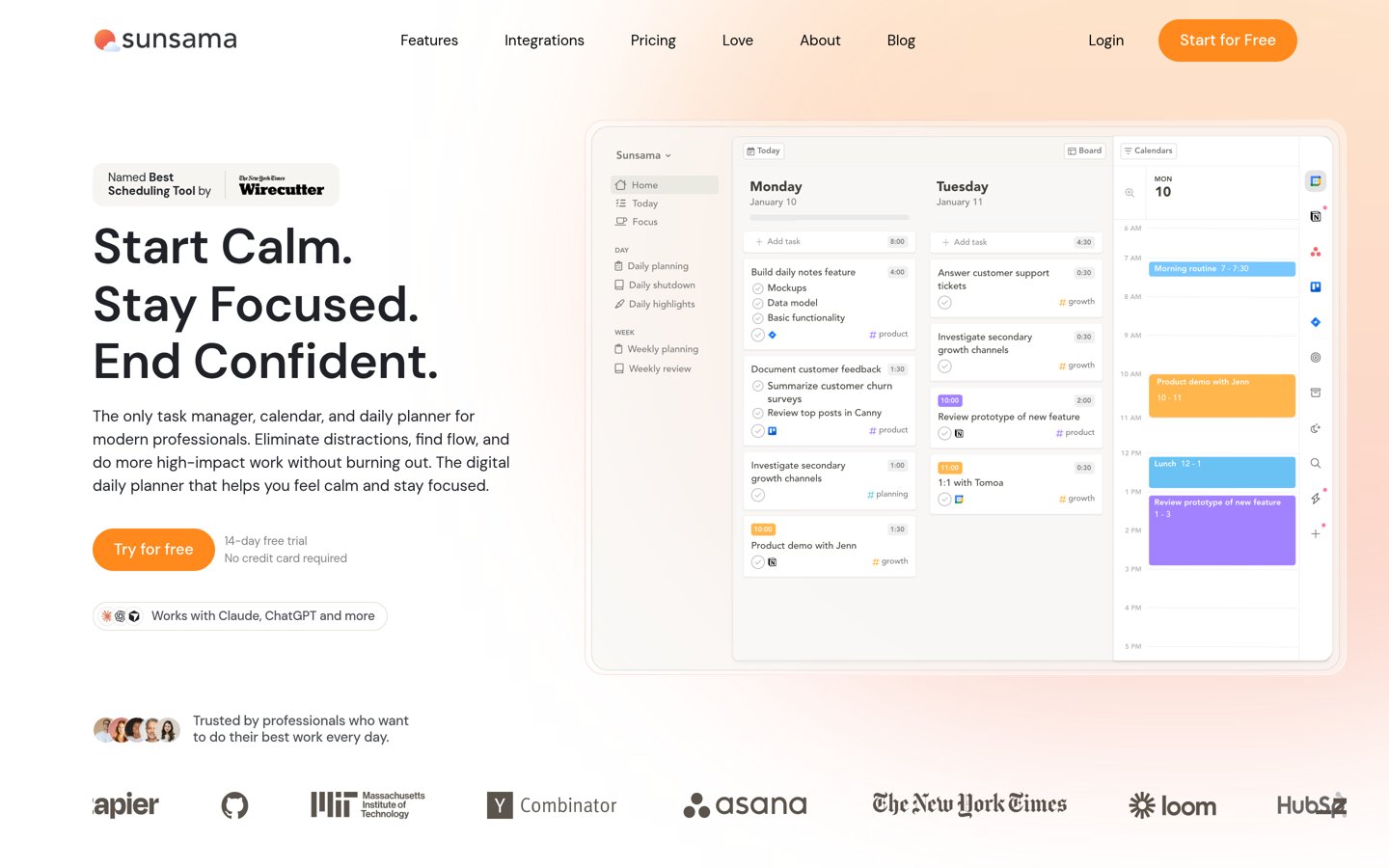
Sunsama is a guided daily planner that pulls tasks from Gmail, Outlook, Notion, Asana, Jira, Linear and Slack so you can drag them onto your calendar. It walks you through a morning planning ritual, warns when you overload your day and includes a focus timer plus an evening shutdown review.
The trade off is price, as Sunsama has no permanent free plan and costs $17 a month billed yearly ($204 a year) or $22 monthly after a 14-day no-card trial. It suits busy professionals and founders who lose focus because too many tools compete for their day.
What we like
Pulls tasks from email and project tools onto one calendar
Guided morning planning and evening shutdown curb overcommitting
14-day free trial requires no credit card
Watch out for
Most expensive individual tool on this list at $204 a year
Does not block websites or mobile apps
Pro includes unlimited integrations, AI auto-planning and all appsVisit sunsama.com
Distraction blockers vs time trackers vs audio
A distraction blocker like Freedom, FocusMe or Opal stops you from opening specific apps and websites during a work block. Choose one when impulsive tab-switching or phone checking breaks your concentration.
A time tracker or planner like RescueTime, TickTick or Sunsama tackles a different problem: deciding what to work on and seeing where your hours actually go.
If you want the strongest setup without paying for five subscriptions, pair one system-level blocker with a free task timer or a few weekly body-doubling sessions on Focusmate.
How we chose
We reviewed established focus tools across four categories—distraction blockers, virtual body-doubling, focus audio and time-blocking planners—keeping active products with clear public pricing and third-party user reviews.
Prices come from each vendor's official pricing page, checked on 22 November 2026. Ratings and review counts come from Trustpilot, Capterra or G2 on the same day, and all figures reflect regular list prices rather than temporary promo codes.
We excluded discontinued apps, tools that hide pricing behind sales calls and utilities without verifiable third-party review profiles. No vendor paid for a place, and we do not claim testing for this list.
How to choose the right focus app
Identify the exact habit that breaks your concentration before picking a tool.
Match the tool to your main distraction. If you compulsively open social media or news across phone and laptop, start with a cross-device blocker like Freedom or FocusMe rather than a simple timer.
Check whether you need hard lockouts. If you routinely override timers, look for Locked Mode in Freedom, Enforced Mode in FocusMe or Hard Mode in Opal.
Test the free tier or trial first. Use Freedom's free 2-hour sessions, Focusmate's 3 weekly coworking slots or a 14-day trial before paying for an annual plan.
Watch annual vs monthly billing. Most focus apps discount yearly plans by 30% to 60%, so confirm you will use the tool daily before committing upfront.
FAQ
What is the best overall focus app?
Freedom is the strongest overall pick because it syncs website and app blocks across Mac, Windows, iOS, Android and Chromebook in one session. It includes a permanent free tier for sessions up to two hours and starts at $3.33 a month billed yearly.
Which focus app is hardest to bypass?
FocusMe is built specifically to resist workarounds, using Enforced Mode to lock schedules and daily limits across Windows, Mac, Linux, Android and iOS. Opal's Hard Mode and Freedom's Locked Mode also prevent you from ending an active block early.
Are there good free focus apps?
Yes. Freedom offers free cross-device blocking for sessions up to two hours, Opal includes three free blocking rules, Focusmate provides three free live coworking sessions every week and TickTick includes a Pomodoro timer and white noise on its free plan.
How does Focusmate help with focus?
Focusmate uses virtual body doubling. You book a 25-, 50- or 75-minute video session, tell a live partner what you plan to finish, work quietly alongside each other and review your progress at the end.
Do focus music apps like Brain.fm actually block websites?
No. Brain.fm provides instrumental audio engineered to reduce background distraction and support concentration, but it does not block apps or websites. Many people pair focus audio with a blocker like Freedom or Opal.
Is RescueTime or Toggl better for personal focus?
RescueTime is designed around personal focus habits, automatically categorizing the apps and sites you visit and offering distraction-blocking Focus Sessions. Toggl Track is geared more toward manual project timers and client billing.
SaaS SEO and WordPress specialist with about 8 years of experience. Rakib compares WordPress plugins, themes, hosting and software using public pricing, documentation and user reviews. See how we rank.