BusyCal is the best calendar app for Mac users who want flexible scheduling without a mandatory subscription, offering a $49.99 perpetual license with 18 months of updates. Choose Fantastical for natural language scheduling or Morgen for combining calendar events with task management and time blocking.
How we make this list: we compare pricing pages, product documentation and public user reviews, then re-check every price before each update. No product paid for a place. Disclosure.
BusyCal offers a $39.99 annual subscription or a $49.99 perpetual Mac license.
Fantastical Premium costs $56.99 annually and includes meeting scheduling tools.
Morgen has a 4.8/5 G2 rating from 30 reviews and starts at $15 per month billed annually for individuals.
Calendar 366 Pro and Timepage both offer annual subscriptions at $19.99.
Notion Calendar is completely free and has a 4.7/5 App Store rating.
What to look for in a Mac calendar app
A good Mac calendar app brings personal appointments, work meetings and recurring commitments into an organized interface. Look for native macOS functionality, reliable notifications and compatibility with your existing calendar accounts.
Calendar synchronization is particularly important if you use Google Calendar for work and iCloud for personal appointments. Check whether the application supports multiple accounts, shared calendars and event invitations.
Natural language event creation saves time when scheduling appointments. Task integration, customizable views and time blocking are also useful if you want to manage your daily responsibilities alongside scheduled meetings.
Consider whether you prefer a subscription or a one-time purchase. Some perpetual licenses include limited periods of software updates, while subscription plans generally provide continued access to new features.
4.7/5on Apple App Store (iOS) (4.6K reviews, checked Nov 2026)
Paid from$39.99/yr
Best Mac calendar app overall
Annual subscription$39.99
Perpetual Mac license$49.99
Perpetual license updates18 months
Calendar servicesiCloud, Google, Exchange and CalDAV
busymac.com
BusyCal homepage, captured Nov 2026.
BusyCal is a customizable calendar and task manager for Mac that combines appointment scheduling, reminders and multiple calendar accounts. Its $49.99 perpetual Mac license includes 18 months of software updates, while the App Store edition offers basic calendaring for free.
The trade off is different licensing arrangements across distribution channels, with an annual subscription costing $39.99 through the Mac App Store. It suits users who want extensive calendar customization and the option to avoid recurring payments.
What we like
Optional perpetual license
Customizable calendar layouts
Integrated calendar and task management
Supports multiple calendar services
Advanced event filtering
Watch out for
Separate licensing for the direct-purchase mobile application
Perpetual license updates expire after 18 months
Extensive settings may overwhelm beginners
Paid access unlocks advanced scheduling, customization and calendar management.Visit busymac.com
02
Fantastical
4.7/5on Apple App Store (Unverified reviews, checked Nov 2026)
Paid from$56.99/yr
Best for natural language scheduling
Paid planFlexibits Premium
Monthly subscription$6.99
Free trial14 days
Calendar servicesiCloud, Google and Exchange
flexibits.com
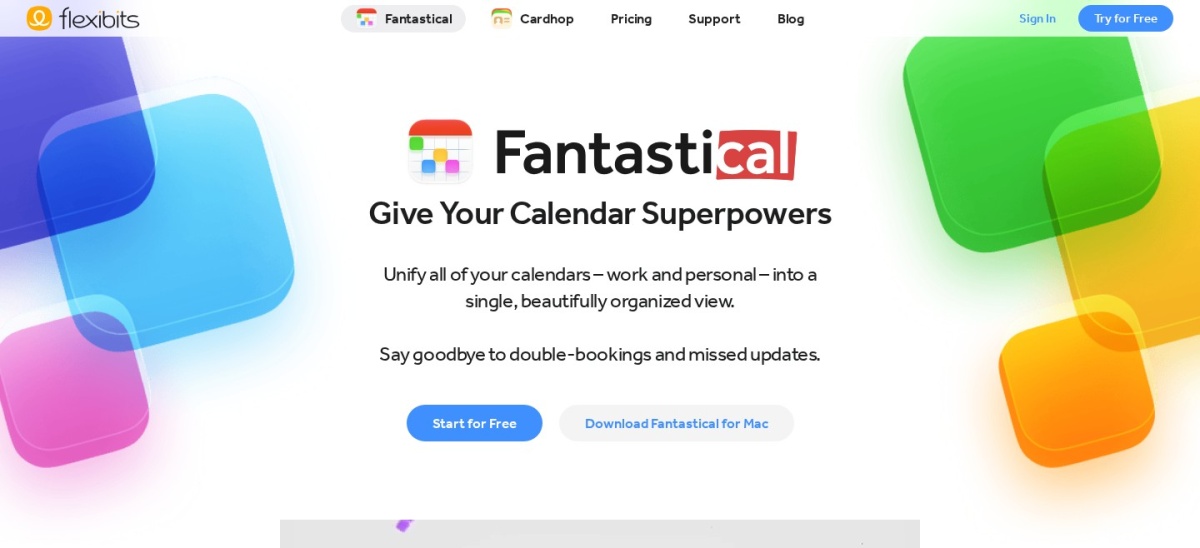
Fantastical homepage, captured Nov 2026.
Fantastical is a calendar and task management app that converts plain-language instructions into scheduled events. Its free edition includes basic scheduling and task integration, while Premium offers meeting availability links, event templates and a 10-day weather forecast.
The trade off is recurring subscription pricing, with Premium costing $56.99 annually or $6.99 monthly at the regular App Store rate. A temporary 20% sale was advertised on the developer website. It suits professionals who schedule appointments frequently.
What we like
Natural language event creation
Integrated meeting availability links
Supports major calendar providers
Calendar and task templates
Cross-device Apple ecosystem support
Watch out for
Advanced scheduling requires a subscription
More expensive than several Mac alternatives
Current aggregate review count could not be verified
Morgen is a daily planning application that combines calendars, task lists, booking links and time blocking. Its individual Pro subscription costs $15 per month billed annually, and the vendor reports more than 248,000 people using Morgen to plan their schedules.
The trade off is higher subscription pricing than traditional Mac calendars, with monthly individual billing costing $30. Team subscriptions start at $10 per seat monthly with annual billing and require at least 2 seats. It suits professionals balancing appointments and project deadlines.
What we like
Integrated task and calendar planning
AI-assisted scheduling recommendations
Supports Notion, Todoist and Linear integrations
Cross-platform desktop and mobile applications
Watch out for
No permanent free plan
Relatively expensive individual subscription
Advanced planning features may be unnecessary for casual users
Pro includes time blocking, task integrations and personal booking links.Visit morgen.so
04
Calendar 366
4.3/5on Apple App Store (23 reviews, checked Nov 2026)
Starts at$19.99/yr
Best for menu bar calendar access
Paid planCalendar 366 Pro
One-time purchase$49.99
Calendar views13
Appearance themes3
calendar366.com
Calendar 366 homepage, captured Nov 2026.
Calendar 366 is a native Mac calendar application that works as both a standalone window and a menu bar utility. It supports 13 calendar views, natural language scheduling, integrated tasks and connections to iCloud, Google and Microsoft calendar services.
The trade off is that continued access to Pro functionality requires a $19.99 annual subscription or a $49.99 one-time purchase. It suits Mac users who want immediate access to appointments without opening a separate full-screen calendar.
4.7/5on Apple App Store (4.8K reviews, checked Nov 2026)
Paid from$19.99/yr
Best for combining calendars and reminders
Paid planCalendars PRO
Monthly subscription$3.99
Calendar accountsGoogle, iCloud and Outlook
Task integrationsGoogle Tasks and Apple Reminders
readdle.com
Calendars by Readdle homepage, captured Nov 2026.
Calendars by Readdle is a personal scheduling application that combines appointments, reminders and daily planning across Apple devices. Its basic Mac version is free, and the developer reports more than 30 million users of its iOS application.
The trade off is that advanced scheduling, event templates and planning features require PRO, with the cheapest listed annual subscription costing $19.99. It suits users who want appointments and personal responsibilities organized within a unified calendar.
What we like
Integrates Google Tasks and Apple Reminders
Affordable annual subscription
Drag-and-drop daily planning
Supports multiple calendar accounts
Watch out for
Advanced planning requires PRO
Some App Store subscription listings have different prices
Less suitable for complex project management
PRO adds advanced scheduling and access to the Mac planner.Visit readdle.com
06
Timepage
4.7/5on Apple App Store (696 reviews, checked Nov 2026)
Starts at$19.99/yr
Best for visual calendar planning
Annual membership$19.99
Monthly membership$3.99
Timeline displayUp to 7 days
Annual app bundle$29.99
bonobolabs.com
Timepage homepage, captured Nov 2026.
Timepage is a visual calendar planner that emphasizes timeline layouts, customizable themes and schedule density visualization. Its adjustable timeline displays up to 7 days, with integrated weather information and connections to existing system calendars.
The trade off is subscription-only access after the trial, with an annual membership costing $19.99 and integrated Actions task management available through the $29.99 annual app bundle. It suits users who prefer visual daily planning over complex scheduling administration.
What we like
Distinctive timeline interface
Calendar heat maps
Integrated weather information
Affordable annual membership
Watch out for
No permanent free plan
Integrated Actions task management requires the app bundle
Fewer business scheduling features than dedicated professional tools
Membership unlocks continued access to calendar views and planning features.Visit bonobolabs.com
07
Notion Calendar
4.7/5on Apple App Store (iOS) (7.9K reviews, checked Nov 2026)
PriceFree
Best free calendar app for Notion users
Subscription priceFree
Desktop applicationmacOS and Windows
Notion database integrationSupported
Scheduling linksIncluded
notion.com
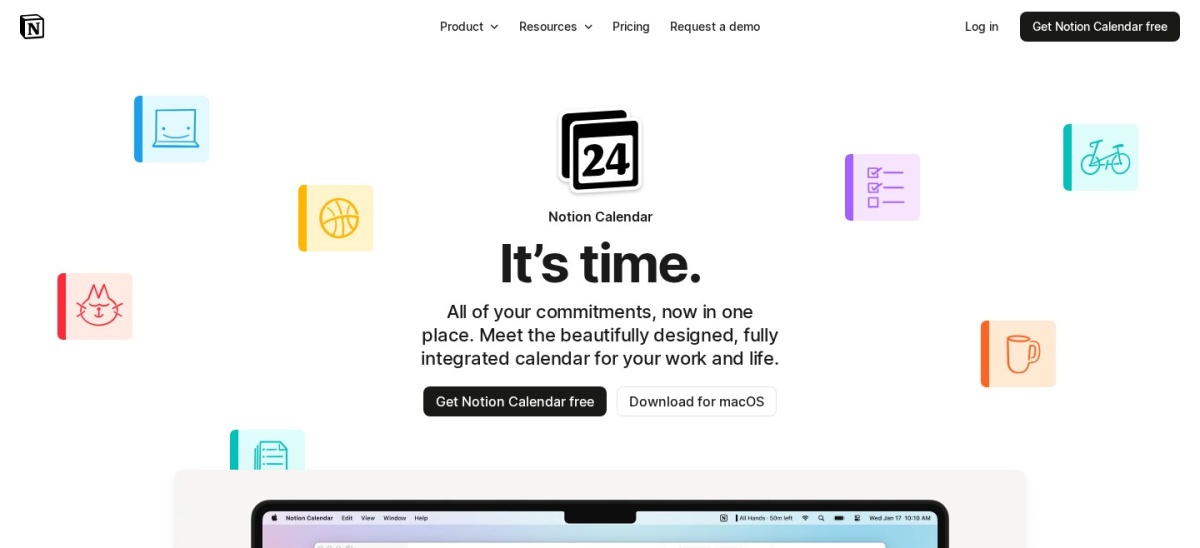
Notion Calendar homepage, captured Nov 2026.
Notion Calendar is a free scheduling application that connects calendar events with Notion documents, projects and database deadlines. Its mobile App Store listing has a 4.7/5 rating from approximately 7,900 ratings, and the developer provides a dedicated Mac application.
The trade off is that its task management experience depends largely on Notion integration rather than an independent task management system. The calendar itself remains free. It suits students, professionals and teams already organizing projects and responsibilities within Notion.
What we like
Completely free calendar application
Direct Notion database integration
Dedicated Mac desktop application
Built-in scheduling links
Watch out for
Less useful without Notion-based workflows
Calendar provider compatibility should be checked before migration
Fewer customization options than BusyCal
All Notion Calendar features are available without a separate paid calendar subscription.Visit notion.com
How much do the best calendar apps for Mac cost?
Notion Calendar is completely free, while Calendar 366, Calendars by Readdle and Timepage offer annual subscriptions at $19.99. These options provide different combinations of calendar customization, task management and visual planning.
BusyCal costs $39.99 annually through its subscription-based Mac App Store edition or $49.99 through a perpetual Mac license. Fantastical Premium costs $56.99 annually, while Morgen's individual subscription costs $180 annually.
The price ladder uses annual subscriptions when available and identifies perpetual licenses separately. This avoids treating a one-time purchase as though it were a recurring annual expense.
How we chose
We compared Mac-compatible calendar applications based on scheduling functionality, calendar service compatibility, task integration, native desktop features and subscription costs.
Pricing pages and available public ratings were checked on 25 Nov 2026. App Store listings supplied consumer pricing and rating data, while G2 supplied Morgen's rating. BusyCal and Notion Calendar use mobile application ratings. Fantastical's aggregate rating and review count could not be verified, so its rating entry requires correction before publication.
We excluded applications without suitable Mac compatibility and products focused primarily on appointment booking rather than everyday calendar management. No vendor paid for a place, and we do not claim testing for this list.
How to choose the best calendar app for Mac
Compare calendar applications according to your scheduling habits, existing accounts, task management requirements and preferred payment model.
Check calendar account compatibility. Confirm that your preferred application supports your existing iCloud, Google, Microsoft or other calendar accounts, including shared calendars and recurring appointments.
Identify your daily planning needs. Decide whether you need basic appointments, integrated reminders, natural language scheduling, time blocking or advanced meeting availability management.
Compare subscriptions and perpetual licenses. Calculate recurring annual expenses and review update allowances for one-time purchases. Include any additional mobile application licenses in your total.
Evaluate the Mac-specific experience. Check menu bar access, keyboard shortcuts, notification reliability, widgets and integration with other Apple applications before committing to a purchase.
FAQ
What is the best calendar app for Mac?
BusyCal is our overall pick because it combines customizable calendar views, integrated reminders and flexible licensing. Its perpetual Mac license costs $49.99, while the subscription-based Mac App Store edition offers annual billing at $39.99.
What is the best free calendar app for Mac?
Notion Calendar is an excellent free option for users who manage projects and deadlines in Notion. Apple's built-in Calendar app is another practical free choice for basic scheduling, shared calendars and existing Apple ecosystem integration.
Is Fantastical better than Apple Calendar?
Fantastical offers additional natural language scheduling, calendar customization and professional meeting coordination features. Apple Calendar remains a suitable choice for users who need straightforward scheduling without paying for a separate premium calendar subscription.
Which Mac calendar app offers a one-time purchase?
BusyCal offers a $49.99 perpetual Mac license that includes 18 months of updates. Calendar 366 also lists a $49.99 one-time Pro purchase, providing another option for users who prefer avoiding recurring calendar subscriptions.
Which calendar app is best for time blocking on Mac?
Morgen is our preferred time-blocking application because it combines calendar scheduling, integrated task lists and planning recommendations. Calendars by Readdle provides a more affordable alternative for users who primarily want to allocate time for personal tasks.
SaaS SEO and WordPress specialist with about 8 years of experience. Rakib compares WordPress plugins, themes, hosting and software using public pricing, documentation and user reviews. See how we rank.