Calendars by Readdle is the best calendar app for iPhone, with a 4.7/5 App Store rating from 123,000 ratings and a $19.99 annual Pro subscription. Choose BusyCal for subscription-free scheduling and task management or TimeTree for coordinating shared calendars with family members.
How we make this list: we compare pricing pages, product documentation and public user reviews, then re-check every price before each update. No product paid for a place. Disclosure.
Calendars by Readdle earns 4.7/5 from 123,000 App Store ratings and costs $19.99 annually for Pro.
BusyCal costs $9.99 as a one-time purchase covering iPhone, iPad and Apple Watch.
TimeTree has a 4.9/5 rating from 94,000 App Store ratings, with Premium priced at $44.99 annually.
Across offers more than 12 calendar views and a $9.99 annual Premium subscription.
Timepage costs $19.99 annually and provides visual scheduling through a monthly heatmap.
Fantastical Premium lists at $56.99 annually through the App Store and includes advanced scheduling features.
What to look for in an iPhone calendar app
A good iPhone calendar app should make it easy to create events, check upcoming appointments and manage reminders without opening multiple applications.
Calendar synchronization matters if you already use iCloud, Google Calendar or Microsoft Outlook. Choose an app that works with your existing accounts rather than requiring you to transfer every appointment.
Home screen widgets, Apple Watch support and natural language event creation can make scheduling more convenient. Shared calendars are particularly useful for households and small teams.
Consider whether advanced features justify a recurring subscription. Several calendar apps provide affordable annual memberships or one-time purchases that cover everyday scheduling requirements.
4.7/5on App Store (123,000 reviews, checked Nov 2026)
Paid from$19.99/yr
Best for everyday scheduling and planning
Entry paid planPro
Calendar integrationsiCloud, Google, Outlook and Exchange
Task managementYes
Apple Watch supportYes
readdle.com
Calendars by Readdle homepage, captured Nov 2026.
Calendars by Readdle is an iPhone scheduling app combining appointments, tasks, reminders and personal planning. Its $19.99 annual Pro subscription expands access to planning tools, recurring events and multiple calendar accounts.
The trade off is that advanced customization and planning features require the $19.99 annual subscription. It suits people who manage busy personal and professional schedules across several Apple devices.
What we like
Large App Store rating base
Connects multiple calendar services
Integrated tasks and reminders
Affordable annual subscription
Supports home screen widgets
Watch out for
Advanced features require a subscription
Additional planning features may complicate simple scheduling
Pro expands planning, recurring events and customization features.Visit readdle.com
02
BusyCal
4.7/5on App Store (4,500 reviews, checked Nov 2026)
Starts at$9.99 one-time
Best for subscription-free calendar management
Payment modelOne-time purchase
Supported devicesiPhone, iPad and Apple Watch
Task integrationsApple Reminders, Google Tasks and Todoist
Natural language inputYes
busymac.com
BusyCal homepage, captured Nov 2026.
BusyCal is a customizable calendar and task manager supporting several calendar services and flexible event views. Its $9.99 one-time mobile purchase includes access on iPhone, iPad and Apple Watch without a recurring subscription.
The trade off is that the $9.99 mobile purchase does not include the separately licensed Mac application. It suits users who want detailed scheduling controls and integrated task management without ongoing subscription expenses.
What we like
No recurring mobile subscription
Flexible calendar layouts
Integrated task management
Supports Apple Family Sharing
Watch out for
No permanent free plan
Mac application requires a separate purchase
Customization options take time to learn
The one-time purchase unlocks the mobile calendar and task manager.Visit busymac.com
03
TimeTree
4.9/5on App Store (94,000 reviews, checked Nov 2026)
Paid from$44.99/yr
Best for family and shared calendars
Entry paid planPremium
Shared calendarsYes
Premium file attachmentsYes
Premium vertical viewUp to 3 days
timetreeapp.com
TimeTree homepage, captured Nov 2026.
TimeTree is a collaborative calendar designed for households, couples and groups that need coordinated schedules. Its free plan supports shared events and discussions, while Premium costs $44.99 annually and removes advertisements while adding file attachments.
The trade off is that Premium costs $4.49 monthly or $44.99 annually per subscribing account. A first-month-free offer is available, but the comparison uses the regular subscription price. It suits households that frequently coordinate appointments and responsibilities.
What we like
Highest App Store rating in this comparison
Shared event discussions
Useful free collaboration features
Event update notifications
Watch out for
Free version displays advertisements
Premium subscriptions apply per account
Advanced calendar layouts require payment
Premium removes advertisements and adds attachments and event prioritization.Visit timetreeapp.com
04
Across
4.8/5on App Store (514 reviews, checked Nov 2026)
Paid from$9.99/yr
Best for customizable calendar layouts
Calendar views12+
Calendar integrationsApple and Google
Lifetime Premium$24.99
Task integrationApple Reminders
across.daymore.com
Across homepage, captured Nov 2026.
Across is a personal calendar app offering more than 12 scheduling views alongside adjustable layouts, event templates and task management. Premium costs $9.99 annually, and the app supports synchronization across Apple devices.
The trade off is that some customization features require Premium, while Color Premium is listed as a separate purchase. A $24.99 lifetime Premium option is also available. It suits users who prefer detailed control over calendar presentation.
4.6/5on App Store (15,000 reviews, checked Nov 2026)
Starts at$19.99/yr
Best for visual calendar planning
Calendar visualizationMonthly heatmap
Monthly membership$3.99
Weather informationYes
Calendar integrationsiCloud, Google and Outlook
bonobolabs.com
Timepage homepage, captured Nov 2026.
Timepage is a visual calendar planner featuring a continuous schedule timeline, weather information and a heatmap showing busy days. Its annual membership lists at $19.99 through the App Store and supports multiple Apple devices.
The trade off is that full functionality requires the $19.99 annual membership or a $3.99 monthly subscription. Expired memberships retain limited read-only access rather than a complete free calendar. It suits users who prioritize visual planning.
What we like
Distinctive monthly heatmap
Integrated weather information
Clean visual presentation
Compatible with existing calendar accounts
Watch out for
No permanent fully functional free plan
Less focused on collaborative scheduling
Separate applications cover more extensive task management
Membership unlocks full event management, weather and calendar features.Visit bonobolabs.com
06
Fantastical
4.2/5on App Store (25,000 reviews, checked Nov 2026)
Paid from$56.99/yr
Best for advanced professional scheduling
Entry paid planFlexibits Premium Individual
Natural language inputYes
Meeting schedulingOpenings and Proposals
Calendar integrationsiCloud, Google and Exchange
flexibits.com
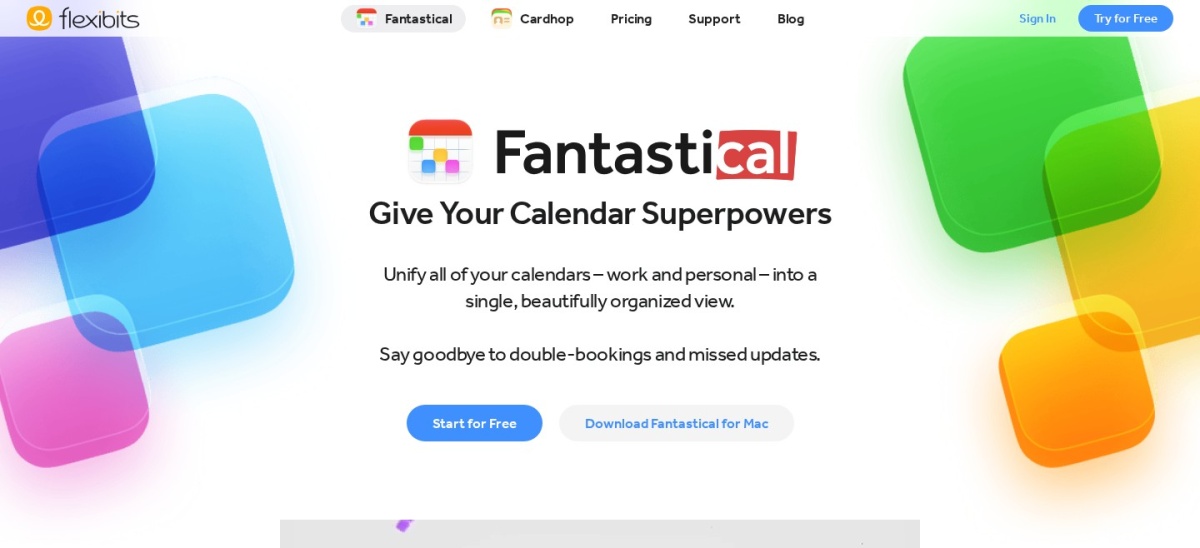
Fantastical homepage, captured Nov 2026.
Fantastical is an advanced calendar application supporting conversational event creation, tasks and professional meeting scheduling. Its individual Premium subscription lists at $56.99 annually through the App Store and includes scheduling tools and advanced calendar customization.
The trade off is that the $56.99 annual subscription costs more than several alternatives. The vendor also advertises a temporary 20% Black Friday promotion, which is excluded from the comparison. It suits professionals managing demanding meeting schedules.
What we like
Natural language event creation
Meeting availability and scheduling tools
Supports multiple calendar accounts
Advanced event and task templates
Watch out for
Relatively expensive annual subscription
Advanced scheduling requires Premium
Basic users may not need its additional features
Premium adds meeting scheduling, calendar sets and advanced customization.Visit flexibits.com
07
WeekCal
4.4/5on App Store (10,000 reviews, checked Nov 2026)
Paid from$19.99/yr
Best for detailed weekly scheduling
Entry paid planWeekCal Pro
Calendar integrationsiCloud, Google and Exchange
Event templatesYes
Recurring eventsCustom recurrence options
maplemedia.io
WeekCal homepage, captured Nov 2026.
WeekCal is a scheduling application focused on customizable weekly calendars, event organization and recurring appointments. Its App Store listing includes a WeekCal Pro Annual subscription at $19.99, alongside separate weather and combined subscription options.
The trade off is that several subscription variants appear in its App Store listing, making the purchase options less straightforward. The comparison uses the explicitly named $19.99 Pro Annual plan rather than lower-priced generic subscription entries. It suits users who prefer detailed weekly schedules.
What we like
Flexible weekly calendar views
Color-coded event organization
Custom repeating event options
Supports several calendar services
Watch out for
Confusing subscription options
Additional weather features can cost extra
Interface may feel busy
Pro expands calendar views, scheduling and customization options.Visit maplemedia.io
Is a paid iPhone calendar app worth it?
Free calendar apps are generally enough for basic appointments, reminders and recurring events. Apple's built-in Calendar app is also worth considering if you do not require extensive customization or specialized scheduling tools.
Paid calendar apps become more useful when you manage multiple accounts, coordinate frequent meetings or want more control over calendar layouts. BusyCal offers a one-time purchase, while Across and Calendars provide relatively affordable annual subscriptions.
How we chose
We shortlisted established iPhone calendar applications offering event management, scheduling, synchronization and personal productivity features. We considered calendar views, reminders, collaboration options and subscription flexibility.
Official vendor pages and App Store ratings and prices were checked on 25 Nov 2026. App Store rating totals are displayed using their published rounded figures. Where vendor websites did not expose numeric prices, we used developer-published App Store purchase listings.
We excluded discontinued applications, products without sufficient customer ratings and tools focused primarily on unrelated productivity functions. WeekCal's named annual Pro price was selected because its listing includes several subscription variants. No vendor paid for a place, and we do not claim testing for this list.
How to choose the best calendar app for iPhone
Compare these scheduling requirements before replacing your existing iPhone calendar.
**Check calendar compatibility.** Confirm that the application supports your existing iCloud, Google Calendar, Outlook or Exchange accounts.
**Identify essential scheduling features.** Decide whether you need shared calendars, natural language event creation, meeting scheduling or integrated task management.
**Compare annual ownership costs.** Consider recurring subscriptions and one-time purchases, including separate desktop licenses and optional feature upgrades.
**Review device support and privacy.** Check compatibility with your iPhone, Apple Watch and other devices, and review how the application handles calendar information.
FAQ
What is the best calendar app for iPhone in 2026?
Calendars by Readdle is our top overall pick because it combines scheduling, task management and calendar synchronization at an affordable annual price. BusyCal is a better choice for avoiding recurring subscription payments.
What is the best free calendar app for iPhone?
Apple Calendar provides basic scheduling without requiring a paid subscription. Calendars by Readdle, Fantastical, Across and TimeTree also offer free versions, although their advanced features require paid upgrades.
Which iPhone calendar app is best for families?
TimeTree is particularly suitable for families because it supports shared calendars, event discussions and notifications when schedules change. Its free plan covers basic collaboration, while Premium removes advertisements and adds attachments.
Which iPhone calendar app does not require a subscription?
BusyCal offers a $9.99 one-time mobile purchase covering iPhone, iPad and Apple Watch. Across also offers a lifetime Premium purchase, making both useful alternatives to applications that require recurring annual payments.
Can iPhone calendar apps sync with Google Calendar?
Yes. Calendars by Readdle, BusyCal, Fantastical, Across and several other applications support Google Calendar synchronization. Connect your existing account and check that event updates synchronize correctly before switching applications.
Is Fantastical worth paying for?
Fantastical Premium is worth considering if you regularly organize meetings, manage multiple calendars or need advanced scheduling tools. Casual users who primarily create appointments and reminders may find less expensive applications sufficient.
SaaS SEO and WordPress specialist with about 8 years of experience. Rakib compares WordPress plugins, themes, hosting and software using public pricing, documentation and user reviews. See how we rank.