Asana is the best collaborative task management app for most teams, combining structured subtasks, dependencies, and multi-view workflows with a 4.5 out of 5 rating across 13,795 reviews. Choose Trello for simple Kanban boards with up to 10 free collaborators, or ClickUp for an all-in-one workspace with unlimited free members.
How we make this list: we compare pricing pages, product documentation and public user reviews, then re-check every price before each update. No product paid for a place. Disclosure.
Asana Starter costs $10.99 per user/month billed annually ($131.88/yr), while its free Personal tier caps collaboration at 2 users.
Trello gives up to 10 collaborators 10 boards for free, and its Standard plan starts at $5 per user/month billed annually ($60/yr).
ClickUp includes unlimited members and tasks on its Free Forever plan, with Core starting at $9 per user/month billed annually ($108/yr).
Zoho Projects offers the lowest per-seat paid tier at $4 per user/month billed annually ($48/yr) for its Premium plan.
Basecamp avoids per-user fees with flat monthly tiers starting at $29/month ($348/yr) for up to 5 users and 3 active projects.
What makes a collaborative task manager work for teams
A personal to-do list breaks down the moment work passes between two or more people. Collaborative task apps solve handoffs by attaching assignees, due dates, file uploads, and threaded comments directly to each actionable item rather than burying decisions in email or chat.
Free plans look generous until you hit the hidden cap that forces an upgrade. Some vendors cap total team seats (Asana allows 2 users; monday.com allows 2 seats), while others allow unlimited or larger groups but restrict boards, projects, or storage (Trello allows 10 boards; ClickUp caps free storage at 60 MB).
Paid pricing splits into two models: per-seat billing and flat-tier bundles. Per-seat apps scale linearly with headcount and often sell seats in fixed blocks of 5 or 10 once a team grows, whereas flat-fee tools charge one predictable price up to a user and project ceiling.
4.5/5on Capterra (13,795 reviews, checked Nov 2026)
Paid from$10.99/mo
Best for structured cross-team workflows
Free planUp to 2 users
Entry paid$10.99/user/mo (annual)
Core viewsList, Board, Calendar
Integrations100+ free apps
asana.com
Asana homepage, captured Nov 2026.
Asana is a structured work and task management platform built to track projects across departments. Its free Personal plan covers up to 2 users with unlimited tasks, unlimited projects, and list, board, and calendar views alongside 100+ app integrations.
The trade off is seat limits and paid pricing. Upgrading to Starter costs $10.99 per user/month billed annually ($13.49 monthly), and seats between 6 and 30 users sell in blocks of 5. It suits teams that need clear task ownership, dependencies, and timeline views.
What we like
Clear task hierarchy with subtasks, assignees, and due dates
Timeline, Gantt, custom fields, and unlimited guests on Starter
Native integrations with Slack, Google Workspace, and Microsoft 365
Watch out for
Free plan is restricted to 2 users
Higher entry price than Trello, ClickUp, or Zoho Projects
Starter adds timeline and Gantt views, custom fields, forms, unlimited automations, and unlimited free guests.Visit asana.com
02
Trello
4.5/5on Capterra (23,603 reviews, checked Nov 2026)
Paid from$5/mo
Best for simple visual Kanban boards
Free plan10 collaborators, 10 boards
Entry paid$5/user/mo (annual)
AutomationNo-code Butler rules
Add-ons200+ Power-Ups
trello.com
Trello homepage, captured Nov 2026.
Trello is a visual task manager organized around Kanban boards, lists, and drag-and-drop cards. The free plan supports up to 10 collaborators and 10 boards per Workspace, including unlimited cards, checklists, due dates, built-in automation, and 200+ Power-Up integrations.
The trade off is scale when projects grow complex. Standard costs $5 per user/month billed annually ($6 monthly) to unlock unlimited boards, custom fields, and card mirroring, while timeline and calendar views require Premium at $10 per user/month. It suits small teams wanting fast onboarding without heavy setup.
What we like
Generous free tier for up to 10 collaborators
Low $5/user/month entry price on annual billing
Minimal learning curve for non-technical teammates and clients
Watch out for
Boards become cluttered when managing hundreds of linked tasks
Timeline, dashboard, and table views sit behind the $10 Premium tier
Standard unlocks unlimited boards, unlimited Workspace collaborators, custom fields, and card mirroring.Visit trello.com
03
ClickUp
4.6/5on Capterra (4,993 reviews, checked Nov 2026)
Paid from$9/mo
Best all-in-one workspace for growing teams
Free planUnlimited users, 60 MB storage
Entry paid$9/user/mo (annual)
Automations1,000/mo on Core
Built-in toolsDocs, Chat, Time Tracking
clickup.com
ClickUp homepage, captured Nov 2026.
ClickUp is a customizable work platform that combines tasks, collaborative docs, chat, whiteboards, and time tracking in one workspace. Its Free Forever plan includes unlimited members and unlimited tasks, though total file storage is capped at 60 MB.
The trade off is interface density and storage limits on the free tier. Core starts at $9 per user/month billed annually ($12 monthly) and removes the storage cap while adding unlimited Gantt charts, custom fields, and 1,000 monthly automations. It suits teams replacing multiple separate tools.
What we like
Unlimited members and tasks on the Free Forever plan
Native time tracking, docs, and chat included without third-party add-ons
Highly customizable task statuses, custom fields, and views
Watch out for
60 MB storage cap on Free fills quickly with file attachments
Steeper initial configuration curve than Trello or Todoist
4.6/5on Capterra (6,158 reviews, checked Nov 2026)
Paid from$9/mo
Best for visual cross-department tracking
Free planUp to 2 seats, 3 boards
Entry paid$9/seat/mo (annual)
Minimum seats3 seats on paid plans
Templates200+ workflow templates
monday.com
monday.com homepage, captured Nov 2026.
monday.com is a visual work platform built around customizable, color-coded boards and status columns. Its free plan covers up to 2 seats and 3 boards with up to 1,000 items, 200+ templates, and mobile apps.
The trade off is seat minimums and feature gating on the entry paid tier. Basic starts at $9 per seat/month billed annually ($12 monthly) with a 3-seat minimum ($324/yr), but automations, integrations, and timeline views require Standard at $12 per seat/month. It suits teams prioritizing clear visual status tracking.
What we like
High visual clarity with customizable status, date, and owner columns
Unlimited boards, items, and free read-only viewers on Basic
Over 200 ready-made templates across marketing, operations, and HR
Watch out for
Paid plans require a 3-seat minimum and sell in fixed seat brackets
Basic excludes automations, integrations, and timeline/Gantt views
4.6/5on Capterra (2,679 reviews, checked Nov 2026)
Paid from$5/mo
Best for fast daily task capture
Free plan5 projects, 5 collaborators
Individual paid$5/mo (annual)
Team paid$8/user/mo (annual)
PlatformsWeb, desktop, iOS, Android
todoist.com
Todoist homepage, captured Nov 2026.
Todoist is a fast, lightweight task manager known for natural-language due dates and cross-platform speed. Its free Beginner tier supports up to 5 active projects with 5 collaborators, list and board views, and calendar integrations.
The trade off is lighter project-level reporting compared to full project tools. Individual Pro costs $5/month billed annually ($7 monthly) for 300 projects and calendar layouts, while Business costs $8 per user/month billed annually ($10 monthly) for shared team workspaces and admin roles. It suits small teams that want zero-friction daily lists.
What we like
Fastest task entry and natural-language scheduling across devices
Clean interface with reliable offline sync on desktop and mobile
Affordable $5/month Pro tier and $8/user/month Business team tier
Watch out for
No native Gantt charts, workload management, or time tracking
Free plan caps active projects at 5
Pro expands limits to 300 projects and adds calendar layout and custom reminders; Business adds team workspaces.Visit todoist.com
06
Zoho Projects
4.5/5on Capterra (878 reviews, checked Nov 2026)
Paid from$4/mo
Best budget pick with Gantt and timesheets
Free plan5 users, 3 projects, 5 GB
Entry paid$4/user/mo (annual)
Planning toolsGantt charts and dependencies
EcosystemZoho CRM, Desk, Books
zoho.com
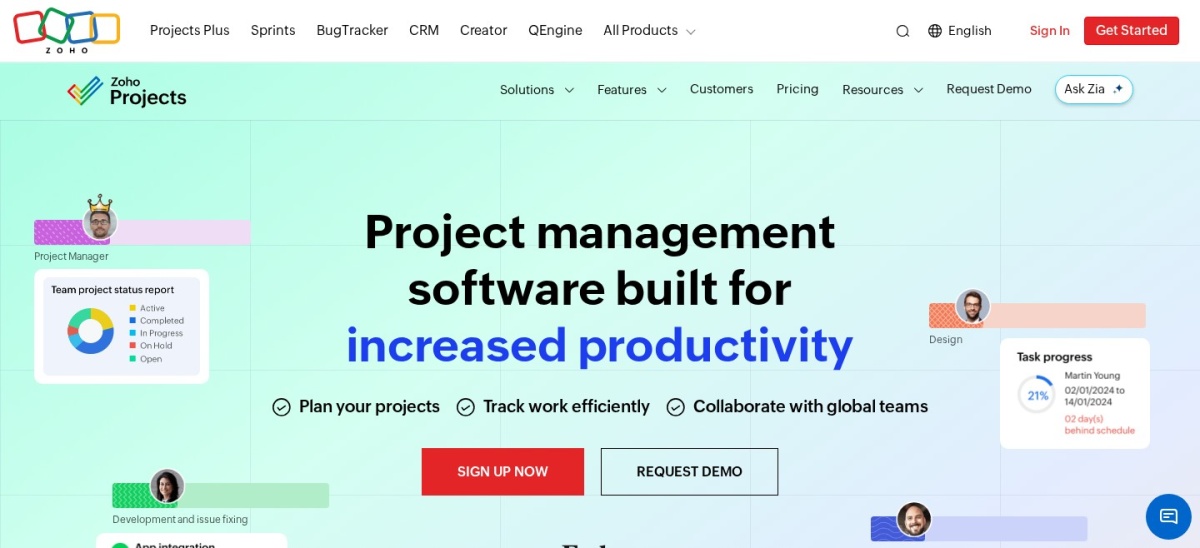
Zoho Projects homepage, captured Nov 2026.
Zoho Projects is a structured task and project tracker that packs Gantt charts, task dependencies, and issue tracking into a low-cost subscription. Its free plan supports up to 5 users, 3 projects, and 5 GB of storage.
The trade off is a denser interface that takes longer to configure than visual board apps. Premium costs $4 per user/month billed annually ($5 monthly) and adds unlimited projects, task automation, time tracking, and 10 read-only users. It suits budget-conscious delivery teams and existing Zoho users.
What we like
Lowest per-user paid starting price on this list at $4/user/month
Built-in timesheets, project budgets, and Gantt charts on Premium
Direct integration with Zoho CRM, Zoho Desk, and Zoho Books
Watch out for
Interface feels more utilitarian and complex than Asana or Trello
4.7/5on Capterra (2,900 reviews, checked Nov 2026)
Paid from$10/mo
Best for combining tasks with team wikis
Free planUnlimited pages for individuals
Entry paid$10/seat/mo (annual)
Database viewsBoard, Table, Timeline, Calendar
Page history30 days on Plus
notion.com
Notion homepage, captured Nov 2026.
Notion is a connected workspace that links collaborative documents, company wikis, and customizable task databases in one system. Its free plan gives individuals unlimited pages and blocks with board, table, and calendar database views, plus a limited block trial for shared workspaces.
The trade off is setup time and per-member billing for teams. Plus costs $10 per seat/month billed annually ($12 monthly) to remove the shared workspace block limit and expand file uploads and guest invites. It suits documentation-heavy teams that want project specs and tasks side by side.
What we like
Highest user review score on this list at 4.7 out of 5
Eliminates switching between separate wiki, note, and task apps
Flexible relational databases with custom properties and filters
Watch out for
Requires upfront setup to build a consistent task workflow
Large databases can feel slower on mobile devices
Plus removes the collaborative block limit and adds unlimited file uploads, 30-day page history, and 100 guests.Visit notion.com
08
Basecamp
4.4/5on Capterra (14,437 reviews, checked Nov 2026)
Paid from$29/mo
Best flat-fee pricing with built-in chat
Free planUp to 3 people
Entry paid$29/mo flat (up to 5 users)
Unlimited tier$199/mo billed annually
Included toolsTo-dos, Message Boards, Chat
basecamp.com
Basecamp homepage, captured Nov 2026.
Basecamp is an all-in-one project collaboration tool that bundles to-do lists, message boards, schedules, file storage, and Campfire group chat into each project. Its free plan covers up to 3 people with no credit card required.
The trade off is active project caps on lower tiers and fewer granular views like Gantt charts. Paid tiers charge zero per-user fees, starting at Freelancer for $29/month (up to 5 users, 3 active projects) and scaling to Pro at $79/month (10 users, 8 projects) or Pro Unlimited at $199/month billed annually. It suits agencies and small teams tired of per-seat math.
What we like
Flat monthly tiers with zero per-user fees across all paid plans
Replaces separate team chat, file sharing, and to-do apps
Simple layout that clients and external collaborators adopt quickly
Watch out for
Lower paid tiers cap concurrent active projects (3 on Freelancer, 8 on Pro)
Lacks native Gantt charts, complex dependencies, and custom fields
Freelancer covers up to 5 users, 3 active projects, and 10 GB storage with no per-user charges.Visit basecamp.com
What a 10-person team actually pays per year
Headline per-user prices hide two common surprises: minimum seat blocks and guest rules. On annual billing, a 10-person team pays $480/yr on Zoho Projects Premium ($4/user), $600/yr on Trello Standard ($5/user), $960/yr on Todoist Business ($8/user), $1,080/yr on ClickUp Core or monday.com Basic ($9/user), $1,200/yr on Notion Plus ($10/user), and $1,318.80/yr on Asana Starter ($10.99/user).
Basecamp flips the math with flat tiers: a 10-person team running up to 8 active projects pays $79/month ($948/yr) on Basecamp Pro, and teams with 16 or more people pay $199/month billed annually ($2,388/yr) for unlimited users and unlimited projects.
How we chose
We built this shortlist by evaluating established collaborative task management platforms with high adoption, active maintenance, and transparent self-serve pricing. Each tool was compared on free-plan collaboration caps, core task views, automation allowances, and verified user review scores.
All prices, plan limits, and review ratings were verified on 25 Nov 2026 directly against official vendor pricing pages and Capterra software profiles. Yearly figures reflect regular annual billing rates rather than temporary promotional discounts.
We excluded personal-only to-do apps without shared team workspaces, enterprise-only tools without published entry pricing, and platforms with fewer than 100 verified reviews. No vendor paid for a place, and we do not claim testing for this list.
How to pick the right collaborative task app
Match your team size, workflow structure, and budget before migrating existing tasks.
Count internal editors versus external guests. Tools like Asana and ClickUp let you invite external clients as free guests on paid plans, whereas adding every contractor as a full paid member doubles your annual bill.
Test the free tier's real bottleneck first. Check whether the free plan caps users (Asana, monday.com), active projects (Zoho Projects, Todoist), or storage (ClickUp) so you know when an upgrade becomes mandatory.
Pick the default view your team actually uses. Choose Trello for visual Kanban columns, Asana or Zoho Projects for list-and-timeline dependencies, and Notion if every task needs a full specification document attached.
Lock in annual billing only after a two-week pilot. Annual plans save 16% to 32% over monthly billing across these apps, so validate team adoption on a free plan or one monthly cycle before committing upfront.
FAQ
Which collaborative task management app has the best free plan?
ClickUp offers unlimited members and unlimited tasks on its Free Forever plan, making it the broadest free option for larger groups, though storage is capped at 60 MB. For small teams up to 10 people, Trello provides 10 free boards with unlimited cards and built-in automation.
What is the cheapest paid task management app for a team?
Zoho Projects Premium is the lowest-priced per-seat option at $4 per user/month billed annually ($48/user/year), including Gantt charts and time tracking. Trello Standard and Todoist Pro follow at $5/month billed annually ($60/year), while Todoist Business is $8 per user/month billed annually.
Is Asana or Trello better for team collaboration?
Trello is faster to set up for simple Kanban workflows and allows up to 10 collaborators for free. Asana is better for multi-step cross-functional projects that require subtasks, dependencies, custom fields, and timeline views, though its free plan stops at 2 users.
Which task management app avoids per-user pricing?
Basecamp charges a flat monthly rate with zero per-user fees across all paid tiers. Its Freelancer plan covers up to 5 users and 3 active projects for $29/month, while Pro Unlimited covers unlimited users and unlimited projects for $199/month billed annually.
Can Notion replace a dedicated task management app?
Yes, for teams that want company wikis, meeting notes, and task boards in one place. Notion Plus costs $10 per seat/month billed annually and supports Kanban, timeline, and calendar views, though it requires more upfront setup than dedicated tools like Asana or Todoist.
SaaS SEO and WordPress specialist with about 8 years of experience. Rakib compares WordPress plugins, themes, hosting and software using public pricing, documentation and user reviews. See how we rank.