ABBYY FineReader PDF is the best optical character recognition software for most teams, starting at $69/yr for Mac ($99/yr for Windows) with 4.7/5 across 450 Capterra reviews. Choose Foxit PDF Editor ($129.99/yr) for bundled cloud document management or Parseur ($468/yr) for automated email and invoice parsing.
How we make this list: we compare pricing pages, product documentation and public user reviews, then re-check every price before each update. No product paid for a place. Disclosure.
ABBYY FineReader PDF starts at $69/yr on Mac ($99/yr Windows Standard) and holds a 4.7/5 rating across 450 Capterra reviews.
Desktop OCR suites run $69/yr to $239.88/yr per user, with perpetual licenses available from Foxit ($209.99) and Wondershare PDFelement ($139.99).
Automated document parsers like Docparser ($390/yr billed annually) and Parseur ($468/yr billed annually) extract structured fields into spreadsheets and CRMs.
Cloud APIs such as Amazon Textract charge $1.50 per 1,000 pages for basic text detection, scaling affordably for developer-built pipelines.
What to look for in optical character recognition software
Optical character recognition (OCR) software converts scanned paper documents, PDFs, and camera images into searchable, editable text or structured database fields. Before comparing price tags, decide whether your team needs an interactive desktop PDF editor for occasional manual conversion or an automated extraction pipeline that feeds invoices and forms directly into accounting or ERP tools.
Layout preservation separates entry-level text extractors from dependable office suites. Multi-column reports, embedded tables, and mixed fonts often scramble during basic conversion, forcing staff to spend more time fixing formatting than retyping the page from scratch.
Pricing models split sharply across the category. Desktop suites bill per user seat annually or via one-time perpetual licenses, while cloud document parsers and developer APIs charge by monthly page credits or per-thousand-page usage tiers.
The 8 best optical character recognition software tools
01
ABBYY FineReader PDF
4.7/5on Capterra (450 reviews, checked Nov 2026)
Starts at$69/yr
Best for high-accuracy desktop OCR
Entry price$69/yr (Mac) or $99/yr (Windows)
Free plan7-day trial (100-page OCR limit)
DeploymentWindows and macOS desktop
AutomationHot Folder (5,000 pages/mo on Corporate)
pdf.abbyy.com
ABBYY FineReader PDF homepage, captured Nov 2026.
ABBYY FineReader PDF is a desktop document conversion and editing suite built around dedicated OCR technology. The entry FineReader PDF for Mac plan costs $69/yr, while Windows Standard costs $99/yr (regular rates; seasonal 50% promotions appear on the site) and includes full PDF editing, Word and Excel conversion, and offline local processing.
The trade off is per-seat desktop licensing with no permanent free tier beyond a 7-day, 100-page trial, plus Windows Corporate rises to $165/yr if you need automated Hot Folder batch conversion up to 5,000 pages monthly. It suits legal, finance, and research teams digitizing complex scans locally.
What we like
Preserves complex tables, columns, and fonts during conversion to Word and Excel
Processes confidential files locally offline without cloud uploads
Lower entry annual price than Adobe Acrobat Pro on both Mac and Windows
Watch out for
No perpetual one-time license option on current pricing plans
Automated Hot Folder batch processing requires the $165/yr Corporate tier
Mac edition lacks feature parity with the Windows version
Paid plans unlock unlimited OCR conversions beyond the 100-page trial cap and add Hot Folder automation on Corporate.Visit pdf.abbyy.com
02
Foxit PDF Editor
4.6/5on G2 (3,784 reviews, checked Nov 2026)
Starts at$129.99/yr
Best for fast PDF editing and DMS
Entry price$129.99/yr (or $209.99 perpetual)
Free plan14-day free trial
AI credits300 free AI credits/month included
PlatformsWindows, macOS, Web (iOS/Android on +)
foxit.com
Foxit PDF Editor homepage, captured Nov 2026.
Foxit PDF Editor is a cross-platform PDF suite that pairs text recognition with cloud document management. Its base plan runs $129.99/yr per user and covers Windows, macOS, and web apps, scanned document OCR, 300 monthly AI Assistant credits, and an integrated Document Management System with unlimited cloud storage.
The trade off is that mobile apps for iOS and Android, AI Smart Redact, and 150 annual Foxit eSign envelopes sit behind the $159.99/yr PDF Editor+ tier, though a $209.99 perpetual desktop license is also sold. It suits businesses wanting an Acrobat alternative with built-in document storage.
What we like
Includes a built-in Document Management System with versioning and audit trails
Offers both annual subscriptions and a $209.99 one-time perpetual license
300 monthly AI Assistant credits come bundled on the entry tier
Watch out for
Mobile app access requires upgrading to the $159.99/yr PDF Editor+ plan
Dense ribbon toolbar takes time to navigate for occasional users
Paid plans unlock full desktop/web OCR, PDF text editing, and cloud document management after the 14-day trial.Visit foxit.com
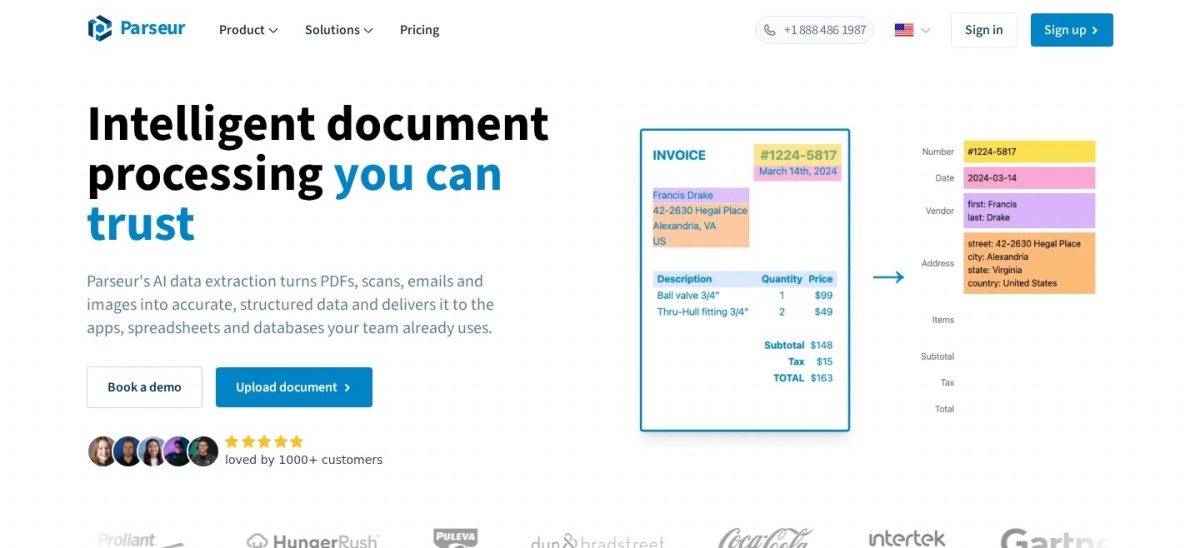
Parseur is a cloud document and email parsing service that extracts structured fields from PDFs, attachments, and incoming messages. Its permanent free tier includes 20 pages per month with core extraction features unlocked, while the Micro plan costs $468/yr billed annually ($39/mo equivalent, or $49/mo month-to-month) for 100 pages per month.
The trade off is per-page credit billing that climbs quickly at scale—1,000 pages per month costs $1,188/yr—and unused monthly credits expire at the end of each billing cycle. It suits operations and finance teams automating recurring emails, receipts, and order confirmations.
What we like
Permanent free tier with 20 pages per month and no credit card required
Extracts data directly from email bodies, attachments, and scanned PDFs
Supports 200+ OCR languages and 50-language handwriting recognition
Watch out for
Per-page pricing becomes expensive for multi-thousand-page monthly volumes
Unused monthly page credits expire at the end of the billing period
Paid tiers raise monthly page allowances from 20 up to 250,000 pages and extend data retention.Visit parseur.com
04
Wondershare PDFelement
4.5/5on G2 (1,070 reviews, checked Nov 2026)
Starts at$89.99/yr
Best for budget perpetual licensing
Entry price$89.99/yr (or $139.99 perpetual)
Free planFree trial with watermarked saves
PlatformsWindows, macOS, iOS, Android, Web
Core toolsBatch OCR, redaction, form filling
pdf.wondershare.com
Wondershare PDFelement homepage, captured Nov 2026.
Wondershare PDFelement is a desktop and mobile PDF editor with built-in optical character recognition for scanned files. The cross-platform yearly bundle is listed at $89.99/yr (regularly $304 before site discounts) and a perpetual license is listed at $139.99 (regularly $695), covering Windows, macOS, iOS, Android, and web access.
The trade off is that OCR and watermark-free exports require a paid license, and reviewers report occasional formatting cleanup on complex multi-column layouts plus extra fees for heavy AI usage. It suits freelancers and small businesses wanting an affordable one-time license.
What we like
Low entry pricing with a $139.99 perpetual license option
Single bundle spans Windows, macOS, iOS, Android, and cloud web tools
Familiar office-style interface with batch OCR and redaction
Watch out for
Complex scanned layouts can require manual formatting adjustments
Trial version adds watermarks to converted and saved documents
Paid plans remove watermarks and unlock full OCR text recognition, batch processing, and PDF conversion.Visit pdf.wondershare.com
05
Adobe Acrobat Pro
4.5/5on G2 (5,792 reviews, checked Nov 2026)
Starts at$239.88/yr
Best for enterprise PDF standardization
Entry price$239.88/yr ($19.99/mo annual plan)
Free plan7-day free trial (Acrobat Reader is free)
ComplianceSOC 2, HIPAA, and FedRAMP certified
PlatformsWindows, macOS, Web, iOS, Android
adobe.com
Adobe Acrobat Pro homepage, captured Nov 2026.
Adobe Acrobat Pro is an all-in-one PDF creation, editing, and e-signature platform that automatically runs OCR on scanned documents when you edit or export them. Individual plans cost $239.88/yr prepaid ($19.99/mo with an annual commitment, or $29.99/mo month-to-month), while Acrobat Pro for teams is $287.88/yr per license.
The trade off is a steep recurring subscription with no perpetual license and an early cancellation fee up to half the remaining annual balance after 14 days. It suits regulated organizations needing SOC 2, HIPAA, and FedRAMP compliance alongside standard PDF workflows.
What we like
Meets SOC 2, HIPAA, and FedRAMP compliance requirements
Automatic OCR activates seamlessly when editing scanned PDFs
Combines OCR, redaction, document comparison, and e-signatures in one app
Watch out for
Costs $239.88/yr per individual with no perpetual license option
Annual billed-monthly plans carry an early termination fee after 14 days
Desktop application can feel heavy on large multi-hundred-page files
Nitro PDF is a business PDF editor and OCR suite designed around a familiar Microsoft Office-style ribbon interface. Nitro PDF Standard costs $180/yr per user ($15/mo billed annually, inclusive of sales tax) and covers scanned document OCR, PDF-to-Office conversion, batch processing, and admin portal management.
The trade off is that Nitro PDF Classic—its one-time upfront payment option—is a 3-year Windows-only desktop license without cloud collaboration or mobile access. It suits Windows-heavy office teams transitioning from Microsoft Word and Excel into daily PDF workflows.
What we like
Familiar Microsoft Office ribbon layout reduces training time for staff
Includes centralized team management through the Nitro Admin portal
Offers a 3-year upfront Windows Classic license for subscription-averse buyers
Watch out for
Standard subscription at $180/yr costs more than Foxit and ABBYY
OCR layout retention can struggle on heavily skewed or complex scans
Allowance1,200 parsing credits/year (up to 5 pages each)
OutputExcel, CSV, JSON, XML, webhooks
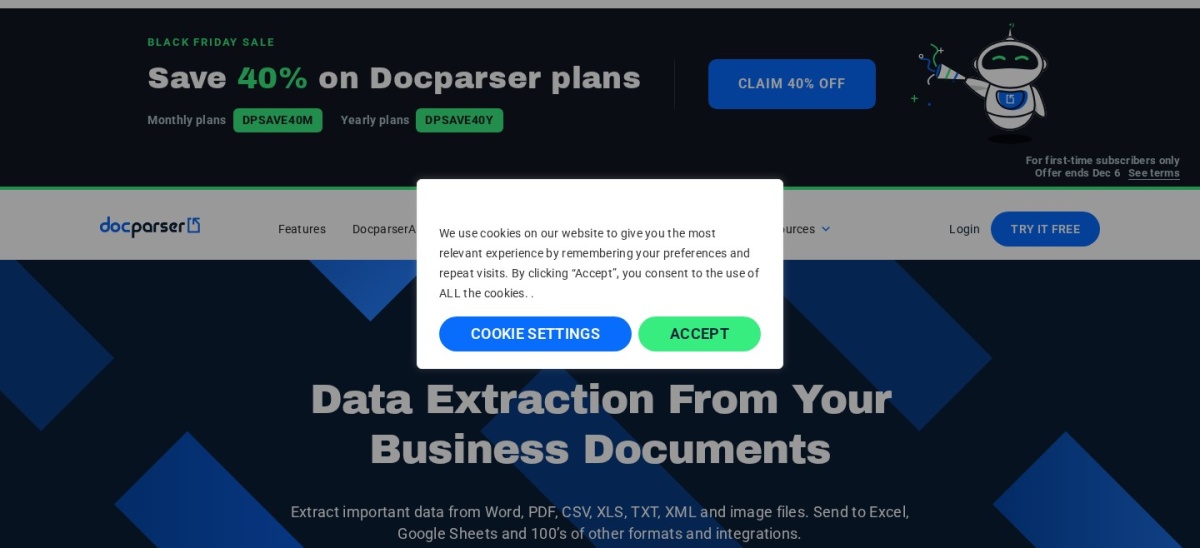
docparser.com
Docparser homepage, captured Nov 2026.
Docparser is a cloud data-capture platform that uses zonal OCR and customizable parsing rules to extract line items from recurring PDFs. The Starter plan costs $390/yr billed annually ($32.50/mo equivalent, or $39/mo monthly) and includes 1,200 parsing credits per year—each covering one document up to 5 pages—plus 15 custom parsers.
The trade off is that rule-based templates can break when a vendor changes its invoice layout or submits skewed scans, and add-ons like Multi-Layout Parsers cost $25/mo extra on Starter. It suits back-office teams processing standardized purchase orders and statements.
What we like
One parsing credit covers up to 5 pages rather than billing per single page
Exports clean line-item tables directly to Excel, CSV, JSON, XML, and webhooks
Includes a free onboarding parsing setup session on all plans
Watch out for
Rule-based parsers require adjustment when vendor document layouts change
Multi-layout parsing and version control cost extra on lower tiers
Paid plans scale up to 12,000 annual credits and unlock Smart Tables, team user management, and multi-layout parsers.Visit docparser.com
08
Nanonets
4.7/5on G2 (96 reviews, checked Nov 2026)
Paid from$1,200/yr
Best for AI workflow automation
Entry price$1,200/yr ($100/mo for 100 credits)
Free plan$50 in free credits (no card required)
Usage rates$0.30/complex AI run, $0.10/standard AI
Scale10,000+ customers worldwide
nanonets.com
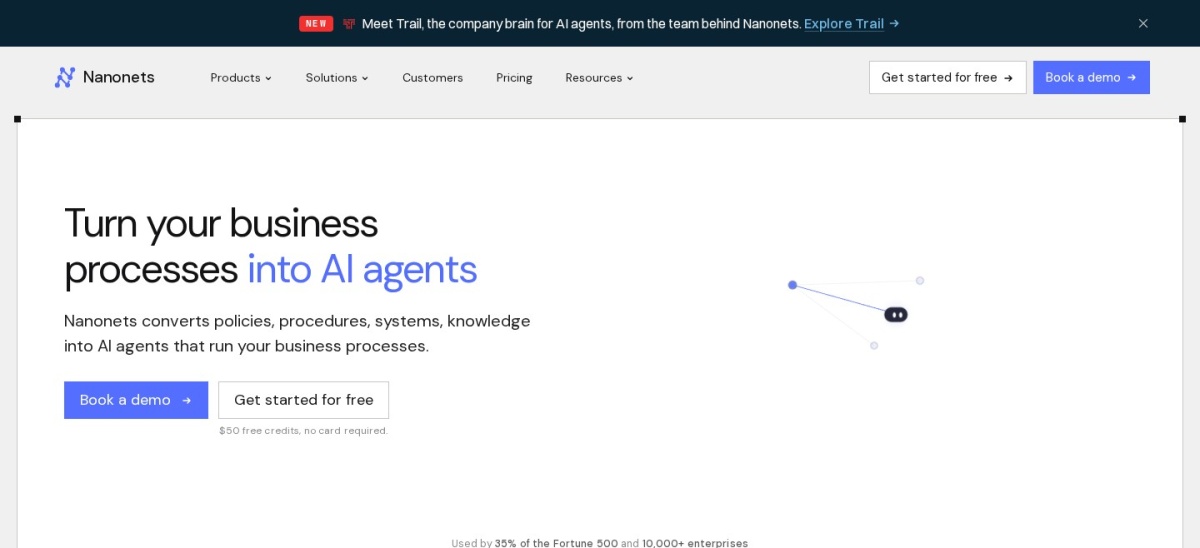
Nanonets homepage, captured Nov 2026.
Nanonets is an intelligent document processing platform that pairs template-free AI OCR with multi-step workflow automation. New accounts start free with $50 in prepaid credits (no credit card required), after which paid usage starts at $100/mo ($1,200/yr) for 100 credits, billed per workflow block run ($0.30 per complex AI extraction block).
The trade off is per-block pricing that multiplies across multi-step workflows—running 4 to 6 blocks per invoice can approach $2 per document—making it costly for simple text conversion. It suits accounts payable and ops teams routing unstructured invoices into ERPs.
What we like
Template-free AI extracts fields from varying invoice layouts without rigid rules
$50 in non-expiring starter credits lets teams test real documents free
Direct connectors route validated data into SAP, QuickBooks, and Xero
Watch out for
Per-block run pricing adds up quickly on multi-step document workflows
$100/mo entry commitment is high for low-volume or single-user needs
Paid usage unlocks ongoing credit top-ups, volume discounts up to 40%, and multi-step ERP approval workflows.Visit nanonets.com
Desktop PDF editors vs. cloud parsing APIs
Desktop OCR suites like ABBYY FineReader PDF, Foxit PDF Editor, and Adobe Acrobat Pro run locally on Windows or macOS and charge a predictable flat fee per user seat. They work best when employees open individual scanned contracts, make text edits, or convert multi-page reports into Word and Excel files without sending confidential records to third-party servers.
Cloud parsing platforms such as Parseur, Docparser, and Nanonets work in the background without manual file uploads. Instead of giving you an editable Word document, they watch an email inbox or API endpoint, extract specific invoice numbers, dates, and line-item tables into JSON or CSV, and push those records straight into accounting software.
How we chose
We evaluated established desktop PDF suites with built-in OCR alongside cloud document-parsing platforms that serve business productivity workflows. Every candidate had to be actively maintained in 2026 with transparent public pricing and verified customer reviews on major software marketplaces.
All prices, plan allowances, G2 ratings, and Capterra ratings were verified directly against official vendor pricing pages and review profiles on 22 Nov 2026. Where vendors display temporary promotional discounts, we listed the regular published price and noted the sale in the text.
We excluded enterprise IDP vendors that hide entry pricing behind custom sales quotes and consumer mobile scanner apps without desktop or workflow export tools. No vendor paid for a place, and we do not claim testing for this list.
How to choose optical character recognition software
Match your document volume, privacy rules, and output format to the right OCR category before buying licenses.
Decide between editable documents and structured data. Pick a desktop PDF editor like ABBYY FineReader PDF or Foxit PDF Editor if you need searchable PDFs and Word files; pick Parseur or Docparser if you need line items sent to spreadsheets or ERPs.
Estimate your monthly page volume. Per-seat desktop licenses save money when one person converts thousands of pages a month, whereas usage-based parsers charge per page or credit and favor low-to-moderate automated batches.
Check data residency and offline requirements. If you handle medical records, payroll, or client contracts under strict privacy rules, choose a desktop tool that runs OCR locally on your computer without cloud uploads.
Test your messiest scans during the trial. Run skewed receipts, multi-column tables, and non-English pages through the free tier or trial first, since clean laser-printed PDFs rarely reveal accuracy gaps.
FAQ
What is the best optical character recognition software overall?
ABBYY FineReader PDF is our top pick overall because it combines strong table and layout retention with local offline processing, starting at $69/yr on Mac and $99/yr on Windows.
Is there free optical character recognition software?
Yes. Parseur includes a permanent free tier for up to 20 pages per month, and Nanonets provides $50 in free starter credits with no credit card required.
Can I buy OCR software with a one-time payment instead of a subscription?
Yes. Wondershare PDFelement offers a perpetual cross-platform license for $139.99, and Foxit PDF Editor sells a perpetual desktop license for $209.99.
How does OCR software differ from a regular PDF editor?
A basic PDF editor only modifies files that already contain digital text layers. OCR software analyzes rasterized pixels in scanned paper or camera images to recognize letters and rebuild selectable text.
Which OCR tool works best for automating invoices and receipts?
Parseur and Docparser are built specifically for recurring invoices and receipts, extracting header fields and line-item tables directly into Excel, Google Sheets, QuickBooks, or webhooks.
Does OCR software work without an internet connection?
Desktop applications like ABBYY FineReader PDF, Adobe Acrobat Pro, Foxit PDF Editor, and Nitro PDF run OCR locally on your computer once installed and activated.
SaaS SEO and WordPress specialist with about 8 years of experience. Rakib compares WordPress plugins, themes, hosting and software using public pricing, documentation and user reviews. See how we rank.