Best Online Podcast Recording Software in 2026: 7 Tools Compared
WLWPLegible EditorsLast verified 22 Nov 2026How we rank6 min read
★ Short answer
Riverside is the top online podcast recording platform, combining browser-based local recording up to 4K video and 48kHz audio with built-in editing. Descript suits creators who prefer editing audio and video by deleting text, while Cleanfeed fits audio-only interviews with a free commercial Lite tier.
How we make this list: we compare pricing pages, product documentation and public user reviews, then re-check every price before each update. No product paid for a place. Disclosure.
Riverside Pro starts at $24/mo billed annually ($35/mo monthly) with up to 4K video, 48kHz audio, and 15 hours of separate track downloads.
Descript Hobbyist starts at $16/mo billed annually ($24/mo monthly) for 10 media hours, 400 AI credits, and 1080p watermark-free exports.
Cleanfeed Lite offers free commercial audio recording for up to 2 guests in mono, while Pro starts at $36/mo for businesses or $23/mo subsidized.
Async (formerly Podcastle) offers a free starter tier and an Essentials plan at $143.90/yr ($19.99/mo) with 20GB storage and 10 shared transcription hours.
Alitu bundles recording, automatic audio cleanup, and hosting up to 1,000 downloads/mo at $20.58/mo billed annually ($246.96/yr).
What to look for in online podcast recording software
Browser-based podcast recorders remove the friction of asking remote guests to install desktop software or configure complex audio interfaces. The most reliable platforms record each participant locally on their own device and upload separate tracks, preventing internet drops from ruining a session.
Pricing tiers usually separate casual testing from regular publishing through monthly recording or media caps, export resolution limits, and watermarks. Annual billing often lowers the effective monthly rate, though monthly plans remain useful if you record seasonally.
Many tools now bundle transcript editing, filler-word removal, social clip generators, or podcast hosting alongside recording. Decide whether you want an all-in-one workspace or a lean recorder whose files you move into a separate editor.
Riverside is a browser-based recording and production studio with local track capture, up to 10 participants per session, and a free entry option for testing. Its Pro tier includes up to 4K video, 48kHz audio, no watermark, text-based editing, and 15 hours of monthly separate track downloads.
The trade off is paying $288/yr on annual billing ($24/mo, or $35/mo billed monthly) and managing monthly caps on separate track downloads and AI credits. It suits creators and teams who record remote audio and video interviews regularly.
What we like
Records separate local audio and video tracks to protect against connection drops
Supports up to 4K video and 48kHz audio on the Pro plan
Includes text-based editing, clip creation, and publishing tools in one place
Watch out for
Monthly separate track downloads are capped at 15 hours on Pro
Expanding to extra studios or live webinars pushes costs into higher tiers
Paid Pro plan adds 4K video, 48kHz audio, watermark-free exports, and 15 monthly hours of separate track downloads.Visit riverside.com
02
Descript
4.6/5on G2 (938 reviews, checked Nov 2026)
Paid from$192/yr
Best for text-based audio and video editing
Entry paid plan$16/mo annual
Media hours10 hrs/mo (Hobbyist)
AI credits400/mo (Hobbyist)
Max export1080p / 4K
descript.com
Descript homepage, captured Nov 2026.
Descript is an online recording and editing studio where deleting words in a transcript edits the underlying audio and video. Its free plan includes 60 media minutes per month, 2 hours of remote recording, 100 one-time AI credits, and 720p watermarked exports.
The trade off is paying $192/yr on annual billing for Hobbyist ($16/mo, or $24/mo monthly) and tracking media minutes plus AI credits. It suits podcasters who edit by script and want fast social clip creation.
What we like
Transcript-driven editing speeds up cutting pauses, mistakes, and filler words
Combines recording, Studio Sound cleanup, and clip tools in one workflow
Hobbyist plan costs under $200/yr when billed annually
Watch out for
Free plan caps media at 60 minutes per month with a watermark
Heavy AI features and multi-editor seats require higher tiers or add-ons
Paid Hobbyist plan adds 10 monthly media hours, 400 monthly AI credits, and 1080p watermark-free exports.Visit descript.com
03
Async
4.7/5on G2 (187 reviews, checked Nov 2026)
Paid from$143.90/yr
Best budget all-in-one recording and AI studio
Entry paid plan$143.90/yr
AI credits450/mo (Essentials)
Cloud storage20GB (Essentials)
Transcription10 hrs (Essentials)
async.com
Async homepage, captured Nov 2026.
Async is a browser-based podcast recording and editing platform formerly known as Podcastle that supports up to 10 remote participants. Its free starter plan provides 2GB of cloud storage, 10 lifetime AI credits, and up to 720p exports.
The trade off is paying $143.90/yr on Essentials ($19.99/mo billed monthly) while working within monthly AI credit and transcription caps. It suits solo creators who want an affordable all-in-one recording and cleanup studio.
What we like
Low annual entry price on the Essentials plan at $143.90/yr
Supports up to 10 remote participants in browser sessions
Includes a no-credit-card free tier for initial testing
Watch out for
Free plan includes only 10 lifetime AI credits and 2GB of storage
4K video output requires stepping up to the Pro tier
Paid Essentials plan adds 450 monthly AI credits, 20GB storage, 10 shared transcription hours, and Full HD exports.Visit async.com
04
Alitu
4.3/5on G2 (2 reviews, checked Nov 2026)
Starts at$246.96/yr
Best for automated cleanup and built-in hosting
Annual plan$20.58/mo
Monthly rate$38/mo
Video export1080p HD
Included hostingUp to 1,000/mo
alitu.com
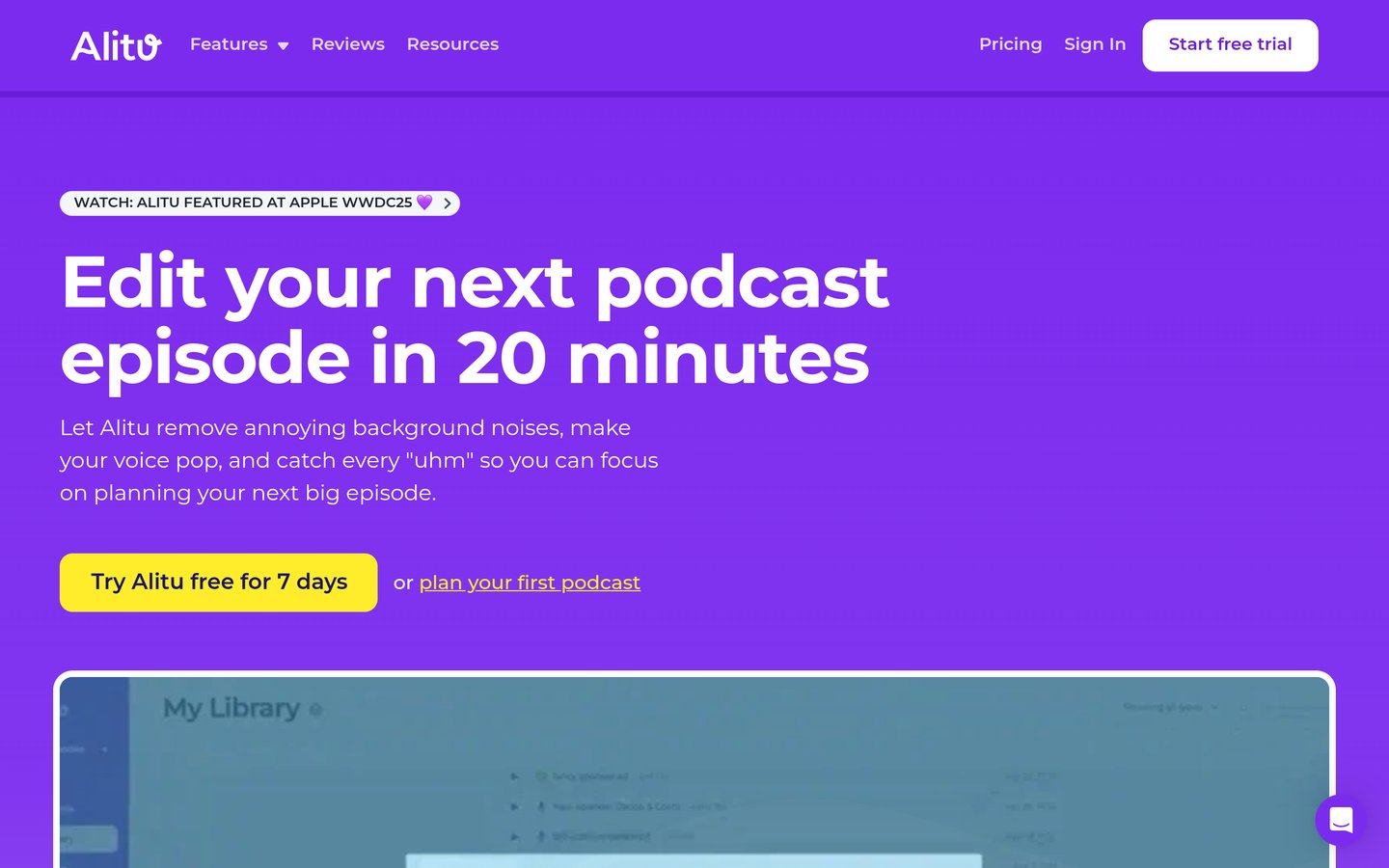
Alitu homepage, captured Nov 2026.
Alitu is a browser-based podcast workflow tool that combines recording, automatic noise removal, volume leveling, episode building, and hosting. Its main subscription costs $246.96/yr ($20.58/mo billed annually, or $38/mo monthly) and includes free hosting up to 1,000 downloads per month.
The trade off is no permanent free plan beyond a 7-day trial and limited manual audio control compared with a DAW. It suits solo hosts who want automated audio polish and publishing without stitching multiple apps together.
What we like
Automates background noise removal, EQ, and loudness leveling
Includes podcast hosting up to 1,000 downloads per month
Offers both text and waveform editing plus 1080p video recording
Watch out for
No free tier after the 7-day trial ends
Less suited to complex multitrack mixing or custom plugin chains
Paid plan provides full access to automated audio processing, 1080p video recording, and hosting up to 1,000 monthly downloads.Visit alitu.com
05
Zencastr
3.7/5on G2 (30 reviews, checked Nov 2026)
Paid from$240/yr
Best for free browser recording with up to 6 guests
ParticipantsUp to 6
Audio formatUp to 48kHz WAV
Video supportUp to 4K
Entry Capterra$20/mo
zencastr.com
Zencastr homepage, captured Nov 2026.
Zencastr is a web-based podcast recording studio supporting up to 6 participants, local track capture, and up to 48kHz WAV audio. Its free tier allows remote audio and video recording with no hour cap stated at review, alongside editing and transcription tools.
The trade off is a lower G2 review score (3.7/5 across 30 reviews) and a $240/yr ($20/mo) entry price point reported on Capterra. It suits hosts who want a free browser recorder with multi-guest and video options.
What we like
Supports up to 6 participants with local recording and 48kHz WAV files
Offers a free tier covering both audio and video recording
Includes text-based editing, clips, and podcast hosting features
Watch out for
Lower user rating on G2 (3.7/5) than Riverside or Descript
Some promotional free allowances on newer plans can change over time
Paid plans expand production allowances, storage, and publishing features beyond the free tier.Visit zencastr.com
06
StreamYard
4.5/5on Capterra (110 reviews, checked Nov 2026)
Paid from$300/yr
Best for live-streamed video podcasts
Free local cap2 hrs/mo
Free guestsUp to 6 on-screen
Max videoUp to 4K (2160p)
Entry Capterra$25/mo
streamyard.com
StreamYard homepage, captured Nov 2026.
StreamYard is a browser studio built for live video streaming and podcast recording with on-screen branding and audience overlays. Its free plan includes 2 hours of local recording per month for up to 6 on-screen participants with StreamYard branding.
The trade off is a $300/yr ($25/mo) starting price on Capterra and watermarked free exports. It suits video podcasters who go live to social channels while recording episodes.
What we like
Strong live-streaming controls, overlays, and on-screen comment display
Supports up to 4K (2160p) local recordings on upper plans
Free plan lets you test browser recording with up to 6 on-screen people
Watch out for
Free tier adds StreamYard branding and limits local recording to 2 hours/mo
Higher costs apply as you add multistream destinations and team seats
Paid plans remove StreamYard branding, increase storage, and unlock higher resolution and multistreaming.Visit streamyard.com
07
Cleanfeed
4.4/5on G2 (4 reviews, checked Nov 2026)
Paid from$276/yr
Best for free audio-only remote interviews
Lite planFree (commercial)
Lite guestsUp to 2 in mono
Pro business$36/mo ($23 subsid.)
Pro guestsUp to 32 (multitrack)
cleanfeed.net
Cleanfeed homepage, captured Nov 2026.
Cleanfeed is a browser-based remote audio studio focused on low-latency voice capture rather than heavy AI suites. Its Lite plan is free—including for commercial use—with unlimited recording time for up to 2 guests in mono.
The trade off is no standard video podcasting support and a $36/mo business rate ($276/yr equivalent, or $23/mo subsidized before annual discounts) for Pro. It suits audio-only podcasters and interviewers who want a clean, lightweight link.
What we like
Free Lite tier allows commercial use and unlimited recording duration
Pro unlocks multitrack recording, stereo channels, and up to 32 guests
Focused audio workflow without clutter from video or AI clip tools
Watch out for
Lite plan restricts sessions to 2 guests in mono with no multitrack export
Does not serve video-first podcasters on standard tiers
Paid Pro plan adds multitrack recording, stereo audio, audio repair, and support for up to 32 guests.Visit cleanfeed.net
Why local track recording matters for remote interviews
Standard video conferencing tools mix everyone into a single stream over the internet, so a brief Wi-Fi dip can create robotic audio or dropped words. Dedicated podcast recorders like Riverside and Zencastr capture each participant locally on their own machine while uploading files in the background.
Separate tracks also give you control during editing. If a guest coughs or has a noisy room, you can mute or clean their track without affecting the host.
How we chose
This list starts from established browser-based podcast recording platforms used for remote interviews, solo episodes, and live shows. We focused on active tools with public pricing and verifiable review profiles.
Pricing, plan inclusions, and public review ratings were checked on 22 Nov 2026 across vendor pricing pages and software review directories. Where a tool offers annual billing or discounted tiers, we note the entry structure clearly.
We excluded desktop-only editors that lack built-in remote guest recording and skipped any tool whose pricing could not be verified on its pricing page. No vendor paid for a place, and we do not claim testing for this list.
How to pick the right recording tool in 4 steps
Match the platform to your episode format before paying for an annual plan.
Decide whether you need video, live streaming, or audio only. Audio-only shows can use lightweight tools like Cleanfeed, while video and live shows benefit from Riverside or StreamYard.
Check your typical monthly recording and media hours. Compare your weekly episode length against free and entry-tier caps so you do not run out of hours mid-month.
Verify how you plan to edit after recording. Choose a tool like Descript if you want text-based editing, or export separate tracks to your preferred editor.
Pick monthly or annual billing based on your schedule. Annual billing lowers the effective monthly rate on plans like Riverside Pro and Descript Hobbyist, while monthly billing fits short runs.
FAQ
Do guests need to install software to record in a browser?
Most browser-based podcast recorders let guests join from a link on a supported desktop browser without installing heavy software. Always test a guest link ahead of time so browser permissions and microphone inputs are set properly.
What is the difference between local recording and cloud recording?
Local recording captures each person's audio and video on their own device and uploads the files, reducing dropouts from spotty internet. Cloud-only capture relies on the live connection stream, which can degrade if bandwidth fluctuates.
Can I start podcasting on a free plan?
Yes, several platforms offer free tiers or trials, including Riverside, Descript, Async, Zencastr, StreamYard, and Cleanfeed. Free plans commonly cap recording hours, export resolution, guest counts, or branding removal.
Does recording software host my RSS feed for Apple Podcasts and Spotify?
Some platforms bundle basic hosting or publishing tools, while others focus on recording and editing and leave RSS hosting to a dedicated podcast host. Check whether hosting limits match your expected monthly downloads.
Why do AI tools on some plans use monthly credits?
Features like noise cleanup, filler-word removal, clip generation, and voice tools consume compute resources, so vendors often meter them with monthly credits or media hours. Estimate how many episodes you produce each month before choosing a tier.
Should I choose annual or monthly billing?
Annual billing usually lowers the monthly cost if you publish consistently throughout the year. Monthly billing costs more per month but gives flexibility if you record in seasons or want to test a workflow first.