Best Free Rendering Software in 2026: 7 Tools Compared
WLWPLegible EditorsLast verified 22 Nov 2026How we rank12 min read
★ Short answer
Blender is the best free rendering software overall, with its Cycles path-tracing engine, EEVEE renderer and commercial-use rights at no cost. It has a 4.6/5 G2 rating from 321 reviews. Choose D5 Render for real-time architectural visualization or Twinmotion for building presentations and landscape scenes.
How we make this list: we compare pricing pages, product documentation and public user reviews, then re-check every price before each update. No product paid for a place. Disclosure.
Blender is completely free for personal and commercial projects, with Cycles and EEVEE rendering engines and a 4.6/5 G2 rating from 321 reviews.
D5 Render offers a permanent Community edition for learning and personal projects; Pro costs $360 annually and has a 4.8/5 G2 rating from 1,117 reviews.
Twinmotion is free for eligible users below $1 million in annual revenue, while paid seats cost $445 per year.
Unreal Engine supports real-time rendering and cinematic production, with seat licensing at $1,850 annually for eligible commercial users.
Houdini Apprentice is free for non-commercial learning, while Houdini Indie costs $299 annually for qualifying independent creators.
RenderMan offers a free non-commercial edition, with commercial licenses priced at $595 plus $250 annual maintenance; Unity Personal is free for eligible creators.
What matters when choosing free rendering software
Rendering software transforms 3D models, materials, lights and camera settings into finished images or animations. The right choice depends on whether you create product visuals, architectural scenes, animated films or interactive environments.
The most important difference is the rendering engine. Path tracing calculates realistic lighting and reflections but can take longer to process. Real-time rendering displays visual changes immediately, making it useful for design presentations and interactive projects.
Free licensing varies considerably. Blender permits commercial work without subscription fees, while Houdini Apprentice and RenderMan Non-Commercial restrict business use. Twinmotion and Unreal Engine offer free access under specific revenue and licensing conditions.
Also consider computer requirements and existing modeling software. GPU-focused renderers benefit from suitable graphics hardware, while tools with CAD and modeling integrations can reduce the work required to transfer scenes.
Blender is a free, open-source 3D creation suite with 2 built-in rendering engines: Cycles for path-traced images and EEVEE for real-time rendering. It also includes modeling, sculpting, animation, simulation and compositing tools. The software can be used for personal and commercial projects without purchasing a license.
The trade off is the learning curve and the computing resources needed for complex scenes. Blender has no required paid software plan, although users may choose optional third-party assets or rendering services. It suits artists, designers and creators who want extensive rendering capabilities without recurring software fees.
What we like
Completely free for commercial use
Cycles supports realistic lighting and materials
EEVEE supports real-time rendering
Integrated modeling, animation and compositing
Large community and extensive learning resources
Watch out for
Steep learning curve for beginners
Complex scenes can require substantial GPU memory
Some specialized workflows require add-ons
Rendering performance depends on hardware
No paid software upgrade; all core rendering features are free.Visit blender.org
02
D5 Render
4.8/5on G2 (1,117 reviews, checked Nov 2026)
Paid from$360/yr
Best free rendering software for architecture
Free editionCommunity
RenderingReal-time GPU ray tracing
IntegrationsSketchUp, Revit, Rhino and Blender
Paid planPro, $360/yr
d5render.com
D5 Render homepage, captured Nov 2026.
D5 Render is a real-time visualization platform for architecture, interiors and landscape design. Its Community edition is free for personal projects, learning and evaluation. Users can explore lighting, materials and scenes with GPU-based rendering, while integrations connect D5 with popular modeling applications.
The trade off is that Community is intended for non-commercial use, with premium assets and advanced production features reserved for Pro. D5 Pro costs $360 annually, equivalent to $30 per month billed yearly, while monthly billing costs $38. It suits architectural designers who want immediate visual feedback while refining scenes.
What we like
Real-time ray tracing and path tracing
Dedicated architecture and interior workflows
Integrations with common CAD applications
Visual asset placement and lighting controls
Free Community edition without a trial deadline
Watch out for
Free Community use is non-commercial
Requires compatible graphics hardware
Premium assets and features require Pro
Large scenes can demand significant GPU resources
Pro adds commercial licensing, premium assets and advanced visualization features.Visit d5render.com
03
Twinmotion
4.5/5on G2 (61 reviews, checked Nov 2026)
Paid from$445/yr
Best for fast building and landscape presentations
Free eligibilityBelow $1M annual revenue
RenderingReal-time and path tracing
PresentationImages, videos and panoramas
Paid plan$445/seat/yr
twinmotion.com
Twinmotion homepage, captured Nov 2026.
Twinmotion is a real-time visualization application from Epic Games designed for architecture, construction and landscape projects. Individuals and businesses earning less than $1 million annually can use it for free. It provides materials, environmental controls, vegetation and tools for creating images, animations and immersive presentations.
The trade off is its revenue-based licensing and the paid requirement for Twinmotion Cloud access. Eligible commercial users needing a license pay $445 per seat annually, including software upgrades and cloud presentation features. It suits architects and designers who want quick visual presentations without building a complex rendering pipeline.
What we like
Free commercial use for eligible small businesses
Real-time architectural visualization
Environmental and landscape tools
Supports images, animations and panoramas
Integrates with common design applications
Watch out for
Revenue threshold affects free eligibility
Twinmotion Cloud requires a paid seat
Less control than a full 3D creation suite
Detailed scenes benefit from stronger hardware
Paid seats provide Twinmotion Cloud access and licensing for larger businesses.Visit twinmotion.com
04
Unreal Engine
4.5/5on G2 (151 reviews, checked Nov 2026)
Paid from$1,850/yr
Best for cinematic and interactive rendering
Free eligibilityUnder $1M annual revenue
RenderingLumen and path tracing
Primary usesGames, film and visualization
Paid plan$1,850/seat/yr when required
unrealengine.com
Unreal Engine homepage, captured Nov 2026.
Unreal Engine is a real-time 3D creation platform used for games, animation, virtual production and architectural visualization. It includes Lumen lighting, path tracing, cinematic tools and interactive scene development. Individuals and qualifying smaller businesses can access its features for free, subject to Epic Games' licensing rules.
The trade off is technical complexity and licensing differences between interactive products and other commercial work. Eligible non-game commercial users requiring seat licenses pay $1,850 per seat annually, while qualifying games may instead owe royalties after $1 million in product revenue. It suits experienced teams creating cinematic or interactive 3D content.
What we like
Real-time rendering with advanced lighting
Cinematic production and animation tools
Suitable for interactive environments
Source code access under the license
Free access for qualifying creators
Watch out for
Steep learning curve
Commercial licensing requires careful review
Large projects can demand substantial hardware
More complex than dedicated image renderers
Paid seats license eligible commercial work; qualifying games follow royalty terms.Visit unrealengine.com
05
Houdini
4.5/5on G2 (35 reviews, checked Nov 2026)
Paid from$299/yr
Best for procedural effects and simulation
Free editionHoudini Apprentice
RenderingKarma and procedural workflows
Free licensePersonal non-commercial use
Paid planIndie, $299/yr
sidefx.com
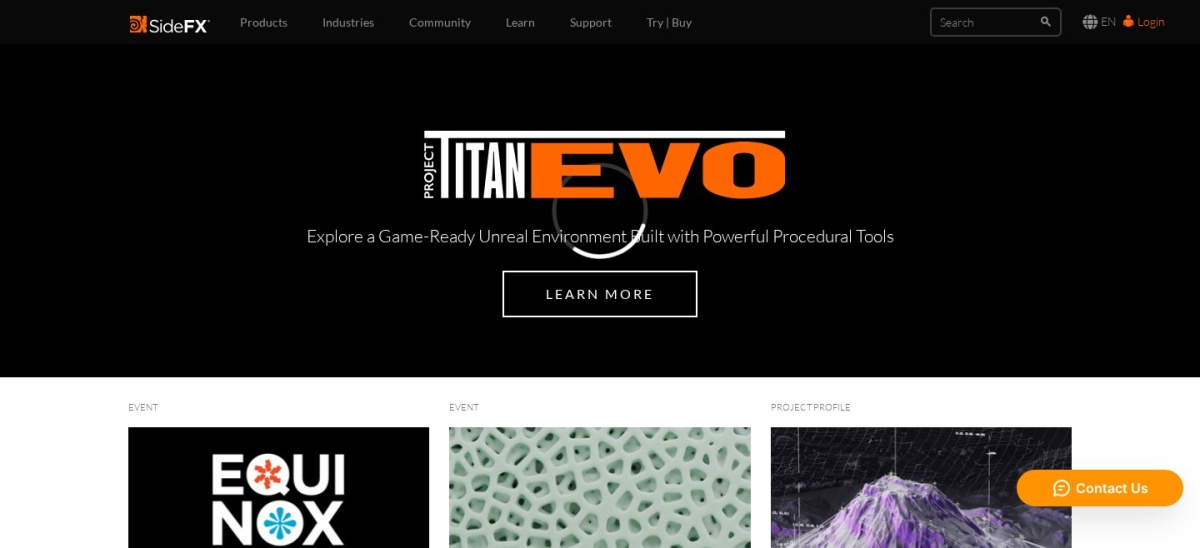
Houdini homepage, captured Nov 2026.
Houdini is a procedural 3D application from SideFX for modeling, animation, simulation and rendering. Houdini Apprentice is free for personal, non-commercial projects and includes tools for learning procedural workflows. It supports Karma rendering and node-based scene construction, allowing artists to modify complex scenes through reusable systems.
The trade off is Apprentice's non-commercial license, output restrictions and demanding learning curve. Houdini Indie costs $299 annually for qualifying independent creators and expands professional production options. It suits visual effects artists and technically minded designers interested in procedural modeling, simulations and rendering.
What we like
Free non-commercial learning edition
Detailed procedural modeling tools
Advanced simulation workflows
Integrated Karma rendering
Suitable for visual effects and animation
Watch out for
Apprentice cannot be used commercially
Learning node-based workflows takes time
Free edition has output restrictions
Professional production requires eligible paid licensing
Indie enables qualifying commercial projects and expanded production workflows.Visit sidefx.com
06
RenderMan
4.2/5on G2 (26 reviews, checked Nov 2026)
Paid from$595 one-time
Best for learning film-quality rendering
Free editionNon-Commercial RenderMan
RenderingRIS and XPU
Commercial license$595
Annual maintenance$250
renderman.pixar.com
RenderMan homepage, captured Nov 2026.
RenderMan is a rendering system from Pixar designed for cinematic lighting, materials and visual effects. RenderMan 27 offers a free non-commercial edition for students, independent artists and researchers. Its rendering technologies include RIS and XPU, with supported workflows for applications such as Blender, Maya, Houdini and Katana.
The trade off is that the free edition cannot be used for commercial production and requires a compatible 3D application. A commercial license costs $595, with annual maintenance priced at $250. It suits artists learning physically based rendering and studios seeking a dedicated production renderer.
What we like
Free non-commercial edition
Rendering technology used in film production
RIS and XPU rendering options
Integrations with established 3D applications
Commercial license available without a mandatory annual software subscription
Watch out for
Free edition prohibits commercial work
Requires compatible 3D software
Commercial maintenance adds ongoing cost
Less suitable for simple beginner projects
Commercial licensing permits production work; maintenance adds support and upgrades.Visit renderman.pixar.com
07
Unity
4.5/5on G2 (364 reviews, checked Nov 2026)
Paid from$2,310/yr
Best for real-time game and application visuals
Free editionUnity Personal
Free eligibilityUp to $200K revenue and funding
RenderingBuilt-in, URP and HDRP
Paid planPro, $2,310/seat/yr
unity.com
Unity homepage, captured Nov 2026.
Unity is a real-time development platform used for interactive 3D applications, games and visualization. Unity Personal is free for eligible creators with up to $200,000 in annual revenue and funding. It includes the engine, rendering pipelines, lighting tools and deployment options for supported platforms.
The trade off is that Unity is primarily a development environment rather than a dedicated image renderer. Unity Pro costs $2,310 per seat annually when prepaid yearly, or $210 per month with monthly billing. It suits developers and technical artists creating interactive scenes where real-time performance matters.
What we like
Free Personal edition for eligible users
Multiple rendering pipelines
Supports interactive 3D applications
Large asset and development ecosystem
Deployment across supported platforms
Watch out for
Free eligibility depends on revenue and funding
Requires development knowledge
Paid Pro subscription is relatively expensive
Less convenient for standalone photorealistic images
Pro adds console deployment, additional platform support and priority assistance.Visit unity.com
Real-time rendering vs path tracing: which should you choose?
Real-time rendering updates a scene while you adjust the camera, objects, lighting and materials. It is especially useful for interactive applications, architectural walkthroughs and projects requiring frequent visual changes.
Path tracing simulates light transport to produce realistic shadows, reflections and indirect illumination. It can create convincing product shots and cinematic images, although complex scenes may require substantial processing time.
Blender includes both approaches through EEVEE and Cycles. D5 Render and Twinmotion emphasize interactive visualization, while Unreal Engine combines real-time graphics with cinematic rendering tools.
Neither method is automatically better. Choose based on the visual quality, workflow, hardware and delivery format your project requires.
Which free rendering programs allow commercial projects?
Blender is the clearest option for unrestricted commercial rendering because its open-source software can be used without purchasing a license. There is no revenue threshold for using its core tools.
Twinmotion permits free commercial use for eligible businesses below $1 million in annual revenue. Unreal Engine also has free eligibility rules, although commercial seat licensing and game royalties depend on the project.
Unity Personal allows eligible commercial projects within its revenue and funding threshold. D5 Render Community, Houdini Apprentice and RenderMan Non-Commercial should not be treated as general-purpose free commercial licenses.
Read each vendor's current licensing terms before delivering paid client work. Free downloads do not always grant commercial usage rights.
How we chose
We selected established rendering and 3D visualization products with documented free editions, active development and meaningful rendering capabilities. The comparison covers offline rendering, real-time visualization, supported workflows, licensing restrictions and customer feedback from G2.
Pricing and ratings were researched using publicly available vendor documentation and review listings for the November 2026 comparison. Prices reflect published regular commercial licensing or paid entry options, distinguishing annual subscriptions, one-time licenses and revenue-based eligibility conditions.
We excluded trial-only rendering products, software without confirmable paid pricing where a paid tier exists, and applications lacking substantial rendering functionality. We also separated unrestricted open-source tools from free editions limited to personal or non-commercial work. No vendor paid for a place, and we do not claim testing for this list.
How to choose the best free rendering software
Start by identifying the type of images or animations you need to create, then compare licensing, rendering technology and hardware requirements.
Match the renderer to your project. Choose Blender for general 3D artwork, D5 Render or Twinmotion for architectural visualization, and Unreal Engine or Unity for interactive projects. Houdini and RenderMan are better suited to specialized animation and visual effects workflows.
Check commercial licensing before committing. Confirm whether the free edition permits client work, published commercial projects or revenue-generating applications. Some vendors restrict free licenses to learning, while others apply revenue thresholds or different licensing rules to specific project types.
Compare rendering methods and hardware needs. Decide whether interactive speed or detailed offline rendering matters more. Check GPU compatibility, available memory, operating system support and integration with the modeling applications you already use.
Calculate the real cost of upgrading. Compare annual subscriptions, one-time licenses, maintenance fees and additional services. Include hardware and rendering resources when estimating costs, because software licensing is only part of the expense of producing complex visual projects.
FAQ
What is the best completely free rendering software?
Blender is the best overall choice because it is free, open source and suitable for commercial projects. It includes Cycles for path-traced rendering and EEVEE for real-time workflows. Users can model, animate and render scenes within the same application without purchasing a software license.
Can I create realistic 3D renders for free?
Yes. Blender's Cycles engine supports realistic lighting, materials, shadows and reflections without subscription fees. D5 Render Community and Twinmotion also provide advanced visualization capabilities under their respective free licensing terms. Image quality depends on scene preparation, lighting, materials and available hardware.
Which free rendering software is best for architecture?
D5 Render and Twinmotion are strong choices for architectural visualization because they focus on interactive scene preparation, lighting and environmental presentation. D5 Community is intended for personal and learning use, while Twinmotion offers free commercial eligibility for smaller businesses under its published licensing threshold.
Is Blender free for commercial use?
Yes. Blender is open-source software distributed under the GNU General Public License and may be used for commercial projects without software licensing fees. Artists can create paid visualizations, animations and product images with its core tools. Optional third-party assets and external rendering services may have separate costs.
Is D5 Render completely free?
D5 Render provides a permanent Community edition for personal projects, education and evaluation. It is not equivalent to an unrestricted commercial license. D5 Pro costs $360 annually with annual billing and includes commercial usage rights, premium assets and additional production features.
Can I use Twinmotion for free on client projects?
Twinmotion is free for eligible individuals and businesses earning less than $1 million in gross annual revenue. Larger businesses or users requiring Twinmotion Cloud must obtain appropriate paid seats. Always review the current license before beginning commercial work because eligibility depends on the user's circumstances.
What is the difference between Blender and Unreal Engine?
Blender is primarily a 3D creation application with integrated modeling, animation and rendering engines. Unreal Engine is a real-time development platform for interactive applications, games and cinematic environments. Blender is generally more straightforward for standalone rendered artwork, while Unreal supports interactive experiences.
Which rendering software is best for beginners?
Twinmotion and D5 Render are approachable choices for beginners who already have architectural models, thanks to their visual scene editing workflows. Blender requires more learning but provides broader creative freedom. Beginners should choose based on their project type rather than relying only on interface simplicity.
Do I need an expensive graphics card for 3D rendering?
Not always. Blender supports CPU rendering, allowing projects to run without a dedicated high-end GPU, although performance may be slower. GPU-focused applications such as D5 Render have stricter hardware requirements. Complex environments, detailed textures and advanced lighting generally benefit from additional graphics memory and processing capacity.