Best Creative Management Platform in 2026: 7 Tools Compared
WLWPLegible EditorsLast verified 22 Nov 2026How we rank12 min read
★ Short answer
The Brief is our top creative management platform for advertising teams. Its $39 monthly Pro plan includes 5,000+ templates, AI creation tools and multiple export formats. Abyssale is better for automated design variations from structured data, while Marq suits teams managing branded documents and reusable templates.
How we make this list: we compare pricing pages, product documentation and public user reviews, then re-check every price before each update. No product paid for a place. Disclosure.
The Brief combines campaign design, AI generation and exports in a $39 monthly Pro plan, with 5 Brand Kits and 250 GB of storage.
Abyssale starts at $12 per seat monthly with annual billing and includes 150 generation credits per month on Start.
Marq offers a free plan with 2 GB of storage and a 3-project limit; its individual Pro plan costs $15 monthly.
Canva Pro costs $18 monthly at the displayed regular monthly rate, with 5 Brand Kits and access to premium design assets.
Figma Professional offers a $3 monthly Collab seat, while a $16 monthly Full seat is needed for professional design creation.
Snappa's $120 annual Pro subscription includes 3,000 image credits, while Visme Starter costs $147 annually.
What makes a creative management platform worth paying for?
Creative management platforms help teams organize, produce, review and distribute visual content. Some specialize in advertising campaigns, while others focus on brand templates, shared design libraries or creative automation.
Start with your main workflow. An advertising team producing multiple banner sizes needs different features from a marketing department preparing presentations, social graphics and sales materials.
Look for brand controls, reusable templates, collaboration permissions and approval features. These reduce repetitive design work and help maintain consistent visual standards across campaigns.
Automation becomes important when teams repeatedly change product images, headlines, sizes or languages. Platforms with structured-data generation can produce variations from approved source designs.
Compare the entry plan carefully. A low advertised seat price may provide collaboration access rather than full editing, and advanced approval workflows or publishing integrations may require higher tiers.
The Brief is an advertising creative platform for building, editing, resizing and exporting campaign assets. Its $39 monthly Pro plan includes an Ad Studio, 5,000+ templates, AI image and video generation, 5 Brand Kits and 250 GB of storage. It supports static, animated and video exports, including HTML5.
The trade off is that publishing, ad serving and higher-volume campaign features require more expensive plans. Ultra costs $99 monthly, while the Team plan starts at $59 per seat monthly and adds shared production features. It suits marketers and agencies producing advertising creative across several formats.
What we like
Dedicated advertising creative workflow
AI generation and resizing in the entry plan
Supports static, animated and HTML5 assets
Multiple export formats and Brand Kits
Watch out for
No permanent free plan
Campaign publishing requires a higher tier
Team collaboration costs more than individual access
Ultra adds ad serving, publishing and higher-volume capacity; Team adds collaboration.Visit thebrief.ai
02
Abyssale
4.5/5on G2 (32 reviews, checked Nov 2026)
Starts at$12/mo
Best for automated creative variations
Entry planStart
Generation credits150/month
AI credits300/month
BillingAnnual
abyssale.com
Abyssale homepage, captured Nov 2026.
Abyssale is a creative automation platform that generates branded visual variations from reusable designs. Its Start plan costs $12 per seat monthly with annual billing and includes 150 generation credits and 300 AI credits per month. Features include AI resizing, design generation and automated image adjustments.
The trade off is that the entry plan has limited generation capacity, while video, GIF and more advanced production features require higher tiers. Pro starts at $36 per seat monthly with annual billing. It suits marketing teams repeatedly producing product visuals, campaign variants and localized graphics.
What we like
Reusable designs for repeated creative production
AI resizing and generation features
Suitable for structured-data workflows
Entry pricing is accessible to smaller teams
Watch out for
Generation credits limit usage
Video and GIF generation require an upgrade
Advanced automation needs more expensive plans
Pro increases generation capacity and adds video and GIF production.Visit abyssale.com
03
Marq
4.5/5on G2 (210 reviews, checked Nov 2026)
Paid from$15/mo
Best for branded templates and documents
Free storage2 GB
Free projects3
Entry paid planPro
Pro licenses1
marq.com
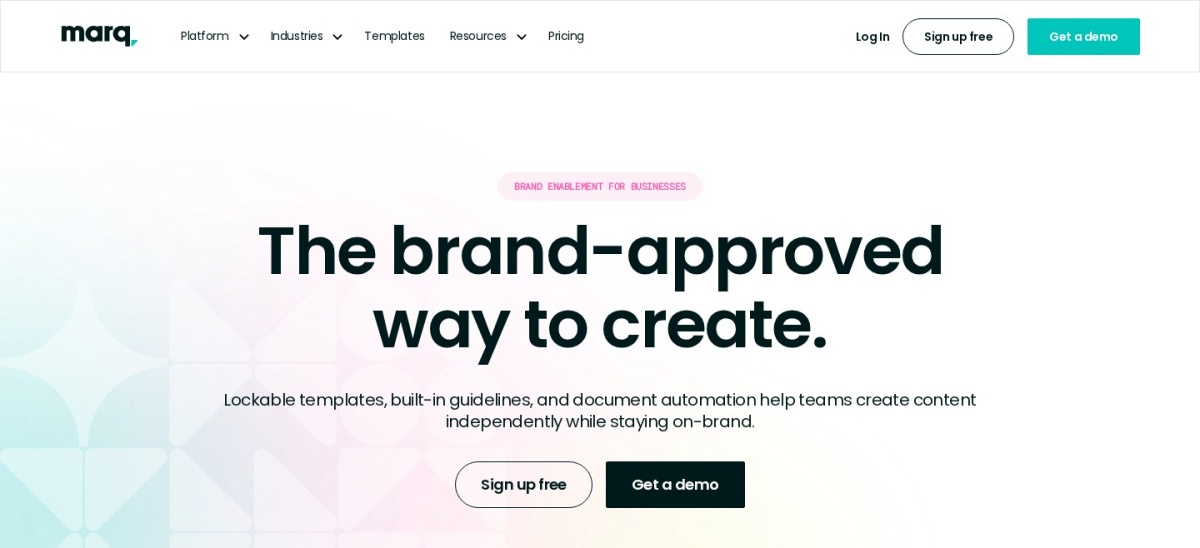
Marq homepage, captured Nov 2026.
Marq is a brand management and templated content creation platform for business documents, marketing materials and visual assets. Its free plan includes 2 GB of cloud storage, basic templates and a 3-project limit. The $15 monthly Pro plan adds premium designs, smart brand assets and publishing features.
The trade off is that stronger collaboration and locked template controls sit in higher plans. Team pricing is advertised at $12 per license monthly for multi-user teams, while Enterprise adds custom approvals and advanced governance. It suits organizations that need consistent branded materials without giving everyone unrestricted design access.
What we like
Reusable templates support brand consistency
Free plan for basic creative projects
Smart brand assets available in Pro
Team plans offer roles and template locking
Watch out for
Free plan limits project count
Advanced approvals require Enterprise
Pricing depends on license requirements
Pro adds premium design assets and publishing; higher tiers add team controls.Visit marq.com
04
Canva
4.7/5on G2 (7,923 reviews, checked Nov 2026)
Paid from$18/mo
Best for everyday marketing creative
Free templates1.6M+
Free Brand Kit1, limited
Pro Brand Kits5
Entry paid planPro
canva.com
Canva homepage, captured Nov 2026.
Canva is a visual content platform for designing presentations, ads, social graphics, documents and videos. Its free plan includes more than 1.6 million templates, while Pro adds premium assets, 5 Brand Kits, additional AI access and social scheduling. The displayed regular monthly Pro price is $18.
The trade off is that more extensive brand governance, approvals and administrative controls belong to Canva Business or Enterprise. Business costs $25 per person monthly at the displayed regular rate. It suits marketing teams that need a broad design toolkit more than specialized advertising production.
What we like
Large template and design asset libraries
Free plan supports everyday creative work
Pro provides Brand Kits and premium assets
Supports presentations, video and social content
Watch out for
Advanced approvals require higher plans
Not a dedicated advertising delivery platform
Premium AI capabilities have usage limits
Pro adds premium assets, more Brand Kits and additional AI features.Visit canva.com
05
Figma
4.7/5on G2 (1,599 reviews, checked Nov 2026)
Paid from$3/mo
Best for collaborative design systems
Free planStarter
Cheapest paid seatCollab, $3/month
Professional Full seat$16/month
Free AI allowanceUp to 500 credits/month
figma.com
Figma homepage, captured Nov 2026.
Figma is a collaborative design platform for creating visual interfaces, design systems and shared creative assets. Its free Starter plan includes unlimited drafts, templates and a limited AI allowance. Professional offers a $3 monthly Collab seat, while its $16 monthly Full seat provides professional editing capabilities.
The trade off is that the cheapest paid seat does not provide the full design creation features most creative professionals need. A Professional Full seat costs $16 monthly, or $192 over a year at that monthly rate. It suits design-led teams managing reusable components, feedback and shared visual standards.
What we like
Shared components help standardize designs
Collaborative design and review workflows
Free Starter plan for basic work
Professional supports team-wide libraries
Watch out for
Cheapest paid seat is not a Full design seat
Advertising publishing is not its primary function
Advanced organization controls cost more
Professional Full seats add unlimited team files and advanced design workflows.Visit figma.com
06
Visme
4.5/5on G2 (514 reviews, checked Nov 2026)
Paid from$12.25/mo
Best for business presentations and visuals
Free planBasic
Free projectsUnlimited
Starter annual price$147
Business annual price$297
visme.co
Visme homepage, captured Nov 2026.
Visme is a business content creation platform for presentations, infographics, documents and marketing visuals. Its free Basic plan allows unlimited projects with restricted templates and assets. Starter costs $12.25 per person monthly with annual billing and adds premium assets, more templates and JPG, PNG and PDF downloads.
The trade off is that Brand Kits, additional export formats and deeper team capabilities require Business at $24.75 per person monthly with annual billing. Formal approval workflows are part of Enterprise. It suits businesses creating regular reports, presentations and branded communication materials.
What we like
Supports presentations and multiple business content formats
Unlimited projects on the free plan
Starter includes premium design assets
Business tier offers Brand Kits and analytics
Watch out for
Free plan restricts design assets
Brand Kits are not included in Starter
Advanced approvals require Enterprise
Starter adds premium assets and downloads; Business adds Brand Kits and analytics.Visit visme.co
07
Snappa
4.6/5on G2 (41 reviews, checked Nov 2026)
Paid from$10/mo
Best for simple social media graphics
Free credits10/month
Pro credits3,000/year
Annual billing$120
Credit use1 per image operation
snappa.com
Snappa homepage, captured Nov 2026.
Snappa is an AI graphic design tool for creating social media posts, advertising images and other marketing visuals. Its free plan includes 10 credits per month, while Pro costs $120 annually and provides 3,000 credits upfront. One image generation, edit or resize consumes a credit.
The trade off is that each additional image operation uses credits, so revisions and resizing can reduce the available balance. Unused monthly credits do not roll over. It suits independent marketers and small teams that need straightforward visual production rather than advanced collaboration or campaign governance.
What we like
Free credits for occasional creative work
Annual Pro plan includes credits upfront
AI generation and editing features
Commercial usage included
Watch out for
Edits and resizes consume credits
Monthly credits do not roll over
Limited advanced team governance
Pro increases available image credits and allows additional credit purchases.Visit snappa.com
Creative automation vs brand management vs design collaboration
Creative automation platforms such as The Brief and Abyssale focus on producing many versions of marketing assets. Their value comes from resizing, reusable designs, structured content and campaign production.
Brand management tools such as Marq focus on maintaining approved layouts and visual standards. They are useful when employees across departments create customer-facing materials from shared templates.
General design platforms such as Canva, Figma and Visme cover broader creative work. They can support teams well, but their entry plans do not necessarily include specialized ad delivery or enterprise approval workflows.
Why the lowest advertised price is not always the real cost
The price ladder uses the cheapest publicly listed paid option, converted to a yearly figure. Annual-billing prices and monthly-billing prices are identified separately because the commitment differs.
Seat-based platforms may offer inexpensive collaboration access that does not include full editing capabilities. Figma is an example: its Professional Collab seat costs less than its Full seat, but serves a different role.
Before purchasing, check the required seats, generation credits, storage, export formats and approval capabilities. A higher plan may be necessary for the workflow your team actually needs.
How we chose
We reviewed established creative management, brand content and collaborative design platforms that address different parts of the creative production workflow. The shortlist includes dedicated advertising tools alongside broader design platforms because teams do not all require the same production features.
We compared official product and pricing pages with public review information from G2. The article's publication fields use 22 Nov 2026, while the source pages were accessed on 23 Nov 2026. We used published regular prices rather than temporary promotional discounts and distinguished annual commitments from monthly billing.
We excluded quote-only enterprise products from the ranked list when a confirmed entry price was unavailable, along with products whose official pricing pages could not be reliably opened. The comparison is based on published features, prices and reviews rather than product demonstrations. No vendor paid for a place, and we do not claim testing for this list.
How to choose the right creative management platform
Identify your main creative workflow before comparing plans, then check the features, capacity and collaboration access you actually need.
Define the content you produce. Choose an advertising-focused platform for repeated banners and campaign variants. If your team mostly creates presentations, documents or social posts, a broader design tool may cover those needs at a lower cost.
Check brand governance requirements. Look for shared templates, Brand Kits, locked elements and permissions. If employees outside the design department create materials, controlled editing and approval features become particularly important.
Calculate your real production capacity. Check generation credits, storage, export formats, team seats and automation access. A low entry price offers limited value when important production tasks require additional paid capacity.
Compare collaboration and upgrade costs. Review the difference between viewer, collaborator and full editing access. Confirm which plan includes shared libraries, version history, approvals, integrations and publishing before committing to a subscription.
FAQ
What is a creative management platform?
A creative management platform helps teams create, organize, adapt and distribute visual marketing content. Depending on the product, it may include shared templates, brand libraries, approval workflows, design automation and publishing tools. Some focus specifically on advertising, while others cover business content more broadly.
Which creative management platform is best for advertising?
The Brief is a strong choice for teams producing advertising creative across different formats. Its Pro plan includes design tools, AI generation, resizing and HTML5 exports. Teams requiring ad serving and publishing should review Ultra or Team rather than relying on the entry plan.
Can I use a creative management platform for free?
Yes. Canva, Marq, Figma, Visme and Snappa provide free plans with different limitations. Free versions can work for occasional design projects, but paid upgrades may be needed for premium assets, larger production volumes, advanced brand controls or specialized collaboration.
What is the difference between Canva and The Brief?
Canva is a general visual content platform covering presentations, social media, documents and video. The Brief focuses more directly on advertising creative production, resizing, campaign variations and export formats. Canva fits broader everyday content needs, while The Brief is more specialized.
Which platform is best for brand consistency?
Marq is particularly relevant for businesses distributing reusable branded templates across departments. Canva also offers Brand Kits, while Figma supports shared design libraries and reusable components. The better choice depends on whether your team creates business documents, general marketing materials or design-system-based assets.
What is creative automation software?
Creative automation software uses reusable designs and predefined inputs to produce variations of visual content. It can help teams adjust dimensions, headlines, images or language without manually rebuilding every design. Abyssale specializes in this workflow, while The Brief offers advertising-focused automation.
How much does creative management software cost?
Published entry prices in this comparison vary by plan, billing commitment and access type. Abyssale starts at $12 monthly with annual billing, while The Brief Pro costs $39 monthly. Some tools offer cheaper annual plans or limited collaboration seats, so compare equivalent features before deciding.
Do creative management platforms include approval workflows?
Some do, but approval capabilities vary by subscription. Marq provides advanced approval workflows on Enterprise, and Visme includes approval capabilities in Enterprise. Other platforms provide collaboration and comments without the same formal governance features. Check the exact plan before purchasing.