Best Free Vector Graphics Software in 2026: 7 Tools Compared
WLWPLegible EditorsLast verified 22 Nov 2026How we rank6 min read
★ Short answer
Inkscape is our top pick for free vector graphics software because it runs locally at no license cost with deep node and path tools. Penpot suits browser-based teams wanting open SVG standards, while Figma fits real-time UI collaboration.
How we make this list: we compare pricing pages, product documentation and public user reviews, then re-check every price before each update. No product paid for a place. Disclosure.
Inkscape holds a 4.4 out of 5 rating across 416 G2 reviews with zero software license fees.
Penpot offers a free tier with up to 8 team members and paid seats starting at $7/mo per editor.
Figma holds a 4.7 out of 5 rating across 878 Capterra reviews, starting with a free Starter plan.
Photopea runs in a browser with a 4.6 out of 5 rating on G2 and a $50/yr ad-free Premium tier.
Boxy SVG offers a 15-day free trial and a $9.99/yr standard plan.
What to look for in free vector graphics software
Vector graphics rely on paths, anchor points, and mathematical curves rather than fixed pixel grids, letting logos, icons, and illustrations scale cleanly. Before picking a free editor, check whether you prefer an offline desktop installer or a browser workspace that saves projects in the cloud.
File compatibility matters as soon as you hand assets to developers, printers, or clients. Look for clean SVG import and export, plus support for formats such as PDF, EPS, or PSD when working across mixed design stacks.
Many free vector editors monetize through optional subscriptions, cloud storage caps, watermarks or attribution rules, or paid asset libraries. Checking those limits upfront avoids hitting a paywall mid-project.
Inkscape is a free, open-source vector graphics editor built for Windows, macOS, and Linux with node editing, snapping, and path operations. It holds a 4.4 out of 5 rating across 416 G2 reviews and requires no paid license fee.
The trade off is a steeper learning curve and occasional slowdowns on large files or complex linked artwork, with no commercial paid tier for vendor support. It suits solo illustrators, technical drawers, and budget-conscious creators who want full local control.
What we like
Zero software license cost under open-source terms
Detailed path and node editing tools for custom vectors
Runs natively on Windows, macOS, and Linux
Watch out for
Learning curve can feel heavy for first-time users
Large documents with heavy elements can slow performance
No commercial paid plan; software is free to download and use.Visit inkscape.org
02
Penpot
4.5/5on G2 (10 reviews, checked Nov 2026)
Paid from$84/yr
Best for open-source browser design and handoff
Free planUp to 8 members, 10GB
Entry paid$7/mo per editor
StandardsOpen SVG, CSS, HTML
HostingCloud or self-hosted
penpot.app
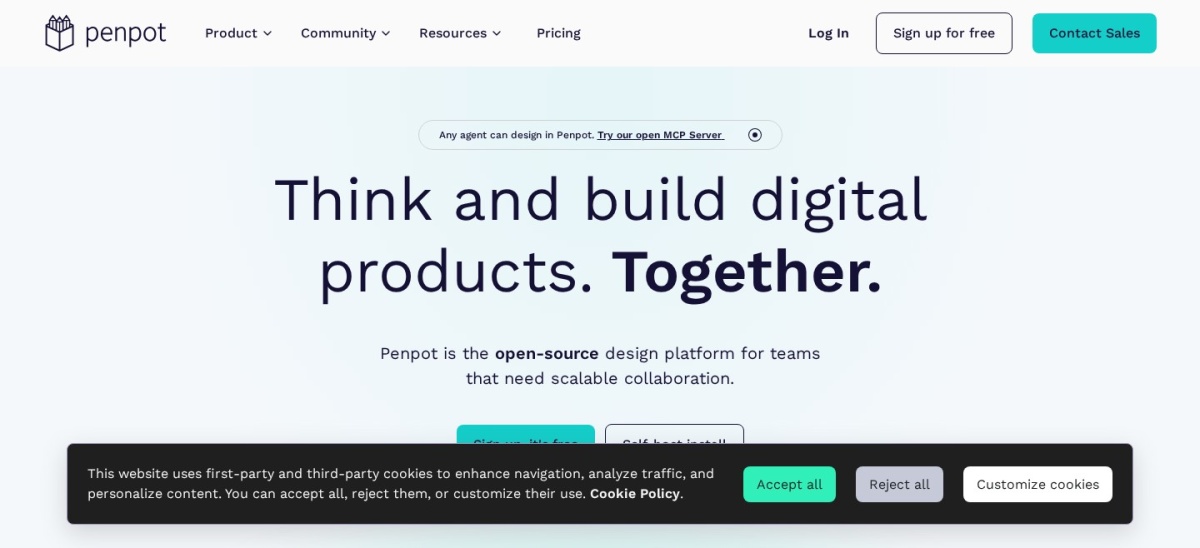
Penpot homepage, captured Nov 2026.
Penpot is an open-source vector and design platform that runs in the browser with a free plan supporting up to 8 team members and 10GB of storage. It holds a 4.5 out of 5 rating across 10 G2 reviews.
The trade off is that paid editor plans start at $7 per month ($84 per year) for higher storage and longer version history, and some workflows take time to learn. It suits product teams and web designers who want open standards without vendor lock-in.
What we like
Generous free tier with up to 8 team members and 10GB storage
Built on open SVG standards with self-hosting flexibility
Browser-based collaboration and developer handoff tools
Watch out for
Small review sample size on G2
Workflows can require extra setup time for new users
Paid Unlimited plan starts at $7/mo per editor ($84/yr) with up to 25GB storage and 30-day history.Visit penpot.app
03
Figma
4.7/5on Capterra (878 reviews, checked Nov 2026)
Paid from$192/yr
Best for collaborative UI and vector workflows
Free planStarter (3 files)
Entry paid$16/mo per full seat
CollaborationReal-time multiplayer
AccessBrowser and desktop
figma.com
Figma homepage, captured Nov 2026.
Figma is a cloud-based design and vector tool with a free Starter tier and real-time multiplayer editing. It holds a 4.7 out of 5 rating across 878 Capterra reviews.
The trade off is that free Starter projects are capped on files and history, while paid Professional seats start at $16 per month ($192 per year). It suits teams and designers who prioritize shared libraries and live feedback over offline files.
What we like
Strong real-time collaboration and commenting workflows
High review score across hundreds of Capterra users
Free Starter plan lets individuals start without upfront cost
Watch out for
Free plan limits files, pages, and version history
Per-seat costs add up quickly as teams and seat types expand
Paid Professional plan starts at $16/mo per full seat ($192/yr) with unlimited files and team libraries.Visit figma.com
04
Lunacy
4.7/5on Capterra (27 reviews, checked Nov 2026)
Paid from$60/yr
Best for offline desktop design with built-in assets
Free planUnlimited local files
Entry paid$4.99/mo Cloud plan
PlatformsWindows, macOS, Linux
ExtrasIcons8 built-in assets
icons8.com
Lunacy homepage, captured Nov 2026.
Lunacy is a native desktop graphic design app from Icons8 that supports unlimited local documents and offline work on a free plan. It holds a 4.7 out of 5 rating across 27 Capterra reviews.
The trade off is that free cloud collaboration is capped at 10 documents and paid Cloud plans start at $4.99 per month (about $60 per year), with attribution required on free built-in assets. It suits designers who want offline desktop speed and quick access to icons and illustrations.
What we like
Works offline with unlimited local documents on the free tier
Includes built-in icons, photos, and illustrations inside the app
Paid Cloud plan starts at $4.99/mo (about $60/yr) for unlimited cloud documents and full version history.Visit icons8.com
05
Krita
4.4/5on Capterra (84 reviews, checked Nov 2026)
Paid from$10 one-time
Best for illustrators blending painting and vector layers
LicenseGNU GPL v3 open source
Store optionOptional paid store builds
PlatformsWindows, macOS, Linux
StrengthDigital art and vectors
krita.org
Krita homepage, captured Nov 2026.
Krita is a free, open-source digital art application under GNU GPL v3 that combines brush engines with vector shapes and layers. It holds a 4.4 out of 5 rating across 84 Capterra reviews.
The trade off is that its vector and text layout tools are lighter than dedicated vector suites, and optional store builds such as Steam charge around $10 one-time to support development. It suits artists who mix freehand drawing with scalable vector elements.
What we like
Free open-source download with no mandatory subscription
Strong brush and tablet support for concept and character art
Available on Windows, macOS, and Linux
Watch out for
Text and layout tools are less specialized than vector-first apps
Tablet configuration can occasionally take extra setup
Free from Krita's site; optional paid store builds (such as Steam at $10 one-time) help fund development.Visit krita.org
06
Photopea
4.6/5on G2 (21 reviews, checked Nov 2026)
Paid from$50/yr
Best for editing PSD, AI, and SVG files in a browser
Free planAd-supported browser use
Entry paid$50/yr (or $5/mo)
FormatsPSD, AI, SVG, PDF
AccessWeb browser
photopea.com
Photopea homepage, captured Nov 2026.
Photopea is a browser-based editor with a free ad-supported tier that opens and edits layered PSD, AI, SVG, and PDF files without an install. It holds a 4.6 out of 5 rating across 21 G2 reviews.
The trade off is display ads on the free tier and a $50 per year ($5 per month) Premium plan to remove ads and expand storage. It suits designers who need quick browser edits on existing vector or layered files.
What we like
Runs directly in a browser with no desktop installation
Handles common vector and layered formats including SVG, AI, and PSD
Low entry cost if you choose to upgrade
Watch out for
Free tier displays ads and requires an active connection
Heavy projects can lag inside a browser tab
Paid Premium plan is $50/yr (or $5/mo) for ad-free editing and 5GB Peadrive storage.Visit photopea.com
07
Boxy SVG
4.5/5on Capterra (2 reviews, checked Nov 2026)
Starts at$9.99/yr
Best for lightweight SVG editing and web exports
Trial15-day free trial
Entry paid$9.99/yr standard
FocusSVG graphics and web
AccessWeb app and desktop
boxy-svg.com
Boxy SVG homepage, captured Nov 2026.
Boxy SVG is a lightweight SVG-focused editor offered with a 15-day free trial and a simple interface for shapes, typography, and exports. It holds a 4.5 out of 5 rating across 2 Capterra reviews.
The trade off is a short 15-day trial rather than an ongoing free tier, with regular pricing starting at $9.99 per year. It suits web creators who want a focused SVG tool at a low annual cost.
What we like
Low starting price at $9.99 per year after the trial
Focused directly on SVG editing and web-ready exports
Simpler interface than heavy desktop suites
Watch out for
Trial is limited to 15 days rather than free forever
Very small review count on Capterra
Paid standard plan starts at $9.99/yr after the 15-day free trial.Visit boxy-svg.com
Desktop vs. browser vector editors
Desktop apps like Inkscape, Lunacy, and Krita keep files on your machine and work offline, which helps when handling large drawings or working without steady internet access. They also avoid browser memory limits during complex path work.
Browser tools like Penpot, Figma, and Photopea let you open projects from any computer and share links or collaborate more easily. Watch out for file limits, seat billing, or ads as your usage grows.
How we chose
We built this list from established vector graphics tools that offer a free tier or free trial and remain actively maintained. Each option was evaluated for vector editing basics, file support, and practical limits.
Ratings, review counts, and starting prices were checked on 22 Nov 2026 from public review directories and vendor pricing details. Where a tool offers a free tier plus paid plans, we show the cheapest regular paid tier for cost comparison.
We excluded discontinued tools and products without verifiable pricing or active maintenance signals. No vendor paid for a place, and we do not claim testing for this list.
How to choose a free vector tool
Follow four steps to pick software that matches how you draw and share files.
Match the app to your primary output. Pick a dedicated vector or UI tool for logos, icons, and layouts, or a hybrid painting app if you sketch freehand first.
Check SVG and export compatibility. Confirm the tool exports clean SVG files and opens the formats your team or print shop uses.
Review free-tier caps before committing. Look at limits on file counts, storage, team seats, attribution rules, or trial length so you are not surprised later.
Budget for the next paid step. Compare regular annual or monthly entry prices in case your project outgrows the free tier.
FAQ
Is Inkscape completely free to use?
Yes, Inkscape is free and open-source software with no paid license fee for personal or commercial work. You can download it at no cost for Windows, macOS, and Linux.
What is the difference between vector and raster graphics?
Vector graphics use paths and mathematical points so shapes scale cleanly at any size. Raster graphics use fixed pixel grids and can blur or pixelate when scaled up.
Can I use browser vector tools without installing software?
Yes, tools like Penpot, Figma, and Photopea run in a web browser without requiring a local desktop install. You still need a reliable connection and should watch for storage or file caps.
Why do some free tools charge for team seats or storage?
Cloud collaboration, larger file storage, and version history cost money to host and maintain. Solo users often stay on free tiers longer than teams sharing libraries.
Do free vector tools open Adobe Illustrator or SVG files?
Many free tools read and write SVG files natively, and some support importing AI, PDF, or PSD files. Complex effects or proprietary features may still need adjustments after import.