DxO PureRAW is the best noise reduction software for photography, pairing DeepPRIME denoising and demosaicing with optical corrections for $139.99 one-time. Photographers who want an all-in-one catalog editor can choose Adobe Lightroom at $11.99/mo, while ON1 NoNoise AI suits buyers seeking a $69.99 perpetual plugin.
How we make this list: we compare pricing pages, product documentation and public user reviews, then re-check every price before each update. No product paid for a place. Disclosure.
DxO PureRAW leads for high-ISO RAW cleanup by combining demosaicing, lens corrections, and DeepPRIME denoising in a single $139.99 perpetual pass.
ON1 NoNoise AI offers the lowest regular one-time entry price among dedicated denoisers at $69.99, with 6 subject-specific AI models.
Adobe Lightroom builds AI Denoise directly into a cloud-synced catalog starting at $11.99/mo ($119.88/yr) with 1TB of storage.
Topaz Photo requires a recurring subscription starting at $39/mo ($468/yr month-to-month) and bundles denoising with sharpening and upscaling.
Capture One Pro targets studio workflows with tethered capture for 550+ cameras and built-in denoising from $18/mo ($216/yr) or $349 one-time.
What to look for in photography noise reduction software
High-ISO shooting creates two distinct artifacts: color blotches (chroma noise) and grainy luminance speckles. Older smoothing filters blur fine textures like feathers, hair, and foliage into a waxy finish, whereas modern neural-network denoisers separate sensor noise from real edge detail.
File format support shapes your workflow. RAW preprocessors such as DxO PureRAW denoise the sensor data during demosaicing and export a clean linear DNG before you adjust exposure or color, while plugin-capable tools like ON1 NoNoise AI and Topaz Photo also clean finished JPEGs and TIFFs.
Licensing models vary sharply across photography tools in 2026. Several editors require ongoing monthly or annual plans, while others still sell one-time perpetual licenses that run locally on your desktop GPU without cloud upload limits or recurring fees.
The 7 best noise reduction software for photography
01
DxO PureRAW
4.2/5on G2 (74 reviews, checked Nov 2026)
Starts at$139.99 one-time
Best for high-ISO RAW preprocessing
AI EngineDeepPRIME & DeepPRIME XD
WorkflowStandalone or Lightroom plugin
Output FormatLinear DNG or TIFF
Free Trial14 days
dxo.com
DxO PureRAW homepage, captured Nov 2026.
DxO PureRAW is a dedicated RAW preprocessor that denoises, demosaics, and applies camera-and-lens optical corrections before you edit. Its $139.99 perpetual license includes DeepPRIME noise reduction, automated DxO Optics Modules, and a Lightroom Classic plugin that outputs clean linear DNG files.
The trade off is that it only processes supported RAW files rather than JPEGs and lacks general creative editing sliders, though $139.99 one-time avoids any subscription. It suits wildlife, concert, and low-light photographers who want the cleanest possible RAW negative before editing in Lightroom or Capture One.
What we like
Combines demosaicing, lens softness fixes, and DeepPRIME denoising in one pass
Preserves natural feather, fur, and foliage texture without artificial smoothing
One-time perpetual license with no ongoing subscription
Watch out for
Works strictly on supported RAW files, not JPEGs or scanned prints
Adds an extra linear DNG intermediate file to your storage drive
Paid license unlocks full export without trial limits and perpetual desktop ownership.Visit dxo.com
02
Adobe Lightroom
4.7/5on Capterra (373 reviews, checked Nov 2026)
Starts at$11.99/mo
Best for all-in-one catalog editing
AI EngineAdobe AI Denoise
Cloud Storage1TB included
Apps IncludedLightroom & Lightroom Classic
Free Trial7 days
adobe.com
Adobe Lightroom homepage, captured Nov 2026.
Adobe Lightroom is a photo organizer and RAW editor with AI Denoise built directly into its detail panel. The $11.99/mo annual-billed-monthly plan ($119.88/yr if prepaid annually) includes Lightroom for desktop, mobile, and web, Lightroom Classic, 1TB of cloud storage, and 250 monthly generative credits.
The trade off is that Adobe requires a recurring subscription starting at $11.99/mo with early-termination fees on annual commitments, and AI Denoise focuses on RAW files rather than compressed JPEGs. It suits photographers who already manage their library in Lightroom and want clean RAW denoising without round-tripping.
What we like
Runs AI Denoise inside your existing Lightroom or Lightroom Classic workspace
Includes 1TB of cloud storage and desktop, web, and mobile apps
Broadest camera RAW support and fast batch-editing presets
Watch out for
No perpetual purchase option; requires an ongoing subscription
AI Denoise is designed for RAW files rather than noisy JPEGs
Paid plan unlocks desktop and Classic AI Denoise plus 1TB cloud sync.Visit adobe.com
03
ON1 NoNoise AI
4.3/5on G2 (2 reviews, checked Nov 2026)
Starts at$69.99 one-time
Best budget perpetual plugin
AI Models6 subject-specific models
Plugin SupportLightroom, Photoshop, Affinity, Capture One
Processing100% local on desktop
Free Trial30 days
on1.com
ON1 NoNoise AI homepage, captured Nov 2026.
ON1 NoNoise AI is a standalone noise-reduction app and editor plugin powered by six subject-specific models for General, Ultra High ISO, Astro, People, Wildlife, and Film. Its regular one-time license costs $69.99 (often discounted to $39.99 during launch promos) and includes TackSharp AI deblurring plus manual luminance and detail sliders.
The trade off is that extreme high-ISO wildlife and astrophotography files can still look cleaner in DxO PureRAW, though $69.99 one-time costs half as much. It suits budget-conscious photographers who want a perpetual plugin for Lightroom, Photoshop, or Affinity Photo that handles both RAW and JPEG images.
What we like
Lowest regular one-time price at $69.99 with a 30-day free trial
Works on both RAW files and compressed JPEGs or TIFFs
Granular sliders for luminance, color noise, detail enhancement, and micro-sharpening
Watch out for
Requires 8GB+ RAM and a 4GB VRAM GPU for smooth local previews
Can lag slightly when switching models on large high-megapixel files
Paid license grants lifetime ownership for standalone and plugin use.Visit on1.com
04
Topaz Photo
3.6/5on Trustpilot (57,000 reviews, checked Nov 2026)
Starts at$39/mo
Best for rescuing blurry and noisy JPEGs
Core ModelsRAW Denoise, Denoise Max, Wonder 3.5
Extra ToolsSharpen, Super Focus, 16x Upscale
RenderingUnlimited local and cloud image
Plugin SupportLightroom Classic & Photoshop
topazlabs.com
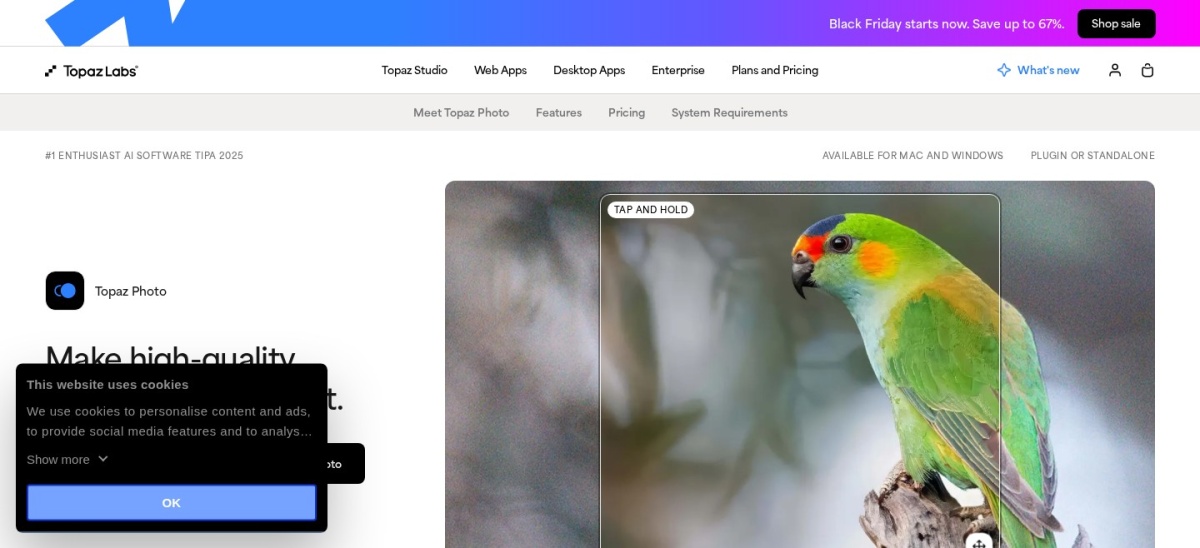
Topaz Photo homepage, captured Nov 2026.
Topaz Photo combines RAW Denoise and Denoise Max with AI sharpening, face recovery, and upscaling in a single desktop app and plugin. Its entry month-to-month plan is $39/mo ($25/mo billed annually at $199/yr upfront, with Black Friday promos dropping annual bundles), covering unlimited local and cloud image rendering.
The trade off is the high $39/mo subscription cost now that Topaz no longer sells perpetual licenses, plus a risk of plastic-looking skin if sliders are pushed too high. It suits photographers rescuing heavily cropped, slightly soft, or noisy JPEG images that need sharpening and enlargement alongside denoising.
What we like
Fixes noise, motion softness, and low resolution in one pass
Includes both local GPU rendering and unlimited cloud image rendering
Strong recovery on old, heavily compressed JPEGs and tight crops
Watch out for
Subscription-only pricing at $39/mo ($468/yr month-to-month)
Aggressive settings can produce overly smooth, artificial textures
Paid subscription unlocks unlimited local and cloud image exports.Visit topazlabs.com
05
DxO PhotoLab
4.4/5on Capterra (14 reviews, checked Nov 2026)
Starts at$149.99 one-time
Best non-subscription full RAW editor
AI EngineDeepPRIME & DeepPRIME XD3 (Elite)
Local ToolsU Point control points & AI masks
Optical FixesAutomated DxO Optics Modules
Free Trial30 days
dxo.com
DxO PhotoLab homepage, captured Nov 2026.
DxO PhotoLab embeds DxO's RAW denoising directly inside a complete non-destructive RAW editor with local masking and color grading. The Essential edition starts at $149.99 one-time, while the Elite edition at $239.99 one-time unlocks DeepPRIME XD3 denoising, U Point control points, and advanced haze removal.
The trade off is that you have to step up from the $149.99 Essential tier to the $239.99 Elite edition to get DeepPRIME XD3, and it lacks Lightroom's cloud mobile sync. It suits photographers who want DxO's RAW noise reduction and finishing adjustments in one subscription-free desktop app.
What we like
Eliminates the DNG export step required by standalone preprocessors
One-time perpetual license with no mandatory monthly fees
Includes U Point local adjustments and camera-specific lens profiles
Watch out for
Full DeepPRIME XD3 denoising requires the $239.99 Elite edition
No mobile companion app or cloud-synced photo library
Aiarty Image Enhancer homepage, captured Nov 2026.
Aiarty Image Enhancer is an offline Windows and Mac desktop app that removes grain, JPEG compression artifacts, and blur while upscaling images up to 8x. Its free trial has no expiration, while the regular Standard License costs $85/yr for 1 computer (discounted to $59/yr during sales) and a Lifetime License for 3 machines runs $155 regular.
The trade off is that it lacks Lightroom or Photoshop plugin integration and relies heavily on a capable local GPU, making CPU-only rendering slow. It suits commercial and e-commerce photographers who want fast, private offline batch cleanup and print upscaling without cloud uploads.
What we like
Processes batches offline on your local hardware with zero cloud uploads
Combines noise removal, deblurring, and up to 8x upscaling in one pass
Offers both an $85/yr annual plan and a $155 regular 3-device lifetime option
Watch out for
No direct plugin integration for Lightroom Classic or Photoshop
Slow rendering on older computers without a dedicated GPU
Paid license removes comparison watermarks and enables full batch exports.Visit aiarty.com
07
Capture One Pro
4.7/5on Capterra (65 reviews, checked Nov 2026)
Starts at$18/mo
Best for tethered studio photography
Tethering550+ supported camera models
OrganizationSessions and Catalogs
LicensingAnnual subscription or $349 perpetual
Free Trial30 days
captureone.com
Capture One Pro homepage, captured Nov 2026.
Capture One Pro is a professional RAW converter and tethered-shooting suite with built-in luminance and color noise reduction. Its Pro desktop subscription starts at $18/mo billed annually ($216/yr), or you can buy a one-time perpetual license for $349.
The trade off is a steeper learning curve and higher $216/yr or $349 one-time entry price than Adobe Lightroom, plus perpetual licenses exclude future major feature updates. It suits studio, fashion, and commercial photographers who rely on live camera tethering and precise skin-tone color grading.
What we like
Industry-standard tethered capture for over 550 camera models
Offers both subscription plans and a $349 one-time perpetual license
5 consecutive years of subscription earn a free perpetual license
Watch out for
More expensive than Lightroom or standalone denoisers
Perpetual license does not include new camera support added in future versions
Paid plan unlocks full desktop RAW editing, color tools, and tethering.Visit captureone.com
RAW Preprocessors vs. Editor Plugins: Which Workflow Fits?
RAW preprocessors like DxO PureRAW sit at the very beginning of your pipeline. They decode raw sensor mosaic data before color profiles or exposure sliders are applied, producing a clean linear DNG that preserves maximum dynamic range for Lightroom or Capture One.
Plugins and all-in-one enhancers such as ON1 NoNoise AI, Topaz Photo, and Aiarty work later in the chain and accept JPEGs, TIFFs, and cropped exports. Choose a preprocessor if you shoot high-ISO RAW files exclusively, or pick a plugin if you also need to rescue compressed JPEGs and older archives.
How we chose
We selected 7 established photography noise reduction tools covering standalone RAW preprocessors, Lightroom and Photoshop plugins, and full RAW editors with built-in AI denoising.
All regular prices, license terms, and third-party review ratings from G2, Capterra, and Trustpilot were verified on 22 Nov 2026 directly against vendor pricing pages and public review profiles.
We excluded discontinued apps, browser-only tools with strict megapixel caps unsuitable for camera RAW files, and utilities without verifiable public pricing. No vendor paid for a place, and we do not claim testing for this list.
How to choose noise reduction software
Match your noise reduction tool to your camera file formats, existing editor, and preferred billing model.
Check whether you need RAW-only or JPEG cleanup. If you shoot high-ISO camera RAW files, DxO PureRAW and Adobe Lightroom excel at cleaning sensor noise during demosaicing, whereas Topaz Photo and ON1 NoNoise AI also clean finished JPEGs.
Decide between a one-time license and a subscription. Photographers avoiding recurring bills can buy ON1 NoNoise AI ($69.99) or DxO PureRAW ($139.99) once, while Adobe Lightroom ($11.99/mo) bundles cloud storage and full catalog tools.
Verify GPU requirements on your computer. Local AI denoising models rely on dedicated graphics memory (typically 4GB VRAM or more) to process 24MP to 60MP files quickly without slowing down batch exports.
Run a free trial on your toughest high-ISO shots. Every paid tool on this list offers a 7-day to 30-day trial so you can inspect fine hair, feather, and shadow detail at 100% zoom before paying.
FAQ
What is the best noise reduction software for RAW photos?
DxO PureRAW is the top choice for RAW photography because it performs DeepPRIME denoising and lens corrections during RAW demosaicing before exporting a clean linear DNG to your main editor.
Is there a good one-time purchase alternative to Topaz Photo?
Yes. ON1 NoNoise AI costs $69.99 one-time and DxO PureRAW costs $139.99 one-time, giving you permanent desktop ownership without Topaz Photo's recurring subscription.
Should I apply noise reduction before or after editing?
Apply AI noise reduction as early as possible, ideally on the unedited RAW file before sharpening, contrast, or clarity adjustments amplify the grain.
Does Adobe Lightroom have built-in AI noise reduction?
Yes. Both Adobe Lightroom and Lightroom Classic include AI Denoise in the Detail panel on plans starting at $11.99/mo, creating a denoised DNG copy inside your catalog.
Can noise reduction software fix blurry photos too?
Hybrid enhancement tools like Topaz Photo, ON1 NoNoise AI, and Aiarty Image Enhancer pair denoising with AI sharpening models that recover slight motion blur and soft focus.
SaaS SEO and WordPress specialist with about 8 years of experience. Rakib compares WordPress plugins, themes, hosting and software using public pricing, documentation and user reviews. See how we rank.