Audacity is the best audio recording app for most people. It is free, runs on Windows, Mac and Linux, and records unlimited tracks with noise reduction and VST3 support, rated 4.5/5 on G2 from 460 reviews. Pick Riverside for remote interviews and Descript if you want to edit by transcript.
How we make this list: we compare pricing pages, product documentation and public user reviews, then re-check every price before each update. No product paid for a place. Disclosure.
Audacity is the best free pick: full multitrack recording and editing on Windows, Mac and Linux for $0, rated 4.5/5 on G2.
Riverside records remote guests locally in uncompressed 48kHz audio, so bad Wi-Fi never ruins an interview.
Descript lets you edit a recording by editing its transcript, with 60 free media minutes a month.
REAPER and FL Studio sell one-time licenses ($60 and $99), while Audition charges $22.99 a month with no free tier.
GarageBand and Logic Pro are Apple-only; every other tool here runs on Windows as well as Mac.
What to look for in an audio recording app
Audio recording apps split into three kinds: desktop editors, browser studios for remote guests, and full DAWs. Solo narrators usually need low-latency capture, basic noise reduction and fast trimming rather than complex music tools.
Audio quality matters more than extra features. Look for uncompressed 48kHz WAV recording so you can apply EQ, compression and loudness normalization without degrading the raw track.
If you record guests over the internet, browser studios that record locally on each participant's device stop network dropouts from ruining a take. Our podcast publishing guide covers getting the finished audio onto WordPress.
Pricing models vary sharply. Open-source and native OS tools like Audacity and GarageBand cost nothing, REAPER and FL Studio sell one-time licenses, and cloud editors like Descript and Riverside charge monthly subscriptions.
Audacity is a free, open-source multitrack recorder and editor for Windows, macOS and Linux, maintained by Muse Group and its community. It records unlimited tracks from a microphone or system input, and includes noise reduction, EQ, compression and VST3 plugin support at no cost.
The trade off is the dated interface and the lack of cloud features, remote guest recording or built-in transcription. It suits solo podcasters, voiceover artists and students who want a capable local recorder without a subscription.
What we like
Completely free with no track limits or paid upgrades
Runs on Windows, macOS and Linux, even on older computers
Built-in noise reduction plus VST3 and AU plugin support
Watch out for
No built-in remote guest recording or browser studio
Interface feels dated next to modern cloud editors
Riverside is a browser and mobile recording studio for remote interviews and podcasts. It records uncompressed 48kHz audio and up to 4K video locally on each participant's device, so a weak connection never degrades the final file. The free tier includes 2 hours of multi-track recording and unlimited single-track sessions.
The trade off is price. Pro is regularly $35 a month ($24 a month billed annually) and separate-track downloads are capped at 15 hours a month on that plan. It suits interview hosts who record remote guests every week.
What we like
Local device recording preserves 48kHz WAV clarity despite weak Wi-Fi
Guests join via a browser link with no software installation
Includes text-based editing, automatic transcriptions and Magic Clips
Watch out for
Separate multi-track downloads are capped at 15 hours a month on Pro
Free plan adds watermarks and limits multi-track capture to 2 hours
Waveform mixing tools are lighter than dedicated desktop DAWs
Pro ($35/mo regular, $24/mo annual) adds 15 hours a month of separate tracksVisit riverside.com
03
Descript
4.6/5on G2 (938 reviews, checked Nov 2026)
Paid from$24/mo
Best for editing recordings like text
Free plan60 media mins a month
Entry paid tierHobbyist ($24/mo; $16/mo annual)
Voice cleanupStudio Sound and filler-word removal
Remote roomsUp to 10 participants
descript.com
Descript homepage, captured Nov 2026.
Descript is a desktop audio and video recorder that transcribes speech automatically, so you edit recordings by editing the text. The free plan includes 60 media minutes a month, 2 hours of remote recording, 100 one-time AI credits and Studio Sound noise removal.
The trade off is metering. Media minutes and AI credits cap monthly use, and Hobbyist costs $24 a month billed monthly ($16 a month on an annual plan) for 10 media hours. It suits podcasters who edit spoken word faster in text than on a waveform.
What we like
Delete filler words and retakes directly from the auto-generated transcript
Studio Sound isolates voices and removes room echo in one click
Includes screen recording and multi-participant remote rooms
Watch out for
Media minutes and AI credits cap monthly usage on every tier
Not designed for multi-instrument music production
Heavy accents or overlapping speakers still need manual transcript fixes
Hobbyist ($24/mo regular, $16/mo annual) expands media processing to 10 hours a monthVisit descript.com
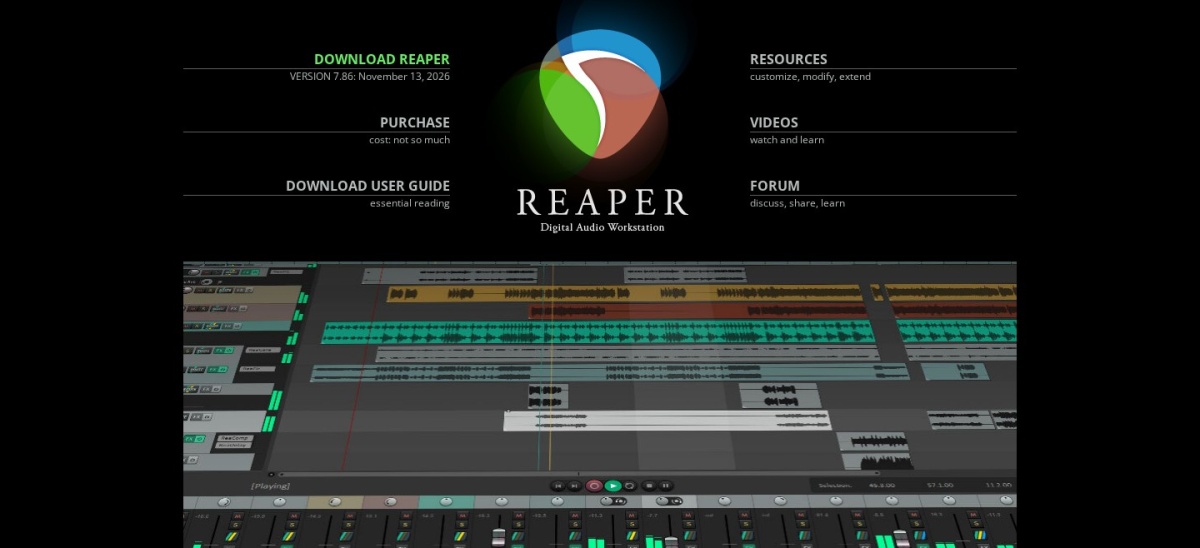
REAPER is a full digital audio workstation from Cockos for Windows, macOS and Linux, with fast startup and low CPU use. It offers unlimited tracks, punch-and-roll recording macros, multitrack routing and VST, VST3, AU and CLAP plugin support. Every user gets a 60-day evaluation with full features.
The trade off is setup time. The dense interface takes configuring before it feels streamlined, and there is no permanent free tier after the 60-day evaluation. The discounted license costs $60 once for personal use or businesses under $20,000 a year in revenue. It suits voice actors and musicians who want a full DAW for one payment.
What we like
One-time $60 license covers two full major release cycles with no subscription
Highly scriptable punch-and-roll workflow for long-form narration
Small installer runs smoothly even on older laptops
Watch out for
No permanent free tier beyond the 60-day evaluation window
Steeper initial learning curve than Audacity or GarageBand
Lacks built-in AI transcription or cloud guest rooms
A $60 one-time license unlocks unrestricted use through version 8.99Visit reaper.fm
05
Adobe Audition
4.4/5on G2 (430 reviews, checked Nov 2026)
Starts at$22.99/mo
Best for spectral audio cleanup
Entry plan$22.99/mo (annual, billed monthly)
Free trial7 days
Key cleanup toolSpectral Frequency Display
PlatformsWindows, macOS
adobe.com
Adobe Audition homepage, captured Nov 2026.
Adobe Audition is a professional multitrack and waveform editor for broadcast, podcasting and video post-production. Its Spectral Frequency Display lets you visually isolate and erase hums, mouth clicks and background noise, while the Essential Sound panel automates dialogue leveling.
The trade off is the subscription. There is no free tier and no perpetual license, and the standalone plan starts at $22.99 a month on an annual plan billed monthly. It suits video editors and audio engineers already working in Premiere Pro.
What we like
Spectral Frequency Display removes localized background noise precisely
Essential Sound and Match Loudness simplify broadcast loudness targets
Direct Dynamic Link workflow with Adobe Premiere Pro
Watch out for
Subscription-only pricing with no one-time purchase option
No MIDI instrument sequencing for music composers
Short 7-day free trial compared with REAPER's 60 days
The standalone single-app subscription ($22.99/mo annual) includes full multitrack editingVisit adobe.com
06
GarageBand
4.3/5on G2 (277 reviews, checked Nov 2026)
PriceFree
Best free recorder for Mac and iOS
PlatformsmacOS, iOS, iPadOS
Track capacityUp to 255 audio tracks
Cloud synciCloud cross-device projects
Paid planNone, fully free
apple.com
GarageBand homepage, captured Nov 2026.
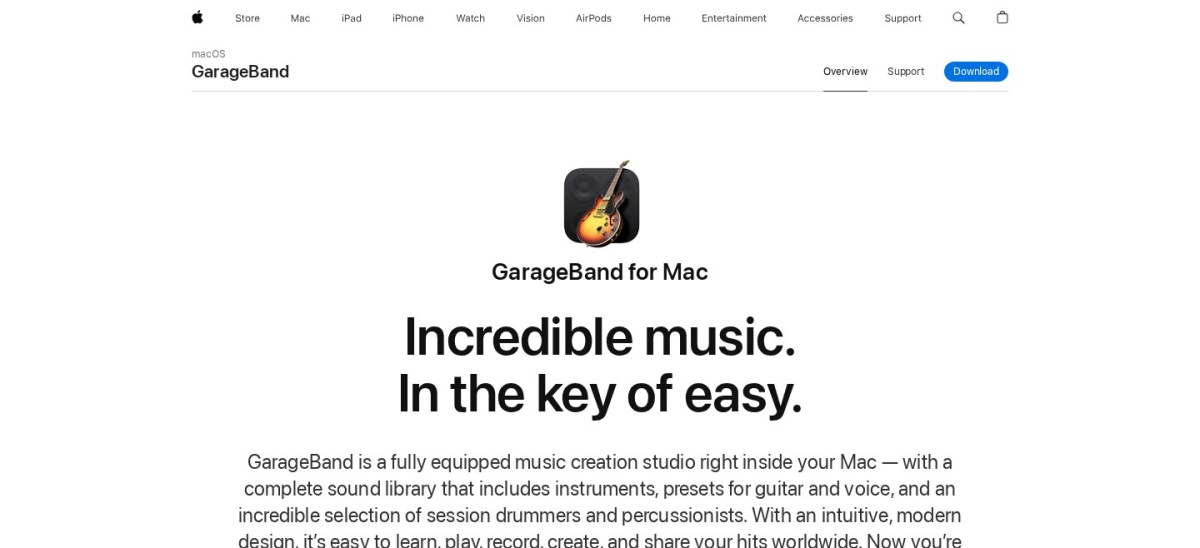
GarageBand is Apple's free multitrack recording studio for Mac, iPhone and iPad. It supports up to 255 audio tracks, real-time monitoring, visual EQ, compression and Audio Units plugins, and projects sync through iCloud and open directly in Logic Pro.
The trade off is Apple lock-in and limited advanced repair tools such as spectral editing or batch loudness normalization. Because it is completely free with no paid tiers, it suits Mac and iPad creators who want a clean recorder out of the box.
What we like
Completely free on Mac, iPhone and iPad with up to 255 tracks
Clean, approachable interface with built-in visual EQ and compression
Projects sync via iCloud and open directly in Logic Pro if you upgrade
Watch out for
Unavailable on Windows, Linux and Android
Recording internal system audio needs third-party virtual routing
Lacks spectral noise repair and AI transcript editing
GarageBand has no paid tiers; Logic Pro ($199.99 one-time) is Apple's pro upgradeVisit apple.com
07
Logic Pro
4.6/5on G2 (177 reviews, checked Nov 2026)
Starts at$199.99 one-time
Best Mac DAW for the money
Price$199.99 one-time
Free trial1 month via Creator Studio
PlatformsmacOS only
Built-in toolsAlchemy, Stem Splitter, Dolby Atmos
apple.com
Logic Pro homepage, captured Nov 2026.
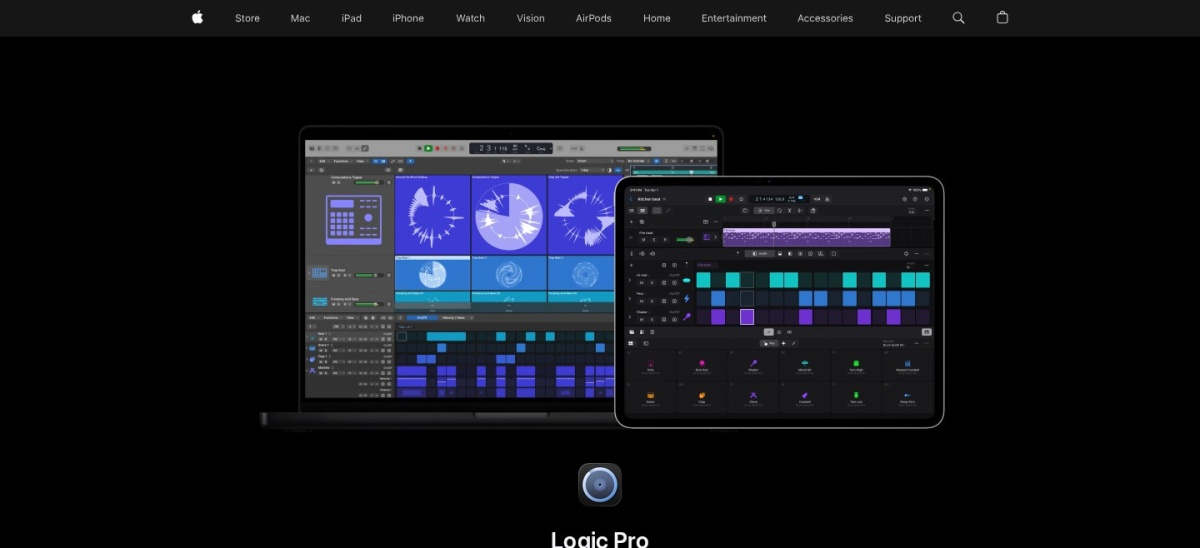
Logic Pro is Apple's full DAW for the Mac, sold as a $199.99 one-time purchase on the Mac App Store. It includes a large stock sound library, the Alchemy synth, Session Players, a six-part Stem Splitter and Dolby Atmos mixing, with free updates included.
The trade off is the platform. Logic Pro runs only on Mac, needs Apple silicon and recent macOS, and its newest AI assistant needs a Creator Studio subscription instead of the one-time license. It suits Mac owners who want a complete studio without a monthly bill.
What we like
Single $199.99 one-time purchase includes all features and instruments
Built-in Alchemy synth and Stem Splitter for separating mixed audio
Free updates included with the one-time license
Watch out for
Mac only, with no Windows or Linux version
Newest AI assistant needs a Creator Studio subscription
Large sound library download takes time and disk space
One-time $199.99 with free updates; iPad version is a separate subscriptionVisit apple.com
08
FL Studio
4.6/5on G2 (103 reviews, checked Nov 2026)
Starts at$99 one-time
Best DAW for beat-making
Entry editionFruity, $99 one-time
Recording editionProducer, $179 one-time
UpdatesLifetime free updates
PlatformsWindows, macOS
image-line.com
FL Studio homepage, captured Nov 2026.
FL Studio is a pattern-based DAW from Image-Line for Windows and macOS, built around its step sequencer and piano roll. The Fruity Edition costs $99 once, every edition includes lifetime free updates, and the trial runs the full program with no time limit.
The trade off is recording. The $99 Fruity Edition cannot record audio and caps projects at 8 audio clips, so most buyers need Producer at $179 for recording. It suits beat makers and producers who program drums and melodies and never want to pay for an update.
What we like
Lifetime free updates on every edition, with no subscription
Step sequencer and piano roll are fast for programming drums and melodies
Unlimited-time trial runs the full program
Watch out for
Fruity Edition cannot record audio
No Linux version
Producer Edition costs $179, not $99
Fruity at $99 is for learning; Producer at $179 adds audio recordingVisit image-line.com
09
WavePad
4.3/5on G2 (34 reviews, checked Nov 2026)
Paid from$60 one-time
Best simple recorder for quick edits
PlatformsWindows, macOS, iOS, Android
Free versionYes, for non-commercial use
Formats50+ audio formats
Paid edition$60 one-time
nchsoftware.com
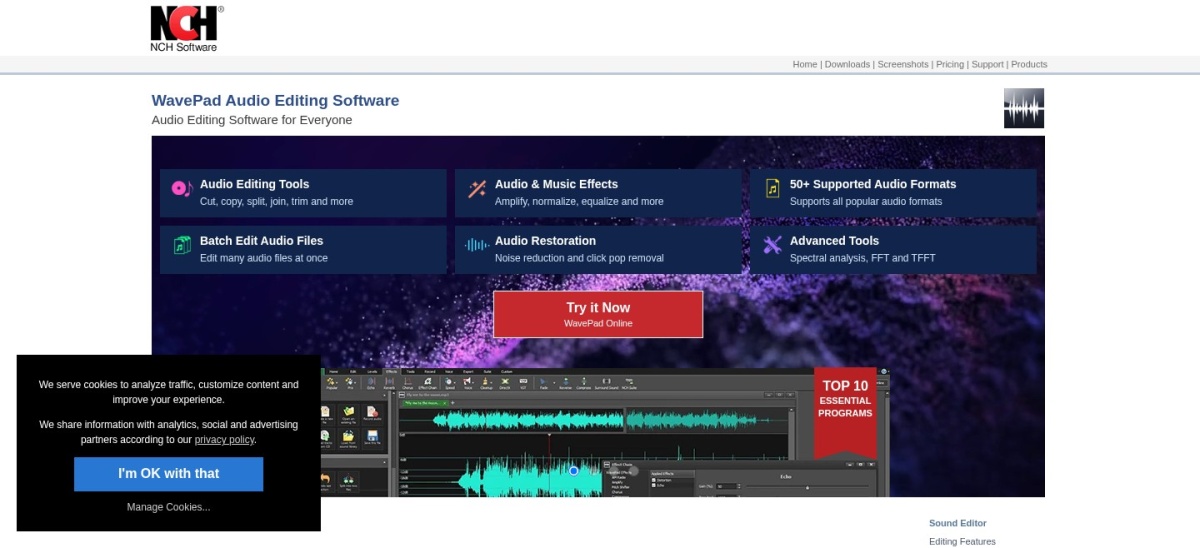
WavePad homepage, captured Nov 2026.
WavePad is a simple audio recorder and editor from NCH Software for Windows, macOS, iOS and Android. The free version covers recording, cutting, copying and joining audio, plus batch processing, noise reduction and support for more than 50 audio formats.
The trade off is depth. It is a single-track editor with limited multitrack support, and the free version is for non-commercial use, with the paid edition at $60 once. It suits beginners who want quick voiceover edits without learning a full DAW.
What we like
Very easy to learn, with batch processing for many files
Free version covers recording and basic editing
Runs on desktop and mobile, with wide format support
Watch out for
Limited multitrack support compared with Audacity or REAPER
Free version is for non-commercial use only
Interface looks dated next to newer editors
The $60 one-time paid edition unlocks commercial use and extra toolsVisit nchsoftware.com
Free vs paid: what you give up
Free apps cover recording well. Audacity, GarageBand and WavePad record and trim audio with no payment, and Descript and Riverside include usable free tiers.
Paid plans mostly add polish and capacity. You get spectral repair, remote guest rooms, transcription minutes and higher track limits.
If you record interviews with guests, a browser studio matters more than a DAW. Our podcast publishing guide covers getting the finished audio onto WordPress.
For a show that earns money, the first year of a paid plan often costs less than re-recording a ruined episode.
How we chose
We started from the recording apps that appear most often in 2026 roundups and review sites, then kept nine with a real recording workflow and a public user rating.
Prices come from each vendor's pricing page and G2 listings, checked on 25 November 2026. Where a vendor shows a sale, the list shows the regular price.
We left out tools with no public rating and apps that only edit audio without recording it. No vendor paid for a place, and we do not claim to have used these tools ourselves.
How to choose an audio recording app
Start with where you record, then match the app to that setup.
Decide solo or with guests. A desktop editor is enough for one microphone. Remote interviews need a browser studio that records each guest locally.
Check the platform. GarageBand and Logic Pro run only on Apple devices. Audacity, REAPER and WavePad run on Windows as well as Mac.
Test the free tier first. Record a short session and export it before paying. Free plans reveal limits on track counts, export formats and recording hours.
Match the price to your volume. Occasional recording fits a free app or a one-time license. Weekly shows may justify a subscription with transcription and remote rooms.
FAQ
What is the best audio recording app?
Audacity is the best audio recording app for most people. It is free, runs on Windows, Mac and Linux, records unlimited tracks and includes noise reduction and VST3 plugin support, rated 4.5 out of 5 on G2 from 460 reviews.
What is the best free audio recording app?
Audacity is the best free option on Windows, Mac and Linux, with no track limits or paid tiers. GarageBand is the best free option if you only use Apple devices, with up to 255 tracks and iCloud sync.
Which app is best for recording remote interviews?
Riverside is the best choice for remote interviews. It records uncompressed 48kHz audio locally on each guest's device, so a weak connection never degrades the final file, and guests join through a browser link.
Can I record audio on my phone?
Yes. GarageBand records on iPhone and iPad, Riverside has iOS and Android apps for remote sessions, and WavePad runs on both mobile platforms. For the best sound, use an external microphone rather than the built-in one.
Do I need a DAW to record a podcast?
No. A simple recorder like Audacity or GarageBand is enough for most podcasts, and Descript adds transcript editing. A DAW such as REAPER or Logic Pro only pays off when you mix music, many tracks or complex effects.
What is the cheapest paid audio recording app?
REAPER and WavePad are the cheapest paid options here, both at $60 as a one-time payment. FL Studio starts at $99 once, though its entry edition cannot record audio, so Producer at $179 is the real recording price.
SaaS SEO and WordPress specialist with about 8 years of experience. Rakib compares WordPress plugins, themes, hosting and software using public pricing, documentation and user reviews. See how we rank.