Best Voice Recording Software in 2026: 7 Tools Compared
WLWPLegible EditorsLast verified 22 Nov 2026How we rank8 min read
★ Short answer
Audacity is the top voice recording software for most creators because it is completely free, open-source, and runs on Windows, macOS, and Linux with full multitrack editing. Choose Descript ($24/mo) if you want transcript-based editing, or Riverside ($35/mo) for remote guest interviews recorded locally at 48kHz WAV quality.
How we make this list: we compare pricing pages, product documentation and public user reviews, then re-check every price before each update. No product paid for a place. Disclosure.
Audacity holds a 4.5/5 rating across 460 G2 reviews and costs $0 with no paid tiers or recording limits.
Descript scores 4.6/5 across 938 G2 reviews and includes 60 free media minutes per month before paid plans start at $24/mo regular ($16/mo billed annually).
Riverside carries a 4.8/5 rating from 1,758 G2 reviews and captures local 48kHz audio, with Pro priced at $35/mo regular ($24/mo billed annually).
REAPER gives voice actors a 60-day full evaluation and a $60 one-time personal or small-business license with updates through version 8.99.
Adobe Audition ($22.99/mo on an annual plan) and Avid Pro Tools ($9.99/mo for Artist) target studio cleanup and post-production workflows.
What to look for in voice recording software
Voice recording software splits into three distinct workflows: local desktop editors, browser-based remote studios, and full digital audio workstations (DAWs). Solo narrators and podcasters recording into one microphone usually need low-latency capture, basic noise reduction, and fast waveform trimming rather than complex MIDI routing.
Audio fidelity and file formats matter more than visual effects. Look for uncompressed 48kHz WAV recording so you can apply EQ, compression, and loudness normalization without degrading the raw voice track. If you record guests over the internet, browser studios that record locally on each participant's device prevent network dropouts from ruining the take.
Pricing models also vary sharply across the category. Open-source and native OS tools like Audacity and GarageBand cost nothing, while REAPER and Logic Pro sell one-time perpetual licenses. AI-assisted cloud editors like Descript and Riverside charge recurring monthly subscriptions metered by media hours or separate track downloads.
Audacity is a free, open-source multitrack audio recorder and waveform editor maintained by Muse Group and the Audacity community. It runs natively on Windows, macOS, and Linux, recording unlimited tracks from microphones or system inputs with built-in noise reduction, equalization, compression, and third-party VST3 and AU plugin support.
The trade off is a utilitarian interface with no cloud collaboration, remote guest links, or built-in transcript editing. Because every tier is $0 with zero paywalls, it suits solo podcasters, voiceover artists, and educators who want reliable local recording without a subscription.
What we like
Completely free with no track limits, watermarks, or paid upgrades
Runs on Windows, macOS, and Linux including low-resource computers
No built-in remote guest recording or browser studio
Interface feels dated compared to modern cloud editors
Lacks native video track editing
Audacity has no paid plan; all recording and editing features are included free.Visit audacityteam.org
02
Descript
4.6/5on G2 (938 reviews, checked Nov 2026)
Paid from$24/mo
Best for editing voice recordings like text
Free plan60 media mins/mo, 100 AI credits
Entry paid tierHobbyist ($24/mo; $16/mo annual)
Voice cleanupStudio Sound & filler-word removal
Remote roomsUp to 10 participants
descript.com
Descript homepage, captured Nov 2026.
Descript is an AI-assisted audio and video recorder that transcribes speech automatically so you can cut, rearrange, and polish voice tracks by editing text. Its free plan includes 60 media minutes per month, 2 hours of remote recording, 100 one-time AI credits, and Studio Sound noise removal.
The trade off is monthly metering on media minutes and AI credits once you move past short tests. Hobbyist costs $24/mo billed monthly ($16/mo on an annual plan) for 10 media hours and 400 AI credits per month. It suits podcasters and narrators who edit spoken word faster in text than on a waveform.
What we like
Delete filler words and retakes directly from the auto-generated transcript
Studio Sound isolates voices and removes room echo in one click
Includes screen recording and multi-participant remote rooms
Watch out for
Media minutes and AI credits cap monthly usage on every tier
Not designed for multi-instrument music production
Heavy accents or overlapping speakers still require manual transcript fixes
Hobbyist ($24/mo regular, $16/mo annual) expands media processing to 10 hours/mo and removes watermarks.Visit descript.com
Riverside is a browser and mobile recording studio built for remote interviews and podcasts. It records uncompressed 48kHz audio and up to 4K video locally on each participant's device before uploading, preventing unstable internet connections from degrading voice tracks. Its free tier includes 2 hours of multi-track recording and unlimited single-track sessions.
The trade off is a steep jump from the free tier to paid plans, plus monthly caps on separate-track downloads. Pro is regularly $35/mo ($24/mo billed annually) and unlocks 15 hours of separate track downloads, unlimited transcriptions, and AI silence removal. It suits interview hosts who record remote guests regularly.
What we like
Local device recording preserves 48kHz WAV clarity despite weak Wi-Fi
Guests join via a browser link with no software installation
Includes text-based editing, automatic transcriptions, and Magic Clips
Watch out for
Separate multi-track downloads are capped at 15 hours/mo on Pro
Free plan adds watermarks and limits multi-track capture to 2 hours total
Waveform mixing tools are lighter than dedicated desktop DAWs
Pro ($35/mo regular, $24/mo annual) removes watermarks and adds 15 hours/mo of separate 48kHz track downloads.Visit riverside.com
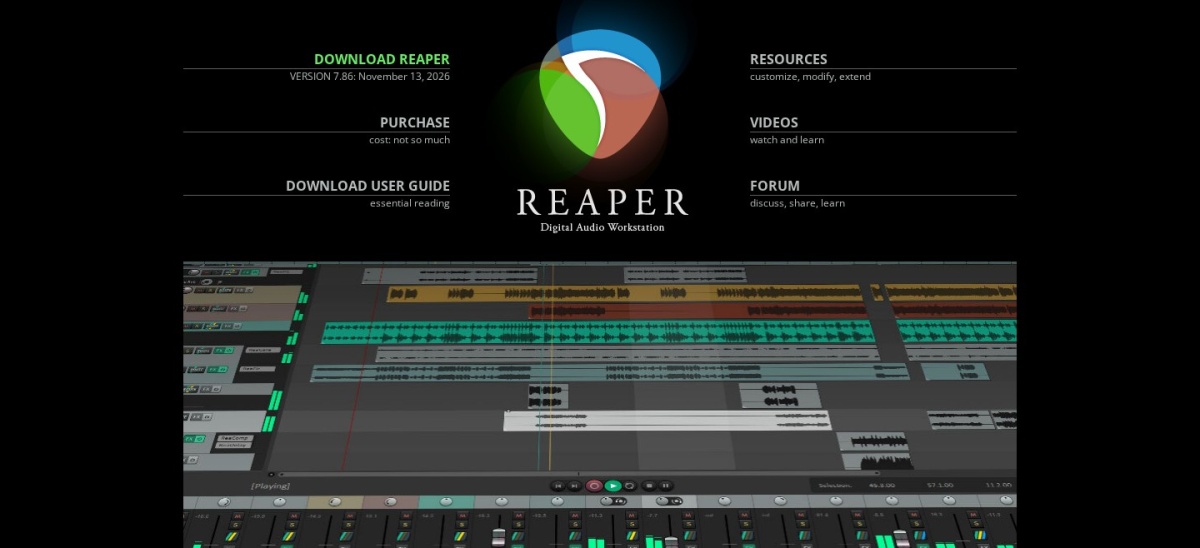
REAPER is a lightweight digital audio workstation from Cockos that runs on Windows, macOS, and Linux with fast startup and low CPU overhead. Voice actors and audiobook narrators rely on its customizable punch-and-roll recording macros, multitrack routing, and support for VST, VST3, AU, and CLAP plugins. Every user gets a full-featured 60-day evaluation.
The trade off is a dense interface that takes setup time before it feels streamlined, and there is no permanent free tier after the 60-day trial. The discounted license costs $60 one-time for personal use or commercial work under $20,000 yearly gross revenue ($225 for larger businesses), covering upgrades through version 8.99.
What we like
One-time $60 license covers two full major release cycles with no subscription
Highly scriptable punch-and-roll workflow for long-form narration
Small installer runs smoothly even on older laptops
Watch out for
No permanent free tier beyond the 60-day evaluation window
Steeper initial learning curve than Audacity or GarageBand
Lacks built-in AI transcription or cloud guest rooms
A $60 one-time license unlocks unrestricted personal or small-business use through REAPER version 8.99.Visit reaper.fm
05
Adobe Audition
4.4/5on G2 (430 reviews, checked Nov 2026)
Starts at$22.99/mo
Best for spectral audio cleanup and repair
Entry plan$22.99/mo (annual, billed monthly)
Free trial7 days
Key cleanup toolSpectral Frequency Display
PlatformsWindows, macOS
adobe.com
Adobe Audition homepage, captured Nov 2026.
Adobe Audition is a professional multitrack and waveform audio editor built for broadcast, podcasting, and video post-production. Its Spectral Frequency Display lets you visually isolate and erase hums, mouth clicks, and background noise, while the Essential Sound panel automates dialogue leveling and loudness matching.
The trade off is that Adobe offers no free tier and no perpetual license. The standalone Audition subscription starts at $22.99/mo on an annual plan billed monthly ($275.88/yr), or comes bundled inside Creative Cloud Pro at $69.99/mo. It suits video editors and audio engineers already working in Premiere Pro.
What we like
Spectral Frequency Display removes localized background noise surgically
Essential Sound and Match Loudness simplify broadcast LUFS targets
Direct Dynamic Link workflow with Adobe Premiere Pro
Watch out for
Subscription-only pricing with no one-time purchase option
No MIDI instrument sequencing for music composers
Short 7-day free trial compared to REAPER's 60 days
The standalone single-app subscription ($22.99/mo annual) includes full multitrack editing and spectral restoration.Visit adobe.com
06
GarageBand
4.3/5on G2 (277 reviews, checked Nov 2026)
PriceFree
Best free voice recorder for Mac and iOS
PlatformsmacOS, iOS, iPadOS
Pricing$0 on Mac and iOS App Stores
Track capacityUp to 255 audio tracks
Cloud synciCloud cross-device projects
apple.com
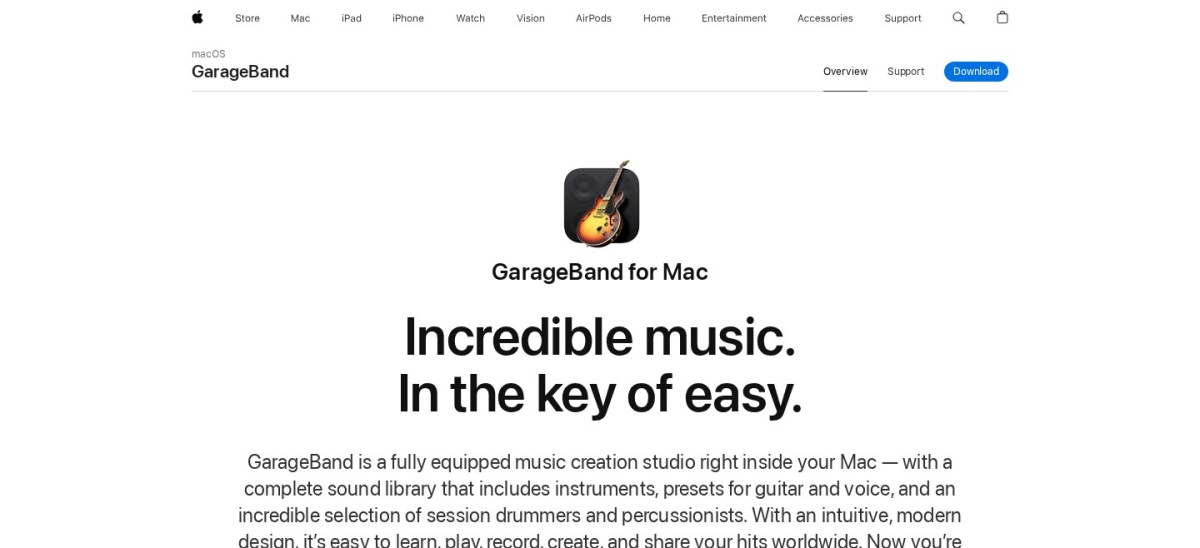
GarageBand homepage, captured Nov 2026.
GarageBand is Apple's free multitrack recording studio for Mac, iPhone, and iPad. It supports up to 255 audio tracks, real-time monitoring, visual EQ, compression, and Audio Units plugins, and lets you start a voice memo on iPhone or iPad and finish mixing it on Mac via iCloud.
The trade off is strict Apple hardware lock-in and limited advanced post-production tools such as spectral repair or batch loudness normalization. Because it is completely free with no paid tiers, it suits Mac and iPad creators who want a clean interface right out of the box.
What we like
Completely free on Mac, iPhone, and iPad with up to 255 tracks
Clean, approachable interface with built-in visual EQ and compression
Projects sync via iCloud and open directly in Logic Pro if you upgrade
Watch out for
Unavailable on Windows, Linux, and Android
Recording internal system audio requires third-party virtual routing
Lacks spectral noise repair and AI transcript editing
GarageBand has no paid tiers; Logic Pro ($199.99 one-time) serves as Apple's optional pro upgrade.Visit apple.com
Avid Pro Tools is the studio standard for commercial voiceover, ADR, and broadcast mixing on Windows and macOS. Its permanent free tier, Pro Tools Intro, includes 8 audio tracks, 8 MIDI tracks, and 36 core effects and instruments so you can record and edit basic voice sessions at zero cost.
The trade off is strict track caps on lower tiers and a complex licensing setup. Pro Tools Artist costs $9.99/mo ($99/yr regular, with a November first-year promo at $79/yr) for 32 audio tracks and 110+ plugins, while video tracks require Studio ($34.99/mo). It suits voice actors collaborating with commercial studios.
What we like
Pro Tools Intro provides a permanent free 8-track entry point
Session files exchange directly with commercial recording studios
Artist plan includes 110+ instruments and effects at $9.99/mo
Watch out for
Free Intro tier caps sessions at 8 audio tracks
Video track support requires upgrading to Studio at $34.99/mo
Steeper learning curve and iLok/account licensing overhead
Pro Tools Artist ($9.99/mo or $99/yr) expands audio capacity from 8 tracks to 32 tracks and adds 110+ plugins.Visit avid.com
Desktop editors vs. browser recording studios
Desktop applications like Audacity, REAPER, Adobe Audition, and GarageBand write audio directly to your local drive with minimal latency and zero monthly minute caps. They give you precise control over microphone gain, VST or AU effects chains, and uncompressed WAV exports, making them ideal for solo voiceovers, audiobooks, and narration.
Browser-based studios like Descript and Riverside solve a different problem: recording remote co-hosts and editing spoken word quickly. Instead of configuring virtual audio cables or sending multi-gigabyte raw files manually, you share a link, capture local tracks in the browser, and cut mistakes directly from an automated transcript.
How we chose
We selected seven established voice recording applications covering open-source desktop editors, native OS studios, browser-based remote recorders, and commercial DAWs. Every tool on this list has verified public user ratings on G2 and active software releases or documentation in 2026.
All prices, free-tier limits, G2 ratings, and review counts were verified directly against vendor pricing pages and G2 product profiles on 22 Nov 2026. Where vendors display annual-billing discounts or seasonal November promotions first, we listed the regular monthly or annual price and noted the discounted rate in the text.
We excluded lightweight browser dictaphones with no multitrack or noise-reduction controls, discontinued audio recorders, and tools without transparent public pricing pages. No vendor paid for a place, and we do not claim testing for this list.
How to choose the right voice recording software
Match your recording environment, guest setup, and editing habits to the right tool before paying for a subscription.
Confirm your operating system and hardware Check platform support first: GarageBand runs only on macOS and iOS, whereas Audacity and REAPER support Windows, macOS, and Linux, and Descript and Riverside run in modern desktop browsers.
Separate solo mic capture from remote guest interviews If you record alone into a USB or XLR microphone, a local editor like Audacity or REAPER gives you unlimited recording hours. If you interview remote guests, pick Riverside or Descript so each speaker records locally without VoIP compression.
Decide between waveform editing and text-based editing Traditional waveform editors like Adobe Audition and Audacity offer fine-grained noise removal and EQ control, while Descript lets you delete pauses and filler words simply by highlighting text in a transcript.
Compare lifetime licenses against monthly media caps Calculate how many hours you record per month: cloud tools meter media minutes or track downloads, whereas Audacity ($0), GarageBand ($0), and REAPER ($60 one-time) never charge per hour.
FAQ
What is the best completely free voice recording software?
Audacity is the best free option across Windows, macOS, and Linux because it imposes no time limits, watermarks, or paid tiers. Mac and iPad users can also use GarageBand for free with up to 255 audio tracks and iCloud project syncing.
Which voice recording software is best for remote podcast interviews?
Riverside is built specifically for remote interviews, capturing uncompressed 48kHz WAV audio locally on each guest's device so internet hiccups do not ruin the recording. Its free plan includes 2 hours of multi-track capture, with Pro starting at $35/mo ($24/mo billed annually).
Can I edit voice recordings by deleting words in a transcript?
Yes. Descript automatically transcribes your recording and links every word to the underlying audio waveform, letting you cut filler words or retakes by editing text. Its free plan includes 60 media minutes per month, and paid plans start at $24/mo ($16/mo annual).
Is there a professional voice recording DAW without a monthly subscription?
REAPER offers a one-time $60 discounted license for personal use or commercial creators earning under $20,000 per year, covering updates through version 8.99. On macOS, Apple also sells Logic Pro as a one-time $199.99 purchase.
What audio format should I use when recording voice?
Record and archive your raw voice tracks in uncompressed 48kHz, 24-bit WAV format whenever your software supports it. WAV preserves full dynamic range for noise reduction and EQ, and you can export compressed MP3 or AAC files afterward for publishing.