draw.io is the best free network diagram tool overall, offering unlimited diagrams and shapes with no account required and a 4.4/5 rating from 450 G2 reviews. Pick Lucidchart for real-time team collaboration or yEd Graph Editor for automatic layout on large desktop graphs.
How we make this list: we compare pricing pages, product documentation and public user reviews, then re-check every price before each update. No product paid for a place. Disclosure.
draw.io is free on web and desktop with no account sign-up and no shape or document limits.
Lucidchart gives teams real-time co-editing and cloud templates, while its free tier caps editable documents at 3.
Excalidraw runs a free open-source sketch canvas in the browser, with Excalidraw+ starting at $6/user/mo billed yearly.
Creately and Miro both have free tiers with shape or board caps and entry paid plans starting at $8/mo or $8/member/mo.
yEd Graph Editor is free to download for desktop graph layouts, rated 4.4/5 across 22 G2 reviews.
What to look for in free network diagram software
Network diagrams need clear symbols for routers, switches, firewalls, subnets, and cloud nodes plus connectors that stay attached when you move devices.
Free tiers usually draw the line at shape or board limits, cloud storage, and real-time team editing. Solo engineers can often stay on a free tier indefinitely, while shared IT documentation quickly hits account or export caps.
File storage and privacy matter when mapping internal IP ranges, VLANs, or security zones. Browser tools that save locally or connect to your own drive keep topology files off third-party servers.
Check whether you need manual layout control or automatic graph arrangement. Large topologies with dozens of links get messy fast unless connectors and auto-layout tools help keep paths readable.
draw.io is a free diagramming editor for network topologies, flowcharts, and architecture maps, used by 100M+ users worldwide. You can open the web app or desktop editor with no account sign-up, build unlimited diagrams, and save files to your device, Google Drive, OneDrive, or GitHub.
The trade off is visual polish and built-in team workflows compared with paid SaaS whiteboards. It suits IT pros and solo builders who want unlimited free diagrams and control over where files are stored.
What we like
Free web and desktop editors with no account required
No shape or diagram limits on the free tier
Store files locally or in your own cloud drive
Watch out for
Interface looks less modern than newer canvas apps
Real-time co-editing depends on your storage setup
Standalone web and desktop apps have no paid upgradeVisit drawio.com
02
Lucidchart
4.5/5on G2 (9,004 reviews, checked Nov 2026)
Paid from$9/mo
Best for collaborative team network maps
Free tier3 editable docs, 60 shapes
Templates100 basic on free plan
Visio import/exportPaid Individual plan
Paid planIndividual, $9/mo
lucid.co
Lucidchart homepage, captured Nov 2026.
Lucidchart is a browser-based diagramming app for system architectures, workflows, and network layouts, rated 4.5 out of 5 across 9,004 G2 reviews. Its free plan includes 3 editable documents, up to 60 shapes per document, and 100 basic templates.
The trade off is tight free limits on documents and shapes, with Individual starting at $9/mo and Team at $10/user/mo. It suits teams that need shared workspaces, templates, and collaborative review.
What we like
Clean diagramming UI with strong template support
Rated 4.5/5 across 9,004 G2 reviews
Supports team collaboration and cloud workflows
Watch out for
Free plan caps editable documents at 3 and shapes at 60
Visio import and export sit on paid plans
Individual adds unlimited documents, shapes, and Visio import/exportVisit lucid.co
03
Excalidraw
4.5/5on G2 (31 reviews, checked Nov 2026)
Paid from$6/mo
Best for quick hand-drawn topology sketches
Free tierFree solo, 1 infinite scene
Export formatsPNG, SVG, JSON file
Cloud syncExcalidraw+ paid plan
Paid planPlus, $6/user/mo yearly
excalidraw.com
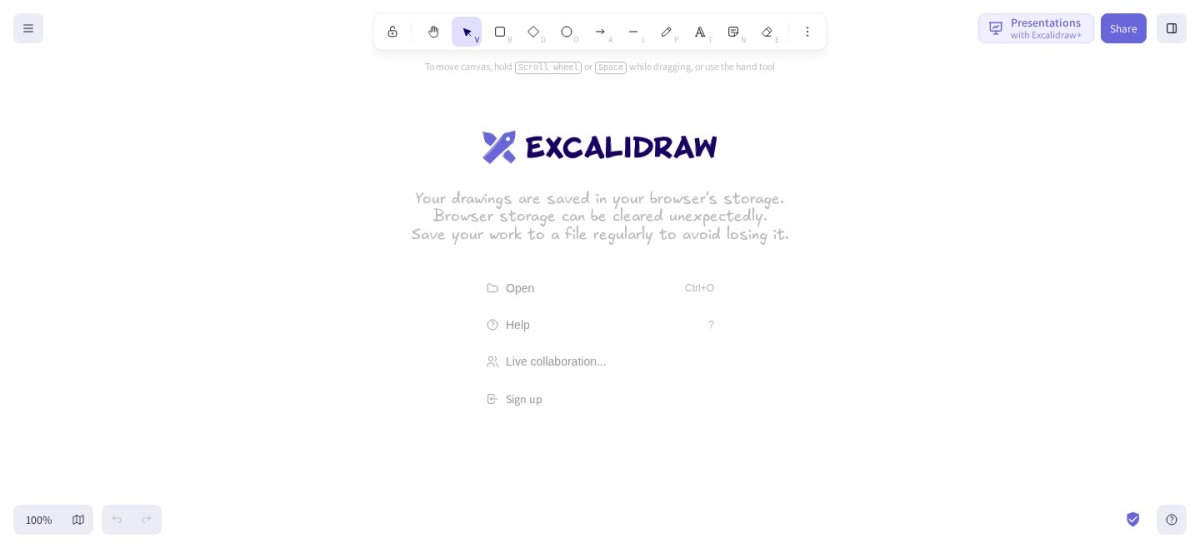
Excalidraw homepage, captured Nov 2026.
Excalidraw is a browser-based sketch whiteboard with hand-drawn styling and an open-source option for developers. Its free solo tier includes full editor functions, 1 infinite scene, link sharing, and PNG, SVG, or JSON file exports.
The trade off is 1 scene on the free tier and cloud workspaces or PDF/PPTX exports on Excalidraw+ at $6/user/mo billed yearly ($7/mo monthly). It suits engineers sketching quick system or network ideas.
What we like
Free editor opens fast with no heavy setup
Exports cleanly to PNG, SVG, and JSON files
Paid Plus plan is $6/user/mo billed annually
Watch out for
Free solo tier covers 1 scene rather than multi-folder cloud sync
Hand-drawn style is less formal than technical stencils
Excalidraw+ adds unlimited scenes, cloud sync, and PDF/PPTX exportVisit excalidraw.com
04
yEd Graph Editor
4.4/5on G2 (22 reviews, checked Nov 2026)
PriceFree
Best for automatic layout of large node maps
Free tierFree desktop download
PlatformsWindows, macOS, Linux
Data importExcel (.xls) and XML
Paid planNone for yEd desktop
yworks.com
yEd Graph Editor homepage, captured Nov 2026.
yEd Graph Editor is a desktop diagram tool from yWorks for Windows, macOS, and Linux, rated 4.4 out of 5 across 22 G2 reviews. It is free to use and includes automatic layout algorithms that arrange large node and link graphs, plus Excel and XML import.
The trade off is a utilitarian desktop interface and manual graph setup rather than a modern web whiteboard. It suits technical users arranging complex node connections on a desktop machine.
What we like
Strong automatic layout tools for dense node diagrams
Free desktop app across Windows, macOS, and Linux
Supports importing data from Excel and XML
Watch out for
Desktop interface feels dated compared with web apps
Not built for real-time multi-user cloud co-editing
Creately is a visual workspace for diagrams, flowcharts, and team planning, rated 4.4 out of 5 across 220 Capterra reviews. Its free plan includes an infinite canvas, all diagram types, real-time collaboration, and up to 45 shapes per diagram.
The trade off is the 45-shape cap per diagram and gated PDF or SVG exports on the free plan, with Pro listed at $8 per editor per month. It suits small teams keeping diagrams alongside project notes.
What we like
Real-time team collaboration included on the free plan
Supports multiple diagram types in one workspace
Pro plan starts at $8 per editor per month
Watch out for
Free plan limits each diagram to 45 shapes
PDF and SVG exports require a paid plan
Pro unlocks unlimited shapes, PDF/SVG exports, and private linksVisit creately.com
06
Miro
4.6/5on G2 (13,832 reviews, checked Nov 2026)
Paid from$8/mo
Best for collaborative architecture workshops
Free tier3 editable boards
Templates7,000+ templates
ExportsHigh-res JPG/PDF on paid
Paid planStarter, $8/member/mo yearly
miro.com
Miro homepage, captured Nov 2026.
Miro is a collaborative online canvas used for workshops, workflows, and diagrams, rated 4.6 out of 5 across 13,832 G2 reviews. Its free plan gives access to templates and integrations while keeping the 3 most recent boards editable.
The trade off is the 3-editable-board limit and low-resolution exports on the free tier, with Starter at $8/member/mo billed yearly. It suits teams running live planning sessions before moving specs elsewhere.
What we like
Large review base with 4.6/5 across 13,832 G2 reviews
Easy real-time collaboration for group sessions
Starter plan starts at $8/member/mo billed annually
Watch out for
Only 3 boards stay editable on the free plan
More a general whiteboard than a dedicated network tool
Whimsical is a clean diagramming and flowchart app for product and engineering teams, rated 4.6 out of 5 across 189 G2 reviews. Its free plan includes a desktop app, real-time collaboration, 7-day version history, and up to 50 board objects per month.
The trade off is the monthly object cap on the free tier plus export watermarks, with Pro at $10/editor/mo billed yearly ($12/mo monthly). It suits teams making quick, readable diagrams.
What we like
Fast, uncluttered interface for clear diagrams
Rated 4.6/5 across 189 G2 reviews
Unlimited viewers and guests on every plan
Watch out for
Free plan caps new board objects at 50 per month
Exports carry a watermark on the free tier
Pro removes object limits and export watermarks and adds 90-day historyVisit whimsical.com
Free vs paid: where limits kick in
Free plans cover basic diagramming well, especially for solo engineers documenting home labs, small offices, or initial topologies.
Paid upgrades usually unlock unlimited objects or boards, cleaner exports, and shared team controls rather than basic shape drawing.
If you draw once a quarter or keep files locally, a free tool like draw.io or yEd Graph Editor often covers everything you need.
How we chose
We started from established diagramming and whiteboard tools with free tiers or free editions that support network and system diagrams.
Prices come from each vendor's pricing page, and public review ratings come from G2 or Capterra, checked on 22 November 2026. We show regular pricing from the checked pages rather than introductory or sale rates.
We left out tools without a free tier or free edition, as well as plans with unclear pricing. No vendor paid for a place, and we do not claim testing for this list.
How to choose free network diagram software
Match the tool to your team size, file privacy needs, and diagram complexity.
Decide where diagram files should live. Pick a local or user-owned storage option like draw.io if you prefer keeping network layouts out of third-party cloud libraries.
Check free plan caps before building large maps. Watch for limits on editable documents, shapes per diagram, or monthly objects if you plan to maintain detailed topologies.
Factor in team editing needs. Choose a collaborative app such as Lucidchart, Creately, Miro, or Whimsical when multiple engineers edit diagrams together.
Use auto-layout for dense graphs. Try yEd Graph Editor when large node-and-link graphs need automated layout passes to stay readable.
FAQ
What is the best free network diagram software?
draw.io is the strongest free choice overall because it runs in the browser and on desktop with no account sign-up and no shape or diagram limits. It holds a 4.4 out of 5 rating across 450 G2 reviews.
Is draw.io completely free for network diagrams?
Yes, the standalone draw.io web and desktop editors are free with no paid tier and no cap on diagrams or shapes. You choose where to save your files, such as your computer, Google Drive, OneDrive, or GitHub.
When should I upgrade from a free diagramming tier?
Upgrade when you hit document or shape caps, need real-time team management and private sharing, or want watermark-free and higher-resolution exports. Solo users with small or occasional diagrams often do not need a paid plan.
Are online whiteboards good for network diagrams?
Tools like Miro, Excalidraw, and Whimsical work well for quick architecture sketches and team planning sessions. Dedicated diagram editors are usually easier when you need structured shapes and long-term maintenance.
Do these tools automatically scan my network?
No, these are diagramming and visual mapping tools rather than automated network discovery or monitoring agents. You place and connect the devices, subnets, and links yourself or import supported files and data.
SaaS SEO and WordPress specialist with about 8 years of experience. Rakib compares WordPress plugins, themes, hosting and software using public pricing, documentation and user reviews. See how we rank.