DaVinci Resolve leads for multicam sync with free audio and timecode alignment, while Studio adds AI Multicam SmartSwitch at a $295 one-time fee. Adobe Premiere Pro fits multi-camera editors wanting deep Creative Cloud workflows, and Descript suits automated speaker-driven switching.
How we make this list: we compare pricing pages, product documentation and public user reviews, then re-check every price before each update. No product paid for a place. Disclosure.
DaVinci Resolve includes manual multicam sync by timecode, sound, or markers for free, while Studio costs $295 one-time.
Final Cut Pro sells for $299.99 one-time on Mac and syncs angles automatically by audio waveform or timecode.
Adobe Premiere Pro starts at $22.99/mo on an annual plan billed monthly ($275.88/yr) for multi-camera sequences.
Descript offers a free tier and starts at $16/mo billed annually ($192/yr) with automatic speaker-based multicam switching.
Subscription editors accumulate higher multi-year costs than one-time Studio and Mac licenses.
What to look for in multicam sync software
Reliable multi-camera editing starts with how well software aligns clips from separate cameras and external recorders before you start cutting. Editors typically rely on matching audio waveforms, jam-synced timecode, in/out points, or markers depending on how the shoot was recorded.
Once clips are aligned, workflows split between live manual switching during playback and automated angle selection. Traditional editors like DaVinci Resolve, Premiere Pro, Final Cut Pro, Avid Media Composer, VEGAS Pro, and CyberLink PowerDirector focus on timeline sync and angle switching, while Descript emphasizes transcript and speaker-driven cuts.
Pricing structure also separates desktop editors from cloud or subscription tools. Some applications offer a capable free tier or a one-time license, whereas others charge monthly or annual subscriptions that add up over multi-year productions.
Hardware demands and codec support matter just as much as sync methods when working with high-resolution angles. Using proxies, checking GPU requirements, and confirming whether a paid tier is needed for higher frame rates or automatic switching helps avoid bottlenecks mid-project.
The 7 best multicam sync software for video editing
01
DaVinci Resolve
4.7/5on G2 (223 reviews, checked Nov 2026)
Paid from$295 one-time
Best overall for free multicam sync and one-time Studio value
Sync methodsTimecode, sound, in/out, markers
PlatformsWindows, macOS, Linux
Free export limitUp to 3840x2160 at 60fps
Studio AI switchMulticam SmartSwitch
blackmagicdesign.com
DaVinci Resolve homepage, captured Nov 2026.
DaVinci Resolve is a cross-platform post-production suite that includes multicam clip creation and angle switching in its free edition. You can sync angles using timecode, audio waveforms, in or out points, or markers and export up to UHD at 60fps at no cost.
The trade off is that automated AI Multicam SmartSwitch and exports above 60fps require DaVinci Resolve Studio at a $295 one-time regular price, though promotional sales occasionally lower it. It suits editors wanting cross-platform multicam tools without a recurring subscription.
What we like
Free version supports timecode, audio, marker, and in/out sync
Runs on Windows, macOS, and Linux
One-time $295 Studio license with no subscription required
Includes Edit, Cut, Fusion, and Fairlight pages in one app
Watch out for
AI Multicam SmartSwitch is limited to the paid Studio version
Can be demanding on system memory and graphics hardware
DaVinci Resolve Studio ($295 one-time) adds AI Multicam SmartSwitch, exports up to 32K at 120fps, and extra processing tools.Visit blackmagicdesign.com
02
Final Cut Pro
4.7/5on G2 (557 reviews, checked Nov 2026)
Starts at$299.99 one-time
Best for Mac editors wanting a one-time purchase
Sync methodsAudio waveform and timecode
PlatformsmacOS
License modelOne-time Mac purchase
Switching styleManual timeline angle switching
apple.com
Final Cut Pro homepage, captured Nov 2026.
Final Cut Pro is Apple's non-linear video editor that groups camera clips into multicam clips and aligns angles using matching audio waveforms or timecode. It offers a free trial option before you commit to the standalone Mac purchase.
The trade off is that the standalone Mac license costs $299.99 one-time and works only on Mac hardware rather than Windows or Linux. It suits Mac-based editors who prefer a single upfront payment over monthly software fees.
What we like
One-time $299.99 standalone purchase for Mac with no monthly fee
Automatic waveform and timecode alignment when creating multicam clips
Strong performance on Apple Silicon hardware
Watch out for
Restricted to macOS with no native Windows version
Relies on manual angle switching rather than built-in speaker auto-switching
Buying the standalone Mac app for $299.99 avoids ongoing subscription renewals on macOS, while Apple Creator Studio is offered separately.Visit apple.com
03
Descript
4.6/5on G2 (938 reviews, checked Nov 2026)
Paid from$16/mo
Best for automated speaker-based multicam cuts
Sync & switchingMulti-Track Autosync and AI speaker switching
Free tier60 media minutes/month, watermarked 720p
Entry paid planHobbyist at $16/mo billed yearly ($24 monthly)
Paid export1080p watermark-free on Hobbyist
descript.com
Descript homepage, captured Nov 2026.
Descript is a transcript- and timeline-based audio and video editor that offers Multi-Track Autosync and AI speaker detection for multicam recordings. Its free plan includes 60 media minutes per month, 100 one-time AI credits, and 720p exports with a watermark.
The trade off is that the cheapest paid plan, Hobbyist, costs $16/month billed annually ($192/year, or $24/month billed monthly) and caps usage at 10 media hours and 400 AI credits per month. It suits creators cutting multi-speaker interviews, podcasts, and shows by transcript.
What we like
Free plan available with no credit card required
Automatic Multicam detects active speakers across tracks
Hobbyist plan removes watermarks and raises export resolution to 1080p
Watch out for
Free tier restricts exports to 720p with a watermark and 60 media minutes monthly
Monthly media hours and AI credits do not roll over
Hobbyist ($16/mo billed annually) increases allowance to 10 media hours and 400 AI credits per month with 1080p watermark-free exports.Visit descript.com
04
CyberLink PowerDirector
4.4/5on G2 (57 reviews, checked Nov 2026)
Starts at$74.99/yr
Best budget timeline editor with multi-camera support
WorkflowMulti-camera timeline assembly and angle switching
Entry subscriptionPowerDirector 365 from $74.99/yr
Perpetual optionAvailable separately on select releases
FocusFast rendering and templates
cyberlink.com
CyberLink PowerDirector homepage, captured Nov 2026.
CyberLink PowerDirector is a multi-track video editor that supports multi-camera timeline assembly and angle switching alongside effects and templates. It gives creators a lower-cost annual subscription entry point than high-end post suites.
The trade off is that the PowerDirector 365 annual plan starts around $74.99/year ($19.99/month billed monthly) and angle switching relies on manual cuts rather than speaker AI. It suits budget-conscious editors assembling multi-angle videos quickly.
What we like
Lower annual entry price than many professional editing suites
Supports multi-camera grouping and angle switching on the timeline
Includes templates, motion tools, and GPU-accelerated rendering
Watch out for
No automatic speaker-based multicam switching
Can feel busy or resource-heavy on large projects
PowerDirector 365 ($74.99/yr) unlocks the full desktop editor, AI tools, and ongoing updates compared to basic free tiers.Visit cyberlink.com
05
Avid Media Composer
4.1/5on G2 (69 reviews, checked Nov 2026)
Starts at$259.99/yr
Best for large broadcast and collaborative post teams
Regular annual rateStandard listed at $259.99/yr (before promos)
CollaborationShared Projects with Avid NEXIS
Editorial focusLong-form and broadcast post-production
avid.com
Avid Media Composer homepage, captured Nov 2026.
Avid Media Composer is a post-production editor built for large projects, structured bin hierarchies, and multi-editor workflows with shared storage. It supports multi-camera editing with frame-accurate trimming and interchange formats.
The trade off is that the Standard subscription lists at $259.99/year at regular price—though discounts sometimes appear—and its workflow has a steep learning curve. It suits broadcast and documentary teams managing heavy multi-camera media.
What we like
Built for large-scale editorial organization and multi-editor workflows
Supports 99 video and 99 audio tracks on Standard
Strong interchange support with AAF, XML, and EDL pipelines
Watch out for
Higher annual cost than entry creator editors at $259.99/yr regular price
Interface and trim conventions feel dated to newcomers
Media Composer Standard ($259.99/yr regular price) provides the core editorial toolset and shared projects, while Ultimate adds ScriptSync and PhraseFind.Visit avid.com
06
Adobe Premiere Pro
4.5/5on G2 (1,738 reviews, checked Nov 2026)
Starts at$22.99/mo
Best for Creative Cloud and After Effects workflows
Sync methodsAudio waveform and timecode source sequences
Multi-camera viewUp to 16 angles in Program Monitor
Adobe Premiere Pro is a widely used video editor that creates multi-camera source sequences by syncing clips on audio or timecode and lets you switch angles live. It integrates closely with After Effects, Audition, and text-based editing tools.
The trade off is that there is no free tier—only a 7-day trial—and the single-app annual plan billed monthly costs $22.99/month ($275.88/year) at standard pricing. It suits editors already working inside Adobe's ecosystem who want angle control.
What we like
Syncs multi-camera clips by audio or timecode with live angle switching
Tight integration with After Effects and other Creative Cloud apps
Includes text-based editing, auto transcription, and speech enhancement
Watch out for
Ongoing subscription cost with no free version
Can be resource-intensive on complex multi-track timelines
Paid plans provide full access to Premiere Pro, cloud features, and generative credits beyond the 7-day trial.Visit adobe.com
07
VEGAS Pro
4.3/5on G2 (107 reviews, checked Nov 2026)
Starts at$8.33/mo
Best for timeline audio-video mixing on Windows
WorkflowMulti-track timeline editing and audio handling
Starting rateVEGAS Pro listed from $8.33/mo
Higher tierVEGAS Pro Ultimate listed at $199.95
FocusFast timeline editing and audio tracks
vegascreativesoftware.com
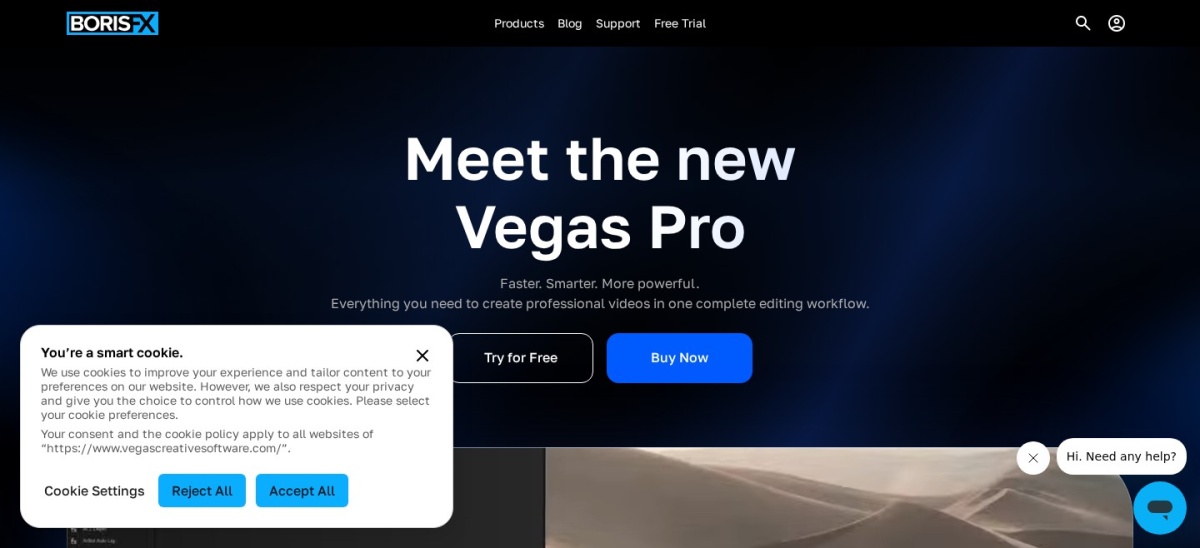
VEGAS Pro homepage, captured Nov 2026.
VEGAS Pro is a timeline-focused video editor known for responsive cut editing and inline audio track handling alongside multi-camera support. It appeals to editors who mix detailed audio directly within their video timeline.
The trade off is that its entry plan starts at $8.33/month ($99.96/year) while higher editions like VEGAS Pro Ultimate cost more, and some users report occasional stability issues. It suits Windows editors who prioritize timeline speed and audio track control.
What we like
Lower entry monthly rate than many pro non-linear editors
Strong inline audio track and mixing workflow
Supports proxy-friendly playback on heavy media
Watch out for
Some users report occasional crashes or stability rough spots
Smaller built-in effects library than some competing suites
Higher tiers such as VEGAS Pro Ultimate add extra third-party VFX plugins and expanded tools beyond the base editor.Visit vegascreativesoftware.com
Manual angle switching vs. AI speaker switching
Live multicam editing in traditional editors gives you frame-by-frame control as you click angles or press number keys during playback. That approach works best for live performances, events, and narrative scenes where framing and reaction shots matter most.
Automated speaker-driven switching can speed up rough cuts for podcasts, interviews, and multi-host panels by cutting to whoever is speaking. Even then, reviewing the generated cuts afterward helps catch missed reactions or awkward overlaps.
How we chose
This list was compiled from established video editing tools that support multi-camera clip alignment and switching across desktop and creator workflows.
Pricing tiers, feature notes, and third-party review ratings were checked in November 2026 against vendor pricing pages, product documentation, and review directories.
Tools without multi-camera alignment or switching workflows, as well as unverified pricing tiers, were left out of the comparison. No vendor paid for a place, and we do not claim testing for this list.
How to choose multicam sync software
Follow four practical checks before paying for a multicam editor:
Match your sync method to how you shoot. Confirm whether your cameras record matching audio waveforms, jam-synced timecode, or require manual markers and in/out points.
Decide between manual switching and automated cuts. Choose timeline multicam switching for live events and scripted angles, or speaker-driven switching if you mostly cut interviews and podcasts.
Check operating system and hardware fit. Verify macOS, Windows, or Linux support along with GPU and memory requirements before editing high-resolution multi-angle footage.
Compare multi-year subscription vs. one-time cost. Add up recurring monthly or annual fees over a year or two against free tiers or one-time licenses.
FAQ
Can I sync multicam video for free without paying for software?
Yes. DaVinci Resolve offers multicam clip creation and angle switching in its free version using timecode, audio waveforms, markers, or in/out points.
When should I use timecode vs. audio waveform sync?
Timecode sync works fastest when cameras and recorders are jam-synced accurately, while audio waveform sync helps when cameras record scratch sound without shared timecode.
Does AI multicam switching replace manual editing?
No. Automated speaker switching can create a fast first pass for interviews or podcasts, but you should still review cuts for reactions and pacing.
Are one-time licenses cheaper than monthly video editing plans?
Over longer periods, a one-time license like DaVinci Resolve Studio or Final Cut Pro can cost less than ongoing monthly or annual subscriptions, though upfront cost is higher.
Why do some editors use proxies for multicam projects?
Playing back multiple high-resolution video streams at once can strain storage and graphics hardware, so proxy files help keep timeline scrubbing and switching smooth.
Does Final Cut Pro run on Windows PCs?
No. Final Cut Pro is built for macOS, so Windows and Linux editors need cross-platform or Windows-compatible options like DaVinci Resolve, Premiere Pro, or VEGAS Pro.
SaaS SEO and WordPress specialist with about 8 years of experience. Rakib compares WordPress plugins, themes, hosting and software using public pricing, documentation and user reviews. See how we rank.