Ableton Live is the top mixing software for PC, scoring 4.7/5 on G2 with dual Session and Arrangement views starting at $99 one-time. Choose REAPER at $60 one-time for budget multitrack mixing, or DJ.Studio at $99 one-time for timeline-based DJ set assembly.
How we make this list: we compare pricing pages, product documentation and public user reviews, then re-check every price before each update. No product paid for a place. Disclosure.
Ableton Live holds a 4.7/5 G2 rating (159 reviews) and starts at $99 one-time for Live 12 Intro ($79 during its pre-Live 13 sale).
REAPER earns 4.5/5 on G2 (28 reviews) and costs $60 one-time for individuals and small creators earning under $20,000/yr.
FL Studio scores 4.6/5 on G2 (103 reviews) with lifetime free updates starting at $99 one-time, though audio recording requires Producer Edition at $179.
DJ.Studio earns 4.3/5 on Trustpilot across roughly 1,000 reviews and starts at $99 one-time for timeline-based DJ mix construction.
Audacity is completely free and open-source with a 4.5/5 G2 rating (460 reviews) for basic multitrack editing without subscription fees.
What to look for in PC mixing software
Mixing software on Windows falls into two distinct categories: digital audio workstations (DAWs) for multitrack studio mixing and DJ mixing applications for beatmatching and transition work. Studio DAWs let you balance levels, apply EQ and compression, and route buses across dozens of audio and MIDI tracks. DJ tools focus on tempo alignment, harmonic mixing, stem isolation, and exporting continuous sets.
Licensing models vary widely across PC audio tools. Several leading workstations still offer perpetual one-time licenses—sometimes with free lifetime updates, as with FL Studio, or version-cycle coverage, as with REAPER—while others rely on recurring monthly subscriptions. Always check what happens when updates expire and whether core features like audio recording or stem separation sit behind higher tiers.
Hardware compatibility and driver support also matter on Windows. Look for native ASIO audio driver support for low-latency monitoring, broad VST3 plugin compatibility for third-party effects, and straightforward controller mapping if you plan to mix with physical faders or jog wheels.
Best for hybrid studio mixing and live performance
WorkflowSession & Arrangement views
Entry tracks16 audio/MIDI tracks (Intro)
Plugin formatVST2, VST3, AU
License modelPerpetual one-time purchase
ableton.com
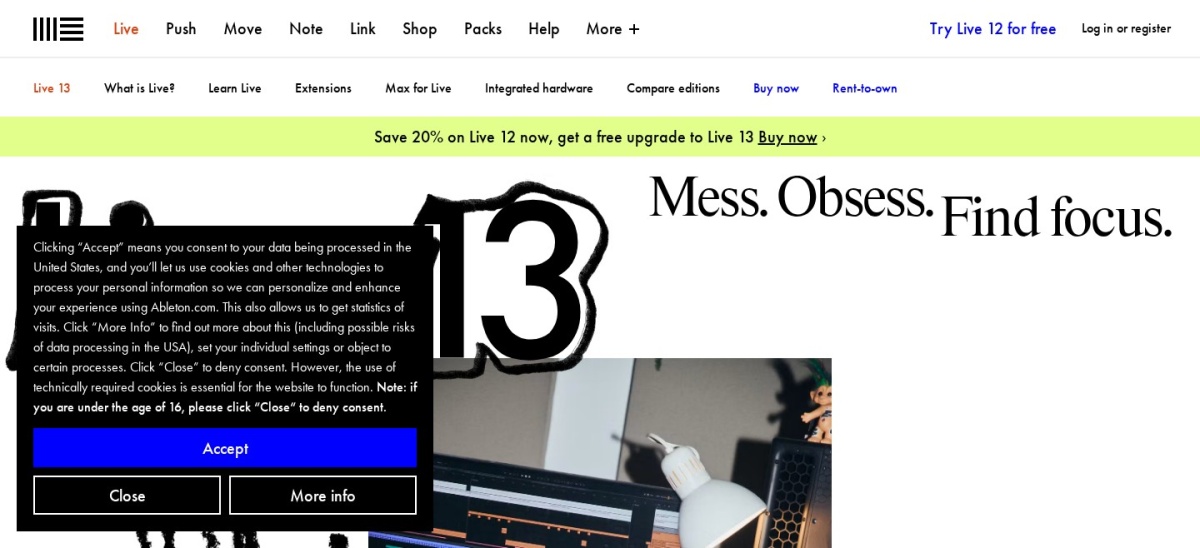
Ableton Live homepage, captured Nov 2026.
Ableton Live is a Windows and macOS digital audio workstation built for both timeline multitrack mixing and clip-based live performance. Its entry Live 12 Intro edition includes 16 audio and MIDI tracks, 16 scenes, 5+ GB of sounds, and core mixing effects for a regular price of $99 one-time (discounted to $79 ahead of Live 13).
The trade off is that 16 tracks fill up fast on dense studio mixes, and upgrading to Live 12 Standard jumps to $349 regular price ($279 on sale). It suits electronic producers, remixers, and live performers who want clip launching alongside traditional linear mixing.
What we like
Unique dual Session and Arrangement views speed up remixing and live set building
Fast audio warping and real-time time-stretching keep tracks locked to tempo
Perpetual one-time license with no mandatory recurring subscription
High user satisfaction at 4.7/5 across 159 G2 reviews
Watch out for
Entry Intro tier caps projects at 16 tracks
Standard ($349) and Suite ($749) editions are expensive compared to rival DAWs
Live 12 Standard ($349 regular) unlocks unlimited audio and MIDI tracks plus 38+ GB of sounds.Visit ableton.com
02
REAPER
4.5/5on G2 (28 reviews, checked Nov 2026)
Starts at$60 one-time
Best for budget multitrack mixing and custom routing
Track countUnlimited audio & MIDI tracks
Evaluation60-day full-featured free trial
Plugin formatVST, VST3, DX, JSFX
License modelOne-time through v8.99
reaper.fm
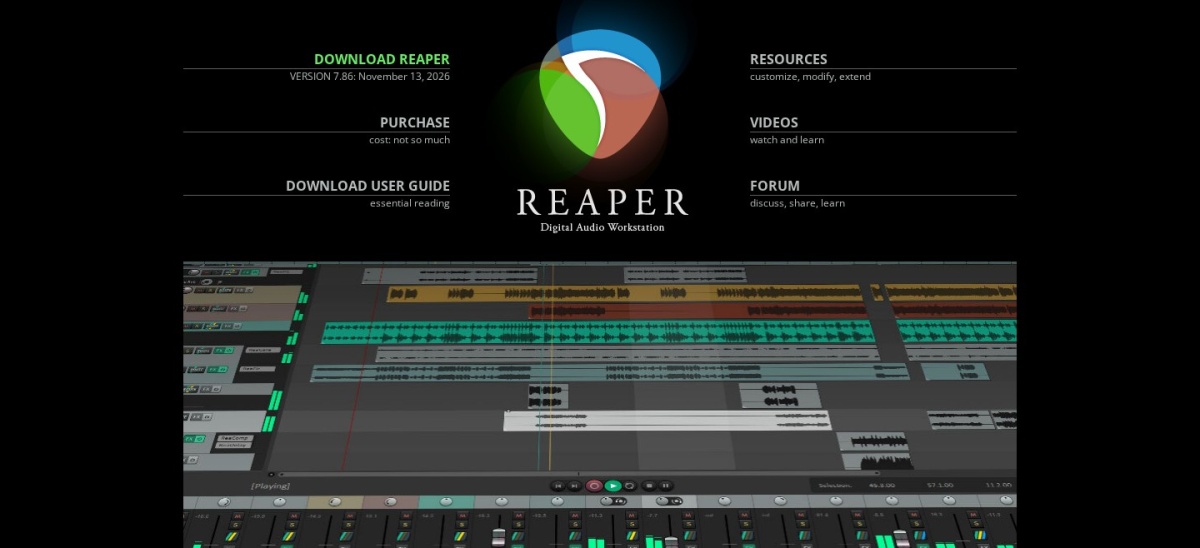
REAPER homepage, captured Nov 2026.
REAPER is a lightweight Windows multitrack audio production and mixing workstation from Cockos with flexible channel routing and low CPU overhead. There is only one version of the software, offering unlimited tracks, 64-bit internal audio processing, and a 60-day uncrippled evaluation before requiring a $60 discounted license for personal or small-business use under $20,000 in annual revenue.
The trade off is a dense default interface with minimal bundled virtual instruments compared to bigger suites, and commercial users earning over $20,000 per year must pay $225. It suits audio engineers, podcasters, and home-studio mixers who prioritize stability and routing depth.
What we like
Full feature set available on the $60 discounted license with no track limits
Tiny installer footprint and low RAM/CPU usage on Windows PCs
Highly customizable menus, toolbars, themes, and ReaScript automation
Generous 60-day unrestricted free evaluation period
Watch out for
Steeper initial interface learning curve for newcomers
Includes functional stock effects but few bundled sample libraries or synths
Commercial license ($225 one-time) covers businesses earning over $20,000 per year.Visit reaper.fm
03
FL Studio
4.6/5on G2 (103 reviews, checked Nov 2026)
Starts at$99 one-time
Best for beat-focused mixing and lifetime free updates
UpdatesLifetime free updates included
Entry bundle81 instruments & effects (Fruity)
Mixer routingFlexible mixer tracks & sends
License modelPerpetual one-time purchase
image-line.com
FL Studio homepage, captured Nov 2026.
FL Studio is a Windows and macOS DAW known for its fast pattern sequencer, piano roll, and dedicated mixer console with flexible routing. The entry Fruity Edition costs $99 one-time and includes 81 instruments and effects alongside Image-Line's lifetime free updates policy.
The trade off is that Fruity Edition excludes direct audio recording and stem separation and limits projects to 8 audio clips, pushing vocal or live-instrument mixers to Producer Edition at $179 regular price ($139 on Black Friday sale). It suits beatmakers and electronic producers who want a one-time purchase that never charges for major version upgrades.
What we like
Lifetime free updates mean you never pay for future major releases
Fast step sequencer and piano roll workflow for electronic and hip-hop mixing
Strong collection of built-in EQs, compressors, and creative effects
Rated 4.6/5 on G2 across 103 user reviews
Watch out for
Cheapest $99 tier lacks audio recording and stem separation
Window-heavy workspace layout takes adjustment if coming from single-screen DAWs
Producer Edition ($179 regular) adds full audio recording, unlimited audio clips, and stem separation.Visit image-line.com
04
DJ.Studio
4.3/5on Trustpilot (1,000 reviews, checked Nov 2026)
Starts at$99 one-time
Best for timeline-based DJ mix creation on PC
InterfaceHorizontal beat-aligned timeline
Library syncrekordbox, Serato, Traktor, VirtualDJ
Free trial7-day Pro + Stems trial
License modelOne-time license + 12 mo updates
dj.studio
DJ.Studio homepage, captured Nov 2026.
DJ.Studio is a timeline-based mixing workstation built specifically for assembling DJ sets, mashups, and radio shows on a laptop without live deck performance. The entry Studio tier costs $99 one-time for up to two machines, supporting MP3 mixing, harmonic key detection, beatmatching, and 12 months of feature updates.
The trade off is that Studio omits WAV files, manual transition curves, and stem separation, which require Pro ($129) or Pro + Stems ($277 regular, $149 on sale), and renewal updates cost $49/yr after the first year. It suits DJs and content creators who prefer precision timeline editing over live one-take recording.
What we like
Timeline editor lets you refine transitions, volume curves, and EQ automation offline
Imports existing playlists from rekordbox, Serato, Traktor, Engine DJ, and VirtualDJ
One-time perpetual license option alongside a 7-day no-card trial
Rated 4.3/5 on Trustpilot across roughly 1,000 customer reviews
Watch out for
Not designed for live club deck performance with jog wheels
Stem separation and VST plugin support require higher-priced tiers
Pro ($129) adds WAV support, manual transitions, and Ableton Live export; Pro + Stems ($277 regular) adds stem separation.Visit dj.studio
05
Cubase
4.3/5on G2 (65 reviews, checked Nov 2026)
Starts at$99.99 one-time
Best for traditional studio recording and MixConsole workflows
Entry tracks48 audio, 64 MIDI, 24 instrument
Free trial30-day trial (no credit card)
Plugin formatVST3
License modelPerpetual one-time purchase
steinberg.net
Cubase homepage, captured Nov 2026.
Cubase is Steinberg's flagship Windows and macOS digital audio workstation, centered on its MixConsole mixer environment and deep MIDI editing. The entry Cubase Elements 16 tier costs $99.99 one-time and provides 48 audio tracks, 64 MIDI tracks, 24 instrument tracks, and a 30-day free trial.
The trade off is that track counts are capped on Elements 16, and advanced tools like surround mixing, stem separation, and full channel-strip modules require Cubase Artist 16 ($299.99) or Cubase Pro 16 ($599.99). It suits songwriters, band engineers, and composers who want a classic console-style PC studio.
What we like
Clean MixConsole layout with built-in channel strip EQ and dynamics
Generous 48 audio and 64 MIDI tracks on the $99.99 Elements tier
30-day free trial requires no credit card upfront
Perpetual license without ongoing monthly subscription fees
Watch out for
Upgrading to Pro 16 ($599.99) is a steep jump for advanced mixing tools
Major version updates require paid upgrade fees
Cubase Artist 16 ($299.99) and Pro 16 ($599.99) remove track limits and add advanced mixing and scoring tools.Visit steinberg.net
06
Audacity
4.5/5on G2 (460 reviews, checked Nov 2026)
PriceFree
Best for free open-source multitrack audio editing
Price100% free & open-source (GPL)
PlatformsWindows, macOS, Linux
Plugin formatVST3, LV2, Nyquist, LADSPA
Audio support16-bit, 24-bit, 32-bit float
audacityteam.org
Audacity homepage, captured Nov 2026.
Audacity is a free, open-source multitrack audio editor and recorder for Windows, macOS, and Linux with no paid tiers or feature locks. It supports multi-track recording, non-destructive envelope adjustments, built-in noise reduction, spectrogram viewing, and real-time VST3 effect processing across 32-bit float audio.
The trade off is that it lacks full MIDI sequencing, virtual instrument hosting, and dedicated mixer buses found in full studio DAWs. It suits podcasters, voiceover editors, and PC users who need quick multitrack editing and cleanup at zero cost.
What we like
Completely free with no subscriptions, trials, or paid feature walls
Fast waveform editing, noise reduction, and batch macro processing
Supports real-time VST3 plugins and 32-bit float audio quality
Strong track record with a 4.5/5 G2 rating across 460 reviews
Watch out for
No full MIDI composition or virtual instrument workflow
Interface feels utilitarian compared to modern commercial DAWs
Best for podcast post-production and audio restoration
ViewsWaveform & Multitrack editors
Cleanup toolsSpectral frequency display & de-noise
IntegrationDirect Premiere Pro round-tripping
License modelMonthly Creative Cloud subscription
adobe.com
Adobe Audition homepage, captured Nov 2026.
Adobe Audition is a Windows and macOS audio workstation built around surgical waveform restoration, spectral frequency cleanup, and multitrack mixing for broadcast and video post-production. The Audition Single App subscription costs $33.99/mo ($407.88/yr), or it is included in Creative Cloud All Apps at $79.49/mo.
The trade off is the ongoing subscription with no perpetual license option, plus the absence of MIDI and virtual instrument tracks for music production. It suits video editors, broadcasters, and podcast producers already working inside Adobe Creative Cloud.
What we like
Spectral frequency editor isolates and removes clicks, hum, and background noise
Direct integration with Adobe Premiere Pro for video audio post-production
Essential Sound panel speeds up dialogue leveling and auto-ducking
Rated 4.4/5 on G2 across 432 reviews
Watch out for
Subscription-only pricing totals $407.88/yr with no perpetual purchase
No MIDI editing or virtual instrument support for music composition
Creative Cloud All Apps ($79.49/mo) bundles Audition with Premiere Pro and 20+ Adobe apps.Visit adobe.com
Studio DAWs vs. DJ mixing software on PC
Before buying mixing software, separate multitrack studio mixing from DJ set mixing. Studio DAWs like Ableton Live, REAPER, FL Studio, and Cubase arrange individual vocal, drum, and instrument stems vertically so you can balance levels, carve frequencies with EQ, and export a finished song or podcast.
DJ mixing software like DJ.Studio—or live performance apps like Serato DJ Pro, rekordbox, and VirtualDJ—focuses on blending full stereo tracks end-to-end using beatgrids, harmonic key matching, and crossfaders. If your goal is producing songs or cleaning up multi-mic recordings, pick a DAW; if your goal is building seamless transitions between finished tracks, pick a DJ tool.
How we chose
We built this list by comparing established Windows-compatible digital audio workstations, multitrack editors, and DJ mixing tools with verified public review profiles and transparent official pricing.
All prices, regular tier rates, ratings, and review counts were verified on 22 Nov 2026 from vendor pricing pages, G2, and Trustpilot, converting monthly rates to yearly totals where applicable.
We excluded macOS-only tools like Logic Pro and GarageBand, discontinued products, and tools without transparent public pricing pages. No vendor paid for a place, and we do not claim testing for this list.
How to choose mixing software for your PC
Match your primary audio workflow, licensing preference, and hardware setup before paying for a license.
Define whether you are mixing stems or full tracks. Choose a multitrack DAW like REAPER, Ableton Live, or Cubase for recording and balancing individual instruments, or DJ.Studio for arranging full songs into a continuous DJ mix.
Compare perpetual licenses against subscriptions. One-time licenses from REAPER ($60), FL Studio ($99), and Ableton Live ($99) avoid ongoing monthly bills, whereas Adobe Audition ($33.99/mo) requires an active subscription.
Check entry-tier limits on tracks and recording. Entry editions often restrict key features—for example, FL Studio Fruity ($99) omits audio recording and Ableton Live Intro ($99) caps projects at 16 tracks.
Use a free trial with your Windows audio interface. Download the free trial or Audacity first to verify ASIO driver stability, buffer latency, and third-party VST3 plugin compatibility on your PC.
FAQ
What is the best free mixing software for PC?
Audacity is the top completely free mixing and editing tool for Windows, offering unlimited multitrack audio editing, 32-bit float processing, and VST3 plugin support without paid tiers. If you need full MIDI and bus routing, REAPER offers an uncrippled 60-day free evaluation before costing $60.
Which PC mixing software has lifetime free updates?
FL Studio includes lifetime free updates on every paid edition, starting at $99 one-time for Fruity Edition and $179 regular price for Producer Edition. Once purchased, you receive all future major version upgrades at no extra charge.
Is Ableton Live or FL Studio better for mixing on Windows?
Ableton Live (4.7/5 on G2) excels at audio warping, live clip launching, and hybrid studio-to-stage workflows, starting at $99 for 16 tracks. FL Studio (4.6/5 on G2) is faster for pattern-based beat sequencing and offers lifetime free updates, though audio recording requires the $179 Producer Edition.
Can I buy PC mixing software once instead of paying monthly?
Yes. REAPER ($60), Ableton Live ($99), FL Studio ($99), DJ.Studio ($99), and Cubase Elements ($99.99) all sell perpetual one-time licenses. Among the tools compared here, only Adobe Audition ($33.99/mo) requires an ongoing subscription.
What is the best software for making DJ mixes on a PC without controllers?
DJ.Studio ($99 one-time for Studio) is built specifically for assembling DJ mixes on a horizontal timeline using a mouse and keyboard. It handles automatic BPM matching, harmonic key detection, and transition automation, then exports directly to audio, video, or Ableton Live.
SaaS SEO and WordPress specialist with about 8 years of experience. Rakib compares WordPress plugins, themes, hosting and software using public pricing, documentation and user reviews. See how we rank.