Adobe Express is the best app to remove background from photos for most people, because it removes backgrounds free with no watermark and is rated 4.4 out of 5 on G2. Pick Canva if you already design there, or PhotoRoom for product photos in bulk.
How we make this list: we compare pricing pages, product documentation and public user reviews, then re-check every price before each update. No product paid for a place. Disclosure.
Adobe Express removes backgrounds free with no watermark, the strongest free offer in this list.
Canva's remover is Pro-only at $144 a year, but it is the best pick if you already design in Canva.
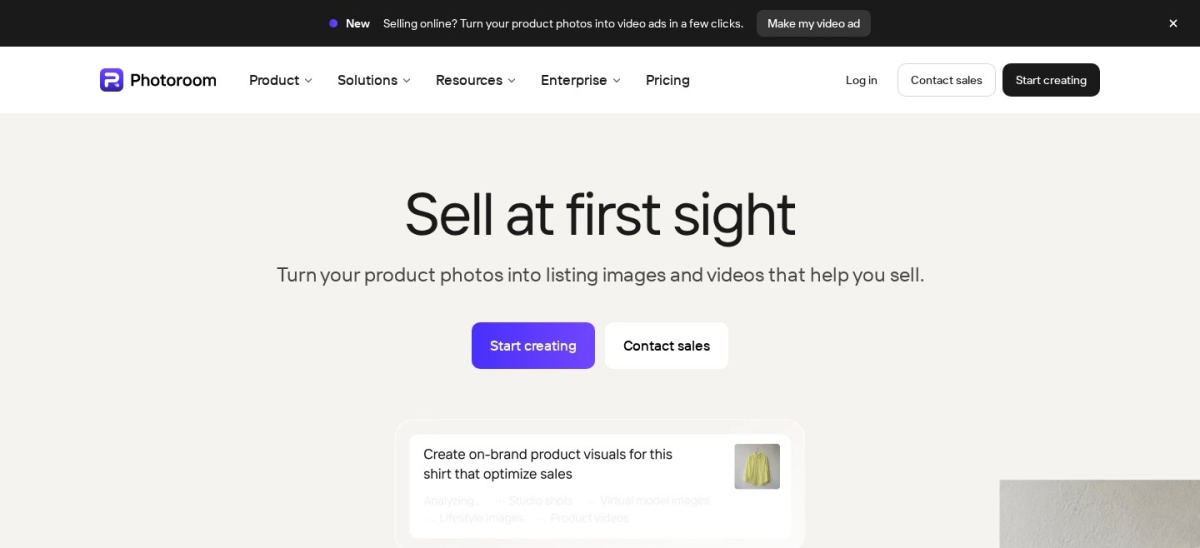
PhotoRoom is the seller's pick: batch removal, AI backgrounds and Pro at $7.50 a month billed yearly.
Pixlr is the cheapest paid plan here at $2.49 a month, with a free background remover and batch export.
PicWish Pro is $59.99 a year, but its 4.8 G2 rating rests on only 6 reviews.
remove.bg, the best-known standalone remover, closes on 1 December 2026, so we left it out of this list.
What to look for in a background removal app
Most background removers now work the same way: upload a photo, the app finds the subject and the background disappears in seconds. The differences are what happens next, such as export size, watermarks, batch work and whether you can keep designing.
Free plans vary more than prices do. Some let you download a full-size transparent PNG for free, while others only show a small preview and charge for the real file. Check the export before you build a workflow around a free plan.
If you sell products online, batch removal and a clean white background matter more than fancy effects. Our guide on adding a logo in WordPress covers the other half of a tidy product page: consistent branding on every image.
Credit plans hide the real cost. A $9.99 monthly plan with 450 credits sounds cheap until each image costs a credit and you process 500 a month. Work out your monthly image count first, then compare the cost per image.
Adobe Express is a browser and mobile design app from Adobe with a free background remover. You upload a photo, remove the background in one click and download a transparent PNG with no watermark, then keep editing in the same workspace. The free plan also covers templates, fonts and stock photos for everyday designs.
The trade off is the paid plan. Premium costs $9.99 a month and adds brand kits, more stock assets, video background removal and 100 GB of storage. It suits people who want free cutouts now and may pay later for a fuller design toolkit.
What we like
Background removal is free with no watermark
Keep editing the cutout in the same workspace
Included with Creative Cloud at no extra cost
Watch out for
No batch background removal
Video background removal needs Premium
Generative credits can run out on heavy use
Premium adds brand kits, video removal and more stockVisit adobe.com
02
Canva
4.7/5on G2 (7,762 reviews, checked Nov 2026)
Paid from$144/yr
Best for designing around the cutout
Free background removalNo, Pro only
Batch removalUp to 50 images per folder
Templates3.6M+ including premium
Paid planPro, $144/yr
canva.com
Canva homepage, captured Nov 2026.
Canva is a design platform where background removal is one button inside the editor. You remove the background, then drop the cutout straight onto a social post, presentation or flyer without exporting between apps. The free plan covers design basics, but the remover itself needs a paid plan.
The trade off is price. Pro costs $144 a year, or $18 a month billed monthly, so it only makes sense if you use Canva for more than cutouts. It suits marketers and small businesses that already design in Canva every week.
What we like
Cutout drops straight into templates and brand kits
Highest G2 rating in this list at 4.7 out of 5
Bulk removal for up to 50 images per folder
Watch out for
Background remover is not on the free plan
Pro is pricey if you only need cutouts
Monthly billing costs more than the yearly rate
Pro adds the remover, brand kits and premium assetsVisit canva.com
03
PhotoRoom
4.3/5on G2 (20 reviews, checked Nov 2026)
Paid from$7.50/mo
Best for product photos in bulk
Free background removalYes, 250 exports a month
Batch removalYes, 500 exports on Pro
AI backgroundsYes, 1,000+ templates
Paid planPro, $7.50/mo billed yearly
photoroom.com
PhotoRoom homepage, captured Nov 2026.
PhotoRoom is an AI photo editor built for sellers, starting with background removal. The free plan covers 250 exports a month with limited AI backgrounds, and Pro adds batch editing, templates, a brand kit and high-resolution exports. Its site says more than 1 million businesses use it.
The trade off is the subscription. Pro costs $7.50 a month billed yearly, or $12.99 billed monthly, and the free plan is for personal, non-commercial use. It suits online sellers who photograph products in bulk and need clean listings fast.
Pixlr is a free browser photo editor with a dedicated background remover. The remover is free, handles several images at once and saves them together as a zip, and the wider editor covers filters, layers and design templates. Plus, the cheapest paid plan, costs $2.49 a month.
The trade off is ads and limits. The free editor shows ads and caps daily downloads, and the fuller AI tools need Premium at $9.99 a month. It suits budget users who want a capable editor and free cutouts without installing anything.
What we like
Background remover is free and works in batches
Cheapest paid plan in this list
Full editor in the browser, nothing to install
Watch out for
Free version shows ads and caps downloads
Full AI tools need the $9.99 Premium plan
Mobile app ratings are much lower than desktop
Plus removes ads; Premium unlocks the full AI toolkitVisit pixlr.com
05
Picsart
4.5/5on G2 (740 reviews, checked Nov 2026)
Paid from$10.50/mo
Best for mobile-first creators
Free background removalYes, with limits
Batch removalUp to 50 images on Pro
PlatformsiOS, Android, web, desktop
Paid planPro, $10.50/mo billed yearly
picsart.com
Picsart homepage, captured Nov 2026.
Picsart is a mobile-first photo and video editor with AI background removal. The free tier covers basic editing and some AI tools, while Gold unlocks the full tool library, removes ads and drops watermarks from exports. It runs on iOS, Android, the web and desktop.
The trade off is price confusion. Web Pro lists at $10.50 a month billed yearly, while app-store Gold prices differ, so check the plan on the device you will pay on. It suits creators who edit mostly on their phone.
Fotor is a browser and mobile photo editor with a one-click AI background remover. The free version covers basic edits, filters and templates, and Pro adds the full AI toolkit, more storage and no ads. G2 reviewers praise its ease of use and quick background removal.
The trade off is the free plan. Free background removal is mainly in the mobile app, and the web version pushes toward Pro at $8.99 a month. It suits beginners who want fast edits and are happy editing on their phone.
PicWish is an AI photo editor built around background removal, enhancement and upscaling. The free plan gives limited non-HD downloads each day, and Pro costs $59.99 a year with 450 credits a month and 100 HD downloads a day. Each background removal costs one credit, and batch mode handles whole folders.
The trade off is the thin rating base. Its G2 score of 4.8 out of 5 comes from only 6 reviews, so treat it as a weak signal. It suits sellers cleaning up supplier photos in bulk on the smallest budget.
What we like
Lowest yearly Pro price in this list
Desktop batch mode for whole folders
One-time credit packs from $12.99 as well
Watch out for
G2 rating rests on only 6 reviews
Free plan limits downloads and resolution
Its own pages disagree on free plan limits
Pro adds 450 credits a month and 100 HD downloads a dayVisit picwish.com
08
Kapwing
3.9/5on G2 (41 reviews, checked Nov 2026)
Paid from$16/mo
Best for video creators
Free background removalYes, watermarked export
Video background removalYes
Free export limit720p, 4 minutes
Paid planPro, $16/mo billed yearly
kapwing.com
Kapwing homepage, captured Nov 2026.
Kapwing is a browser video editor with image and video background removal built in. Removal uses no AI credits, and Pro adds 4K exports, no watermark, a brand kit and 1,000 credits a month for subtitles and other AI tools. The free plan exports up to 4 minutes at 720p with a watermark.
The trade off is focus and price. Kapwing is a video tool first, so photo-only users pay $16 a month billed yearly for features they may never open. It suits creators who make captioned social video and also need the odd photo cutout.
What we like
Image and video background removal in one place
Removal uses no AI credits
Subtitles, dubbing and translation built in
Watch out for
Lowest G2 rating in this list at 3.9 out of 5
Free exports carry a watermark
Most expensive Pro plan in this list
Pro adds 4K export, no watermark and 1,000 credits a monthVisit kapwing.com
Free vs paid: what you give up
Free plans cover one-off cutouts well. Adobe Express and Pixlr both remove backgrounds free and let you download the result.
Paid plans mostly add volume and polish. You get batch removal, high-resolution exports, no watermarks and AI backgrounds.
If you process more than about 50 images a month, a paid plan usually costs less per image than buying credits one by one. Work out your monthly count before you pay.
How we chose
We started from the best-known background removal apps on G2, then kept those with a real free plan or a clear paid price and a public rating.
Prices come from each vendor's pricing page and pricing audits that quote it, checked on 25 November 2026. Ratings and review counts come from G2 on the same day. Where a vendor shows a sale, the list shows the regular price.
We left out remove.bg because it closes on 1 December 2026, and Slazzer because it has no public rating on G2, Capterra or Trustpilot. No vendor paid for a place, and we do not claim to have used these tools ourselves.
How to choose a background removal app
Start with how many images you cut out each month, then pick the cheapest plan that covers that volume.
Count your monthly images. One or two photos a week fits a free plan. More than 50 a month needs a paid plan or credit pack.
Check the free export first. Some free plans only export small previews. Make sure the free download is big enough for your site or listing.
Match the tool to the job. Sellers need batch removal and white backgrounds. Designers need the cutout inside their editor. Phone editors need a good mobile app.
Watch the credit maths. On credit plans, divide the monthly price by the credits you get to find the cost per image, then compare it with a flat subscription.
FAQ
What is the best app to remove background from photos?
Adobe Express is the best pick for most people. It removes backgrounds free with no watermark, lets you keep editing in the same workspace, and is rated 4.4 out of 5 on G2 from more than 1,100 reviews.
Can I remove a photo background for free?
Yes. Adobe Express and Pixlr both remove backgrounds free and let you download the result. Canva's remover needs Pro, and PhotoRoom's free plan is for personal, non-commercial use, so check the terms before using cutouts in a shop.
Which app is best for product photos?
PhotoRoom is the best pick for product photos. It removes backgrounds in batches, adds AI backgrounds and shadows, and Pro costs $7.50 a month billed yearly, which covers 1,000 exports a month.
Does Canva remove backgrounds for free?
No. Canva's background remover is a Pro feature, and Pro costs $144 a year or $18 a month billed monthly. The free plan covers design basics, so use Adobe Express or Pixlr if you only need free cutouts.
How much does background removal cost per image?
It depends on the plan. On PicWish Pro at $59.99 a year, each removal costs one of 450 monthly credits, about 11 cents. On PhotoRoom Pro, 1,000 exports a month at $7.50 works out to under a cent each.
What happened to remove.bg?
remove.bg is closing as a standalone product on 1 December 2026. Canva, which owns it, is directing web users to Canva and API users to Leonardo.AI, so new buyers should pick one of the tools in this list instead.
SaaS SEO and WordPress specialist with about 8 years of experience. Rakib compares WordPress plugins, themes, hosting and software using public pricing, documentation and user reviews. See how we rank.