Adobe After Effects is the best logo animation software for custom motion graphics, with a 4.7/5 Capterra rating and subscriptions starting at $22.99 per month. Choose Adobe Express for beginner-friendly logo reveals or Animaker for combining animated logos with marketing videos and animated characters.
How we make this list: we compare pricing pages, product documentation and public user reviews, then re-check every price before each update. No product paid for a place. Disclosure.
Adobe After Effects offers detailed motion control for $275.88 per year, with a 4.7/5 Capterra rating.
Adobe Express Premium costs $119.88 per year and includes advanced animation tools.
Animaker Basic starts at $180 per year with watermark-free video exports.
Kapwing Pro costs $192 per year and supports 4K video exports.
Powtoon Lite includes 5 watermark-free exports per month for $180 per year.
CreateStudio Standard costs $199 per year and includes unlimited video exports.
What to look for in logo animation software
Logo animation software turns a static brand symbol into moving visual content. Businesses use animated logos in video introductions, advertisements, presentations, social media posts and website elements.
The main distinction is between template-based animation and custom motion design. Templates help beginners create a finished logo reveal quickly, while keyframe-based editors give designers more control over movement, timing and visual effects.
Export quality matters when an animation appears across different platforms. Check whether the software supports high-resolution video, transparent backgrounds and the file formats required by your publishing workflow.
Commercial usage rights are another consideration. Some subscriptions cover personal projects but reserve broader commercial permissions, premium assets or client work for more expensive plans.
Adobe After Effects is a desktop motion graphics and compositing application for designing custom logo reveals. Its individual subscription includes animation controls, visual effects and access to Adobe Express Premium, with a 7-day trial available before purchasing.
The trade off is the learning curve and ongoing subscription cost of $22.99 per month with an annual commitment. It suits motion designers, creative agencies and businesses that need original logo animations rather than variations of existing templates.
What we like
Detailed control over animation timing and movement
Supports complex compositing and visual effects
Works with other Adobe design applications
Suitable for reusable branded motion projects
Watch out for
No permanent free plan
Requires time to learn advanced animation techniques
Complex projects can require substantial computing resources
The subscription unlocks the full desktop editor and ongoing updates.Visit adobe.com
02
Adobe Express
4.4/5on G2 (1,110 reviews, checked Nov 2026)
Paid from$9.99/mo
Best for beginners and simple logo reveals
Animation methodPreset motion effects
PlatformWeb and mobile
Premium AI credits250/month
Paid planPremium, $9.99/mo
adobe.com
Adobe Express homepage, captured Nov 2026.
Adobe Express is an online design and video creation platform with animation effects for text, graphics and brand assets. Its free plan covers basic design tasks, while Premium includes advanced animation features and 250 monthly generative AI credits.
The trade off is limited control over complex motion paths compared with dedicated animation applications, and Premium costs $9.99 per month. It suits small businesses and creators producing straightforward branded introductions without learning professional motion design.
What we like
Accessible interface for beginners
Combines logo animation with graphic design
Free plan available for basic projects
Premium templates and stock assets
Watch out for
Less control over detailed movement
Advanced animation features require payment
Not intended for complex 3D logo production
Premium adds advanced animation, premium templates and resizing tools.Visit adobe.com
03
Animaker
4.2/5on Capterra (236 reviews, checked Nov 2026)
Paid from$15/mo
Best for animated marketing videos
Animation methodScene-based animation
PlatformWeb browser
Free exportsWatermarked
Paid planBasic, $180/yr
animaker.com
Animaker homepage, captured Nov 2026.
Animaker is a browser-based animation platform for creating logo introductions, animated explainers and promotional videos. Its free version includes animation tools and limited assets, while the Basic plan removes the Animaker watermark for $15 per month on annual billing.
The trade off is that higher export allowances and broader commercial rights require more expensive subscriptions than the $180 annual Basic plan. It suits marketing teams that want to integrate animated logos into larger video projects featuring characters, text and illustrations.
What we like
Combines logo reveals with complete animated scenes
Includes character animation and visual assets
Free version available for creating drafts
Entry-level paid plan removes watermarks
Watch out for
Paid plans have download allowances
Commercial permissions vary by subscription
Less precise motion control than After Effects
Basic removes watermarks and expands access to animation resources.Visit animaker.com
04
Canva
4.7/5on Capterra (13,469 reviews, checked Nov 2026)
Paid from$120/yr
Best for social media logo animations
Animation methodPage and element effects
Free templates1.6M+
Video exportMP4
Paid planPro, $120/yr
canva.com
Canva homepage, captured Nov 2026.
Canva is a visual design platform that lets creators animate uploaded logos, text and other design elements. Its free subscription includes more than 1.6 million templates across design categories, alongside editing tools for creating branded graphics and videos.
The trade off is limited control over complex animation sequences, with Pro priced at $120 per year according to Canva's published pricing information. A temporary monthly subscription promotion is also advertised. It suits social media managers who need animated branding alongside everyday marketing designs.
What we like
Easy animation controls for non-designers
Large selection of design templates
Useful for maintaining consistent visual branding
Supports multiple social media design formats
Watch out for
Limited advanced motion graphics controls
Some assets and effects require Pro
Less suitable for complex cinematic logo reveals
Pro adds premium assets, brand management and additional editing features.Visit canva.com
05
Kapwing
4.4/5on Capterra (208 reviews, checked Nov 2026)
Paid from$16/mo
Best for collaborative logo video editing
Free export resolution720p
Paid export resolution4K
Pro cloud storage200 GB
Paid planPro, $192/yr
kapwing.com
Kapwing homepage, captured Nov 2026.
Kapwing is an online video editor for combining animated graphics, logo assets, text and footage. The free plan supports watermarked exports at 720p, with a maximum video duration of 4 minutes and 5 GB of cloud storage.
The trade off is that watermark removal, 4K exports and additional branding features require Pro at $16 per month when billed annually. It suits content teams that want to develop animated logo introductions within a shared video editing workspace.
What we like
Browser-based editing without desktop installation
Shared project workspace for teams
Supports high-resolution exports on Pro
Combines animation with general video editing
Watch out for
Free exports include a watermark
Advanced motion design options are limited
Paid workspace costs increase with additional members
Pro adds watermark-free 4K exports, custom fonts and brand management.Visit kapwing.com
06
CreateStudio
4.8/5on Capterra (580 reviews, checked Nov 2026)
Starts at$199/yr
Best for desktop animated video production
Video exportsUnlimited
Standard templates50
Device installations2
Paid planStandard, $199/yr
createstudio.com
CreateStudio homepage, captured Nov 2026.
CreateStudio is a video animation application for building branded introductions, promotional clips and animated scenes. Its Standard subscription includes unlimited video exports, a commercial use license, 50 templates and installation on 2 devices.
The trade off is the $199 annual subscription and a smaller entry-level asset library than the higher-tier plans. It suits freelance video creators and small agencies that regularly produce animated content and want more editing flexibility than simple template-based logo makers.
What we like
Unlimited video exports on the entry plan
Commercial use license included
Customizable motion and scene elements
Supports installation on multiple devices
Watch out for
No permanent free plan
Larger template collections require an upgrade
Less specialized for advanced compositing than After Effects
Standard includes unlimited exports, commercial licensing and animation templates.Visit createstudio.com
07
Powtoon
4.5/5on Capterra (429 reviews, checked Nov 2026)
Paid from$15/mo
Best for animated business presentations
Free video resolution720p
Lite video resolution1080p
Watermark-free Lite exports5/month
Paid planLite, $180/yr
powtoon.com
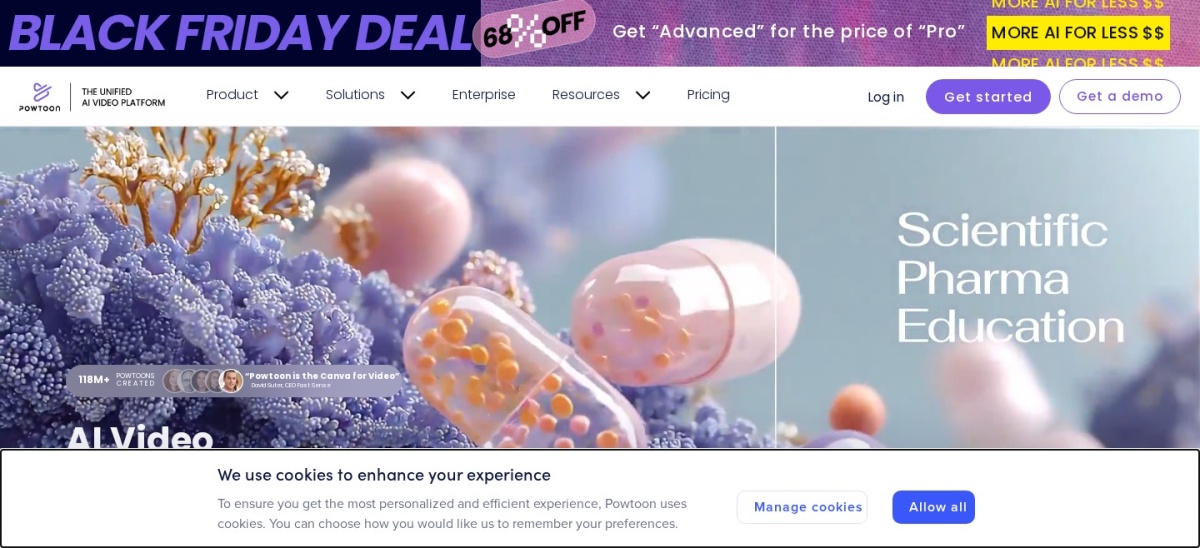
Powtoon homepage, captured Nov 2026.
Powtoon is an online animation and presentation platform for adding moving brand graphics to business videos. Its free version supports watermarked videos at 720p with a maximum duration of 3 minutes, alongside basic templates and characters.
The trade off is the export allowance: Lite costs $15 per month on annual billing and includes 5 watermark-free exports per month. A separate Black Friday promotion applies to the Advanced plan. It suits business teams producing branded presentations, training videos and occasional animated introductions.
What we like
Combines animated logos with presentation content
Free plan available for drafting projects
Includes templates and animated characters
Paid entry plan supports 1080p downloads
Watch out for
Limited watermark-free exports on Lite
Not designed for detailed 3D motion graphics
Advanced animation customization is restricted
Lite adds watermark-free exports, 1080p downloads and longer videos.Visit powtoon.com
Template-based logo makers vs custom animation software
Template-based logo animation tools are useful when production speed matters more than complete creative control. You upload your logo, select an effect, adjust branding elements and export the finished animation.
Custom animation software lets designers control individual properties such as position, scale, rotation and opacity throughout the animation. This approach takes longer but helps create a distinctive visual identity that competitors cannot easily reproduce using the same template.
Choose Adobe After Effects for original motion design and Adobe Express or Canva for everyday branded content. Animaker and Powtoon make more sense when the logo animation is part of a larger marketing or presentation video.
Which animated logo export format should you use?
MP4 is generally suitable for video introductions, advertisements and social media publishing. It offers broad compatibility and supports high-quality motion with sound.
GIF works for short looping animations where sound is unnecessary, although image quality and color reproduction may be limited. WebM can be useful for web publishing when browser compatibility and transparency matter.
For professional video compositing, look for an export format and codec that preserve transparency. A transparent logo animation can be placed over footage without displaying a solid background.
How we chose
We shortlisted established animation, design and video editing products that support moving brand graphics. We prioritized animation controls, template flexibility, export quality, licensing and usefulness for different creative workflows.
The requested editorial verification date is 22 Nov 2026, but pricing and public ratings were actually checked on 25 Nov 2026 using official vendor pages, Capterra and G2. Annual costs use regular published subscription rates rather than temporary promotional discounts. Canva's annual price comes from its published pricing explanation because its interactive pricing table did not expose a numeric price.
We excluded products whose official pricing could not be confirmed, products without sufficient public review evidence and tools that did not offer a relevant animation workflow. No vendor paid for a place, and we do not claim testing for this list.
How to choose the best logo animation software
Identify the animation style, publishing destination and production budget before comparing individual tools.
Decide how much creative control you need. Choose a keyframe-based application for original motion graphics or a template-driven editor for faster logo reveals.
Check the export formats and resolution. Make sure the application produces files suitable for your intended social platforms, website or video editing workflow.
Compare regular subscription costs and limits. Look beyond the advertised monthly price to identify annual commitments, export allowances, watermark restrictions and additional licensing costs.
Review commercial rights and brand features. Confirm that your subscription permits the intended business or client use and supports the fonts, colors and uploaded assets required by your brand.
FAQ
What is the best software for logo animation?
Adobe After Effects is our top pick for professional logo animation because of its keyframe controls, compositing features and customization options. Adobe Express is a more accessible alternative for users who only need simple animated introductions.
What is the best free logo animation software?
Adobe Express and Canva are useful free options for basic logo animations. Both let users combine uploaded graphics with visual effects and design elements, although some premium assets, advanced features and export options require paid subscriptions.
How much does logo animation software cost?
The paid plans in this comparison start at $9.99 per month for Adobe Express Premium. Adobe After Effects costs $22.99 per month with an annual commitment, while CreateStudio Standard costs $199 per year.
Can I animate a logo without animation experience?
Yes. Template-based editors such as Adobe Express, Canva and Animaker provide preset motion effects and visual editing interfaces. You can upload a logo, adjust the design and create an animated version without learning advanced motion graphics techniques.
Is After Effects better than Canva for logo animation?
After Effects is better for original motion graphics, detailed timing and complex visual effects. Canva is more suitable for quick social media animations and routine marketing content where production speed and ease of editing matter more.
Can I use animated logos on my website?
Yes, provided your website supports the chosen animation format. WebM, GIF and optimized video files can display animated branding, but file size, loading performance, accessibility and browser compatibility should be considered before publishing the animation.
Can I create animated logos for commercial use?
Many animation applications support commercial projects, but permissions depend on the subscription and any included stock assets. Check the vendor's licensing terms before using an animated logo in paid advertising, client projects or products intended for resale.
Do free logo animation tools add watermarks?
Some do. Animaker, Kapwing and Powtoon include watermarks on their free video exports. Other applications may allow clean exports when you use eligible free assets, so check the export restrictions before completing a branded animation.
SaaS SEO and WordPress specialist with about 8 years of experience. Rakib compares WordPress plugins, themes, hosting and software using public pricing, documentation and user reviews. See how we rank.